How to Request Alternative Formats in AIM
This guide will walk you through the process of requesting alternative formats for your courses' required reading materials through AIM.
Log in to AIM.
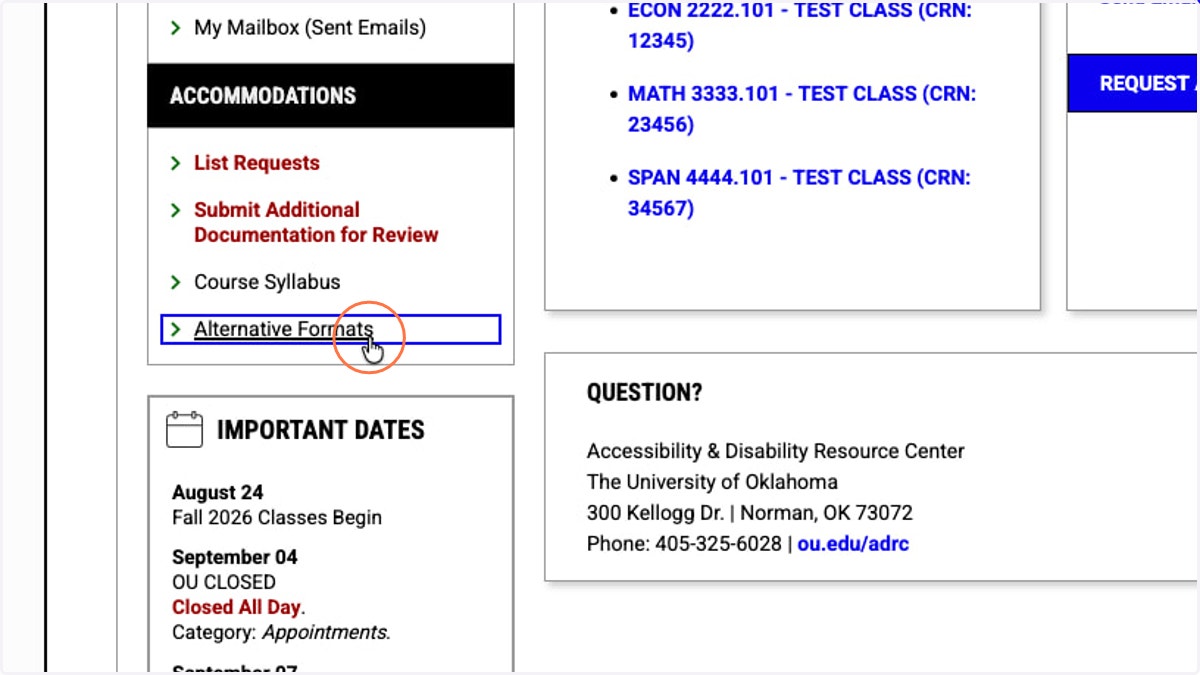
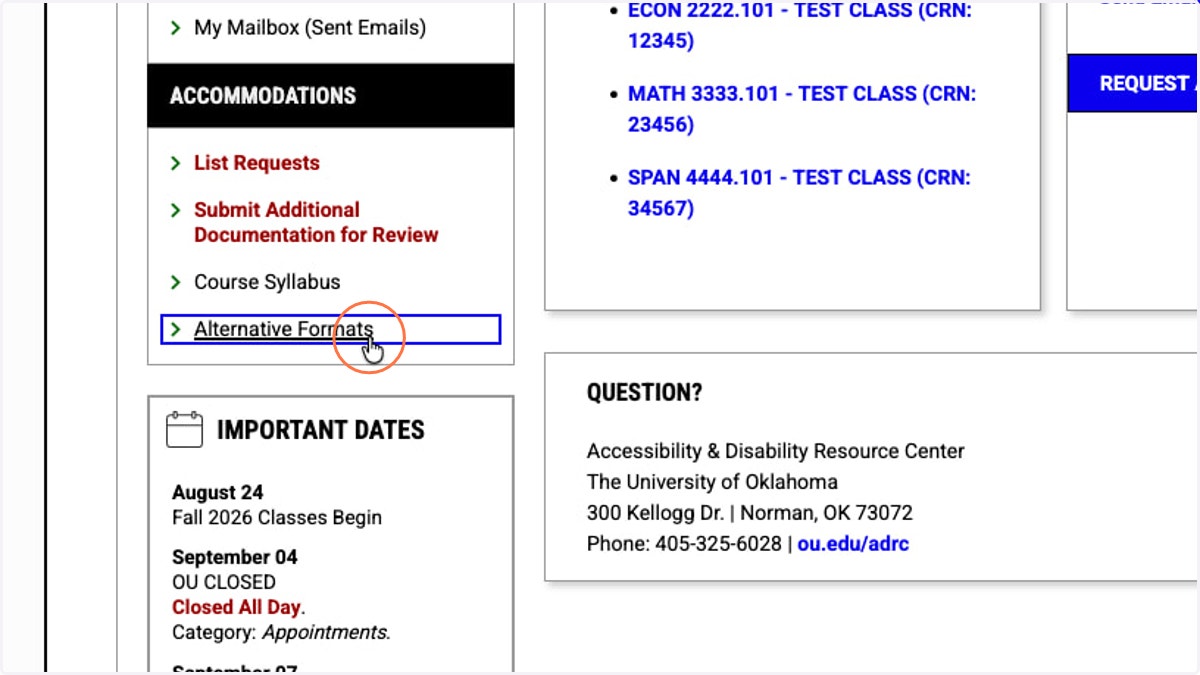
1. Under ACCOMMODATIONS in the sidebar, click Alternative Formats.
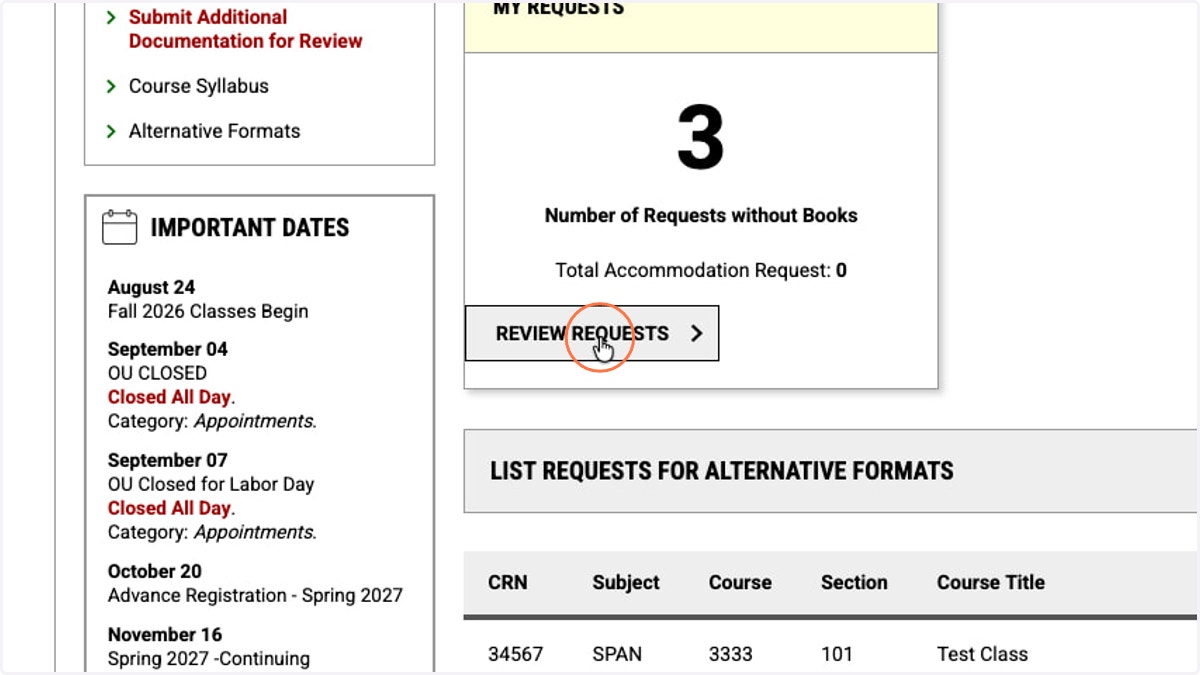
2. In the MY REQUESTS card, click the REVIEW REQUESTS button.
When you request your accommodations, AIM automatically lets us know your course information.
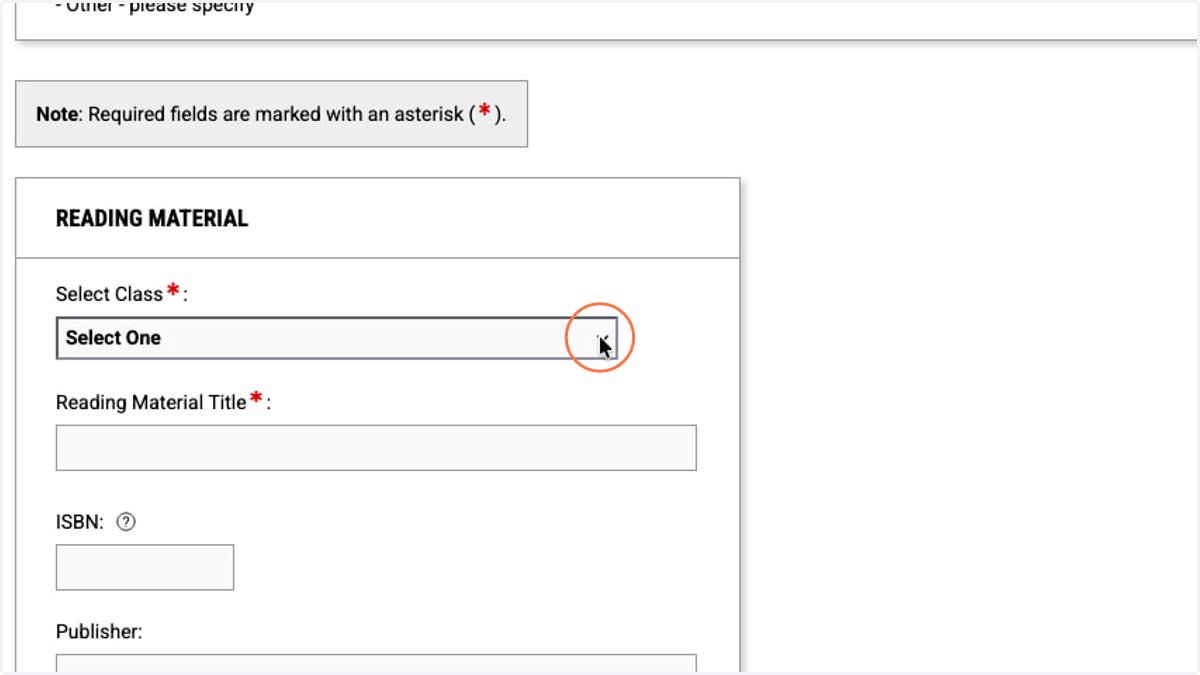
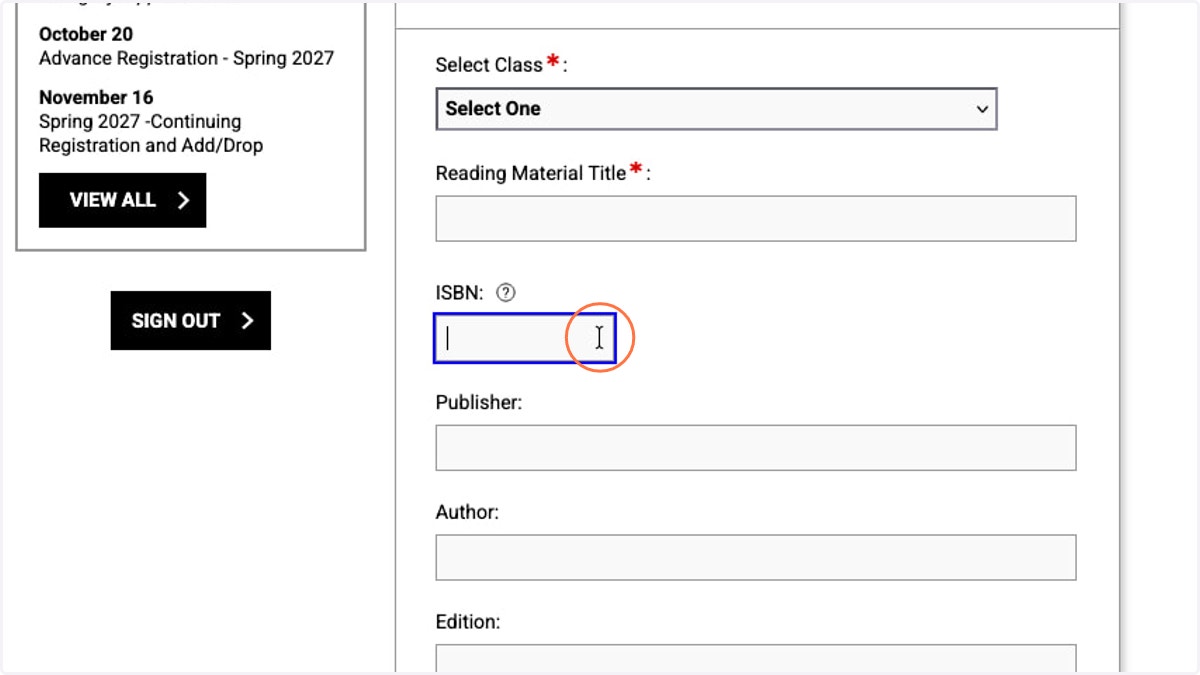
3. Select Class will bring up a dropdown menu of your classes for you to choose. Fill in the information about the reading material you're requesting an alternative format for.
Each title must be associated with a class for which you have approved accommodations. Please note, the ADRC can only provide the REQUIRED books for your courses.
4. The Reading Material Title is a required field.
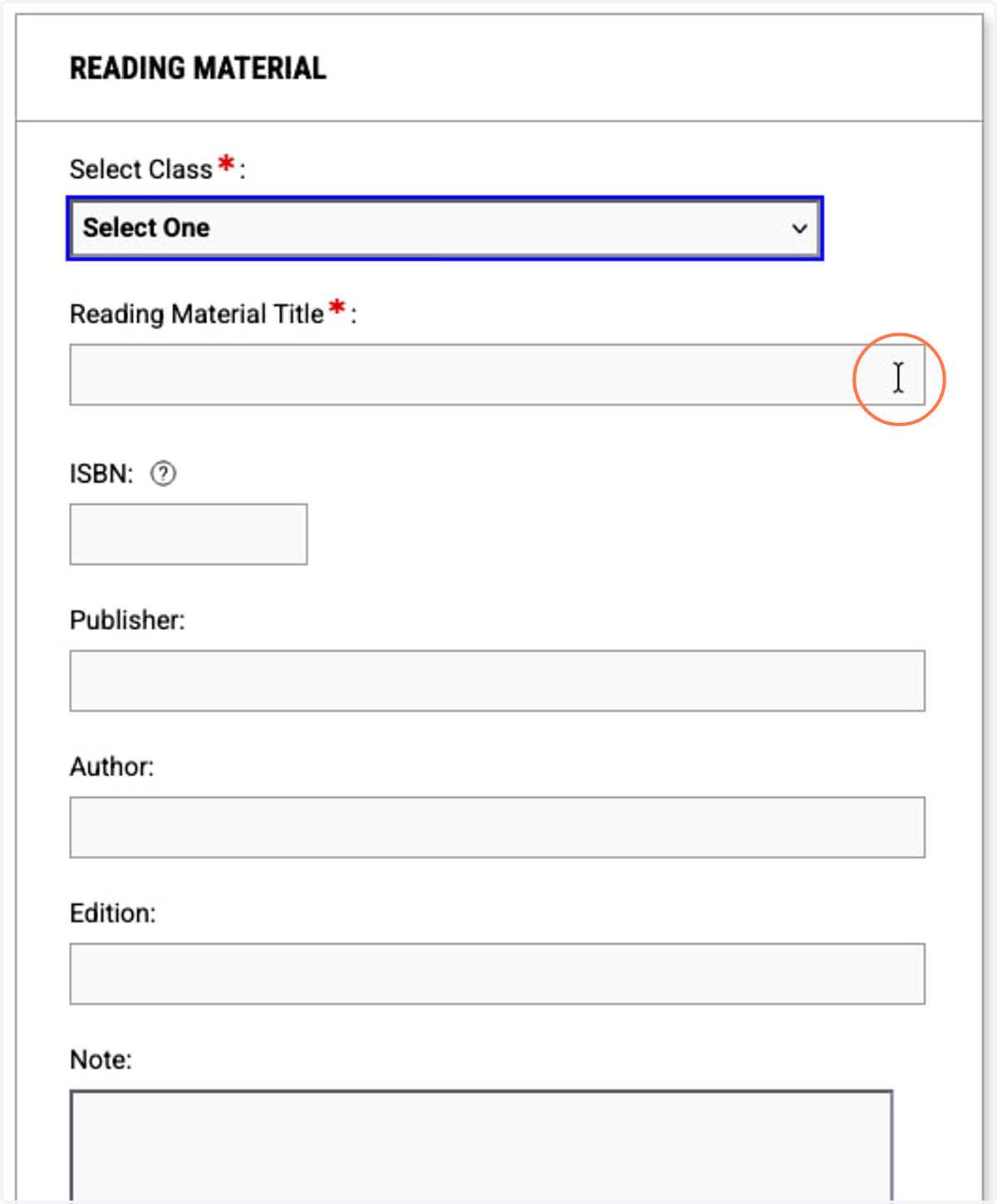
5. The ISBN field is not required but greatly helps us fulfill your request in a timely manner so please do include it if possible.
Similarly, any further information you can provide about the publisher, author(s), edition, or other notes will help us locate an accessible version of the correct text for you more quickly.
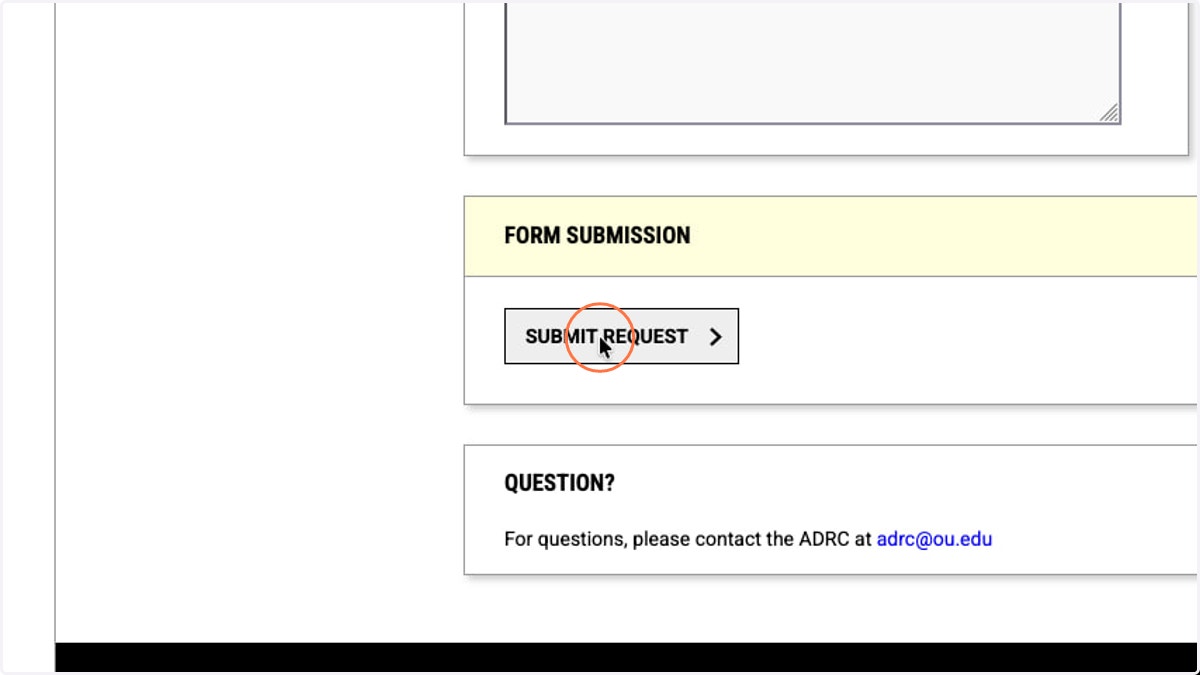
6. Click the SUBMIT REQUEST button at the bottom of the form to register your alternative format request.
7. Repeat the steps above for every required book needing an alternative format, for every course with approved e-text accommodations.
8. Now that all of your books have been requested, you'll need to upload proof of purchase so we can fulfill them for you. Return to the Alternative Formats overview by clicking the link under ACCOMMODATIONS in the sidebar.
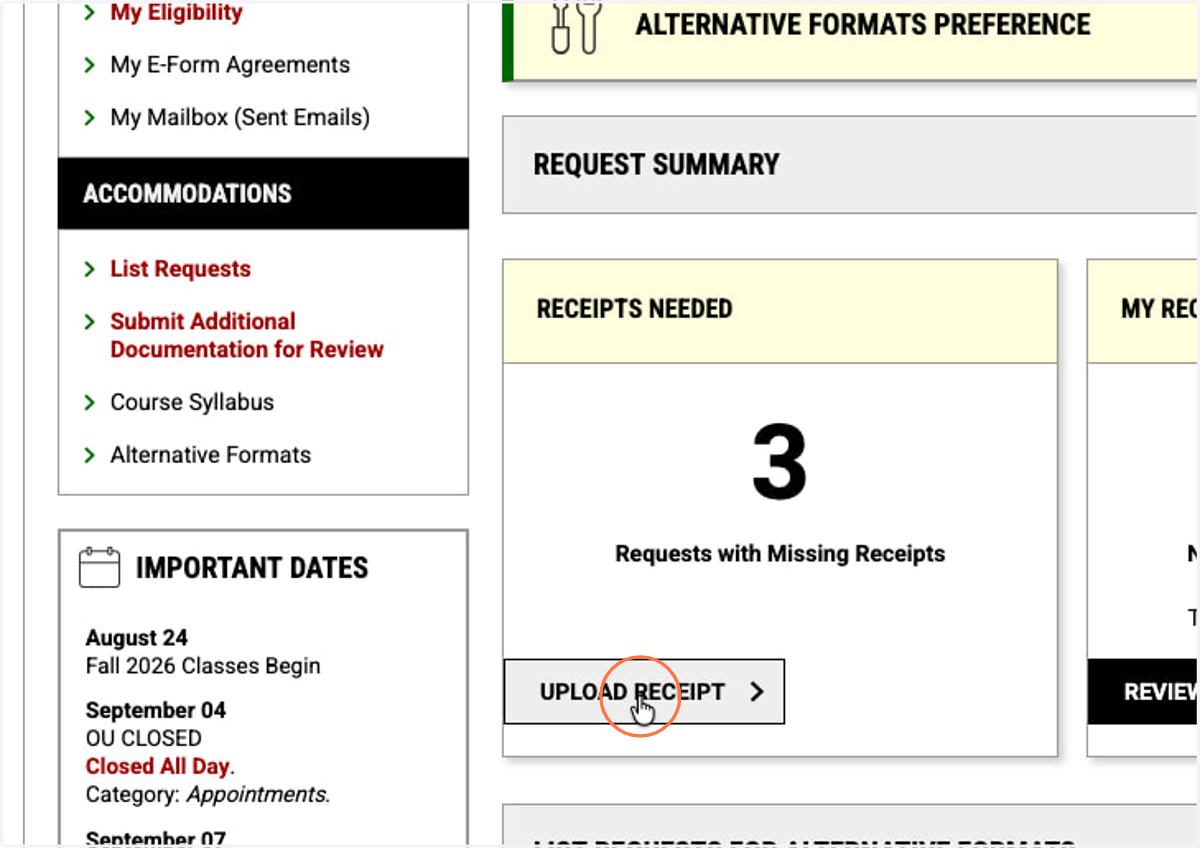
9. In the RECEIPTS NEEDED card, click the UPLOAD RECEIPT button.
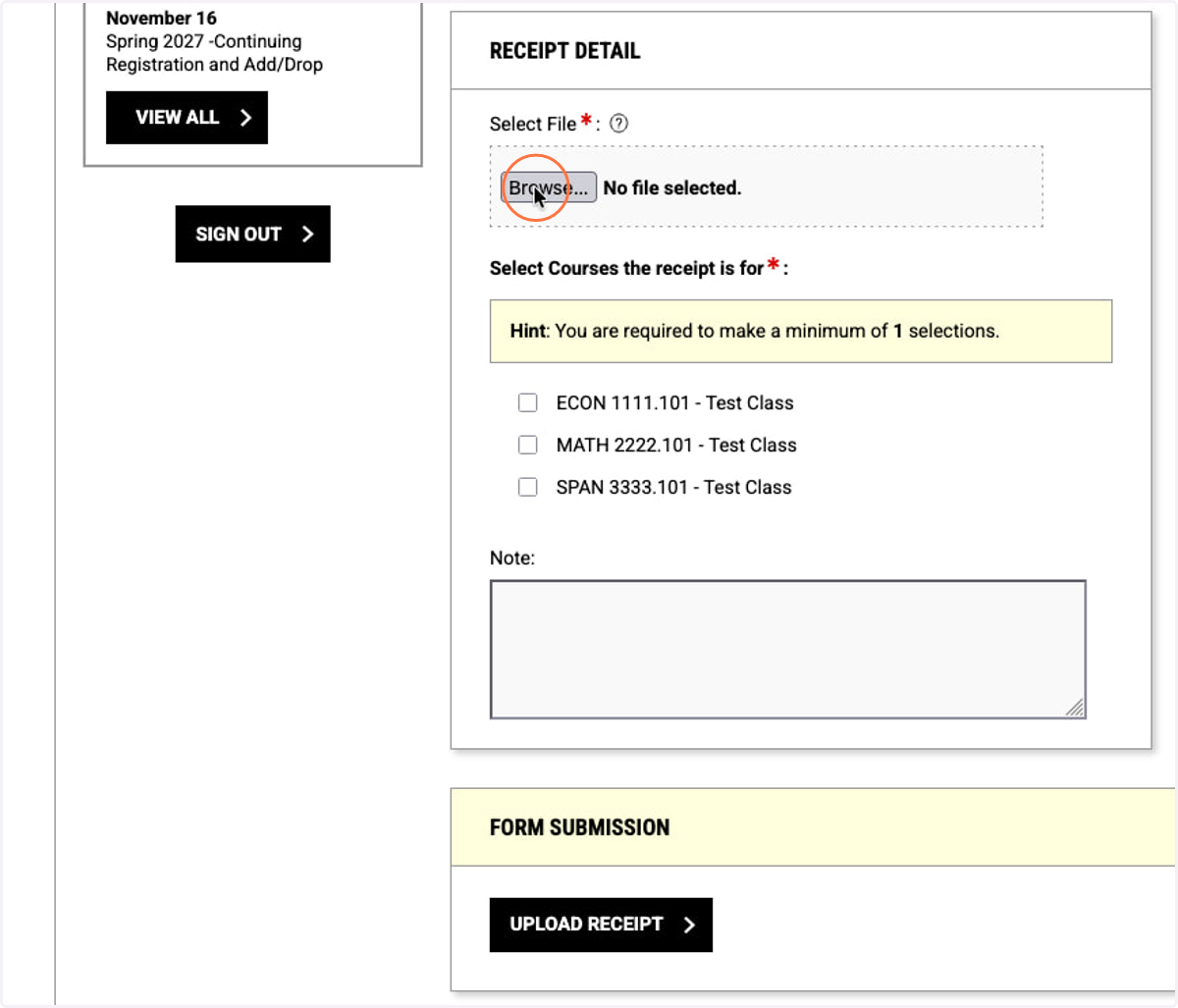
10. Receipts for reading materials must be associated with the courses those materials are for. Click the "Browse..." button to upload a receipt.
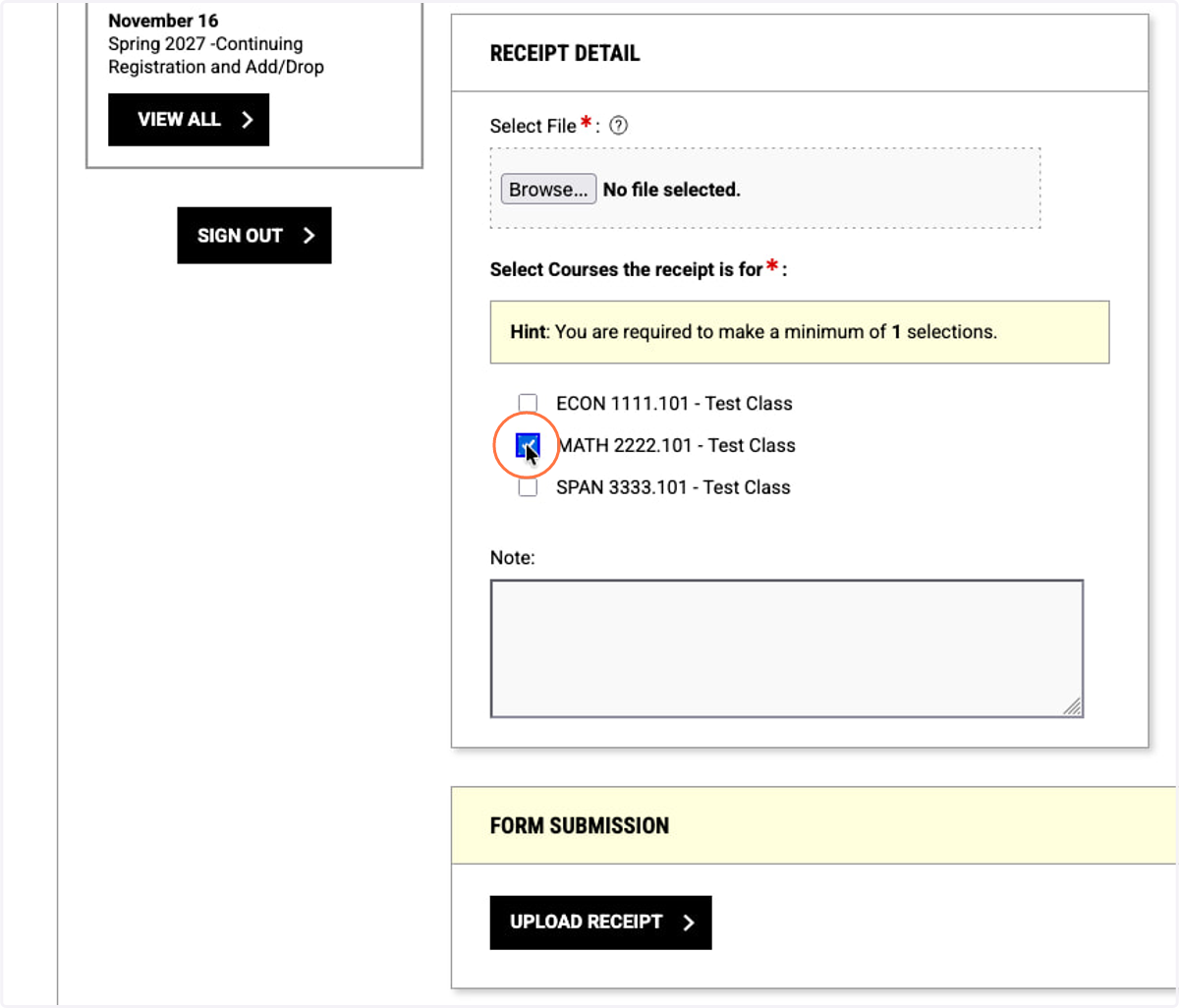
11. Select all of the courses whose materials are included in this receipt.
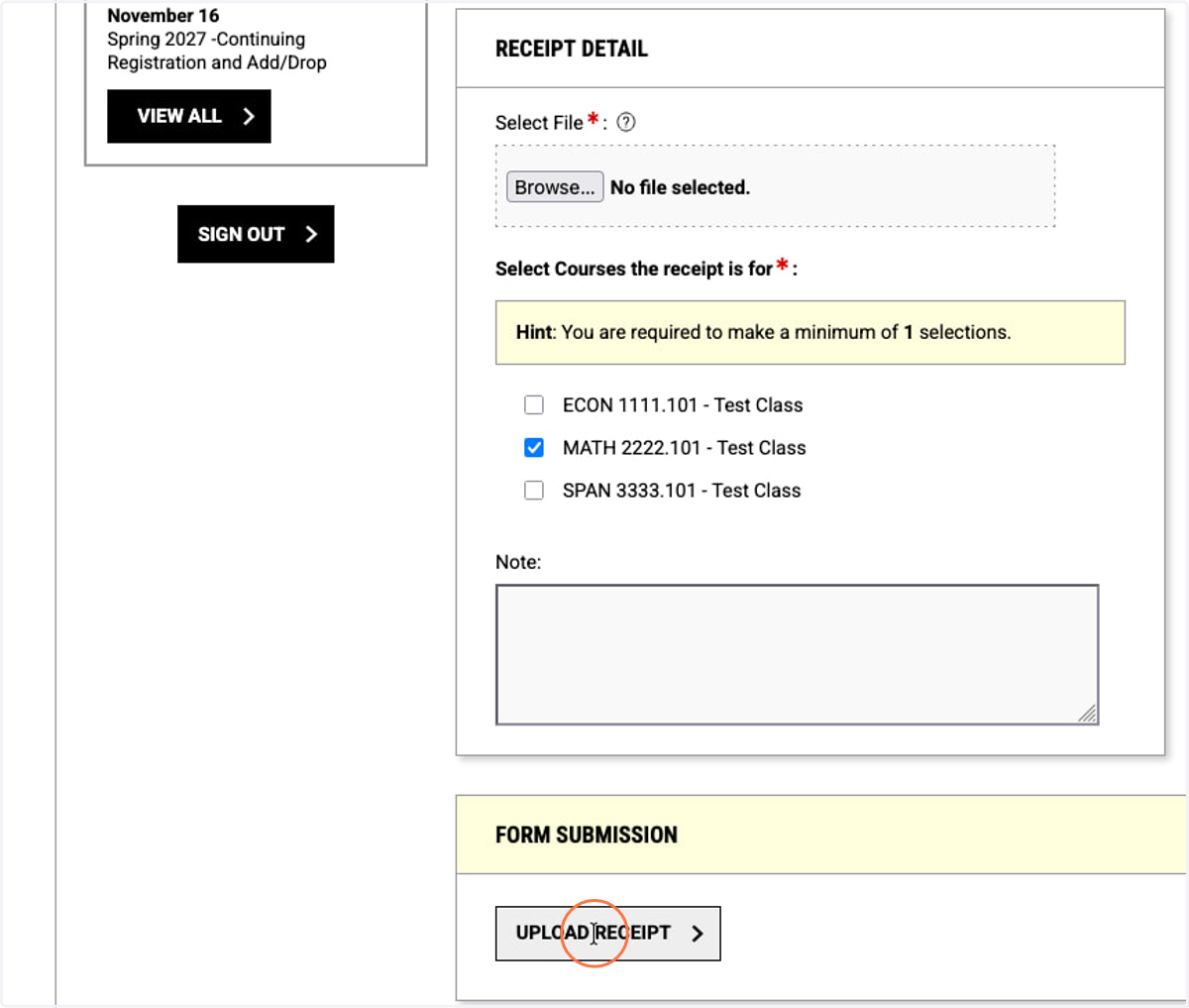
12. Click the UPLOAD RECEIPT button to submit the proof of purchase for review.
13. Please repeat the process for uploading receipts until all have been uploaded. The ADRC will review the receipts and begin processing your requests as quickly as possible.
Be advised that accessible formats for some materials may take time to source! We appreciate your patience as we prepare your alternative formats.