How to Request Accommodations
Log into AIM.
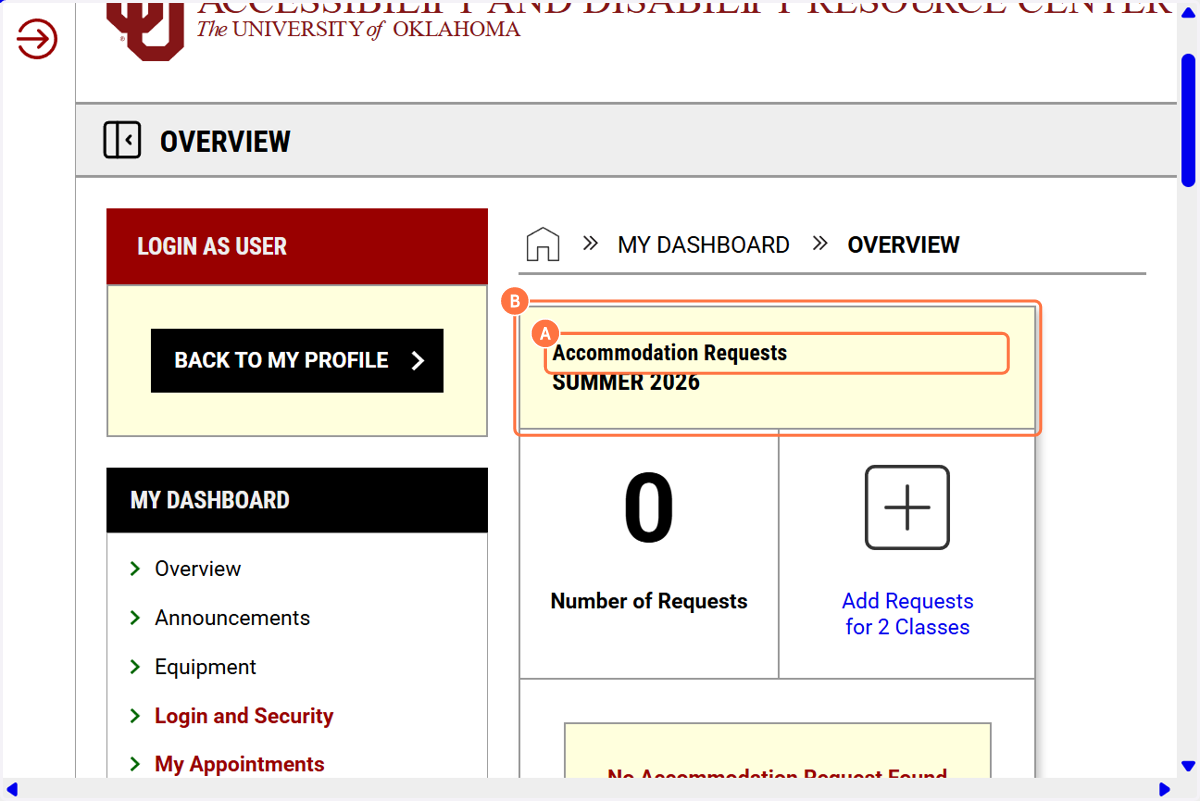
1. A. You will be taken to your Dashboard.
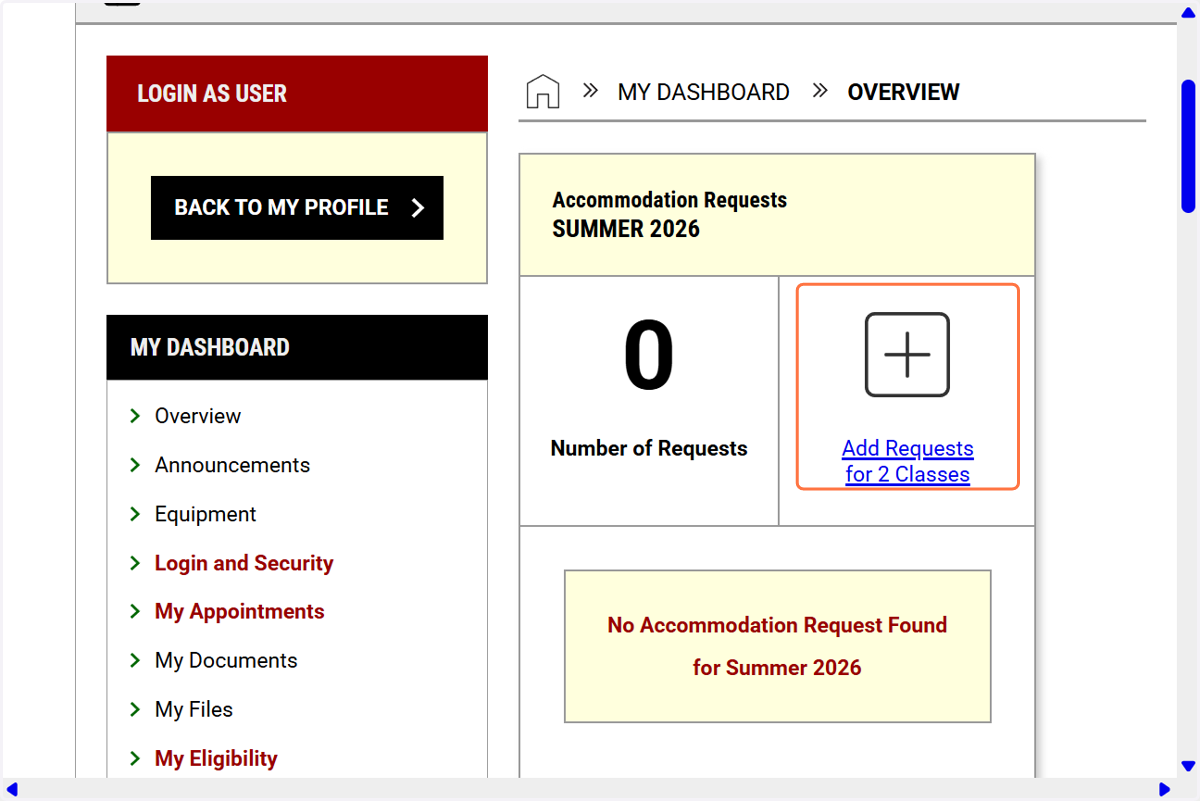
1. B. Under Accommodation Requests, you will see "Add Requests for # of Classes"
2. Click on Add Requests…
3. Select the courses you are requesting accommodations for.
You can also click on the down arrow and read "How to Request Accommodations."
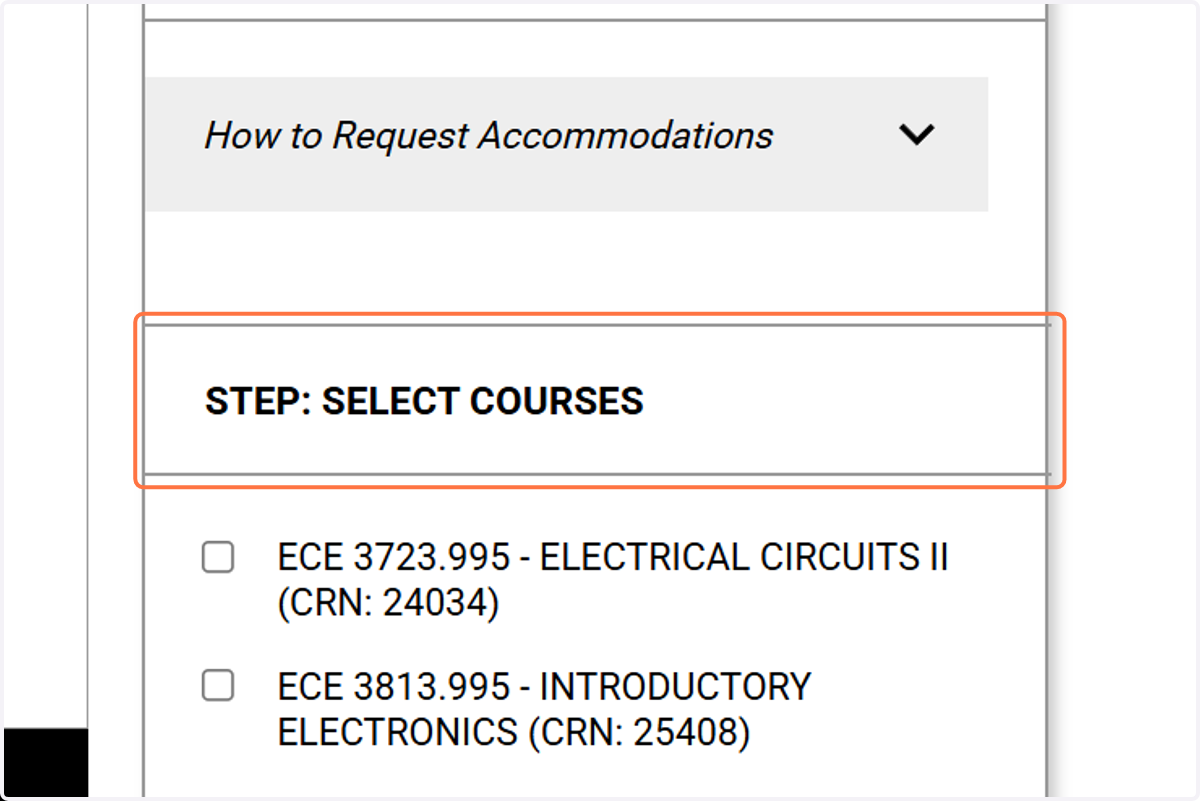
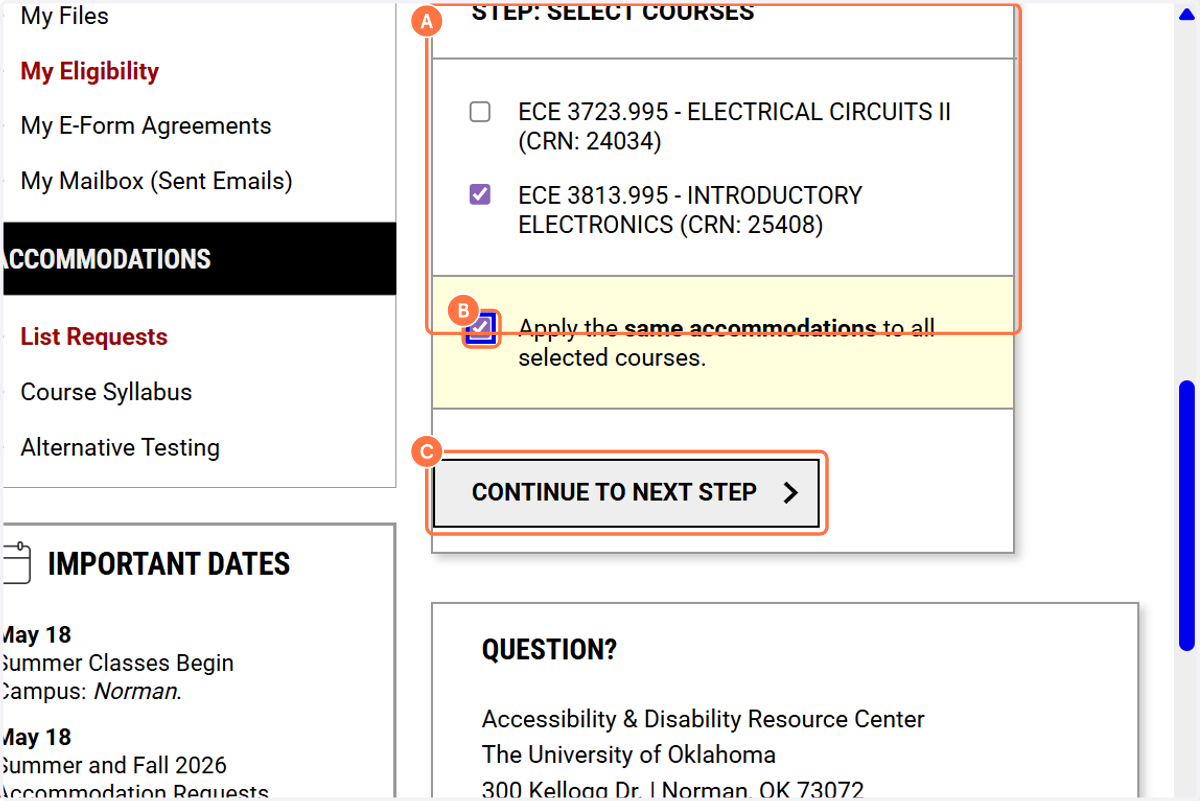
4. A. Select STEP: SELECT COURSES
4. B. Select "Apply the same accommodations to all selected course" if you are going to use the same accommodations.
4. C. Click on CONTINUE TO NEXT STEP
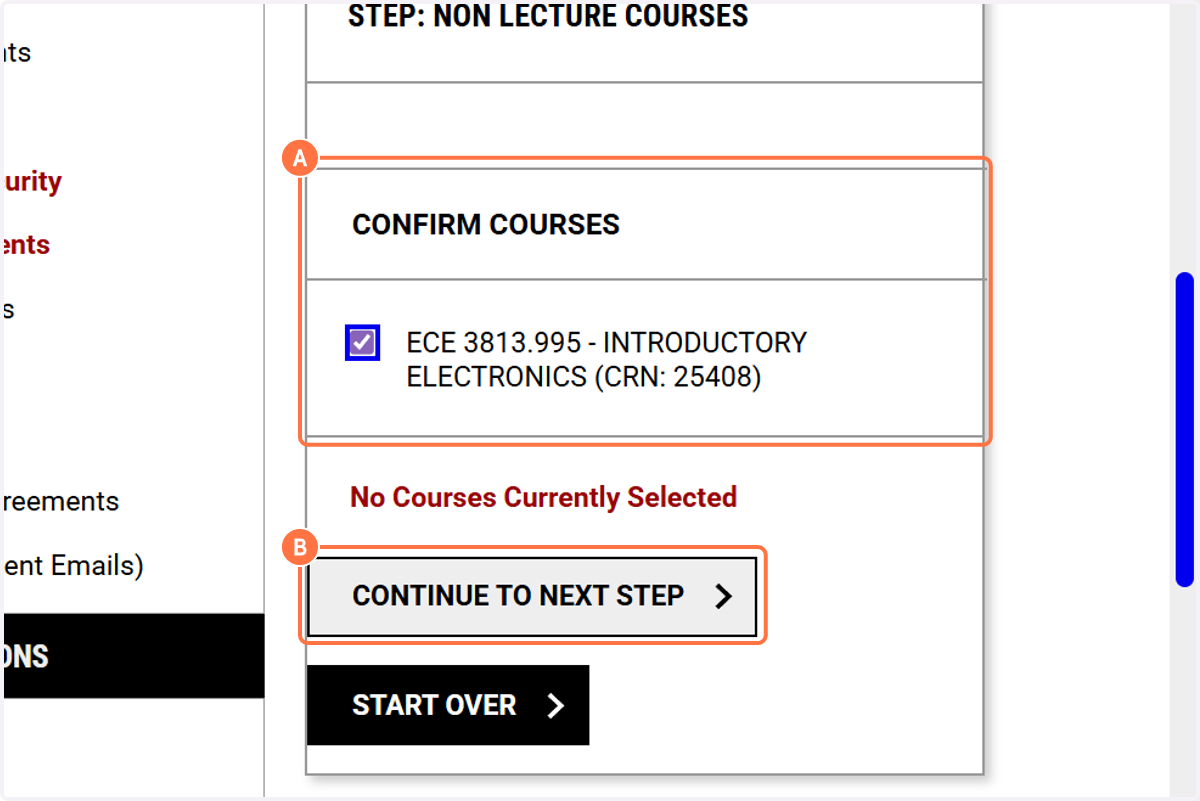
5. A. Select CONFIRM COURSES by putting a checkbox next to the course.
5. B. Click on CONTINUE TO NEXT STEP
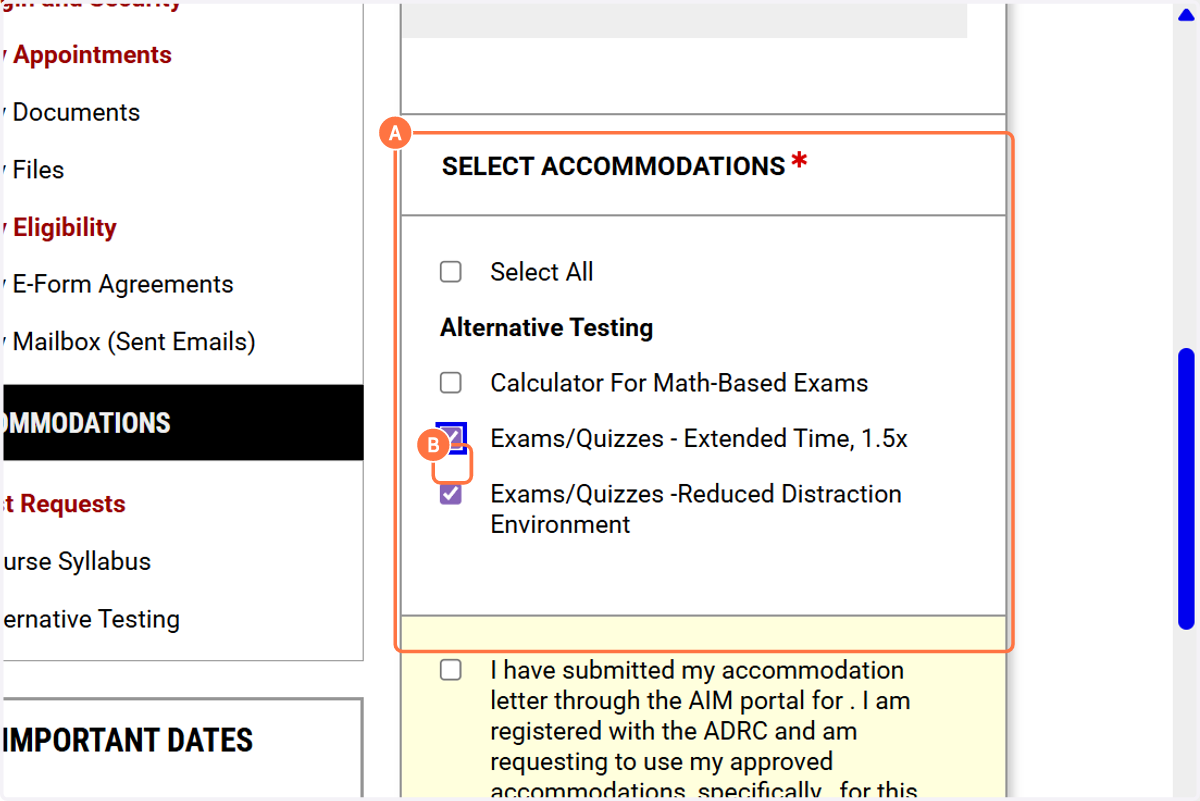
6. A. UnderSELECT ACCOMMODATIONS…
6. B. Select the individual accommodations you want to request OR, select all.
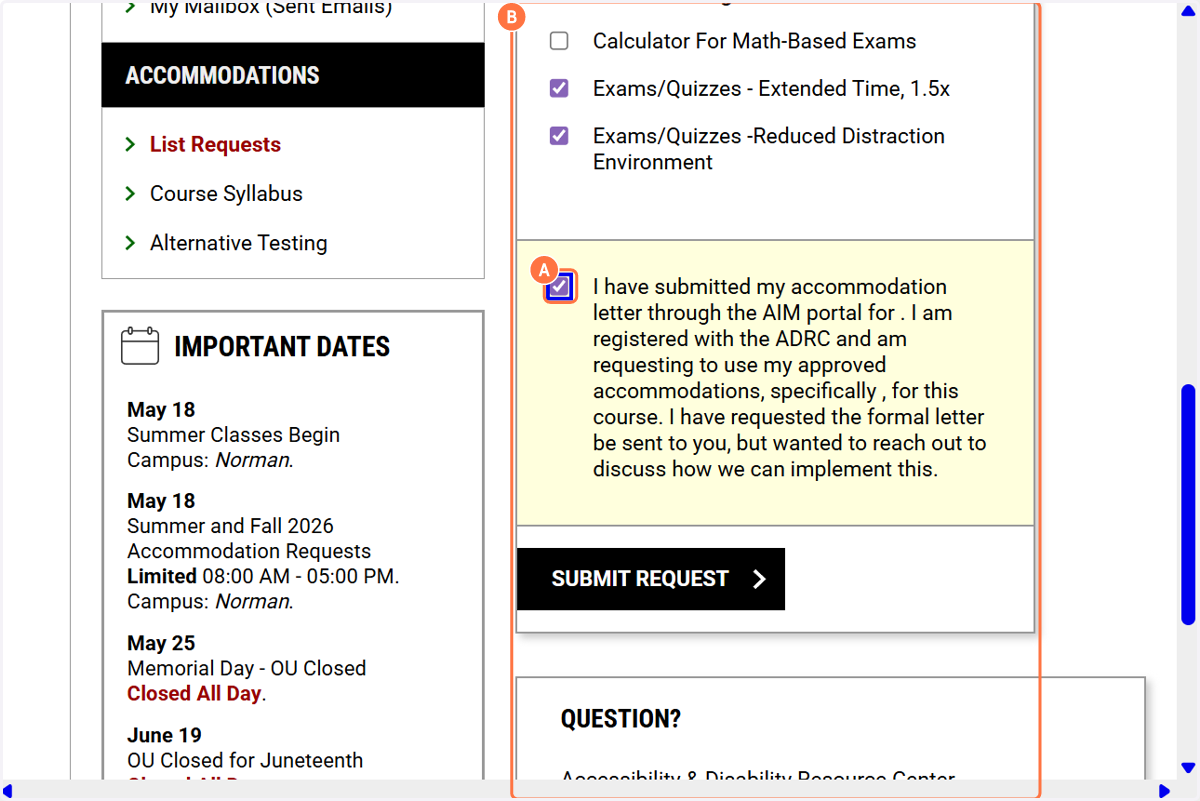
7. A. Review the submission agreement.
7. B. Click on Submit Request.