How to Regrade Quiz Questions

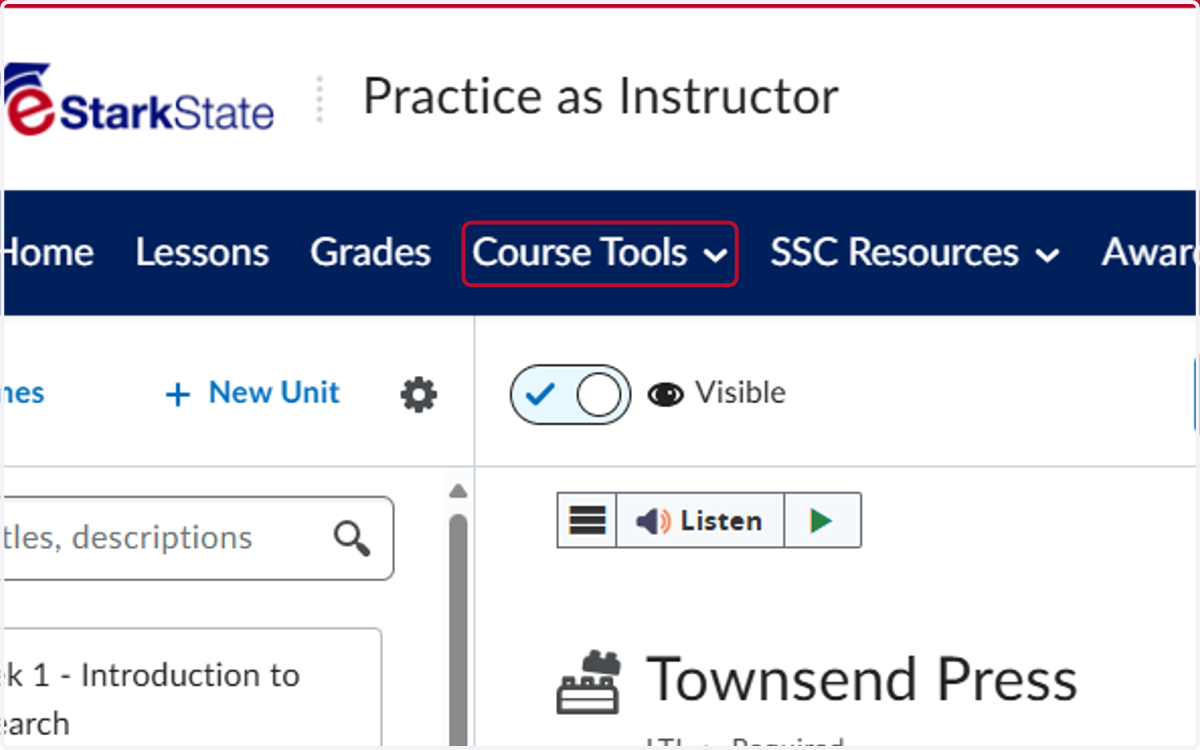
  1. 1. Click on Course Tools

    Click on Course Tools
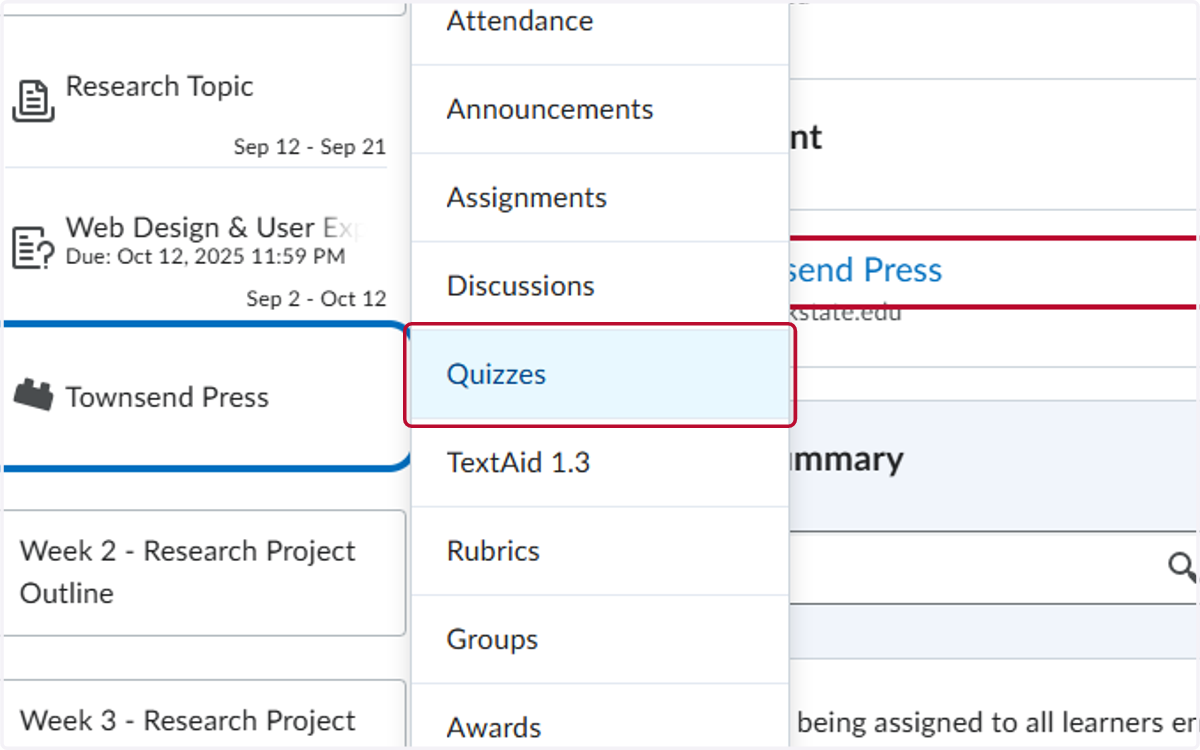
  2. 2. Click on Quizzes

    Click on Quizzes
  3. 3. Click on the V by the name of the quiz
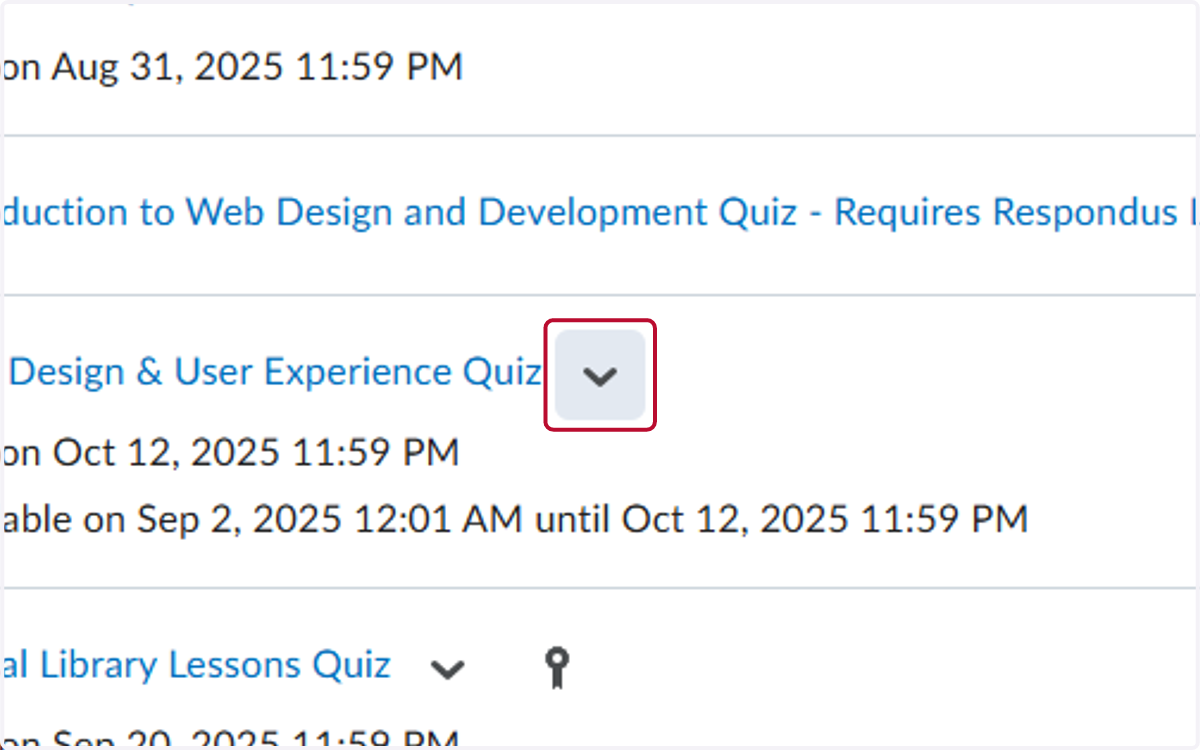
    Click on the V by the name of the quiz
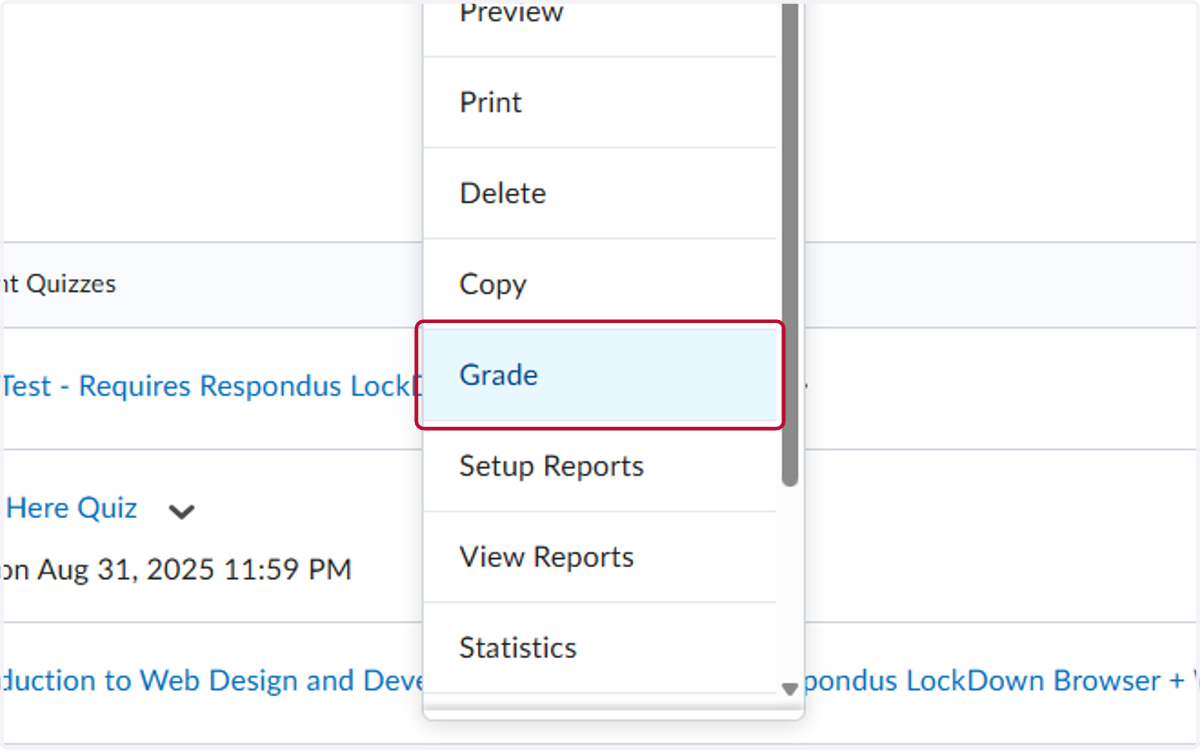
  4. 4. Click on Grade

    Click on Grade
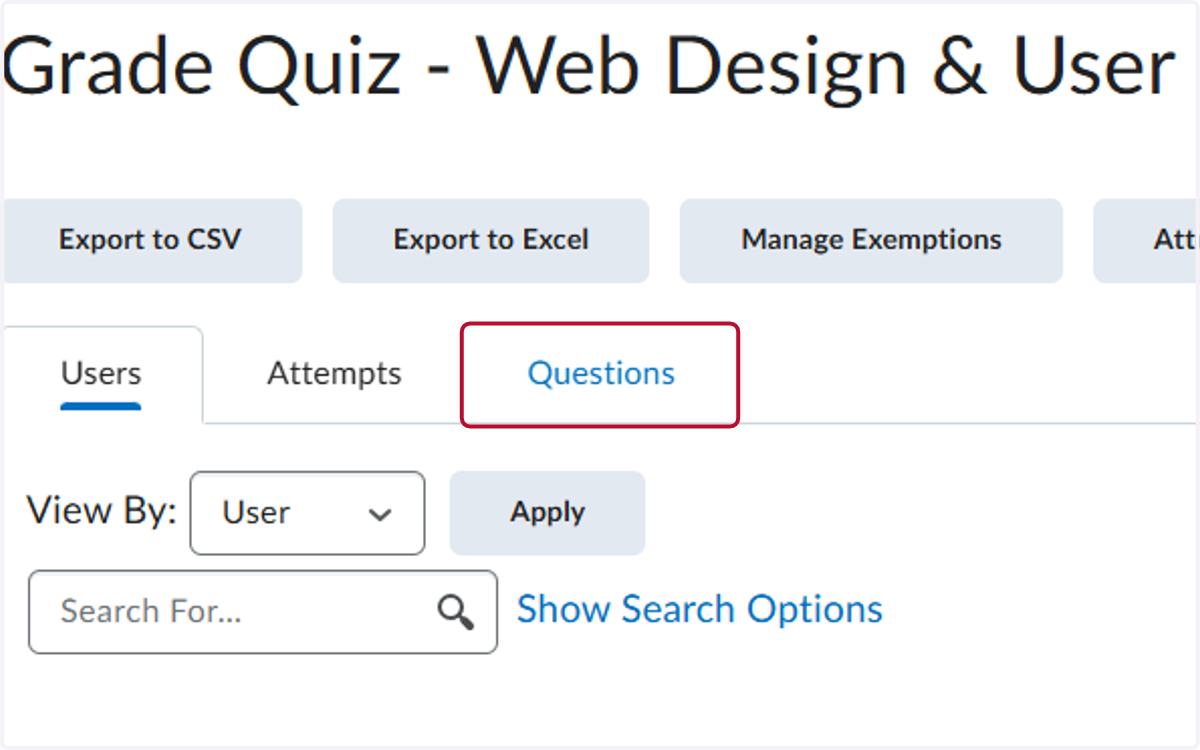
  5. 5. Click on Questions

    Click on Questions
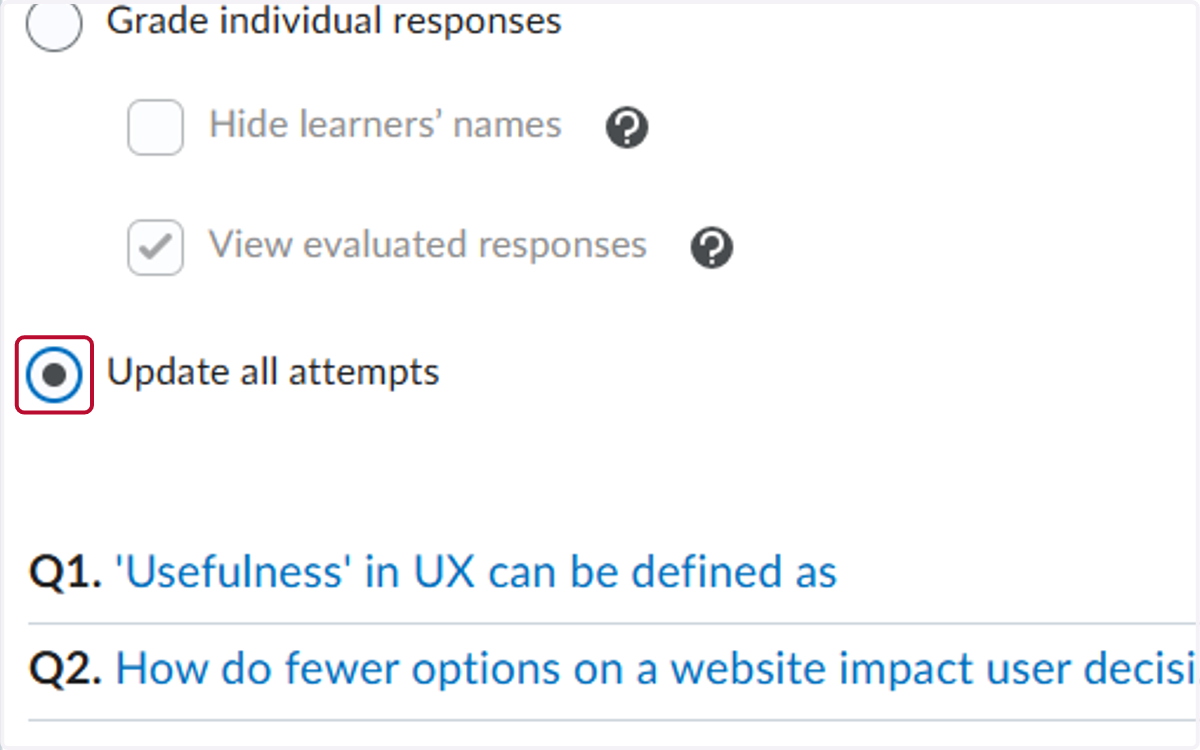
  6. 6. Select Update all attempts

    Select Update all attempts
  7. 7. Click on the question you want to regrade
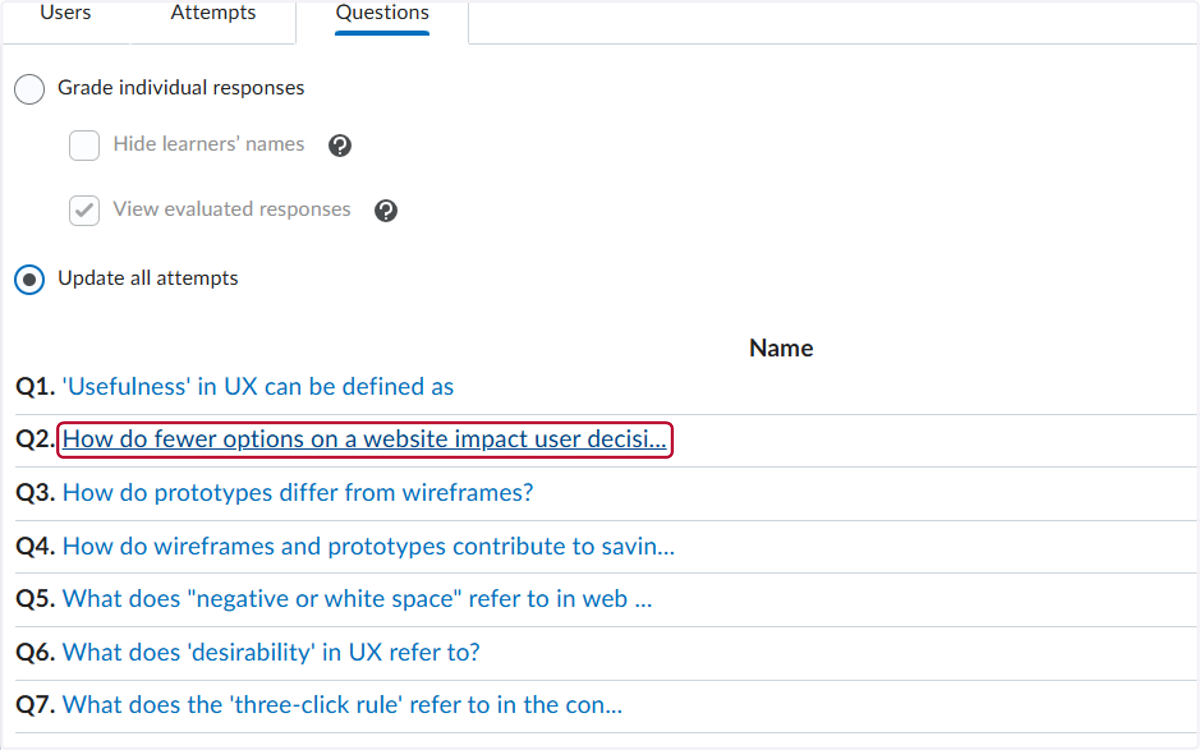
    Click on the question you want to regrade
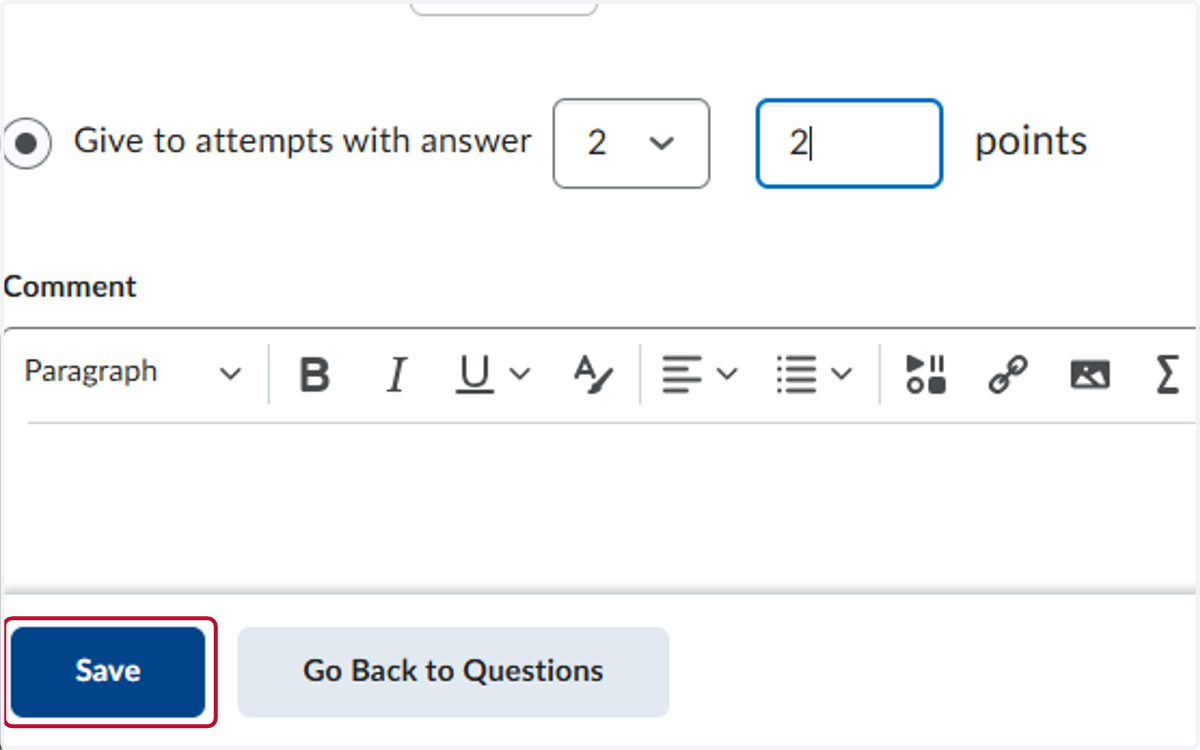
  8. 8. Select Give to attempts with answer, select the answer, and enter in the points
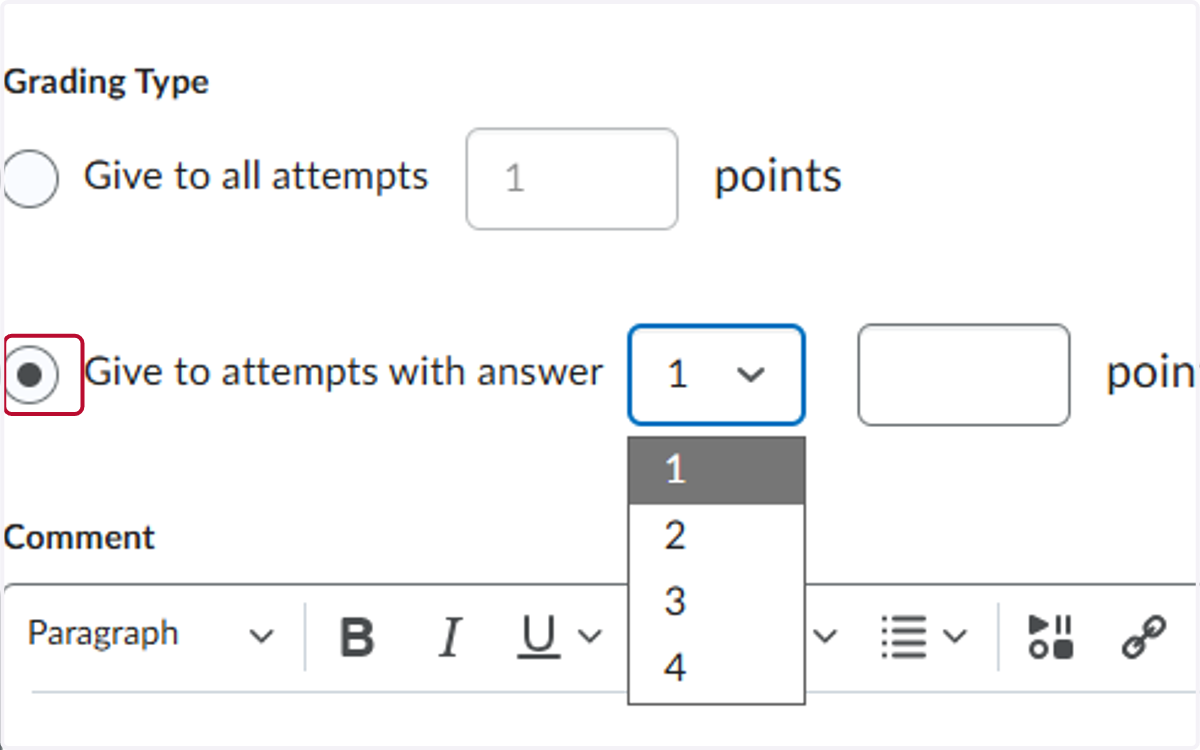
    Select Give to attempts with answer, select the answer, and enter in the points
  9. 9. Click on Save

    Click on Save
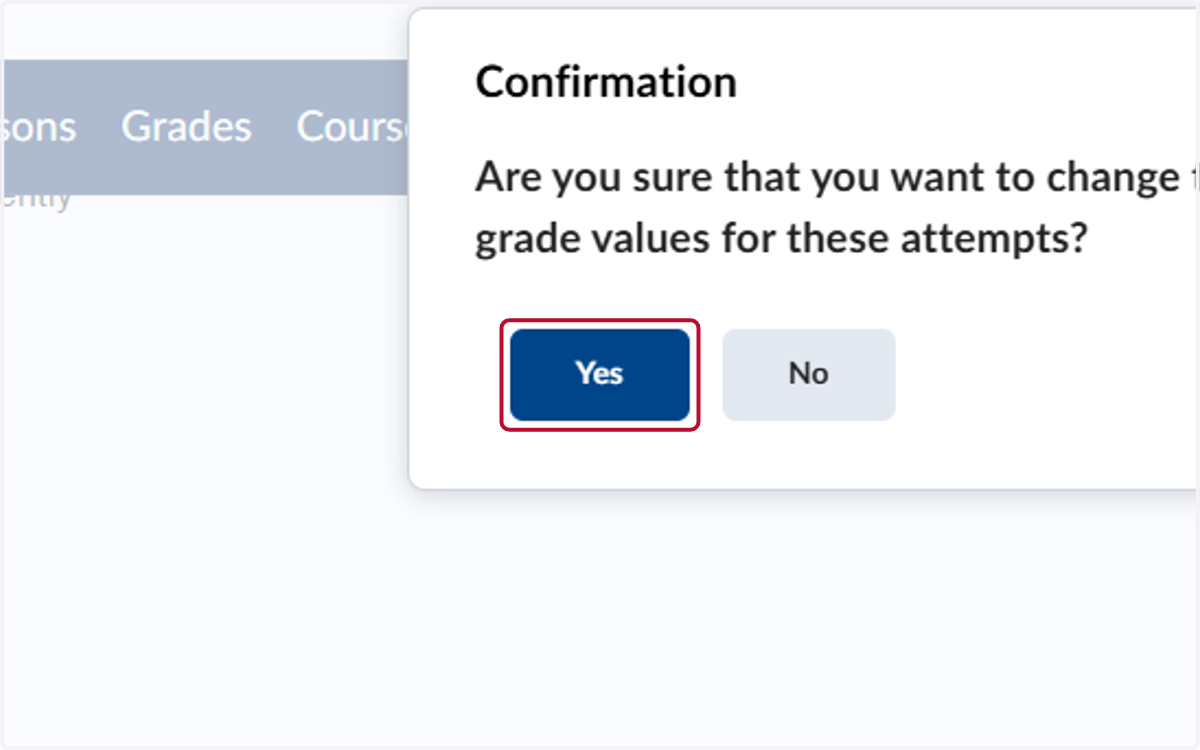
  10. 10. Click on Yes

    Click on Yes