How to Redeem Affinect's Digital Coupon
Redeem an Affinect digital coupon by scanning the QR code, validating it if required, and confirming redemption in just a few simple steps.
Affinect
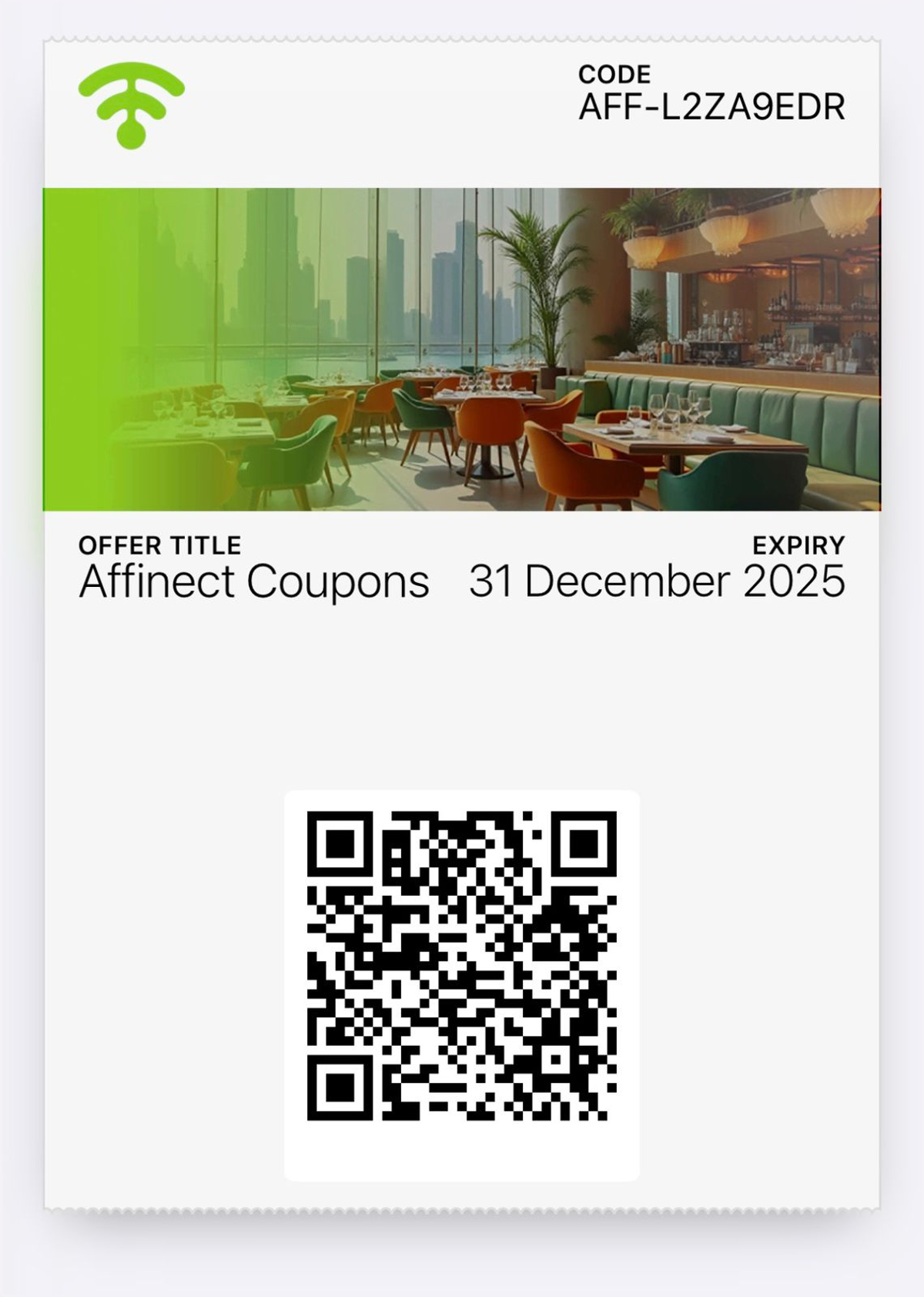
1. Preview the Customer’s Digital Wallet
See how the coupon appears once it’s saved in the customer’s digital wallet.
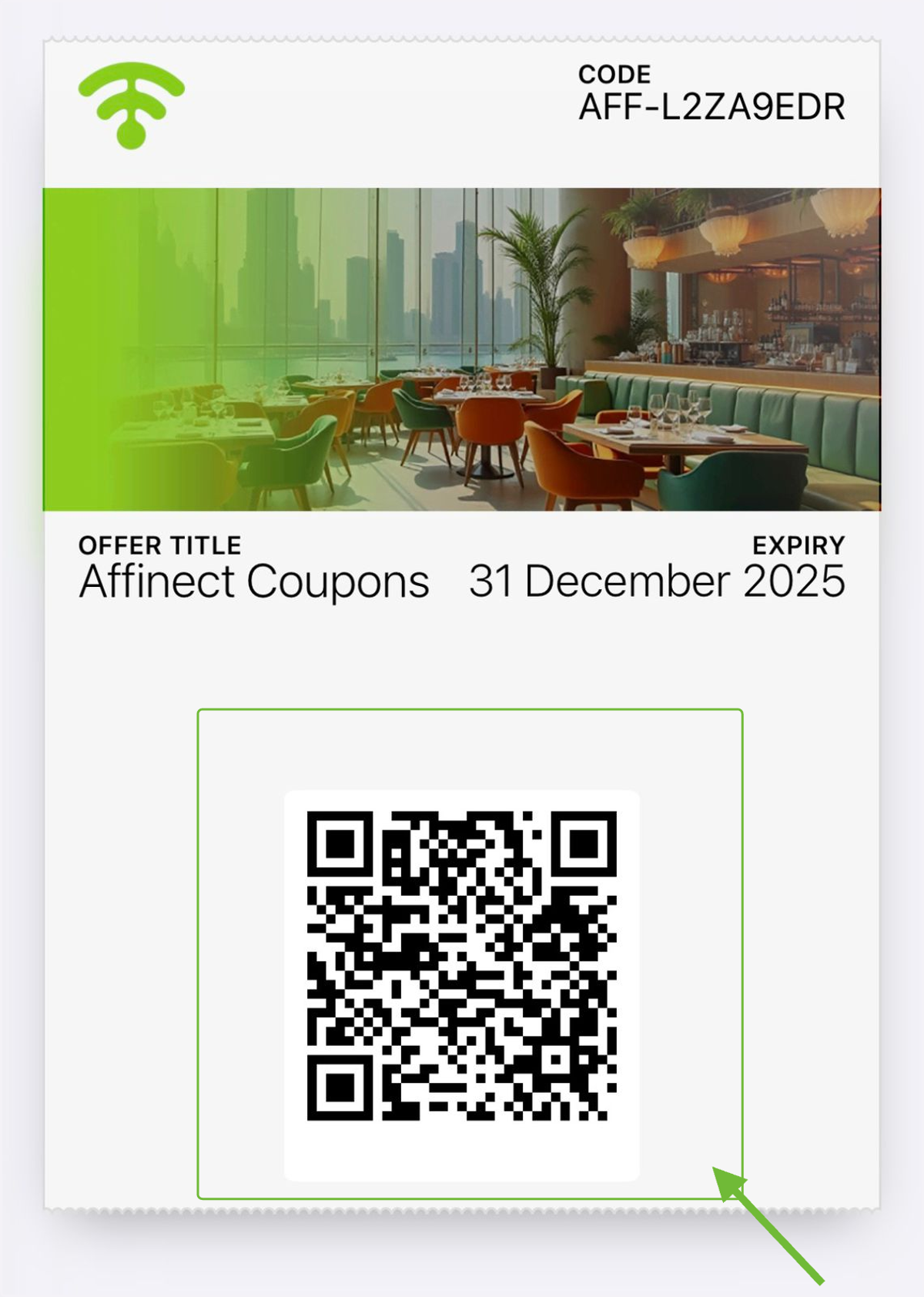
2. Scan the QR Code
Use your mobile device to scan the QR code displayed on the coupon.
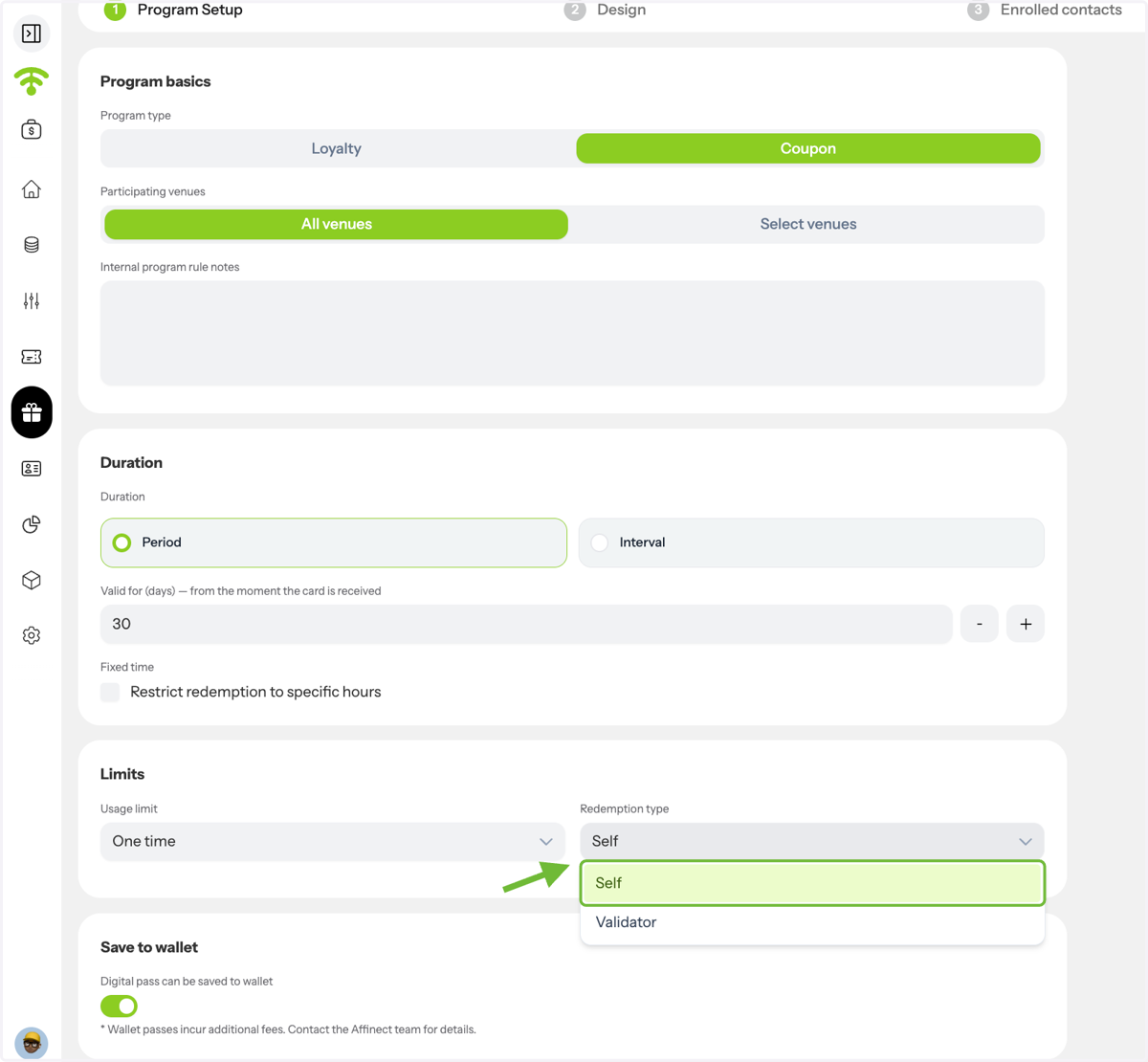
3. Types of Coupons
There are two types of redemption for digital coupons: self and validator.
4. Self-redeemable Coupon
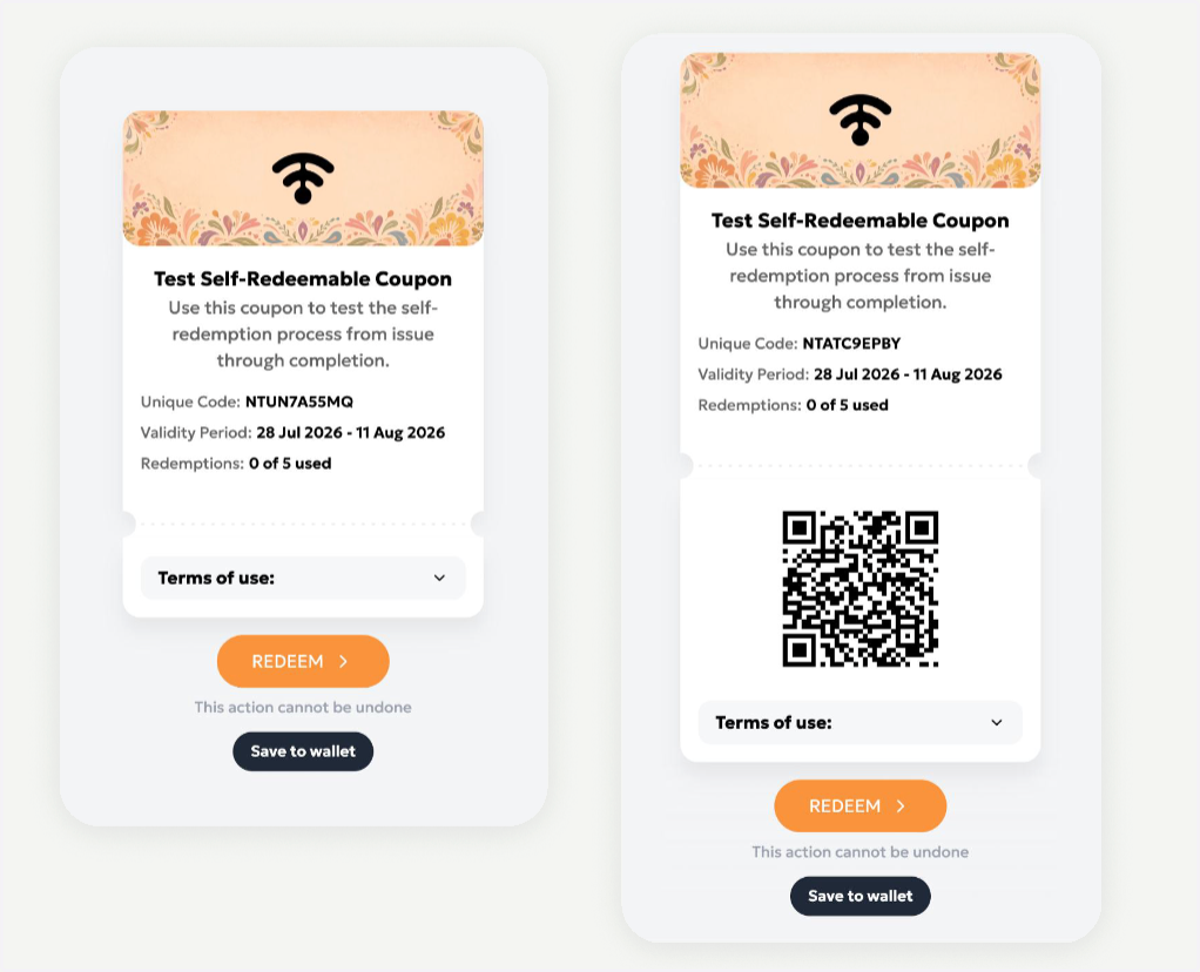
This is how a self-redeemable coupon will appear to customers.
5. Self-redeemable Coupon Redemption
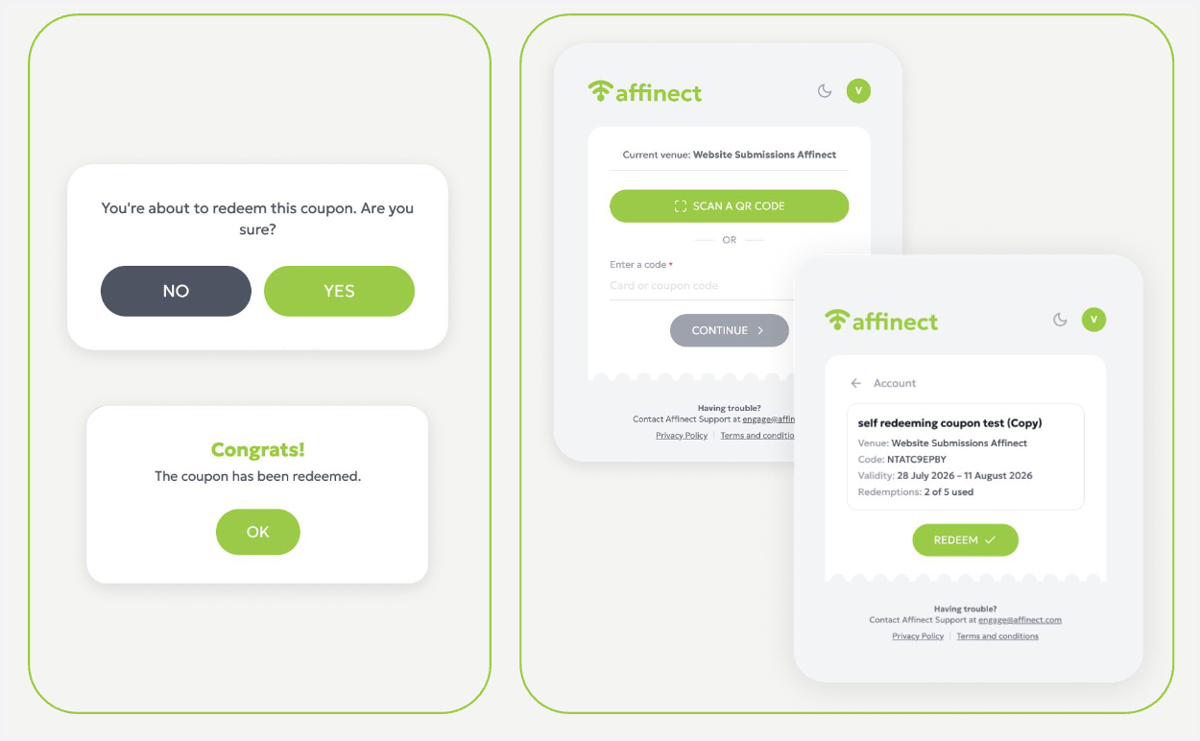
Customers can click redeem, scan the QR code, or enter the unique code manually to redeem a coupon themselves.
6. Validator Controlled Coupon
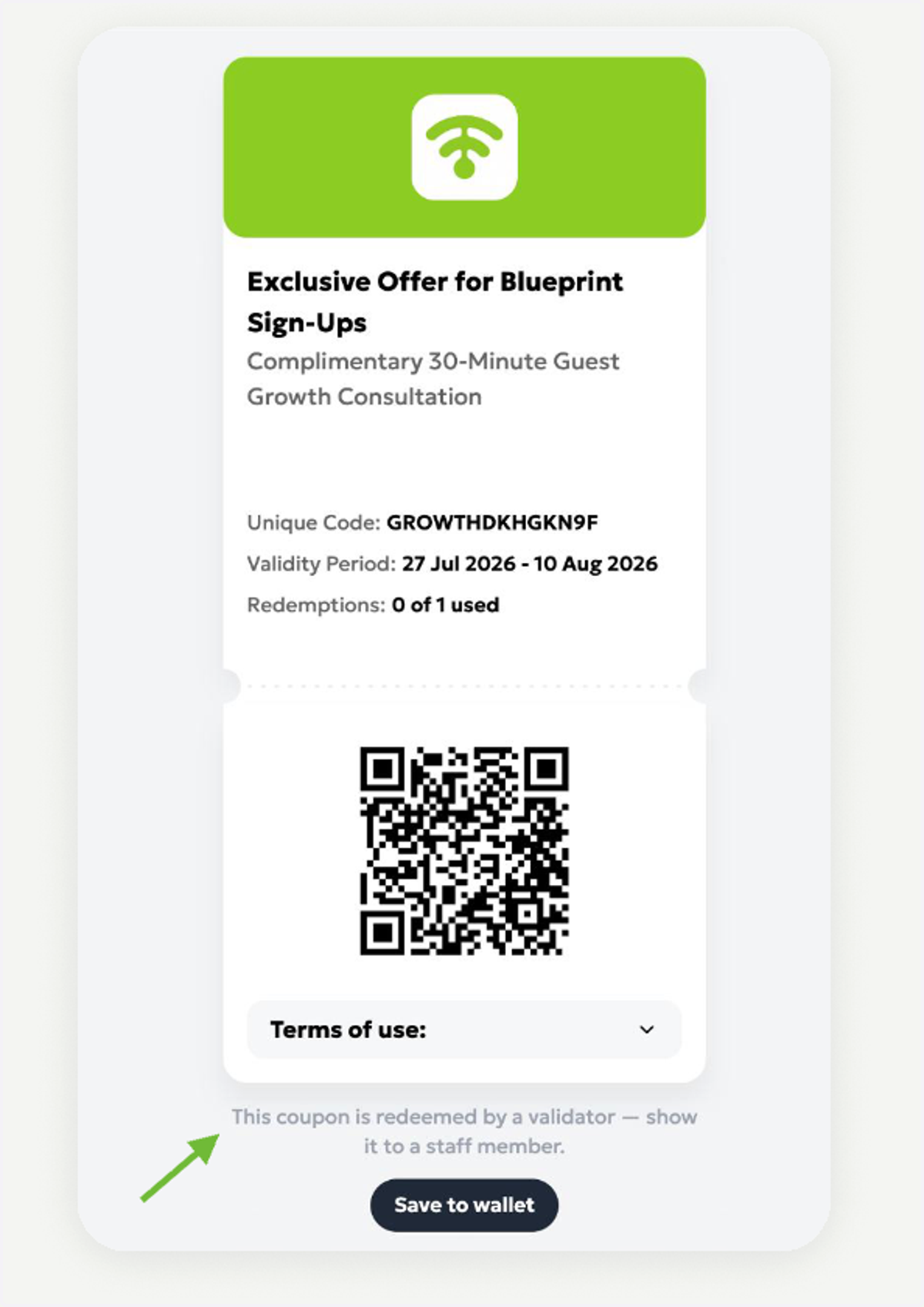
This is how a coupon that requires validation by staff will appear. The validator (staff member) needs to log in to the system to perform coupon validation.
7. Validator Login
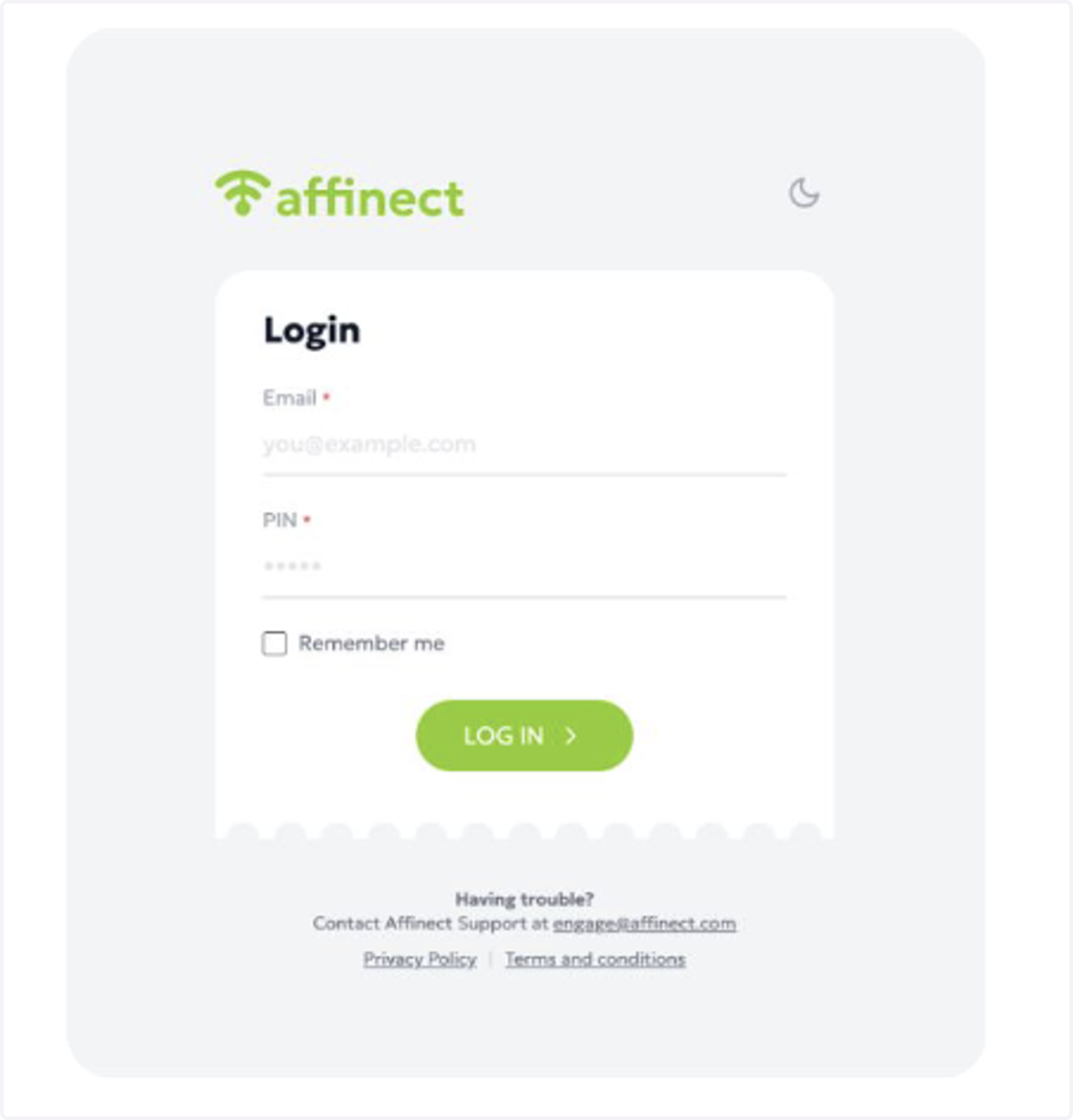
The validator will sign in at loyalty.affinect.com using their email address and PIN. This same login process is used for coupon redemption, loyalty stamp collection, and loyalty reward redemption.
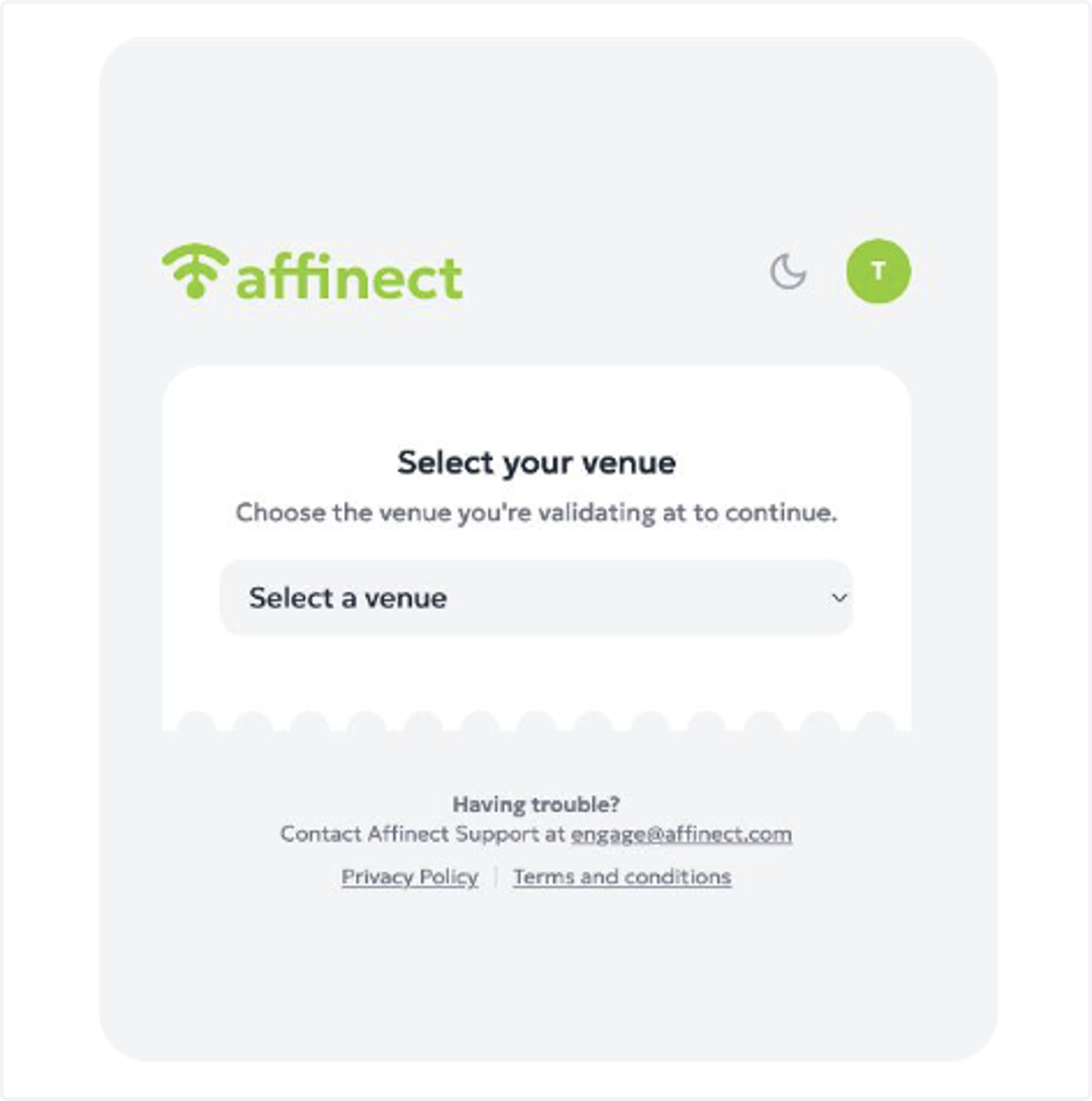
8. Venue Selection
Validators assigned to multiple venues then select the venue where they are currently working.
9. Confirm Validation
The selected venue remains active for the day. The validator can then scan a QR code or enter a coupon or loyalty code manually. They can then review coupon details and
confirm that it is valid at the selected venue.
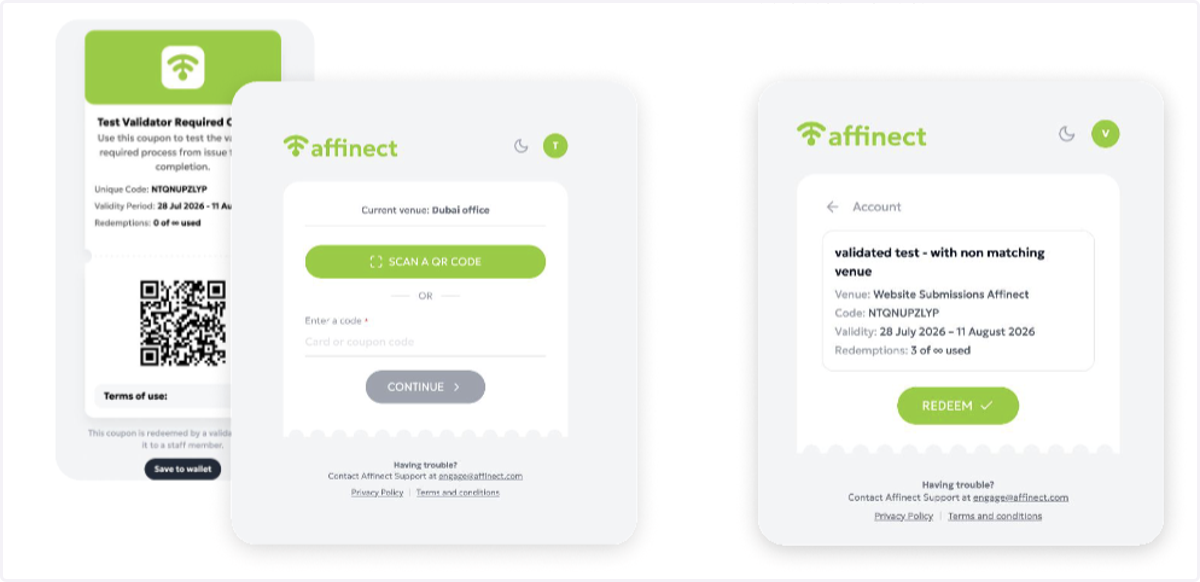
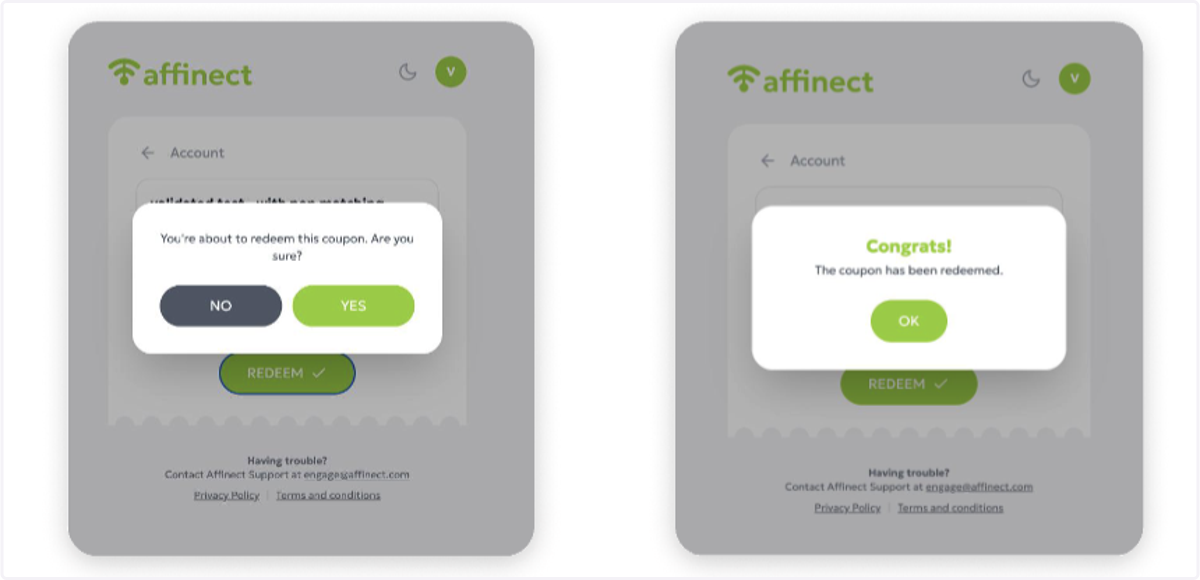
10. Complete Redemption
The validator staff member will tap redeem, confirm, and the coupon status will update immediately.