How to Post on a Facebook Business Page
If you're new to Facebook, posting to your business page might feel a little daunting—but it's actually quite simple once you know the basics. Posting regular updates helps keep your customers engaged, builds trust, and shows that your business is active and open.
This step-by-step guide will walk you through how to create and publish a post on your business Facebook page.
Here are a few beginner tips to help you create a great post:
Keep it short and clear: Customers are more likely to read and engage with short, easy-to-understand messages.
Use a photo or videos: Posts with a photo or video are far more likely to catch people’s attention as they scroll.
Be genuine: Speak naturally, just like you would if you were talking to a customer in your store.
Include a call to action: Encourage people to do something, such as "Visit us today", "Call to find out more", or "Check out our latest arrivals!"
Follow the simple steps below to start posting with confidence!
1. Go to your business page
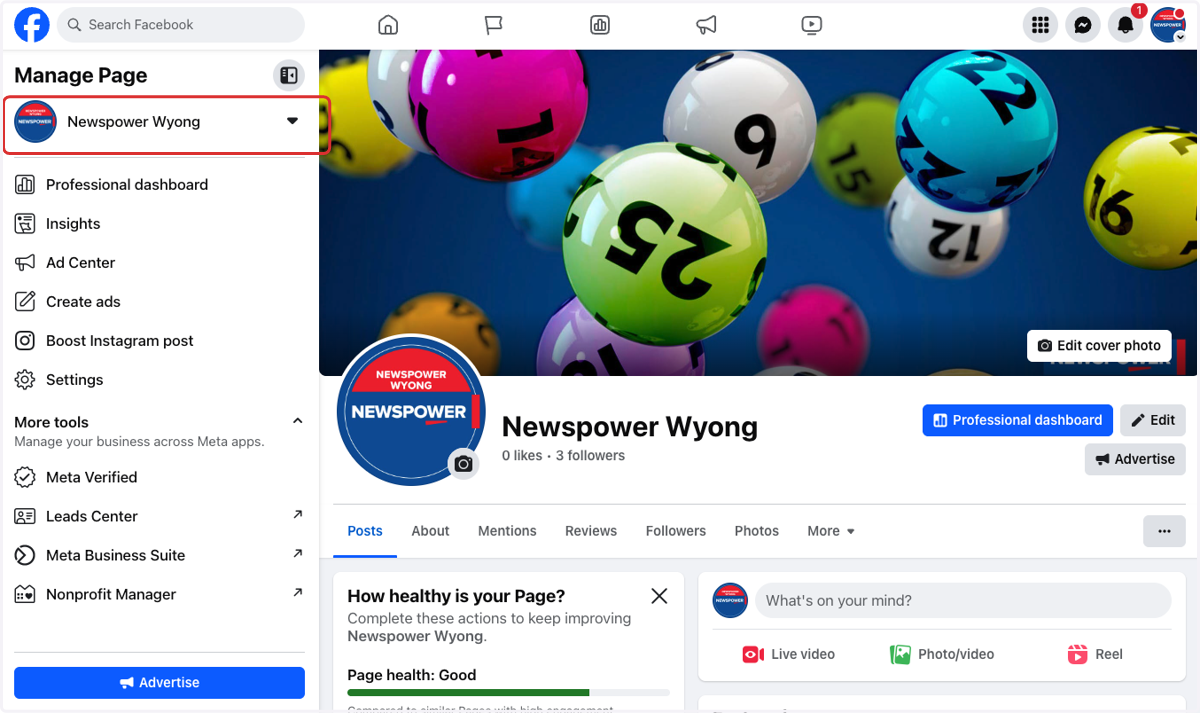
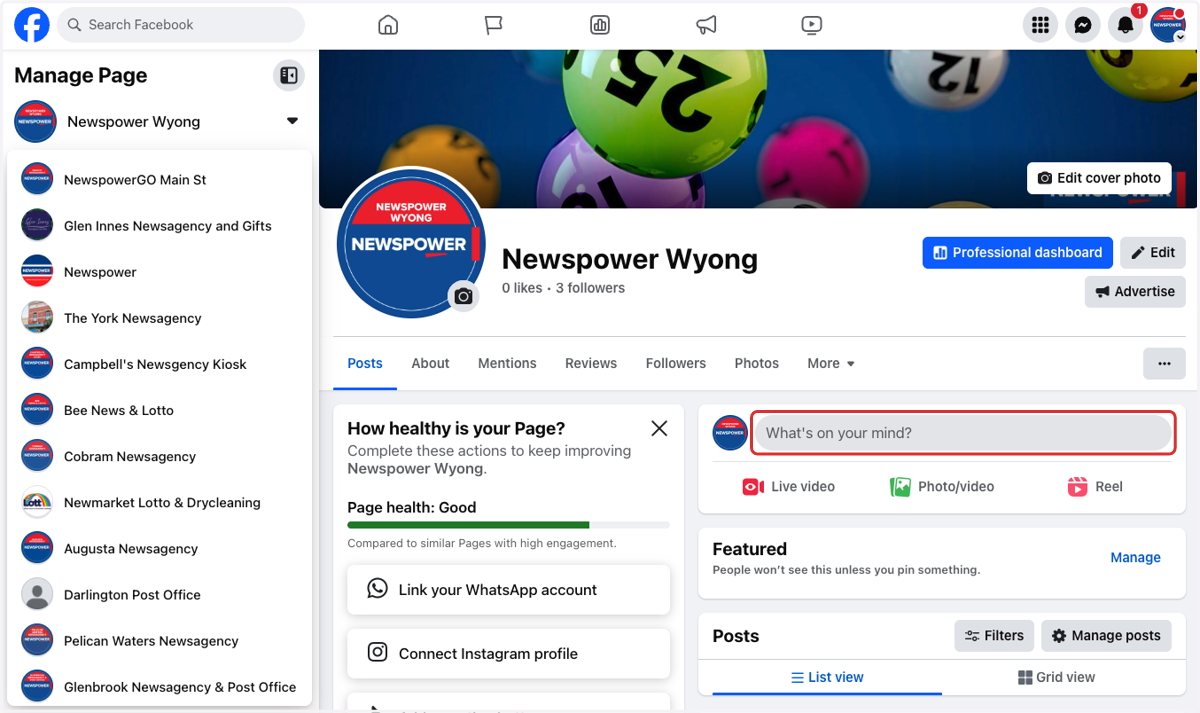
2. Click on What's on your mind?
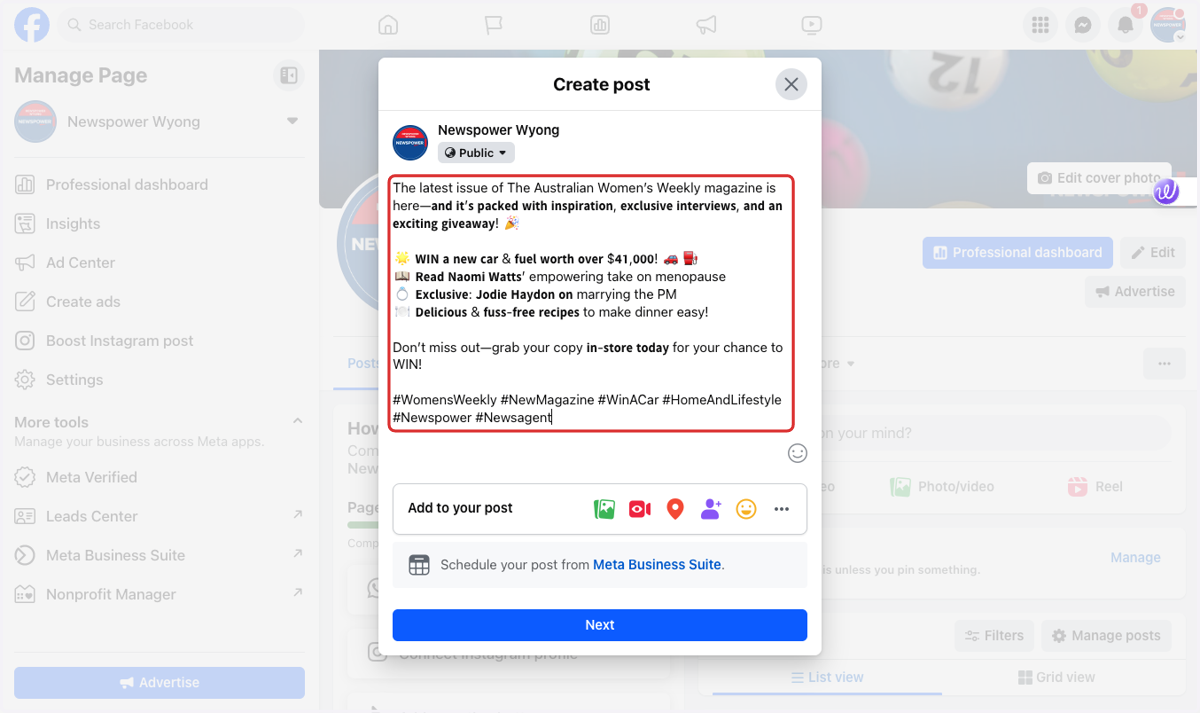
3. Enter the content for your post
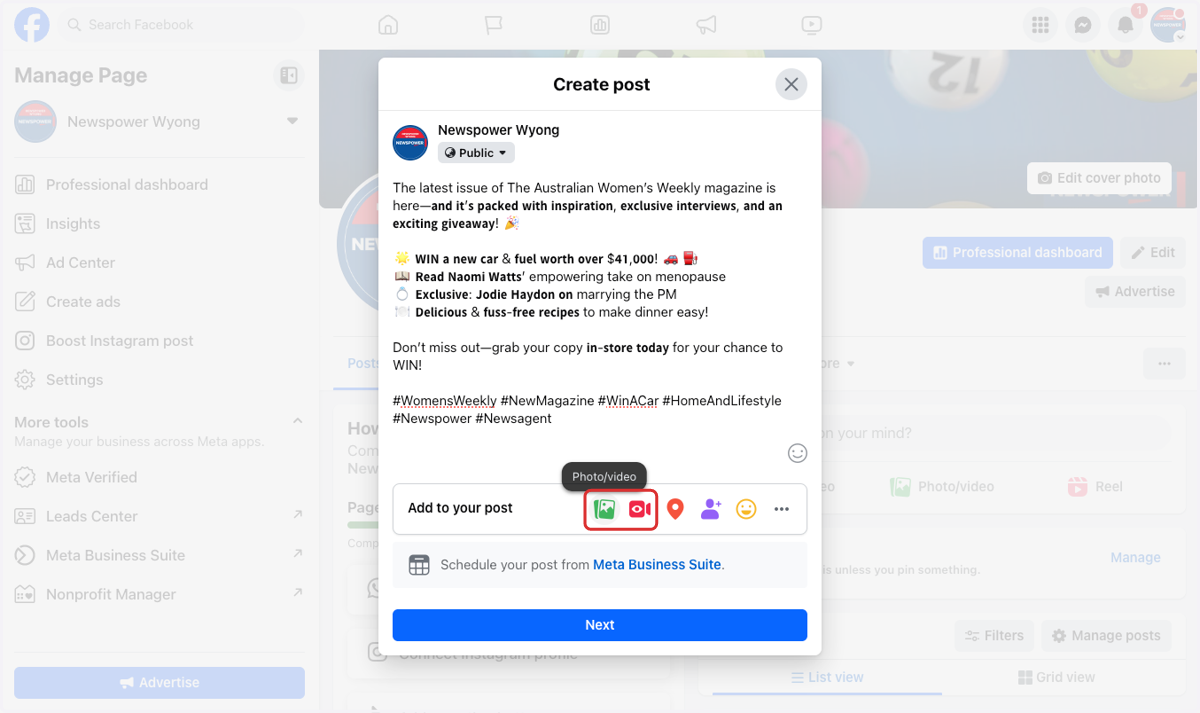
4. Click on either photo or video
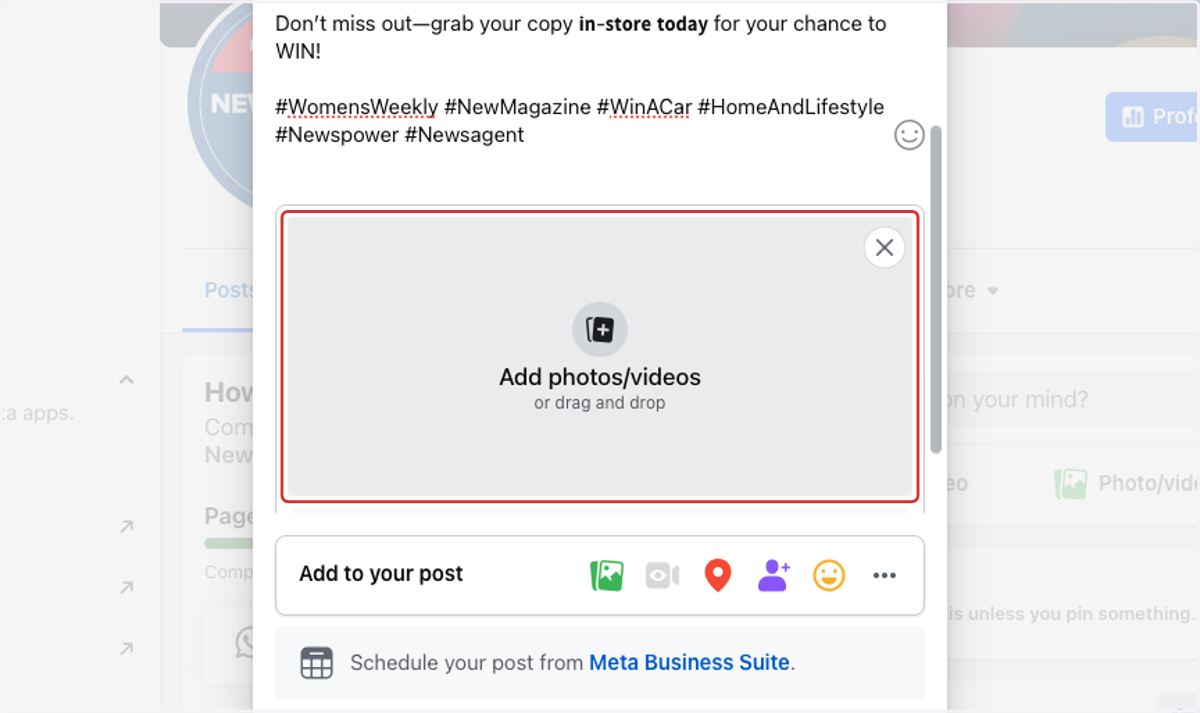
5. Add photos or videos…
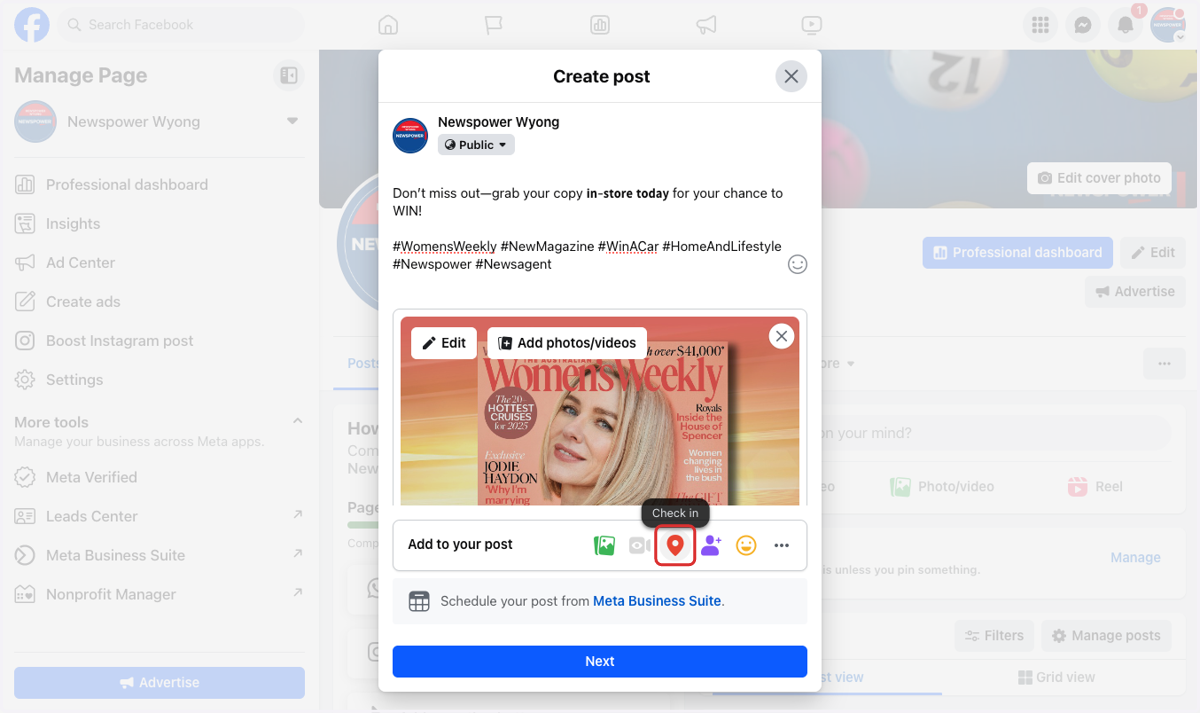
6. Optional - Click on Check in if you want to add a location
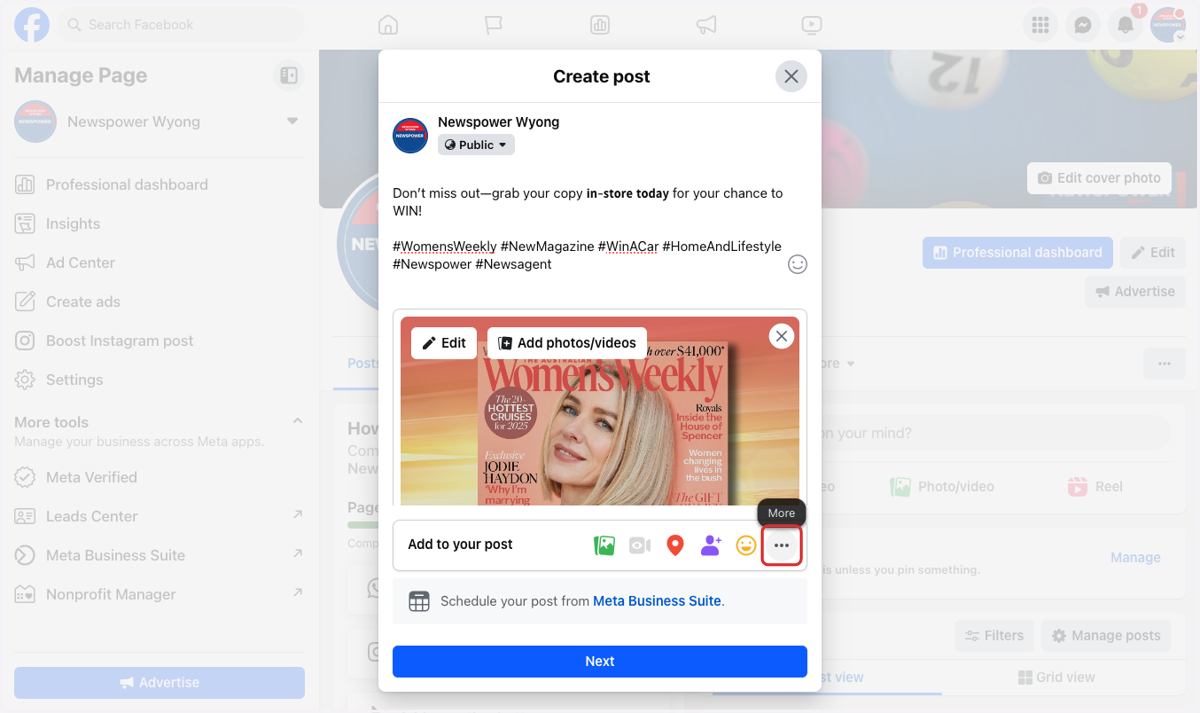
7. Optional - Click on More for other posting options
8. Click on Next
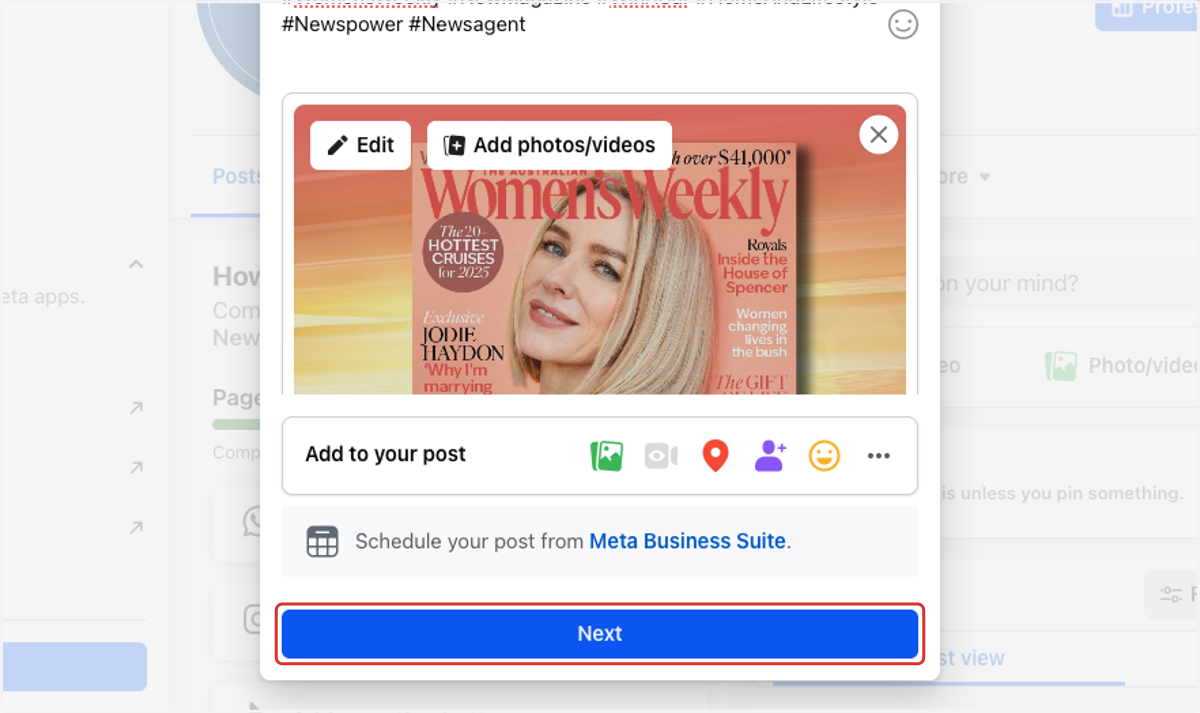
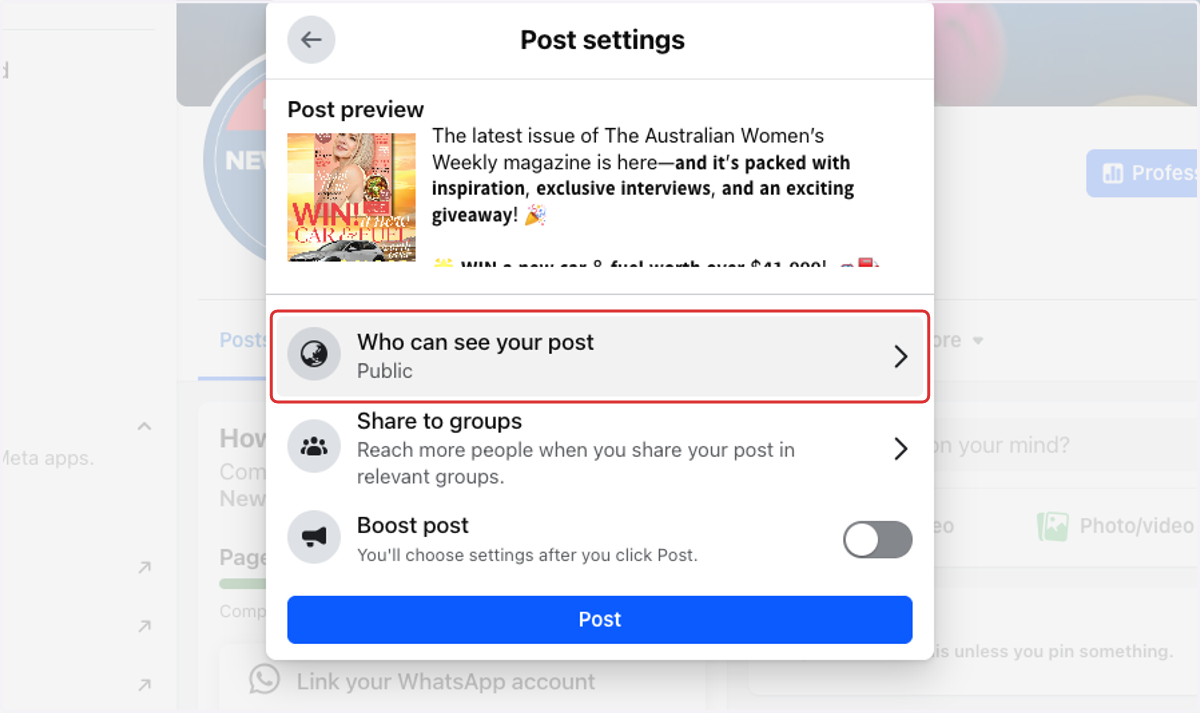
9. Optional - Here you can edit ho will see the post
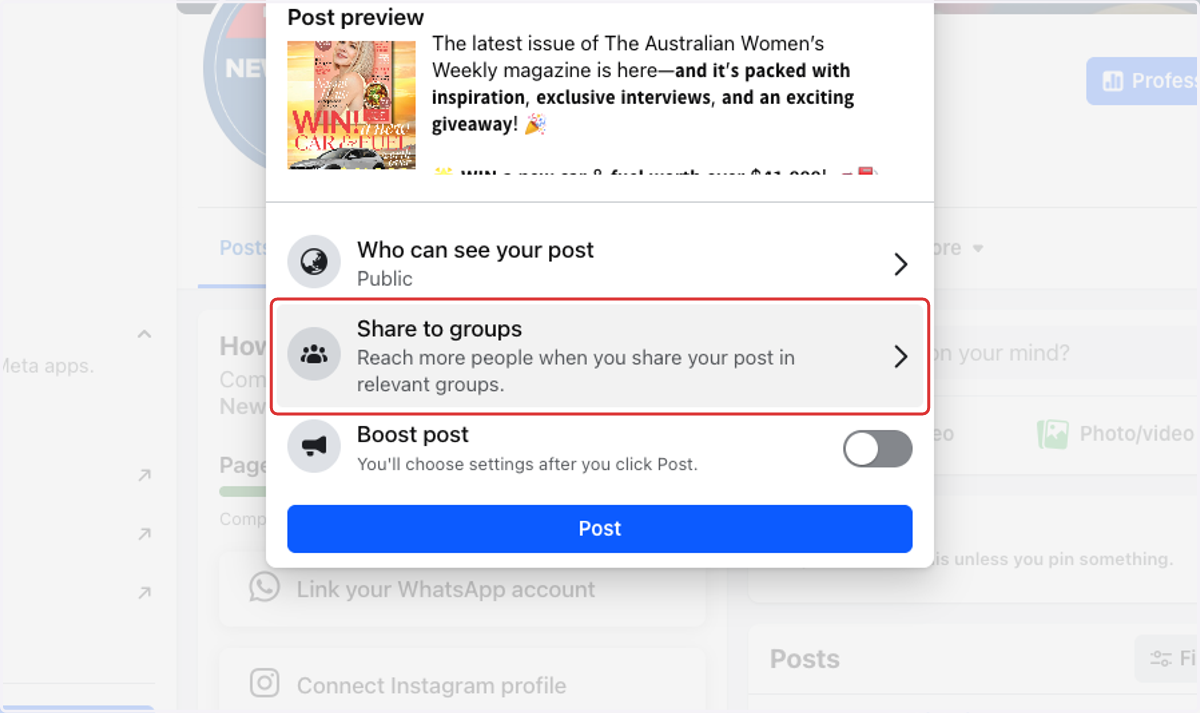
10. Optional - Click to Share to groups…
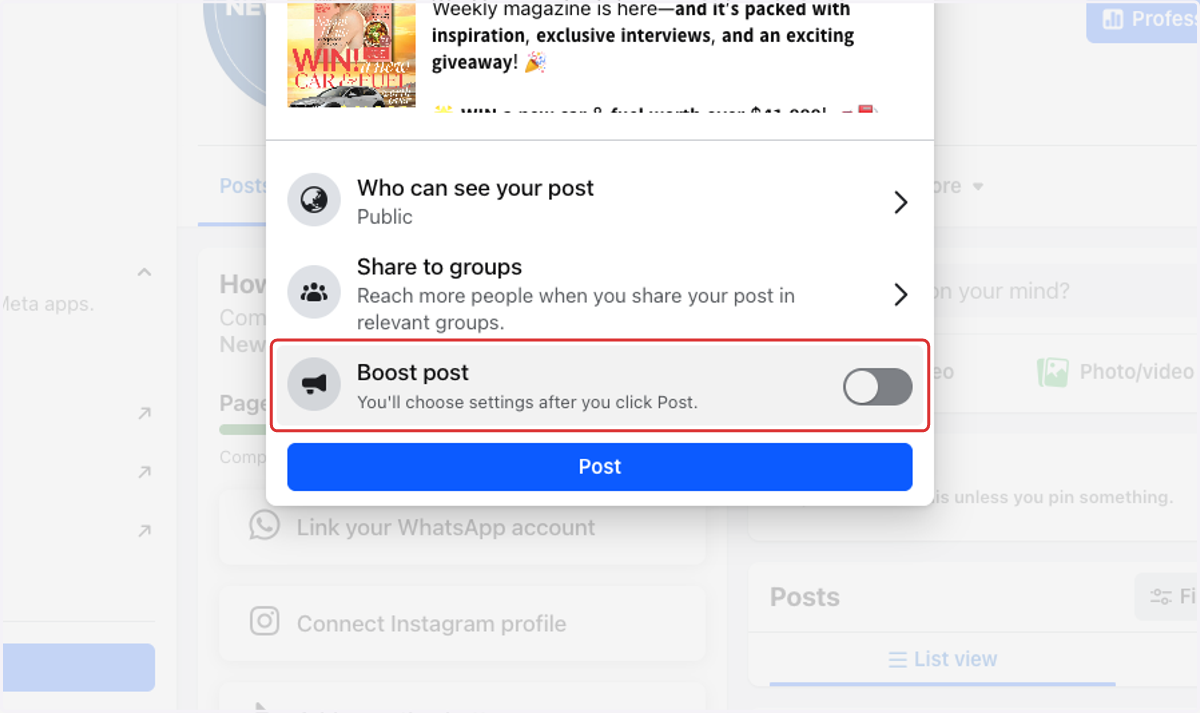
11. Optional - Click on Boost post for paid advertsing
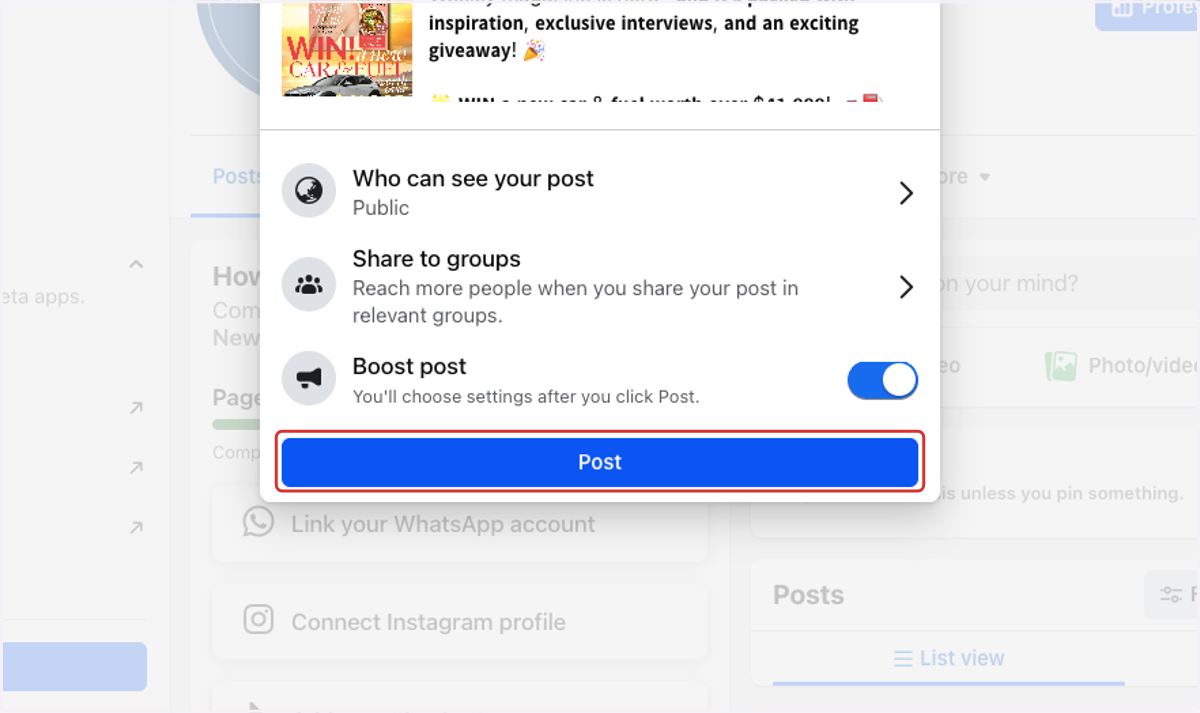
12. Click on Post