How to Pay a Citation - UTEP Visitor/Non Affiliate

  1. 1. Enter your citation number and license plate into the citation search
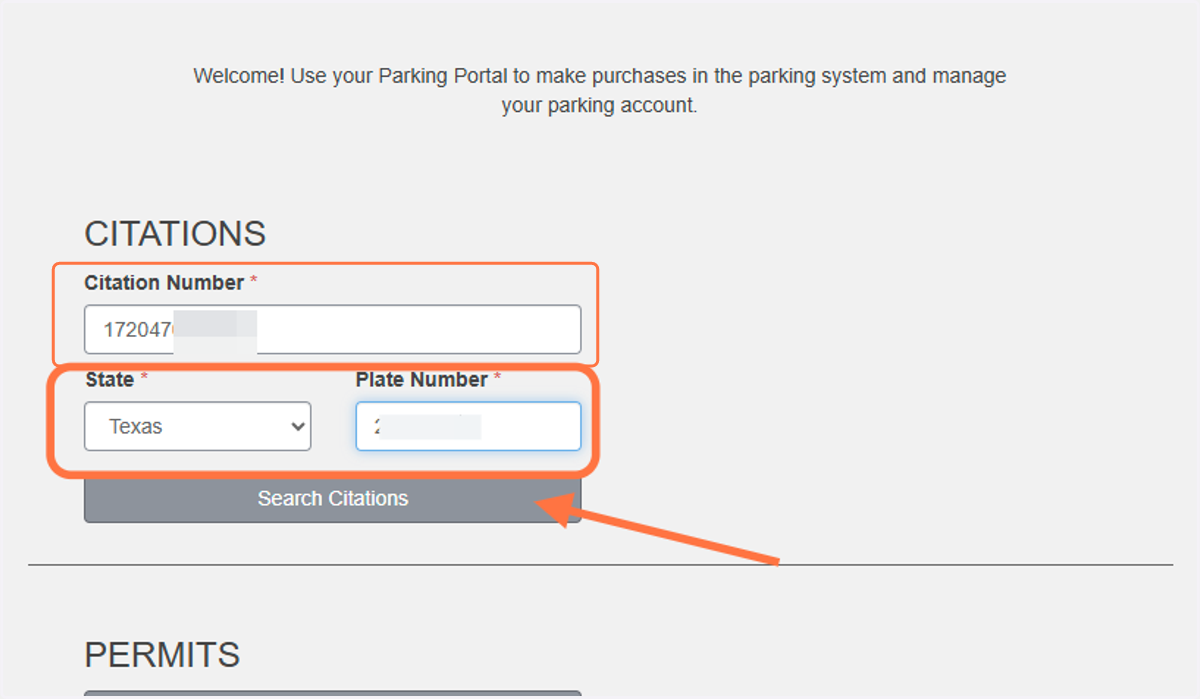
    Enter your citation number and license plate into the citation search
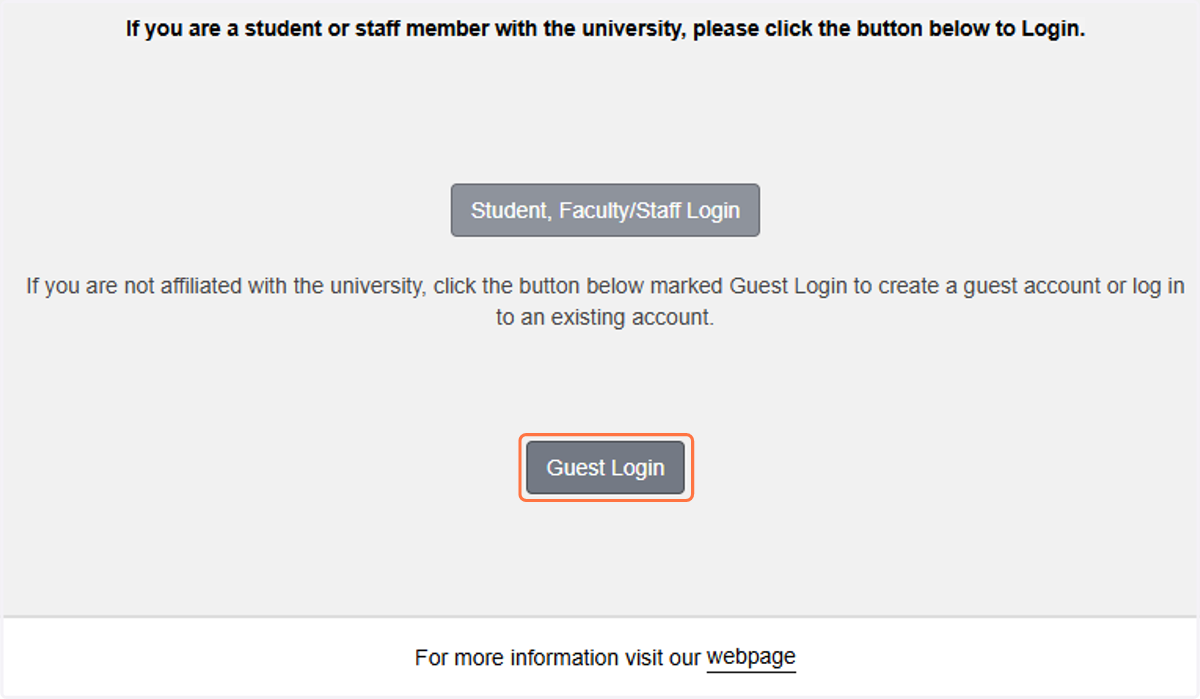
  2. 2. Click on Guest Login

    Click on Guest Login
  3. 3. Click on Log In if you have an account already
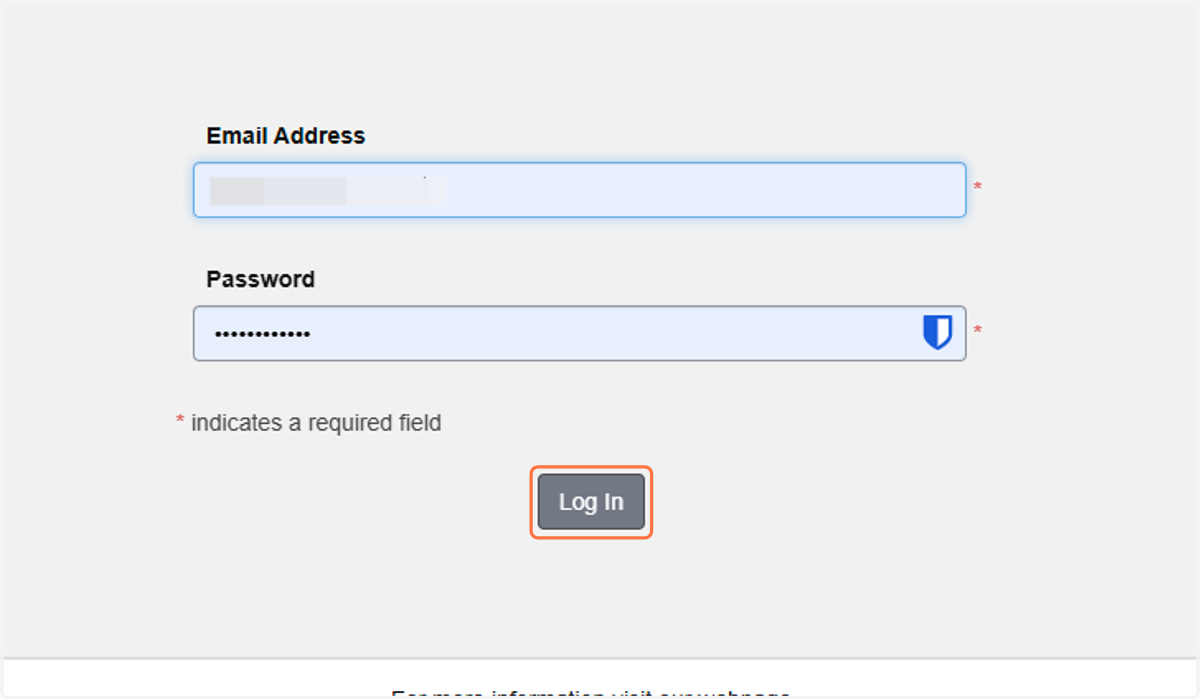
    Click on Log In if you have an account already
  4. 4. If you do not have an account already, click on create one
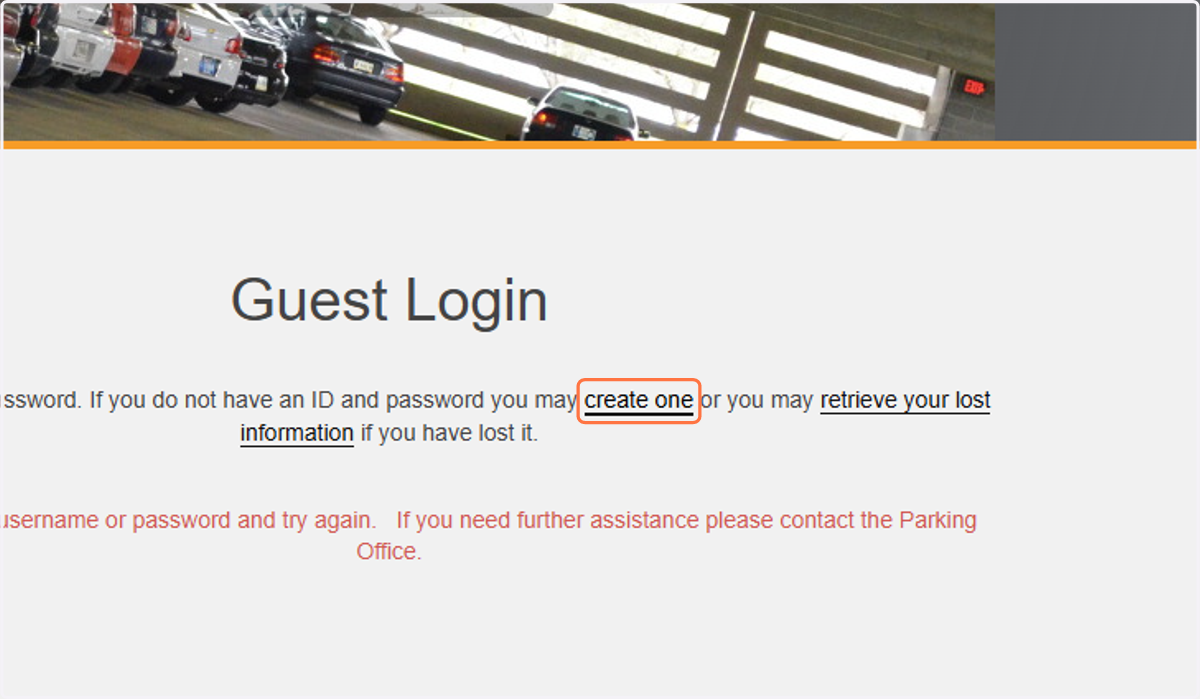
    If you do not have an account already, click on create one
  5. 5. Enter the requested information and click Create Account
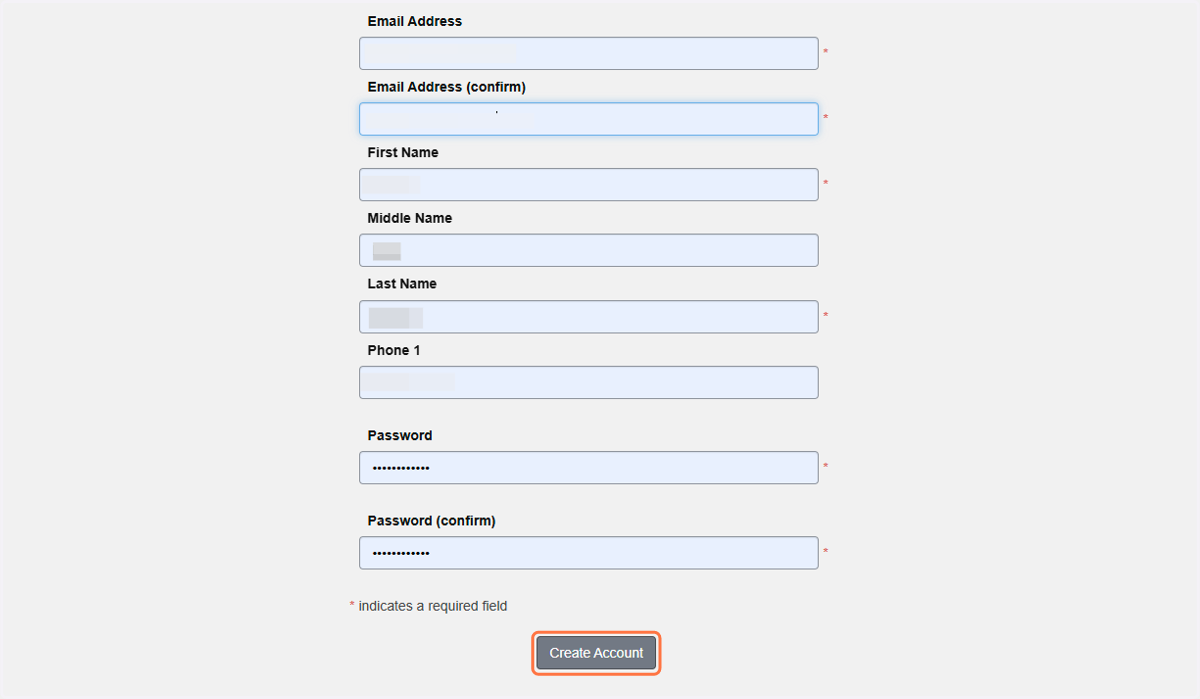
    Enter the requested information and click Create Account
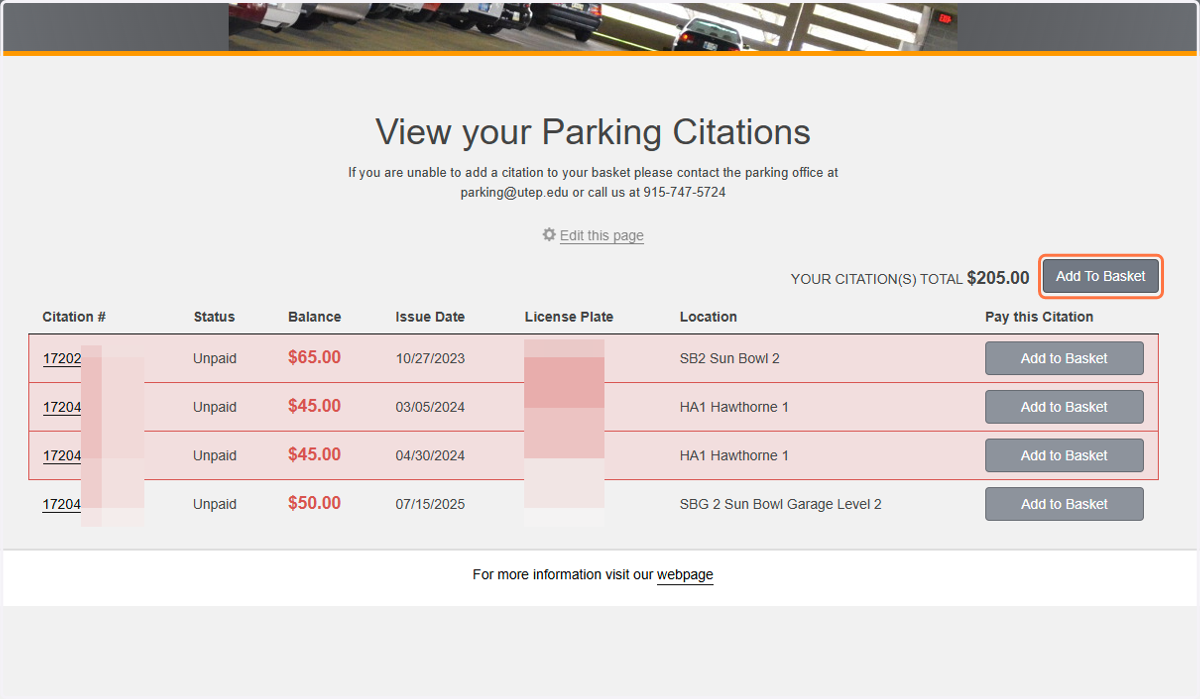
  6. 6. To add individual citations to your basket, find the citation and click on Add to Basket on the same line
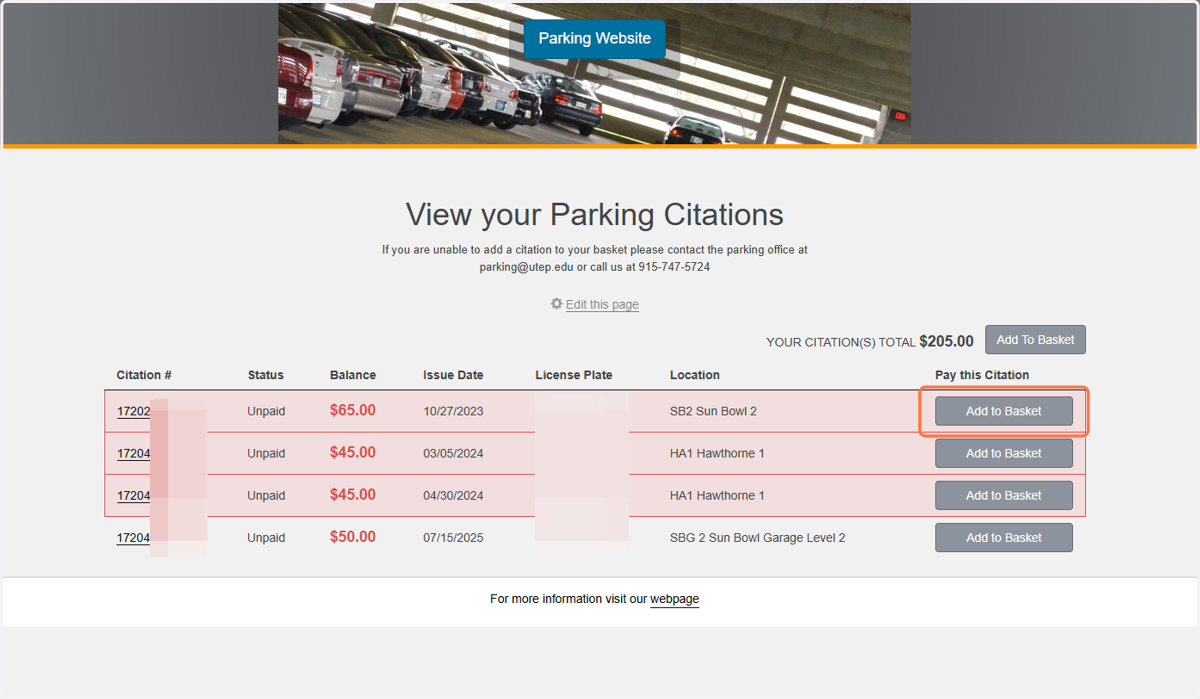
    To add individual citations to your basket, find the citation and click on Add to Basket on the same line
  7. 7. Click on Add To Basket

    Click on Add To Basket
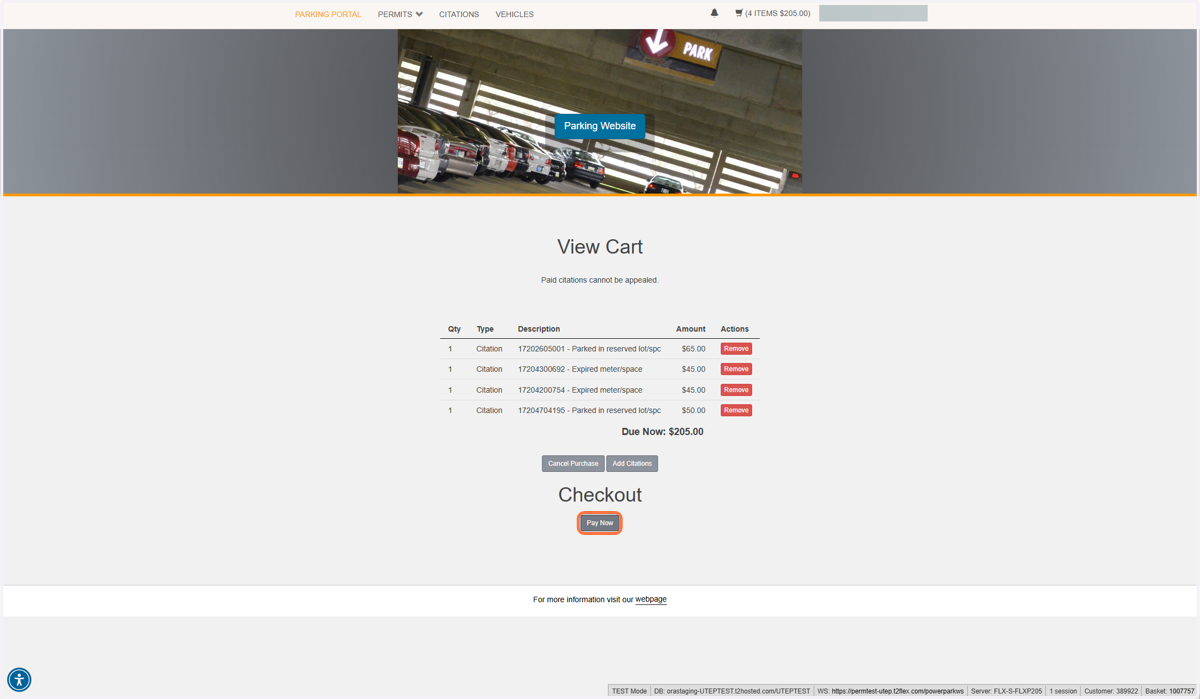
  8. 8. Click on Pay Now

    Click on Pay Now
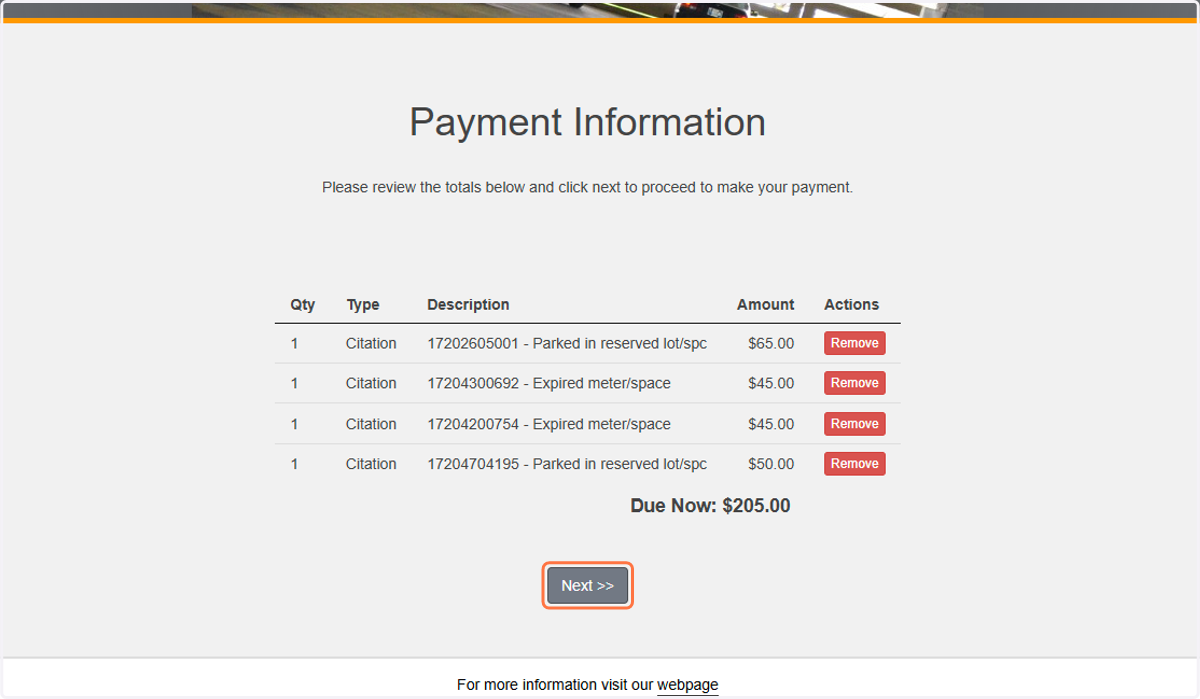
  9. 9. Click on Next >>

    Click on Next >>
  10. 10. Choose your payment method and follow the on-screen instructions
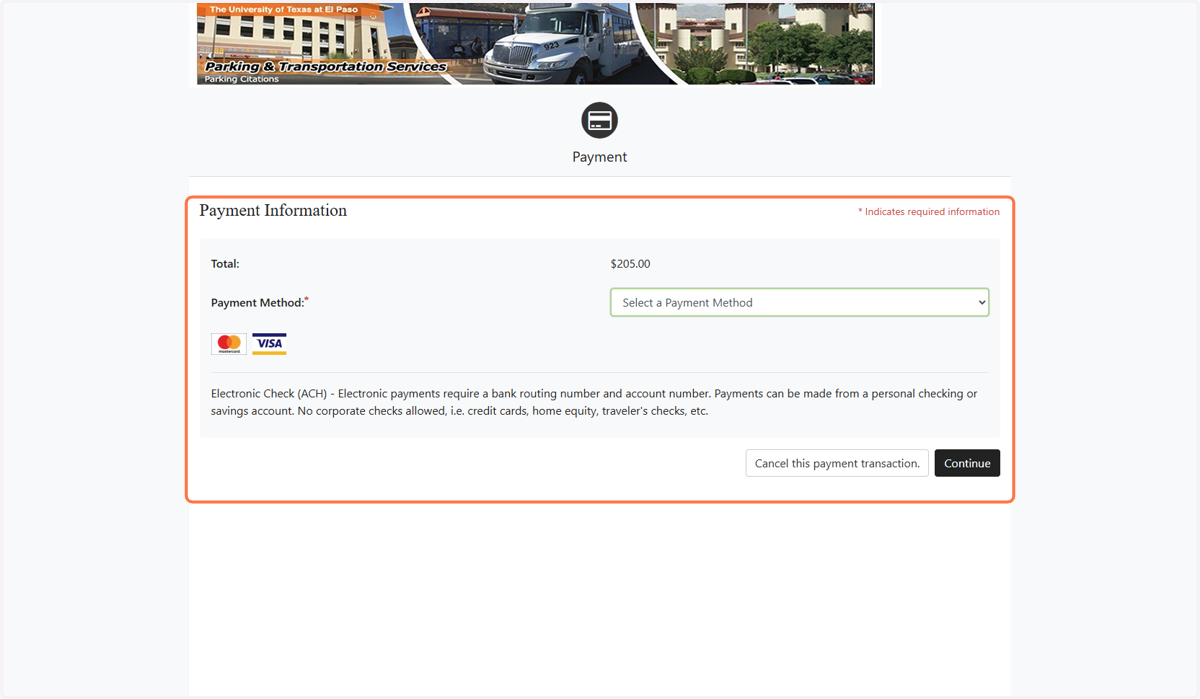
    Choose your payment method and follow the on-screen instructions