How to Create a Rubric

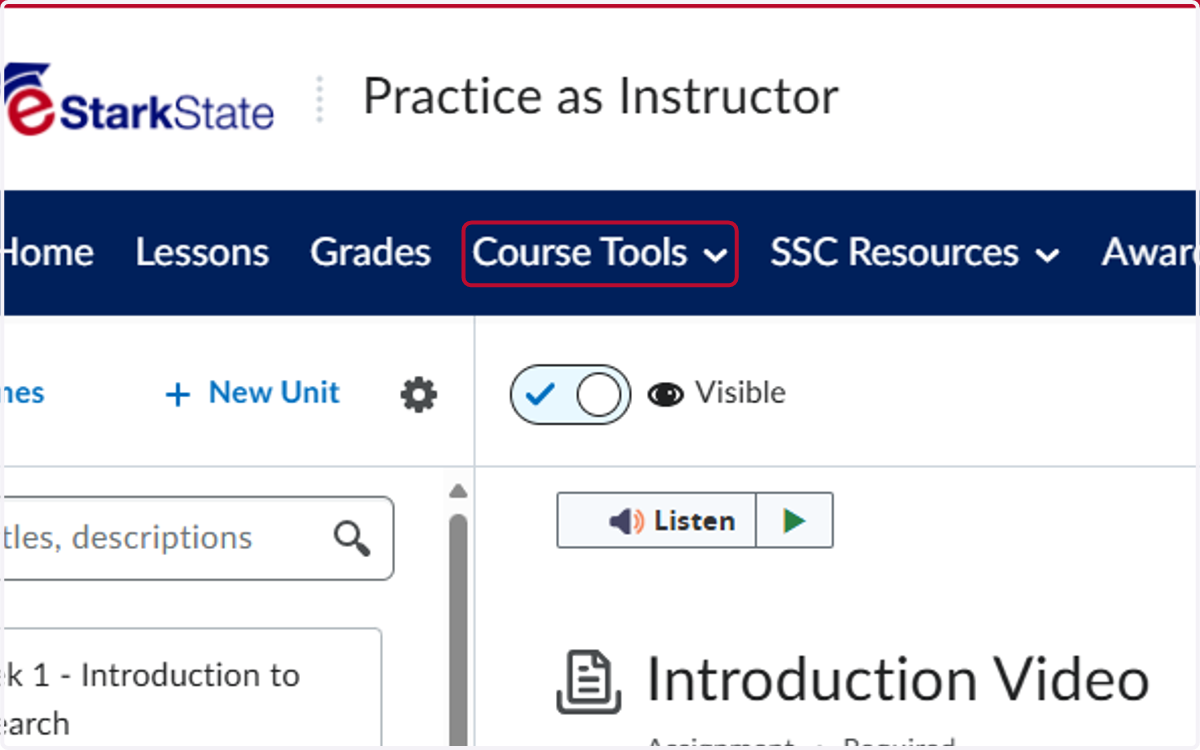
  1. 1. Click on Course Tools

    Click on Course Tools
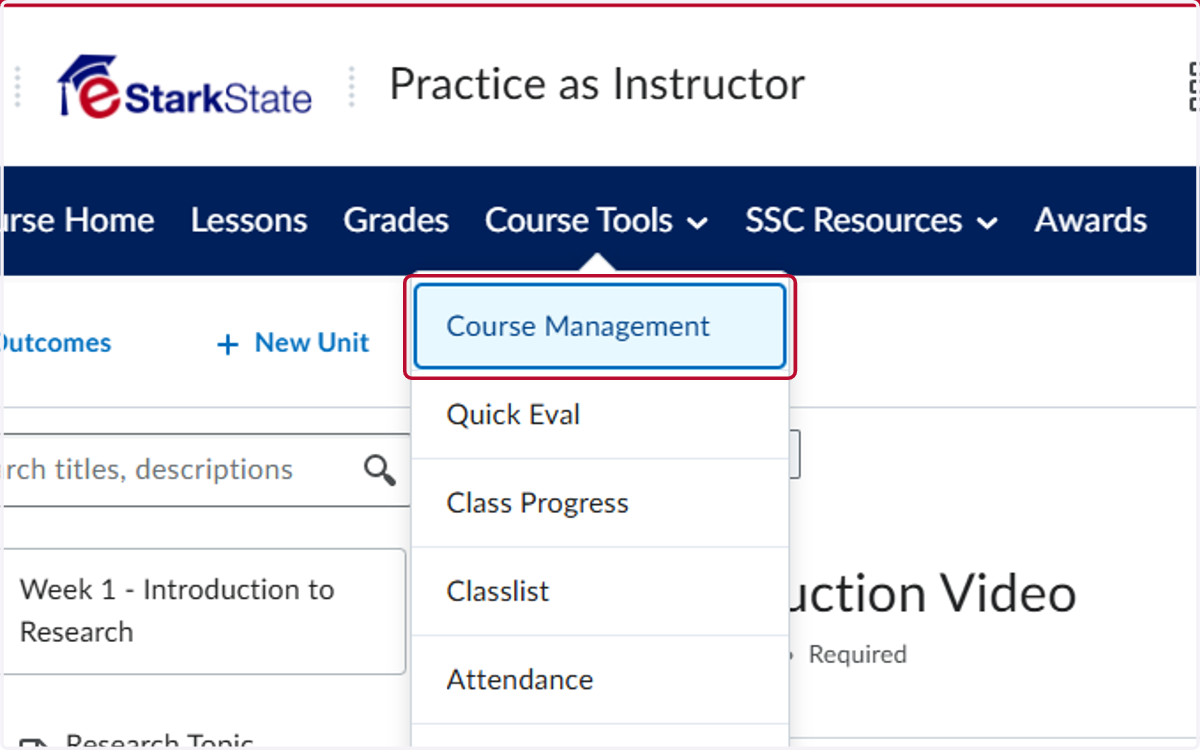
  2. 2. Click on Course Management

    Click on Course Management
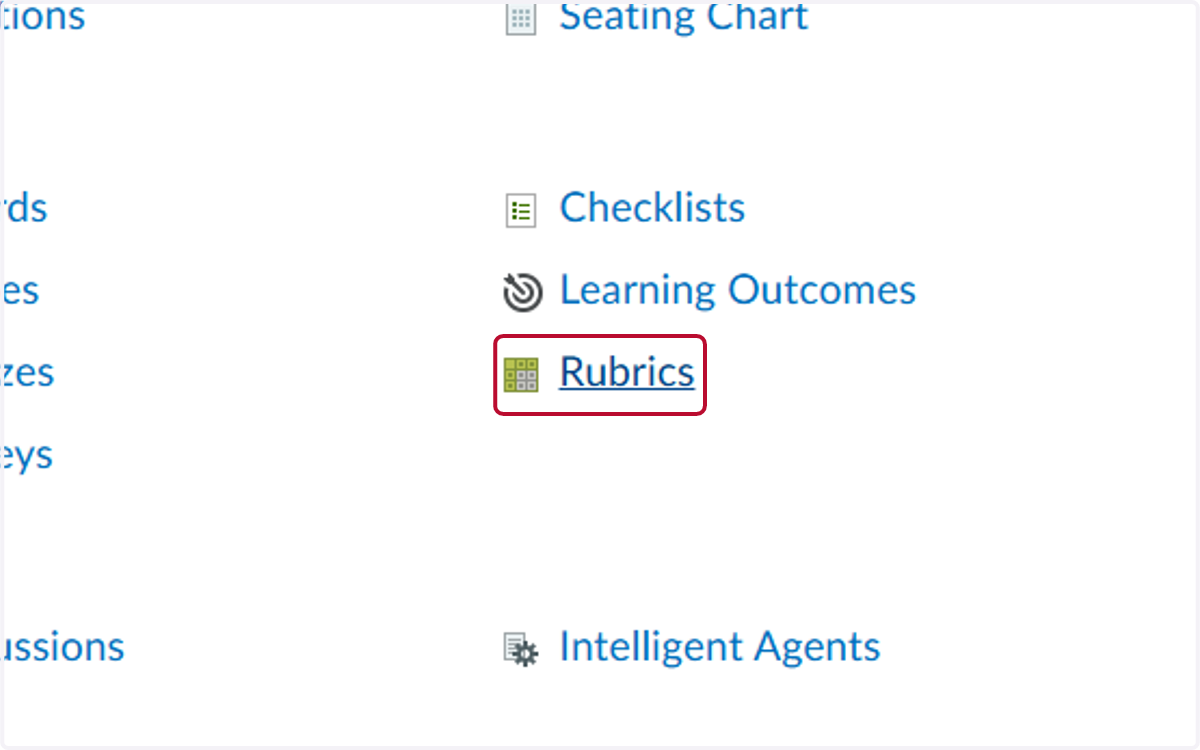
  3. 3. Click on Rubrics

    Click on Rubrics
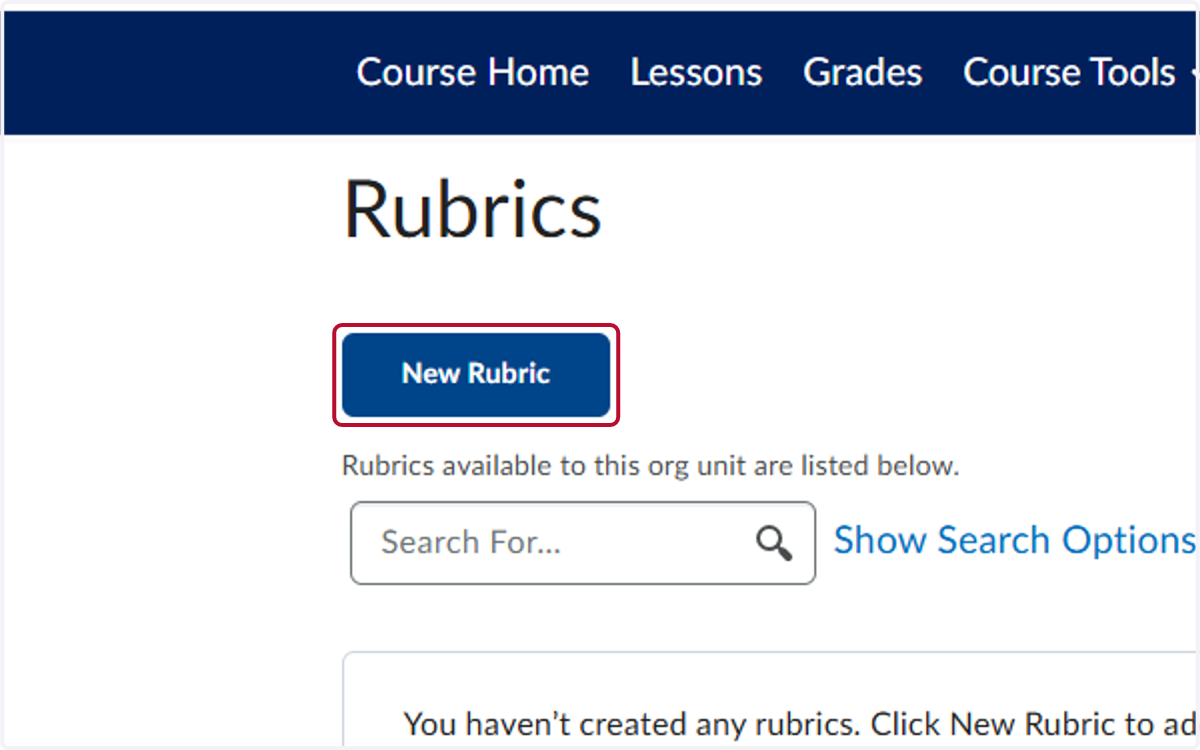
  4. 4. Click on New Rubric

    Click on New Rubric
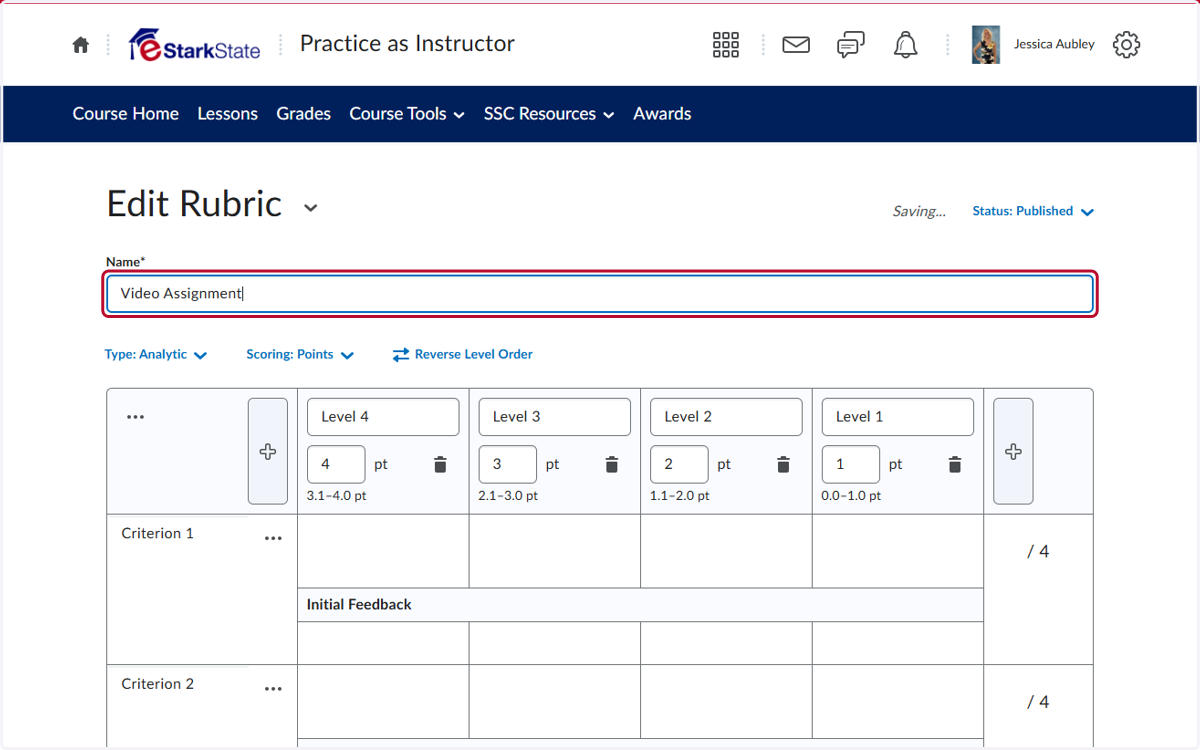
  5. 5. Enter a Name for the Rubric

    Enter a Name for the Rubric
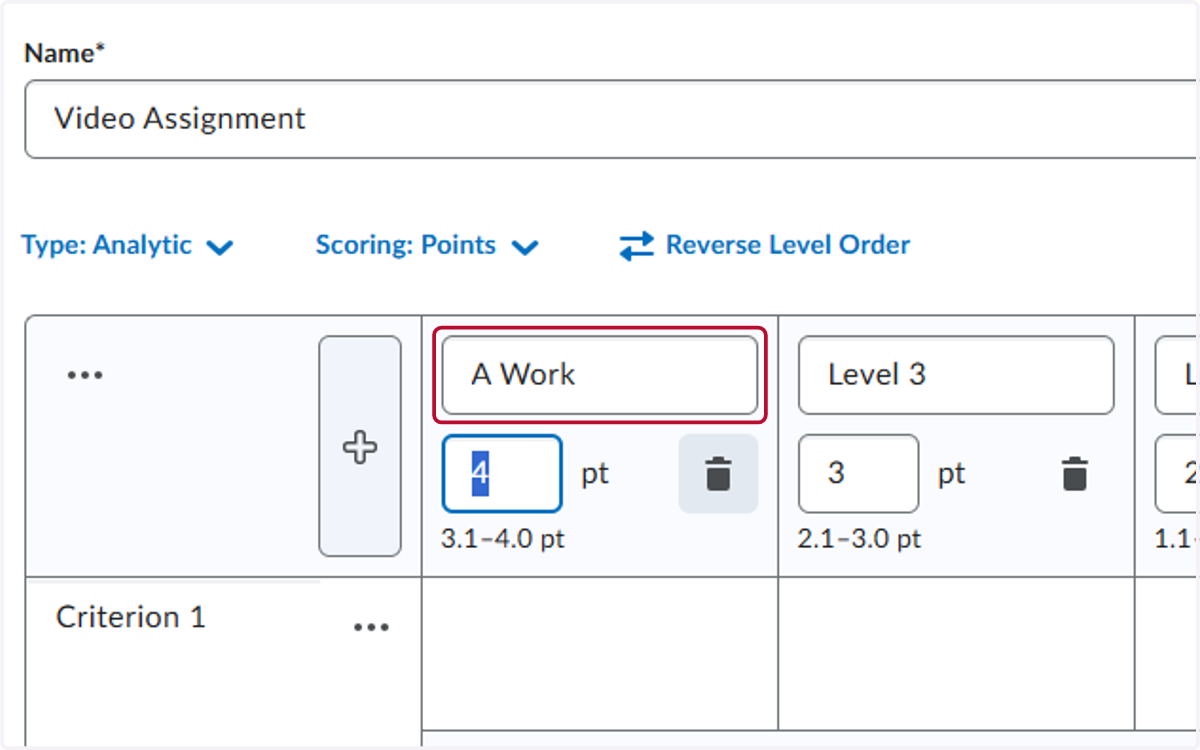
  6. 6. Enter the Grading Ranges

    Enter the Grading Ranges
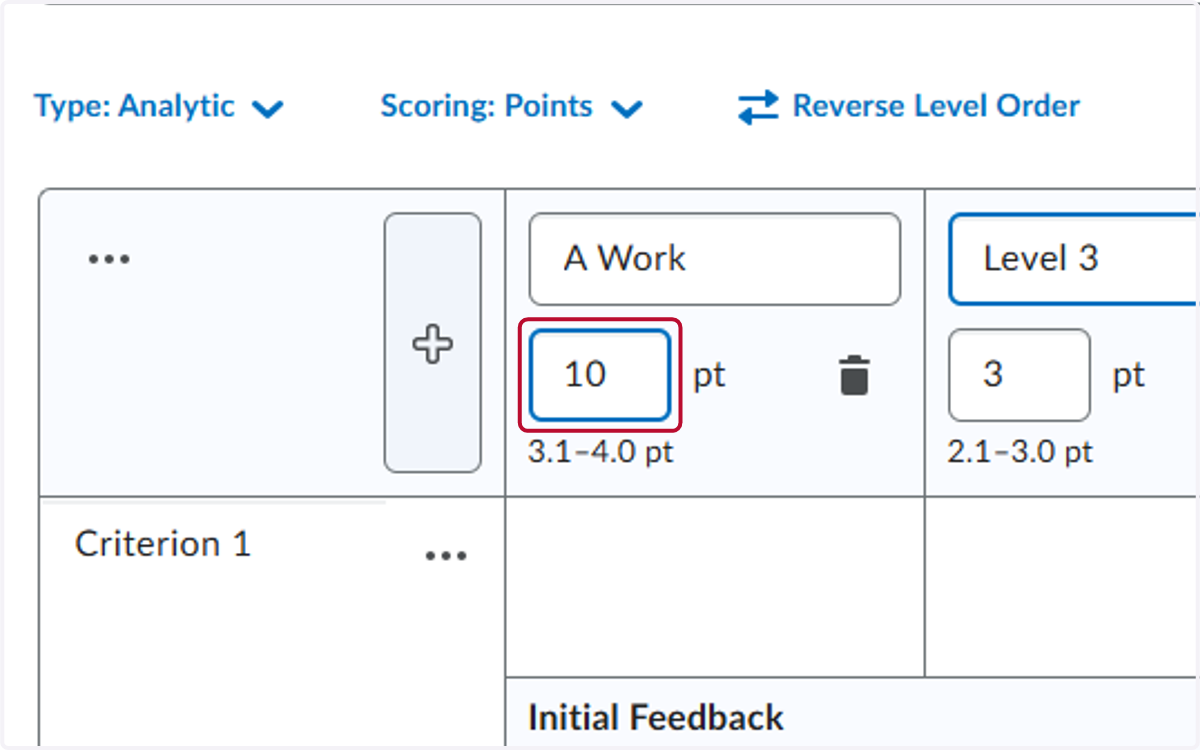
  7. 7. Enter the Point Values

    Enter the Point Values
  8. 8. Enter the Criteria and then enter each description of criteria
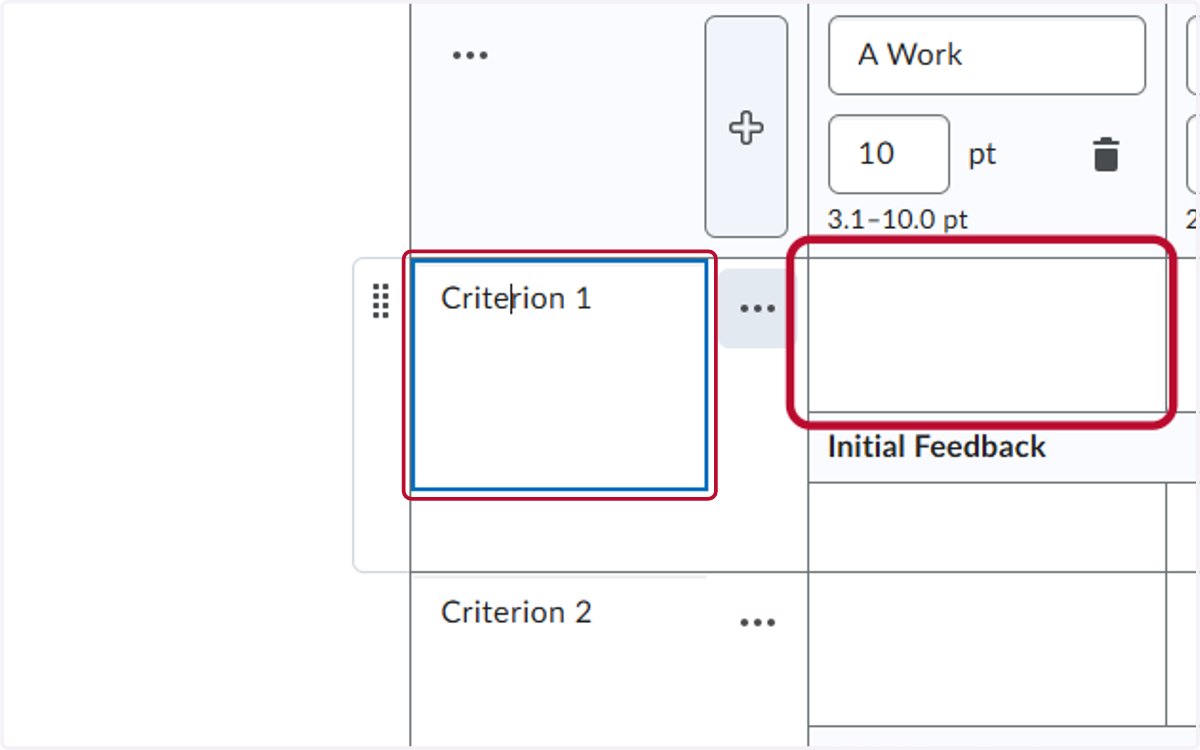
    Enter the Criteria and then enter each description of criteria
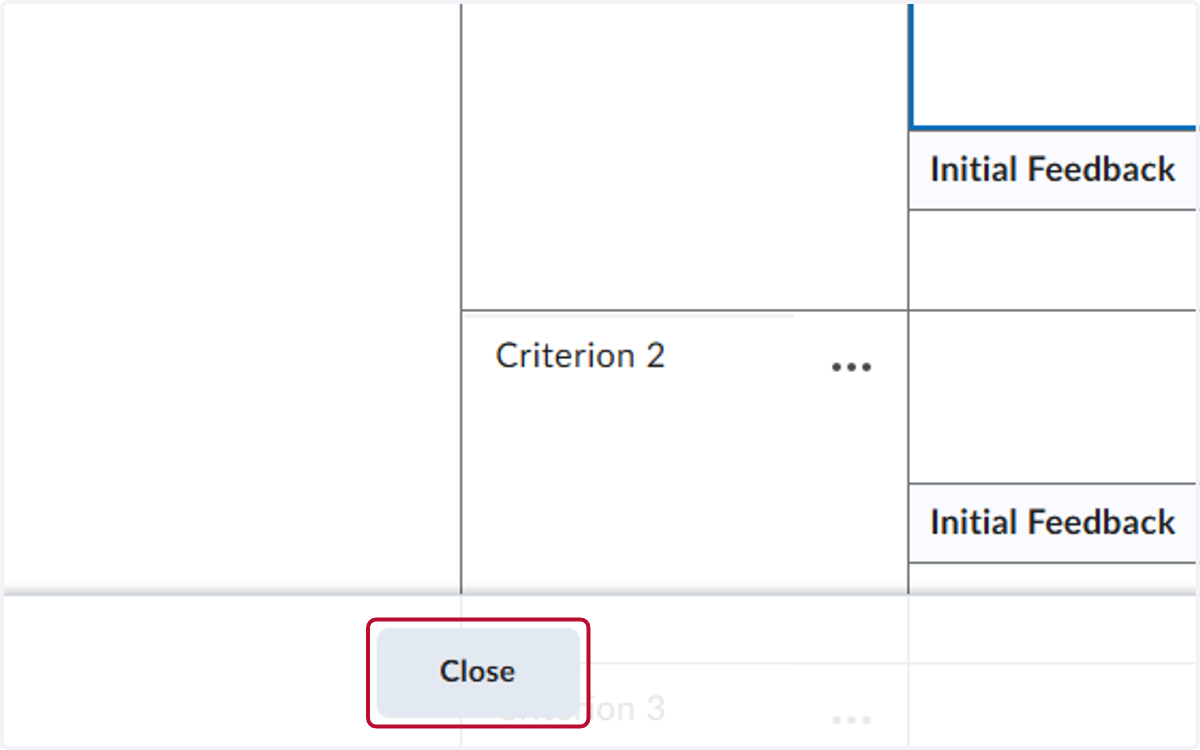
  9. 9. Click on Close

    Click on Close