How to Contact (Email) Your Instructor
Log into your class
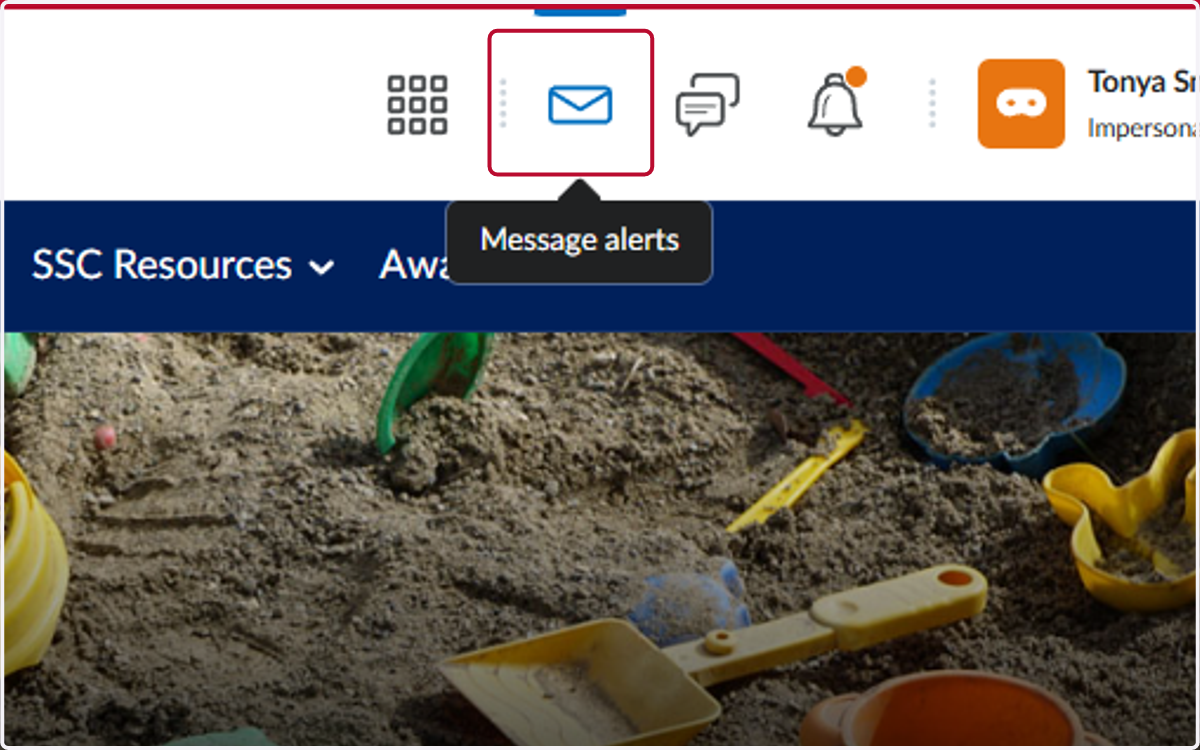
1. Click on Message alerts
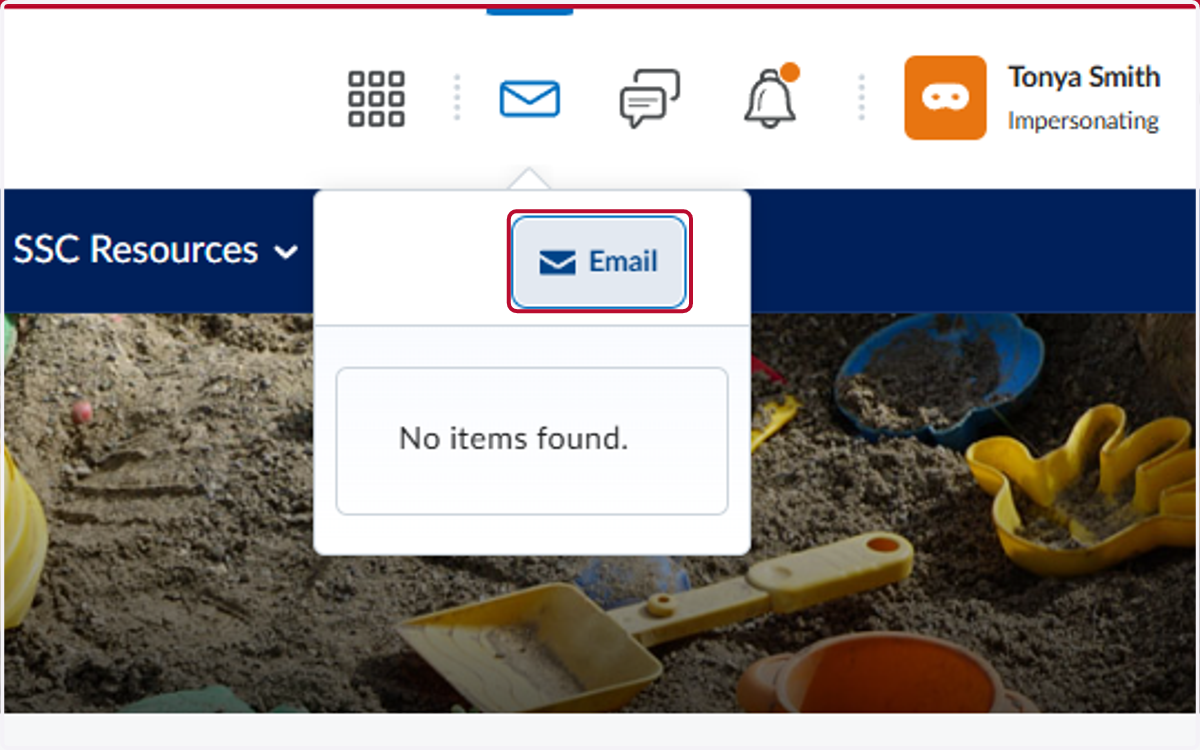
2. Click on Email
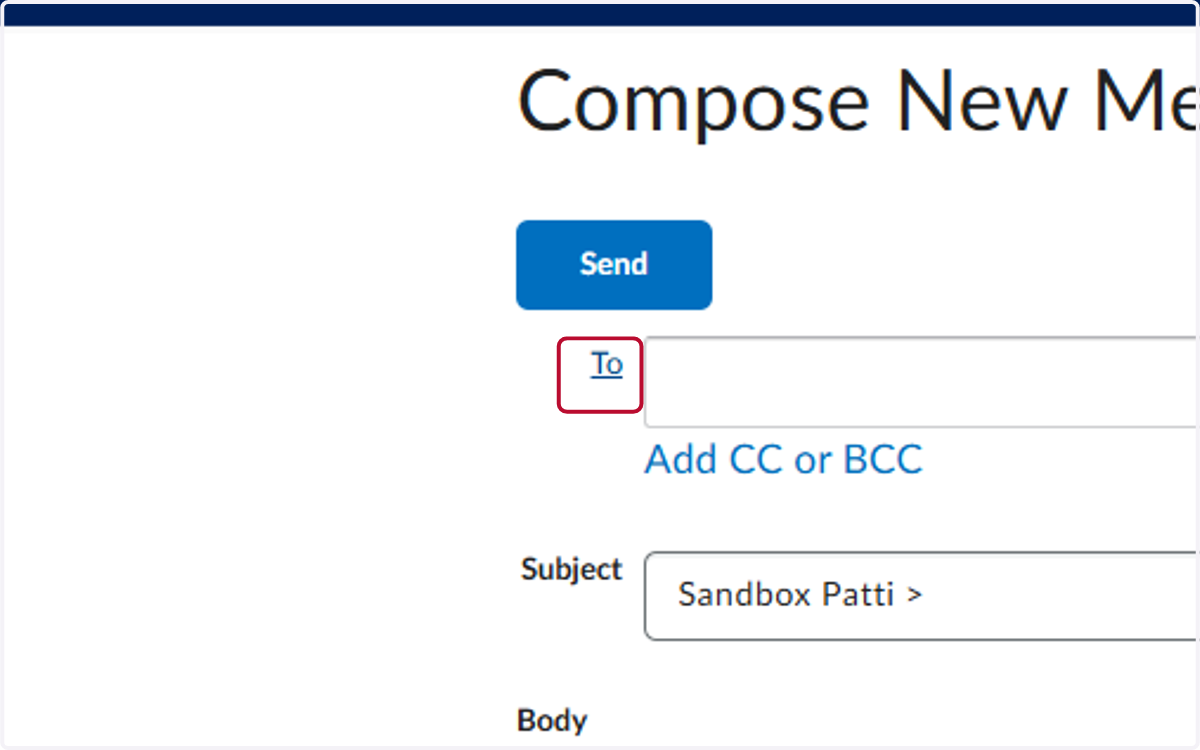
3. Click on To
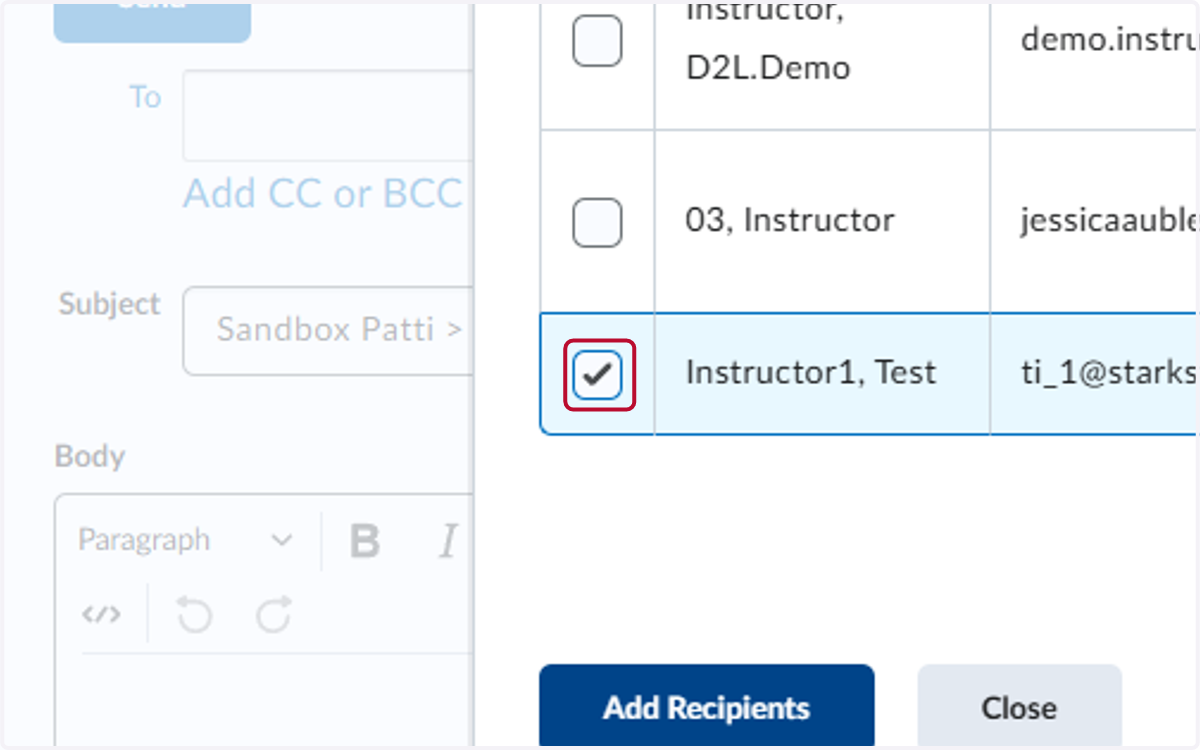
4. Check the box by your instructor's name
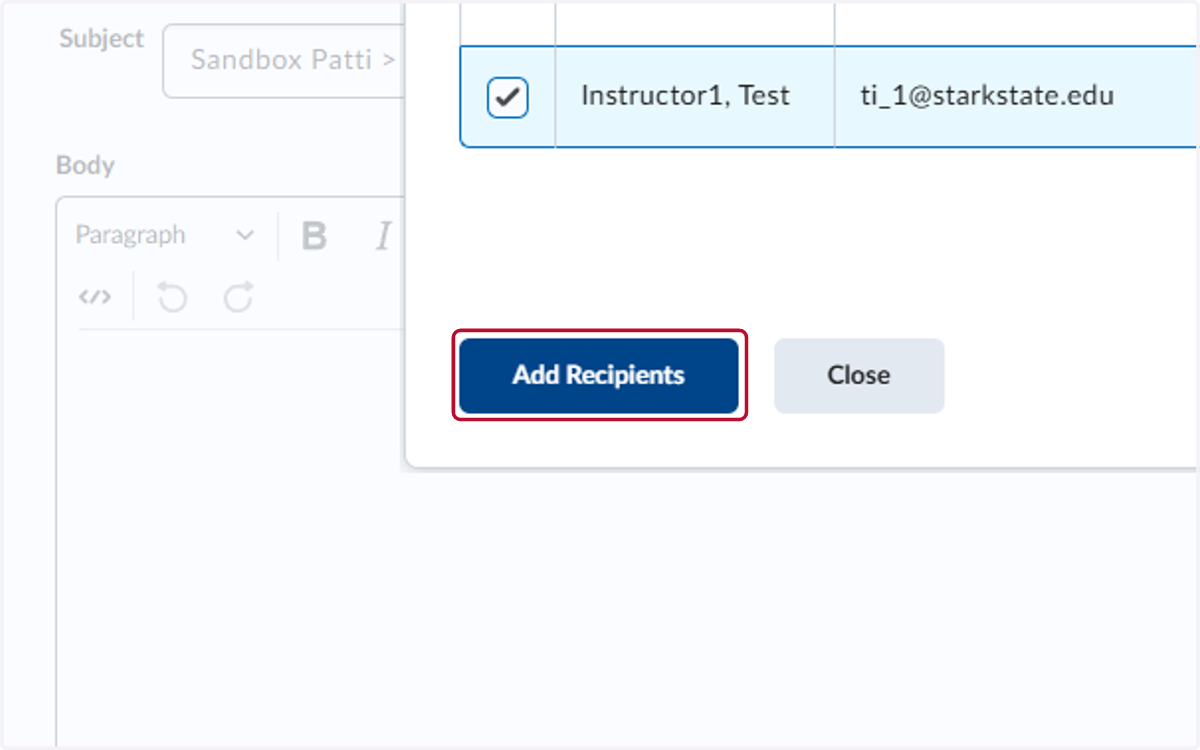
5. Click on Add Recipients
6. Add a subject
Do not delete the class info, add the subject after the >
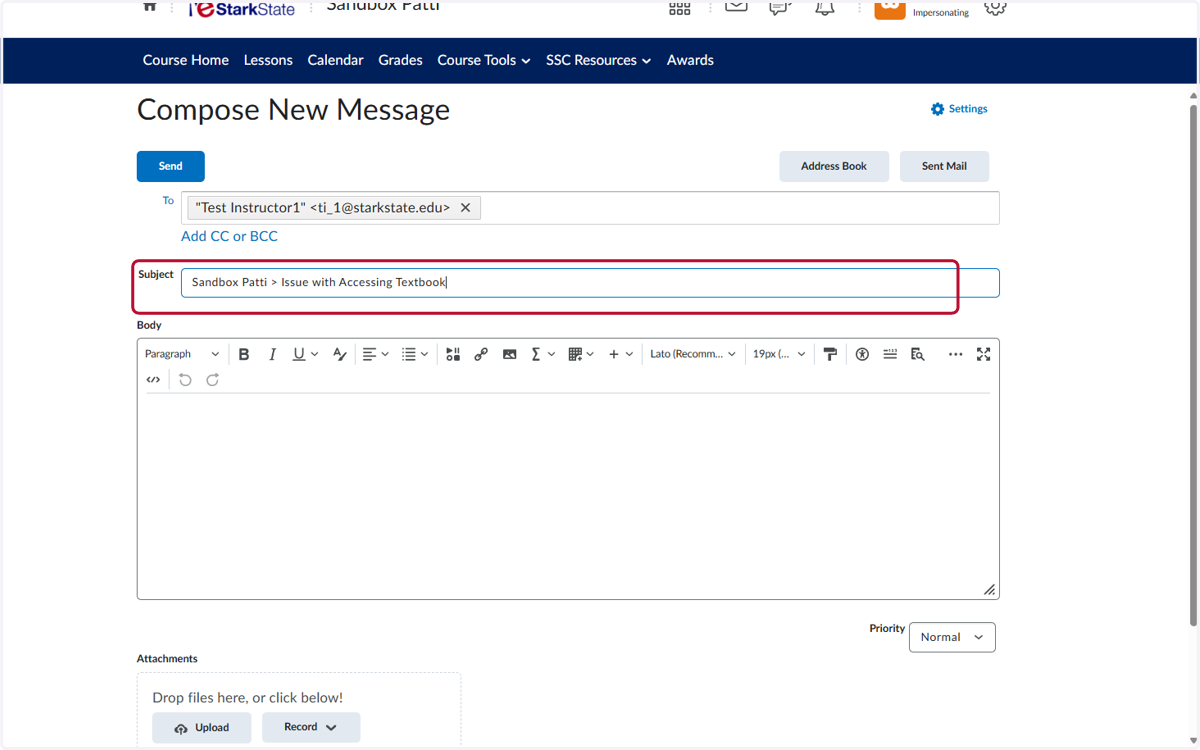
7. Click in the Body area and write your message
Make sure to be as detailed as possible

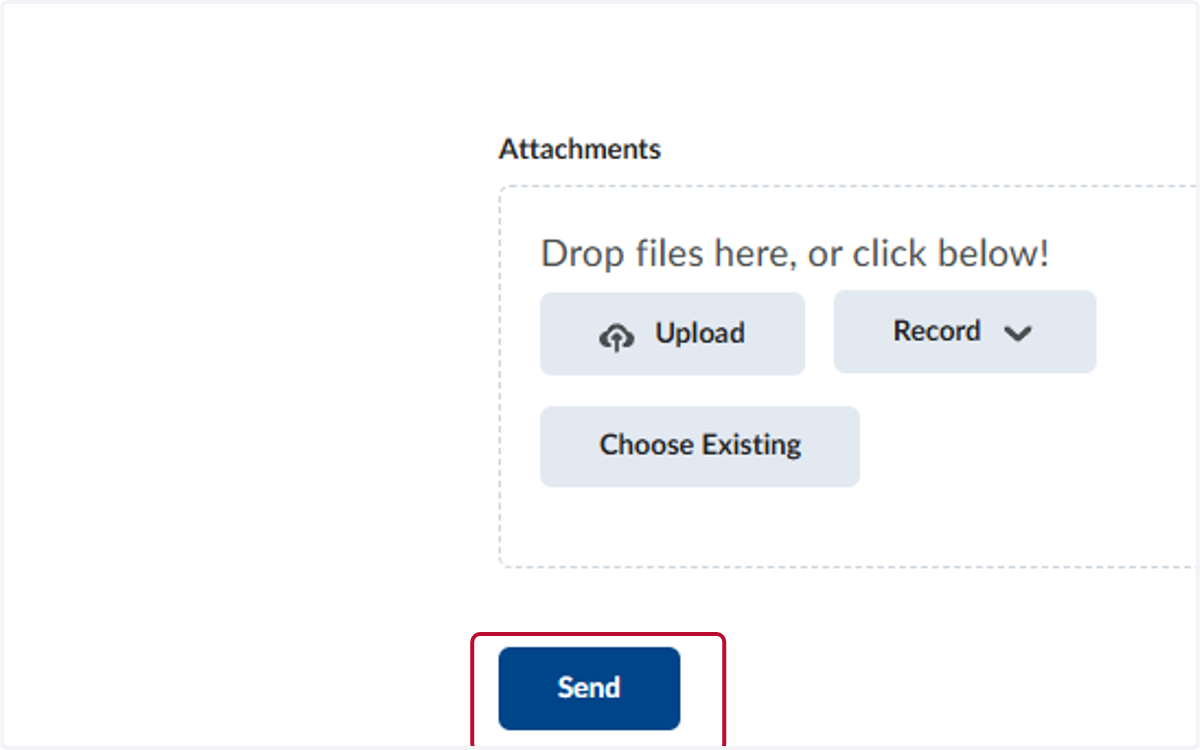
8. Click on Send