How to Connect Your WhatsApp Business Number in Affinect
This guide walks you through connecting your WhatsApp Business number to Affinect. Once connected, you’ll be able to create templates, send campaigns, and engage customers directly on WhatsApp through the platform.
If you're already using the WhatsApp Business app, eligible numbers can also be connected while continuing to use the app for direct customer conversations.
Affinect
1. Go to WhatsApp Settings
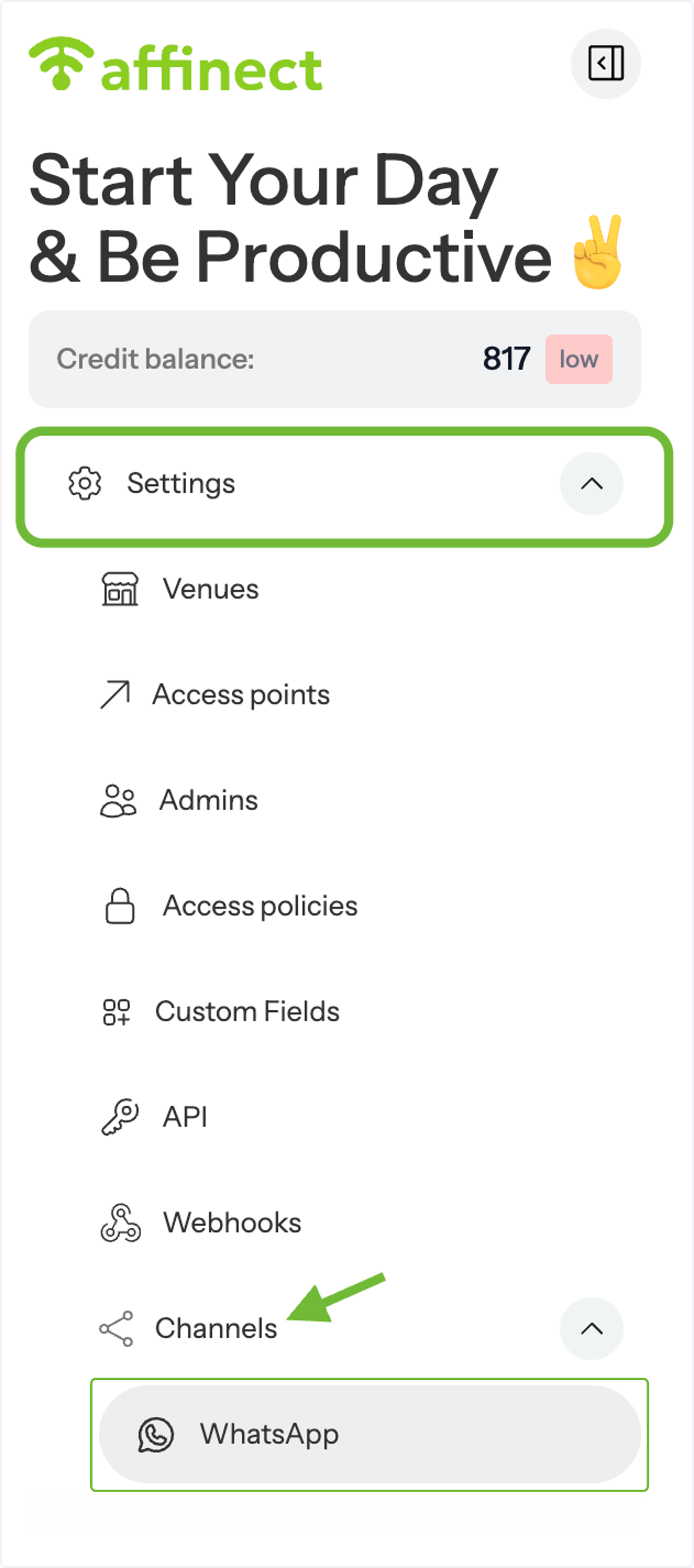
From the left-hand menu, open Settings, then navigate to Channels and select WhatsApp.
2. Add a WhatsApp Business Number
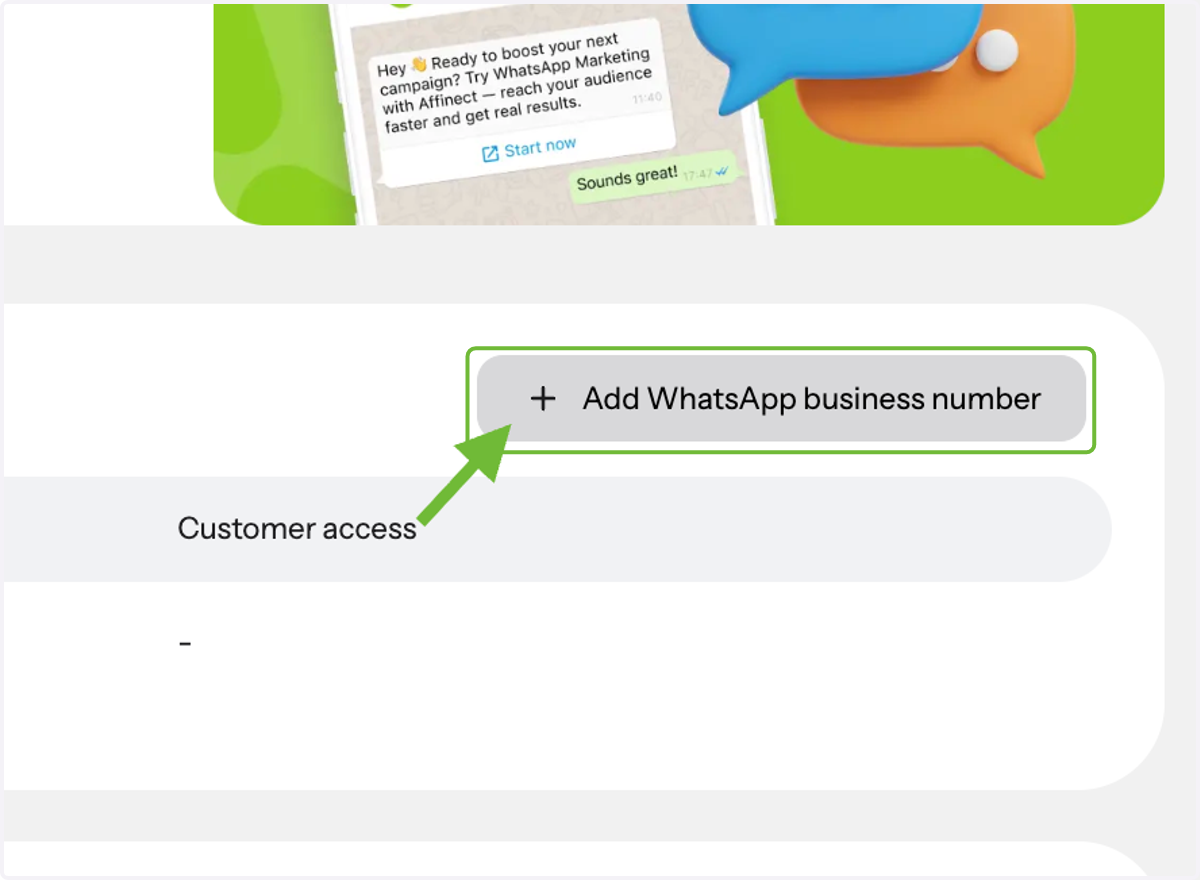
Click on Add WhatsApp Business Number to begin the setup process.
3. Review Prerequisites
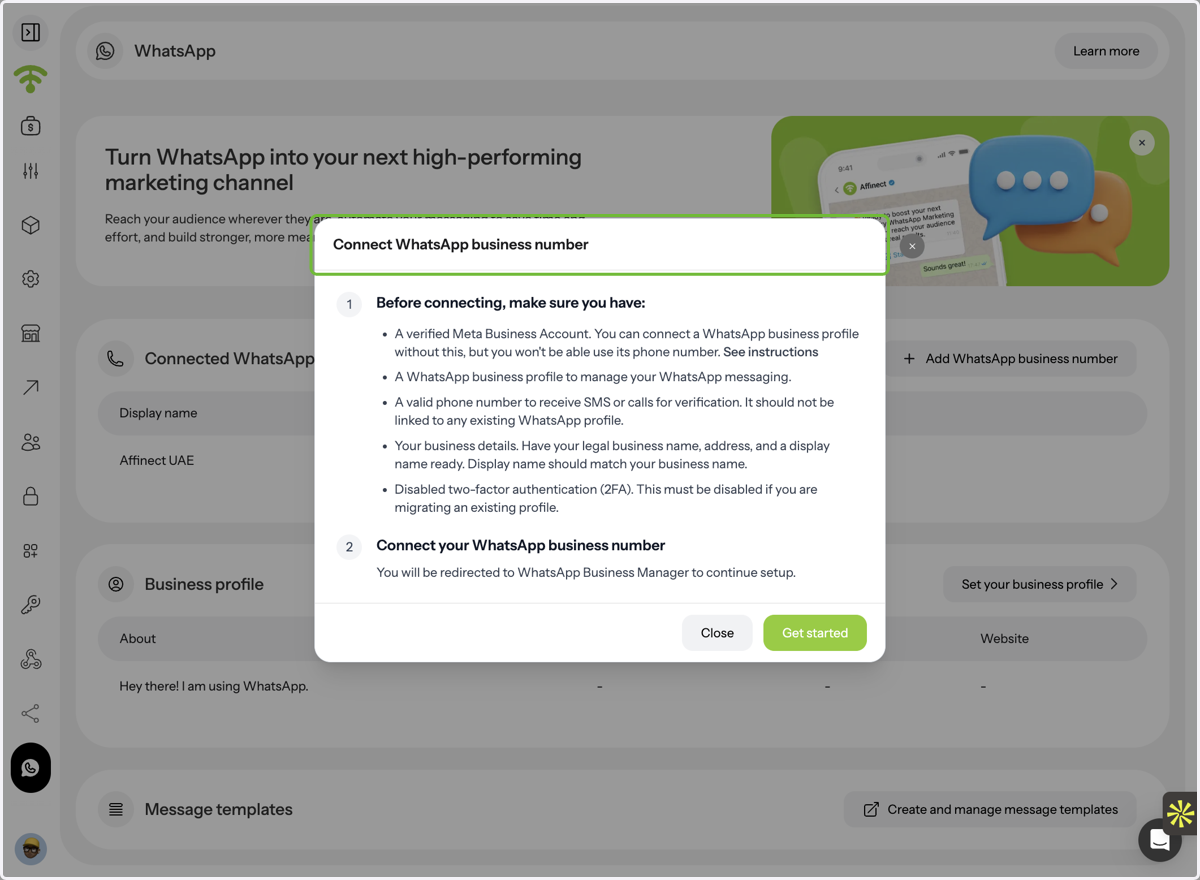
Before connecting your number, make sure you meet all the required prerequisites listed in the setup section (e.g., access to your number, business details, and any necessary permissions).
4. Start the Setup Process
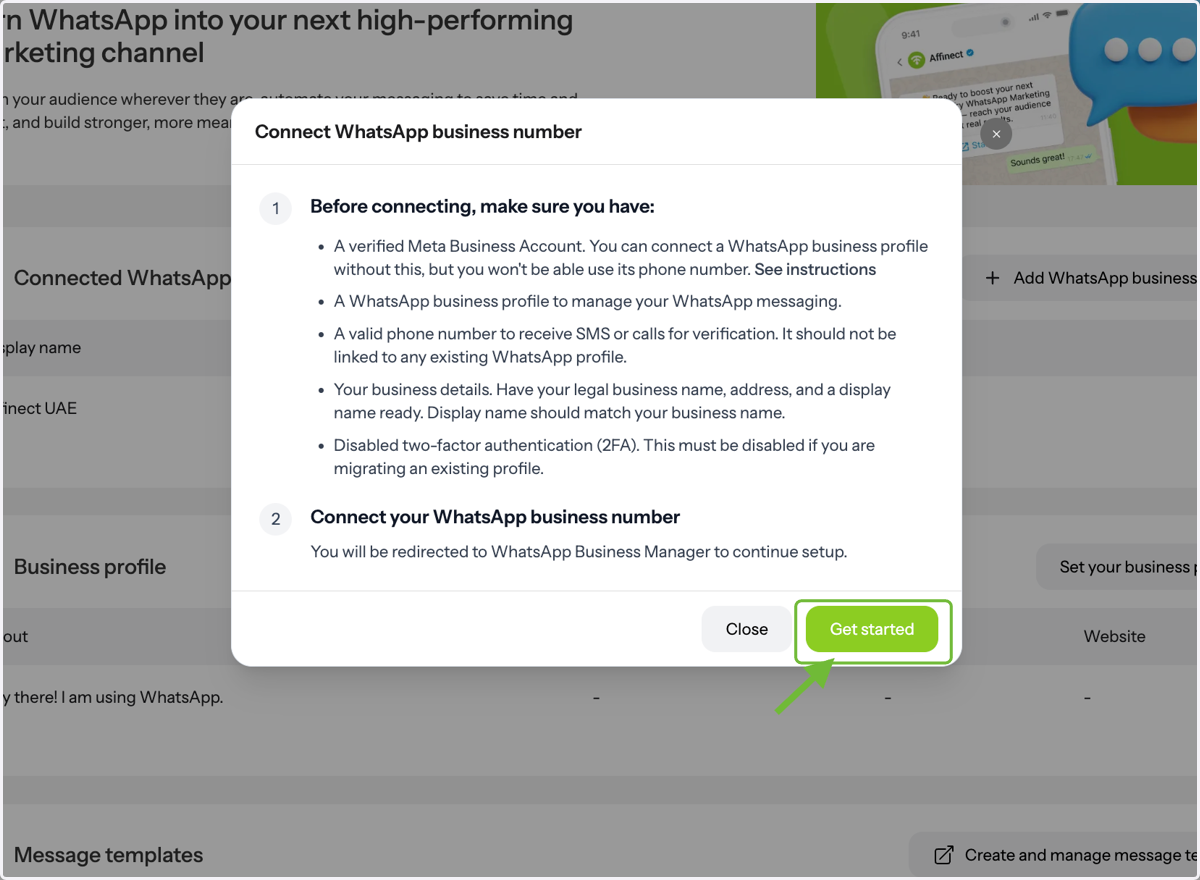
Click Get Started and follow the guided steps to complete the connection.
5. Continue with Meta
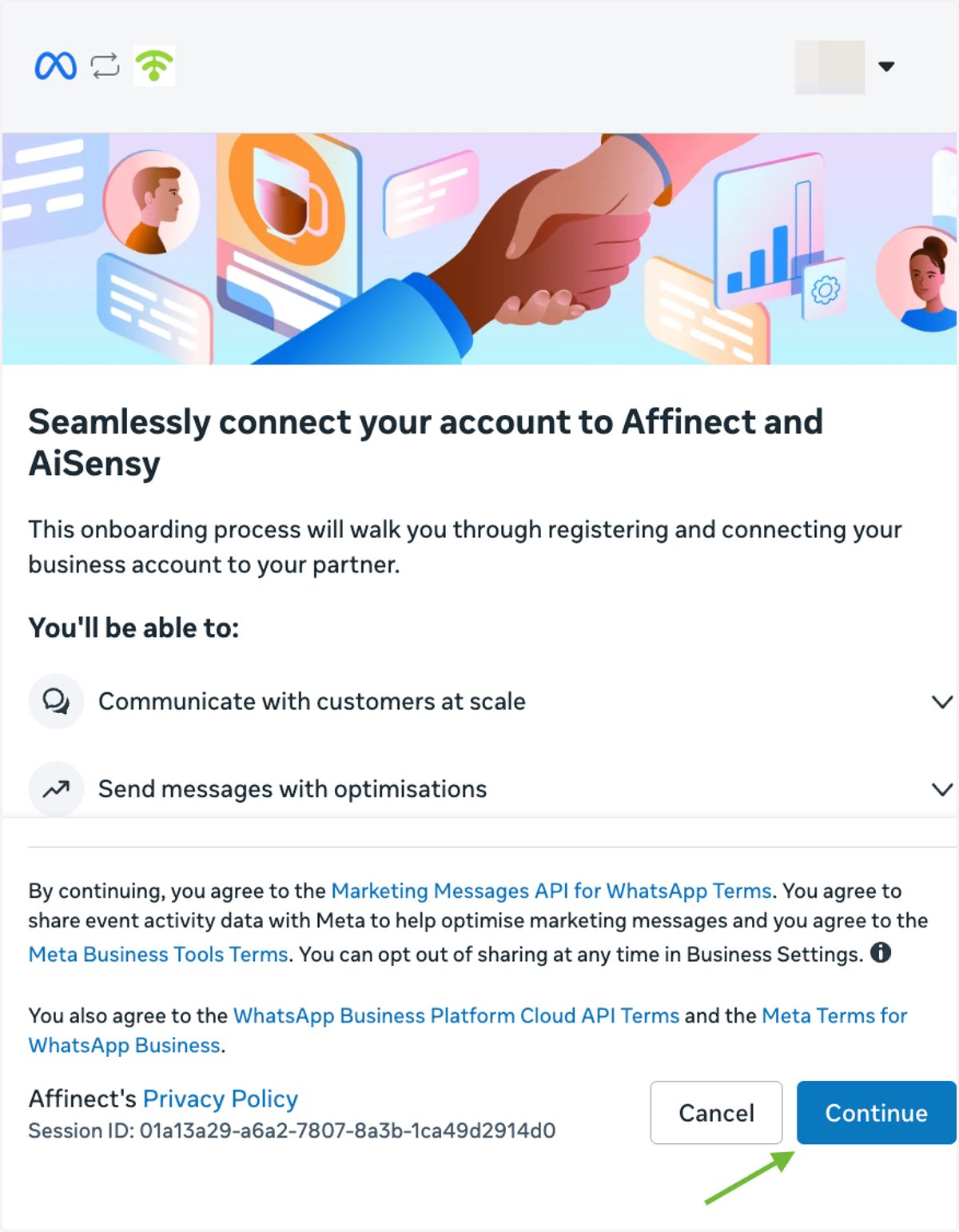
Once redirected to Meta, review the onboarding information and click Continue to proceed.
6. Select Your WhatsApp Business Account
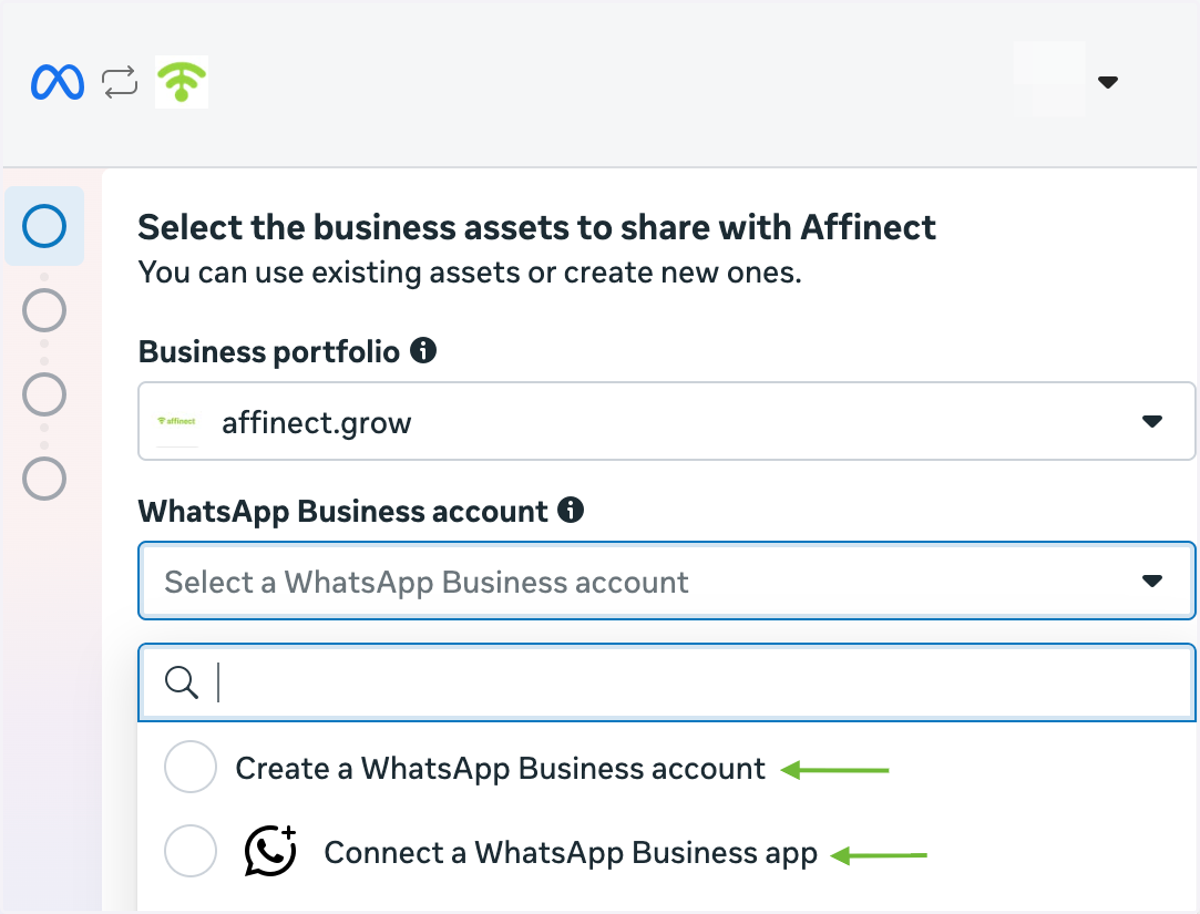
Select the appropriate Business Portfolio and WhatsApp Business Account.
You can create a new WhatsApp Business account or choose Connect a WhatsApp Business app if you're already using the WhatsApp Business app with your existing number.
7. Add and Verify Your Phone Number
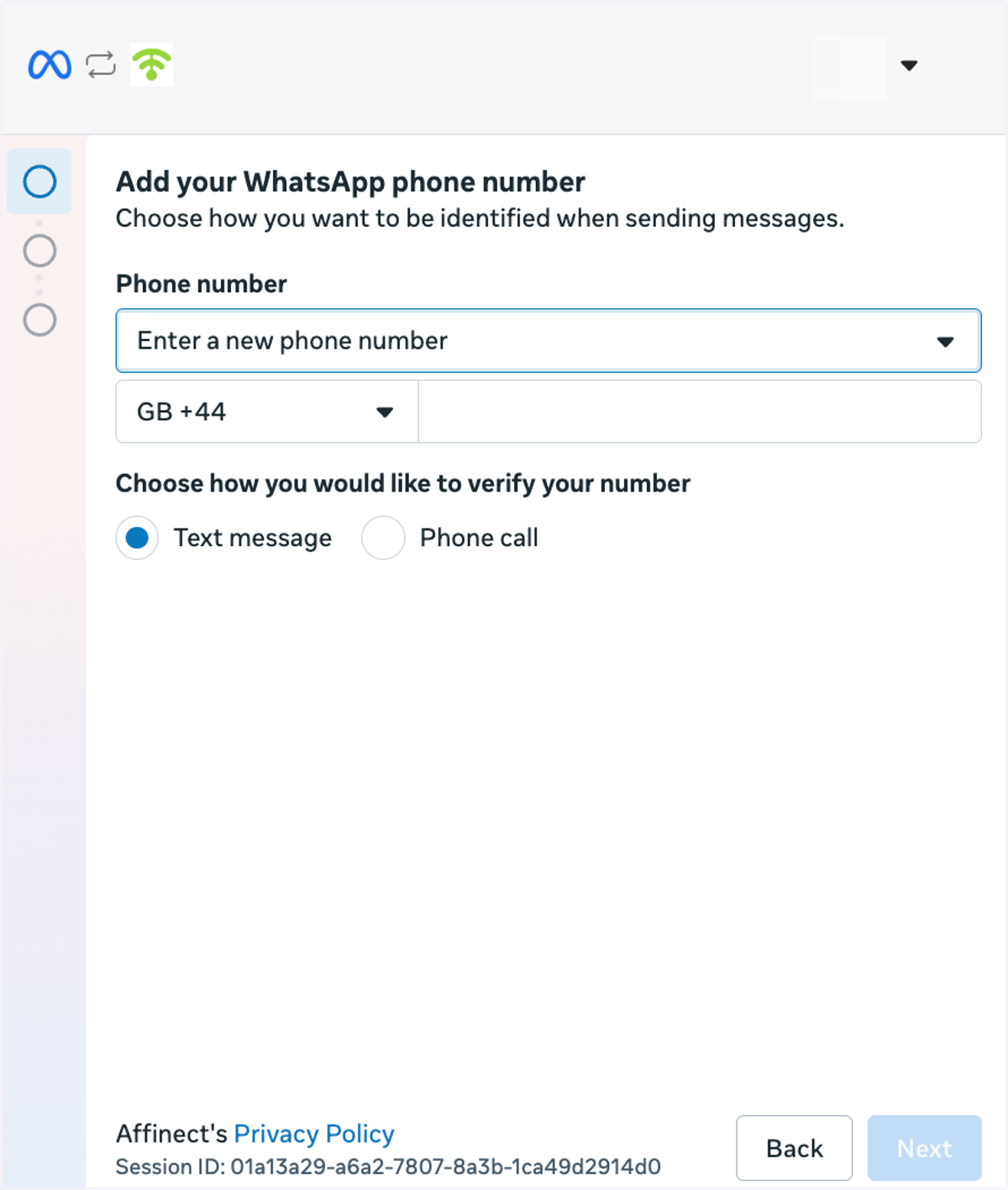
If you're adding a new number, enter your WhatsApp Business phone number and choose whether to verify it by text message or phone call.
Follow Meta's prompts to complete the verification.
If you're connecting an existing WhatsApp Business app number, follow the coexistence steps below instead.
8. Connect Your Existing WhatsApp Business App
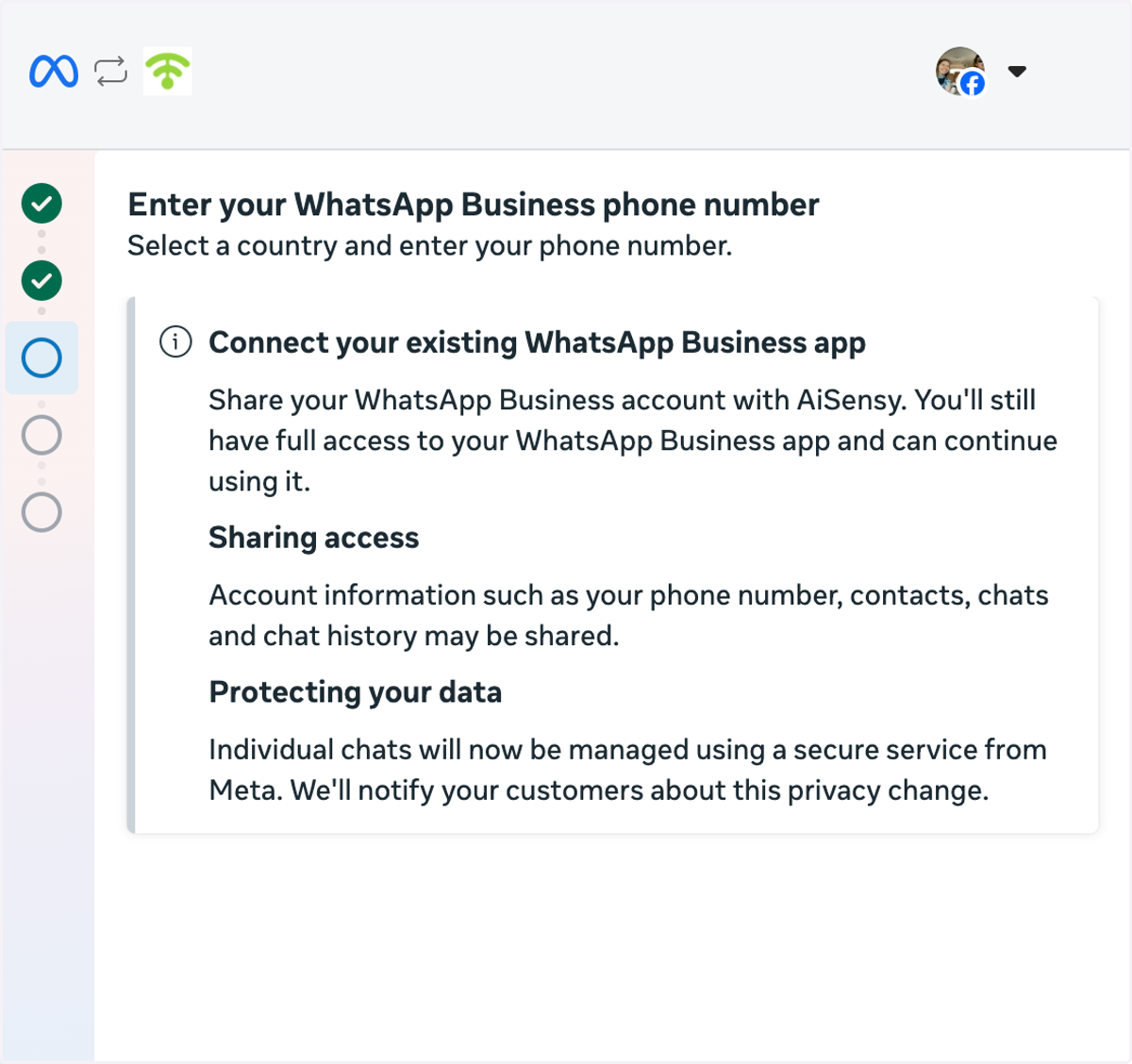
WhatsApp Coexistence allows eligible businesses to connect their existing WhatsApp Business app number to Affinect while continuing to use the app for one-on-one customer conversations.
Select Connect a WhatsApp Business app, enter your existing number, and follow the prompts to continue.
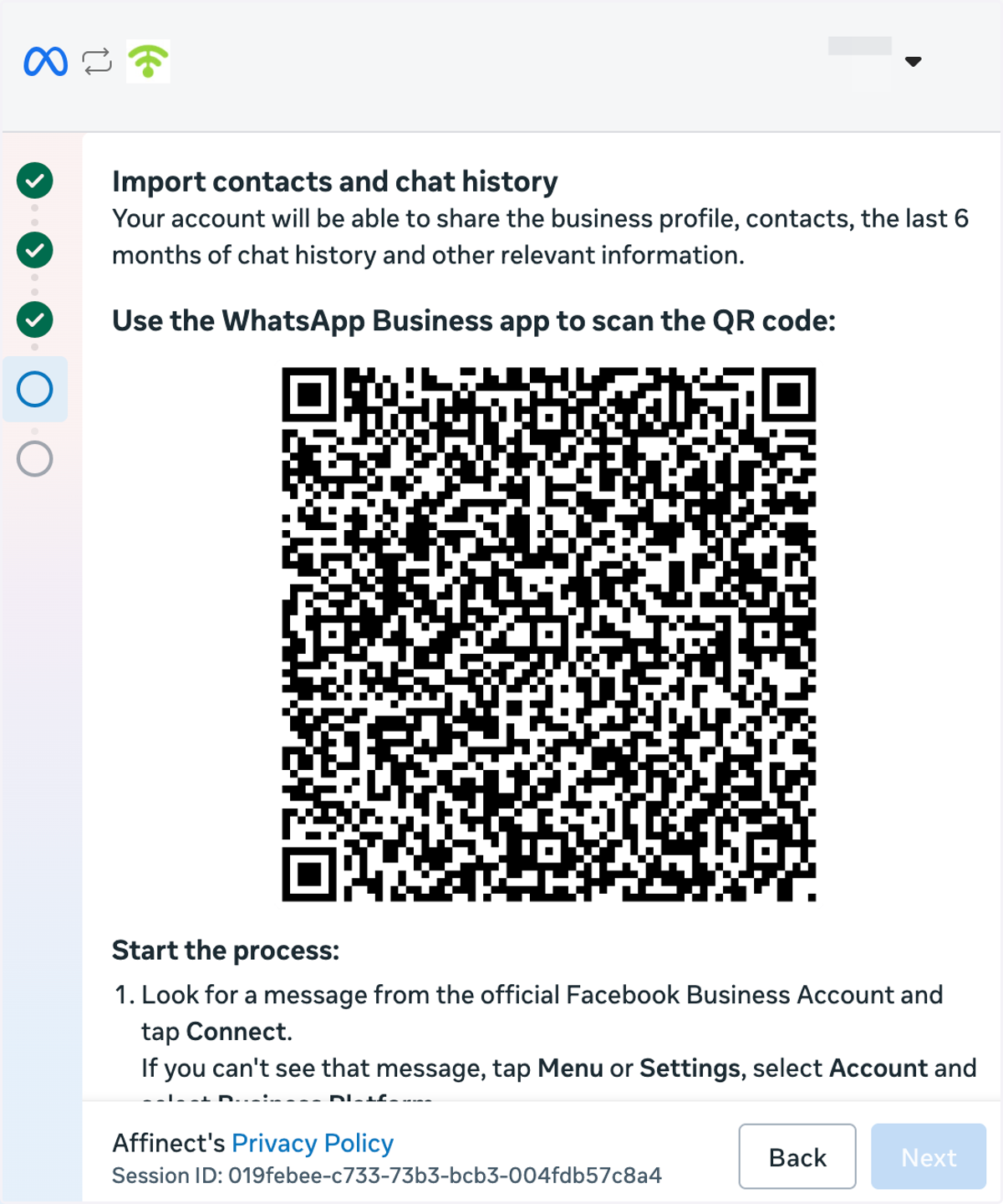
9. Confirm the Connection Through WhatsApp Business
Open the WhatsApp Business app on your phone and follow the connection instructions.
When prompted, scan the QR code shown in Meta's setup window and review any contact or chat history sharing options before continuing.
10. Review and Confirm Permissions
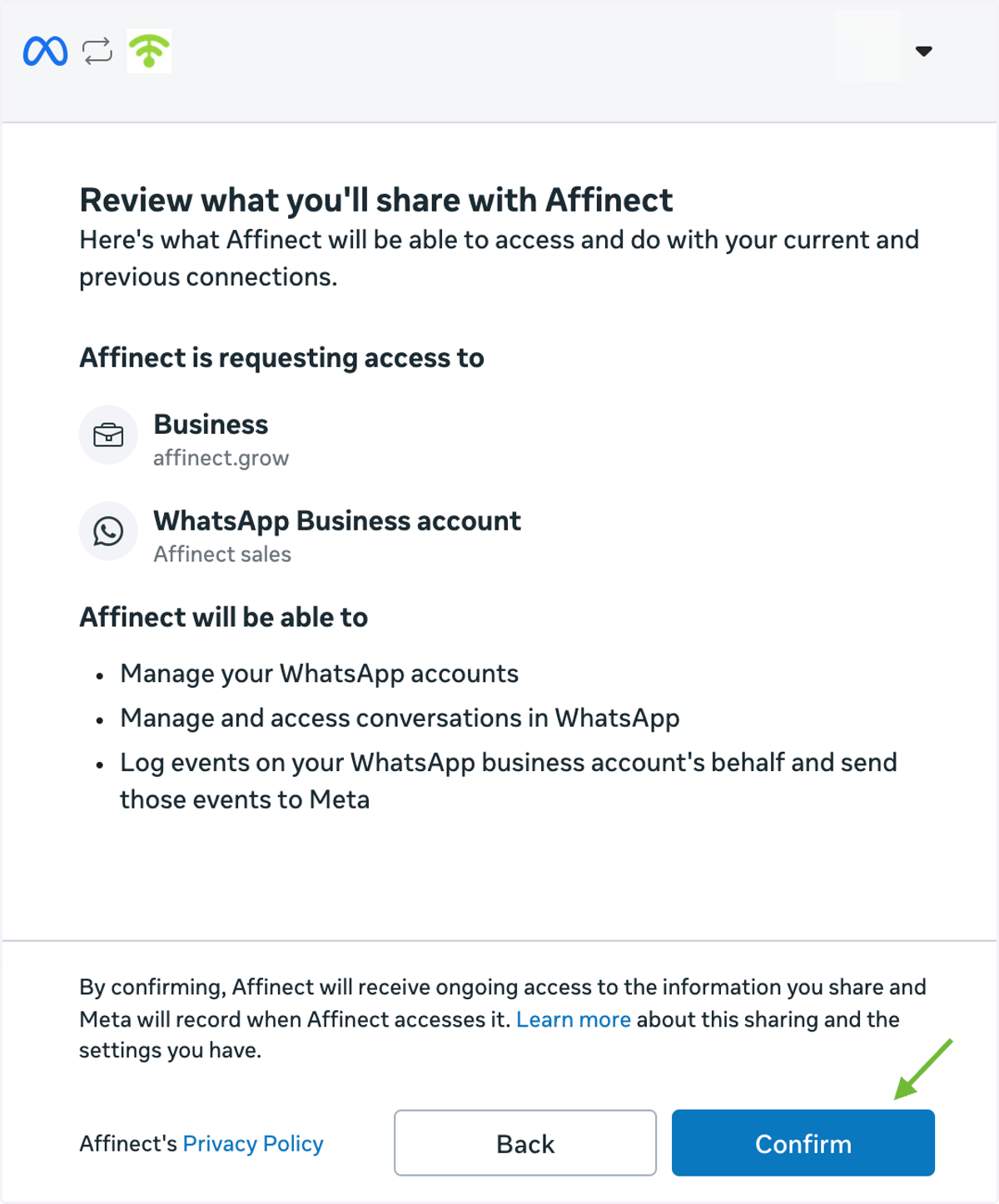
Review the permissions and account information being shared with Affinect.
Once you've reviewed the details, click Confirm to proceed with the connection.
11. Complete the Connection
Once your account is successfully connected to Affinect, click Finish to complete the setup.
