How to Complete Application for Educator Preparation Placement Students in CSISD
CSISD - Engagement Hub
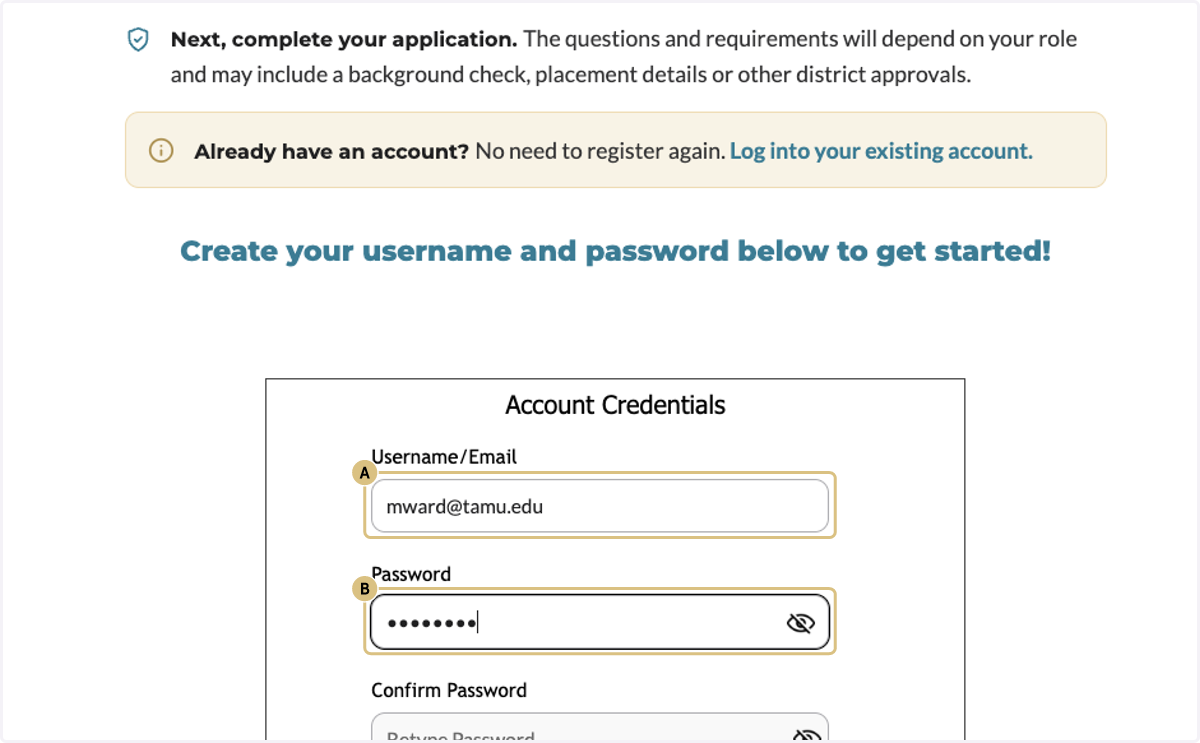
1. A. Create a username - Pro tip: use your school email address
1. B. Create password
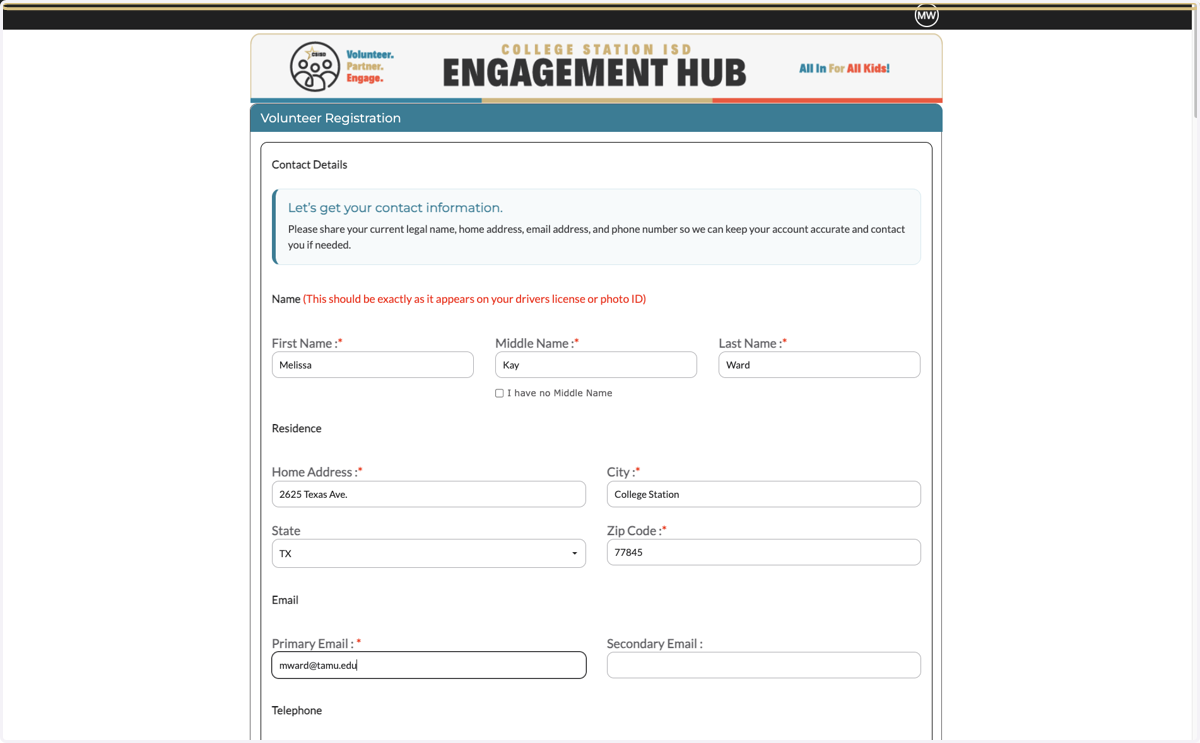
2. Enter your contact information exactly how it is on your drivers license
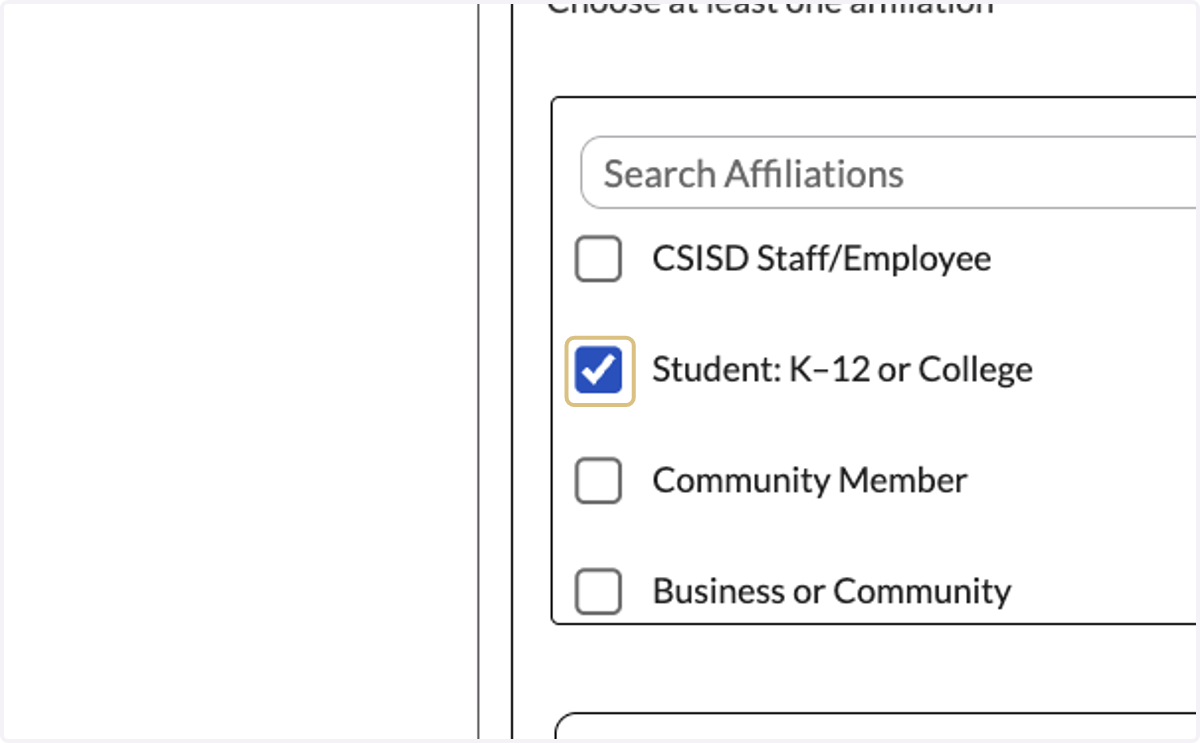
3. Select Student: K–12 or College
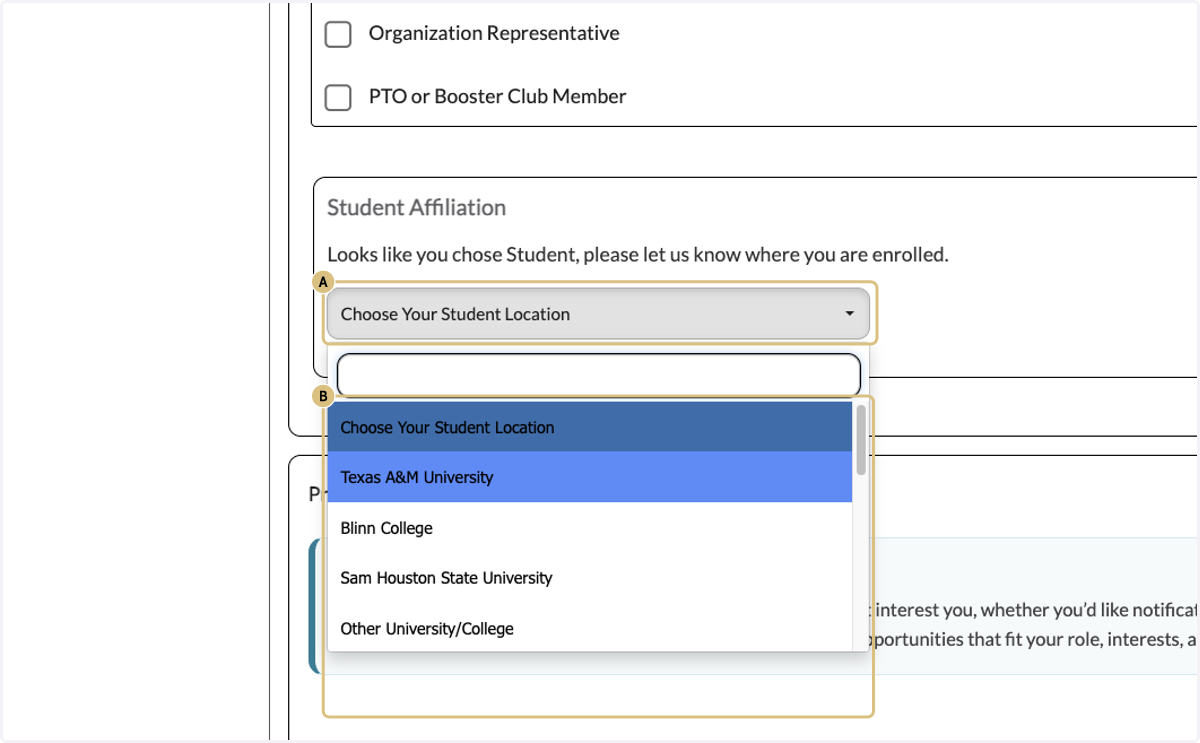
4. A. Click on Choose Your Student Location
4. B. Click on an option
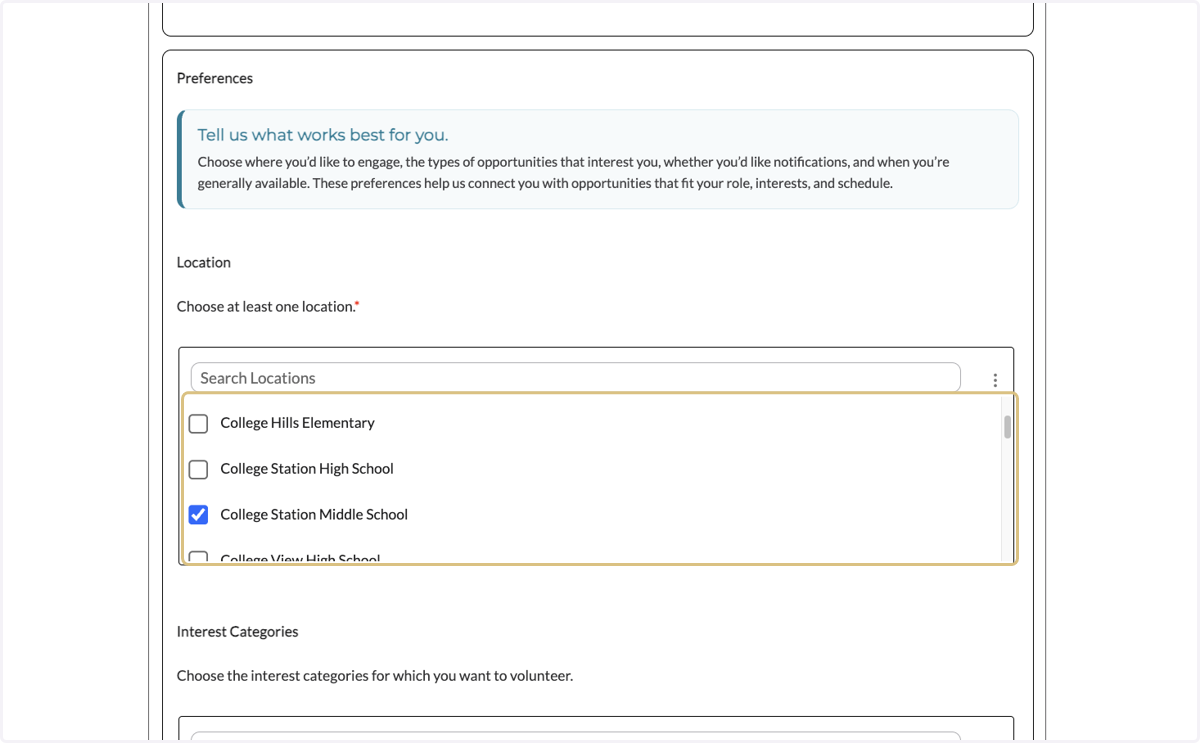
5. Select the campus(es) you'd like to be placed at
Please note, selecting a campus here does not guarantee that you will be placed there.
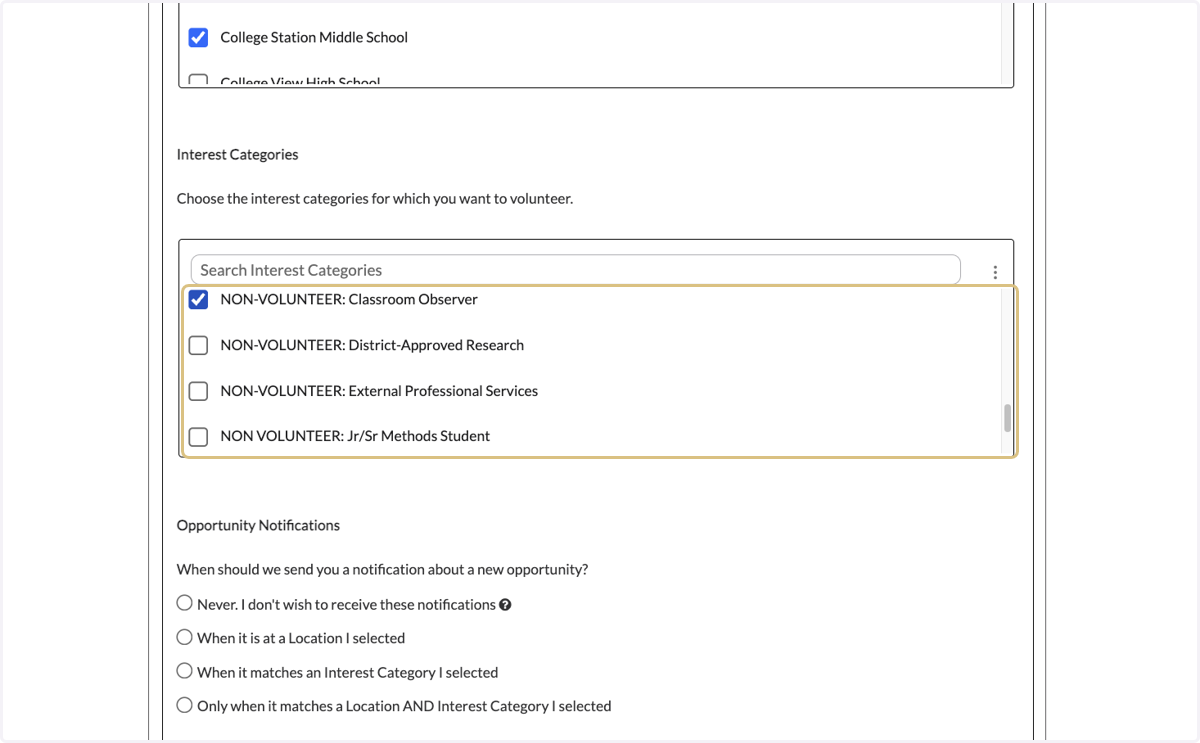
6. Select the NON-VOLUNTEER role that best describes what type of student you are and what you're needing hours for
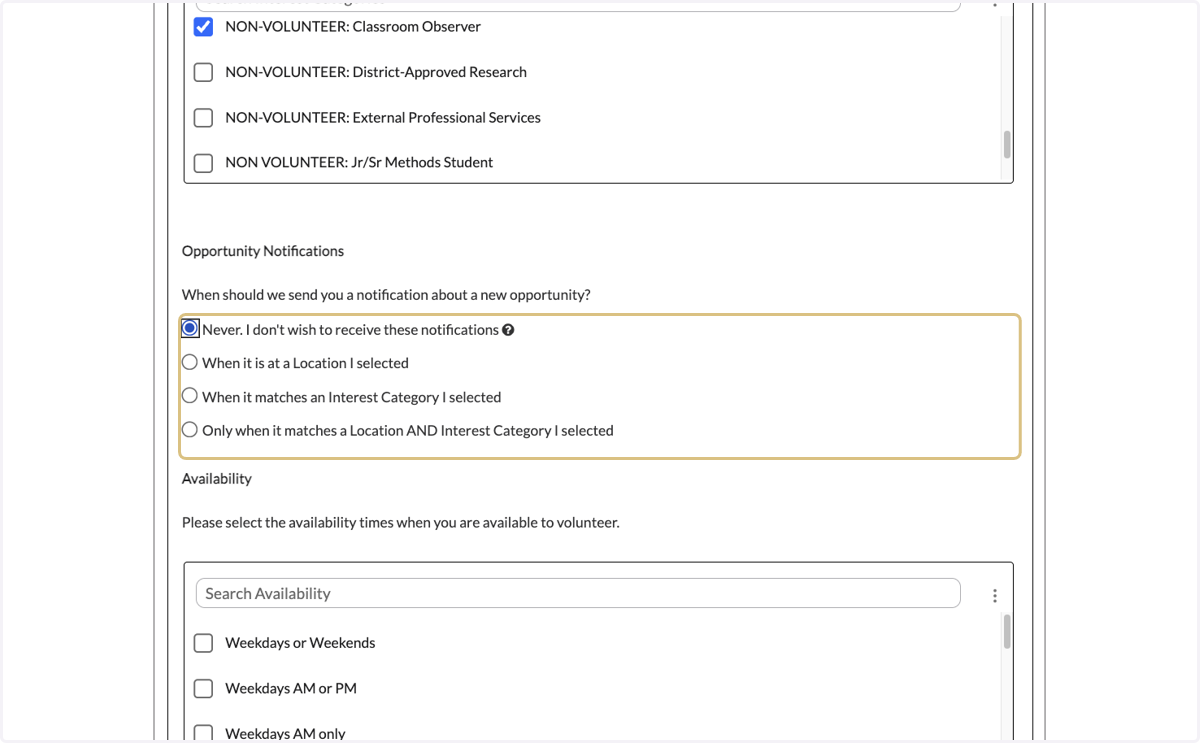
7. Select an option
8. Type as much information as you can to help us better be able to place you appropriately
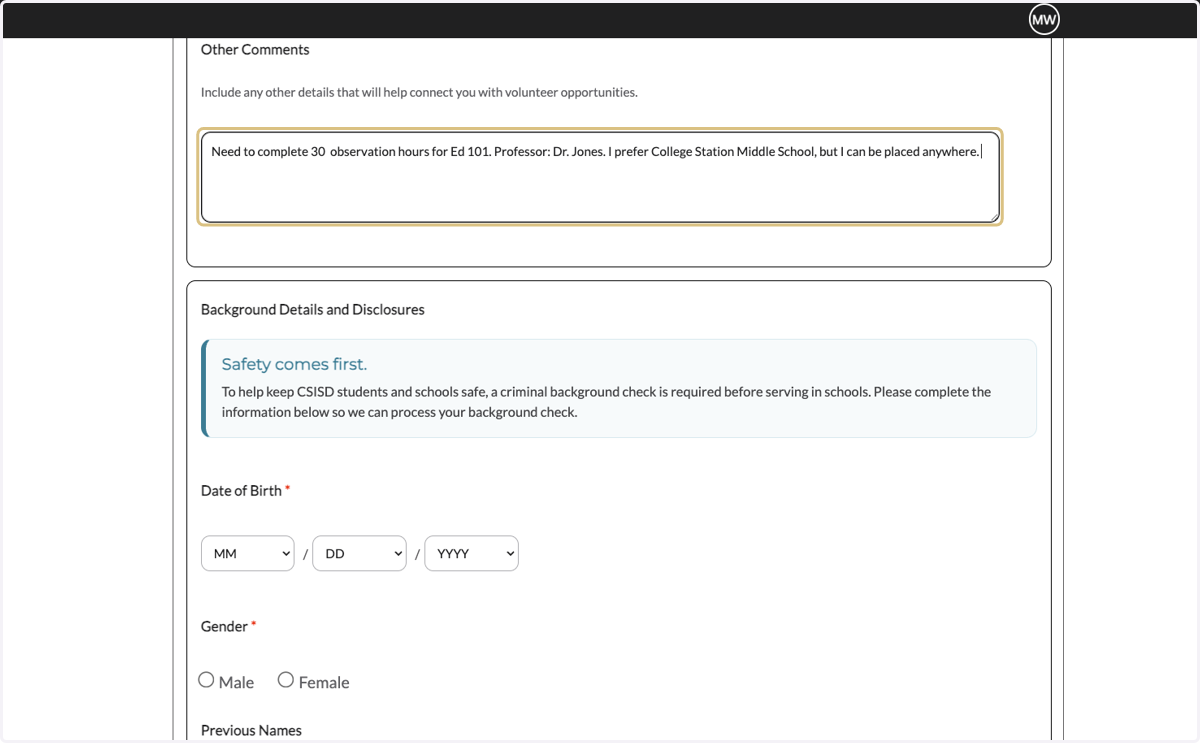
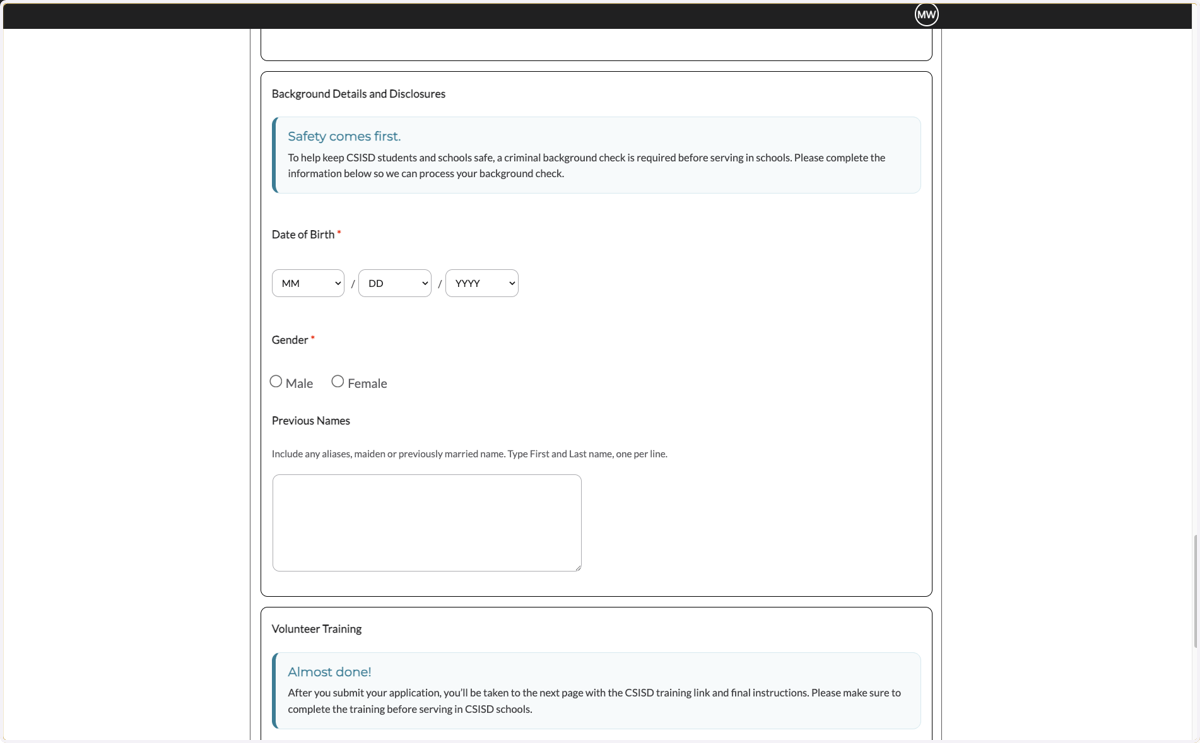
9. Complete the information needed for your background check
10. Click on Next
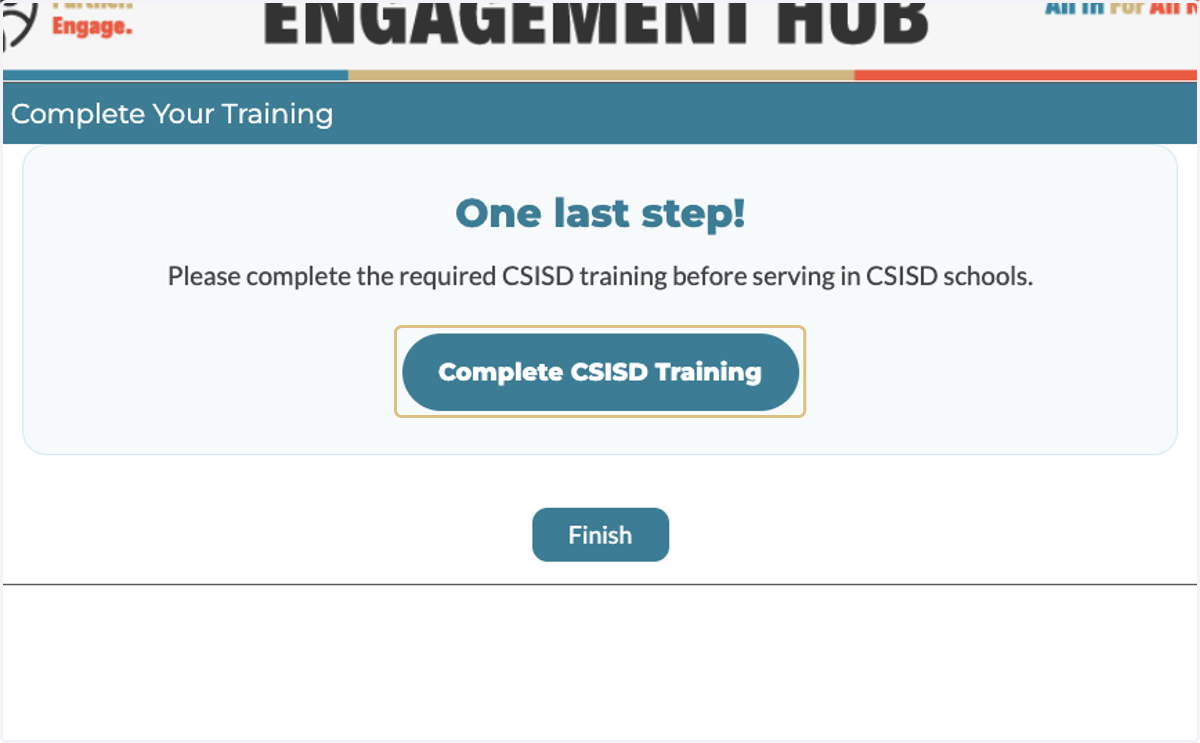
11. Click on Complete CSISD Training
This training notes that it's for volunteers, but it also applies to anyone on our campuses working with or around students in any capacity. It is extremely important that you read this thoroughly and complete it in order to ensure your safety as well as the students.