How to Add a 2025 CSM Pre-Conference to Your Existing CSM Conference Registration
Visit csm.apta.org
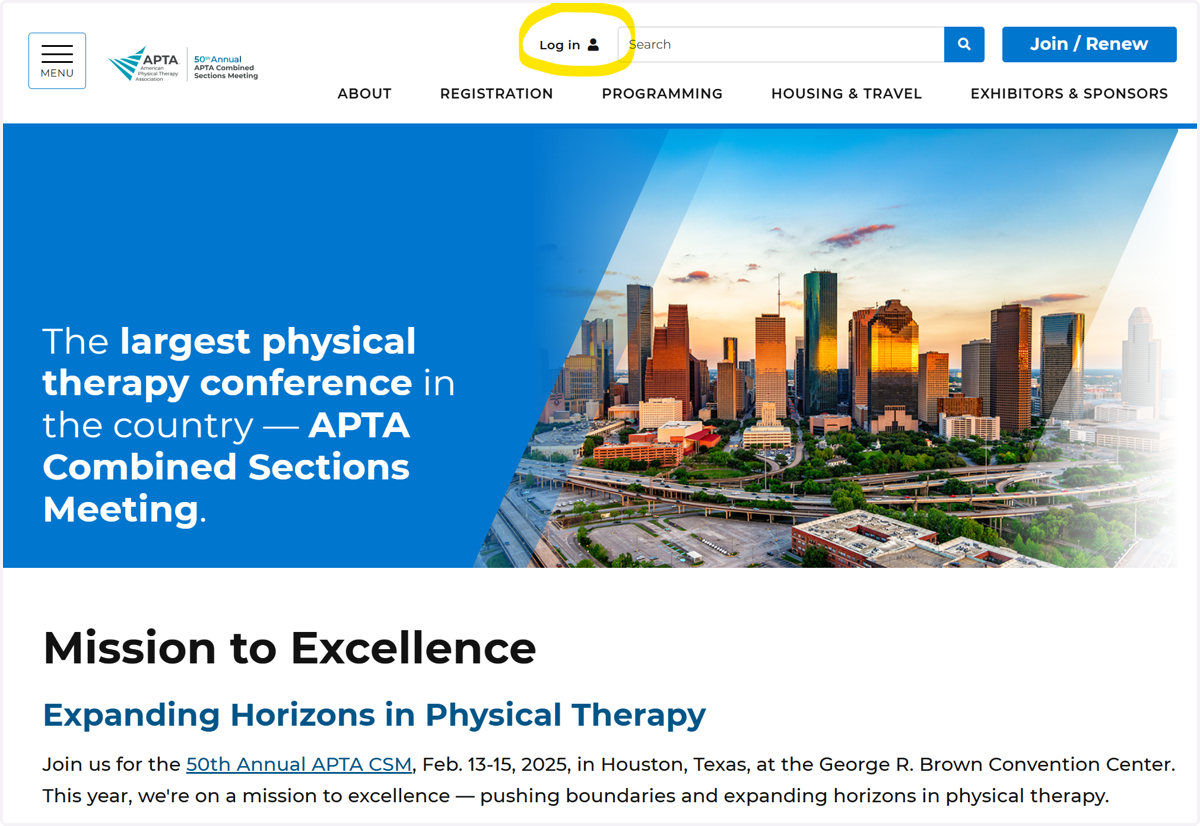
1. Click on "Log In"
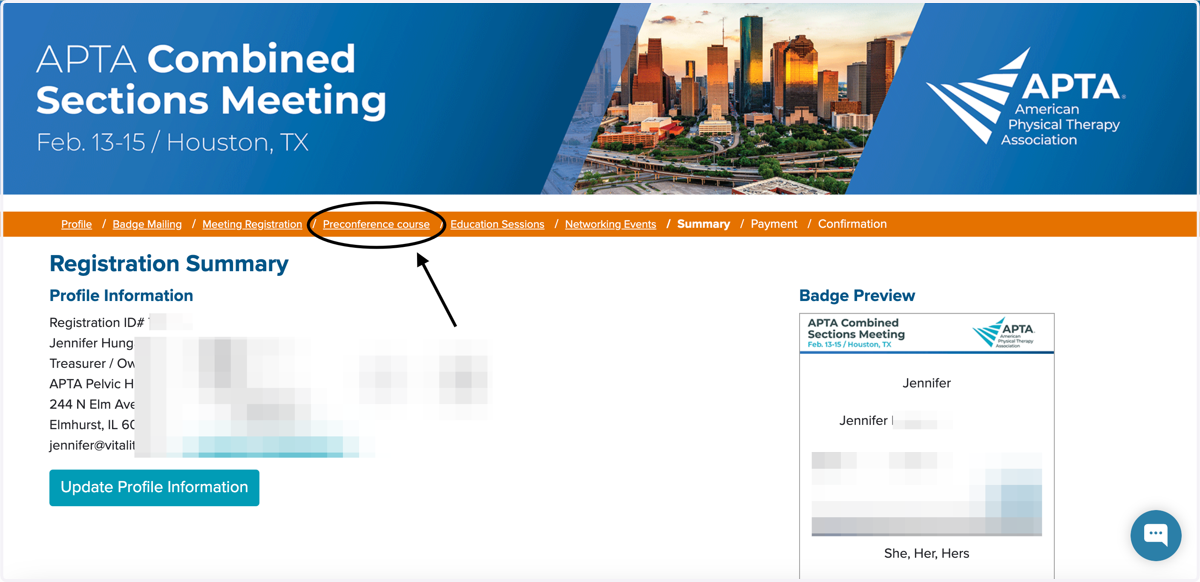
2. Click on "Preconference course"
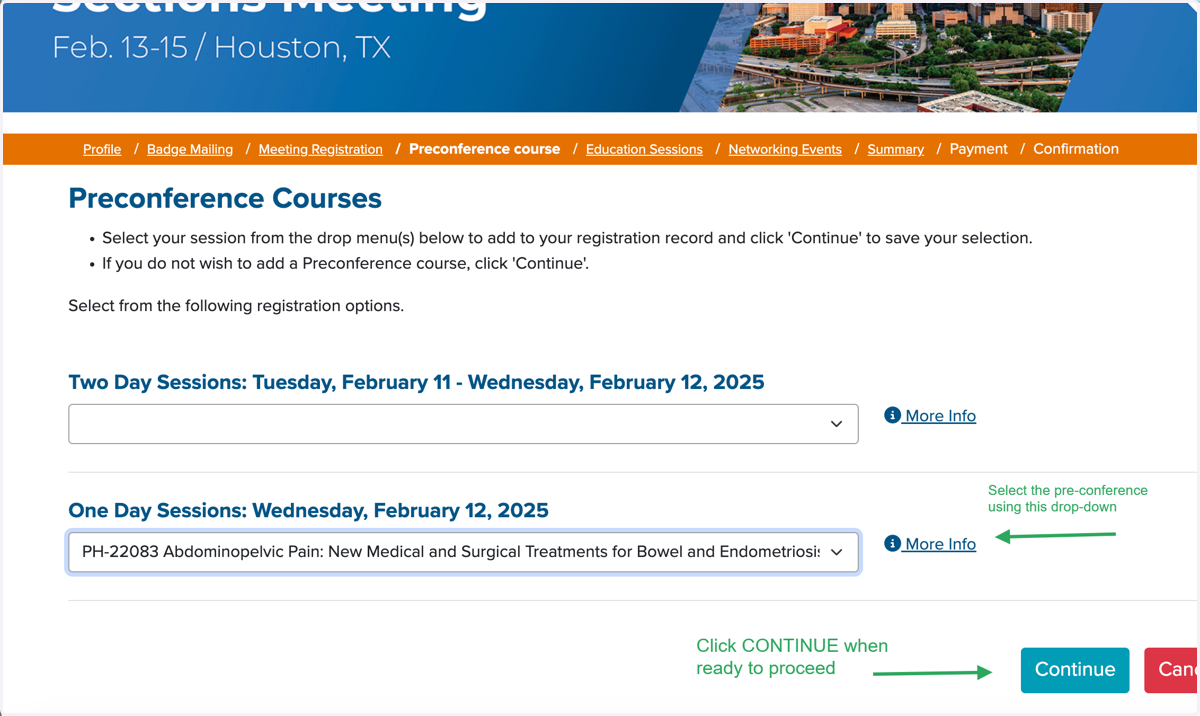
3. Select the Pre-Conference from the Drop-Down Menu & Click on Continue
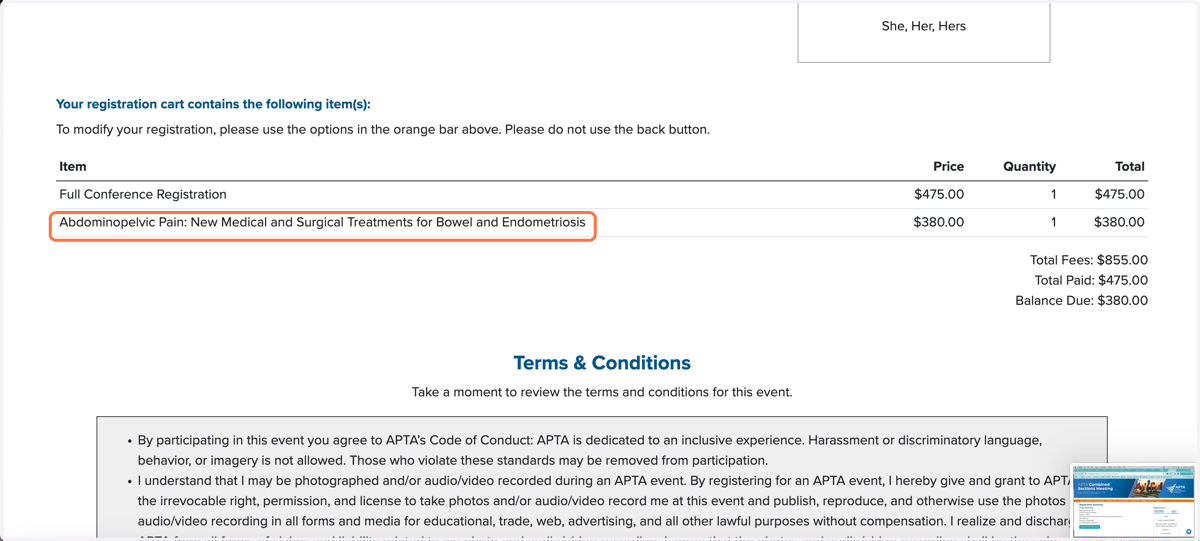
4. You will see that the Pre-Conference has been added to your bill.
Please note that the pricing for Pre-Conference may vary based on your membership so you might see a different rate.
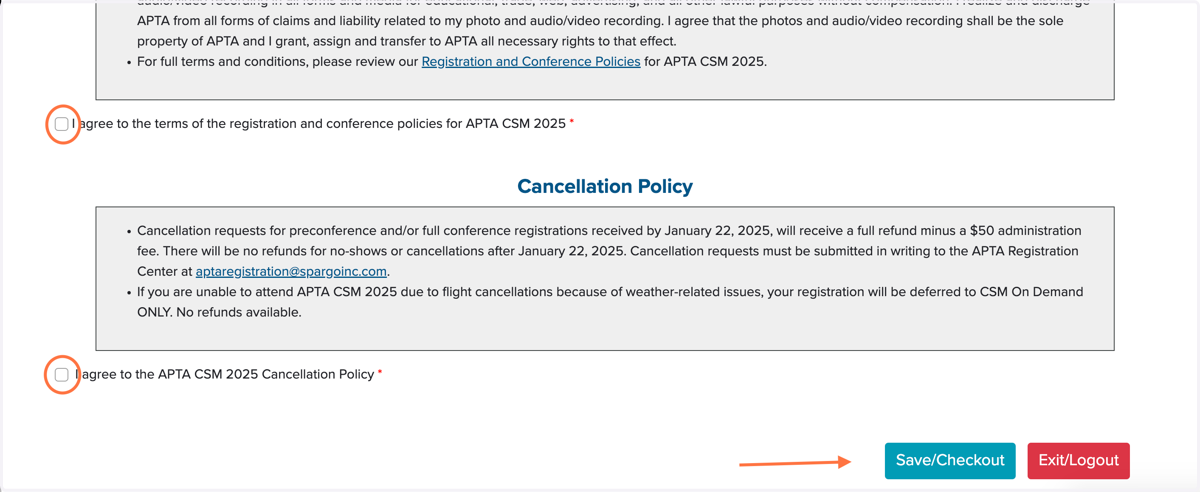
5. Check the boxes and click on Save/Checkout to add your payment information
Proceed through the rest of the steps. Make sure to check your email for a purchase confirmation.