How to Access Publisher Content
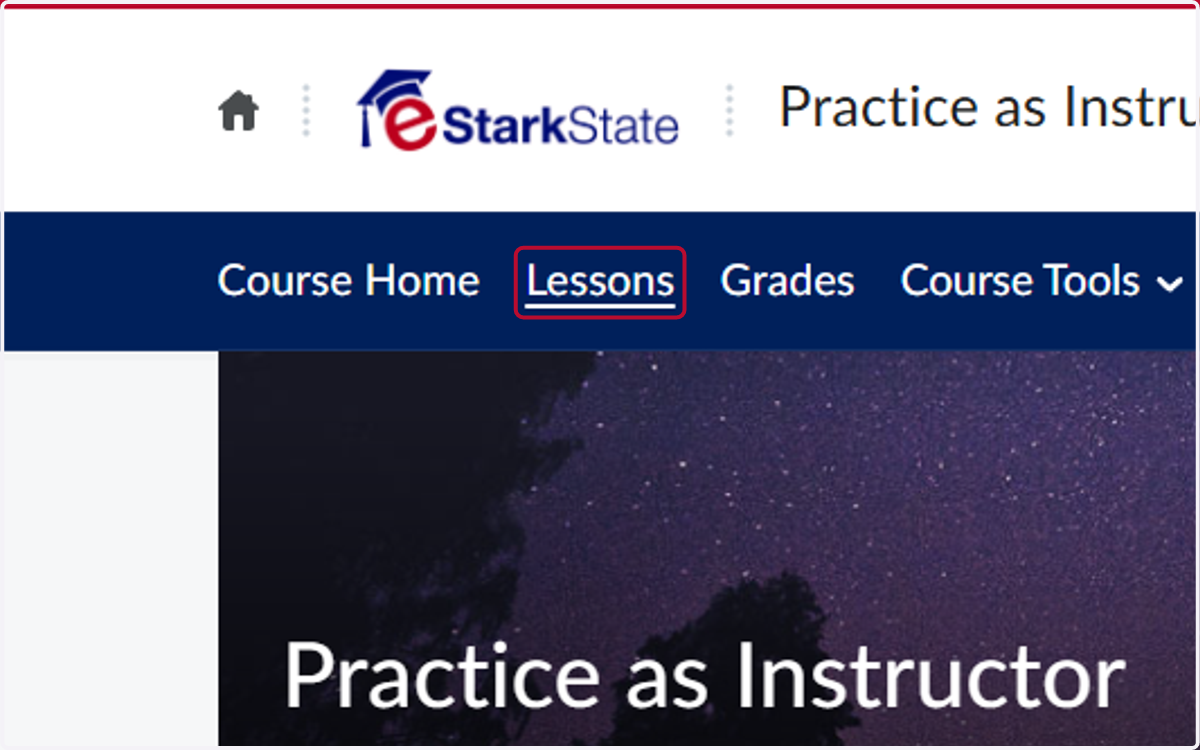
1. Click on Lessons
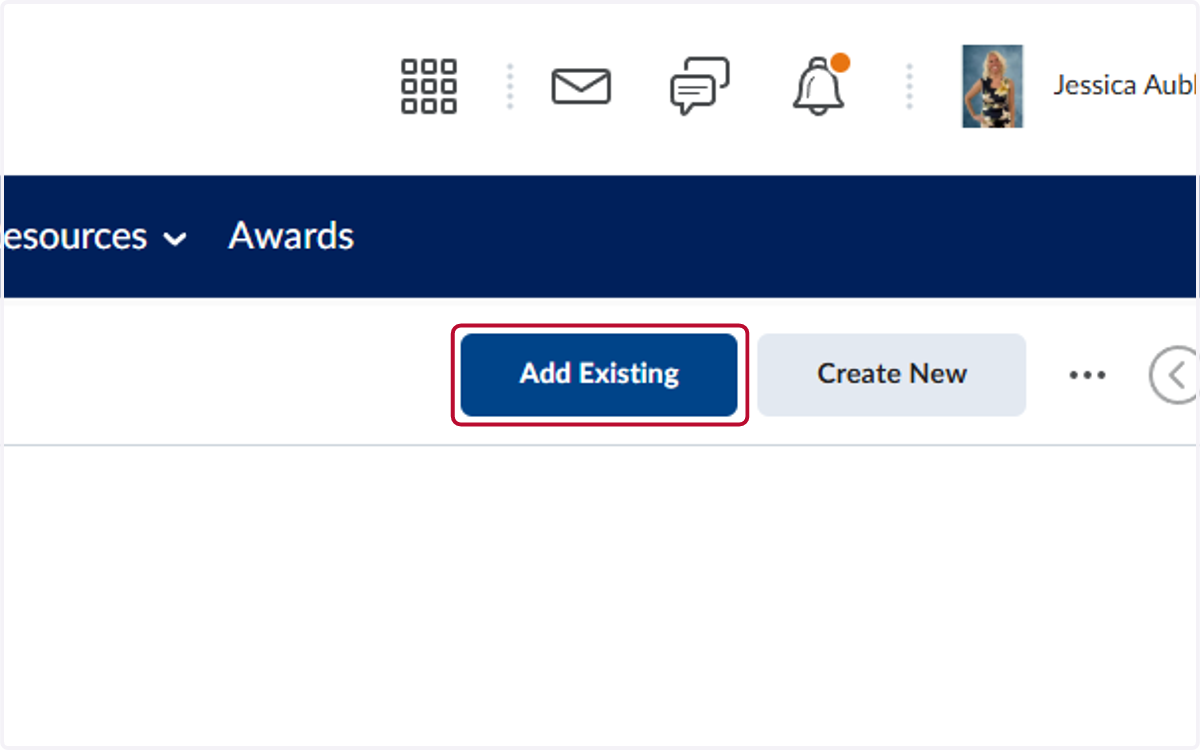
2. Click on Add Existing
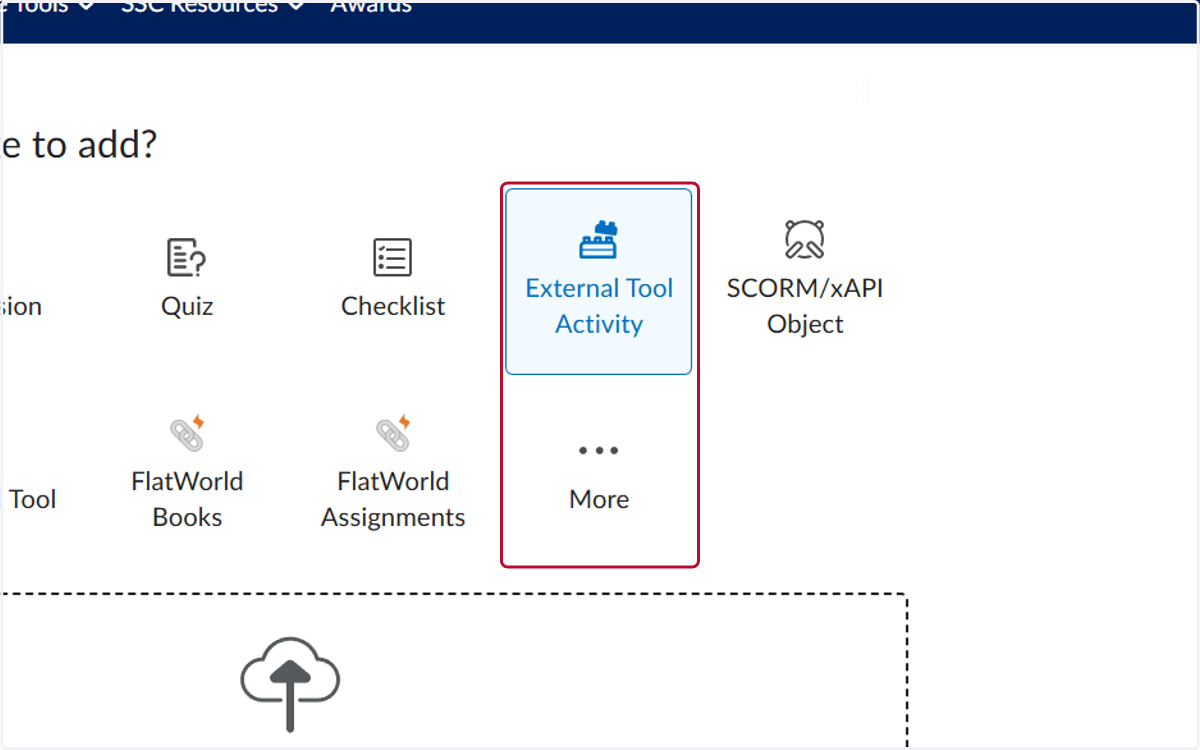
3. Click on External Tool Activity or More
The publisher content is listed under either the External Tool Activity or the More option. Refer to this page for reference of where each publisher is listed.
4. Locate the tool you are using and click on the link
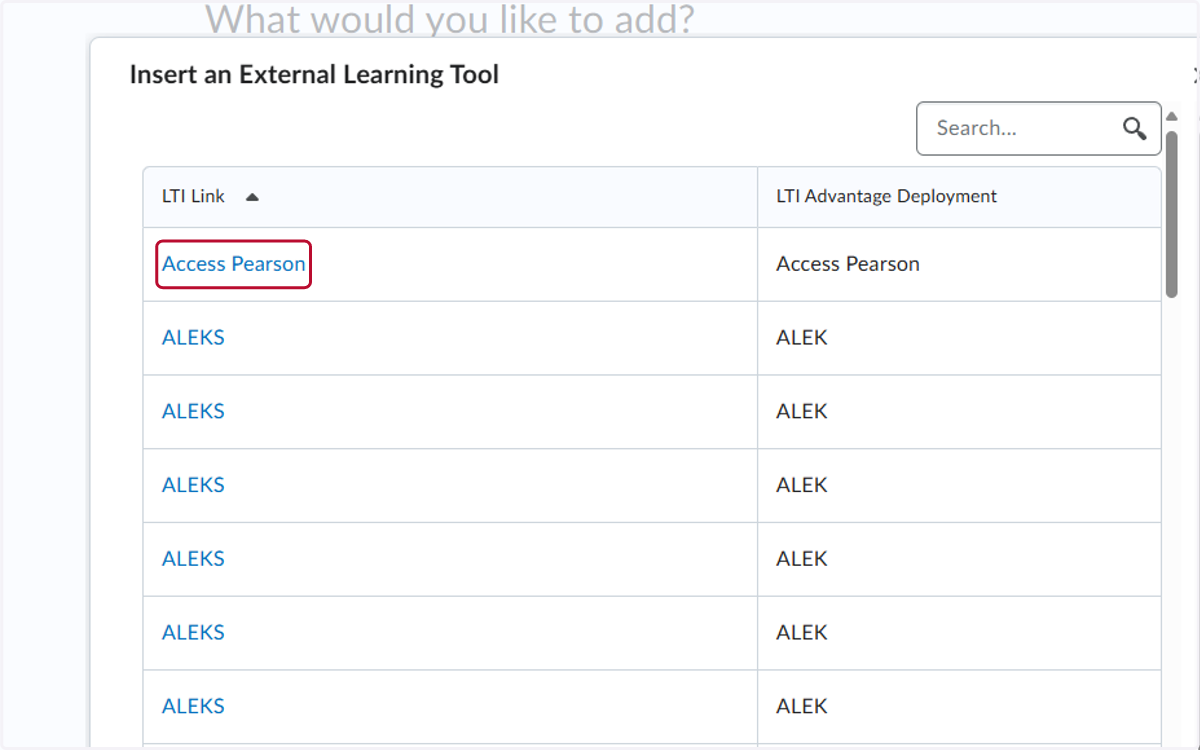
5. Please note - this is the only part of set-up that eStarkState can assist you with. If you need help with intergratign the content, you need to reach out to your publisher rep.