How To Login on eWorks Portal
eWorks Portal
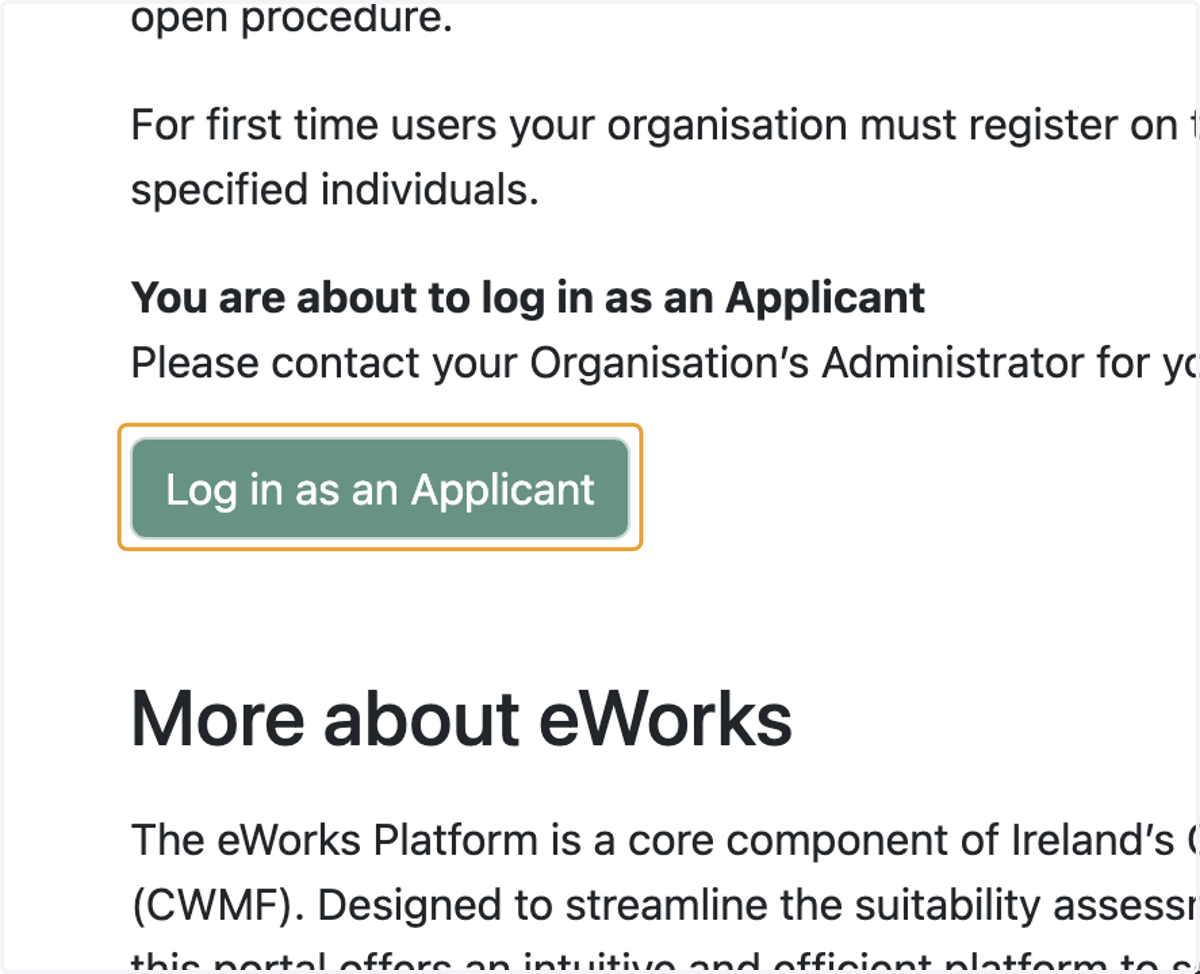
1. Click on Log in as an Applicant
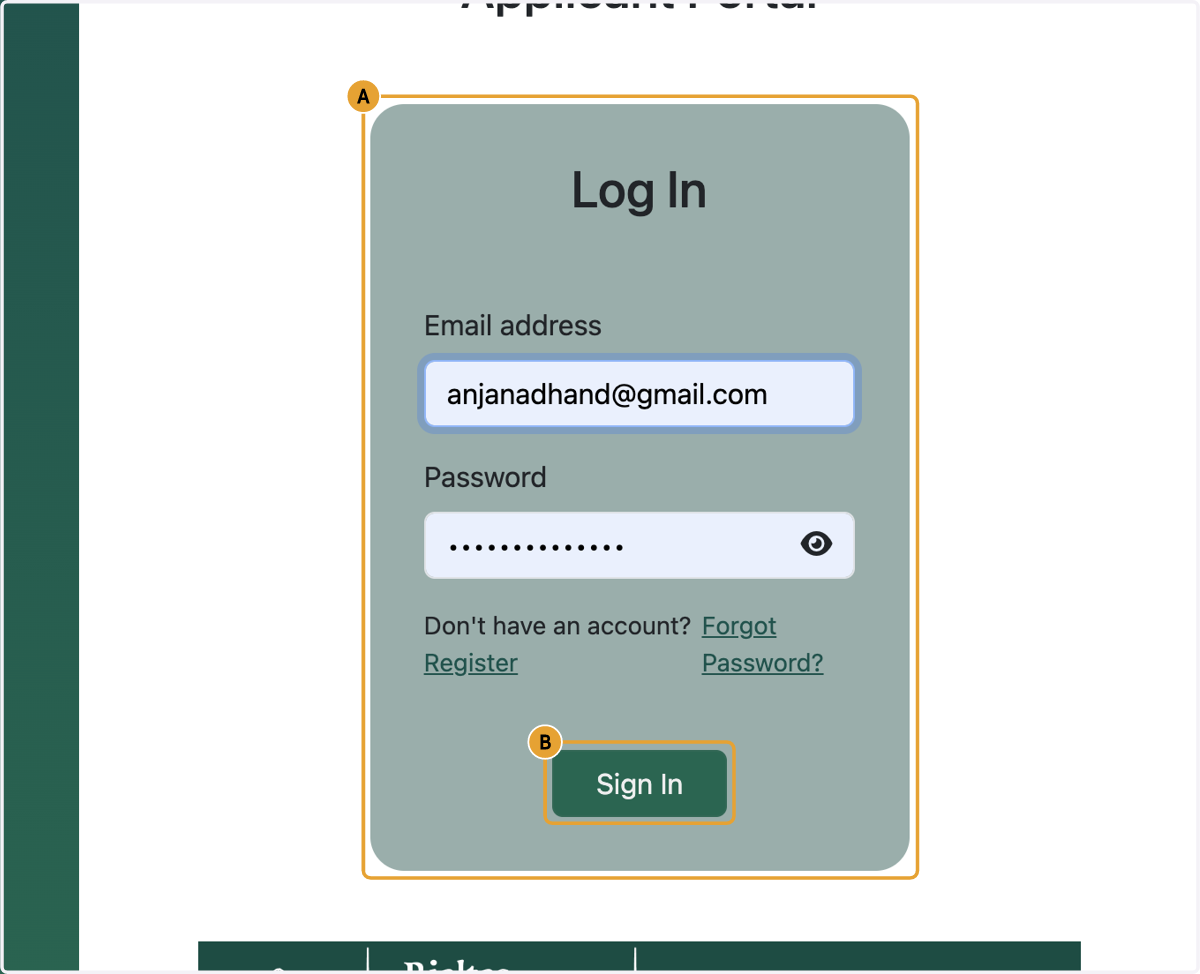
2. A. Provide your registered email address and password
2. B. Click on Sign In
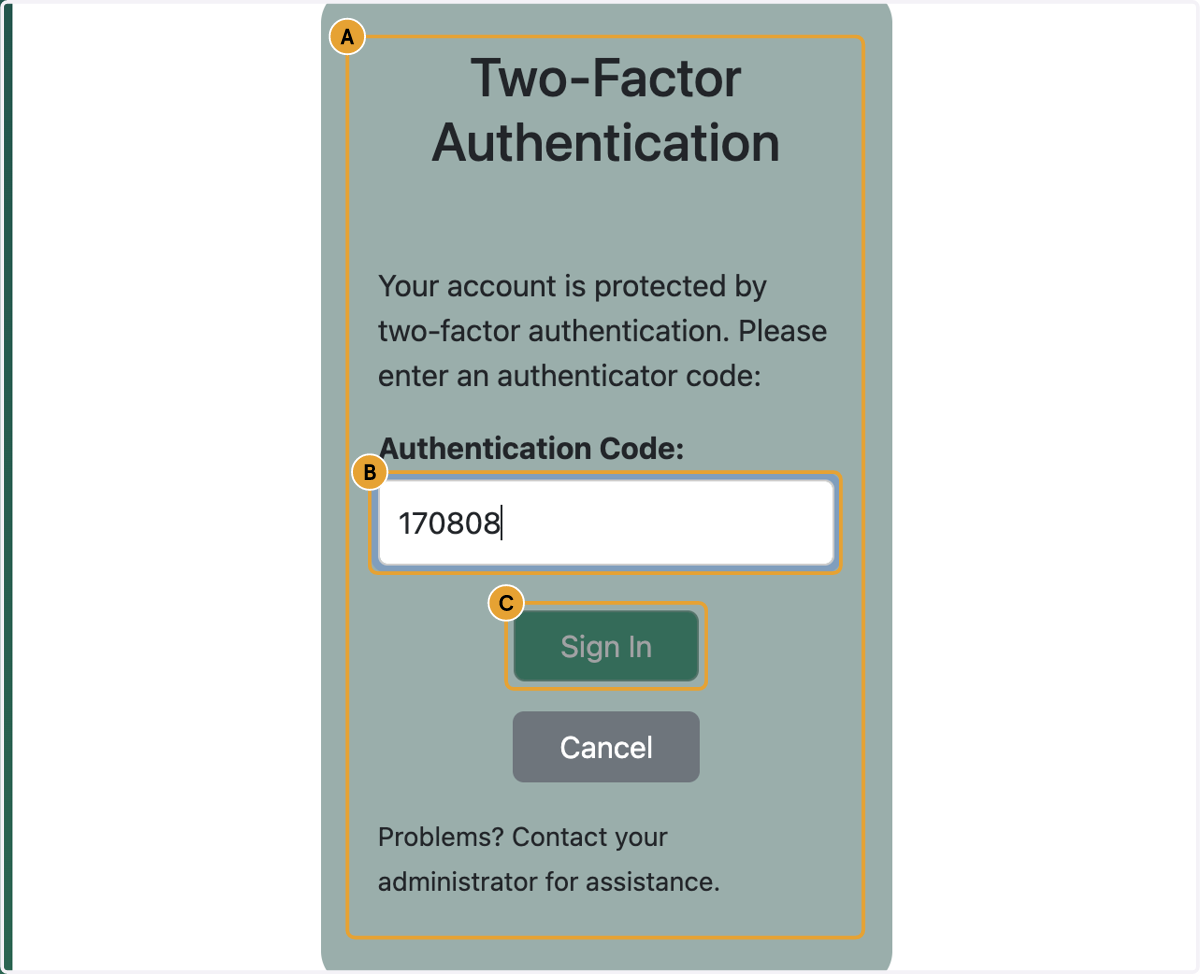
3. A. Go to your Authenticator App and click on the ID associated with this account.
3. B. Type Authentication Code
3. C. Click on Sign In