HR Professional Guide: How to review bereavement leave balances for Employees?
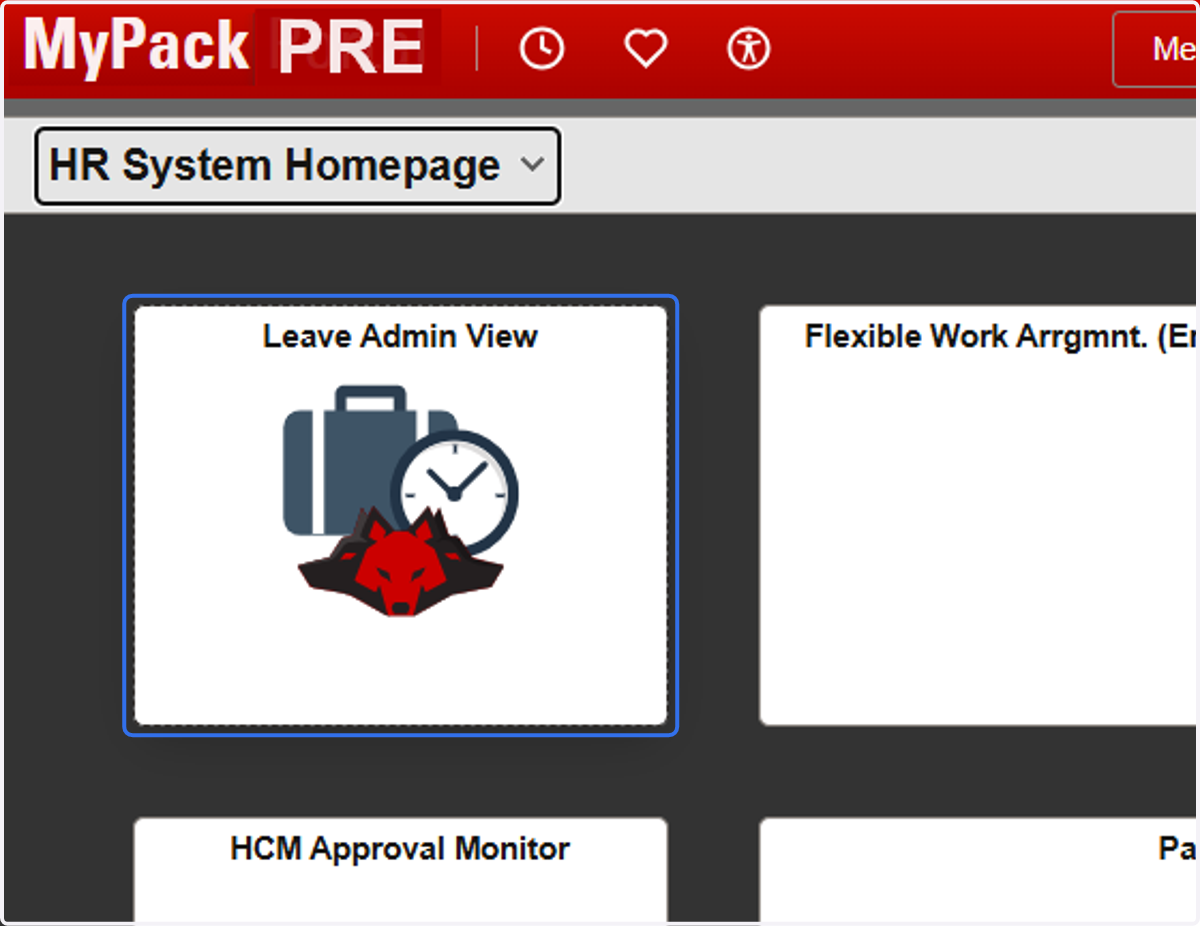
1. Within HR System Homepage, click on Leave Admin View
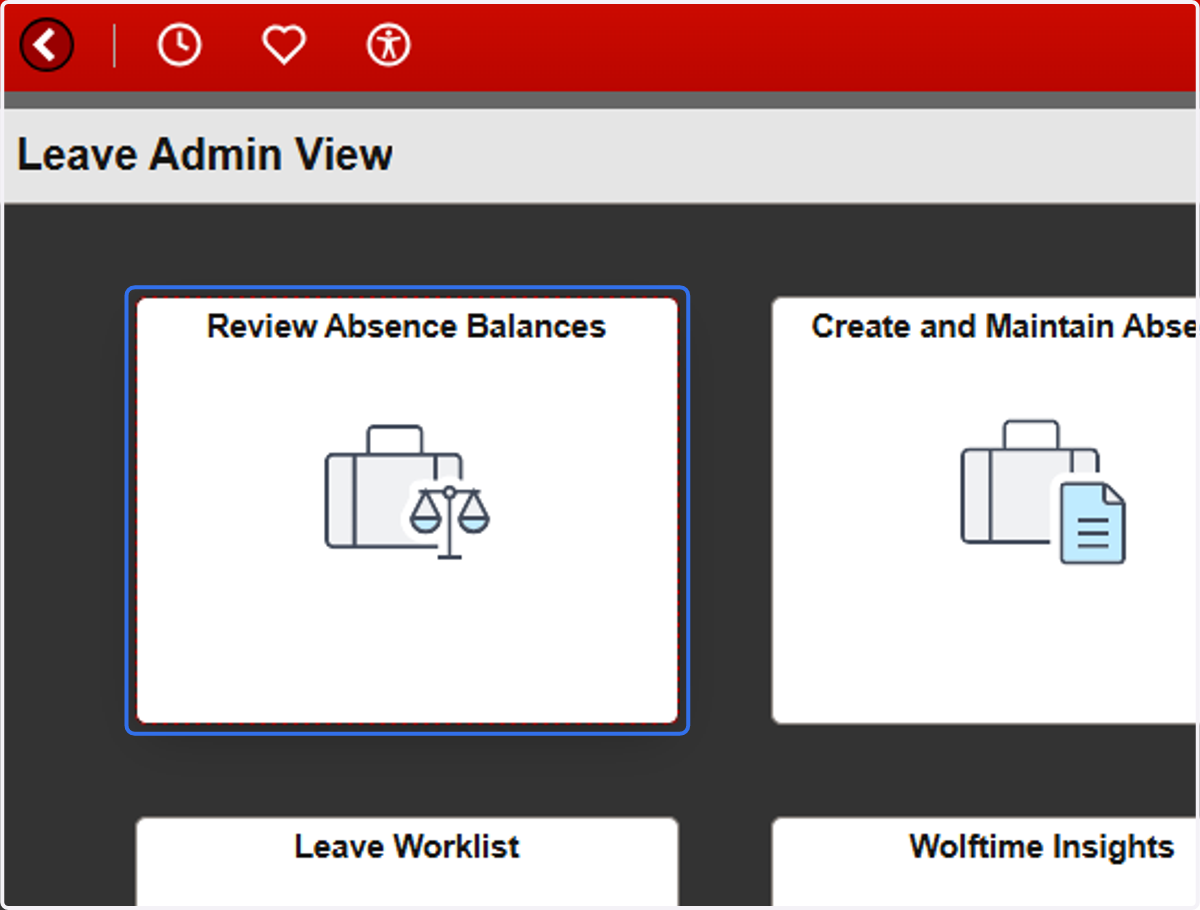
2. Click on Review Absence Balances
Note: As these are not standard accruals, bereavement balances will NOT appear in Absence Breakdown
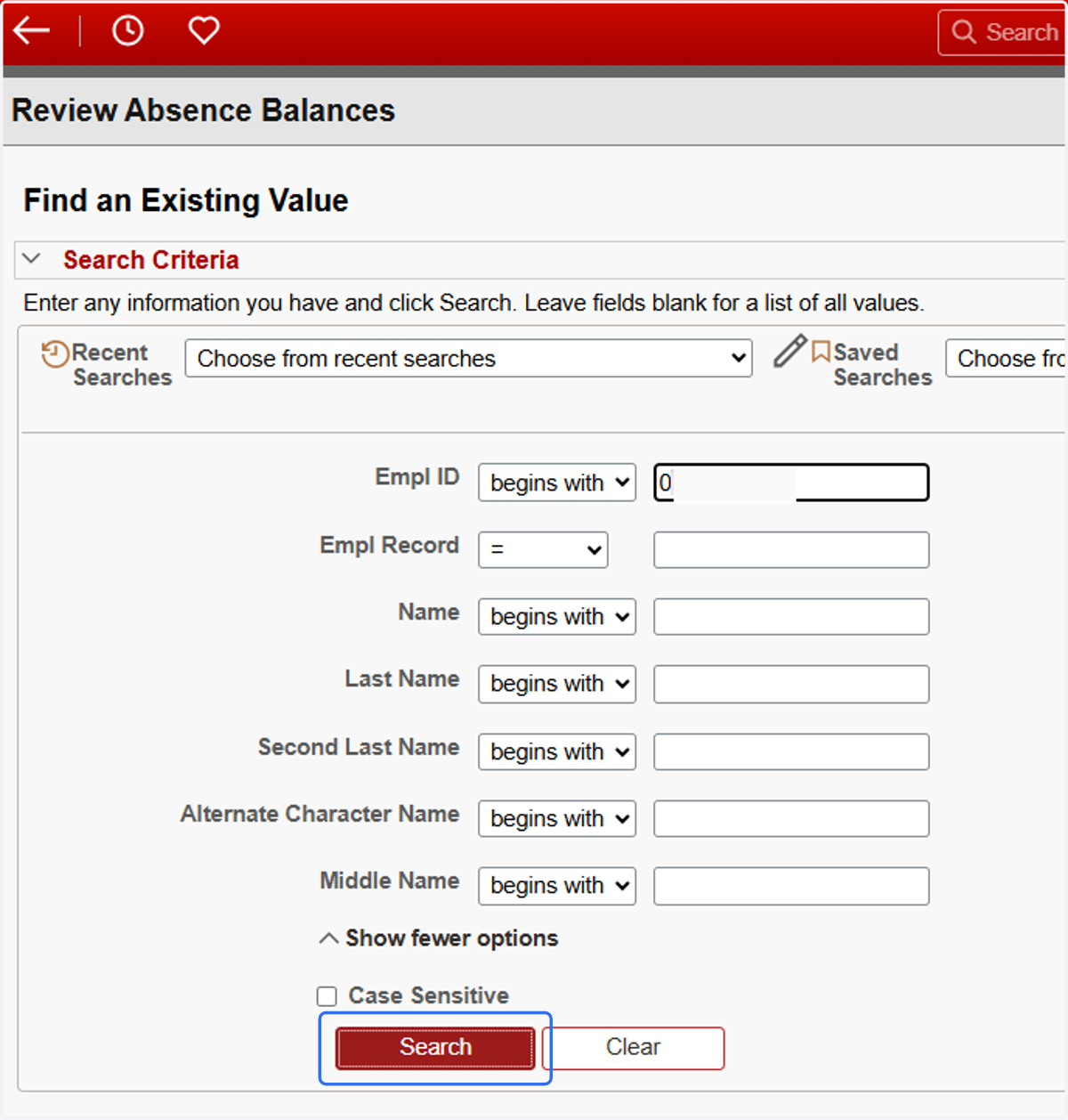
3. Search for employee by employee id
4. Select the active employee record
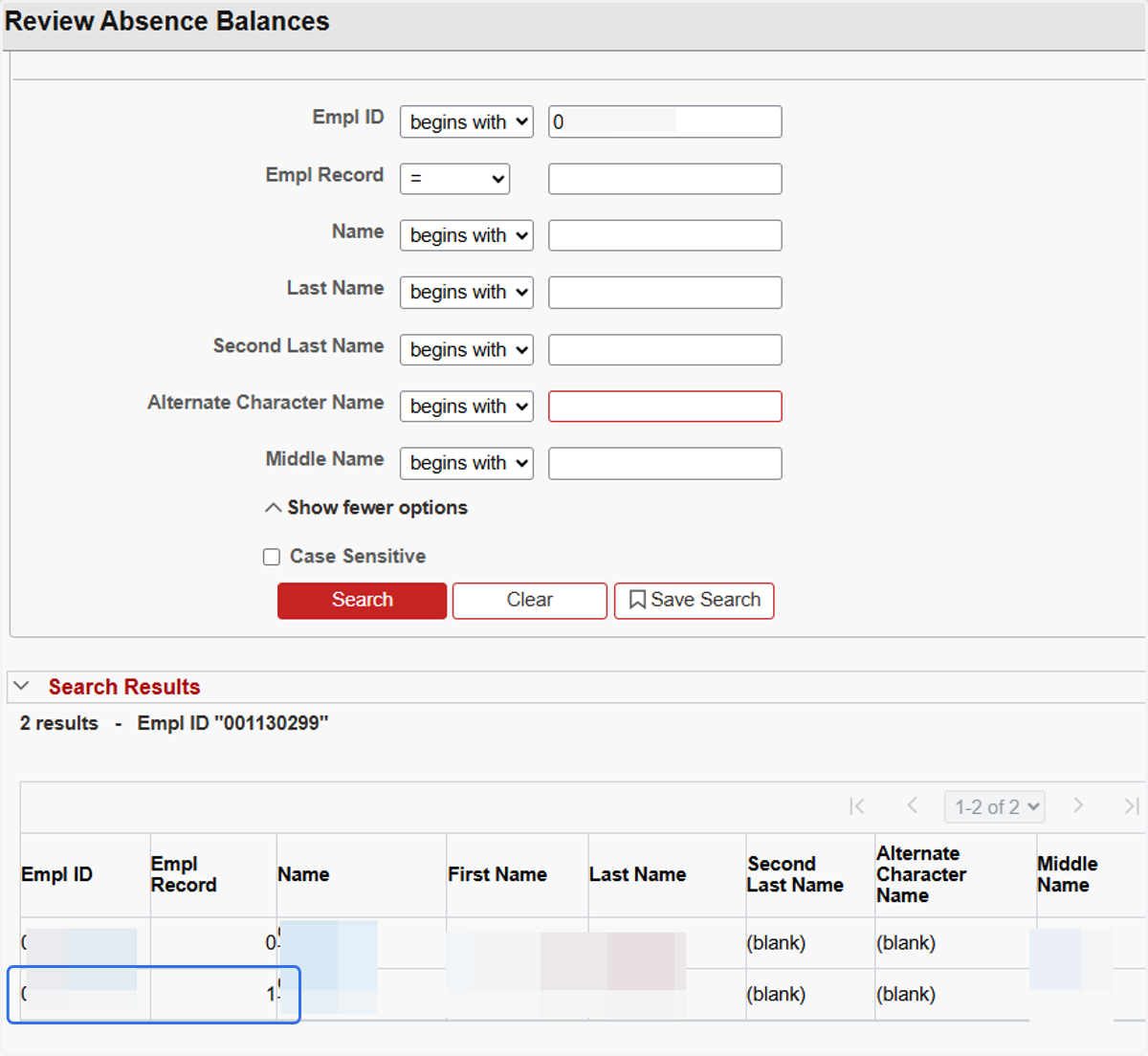
5. Scroll down to the bottom of the page to view the bereavement balances
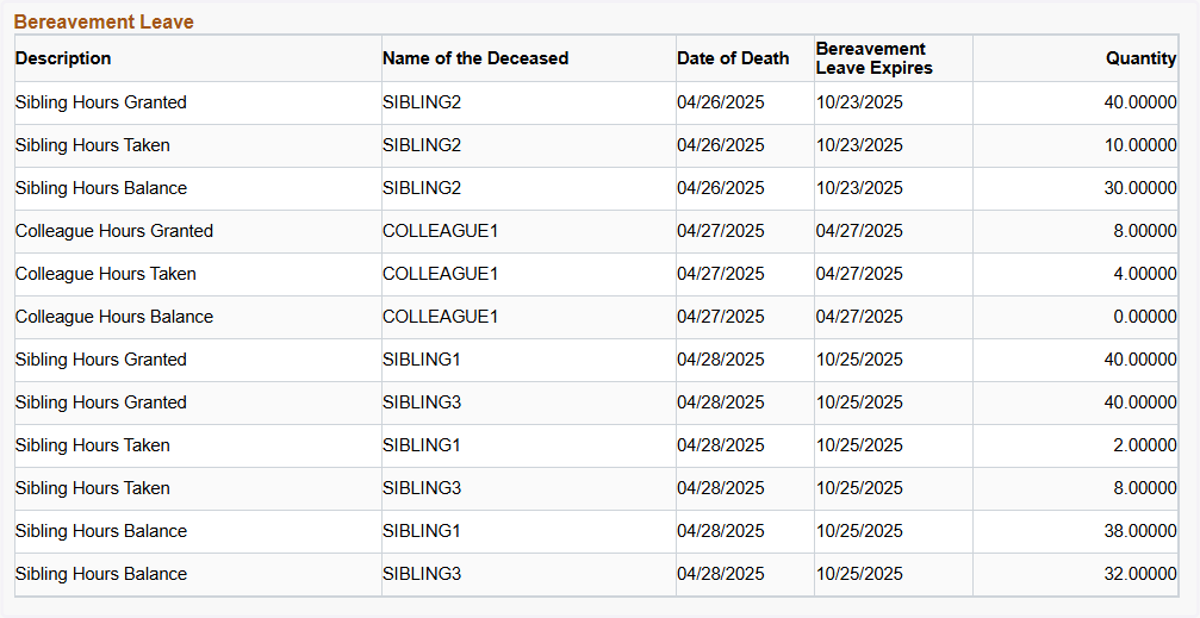
The top of the page contains a table with most common leave types. However, due to its complexity, bereavement leave has its own table at the bottom of the page.

6. Find the Bereavement Leave Table at the very bottom of the page
Note: These balances will only reflect approved leave requests.
Note: The balances will not exist until the first bereavment leave request is submitted/approved.

7. Understanding the Bereavement Leave Table
Description: Bereavement Type/Action
Name of the Deceased: The identifier used for the balance; in this example, the employee had multiple siblings
Date of Death: The date of notification of death for family or date of memorial service for colleague
Bereavement Leave Expires: calculated to be 180 days after notification for family or same day as memorial service date for colleague
Quantity: Number of hours tied to that Bereavement Type/Action
Each Name should have three associated rows: one for the leave granted (40 for family or 8 for colleague, prorated by FTE), one for the hours taken, and one for the current balance (hours granted - hours taken = balance).
NOTE: Colleague will always have a Hour Balance of 0.00. As this is a one-day absence type there is no balance for future requests.