Fortune Wings Club Award Booking Instructions

Hong Kong Airlines

  1. 1. Click on Log in/Sign up

    Click on Log in/Sign up
  2. 2. Click on Log in/Sign up

    Click on Log in/Sign up
  3. 3. Click on Points

    Click on Points
  4. 4. Click on Redeem Points

    Click on Redeem Points
  5. 5. Click on [FlightDestination]

    Click on [FlightDestination]
  6. 6. Click on Seoul(ICN)

    Click on Seoul(ICN)
  7. 7. Click on The interactive area is currently on the departure date calendar. Activate the calendar by pressing Enter. Navigate using the up and down arrow keys. Press Enter to confirm your selection and Tab to proceed to the next selection.

    Click on The interactive area is currently on the departure date calendar. Activate the calendar by pressing Enter. Navigate using the up and down arrow keys. Press Enter to confirm your selection and Tab to proceed to the next selection.
  8. 8. Click on Fri Apr 18 2025 press ENTER select this date

    Click on Fri Apr 18 2025 press ENTER select this date
  9. 9. Click on The interactive area is currently on the return date calendar. Activate the calendar by pressing Enter. Navigate using the up and down arrow keys. Press Enter to confirm your selection and Tab to proceed to the next field.

    Click on The interactive area is currently on the return date calendar. Activate the calendar by pressing Enter. Navigate using the up and down arrow keys. Press Enter to confirm your selection and Tab to proceed to the next field.
  10. 10. Click on Class Economy

    Click on Class Economy
  11. 11. Click on Round trip

    Click on Round trip
  12. 12. Click on Adult (12+) 1

    Click on Adult (12+) 1
  13. 13. Click on [1]

    Click on [1]
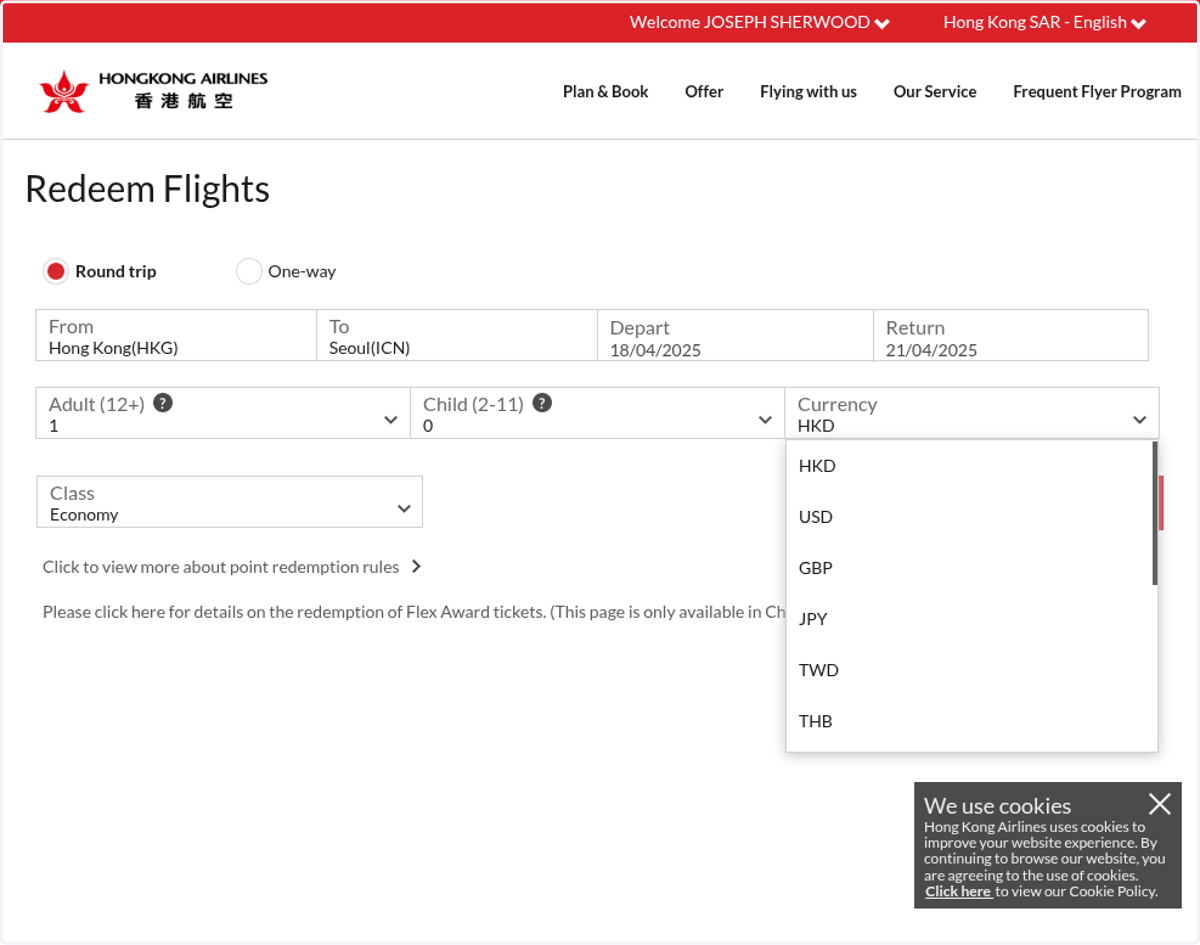
  14. 14. Click on Currency HKD

    Click on Currency HKD
  15. 15. Click on [USD]

    Click on [USD]
  16. 16. Click on Class Economy

    Click on Class Economy
  17. 17. Click on Search

    Click on Search
  18. 18. Drag highlighted element

    Drag highlighted element