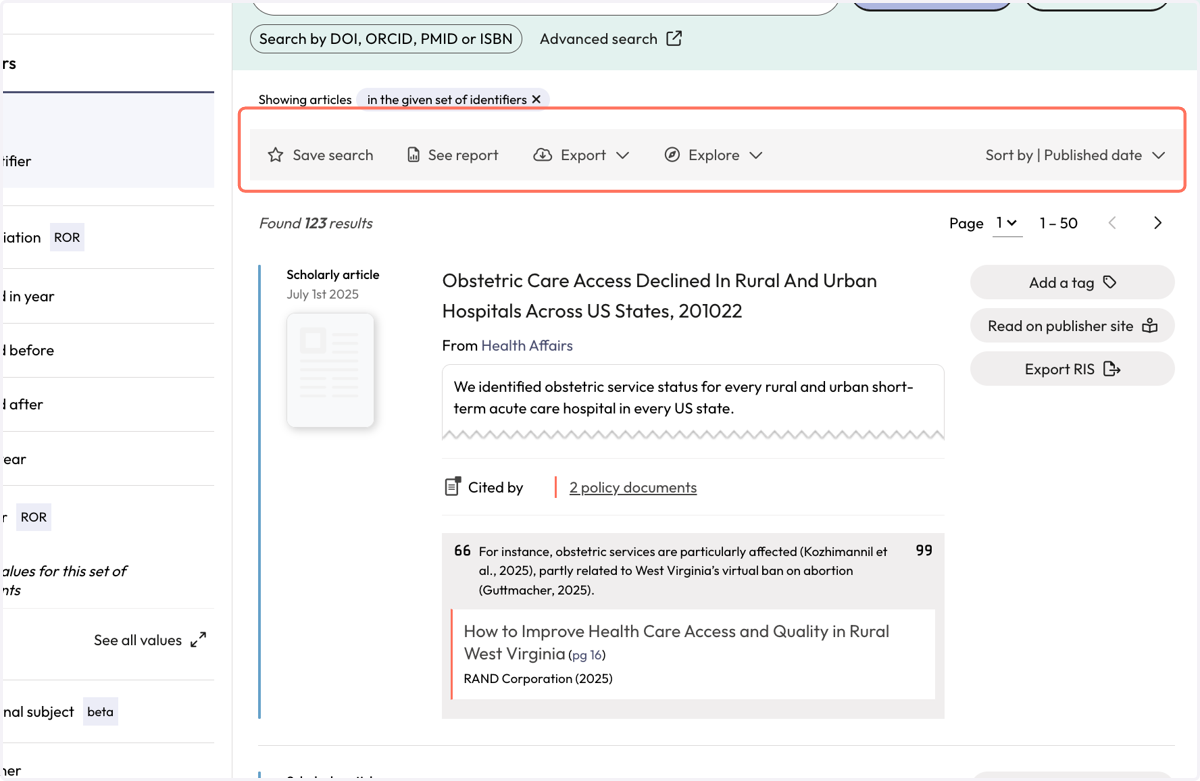
Find cited articles using your name in the People search (trials)
Search using your name from the Start page
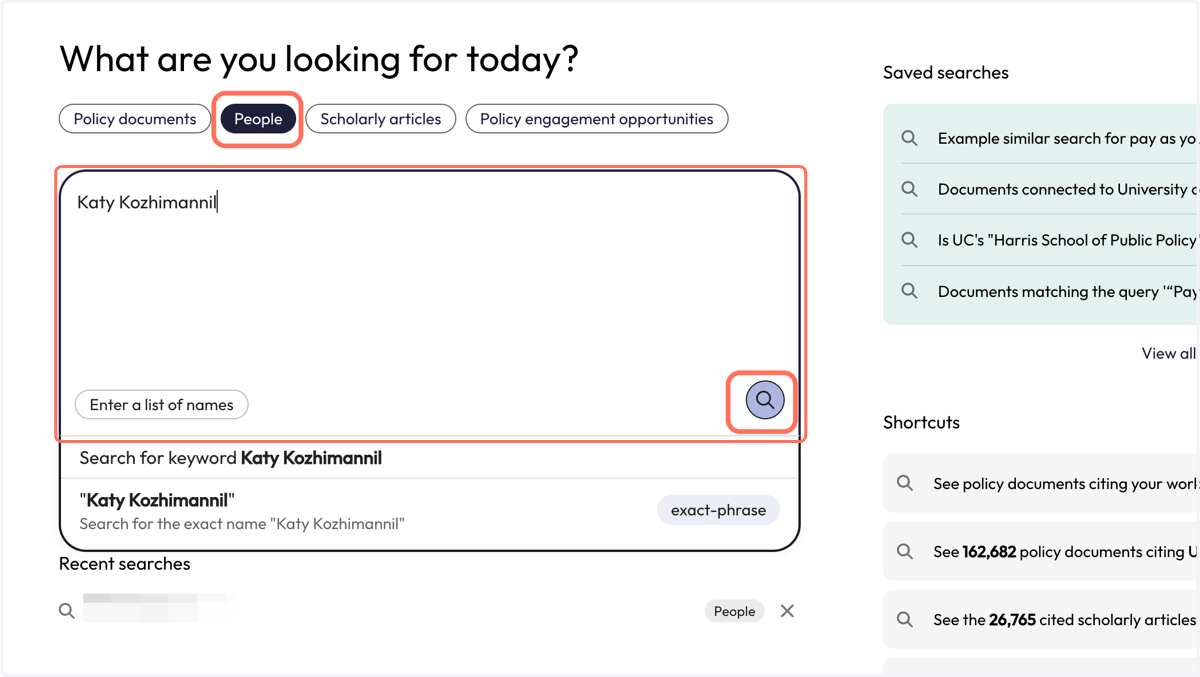
1. From the 'Start' page, click on 'People' and type your name into the search box. Click the magnifying glass to run the search.
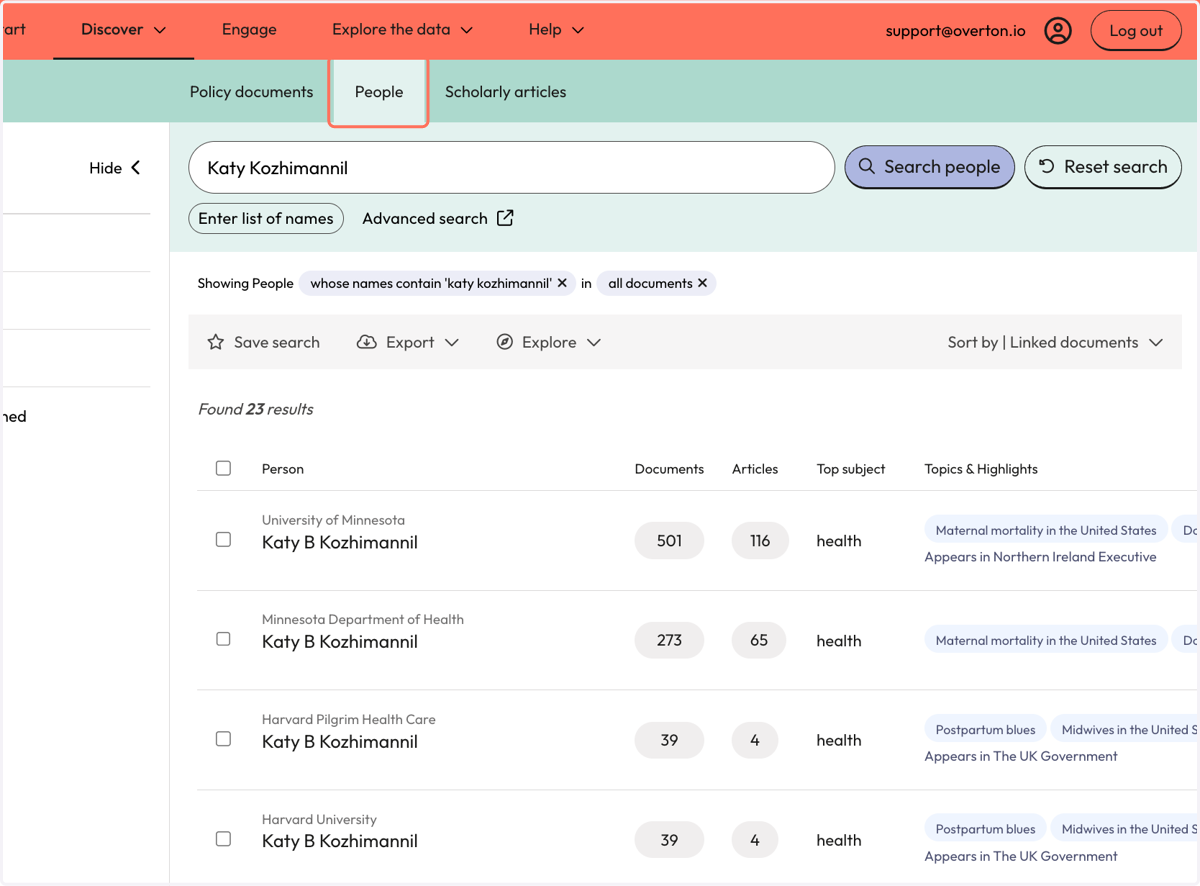
2. Your results appear on the 'People' search page.
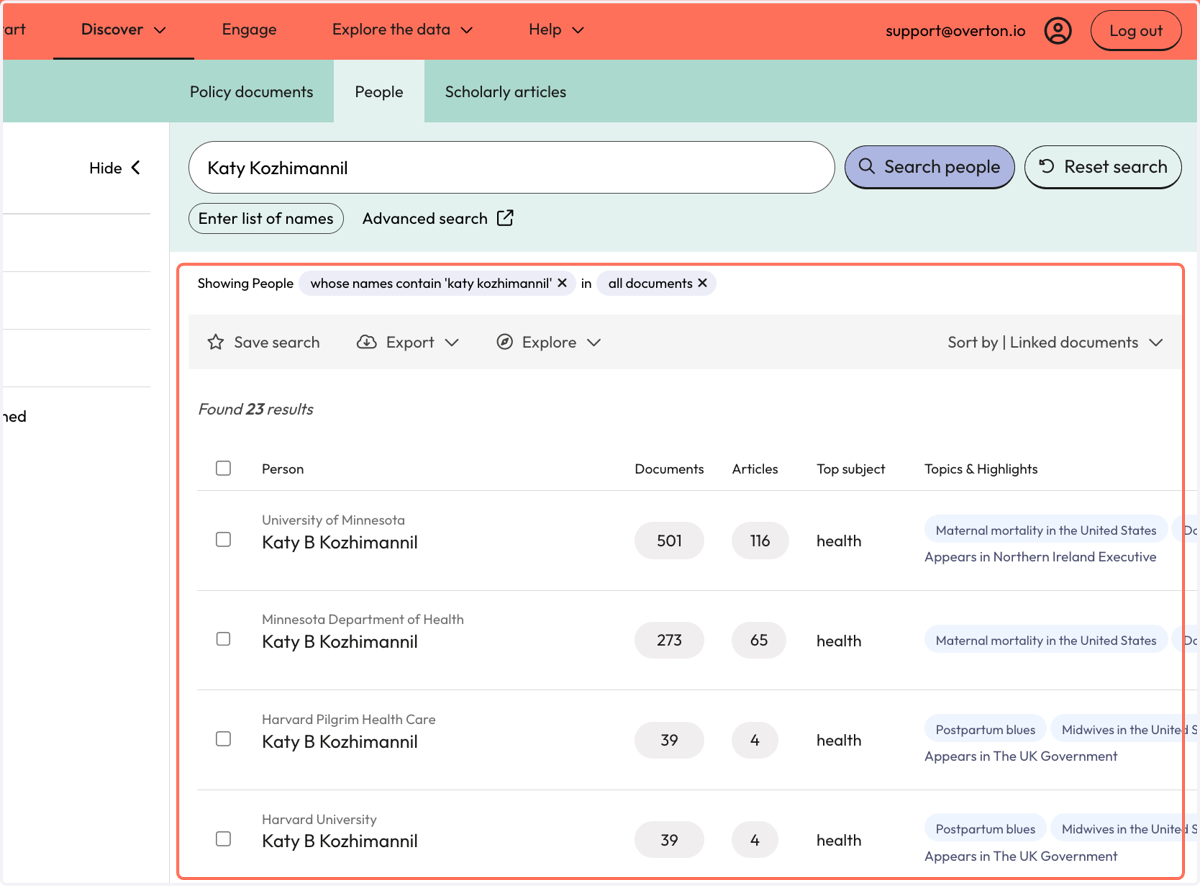
3. A result includes the number of citing policy documents and the number of cited articles. Both numbers are clickable links that take you to either the policy document or article results.
4. Use filters to narrow down the results.
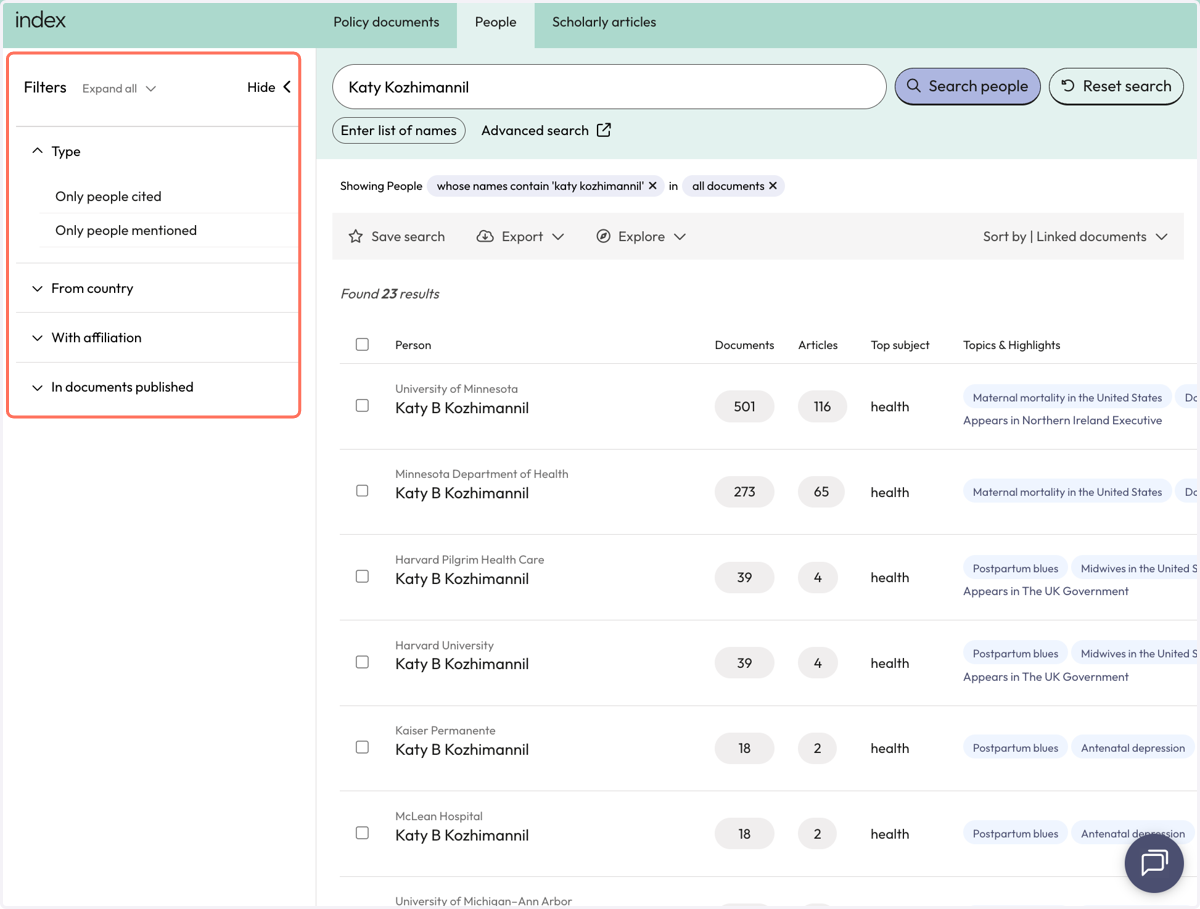
5. Each result entry includes a name and institutional affiliation pair. A person may have multiple results if they have been affiliated with multiple institutions.
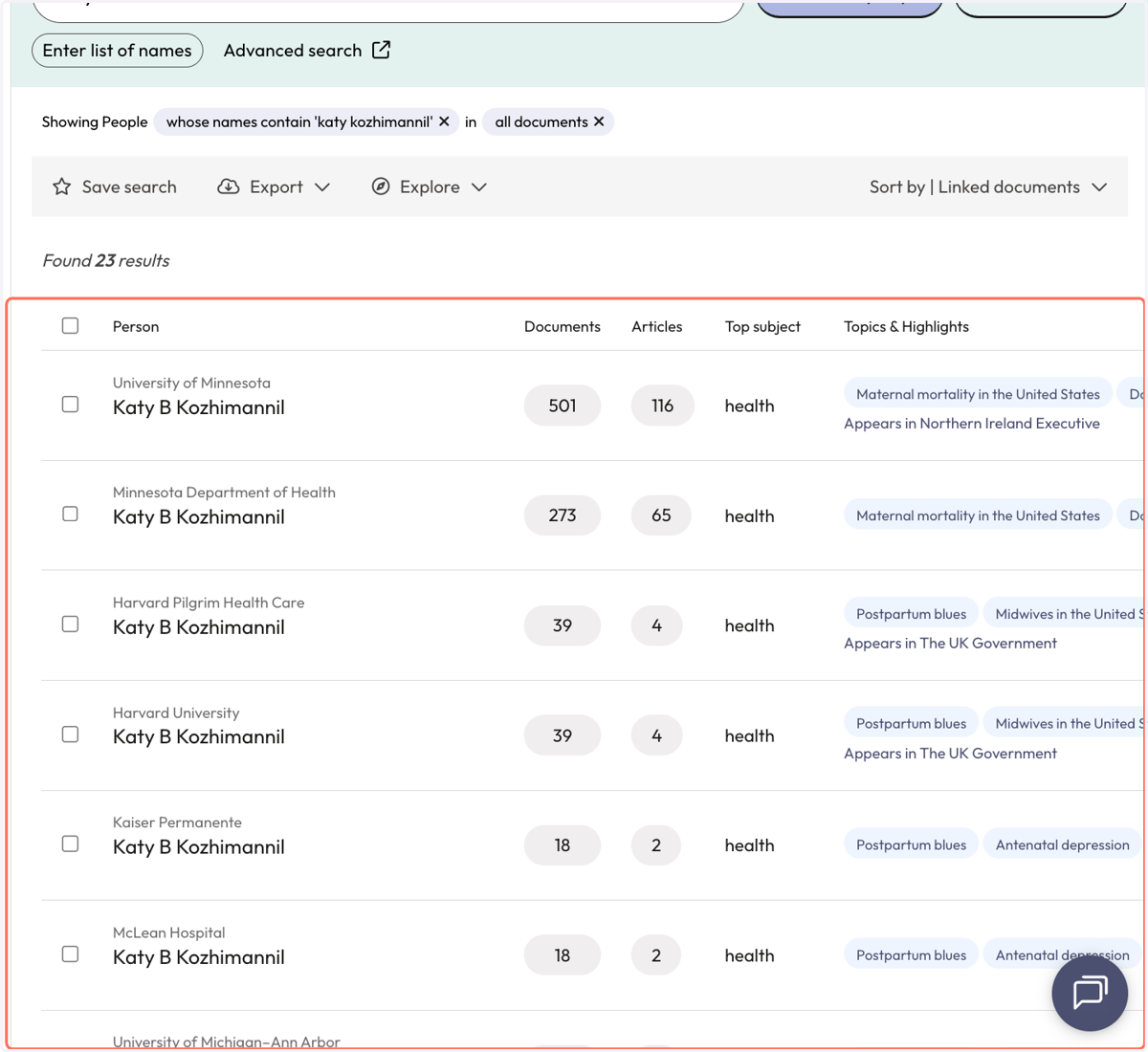
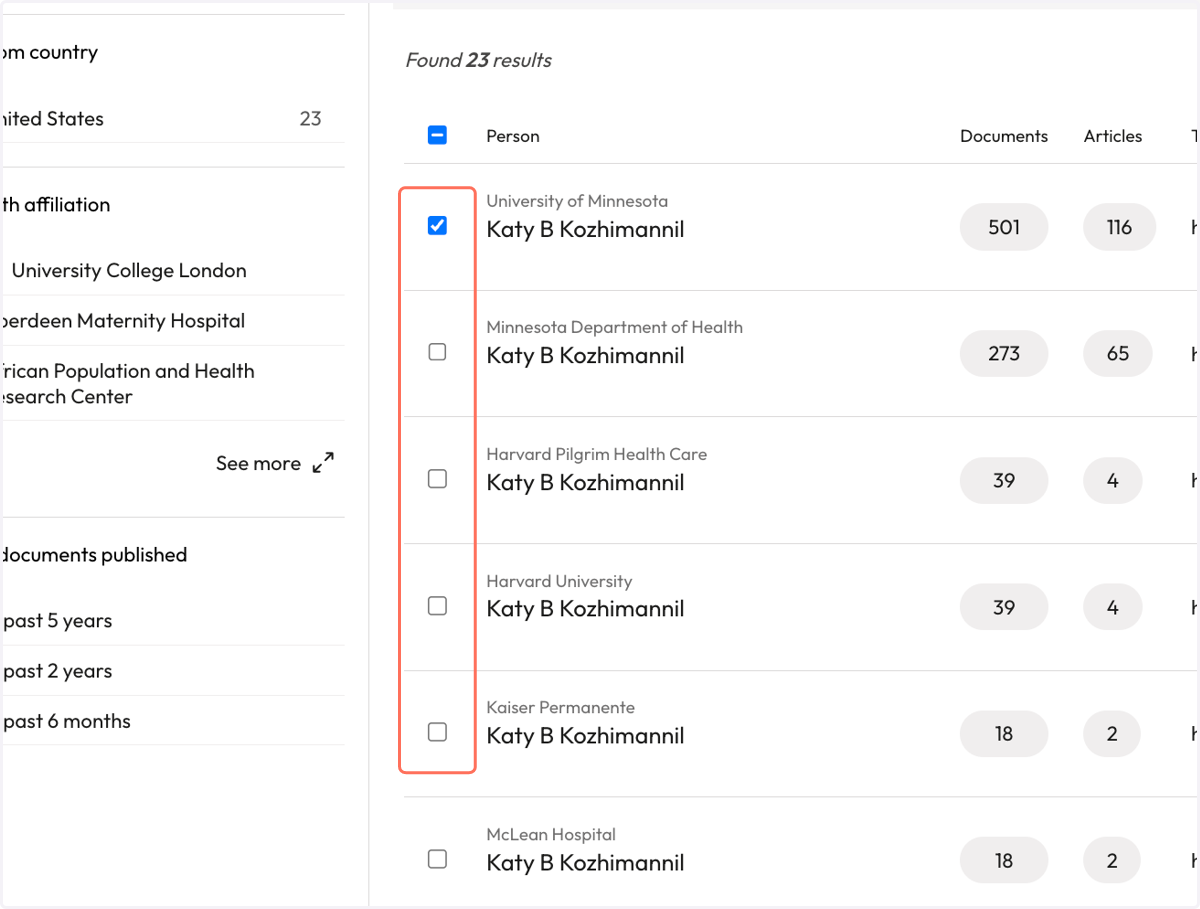
6. To select specific results, check the box beside the relevant name/affiliation pairs or 'select all' by clicking the check box at the top of the results list.
7. Once your results are selected, use the grey action bar to save the search, export, or explore results collectively.
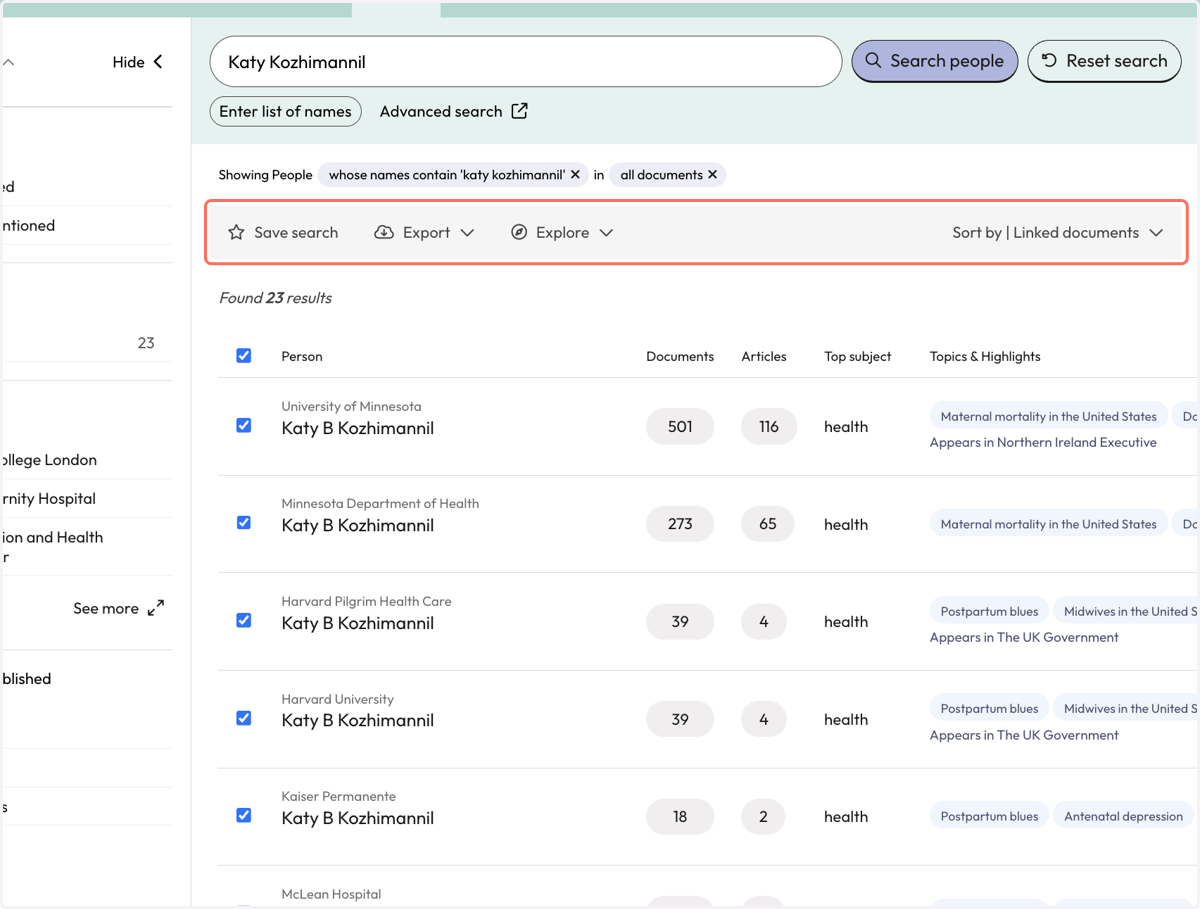
Viewing results of the People search
You can view policy citations or view cited articles.
8. From 'Explore' click on 'See the relevant scholarly articles by the selected people'.
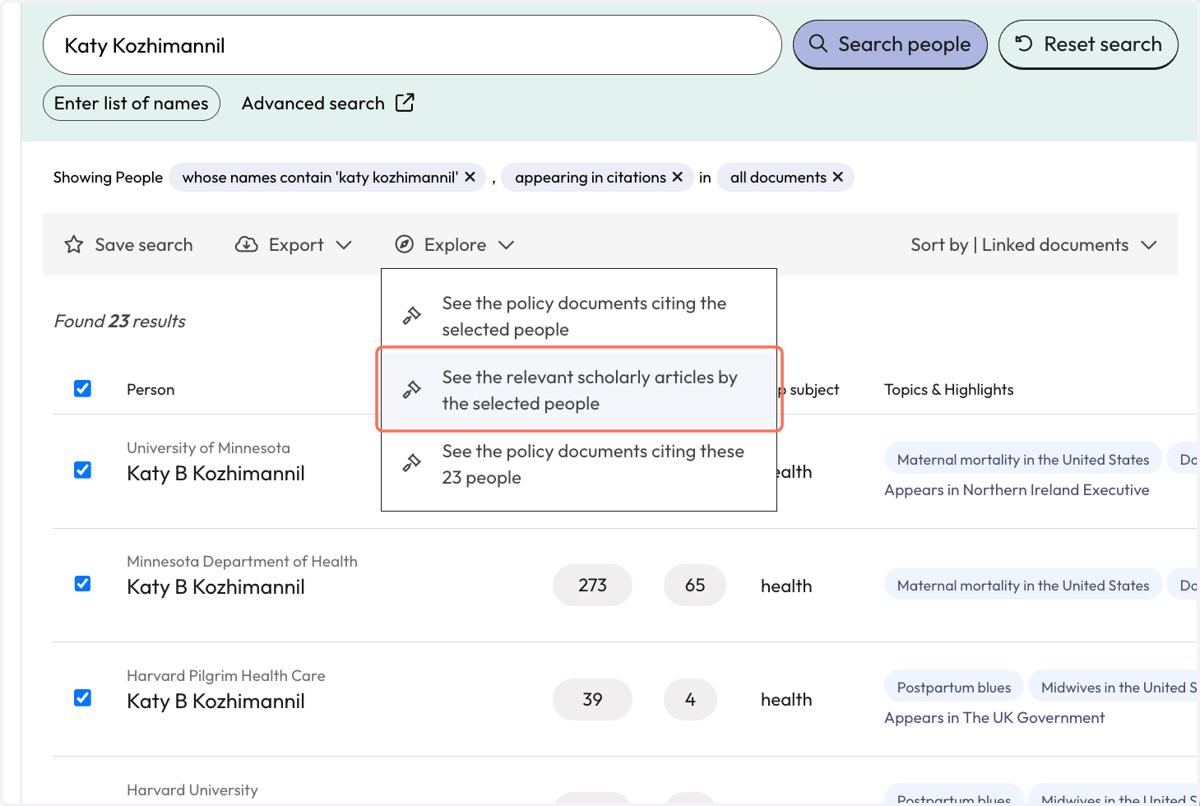
9. You will be taken to the 'Scholarly Articles' page where you can the articles that are cited in policy for the selected people.
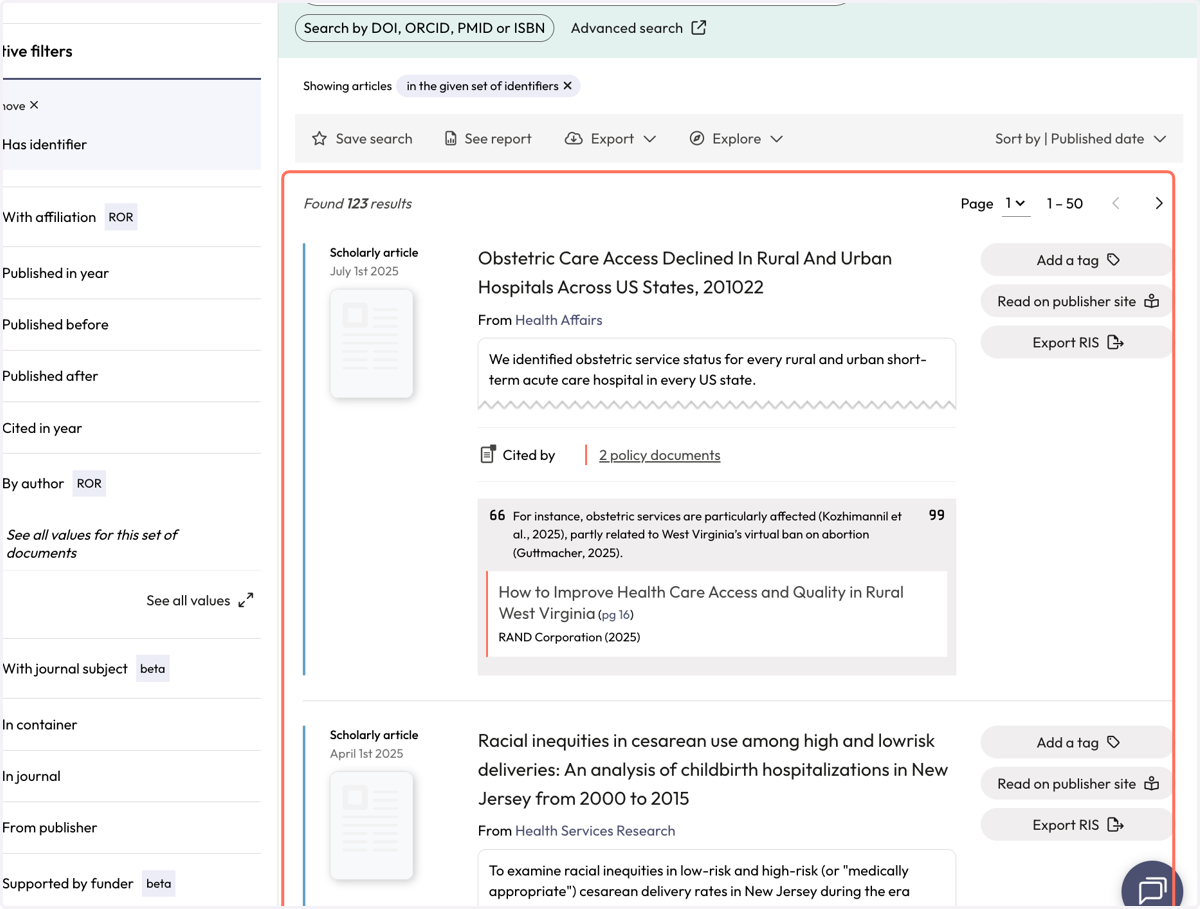
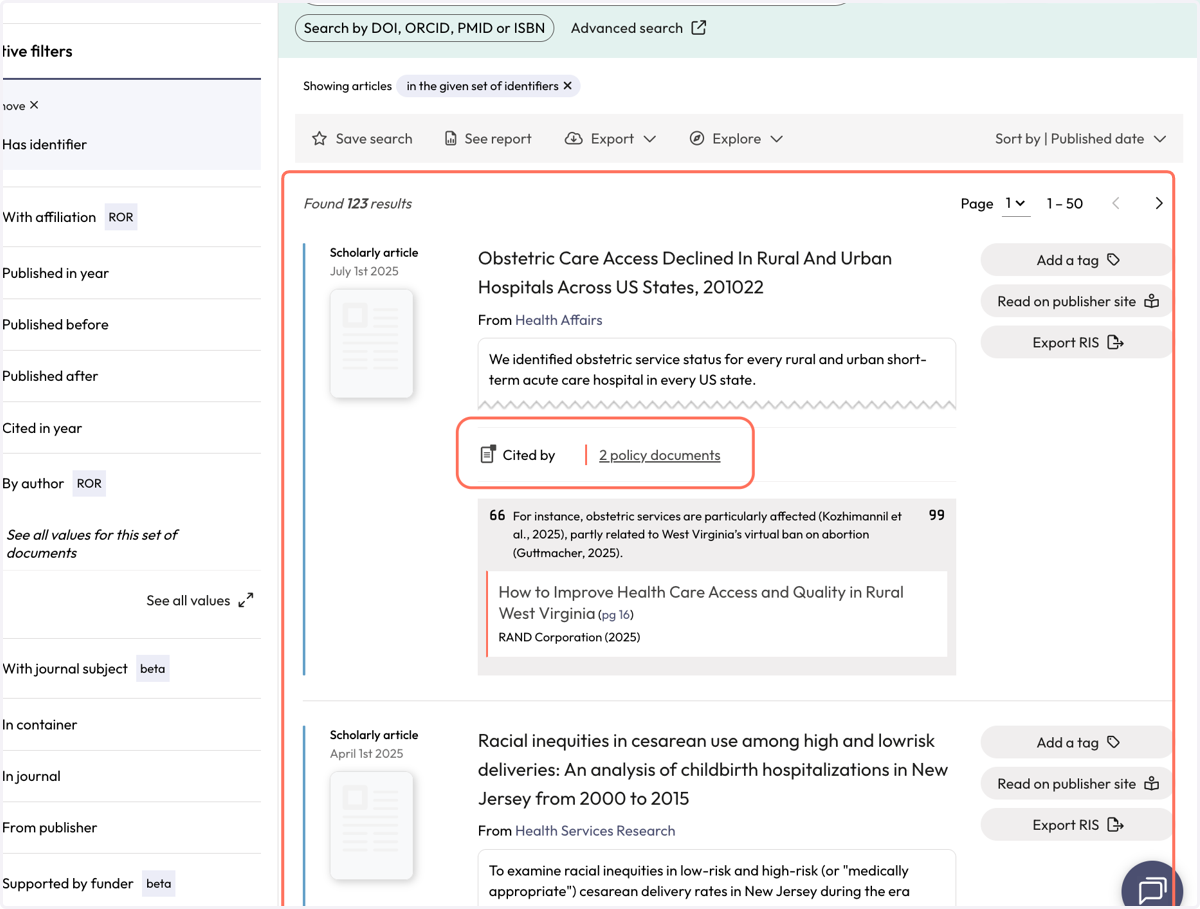
10. A result shows the name of the article, where it was published, the number of citing policy documents.
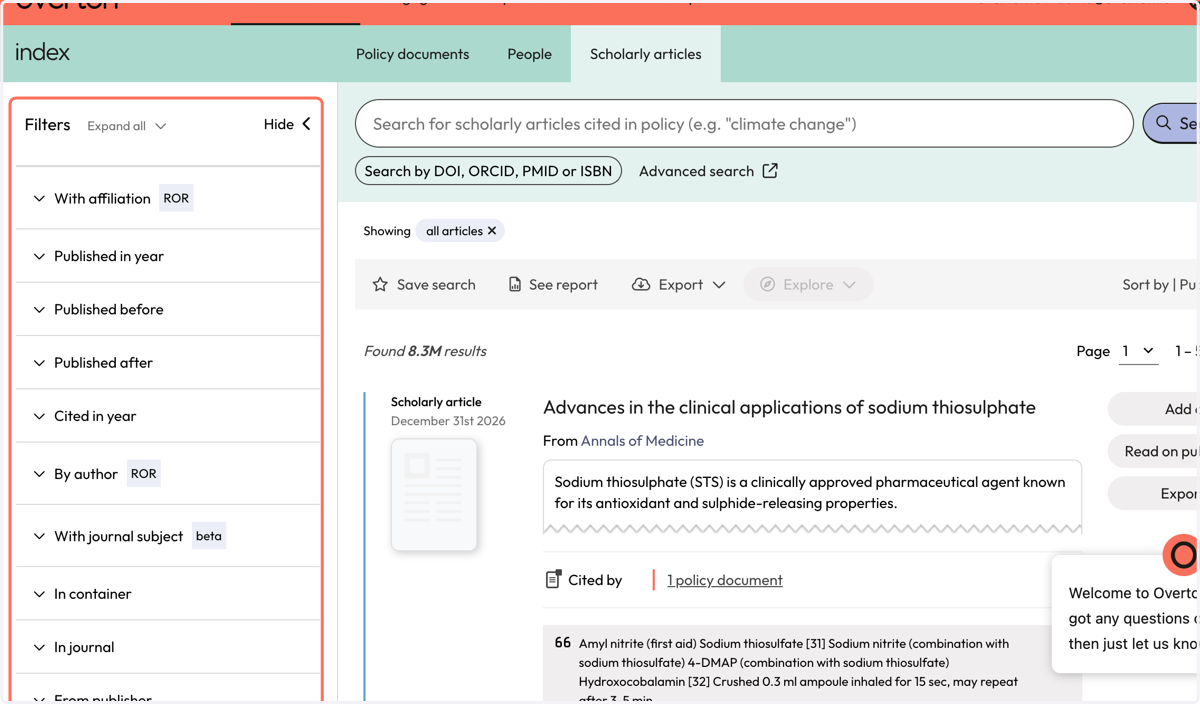
11. Use filters to narrow down your results.
12. You can sort results by published date or by number of citations.
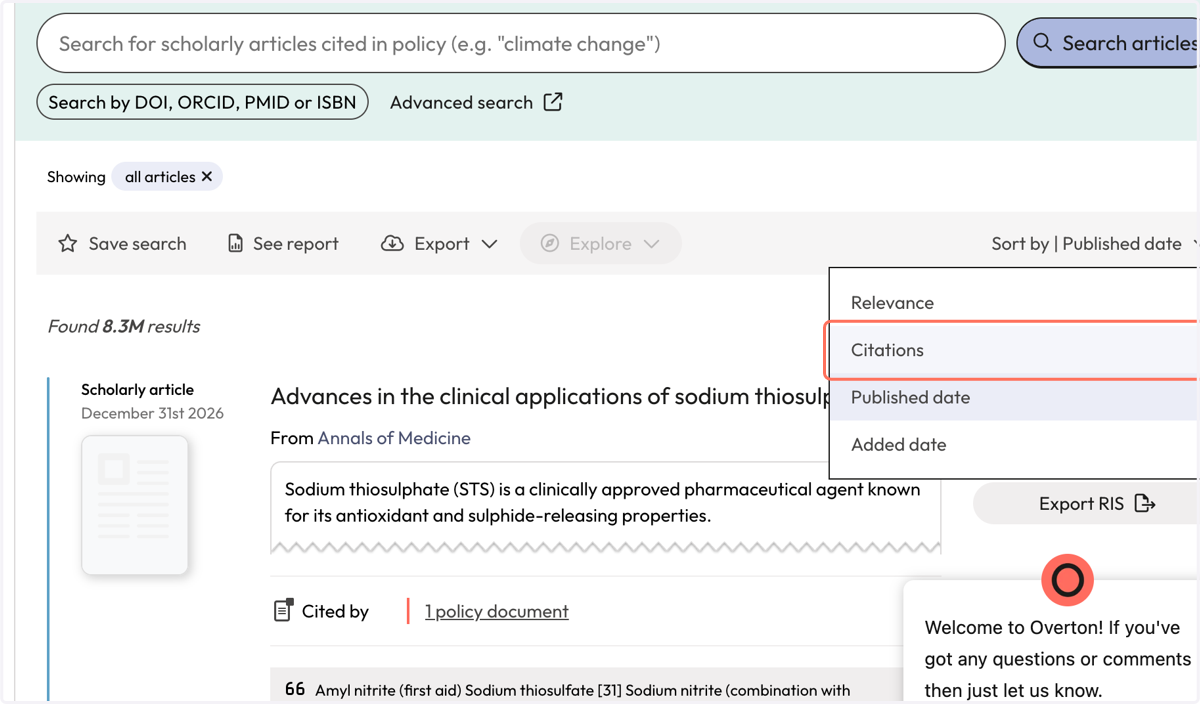
13. Use the action bar to save a search, generate a summary report*, export* or explore further
*summary reports and exports are not available for limited trials