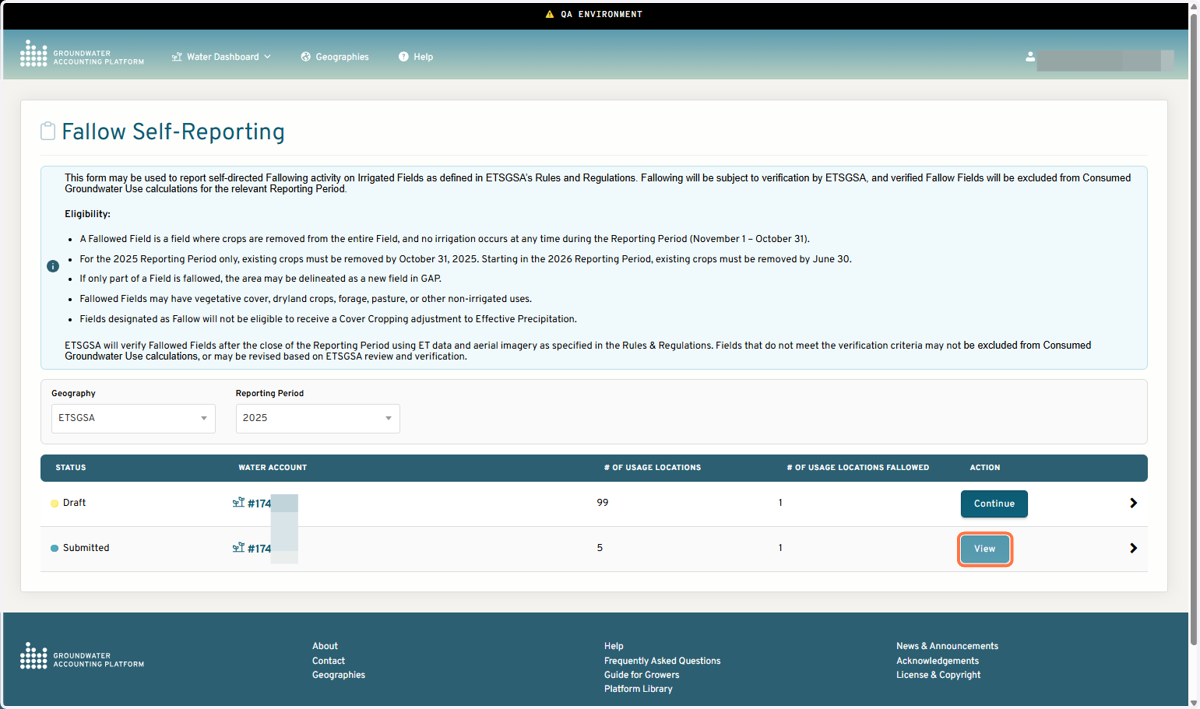
Fallow Field Self-Reporting in GAP
Groundwater Accounting Platform
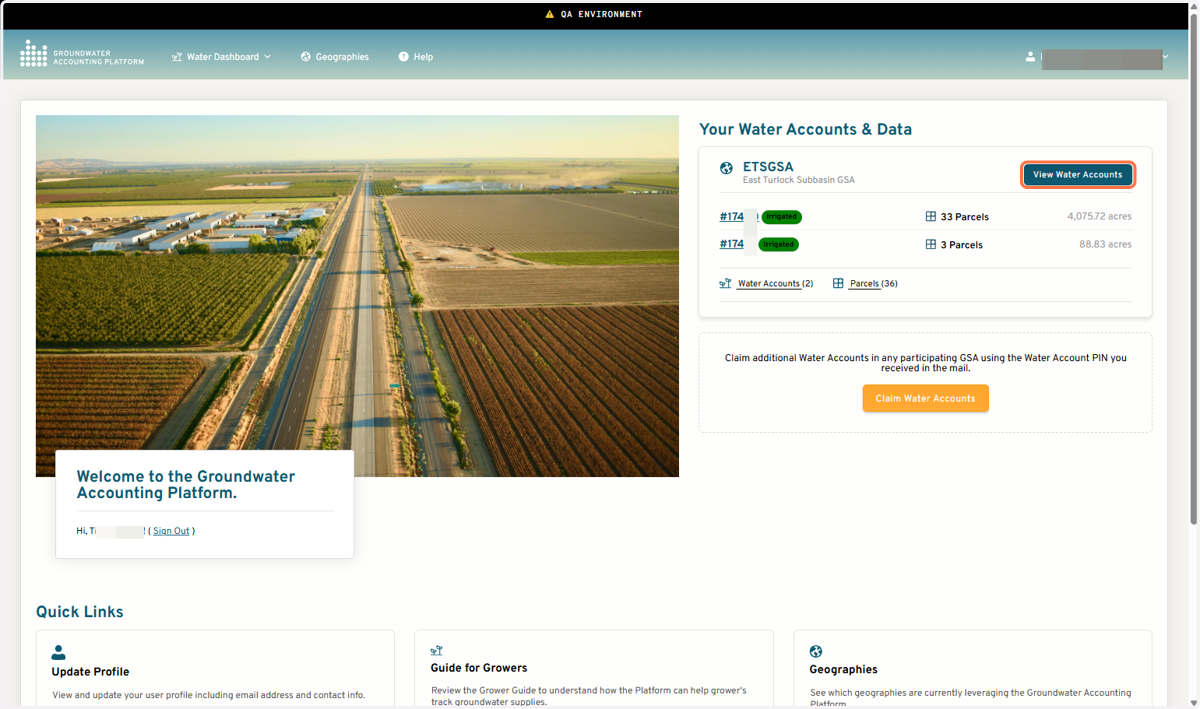
1. Click on View Water Accounts
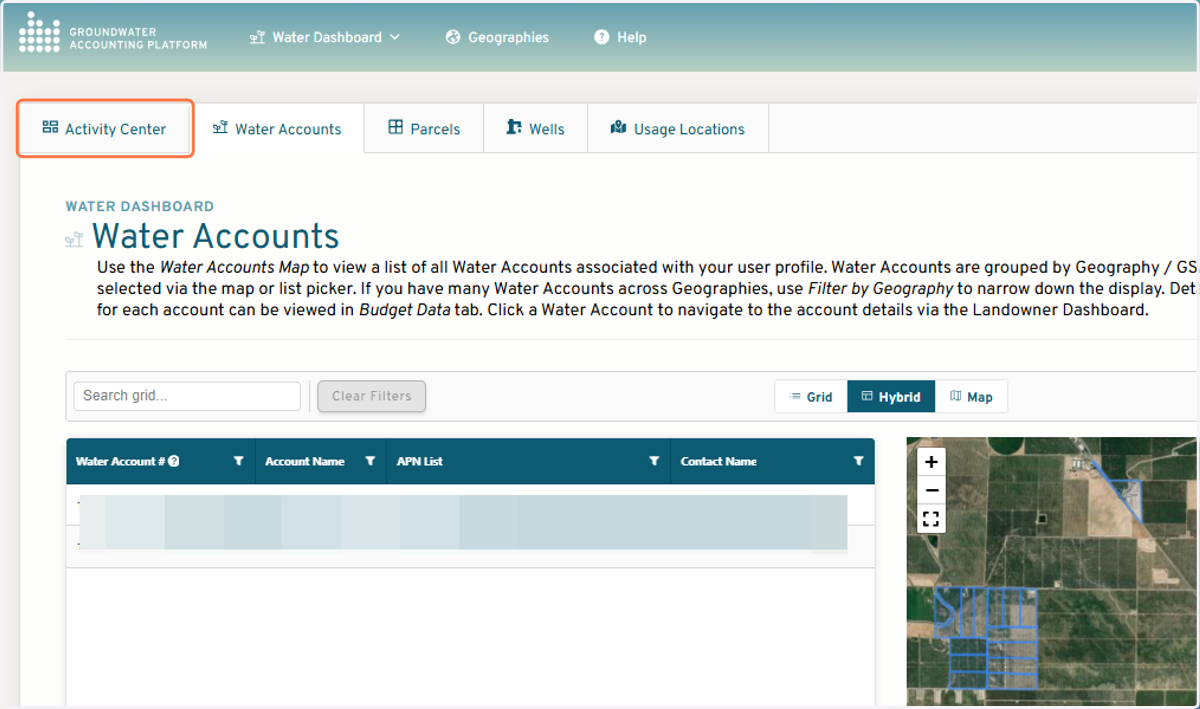
2. Click on Activity Center
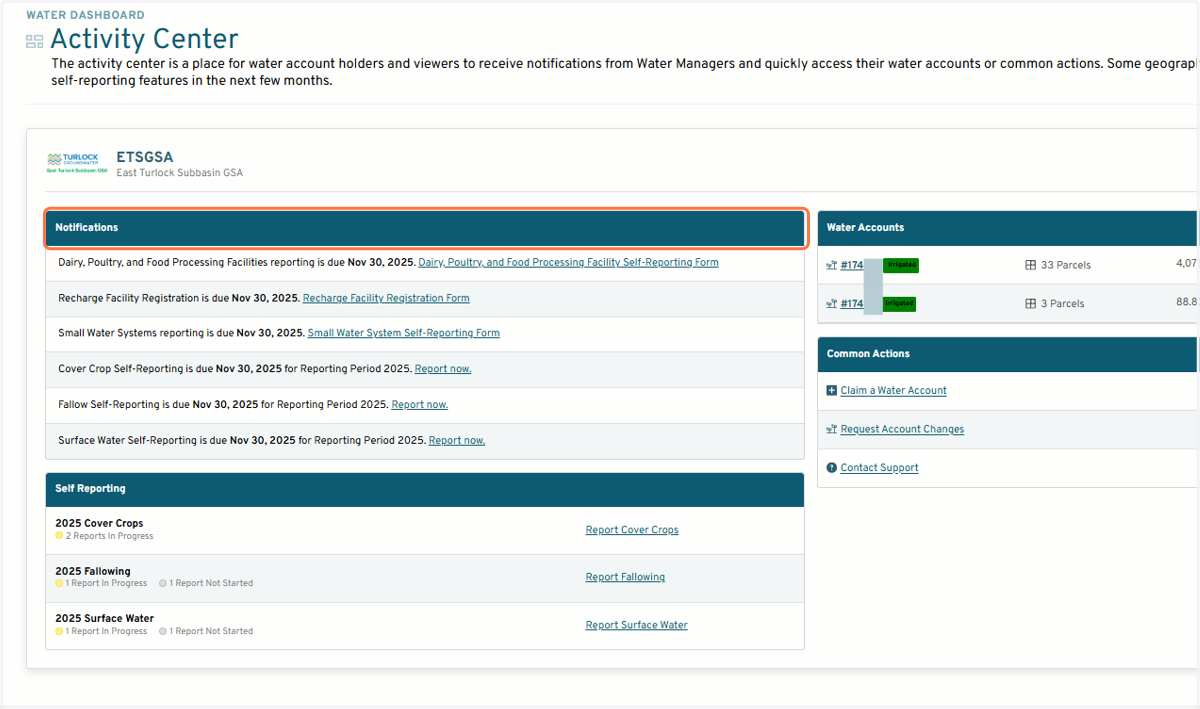
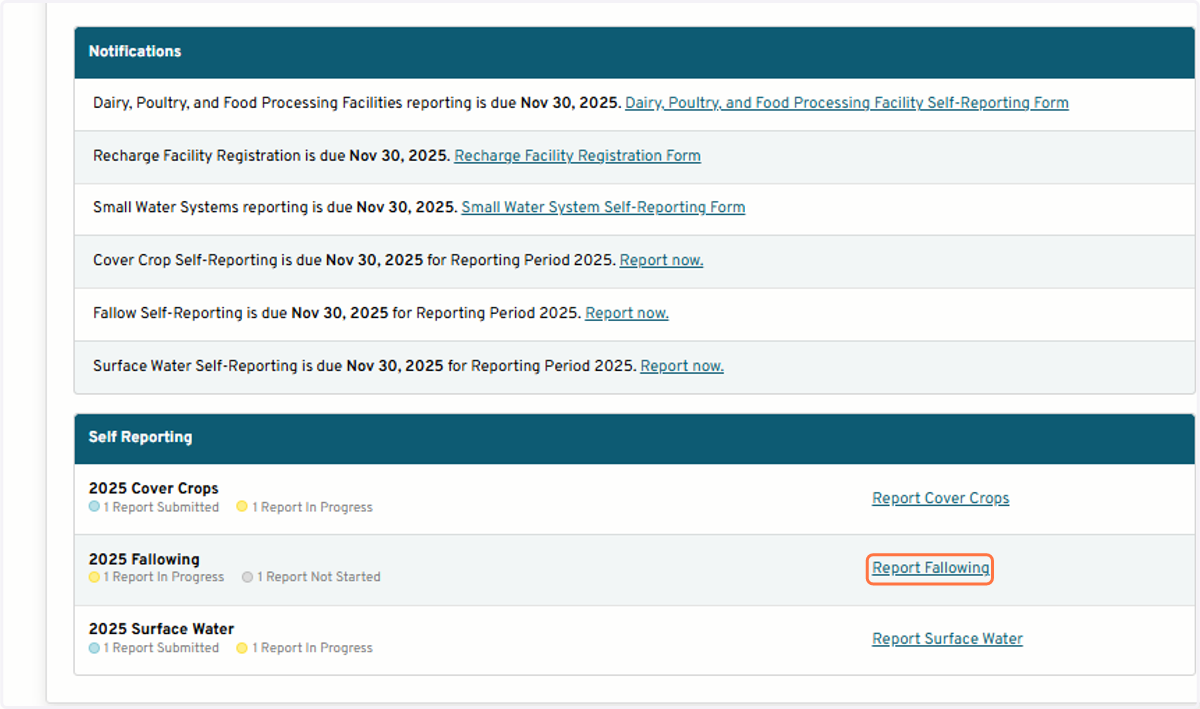
3. All self-reporting forms are linked in the Notifications section
Start a new report
4. Click on Report Fallowing
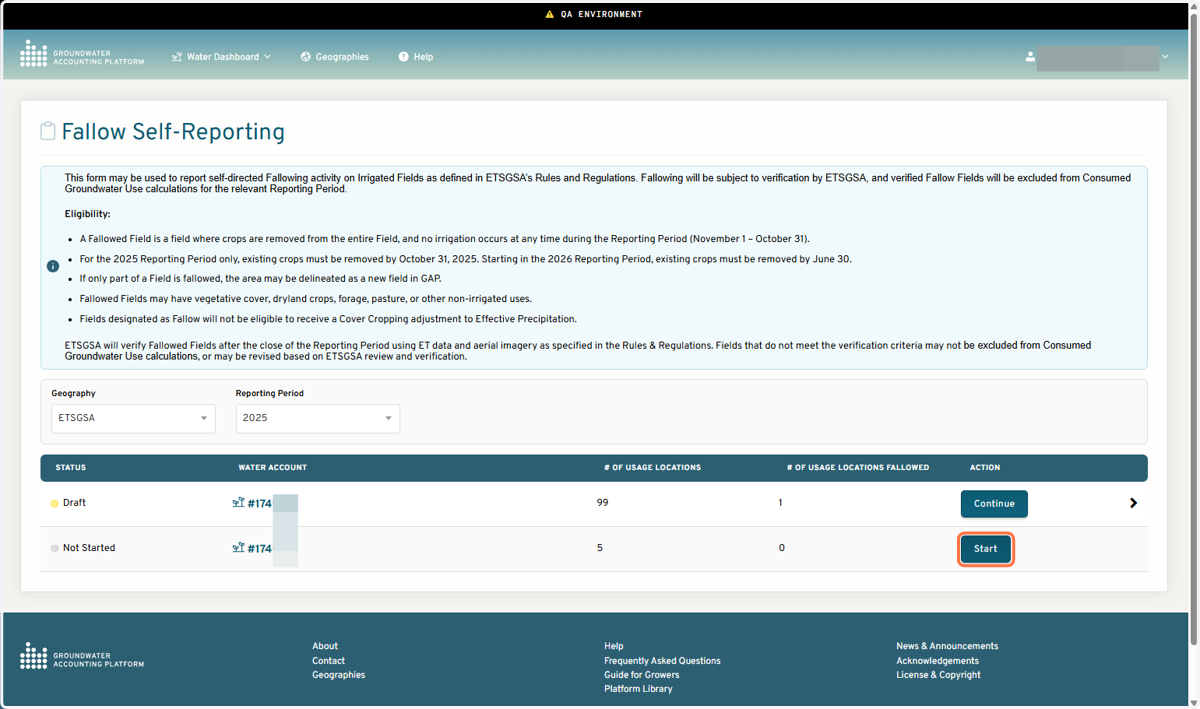
5. Click on Start or Continue
6. Select a Field from the map or Table
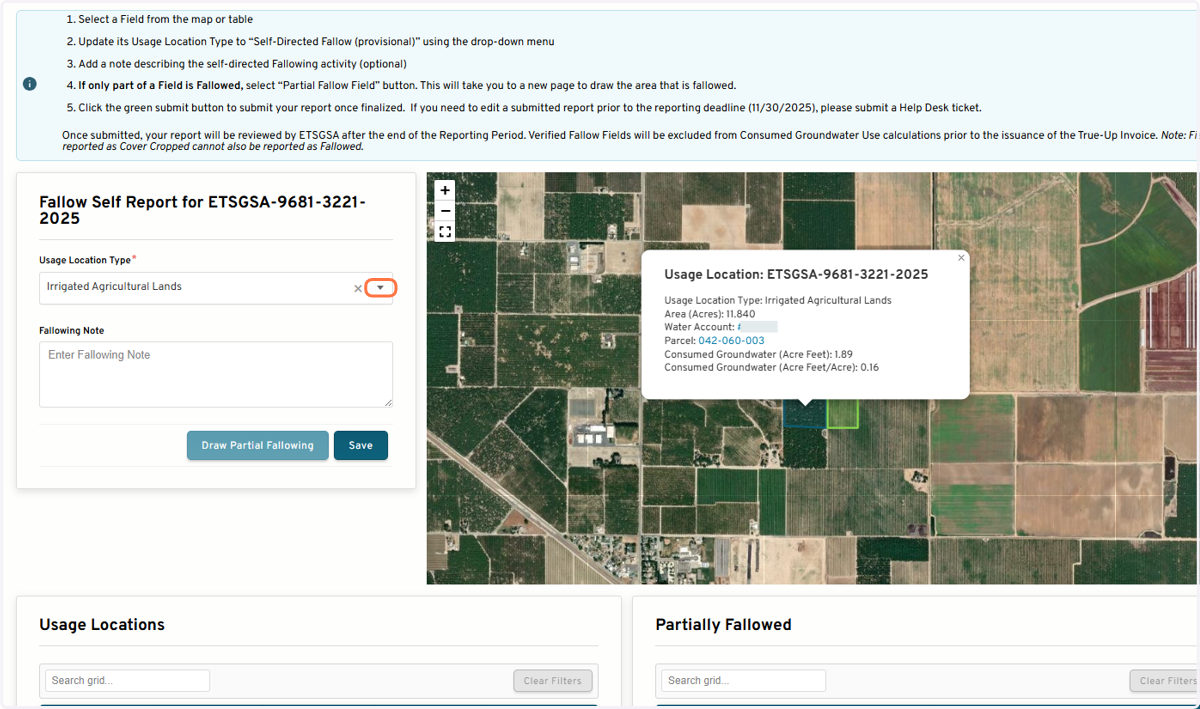
If 100% of the selected field area is Fallowed
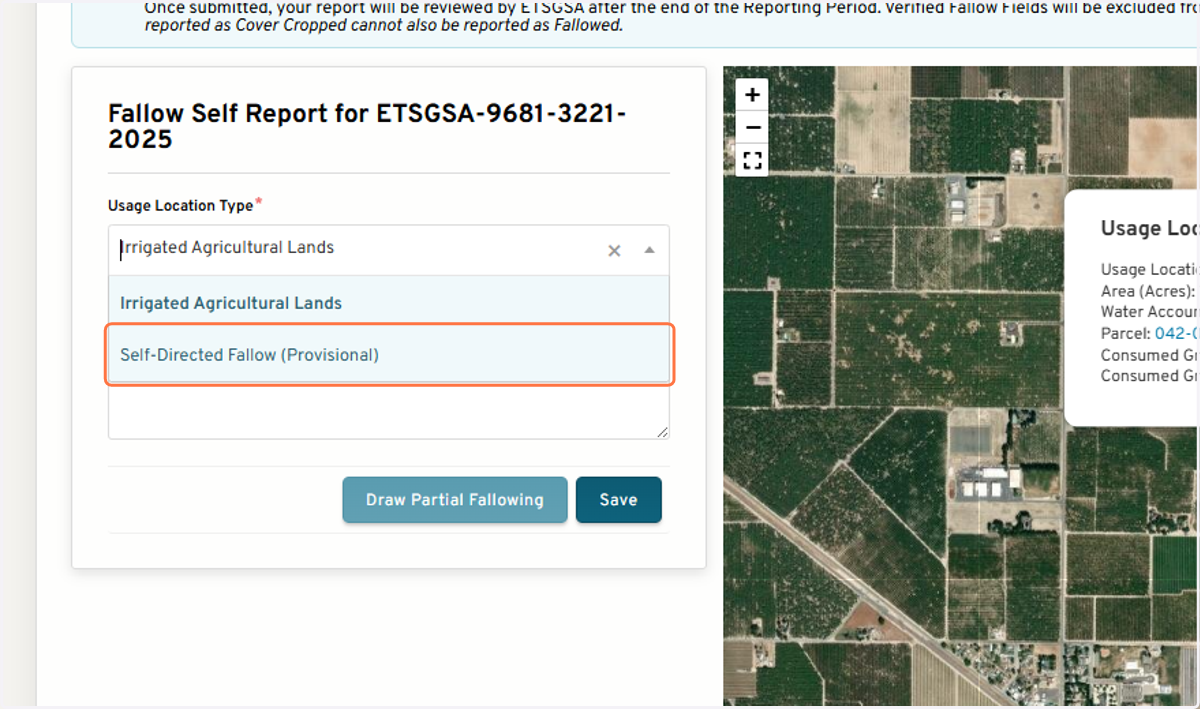
7. Change the Usage Location Type to Self-Directed Fallow (Provisional)
8. Option to add a note about the fallowing activity
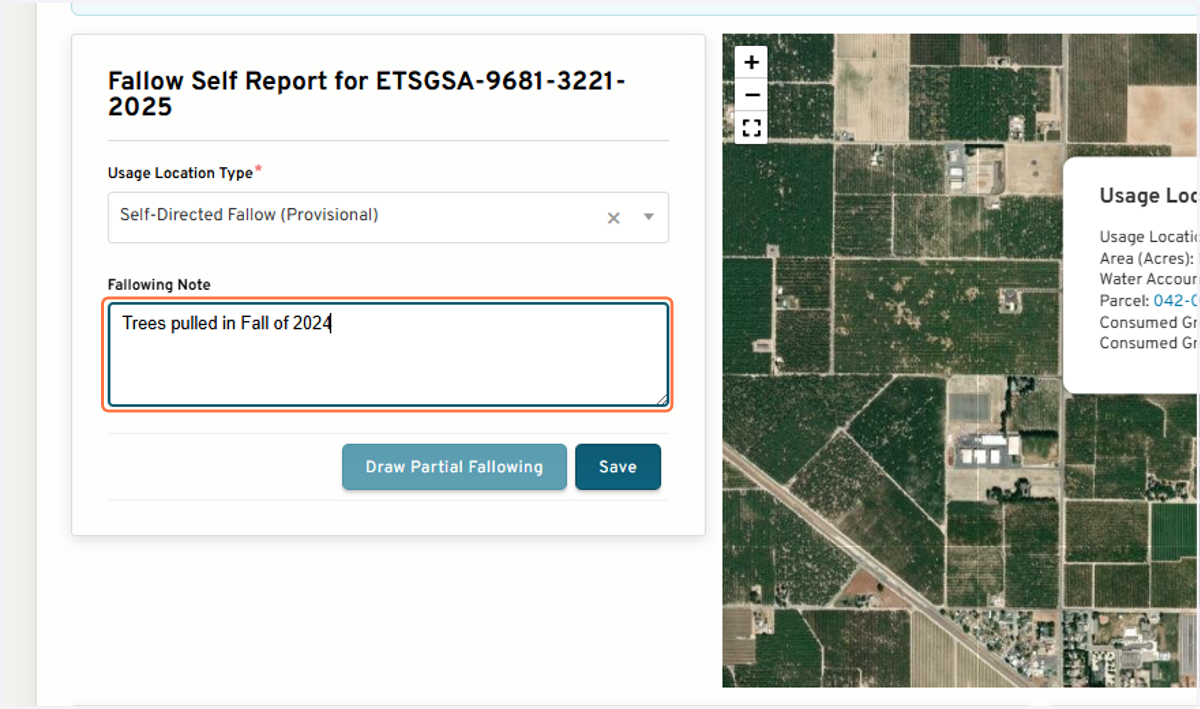
9. Click on Save
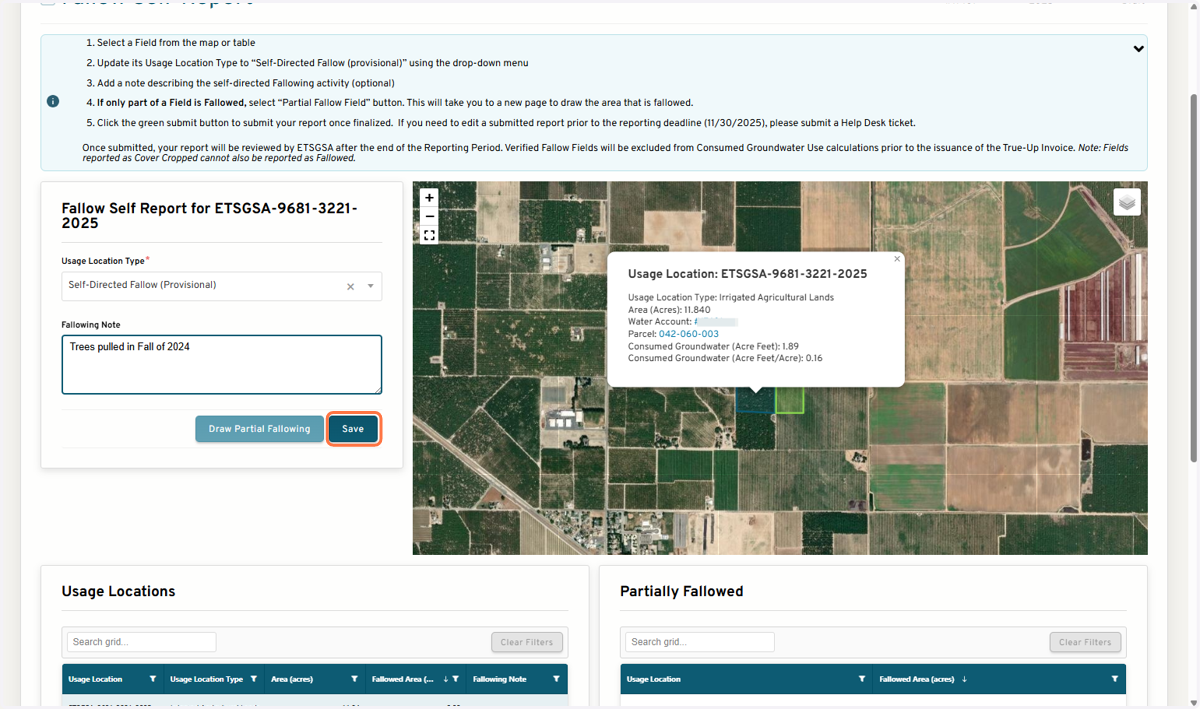
10. The table will update to reflect the type is fallowed and 100% of the field acres are Fallow
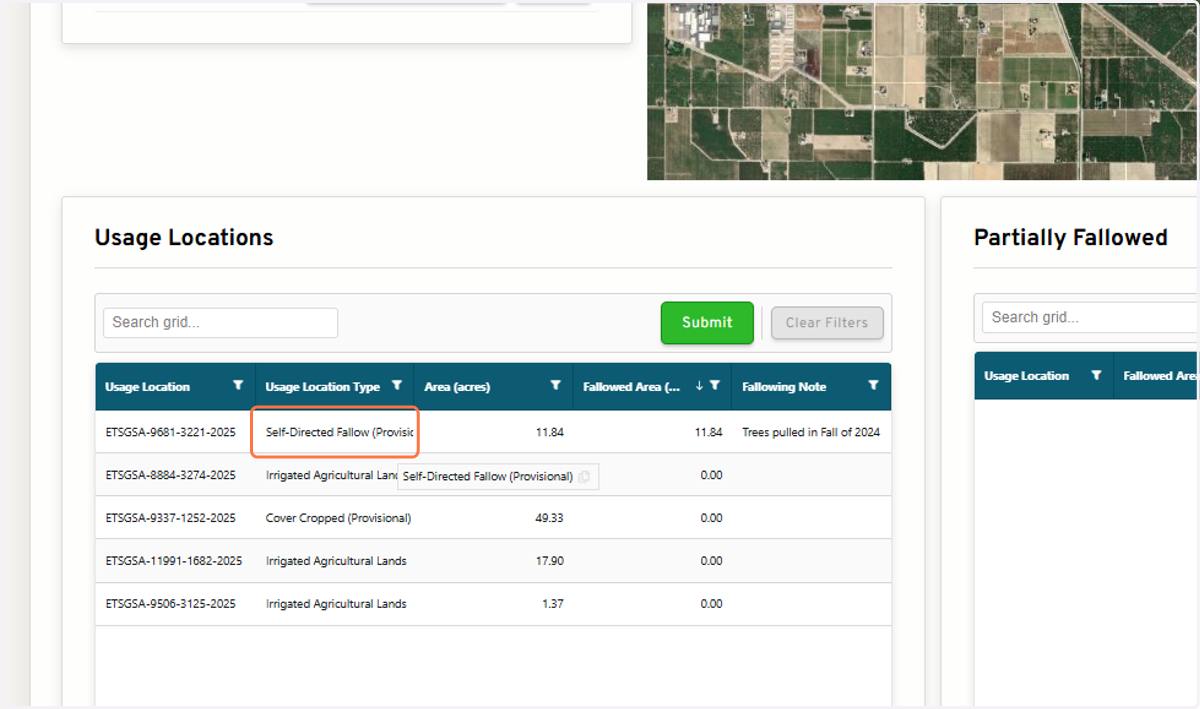
11. Once completed, Submit Fallow Field Report
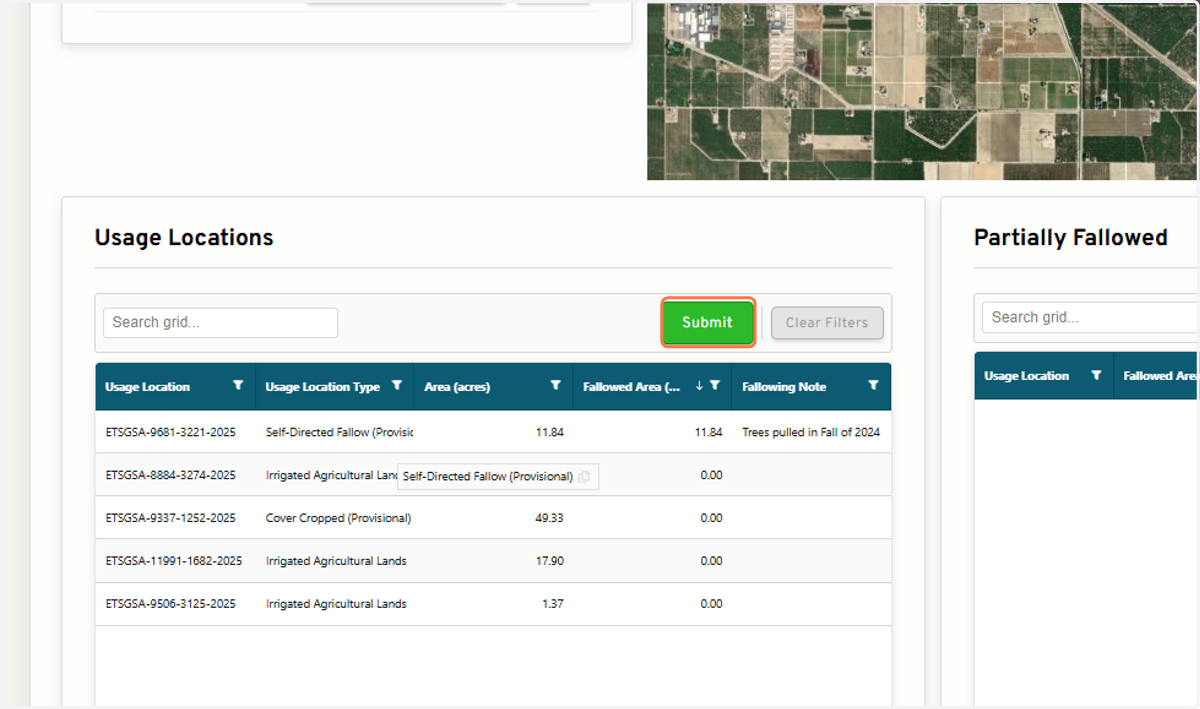
To select multiple Usage Locations at once
12. In the table, select all Usage Locations you'd like to report
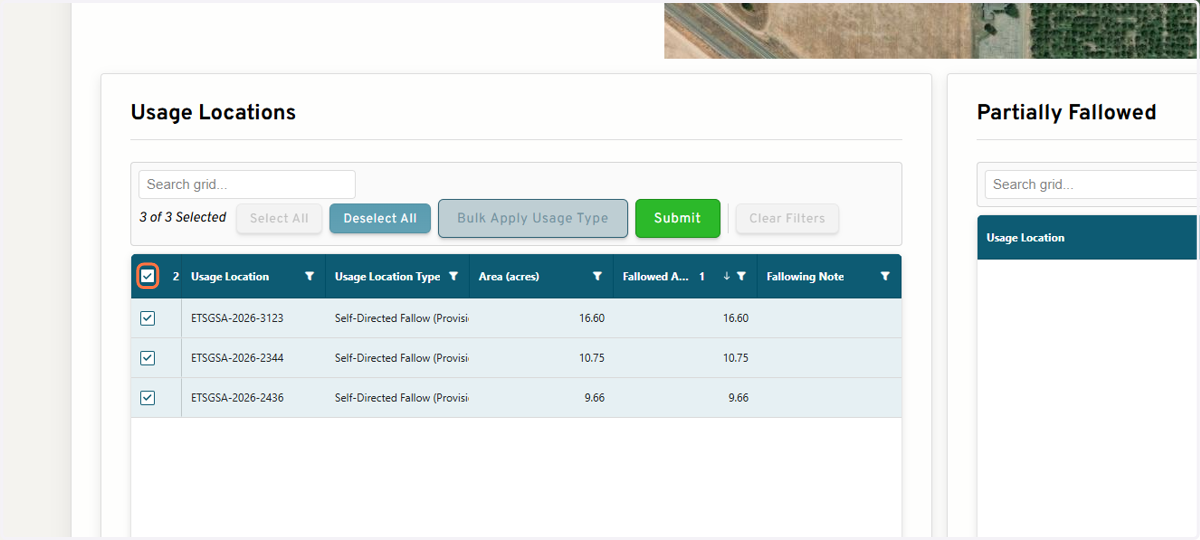
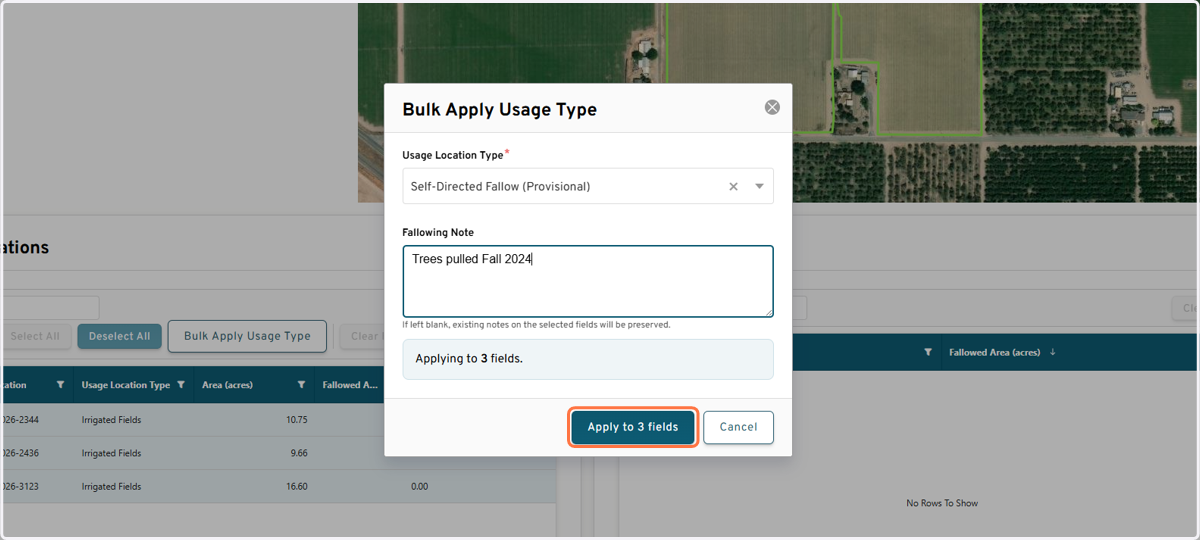
13. Click on Bulk Apply Usage Type
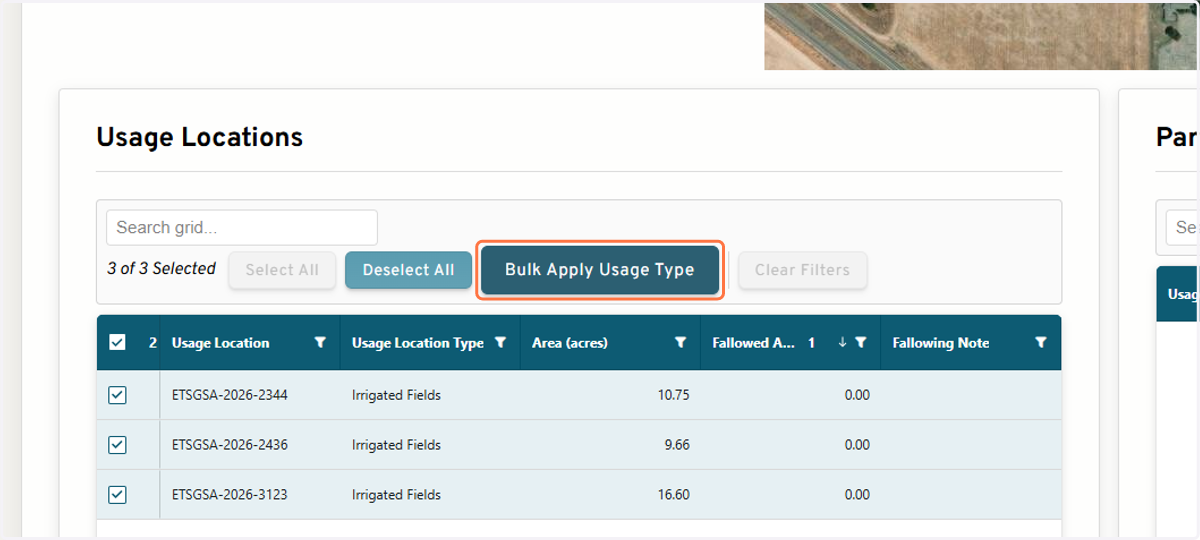
14. Select Self-Directed Fallow (Provisional) from the drop-down
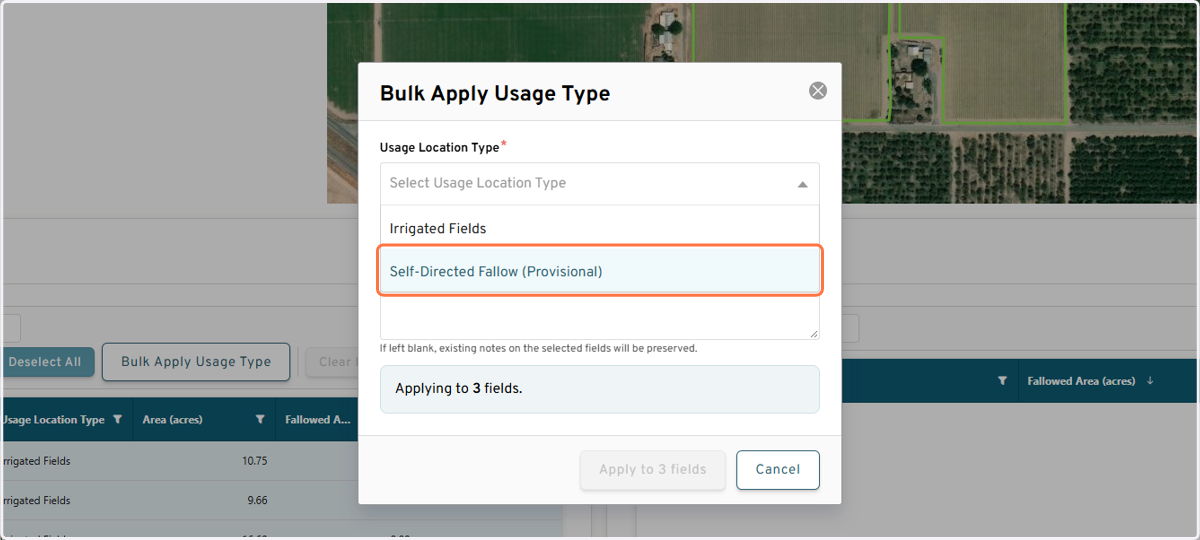
15. Option to add a note
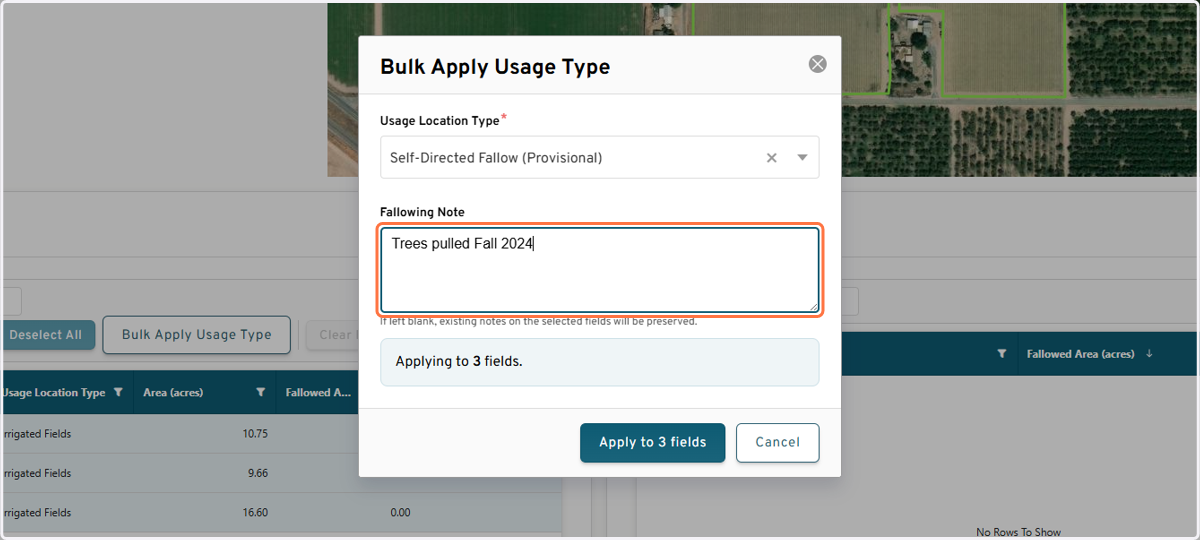
16. Click on Apply
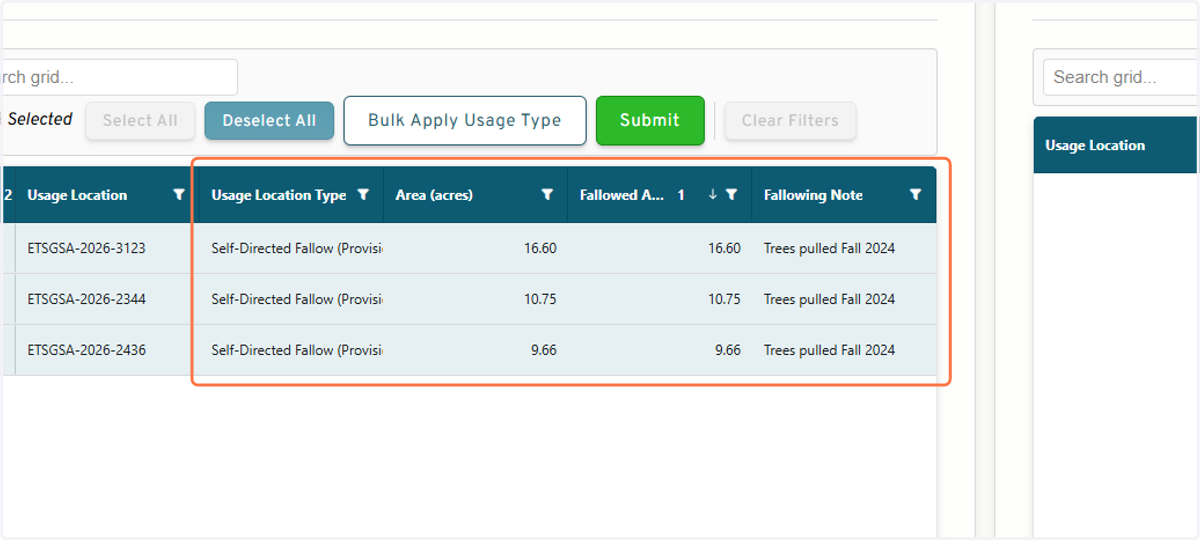
17. The table will update to reflect the Usage Location Type is fallowed and 100% of the field acres are Fallow
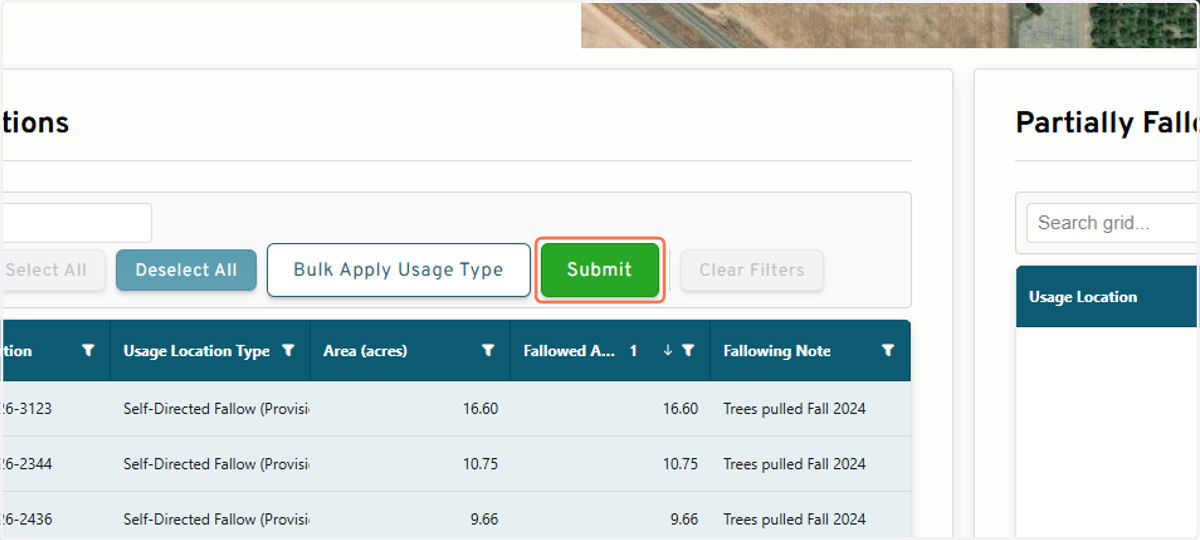
18. Once completed, Submit the Fallow Field Report
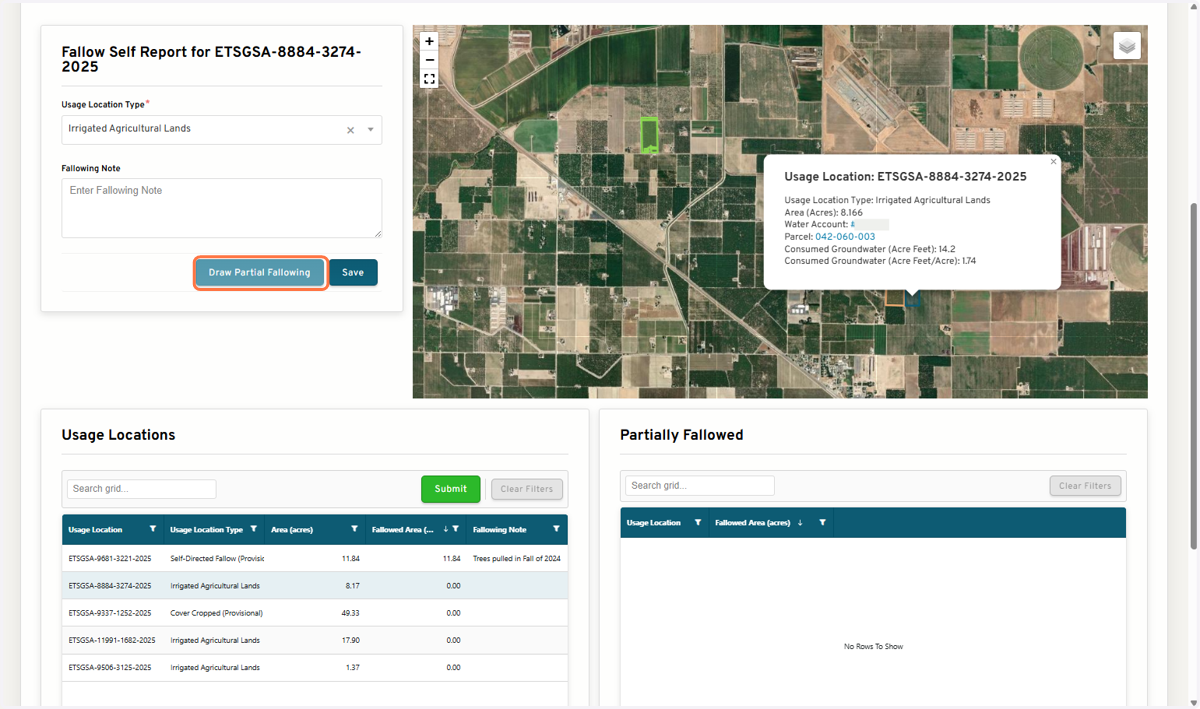
If only a portion of the selected field is fallowed
19. Click on Draw Partial Fallowing to open the drawing tool
20. Follow the instructions provided to draw the area of the field that is fallowed
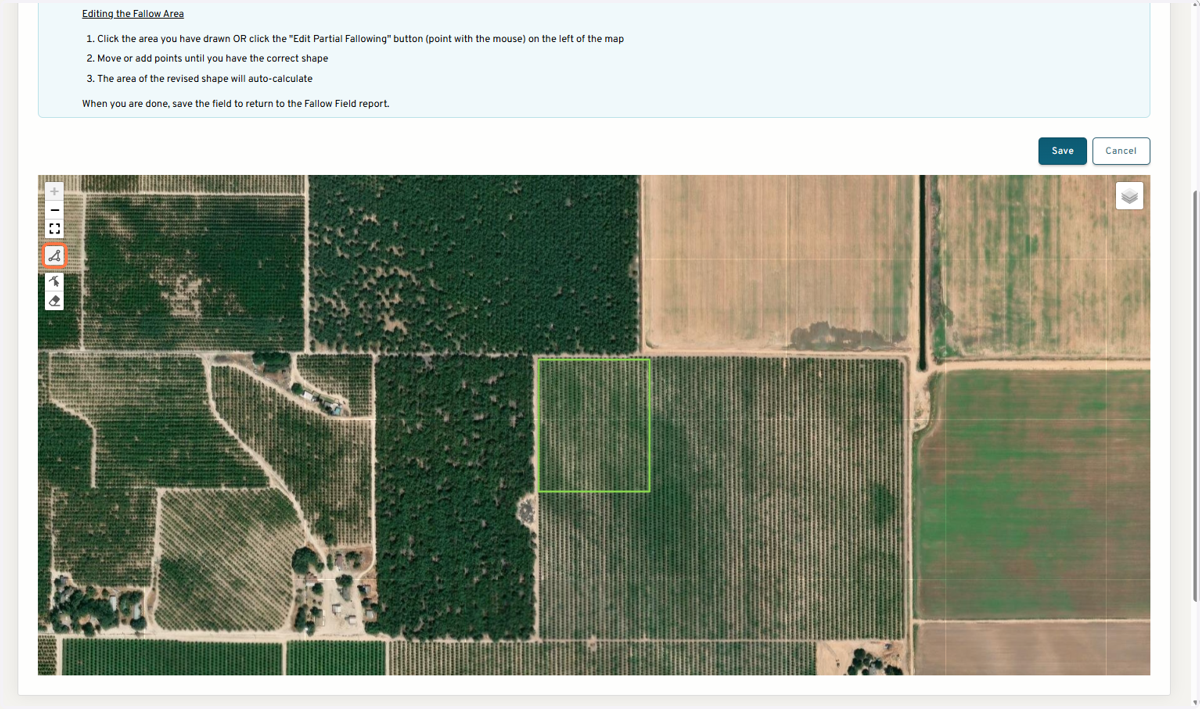
21. Draw the area of the field that is fallow
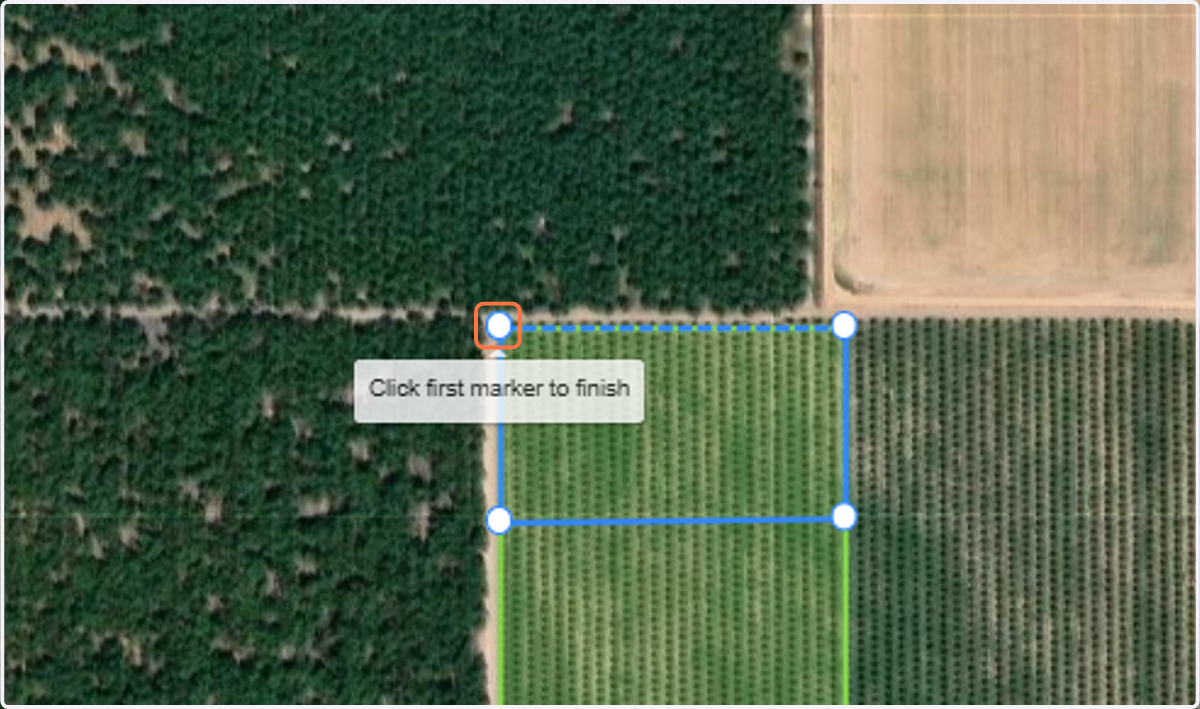
22. Edit the shape by clicking and moving the vertices
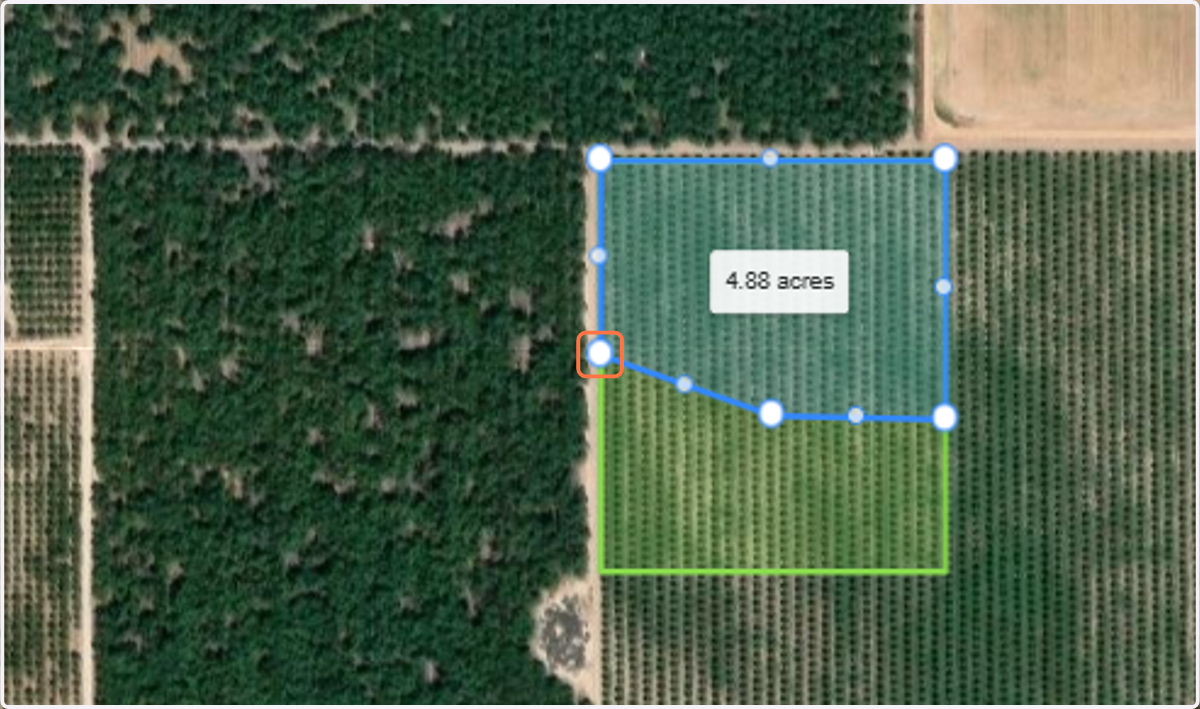
23. When you have the correct area delineated, Click on Save
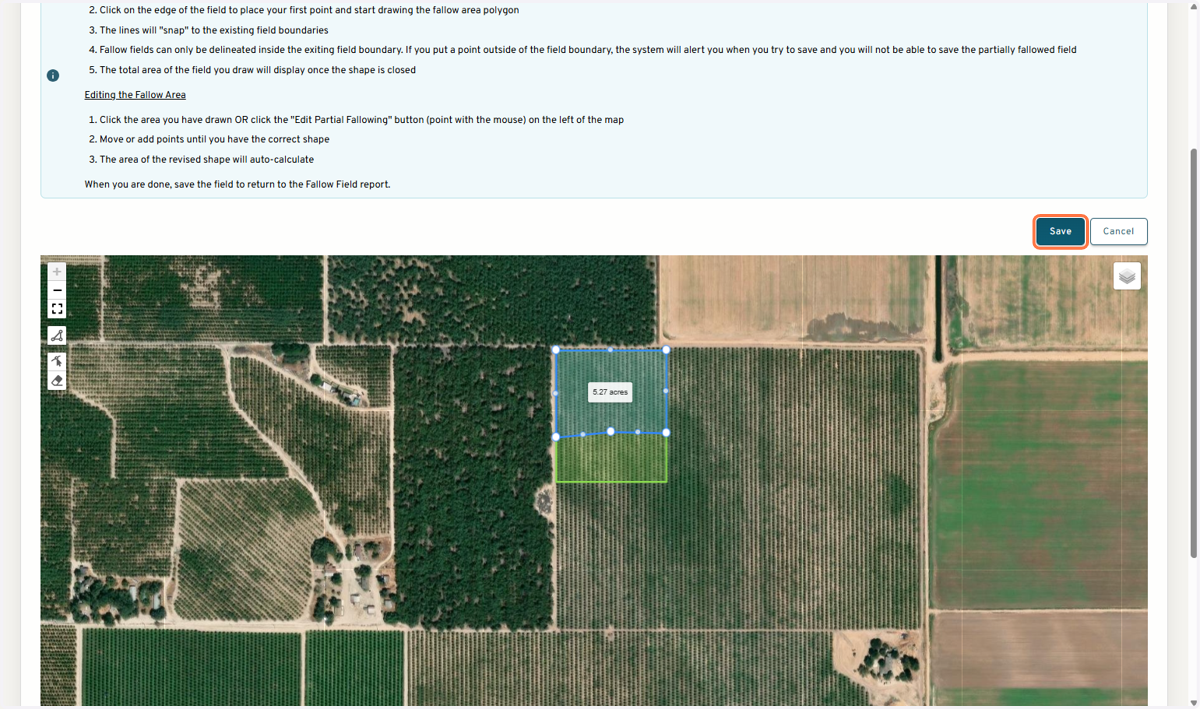
24. The partially fallowed area will display on the map and in the table below
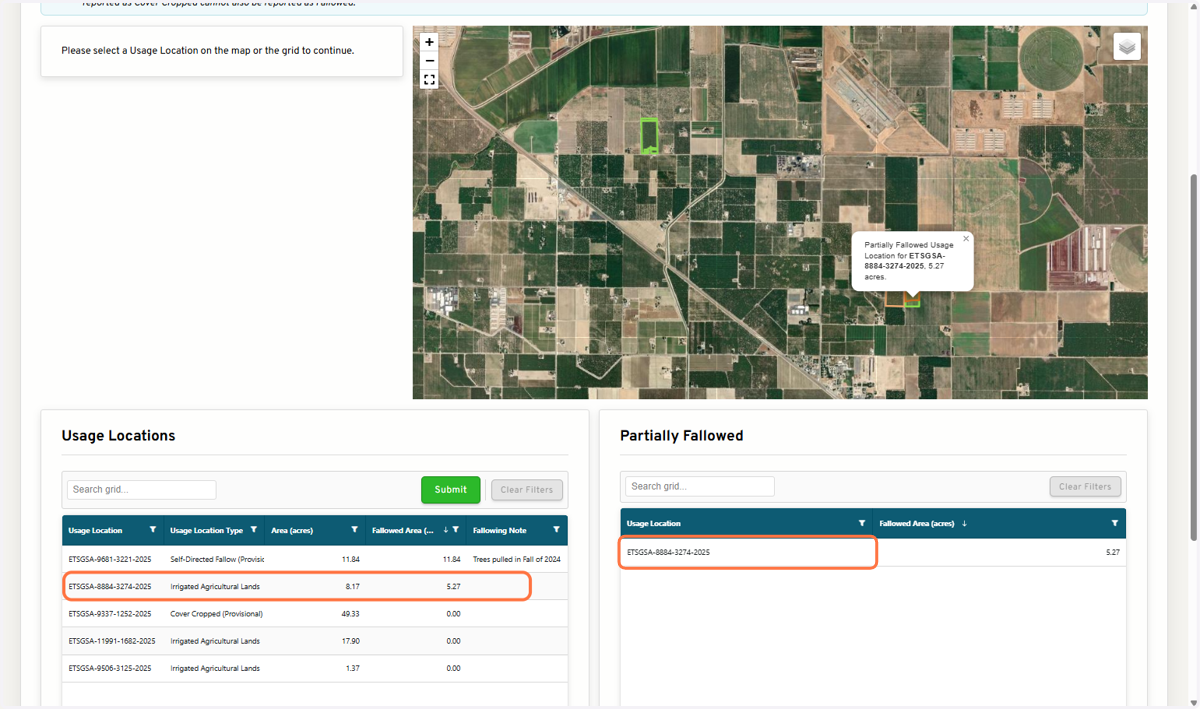
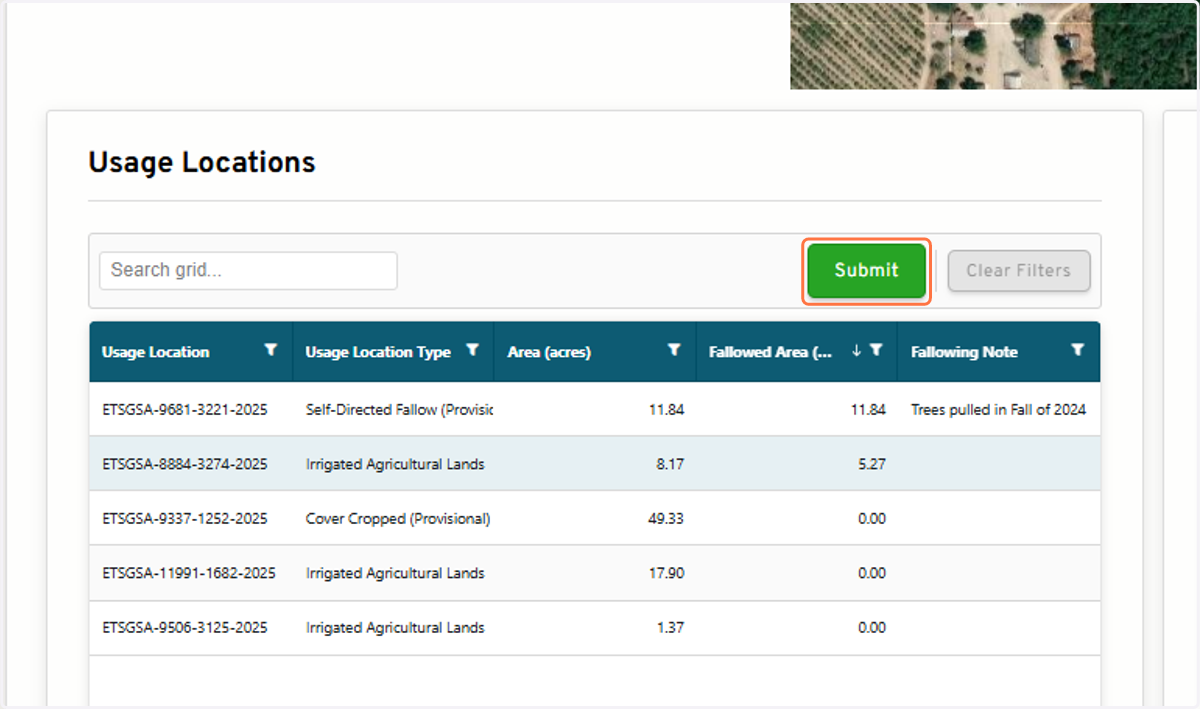
25. When completed, submit Fallow Field report
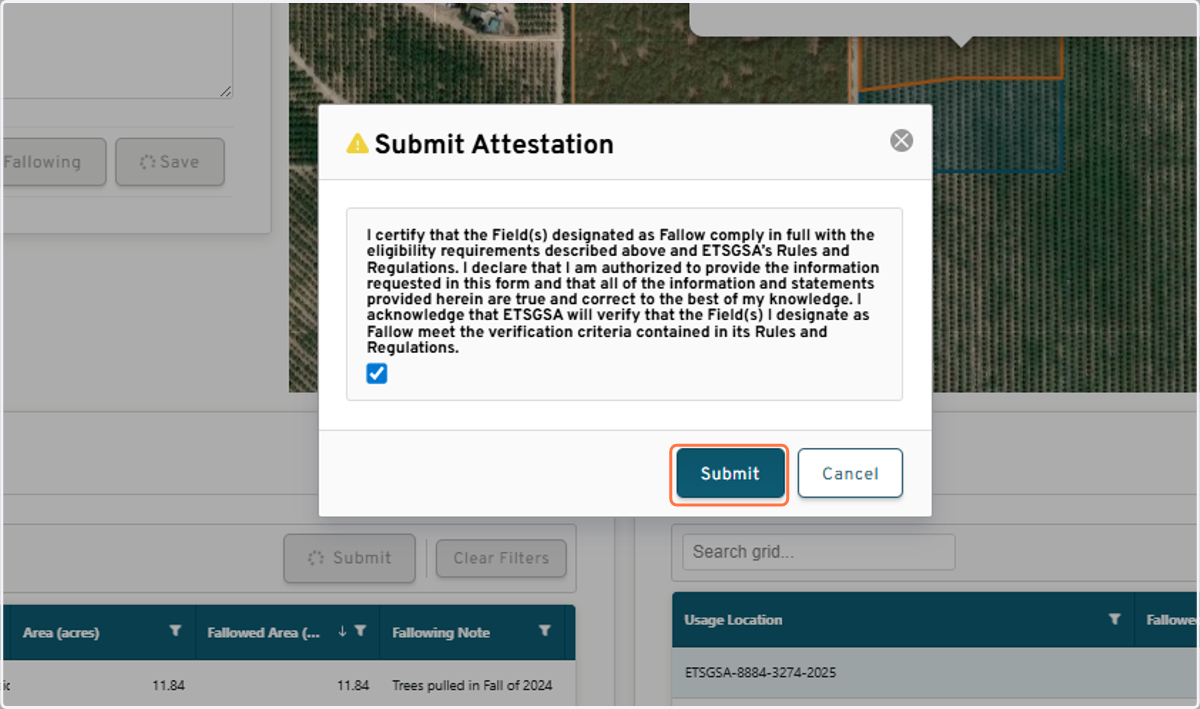
26. Complete self-attestation and Click on Submit
View submitted report
27. Click on View