Employee's Guide (FLSA Exempt): How to Submit Community Service Leave for Hurricane Relief Efforts
As an employee at NC State, follow these steps to submit your community service leave specific to hurricane relief efforts.
Login to MyPackPortal using your NCSU credentials (mypack.ncsu.edu)
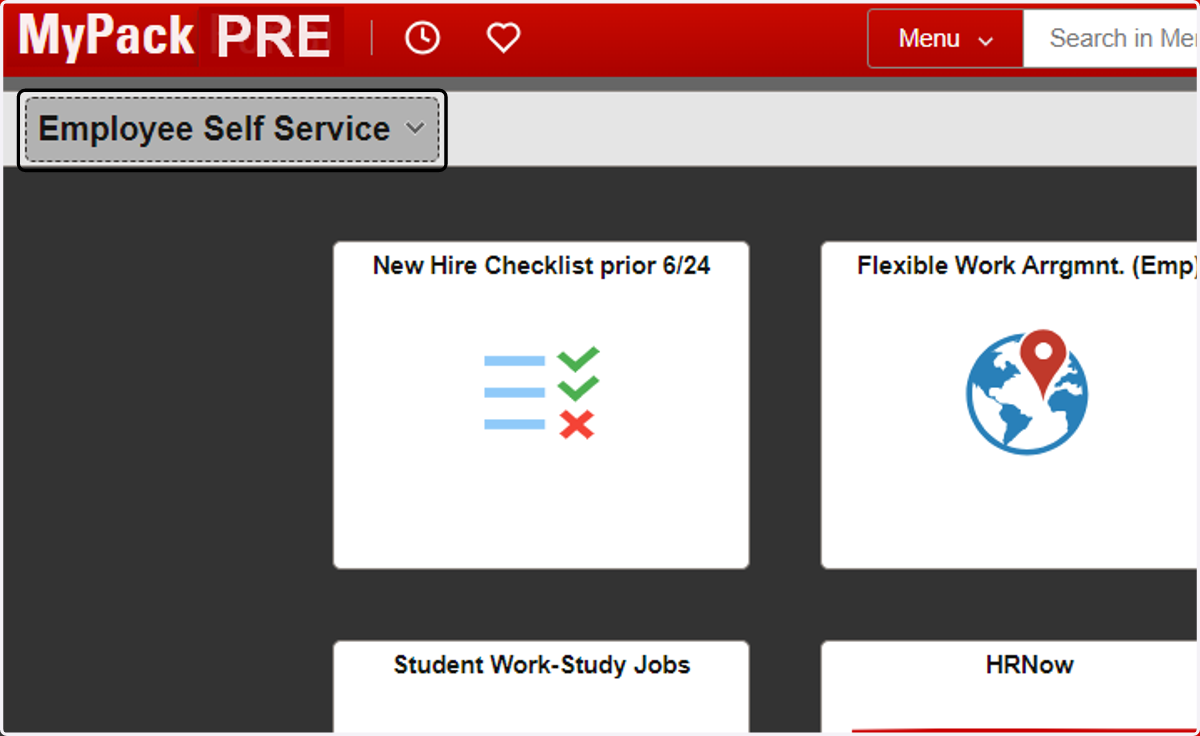
1. Navigate to the Employee Self-Service
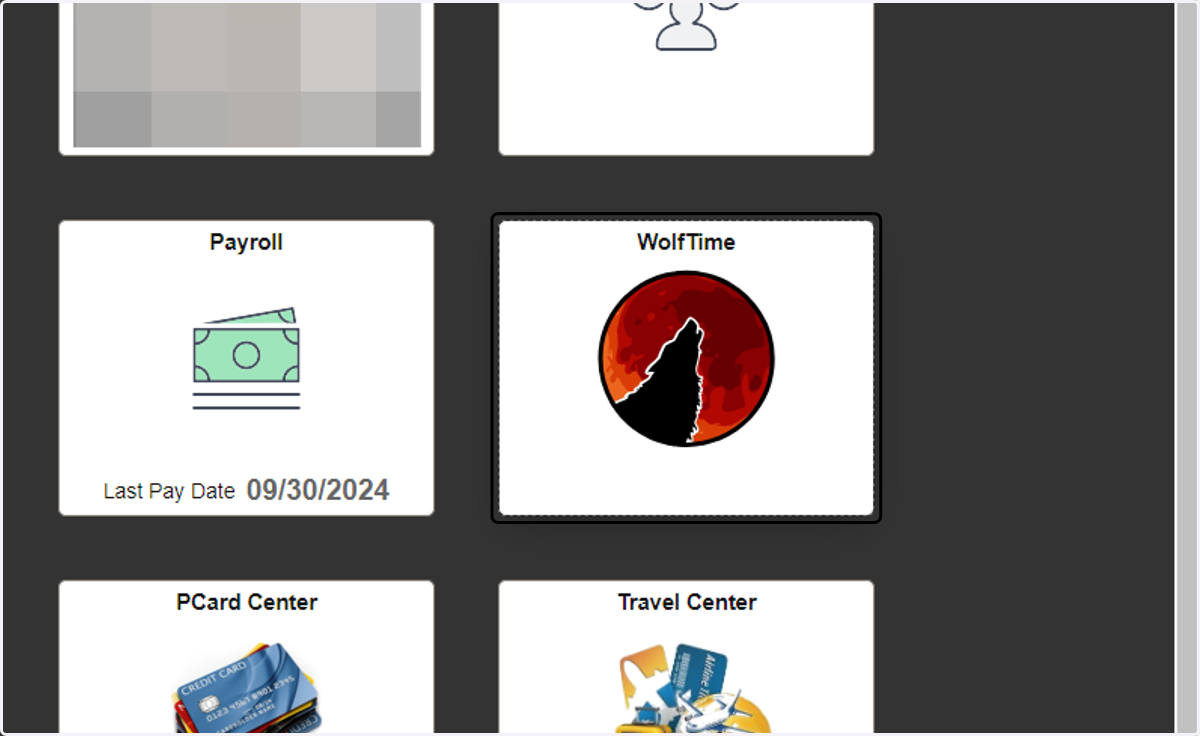
2. Click on WolfTime
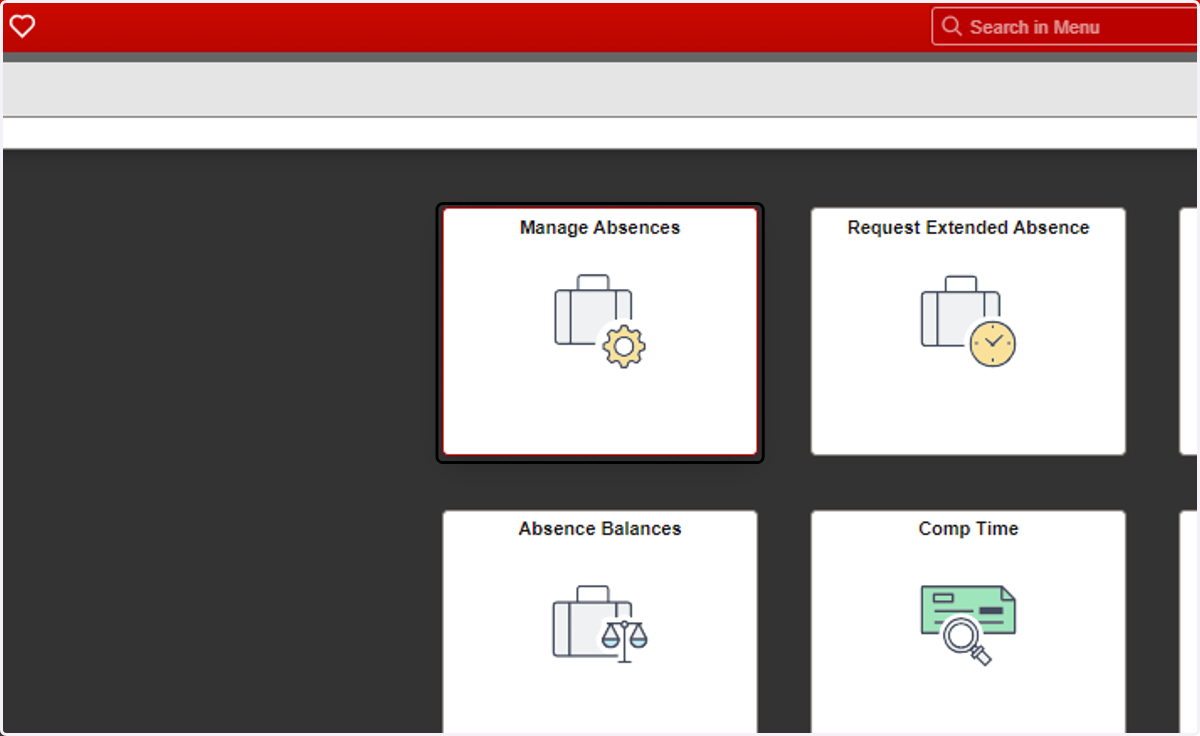
3. Click on Manage Absences
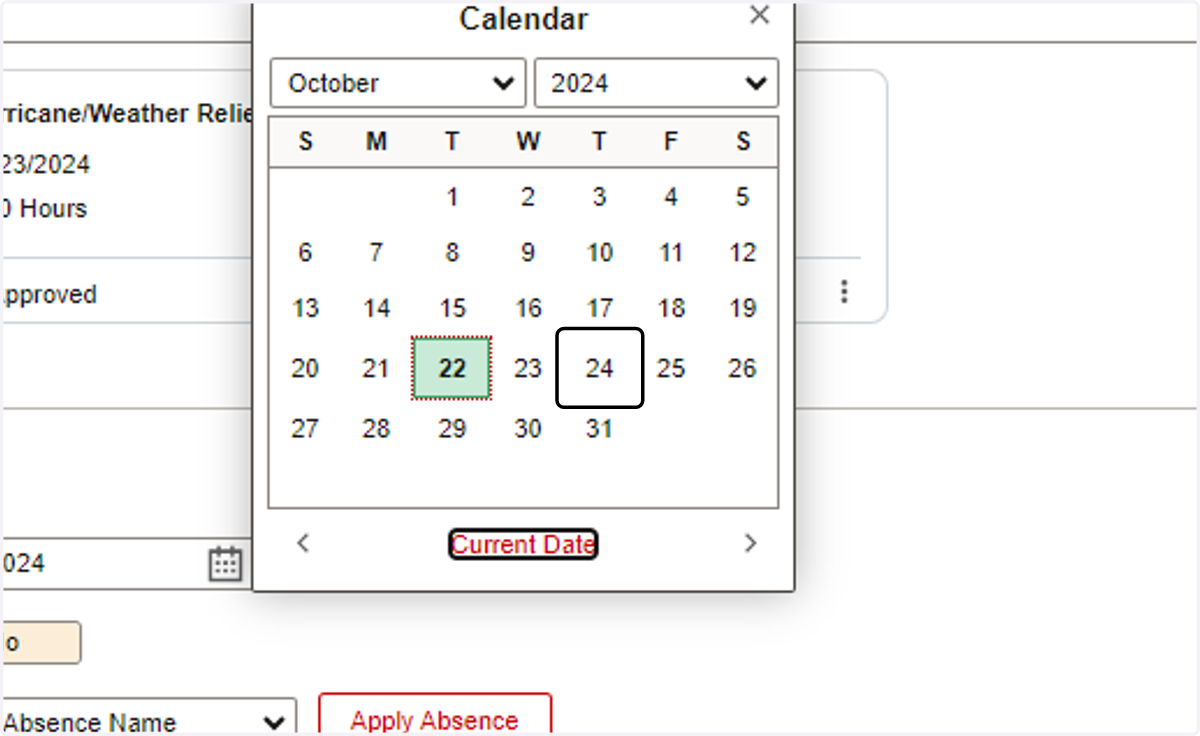
4. Click on the calendar icon to edit your community service leave start date
NOTE: Community Service Leave for Hurricane Relief efforts may have a restricted window of eligible dates.
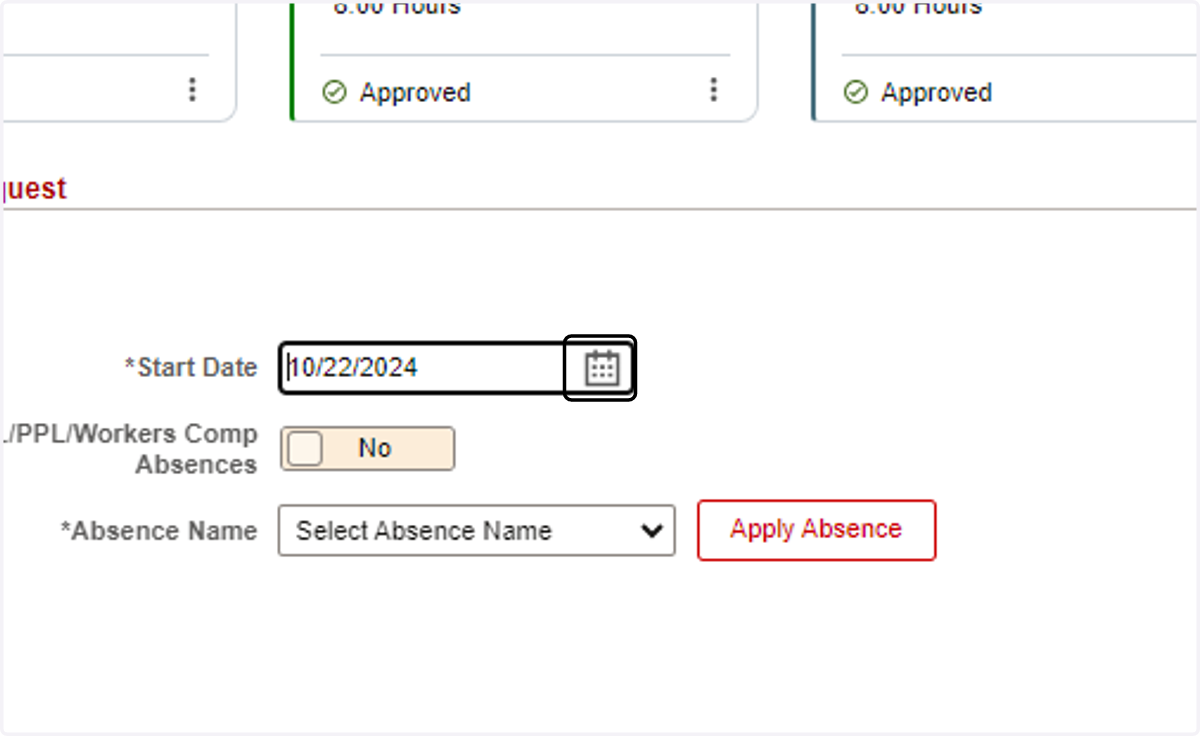
5. Select your community service leave start date and end date
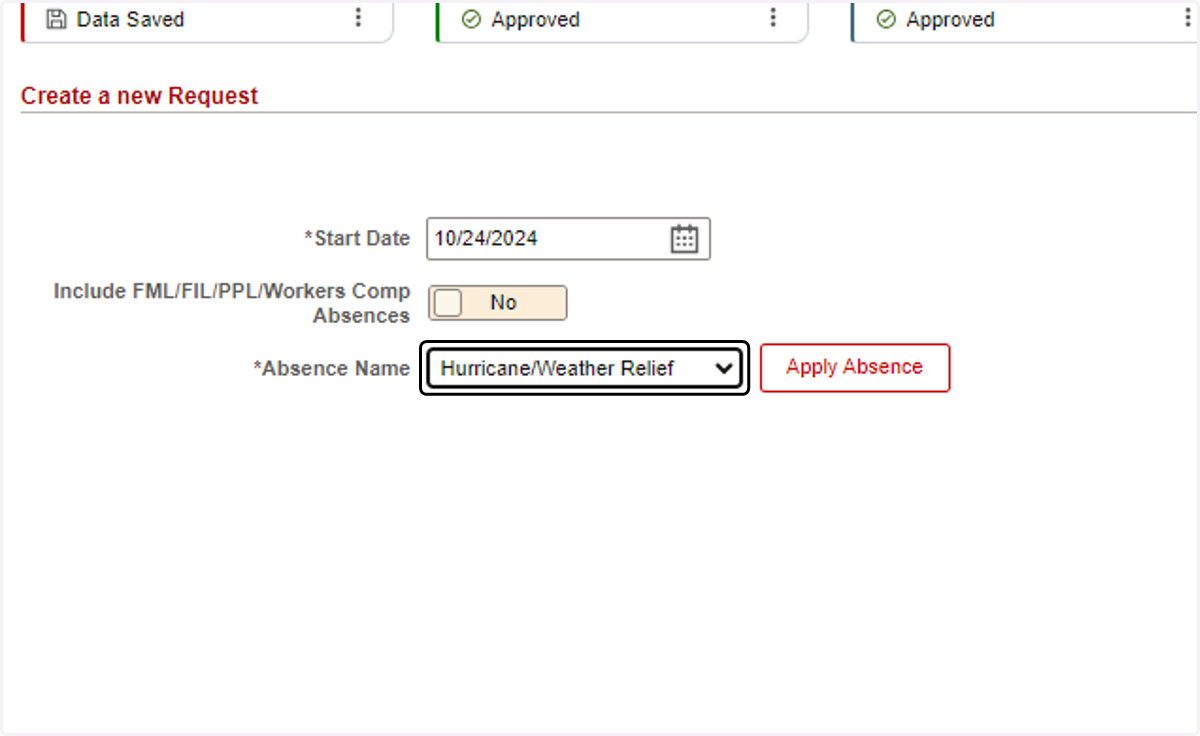
6. Select Hurricane/Weather Relief from the Absence Name drop-down
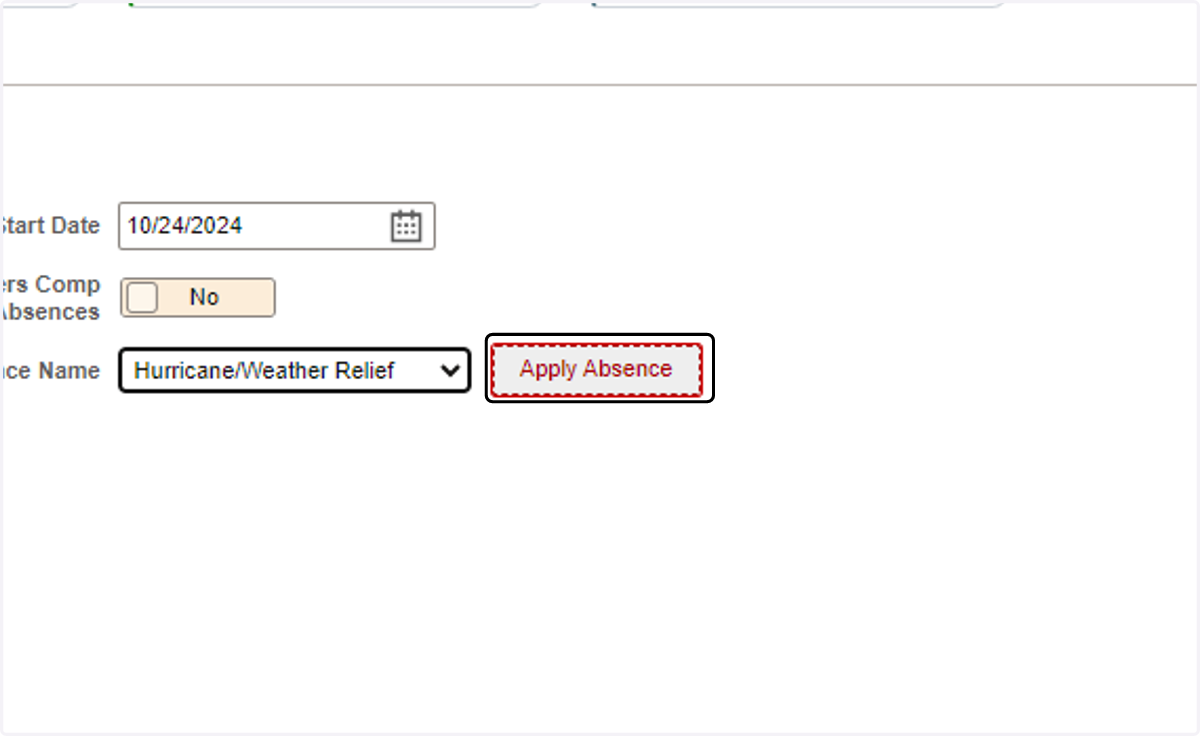
7. Click to Apply Absence
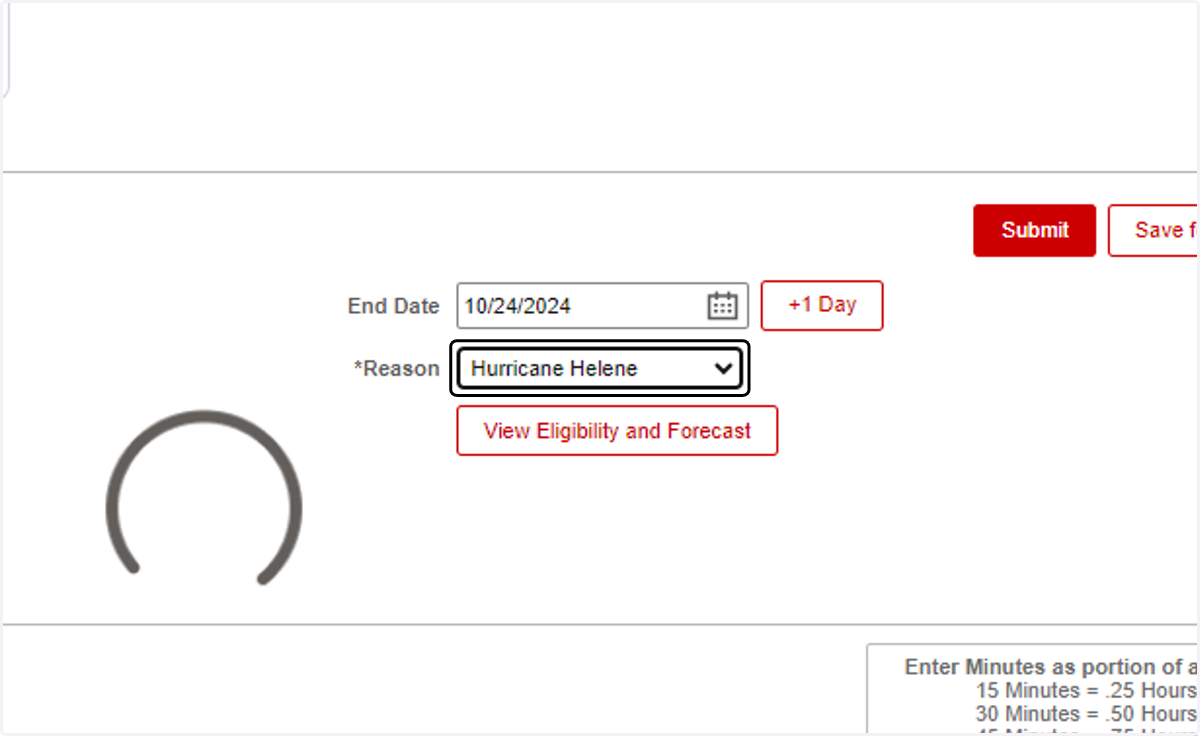
8. Select the Reason = Hurricane Helene
9. Type the duration of the community service leave in the Total Hours Taken field
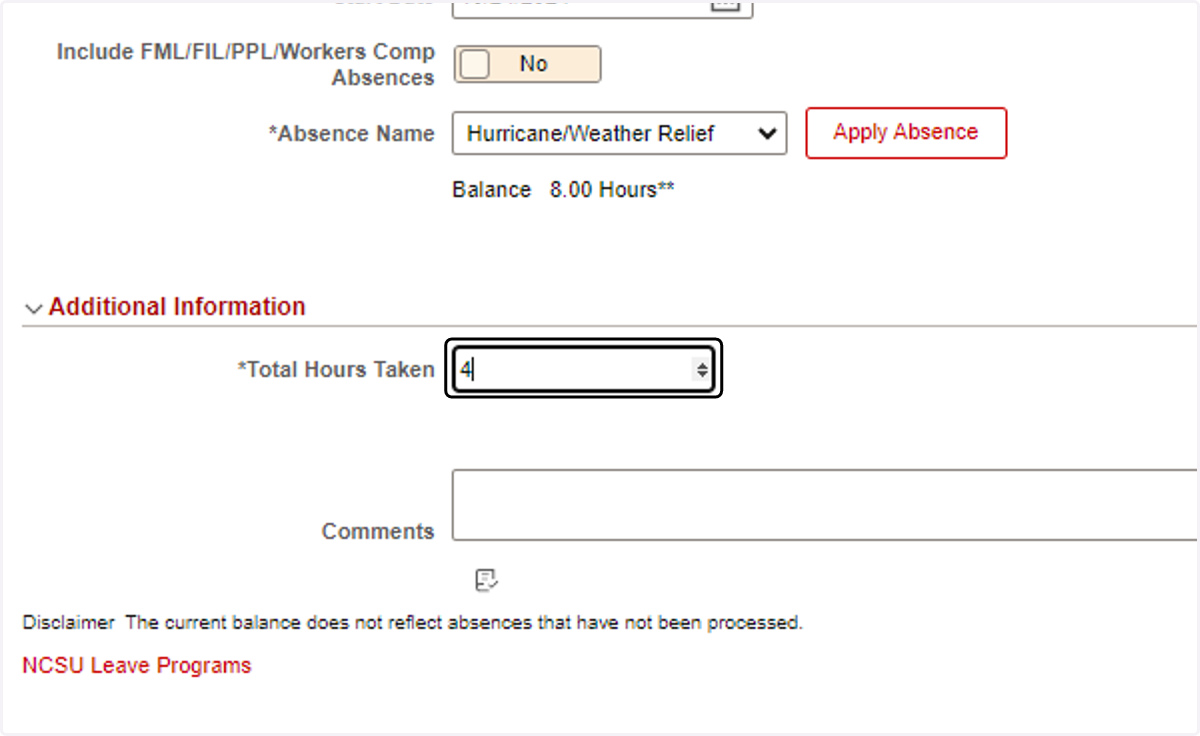
10. Add a comment that provides details regarding the leave. Your supervisor will review this upon approval.
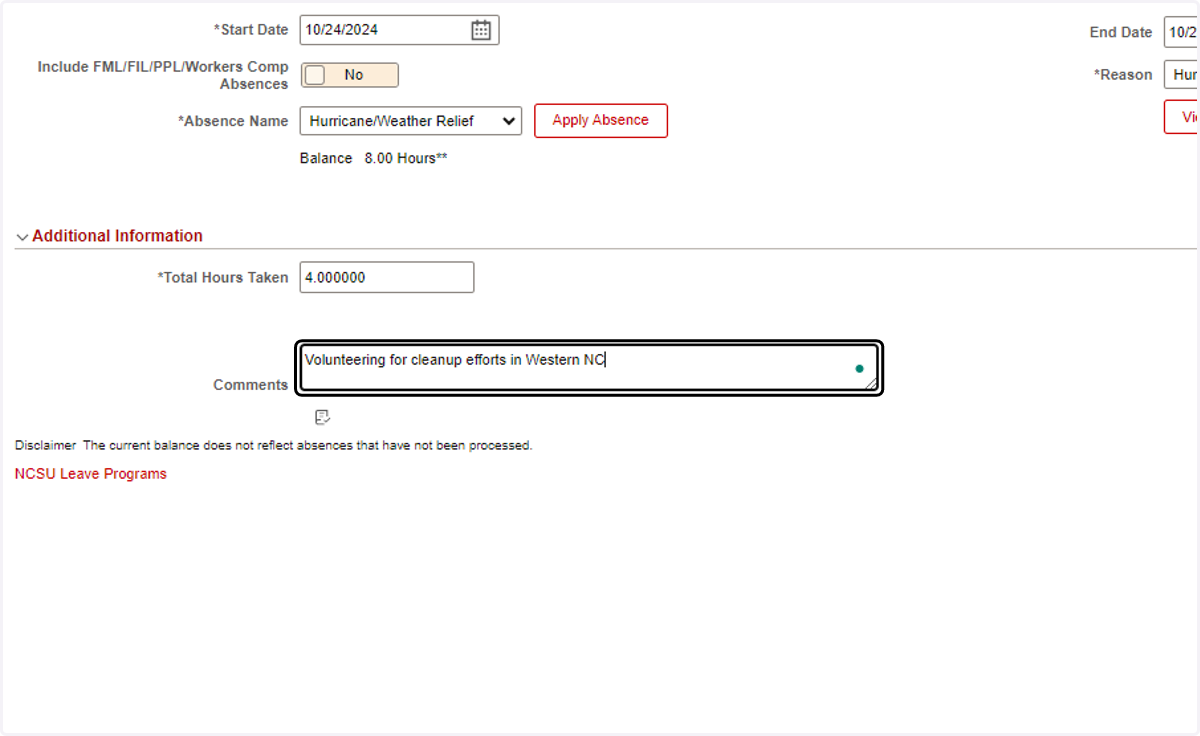
11. Click on View Eligibility and Forecast
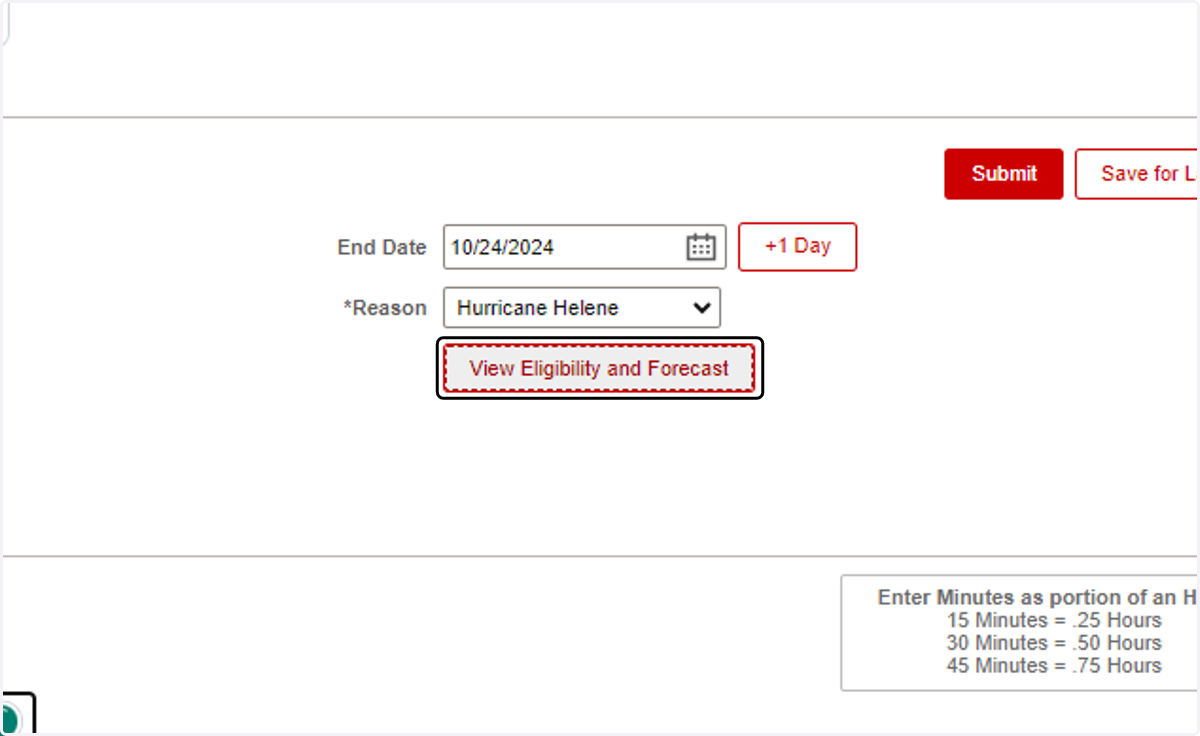
12. Click on OK
NOTE: If your request forecasts with errors, this could be due to the dates of the leave request, the duration of the request, or an exhausted balance.
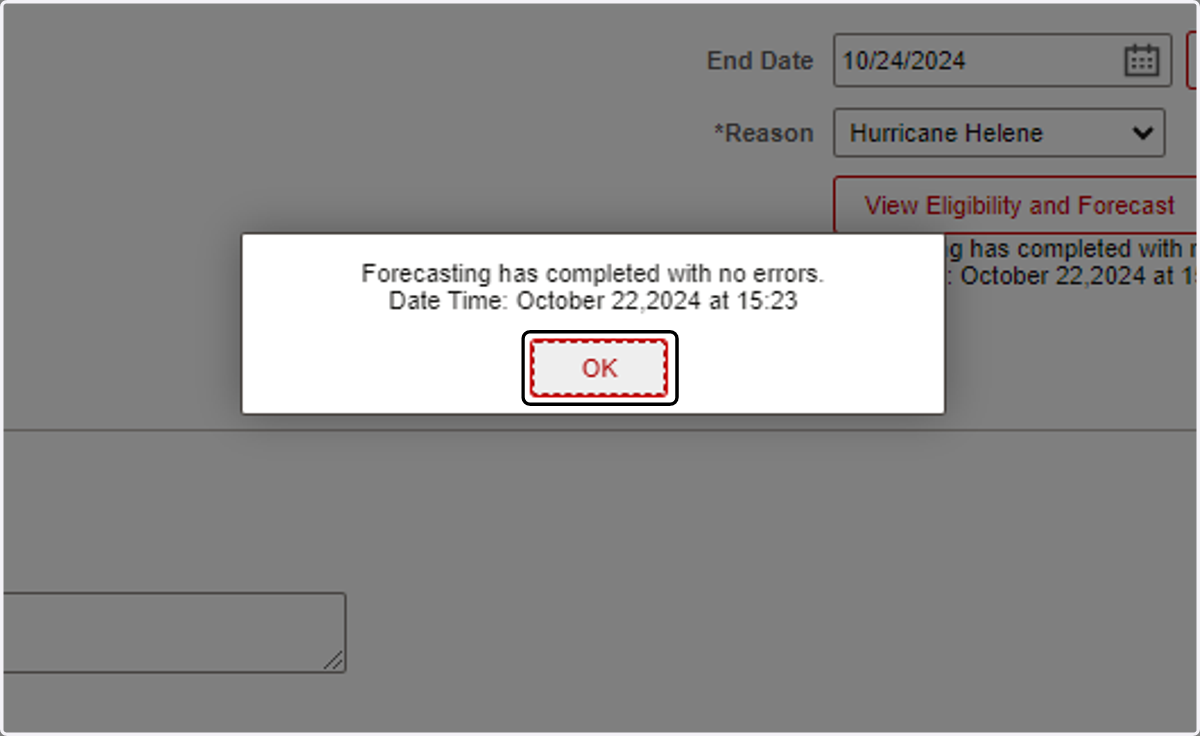
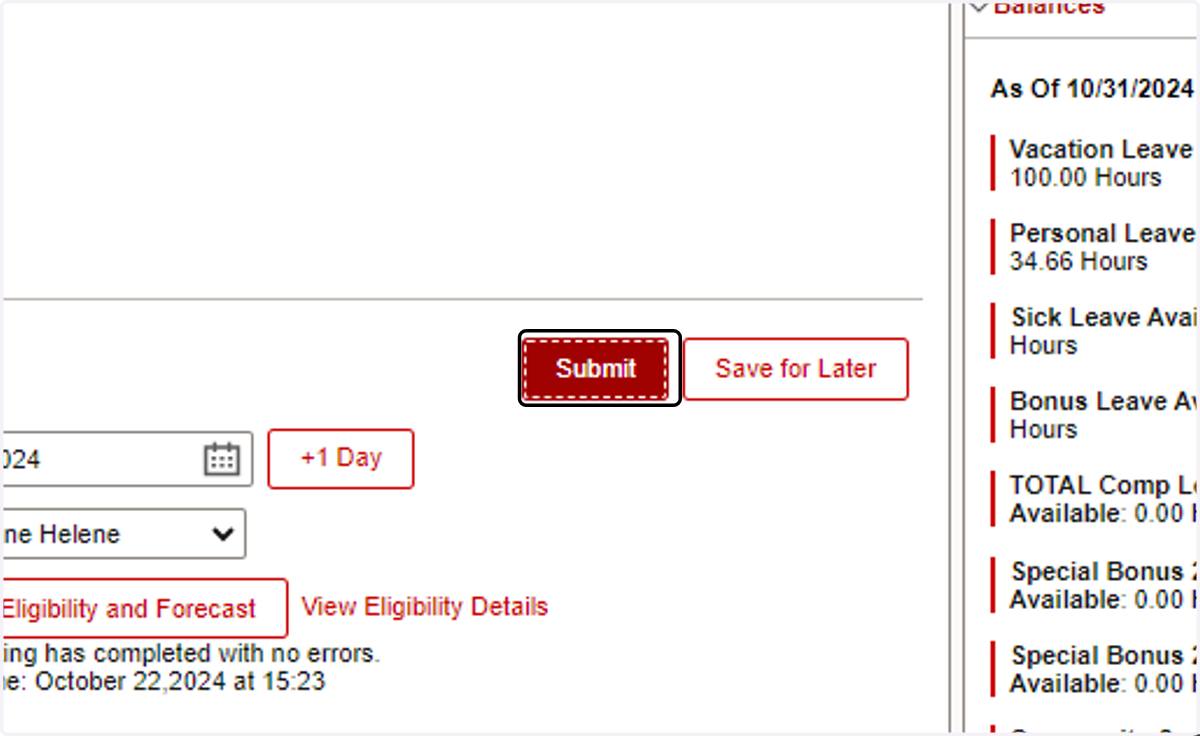
13. Click on Submit
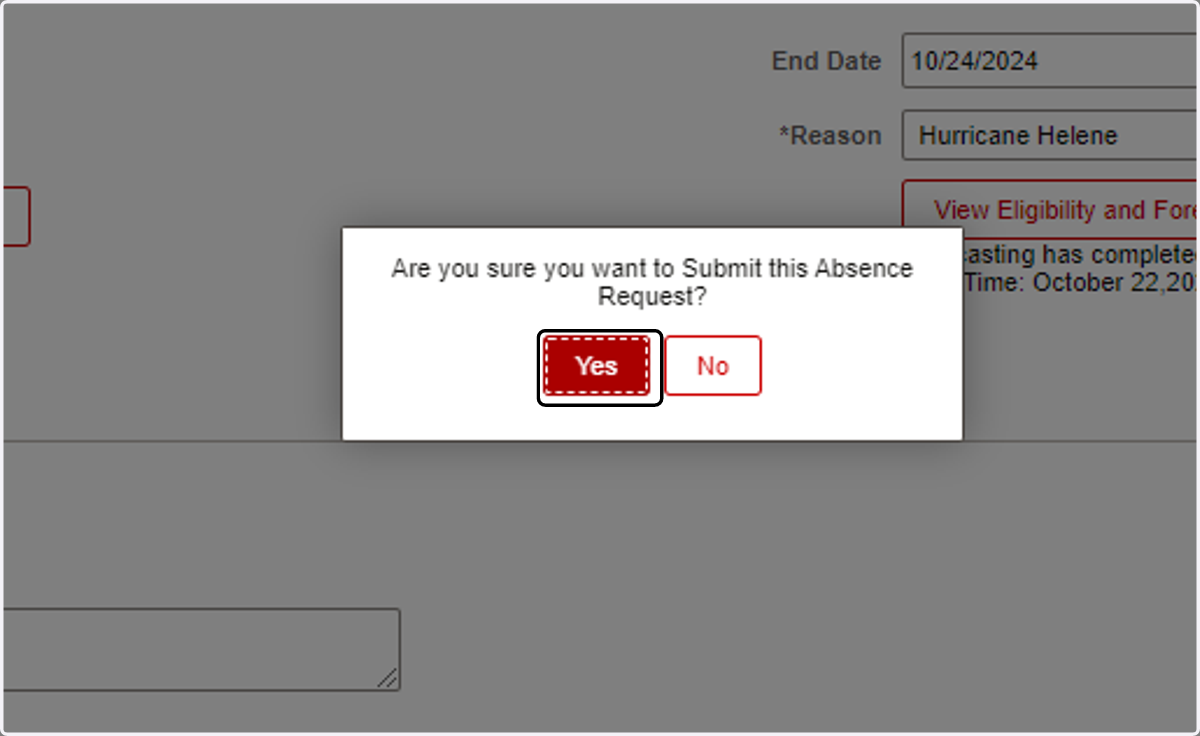
14. Click on Yes
15. The requested absence should show in a "Submitted" status
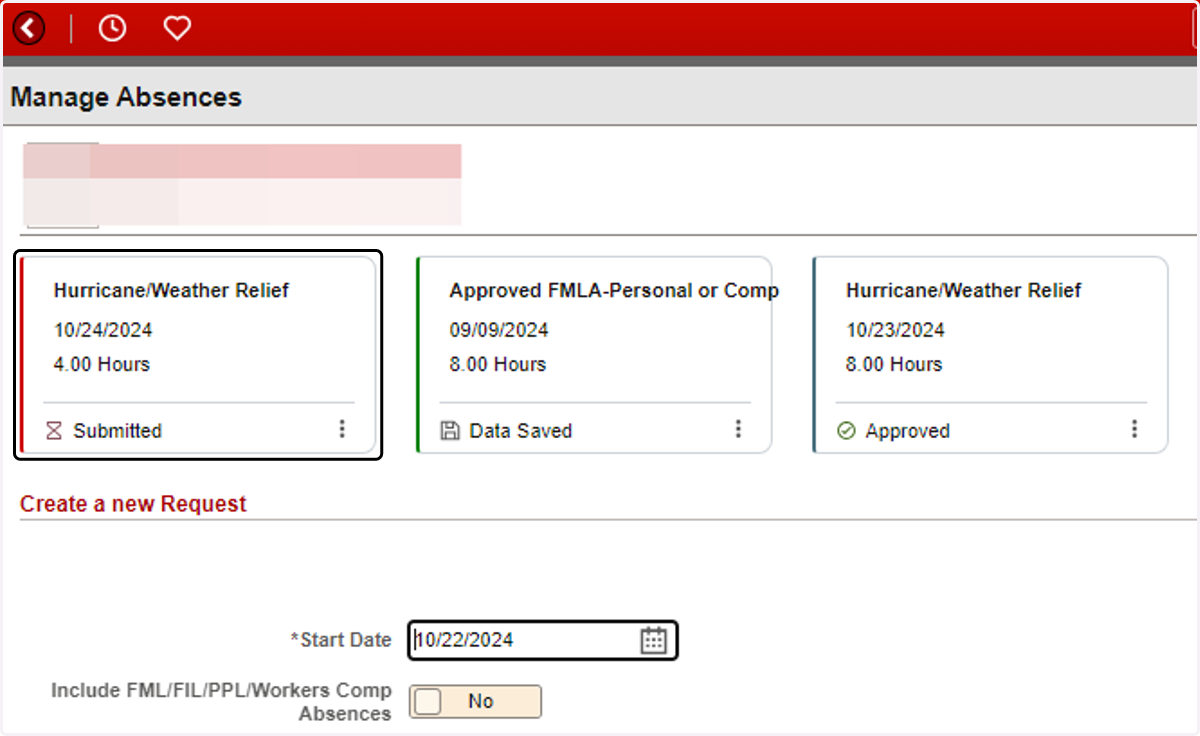
16. Your supervisor will now review the request and take action.