Downloading paper exams
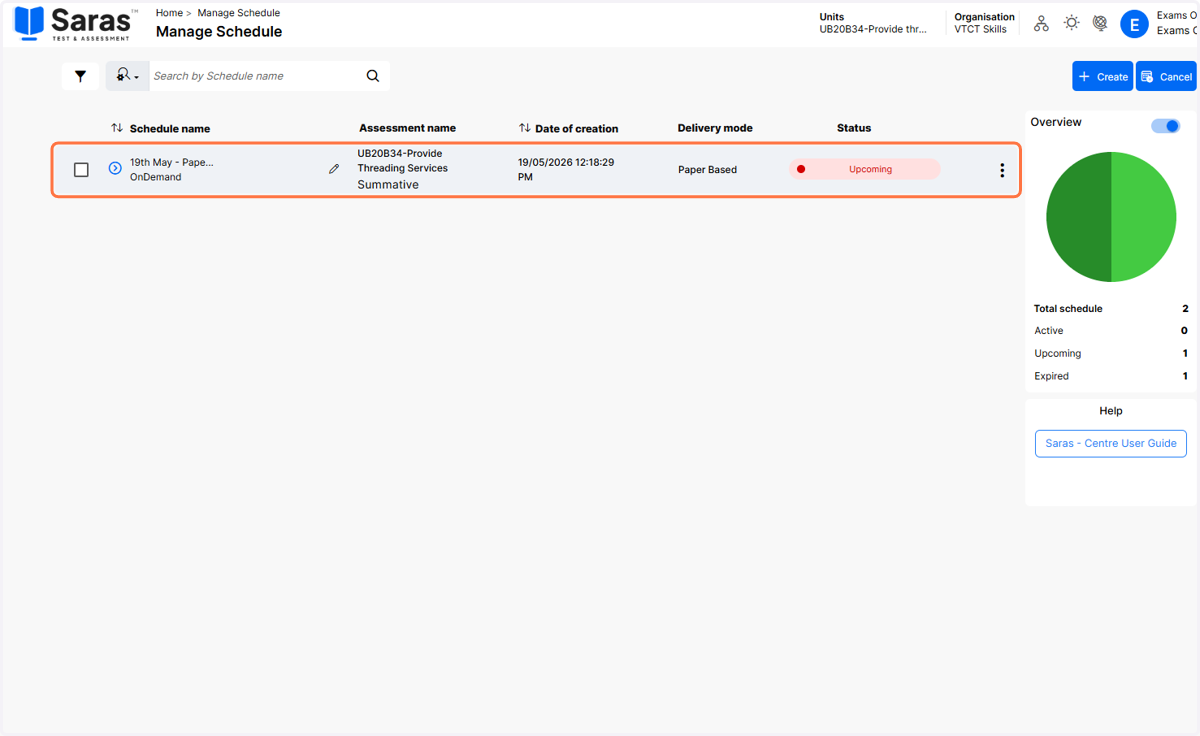
1. After scheduling the paper exam, click on the schedule to expand the schedule details.
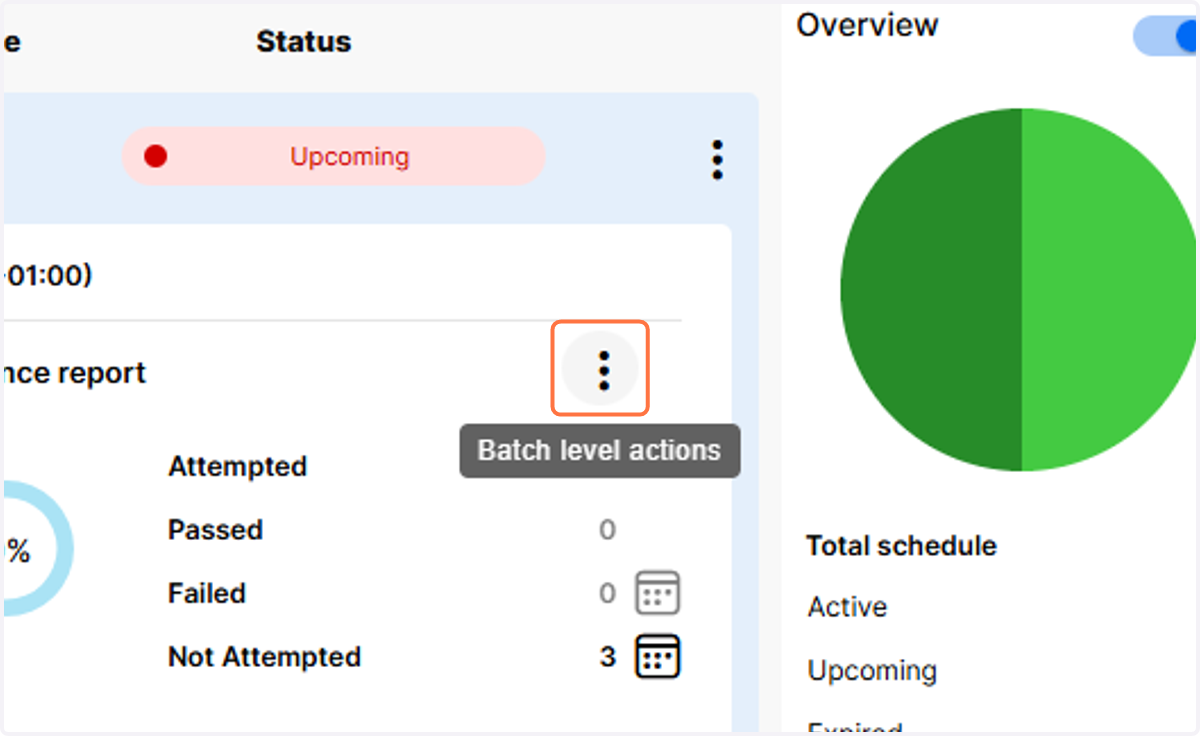
2. Click on the three dots to view the batch level actions menu.
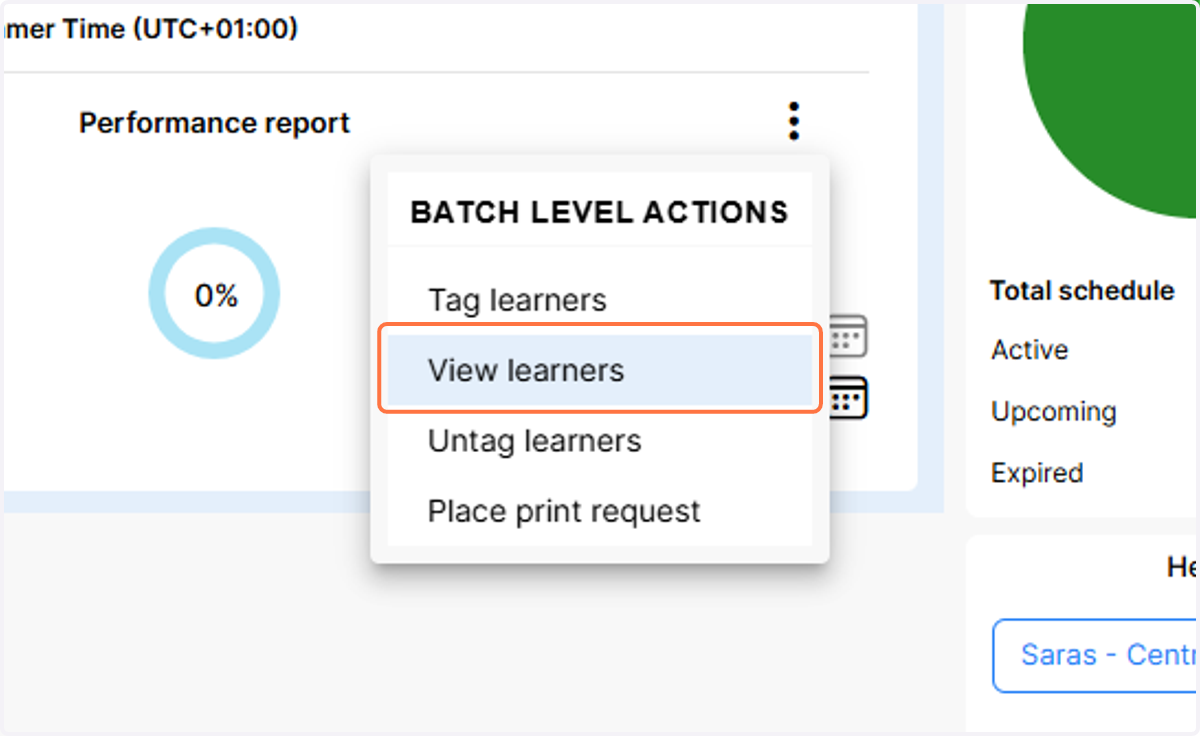
3. Click on View learners
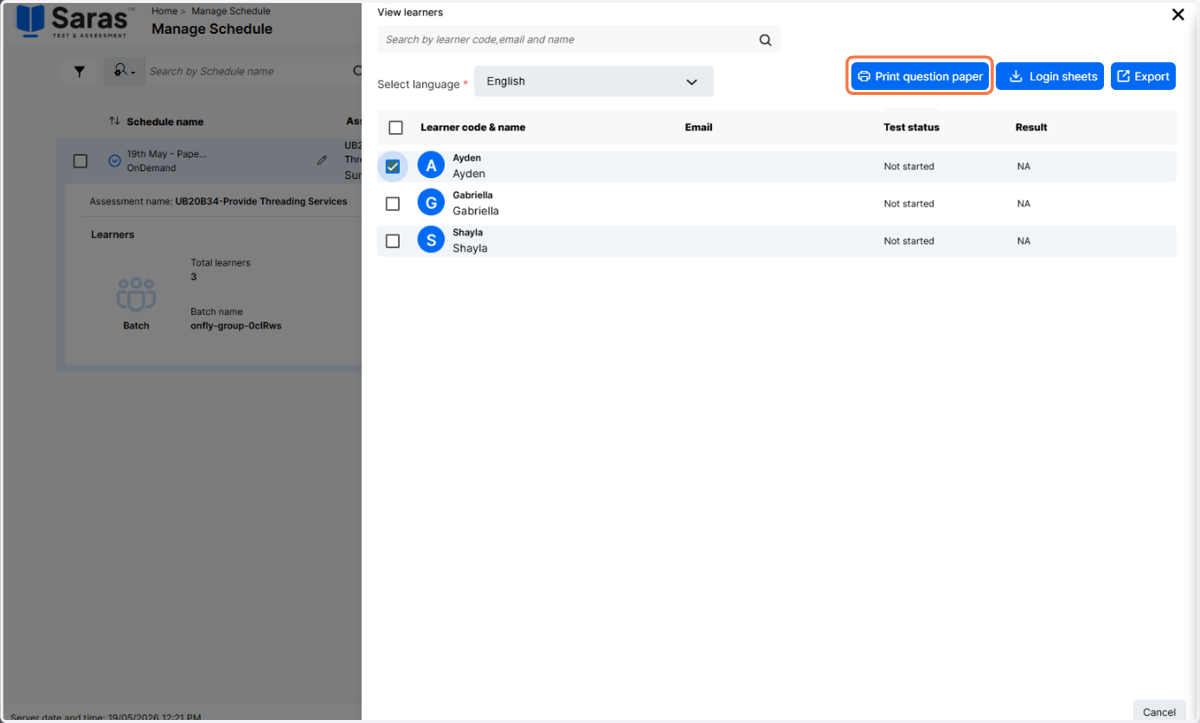
4. Select the paper exams you wish to download by clicking the checkbox alongside the learner.
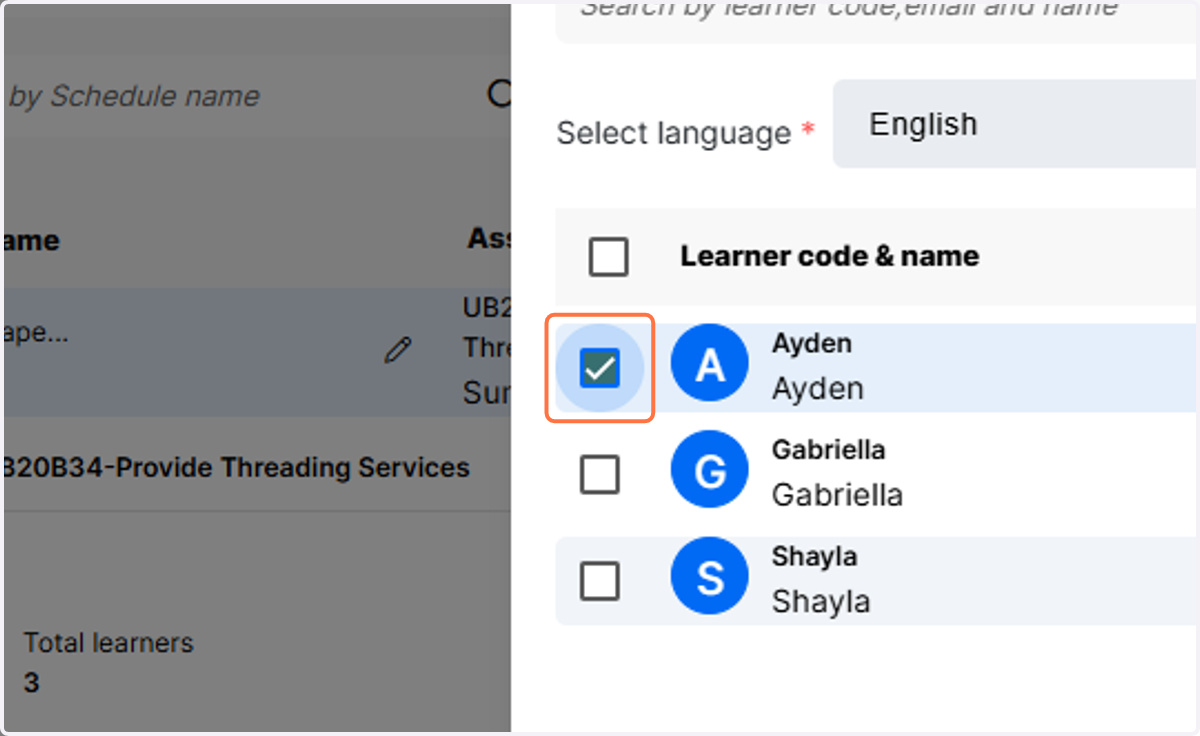
5. Click on Print question paper to begin the download. The exam will download in PDF format and can then be printed.