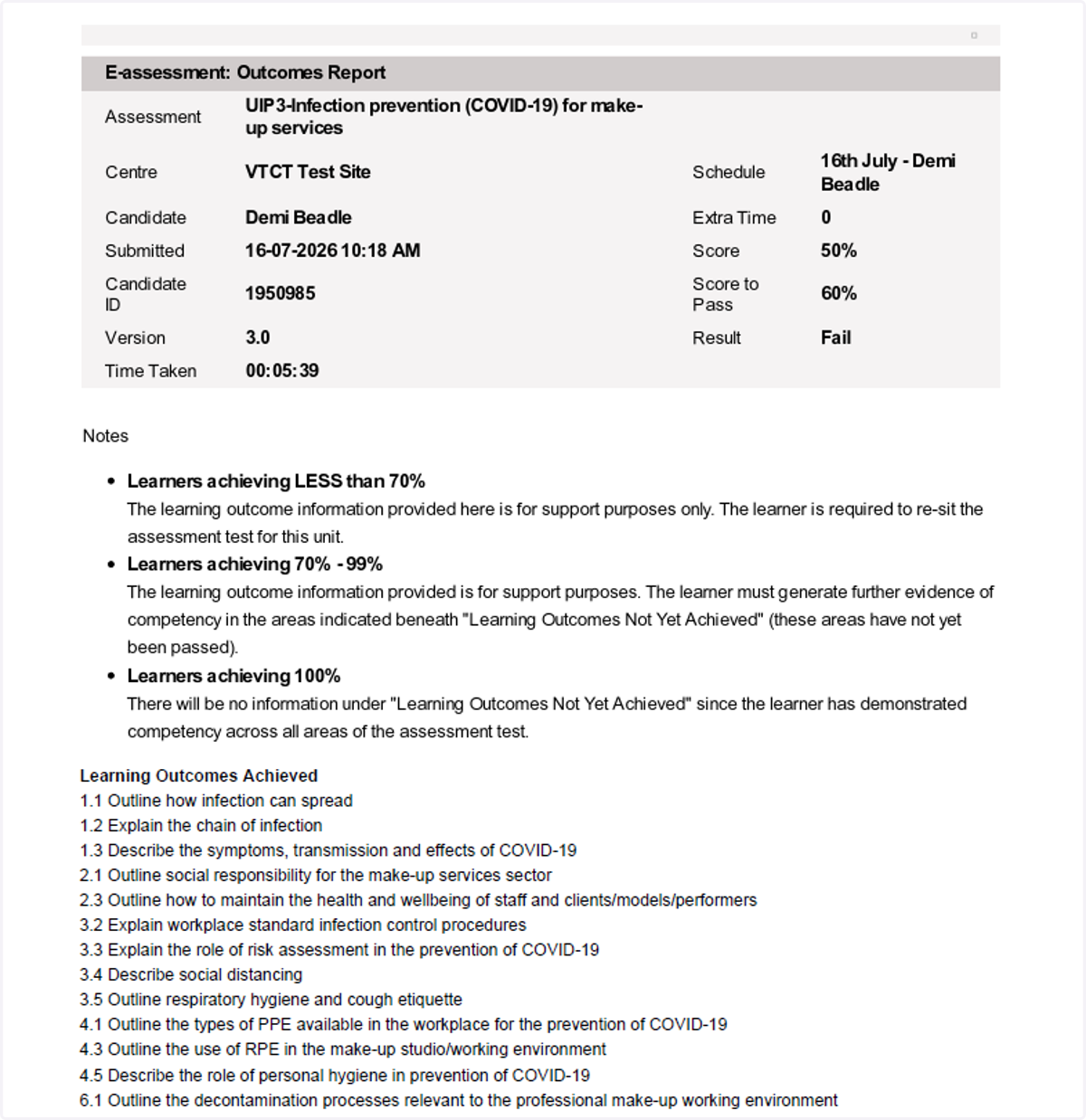
Downloading learner feedback reports
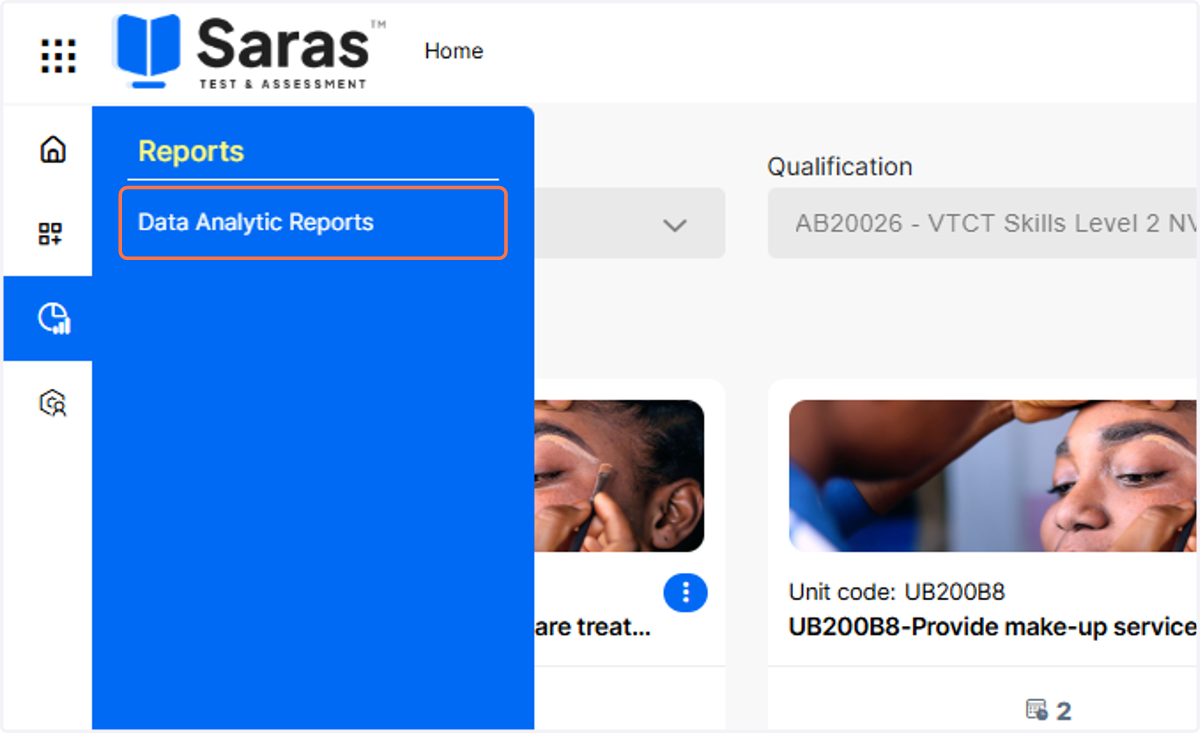
1. From the Saras dashboard, hover over the Reports icon and click on Data Analytic Reports.
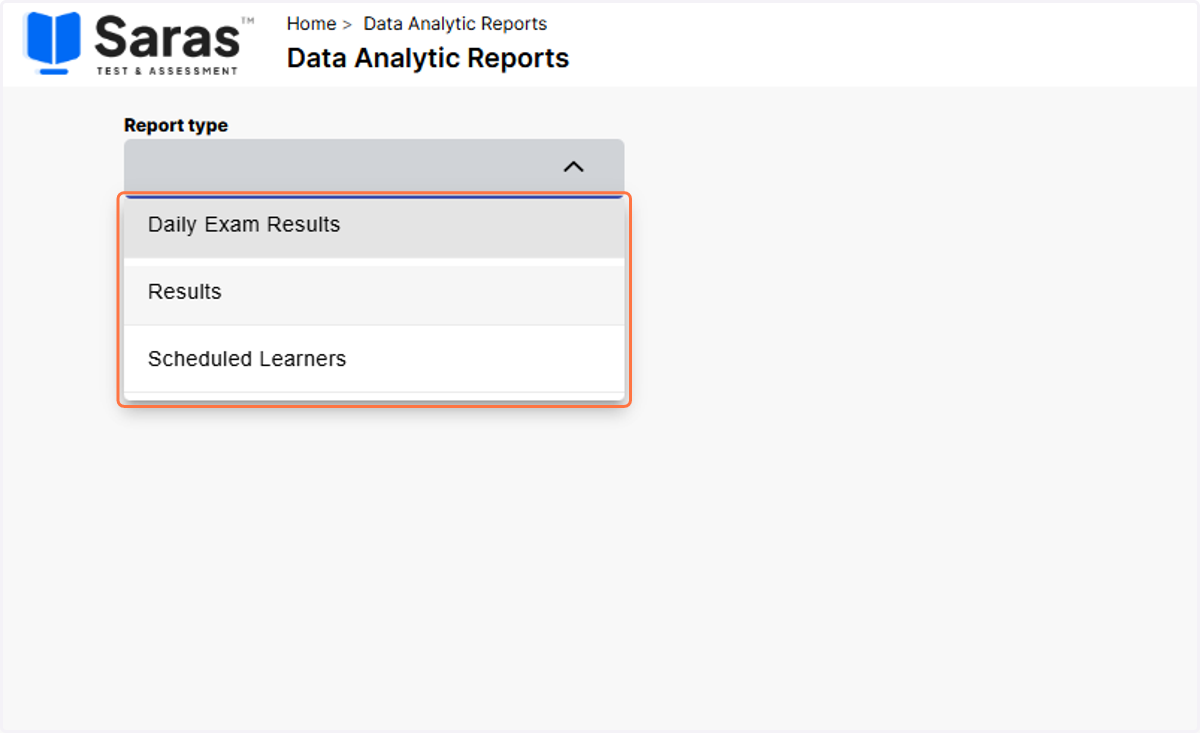
2. Select either the Results or Daily Exam Results report.
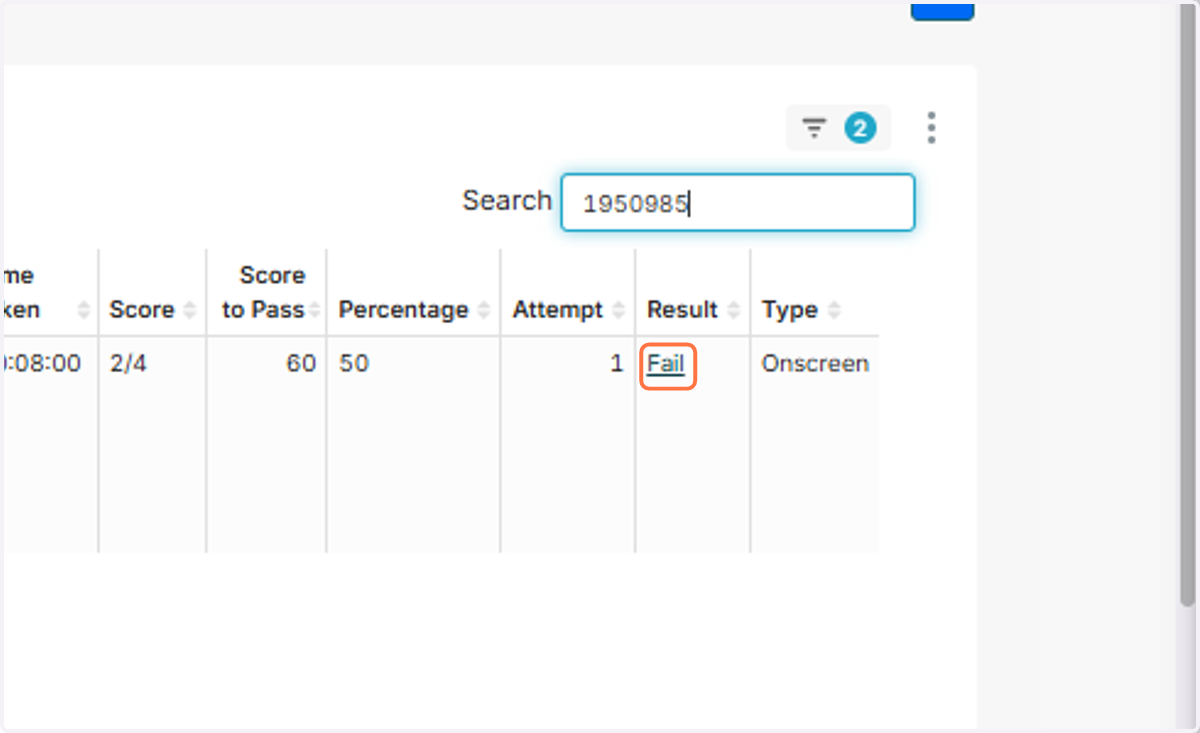
3. Enter either the name or learner number of the learner you are looking for. This will search the report for that specific learner.
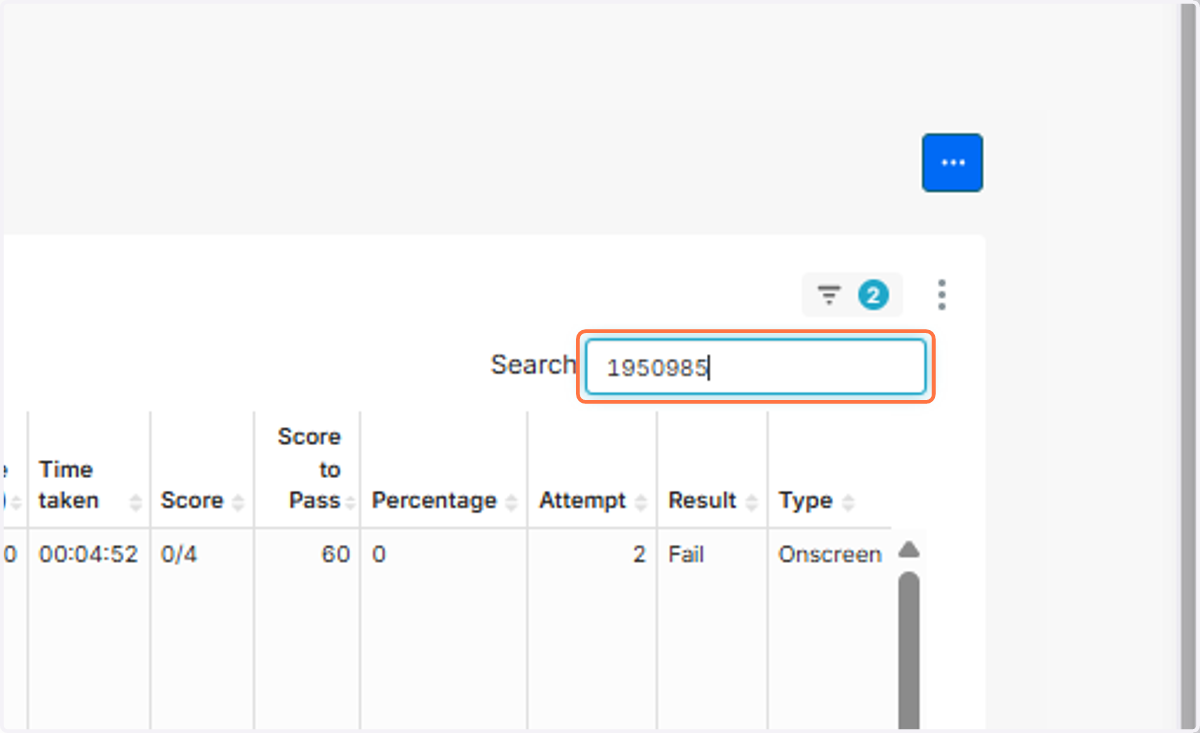
4. Click on the learners results to download the feedback report.
5. The feedback report will now be downloaded.