Divergent Wealth | Connecting your bank accounts to your Client Portal
This guide walks you through linking your bank accounts to your Personal Finance Portal (PFP) using Open Banking (CDR).
By connecting your accounts through Frollo, your balances update automatically in one secure dashboard. Please note this will not provide us any details of your transactions at this stage, simply the account balance will be visible.
What is Frollo? Frollo is a leading Australian fintech company and an accredited Open Banking (CDR) software provider. They provide the secure, bank-grade technology that connects your financial accounts to the Personal Finance Portal, allowing your balances to update automatically and securely.
Is Frollo safe? Yes. Frollo is regulated by the Australian Competition and Consumer Commission (ACCC) under the Consumer Data Right (CDR) framework. They use encrypted connections and never see or store your internet banking passwords.
Can I use Frollo for personal budgeting? Absolutely. While Frollo powers our portal background connection, they also offer their own free personal finance app for iPhone and Android. If you'd like to track your daily spending, budget across categories, or monitor your financial goals on the go, you can download the Frollo app directly from the Apple App Store or Google Play Store.
For more info on Frollo please visit their website.
Dashboard - Personal Finance Portal (PFP)
You will need to log into your Client Portal
If you haven't registered or set up your Client Portal, follow the instructions here.
1. Go to the last tile Linked Accounts & Click on "Link New Account"
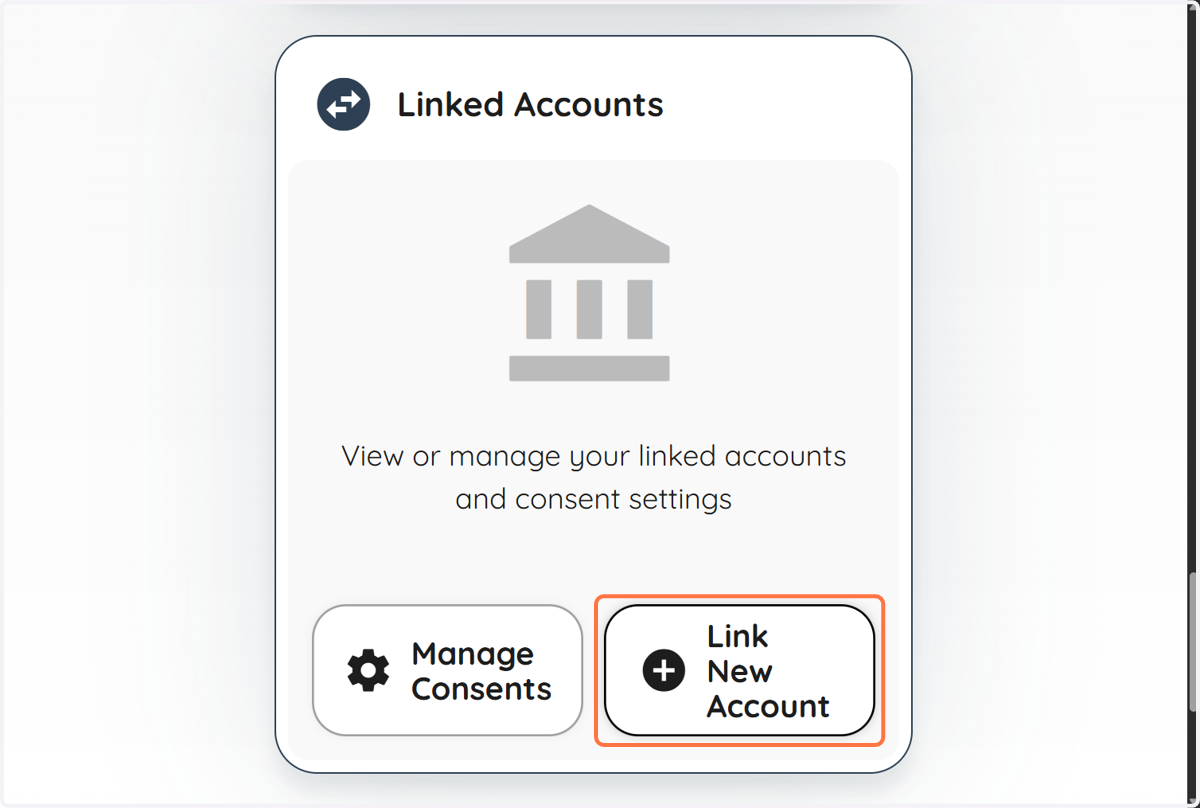
You will be redirected to Frollo
If you have an existing account with Frollo, you can connect your existing account, simply login and go to step 3.
If you do not have an existing account with Frollo, simply follow step 2.
2. Don't have an account? Click on Register
Follow the steps to set up your Frollo account
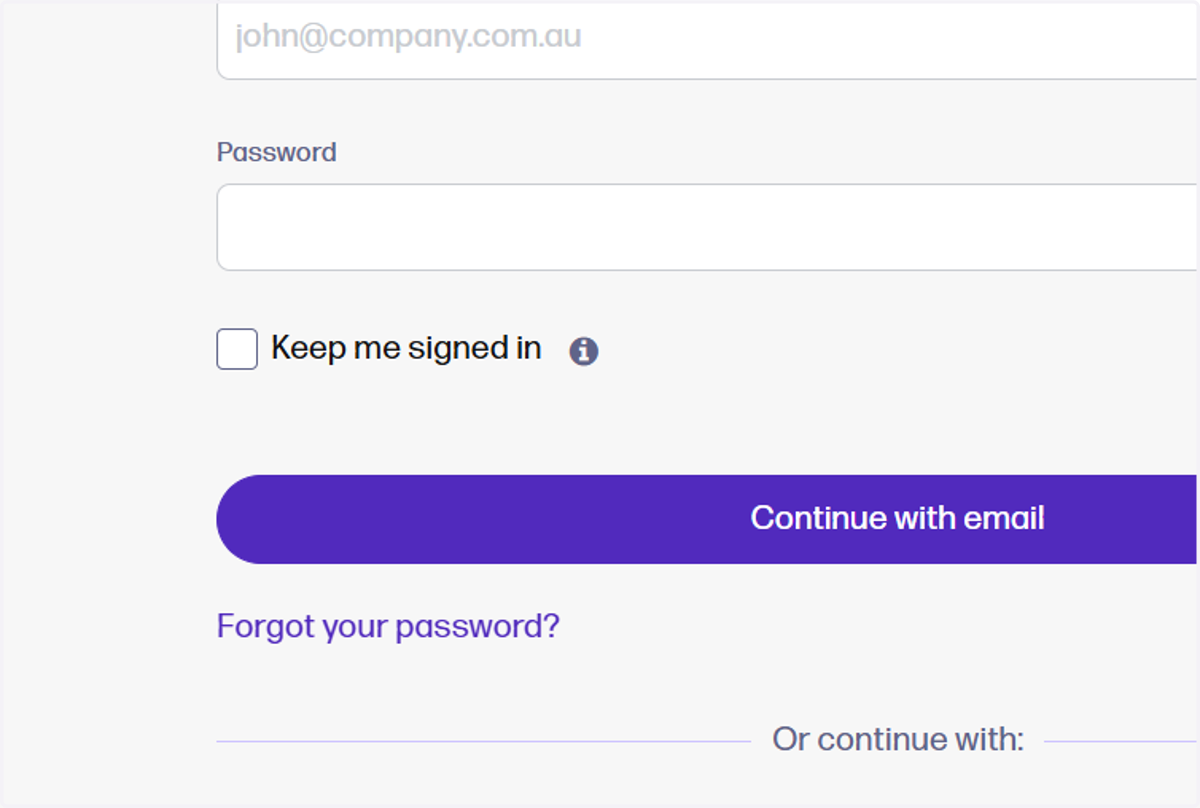
3. Add your accounts
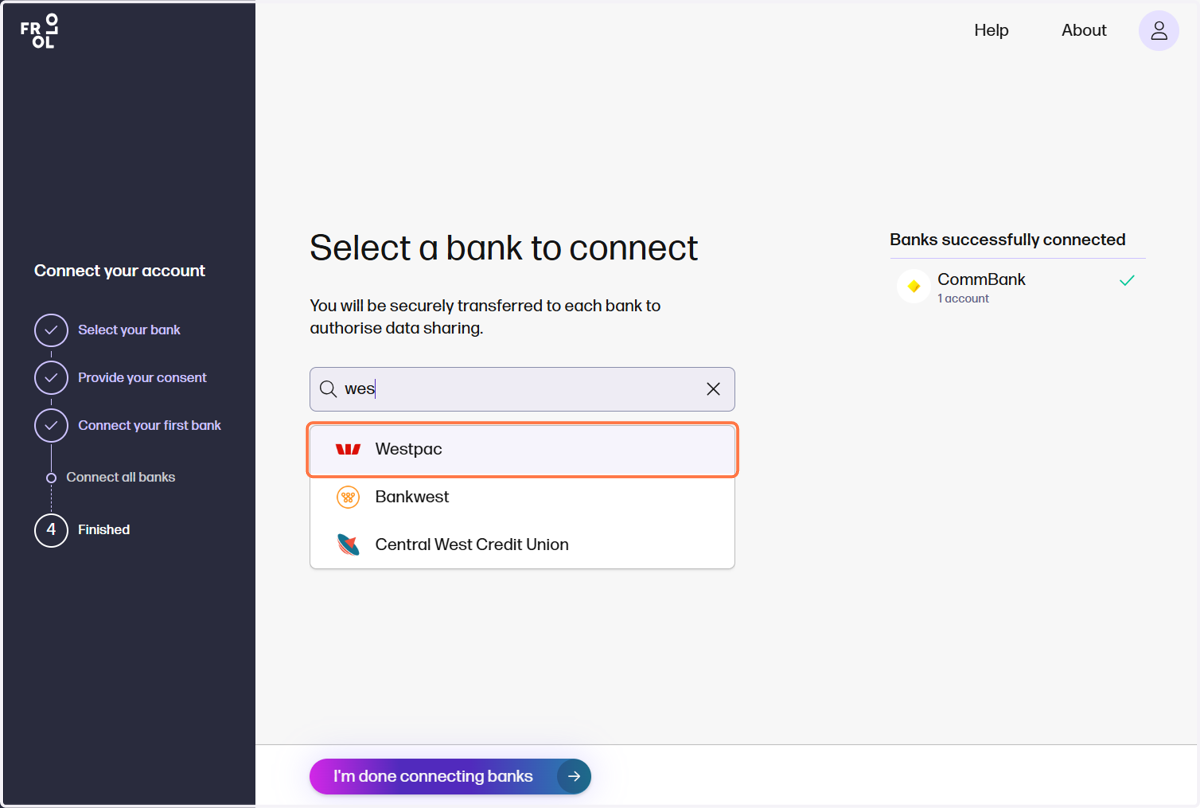
Simply select your bank, or search for your bank, from the extensive list.
Note: While there is an extensive list of banks and non-banking institutions, some may not appear.
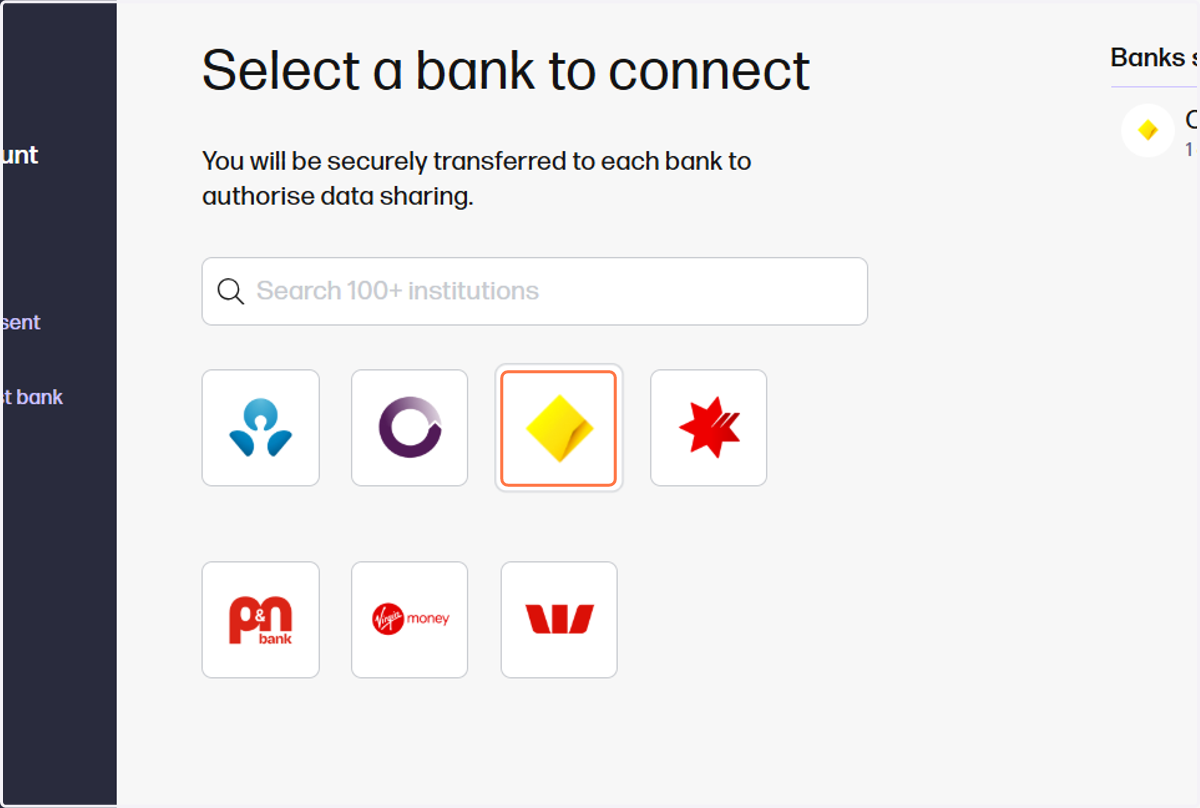
4. Search, then select on your bank
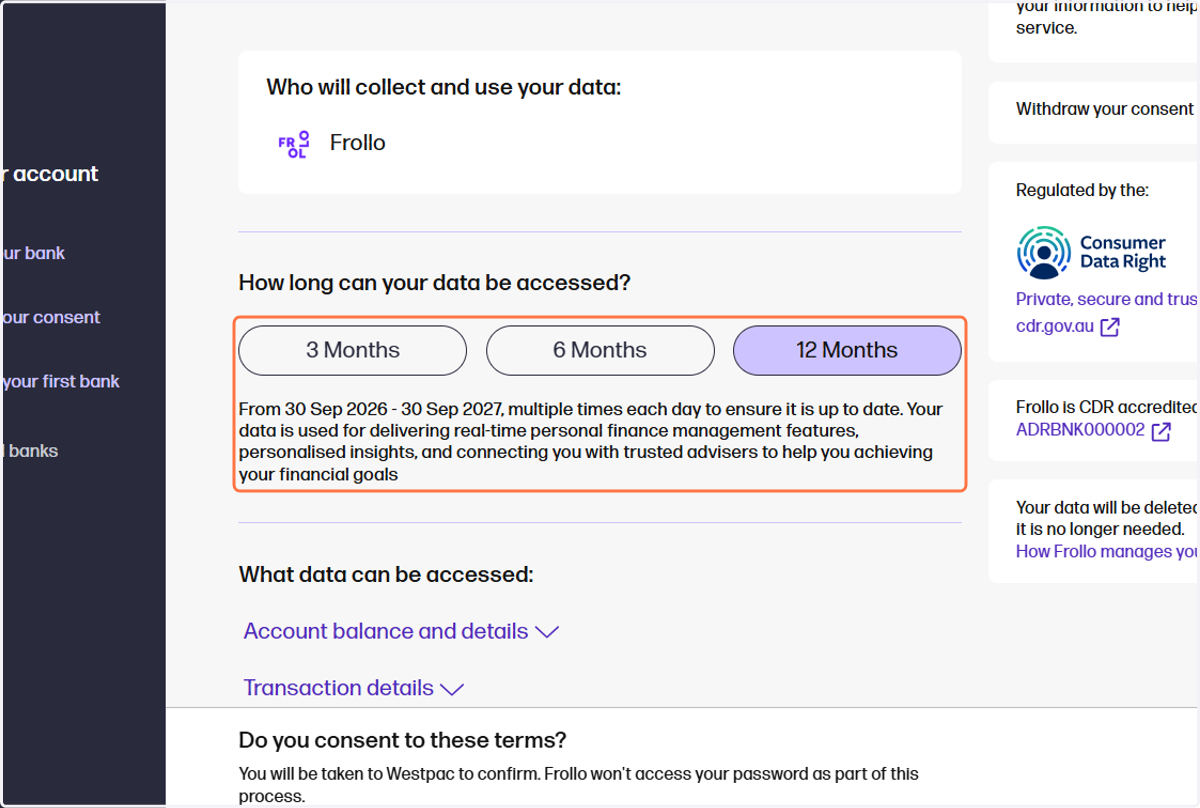
5. Select the consent period, we recommend 12 months
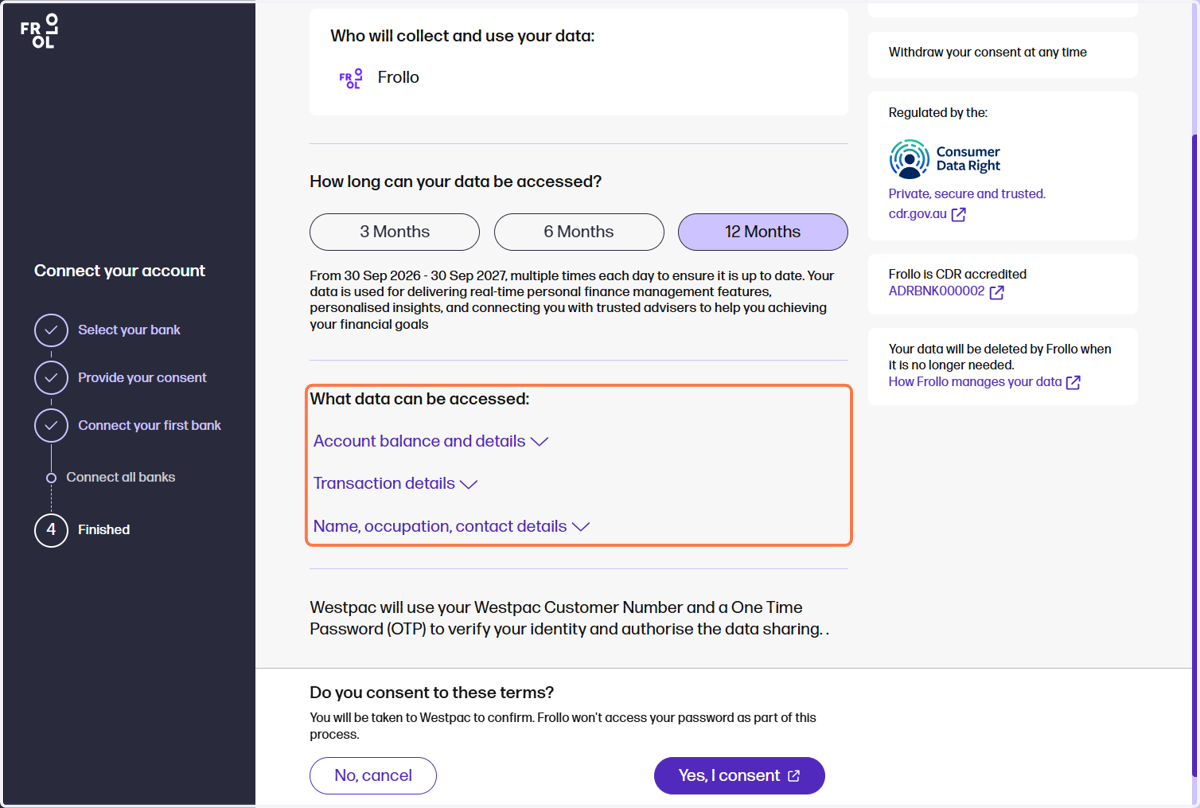
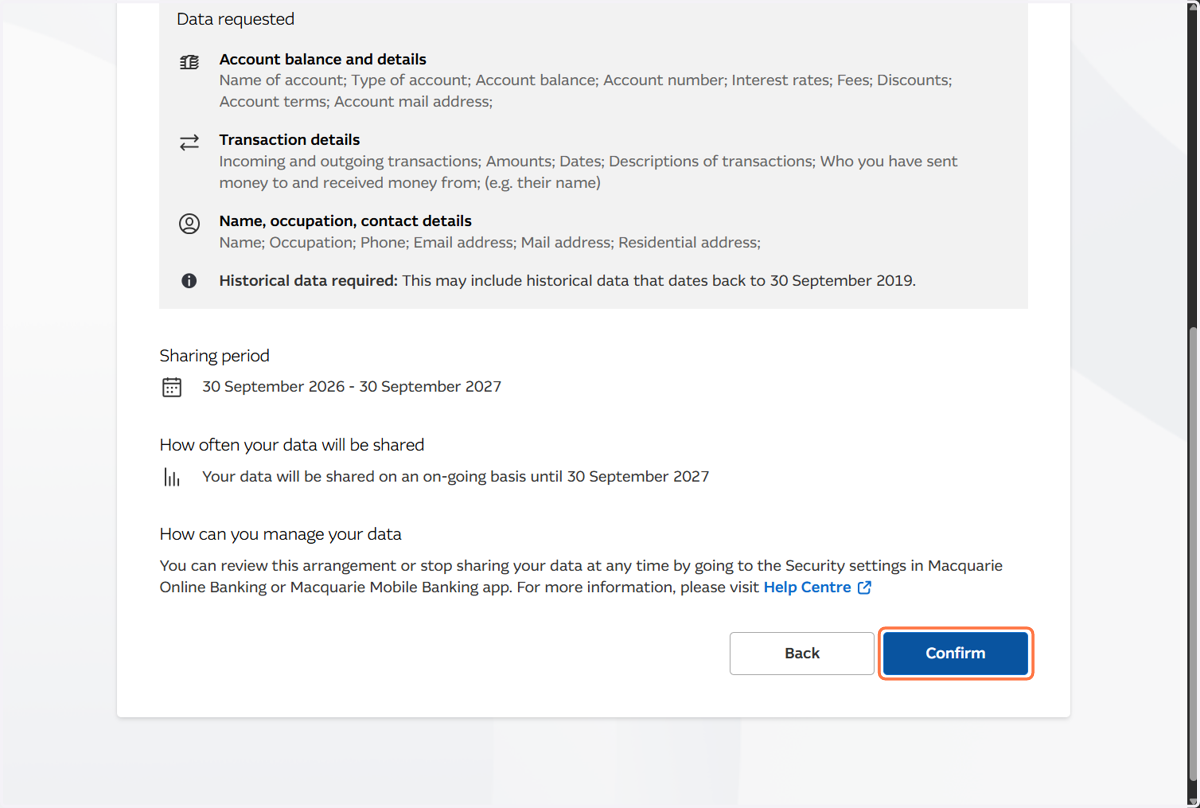
6. Review what data can be accessed
7. Click: Yes, I consent
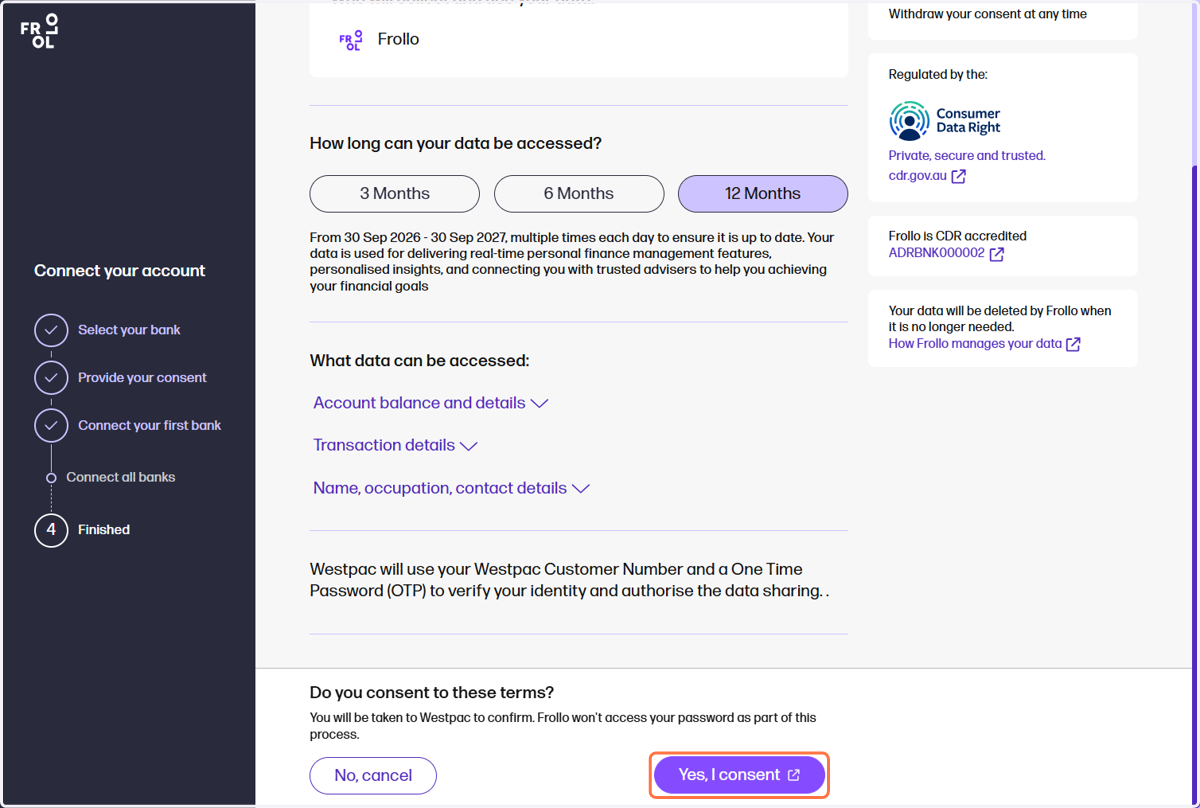
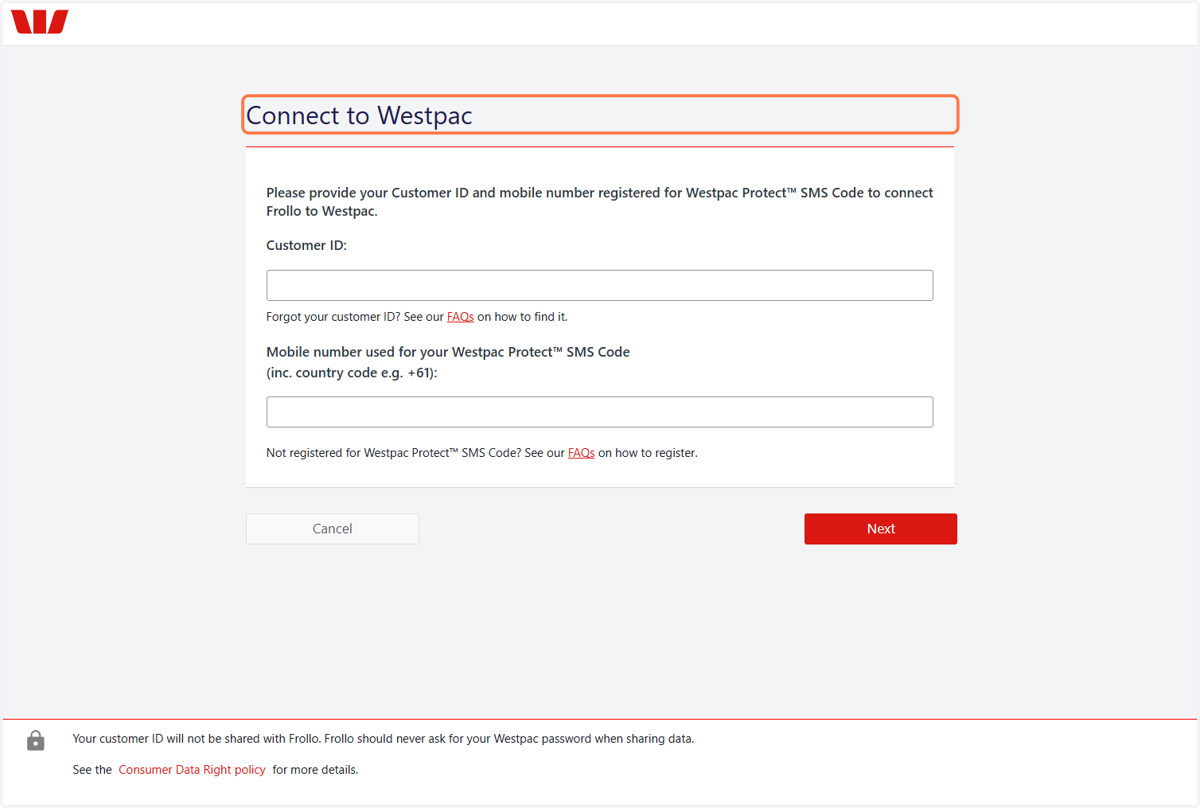
Example 1: Westpac
8. Example 1
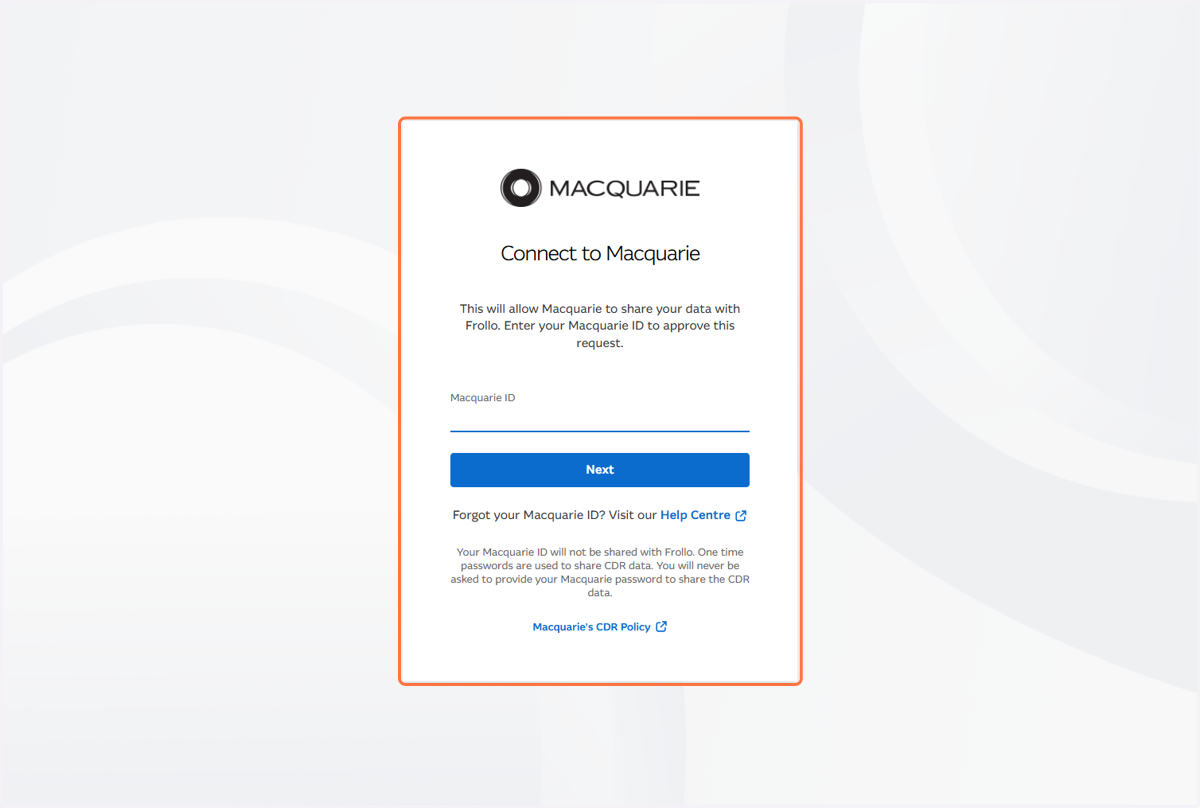
Example 2: Macquarie
9. Example 2
10. Example 2
11. Example 2
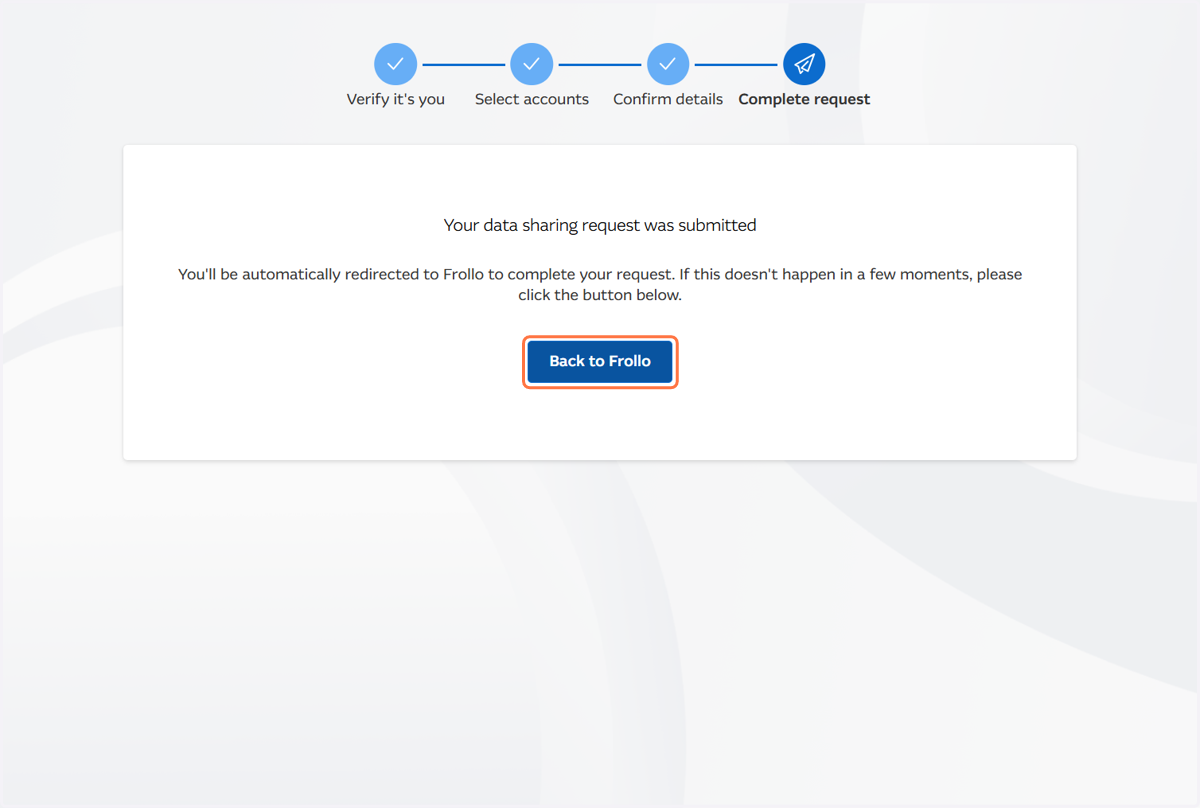
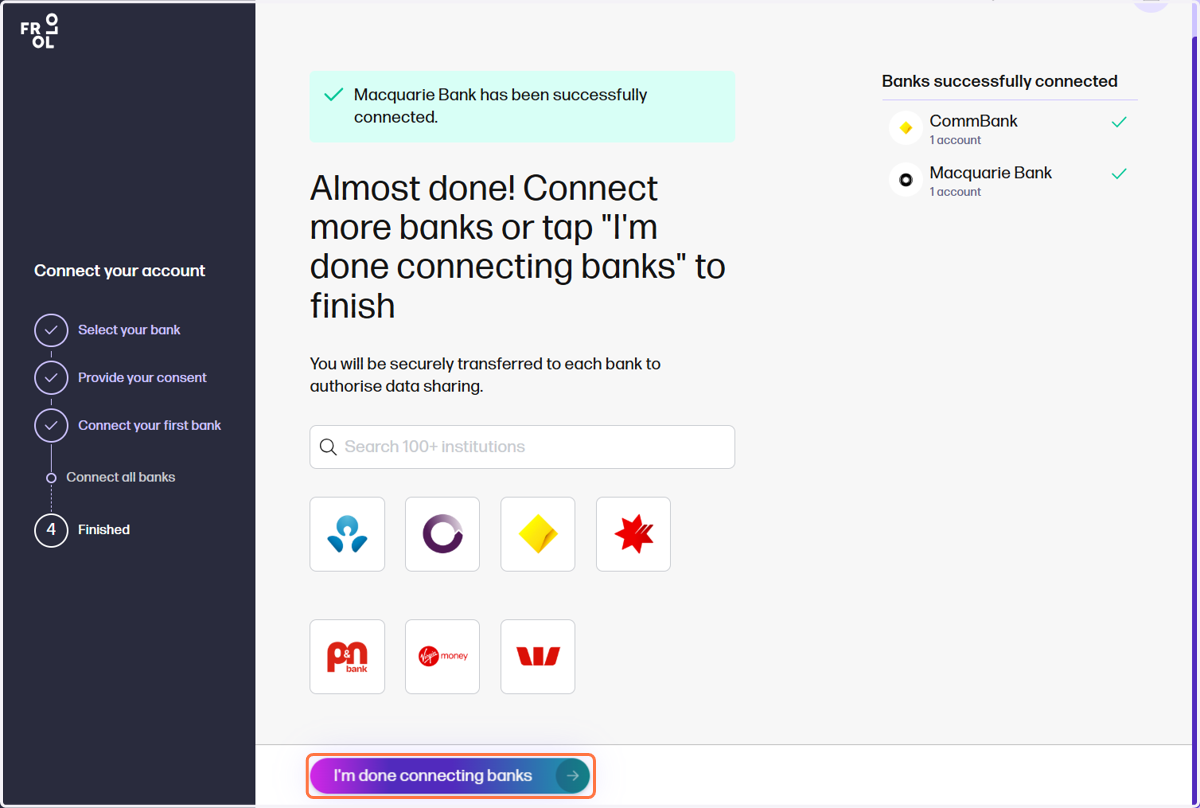
Back in Frollo
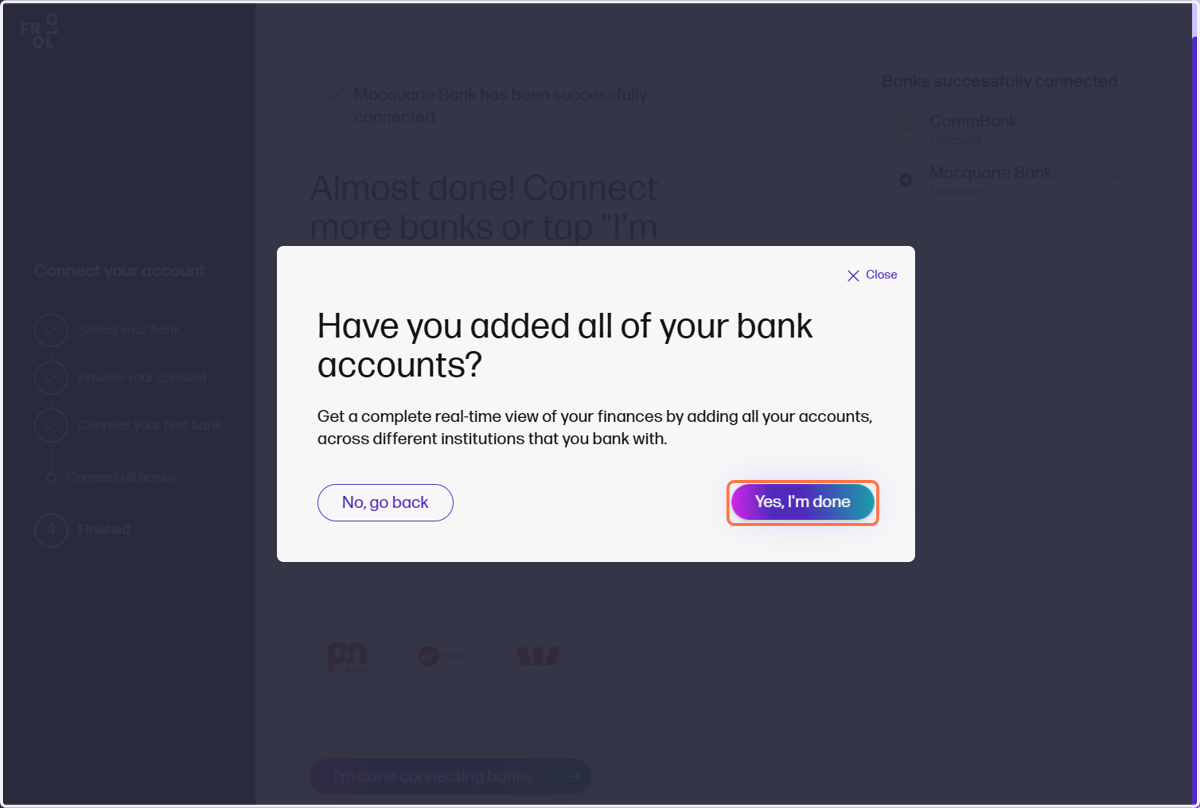
12. Once complete, click on I'm done connecting banks
13. Click: Yes, I'm done