Depositing Funds with Multichannel Crypto (NAEWE)

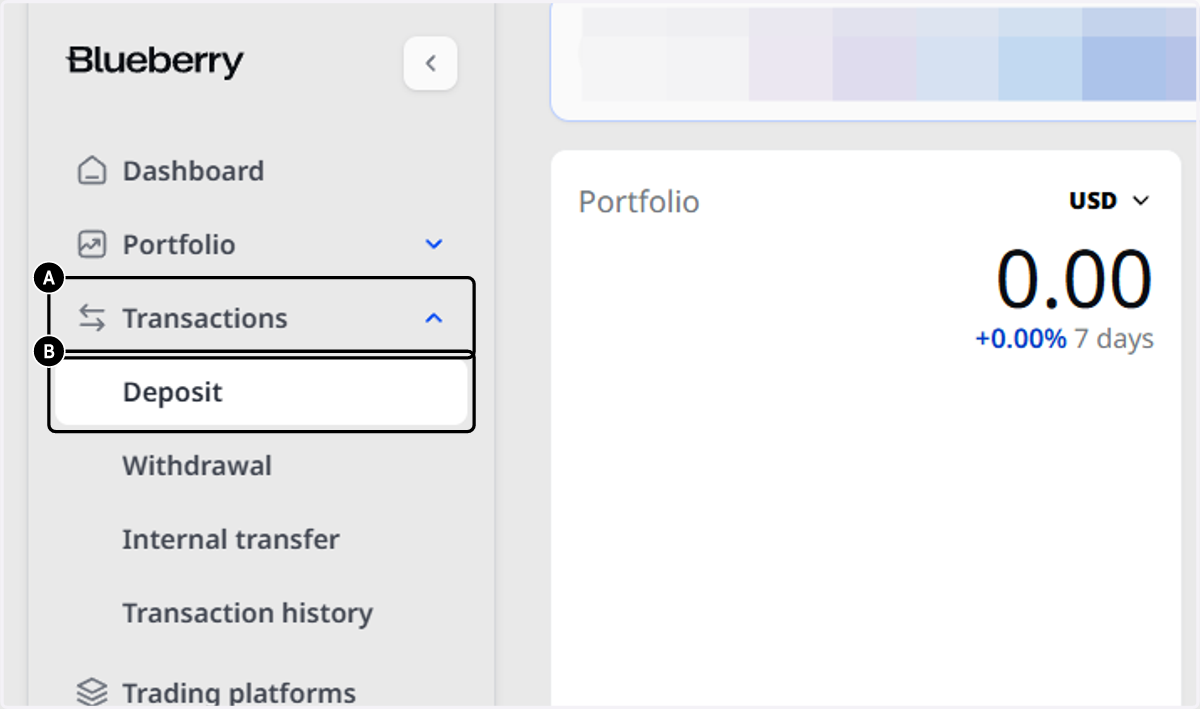
    1. 1. A. Once logged into the Client Portal, click on Transactions.

    2. 1. B. Then, Click on Deposit.

    A. Once logged into the Client Portal, click on Transactions. B. Then, Click on Deposit.
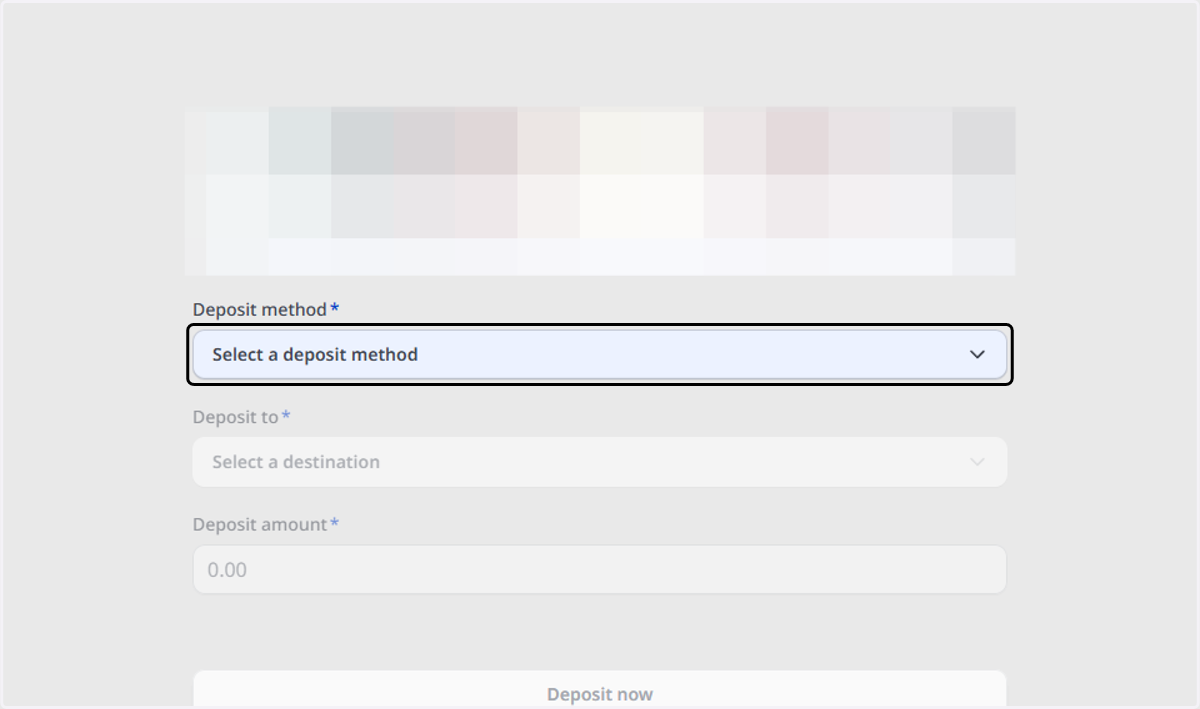
  1. 2. Click on Select a deposit method

    Click on Select a deposit method
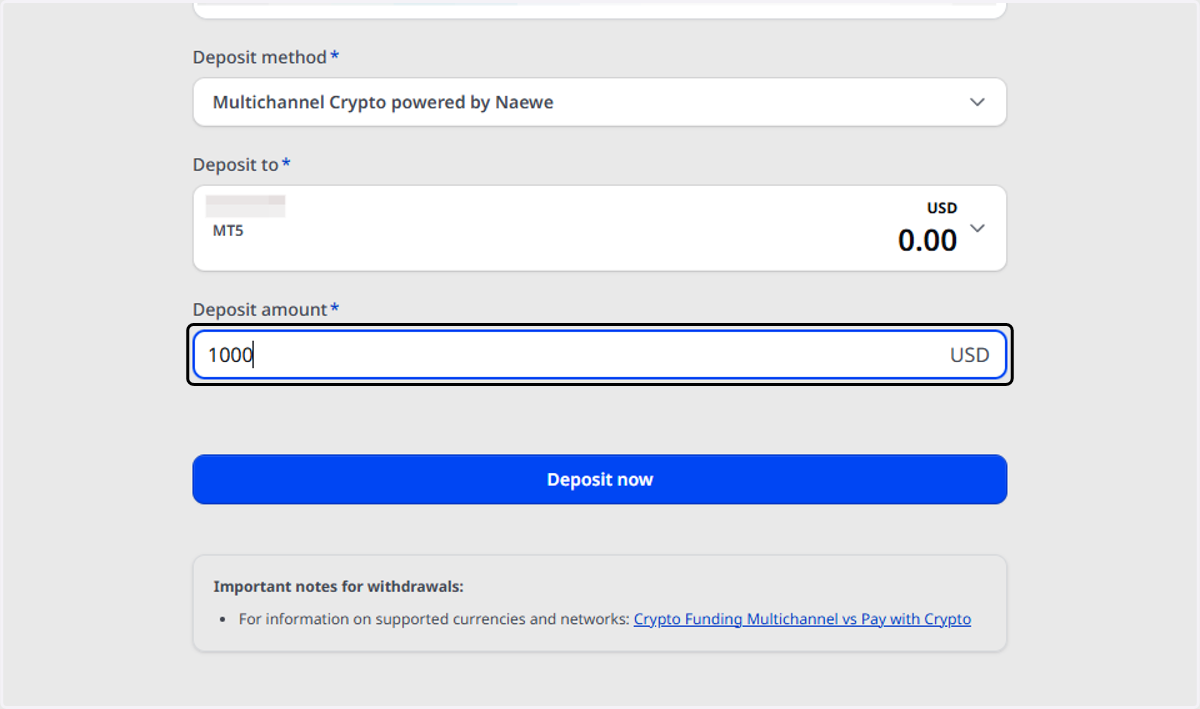
  2. 3. Click on Multichannel Crypto powered by Naewe…
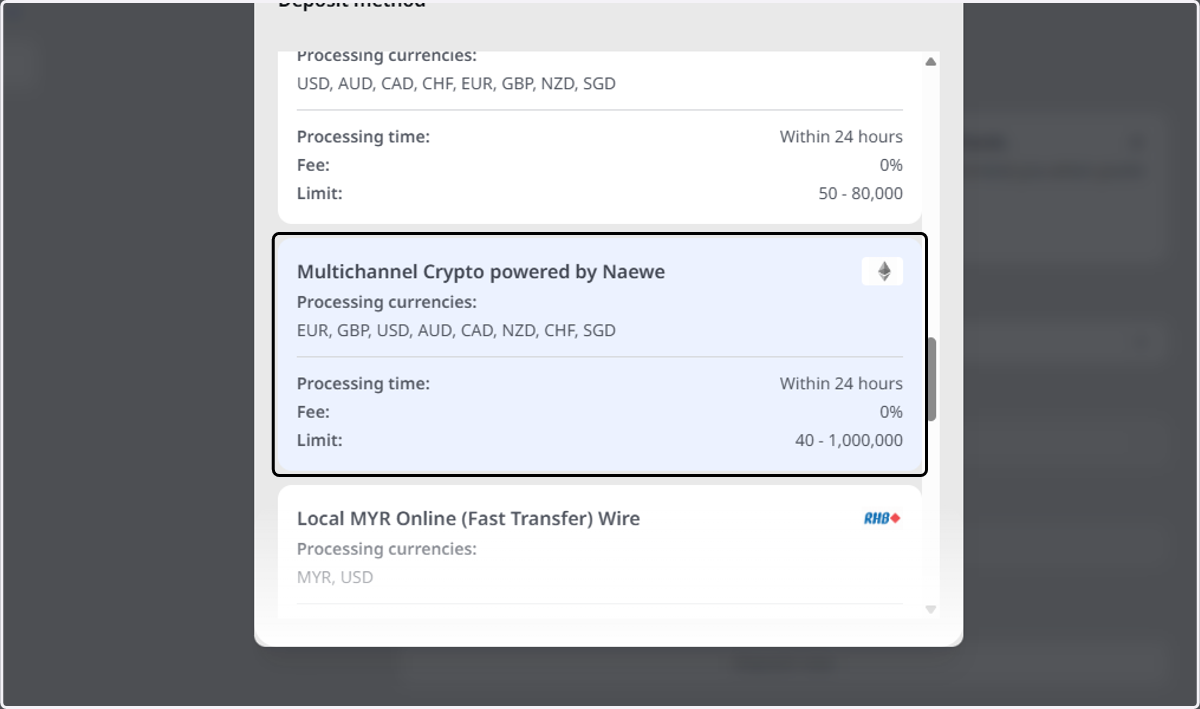
    Click on Multichannel Crypto powered by Naewe…
  3. 4. Click on Select a destination to choose your selected trading account.
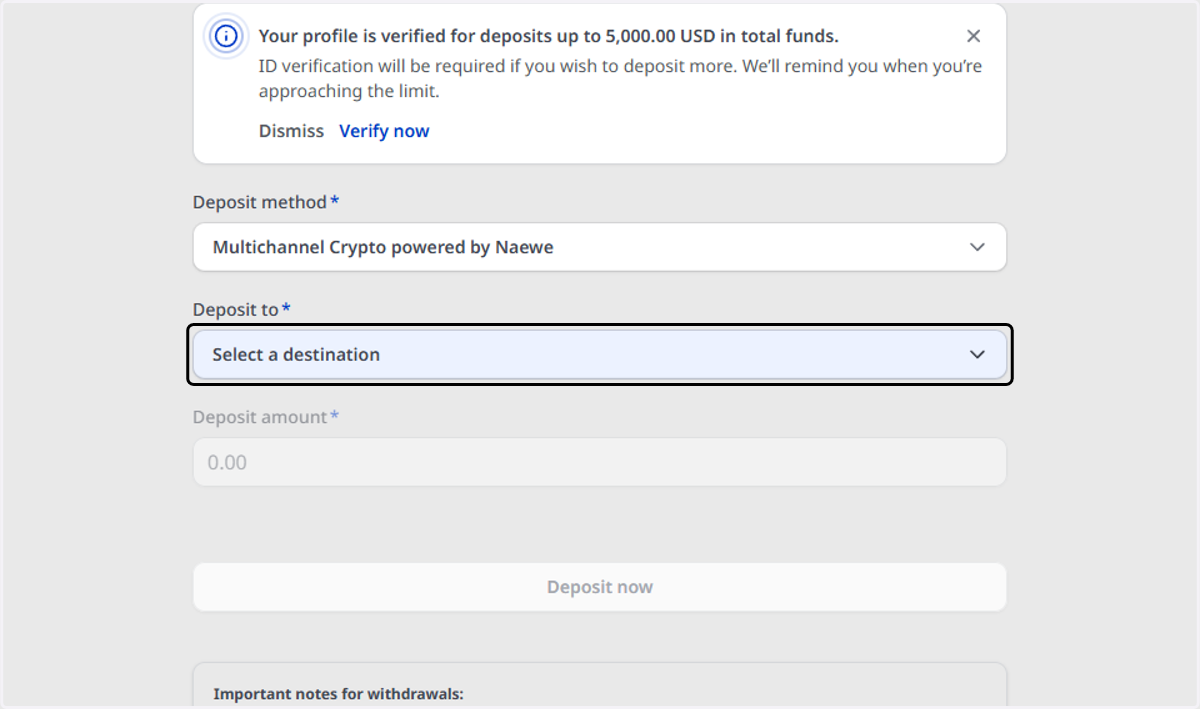
    Click on Select a destination to choose your selected trading account.
  4. 5. Type in your deposit amount

    Type in your deposit amount
  5. 6. Click on Deposit now and the payment window will pop up
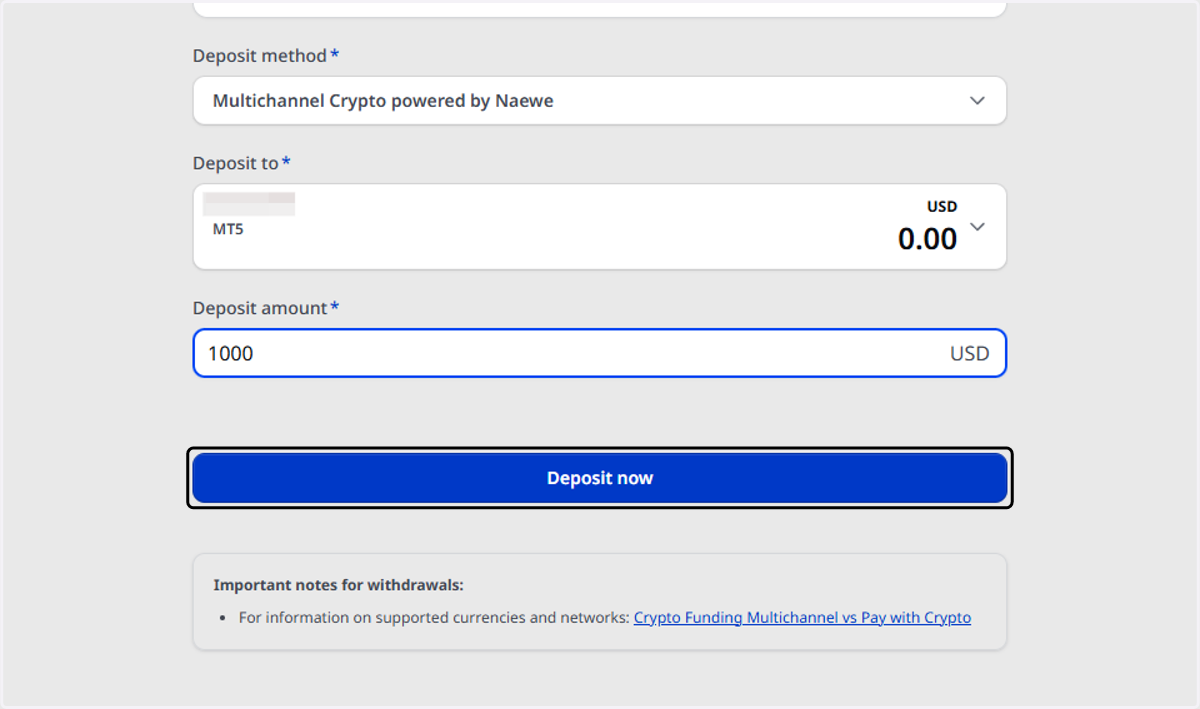
    Click on Deposit now and the payment window will pop up
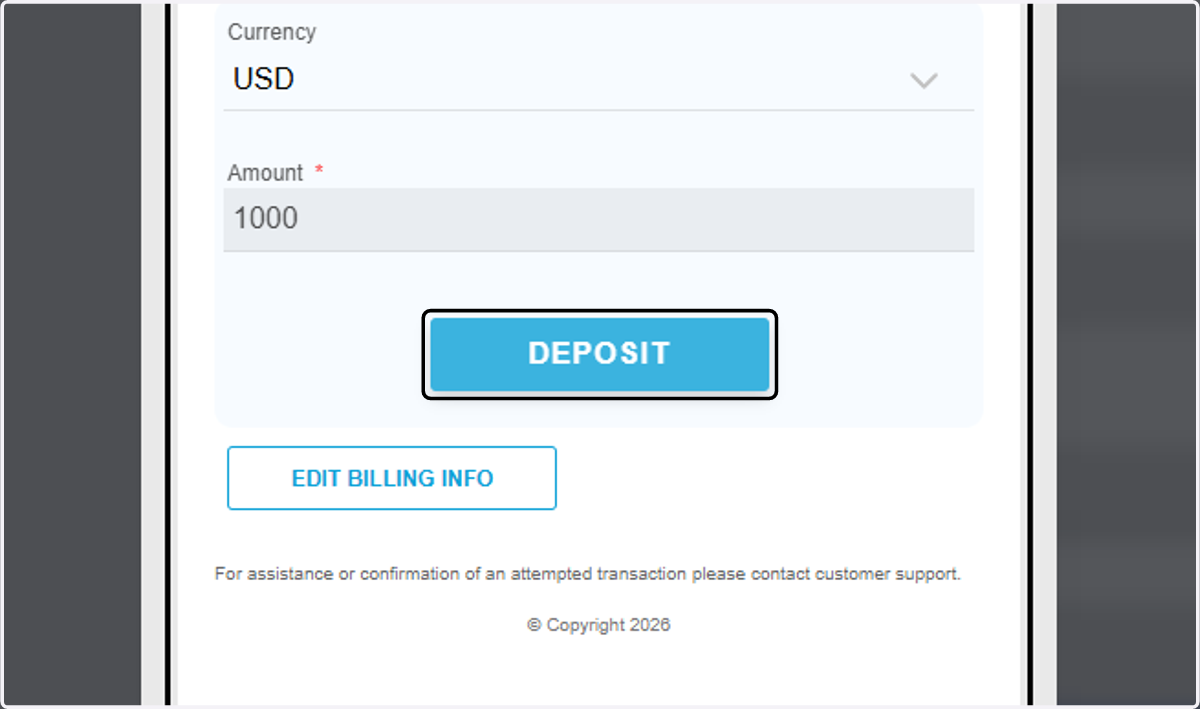
  6. 7. Click on DEPOSIT, and NAEWE's payment window will now show up.
    Click on DEPOSIT, and NAEWE's payment window will now show up.
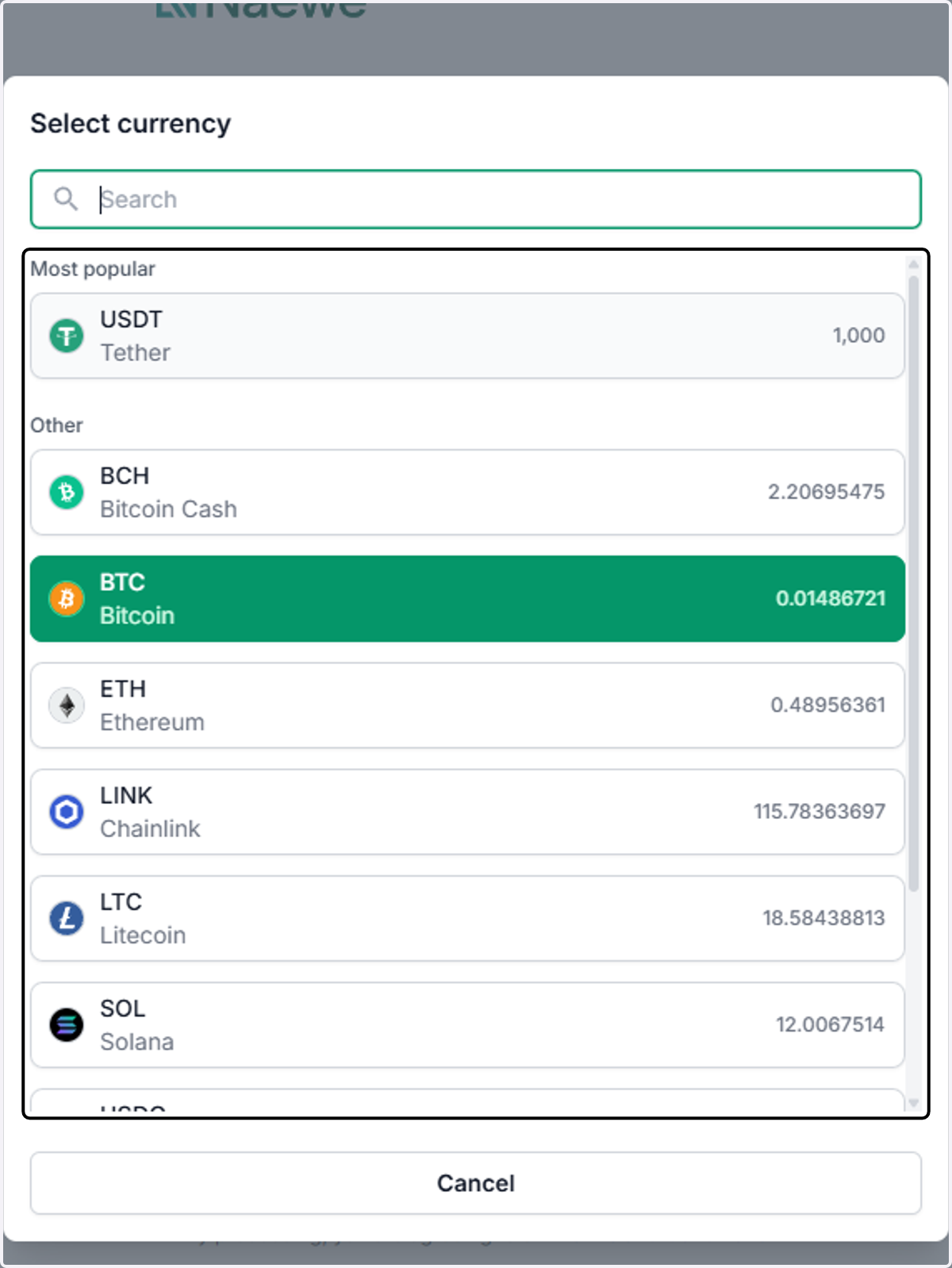
  7. 8. Select  your preferred currency

    Select your preferred currency
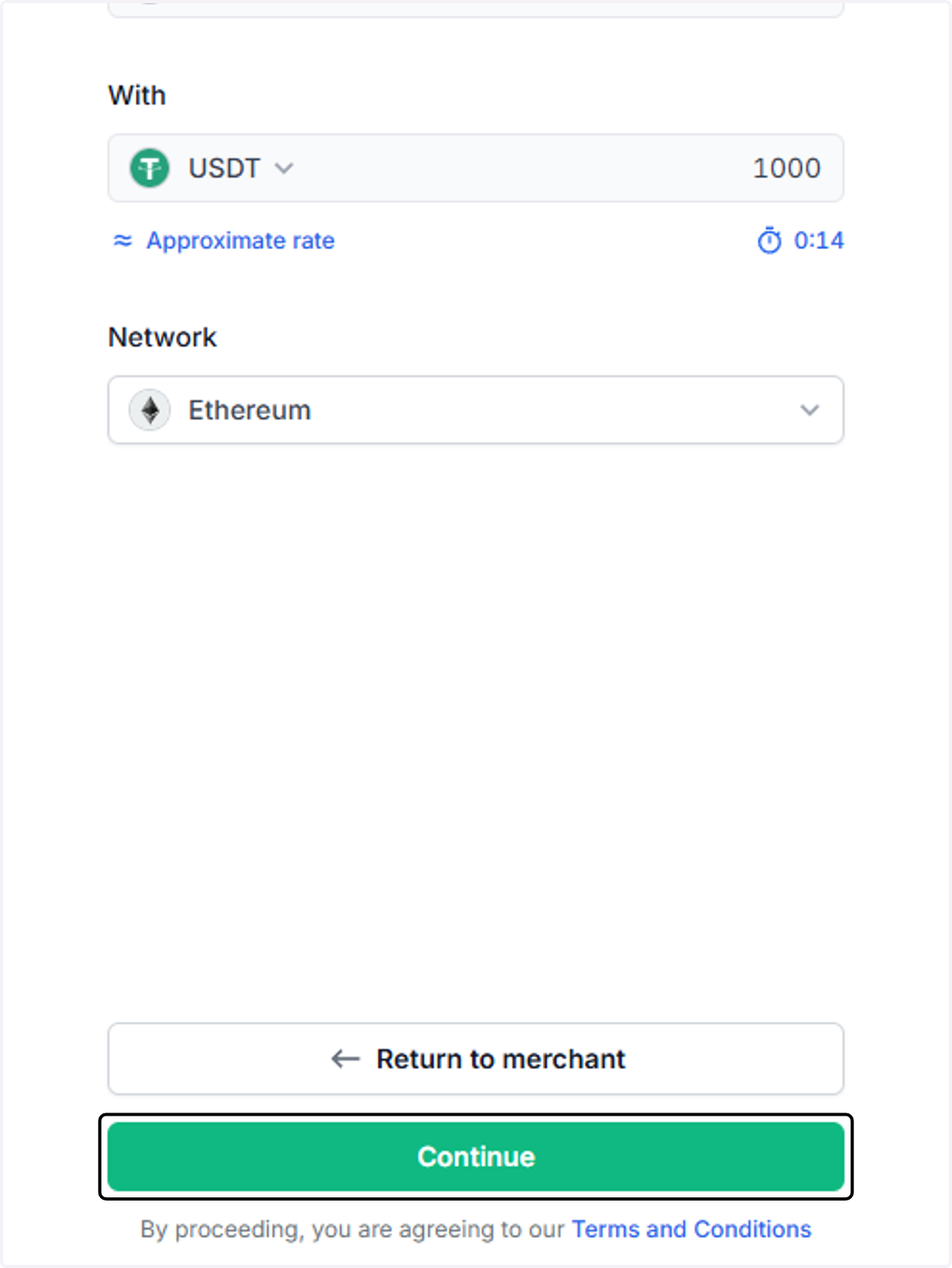
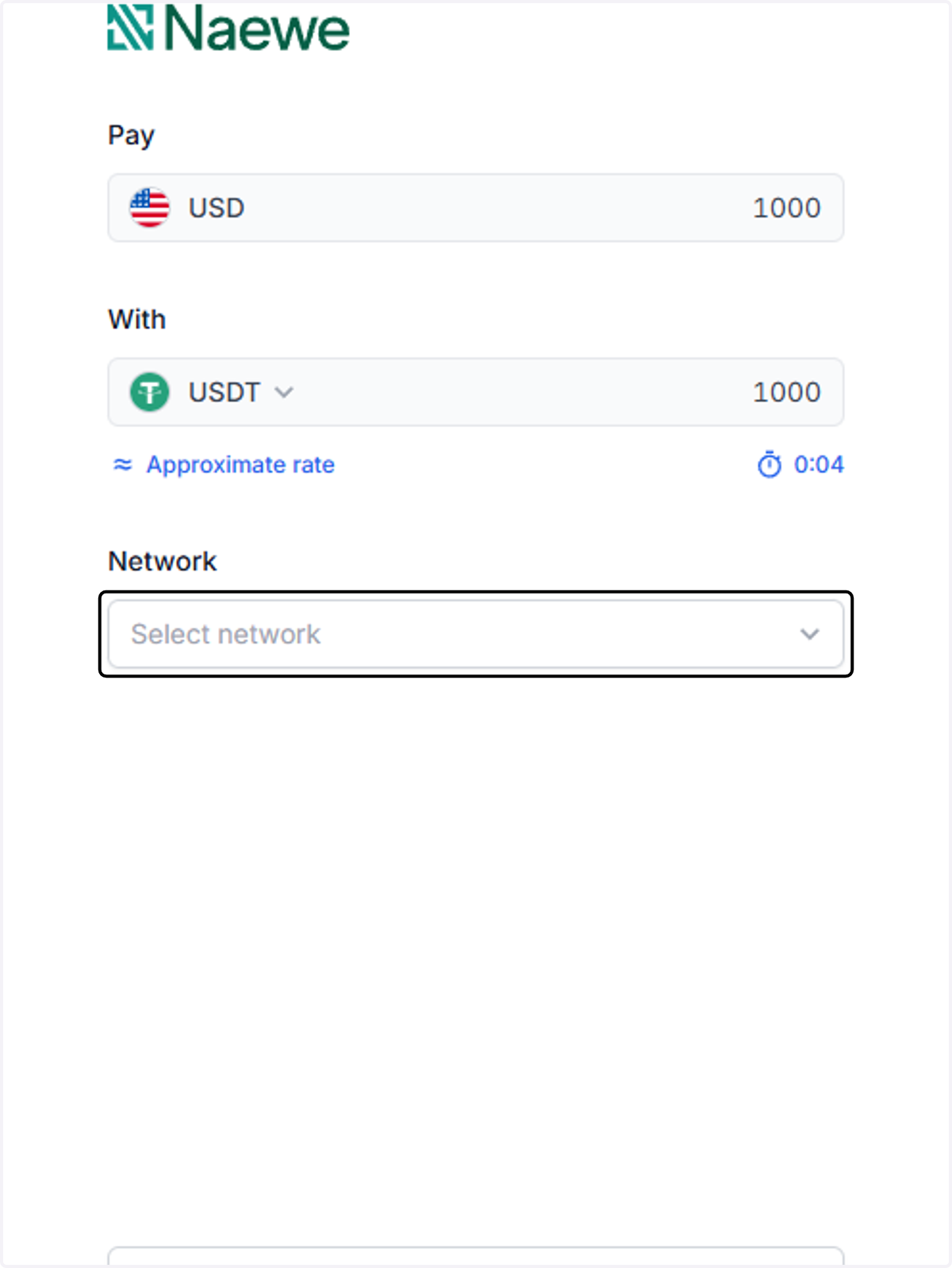
  8. 9. Click on Select network, and choose the correct one
    Click on Select network, and choose the correct one
  9. 10. Click on Continue

    Click on Continue
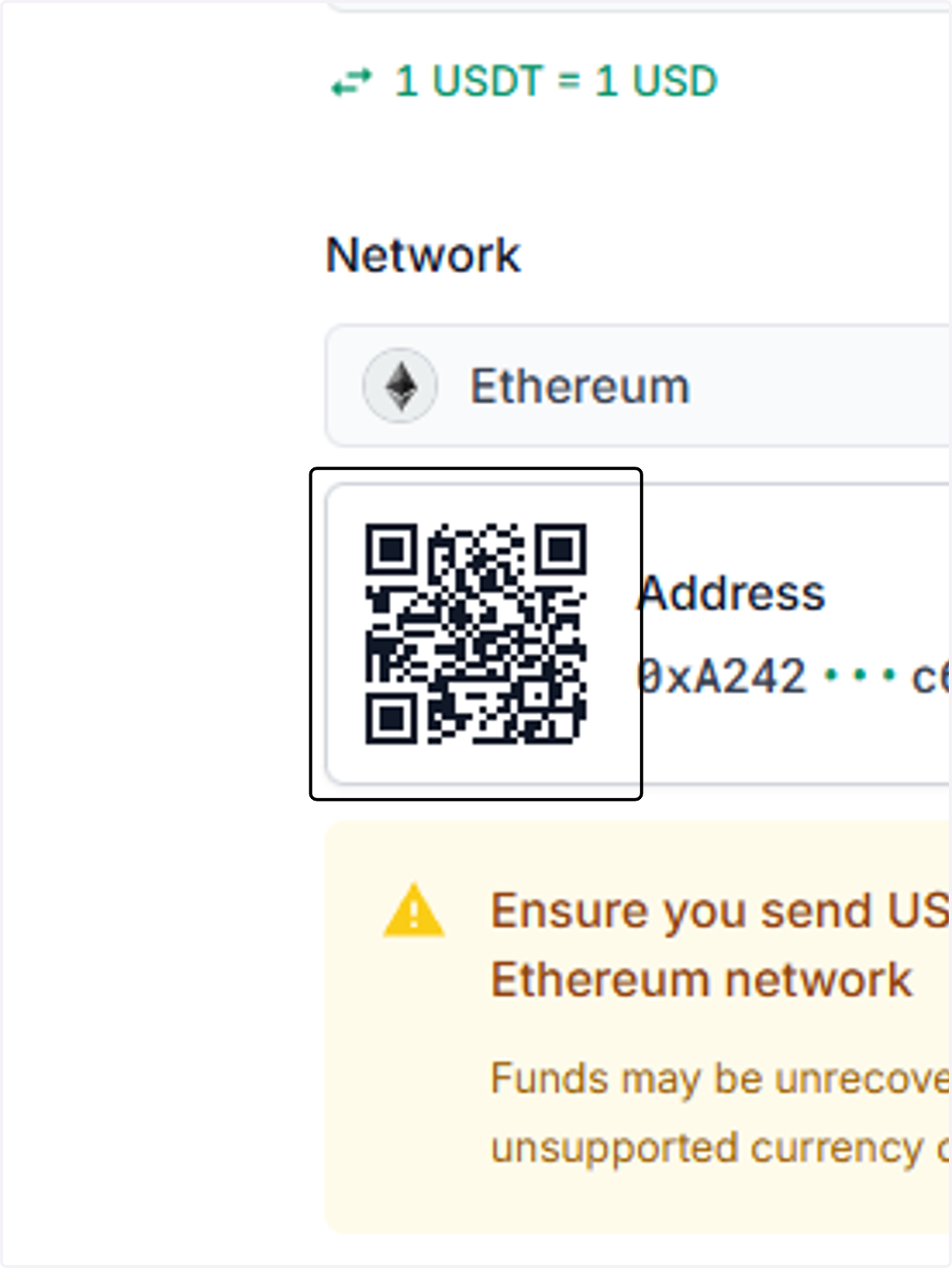
  10. 11. To send your crypto, you may either scan the QR code or copy the one-time depositing address.
    To send your crypto, you may either scan the QR code or copy the one-time depositing address.
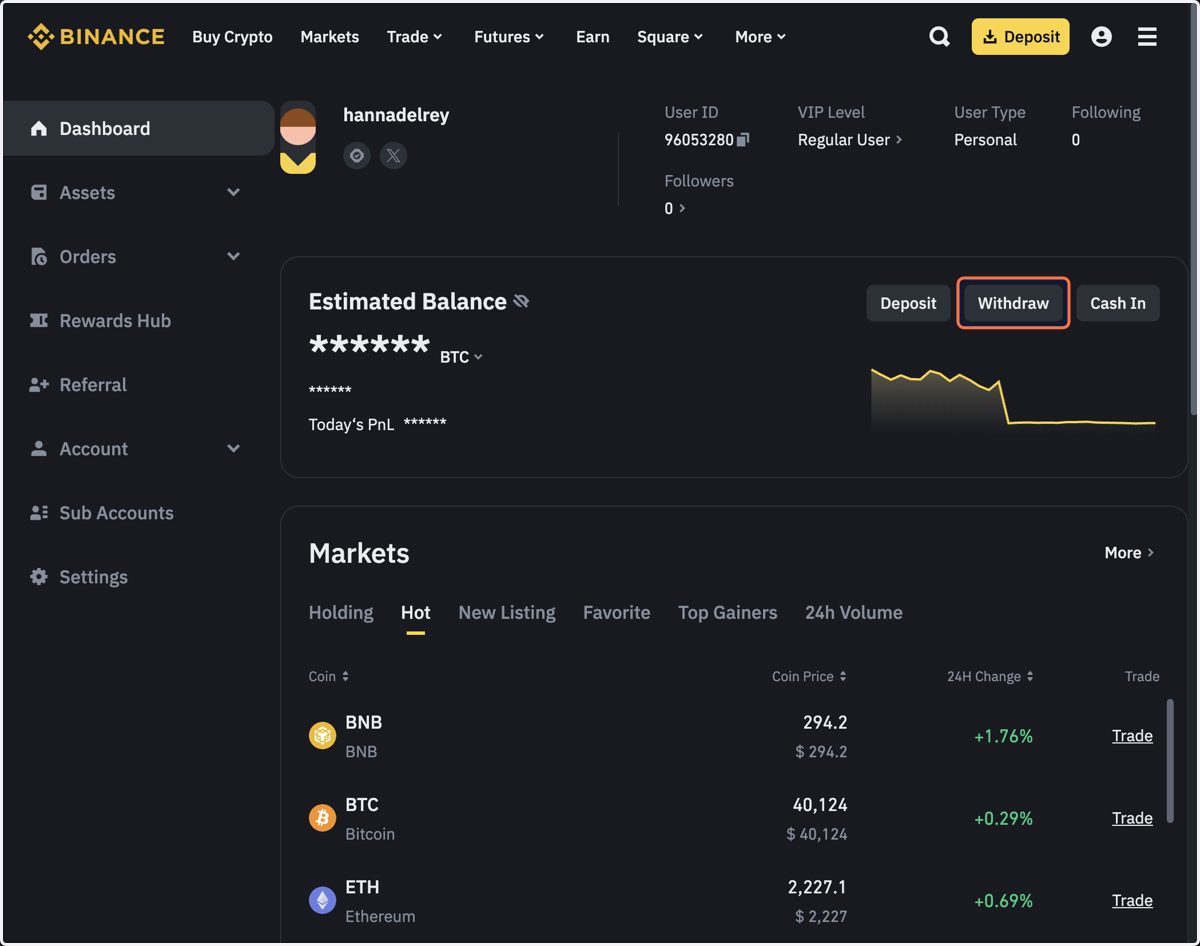
  11. 12. From your crypto account, make a withdrawal transaction. In this demo, we're using Binance.
    From your crypto account, make a withdrawal transaction. In this demo, we're using Binance.
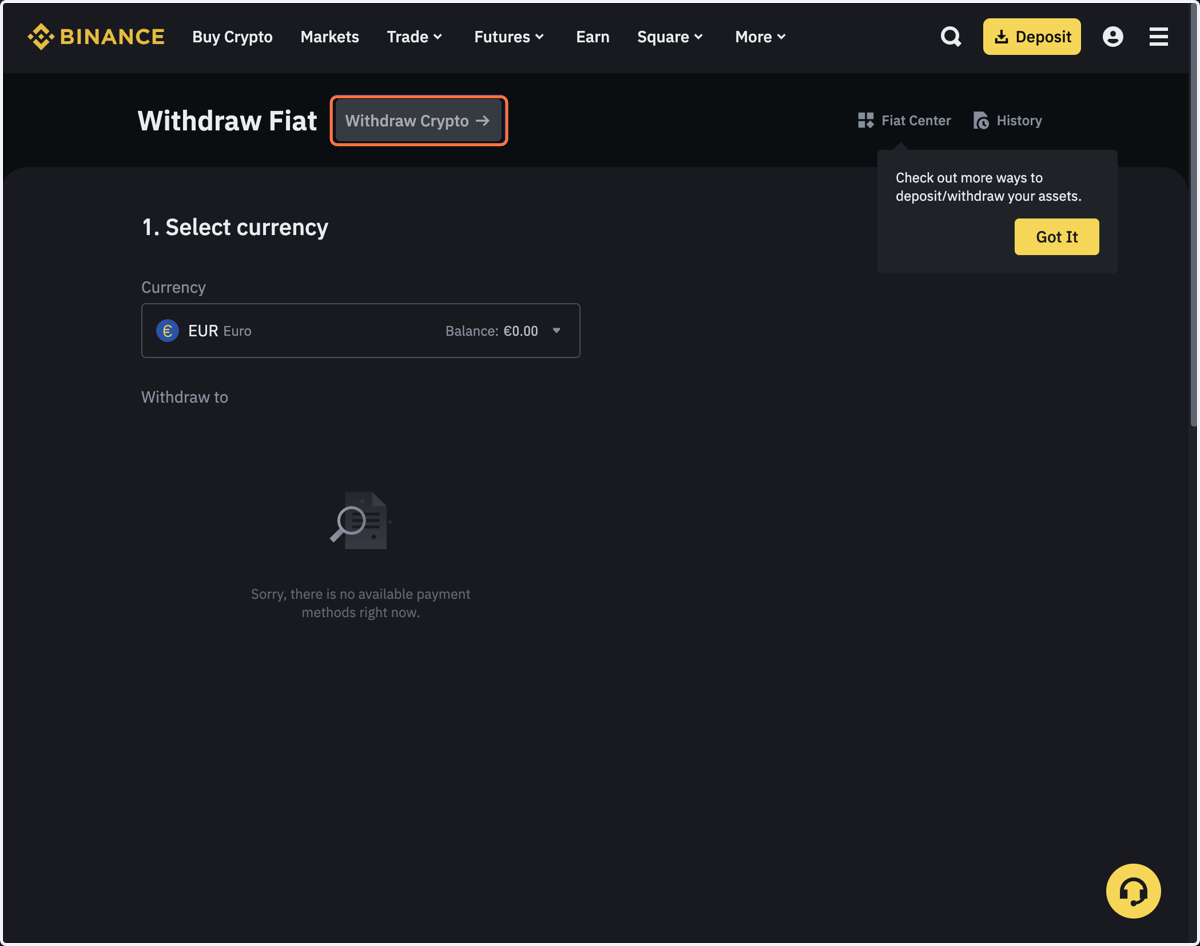
  12. 13. Click on Withdraw Crypto.

    Click on Withdraw Crypto.
  13. 14. Select the correct cryptocurrency.
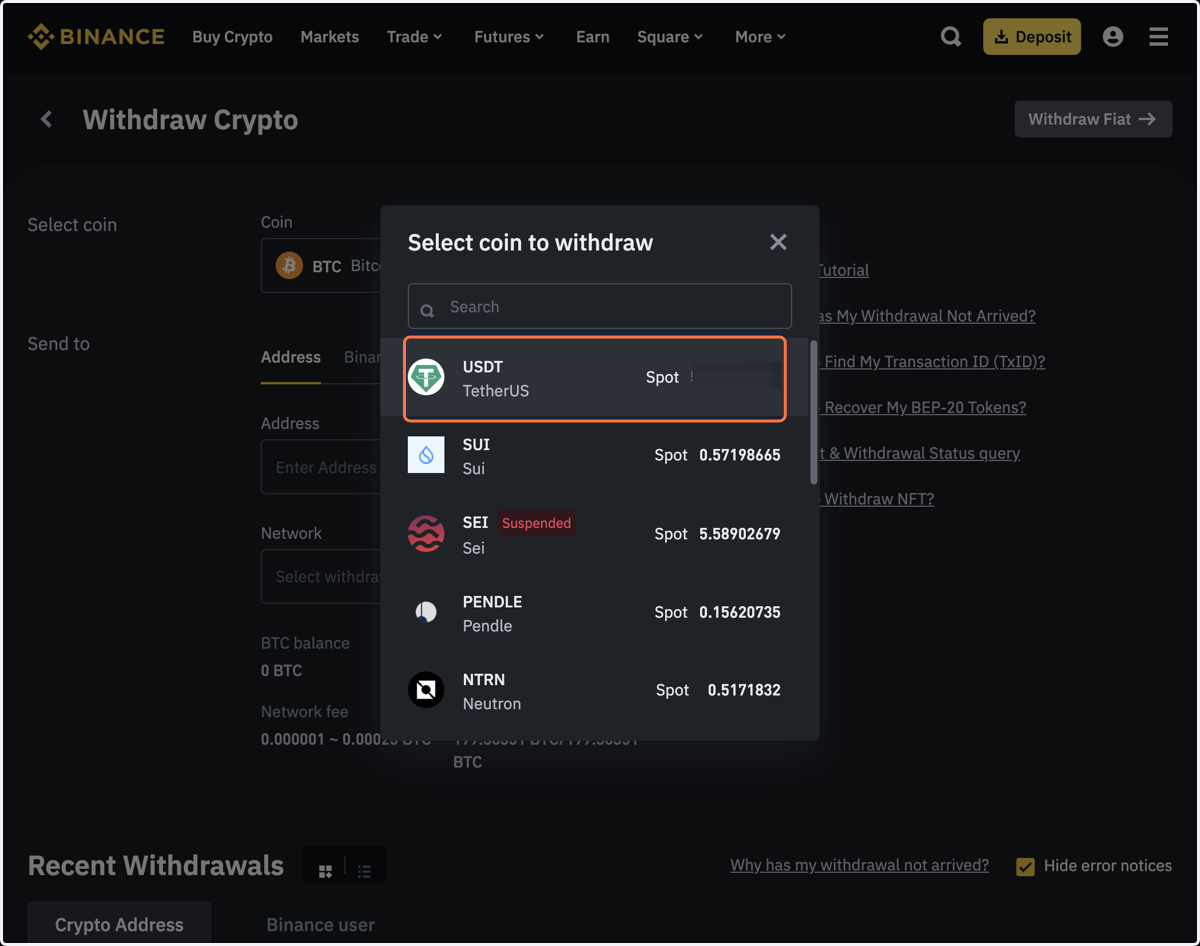
    Select the correct cryptocurrency.
  14. 15. Paste the one-time depositing address from your Blueberry account.

    Paste the one-time depositing address from your Blueberry account.
  15. 16. Select the correct network.

    Select the correct network.
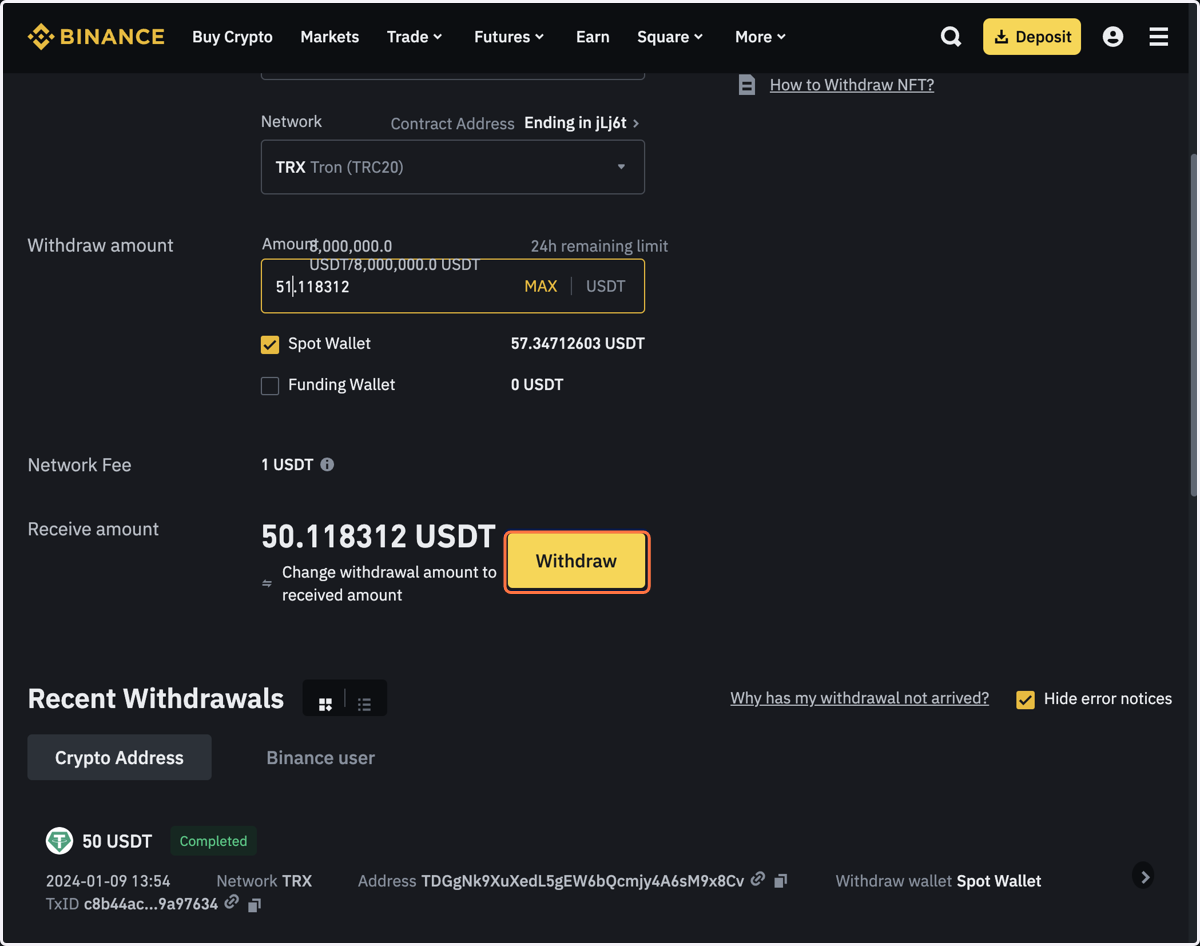
  16. 17. Enter the amount. Note that there may be fees for your transaction.
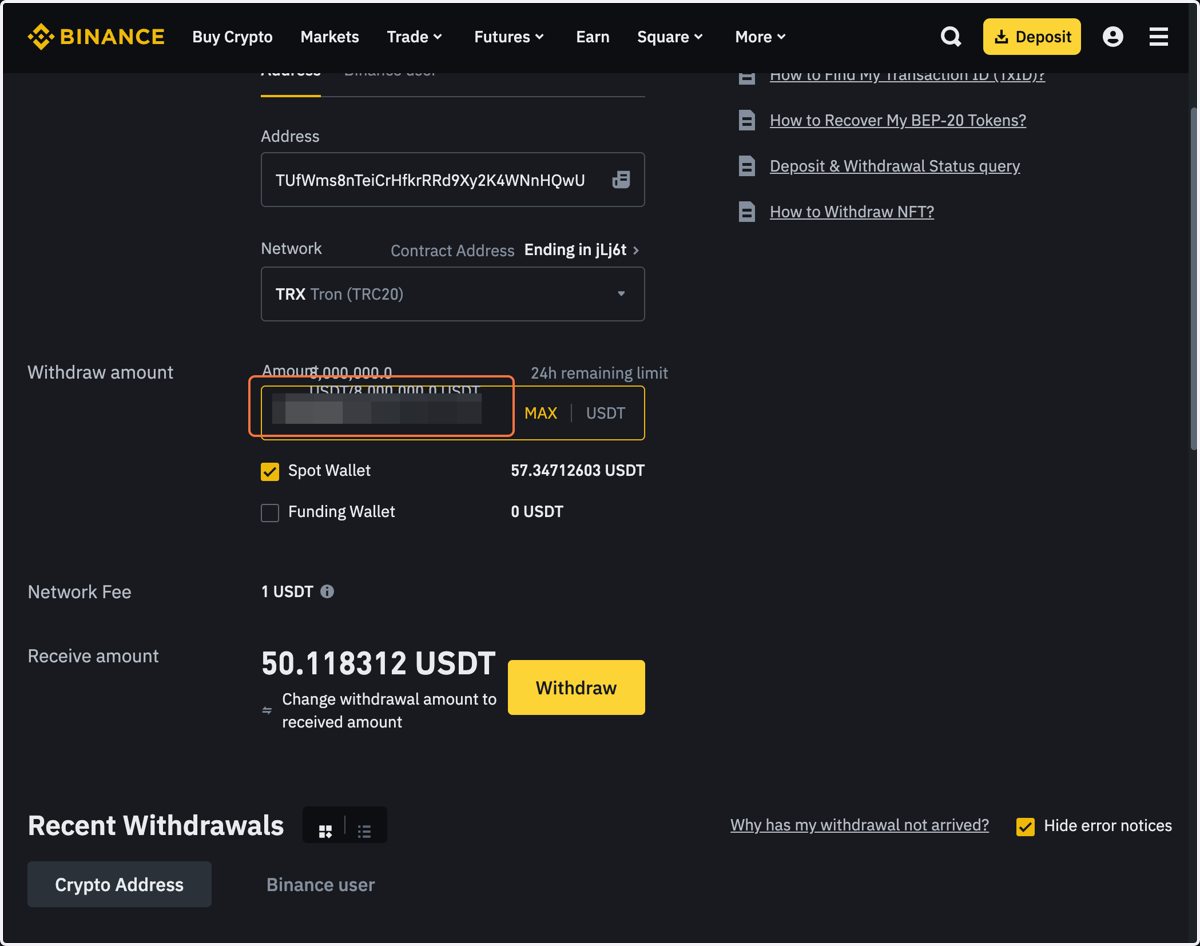
    Enter the amount. Note that there may be fees for your transaction.
  17. 18. Click on Withdraw.

    Click on Withdraw.
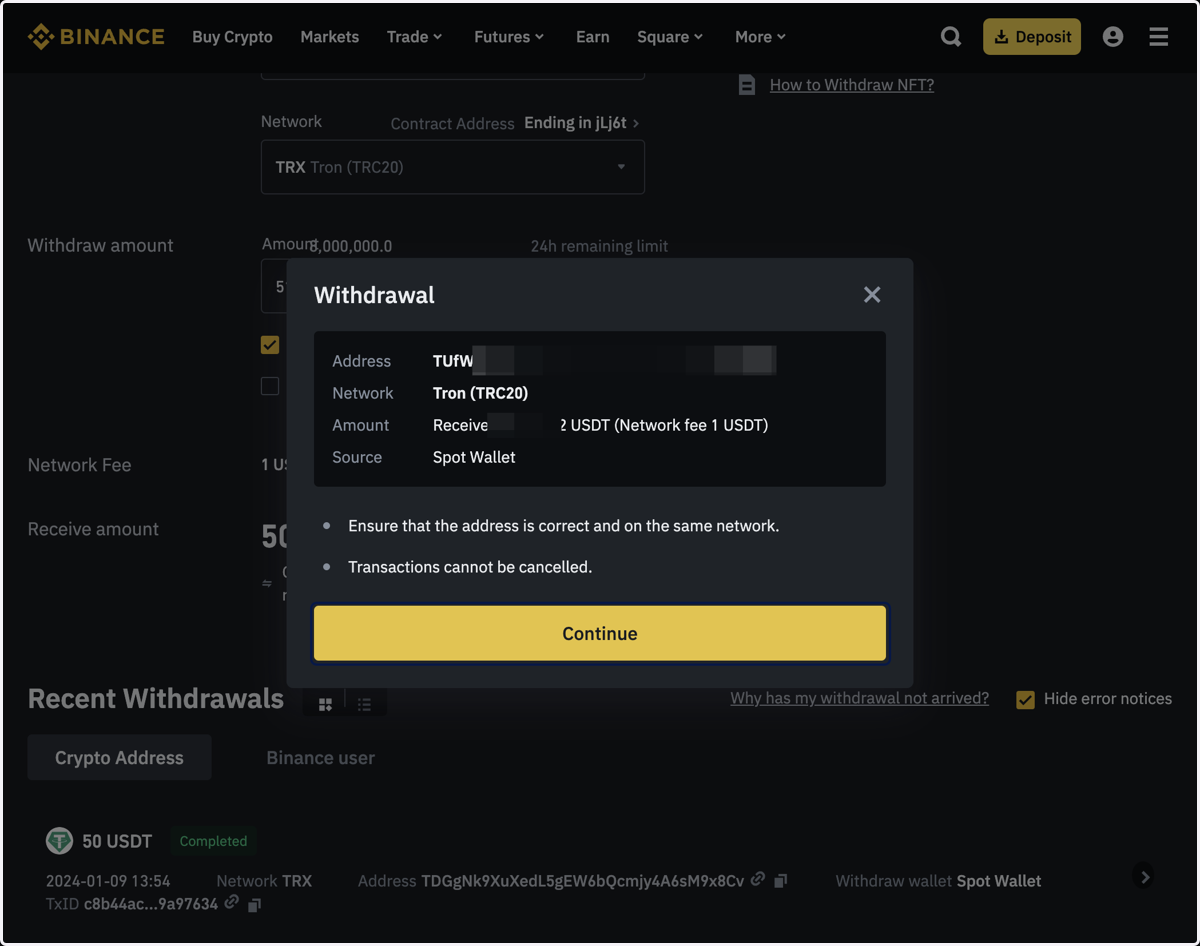
  18. 19. Click on Continue.

    Click on Continue.
  19. 20. Depending on your crypto account settings, you may be asked to authenticate the transaction.
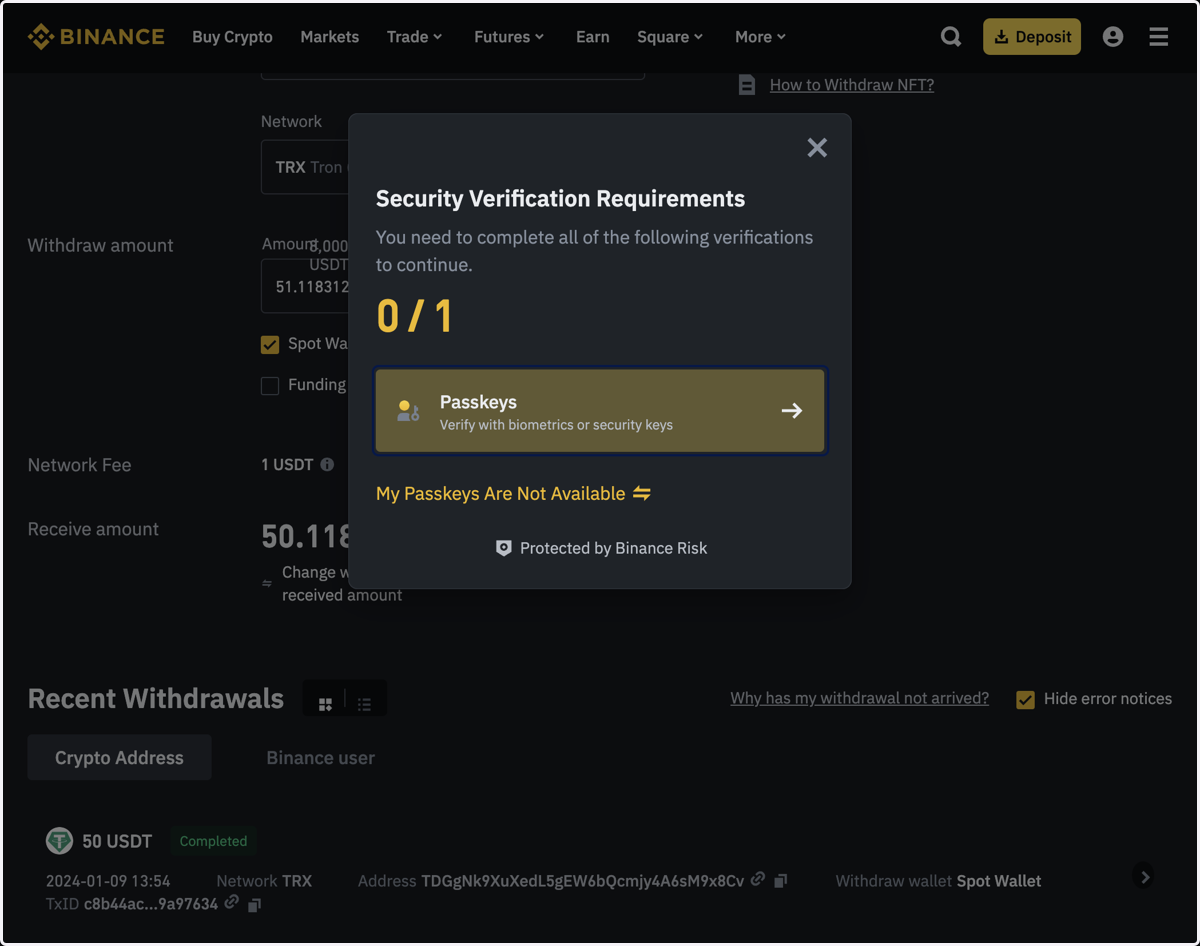
    Depending on your crypto account settings, you may be asked to authenticate the transaction.
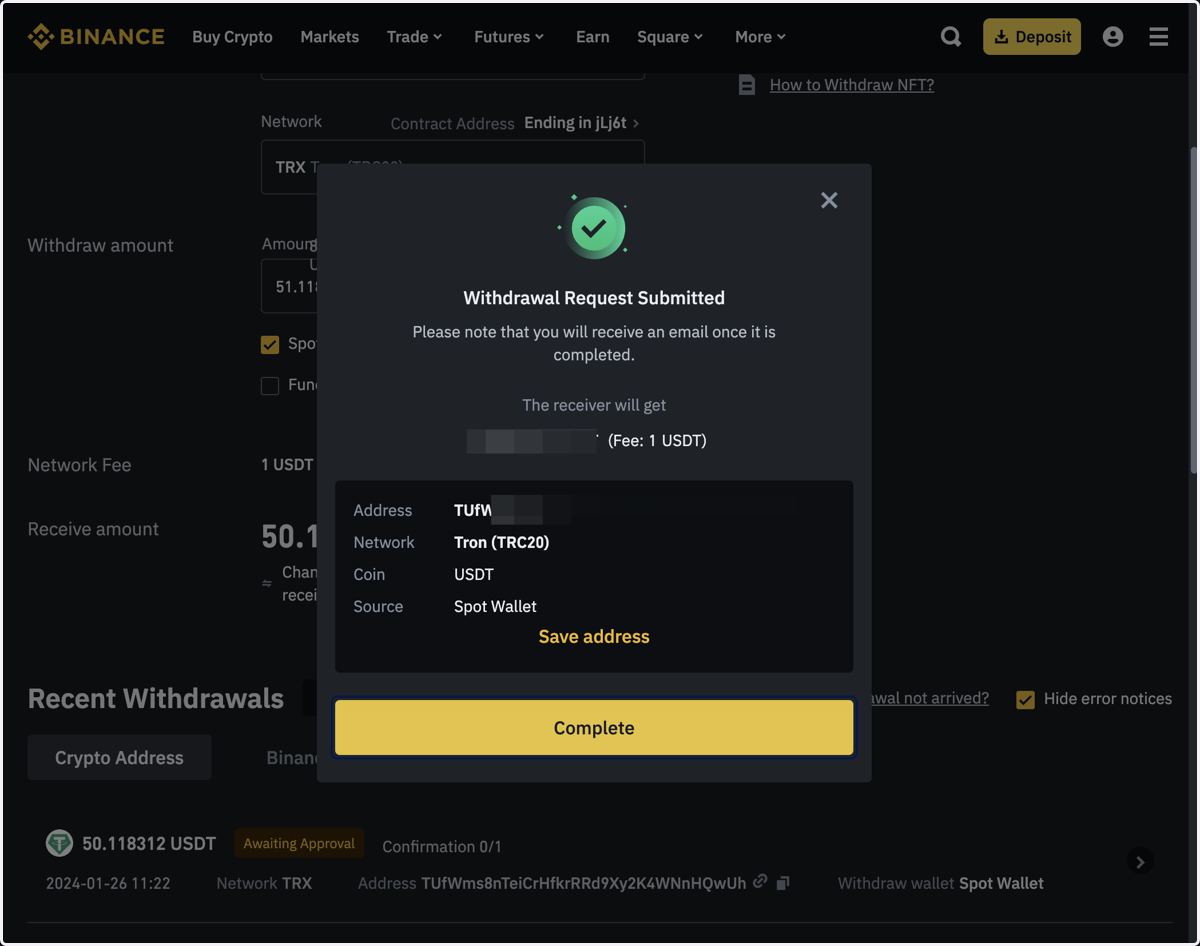
  20. 21. Click on Complete.

    Click on Complete.