Create a YouTube Channel
Create a YouTube channel for your business
This step-by-step guide teaches you how to create a dedicated YouTube for your business.
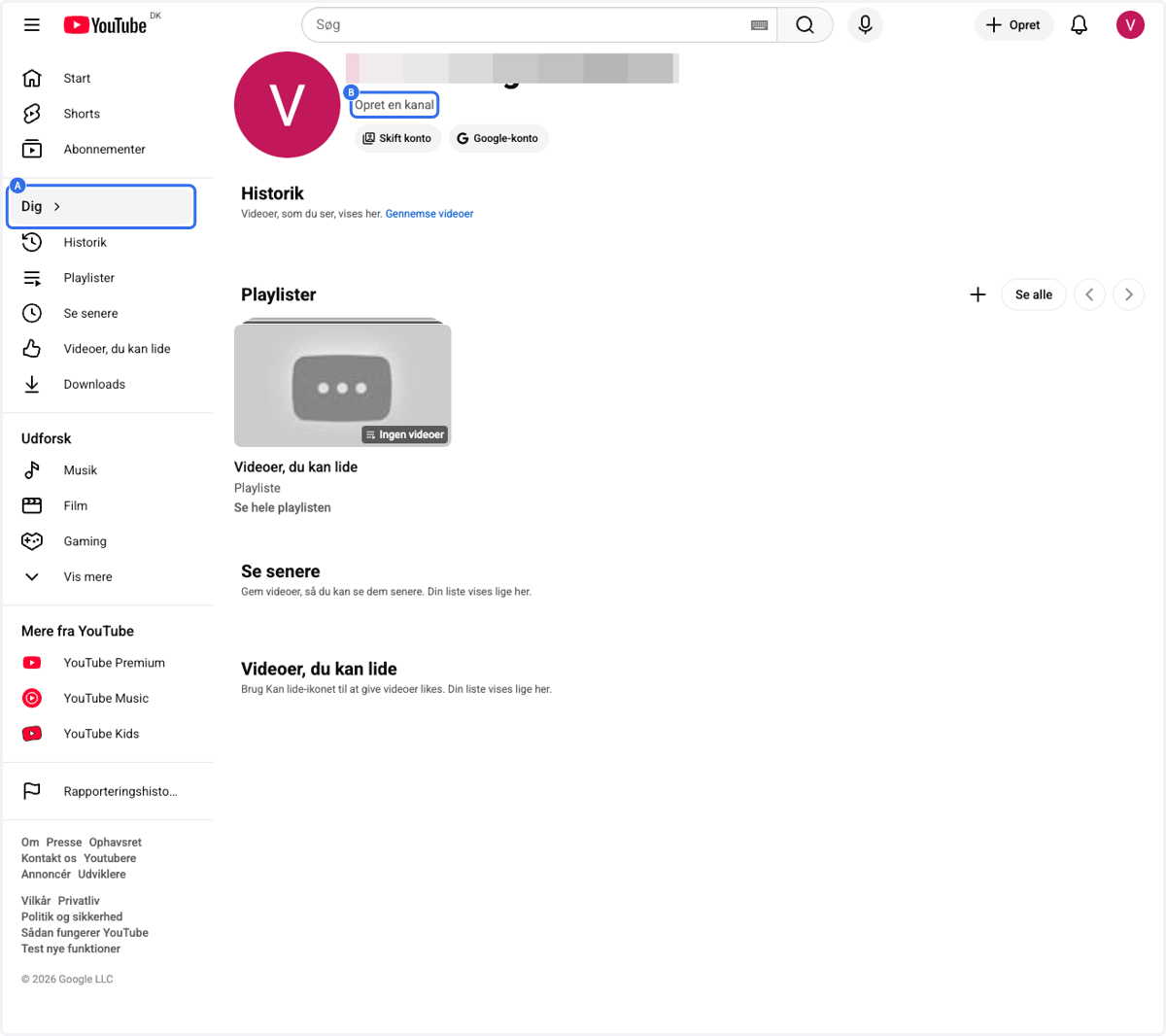
1. A. Click on Me / Dig
1. B. Click on Create Channel / Opret en kanal
2. Click on Name / Navnw
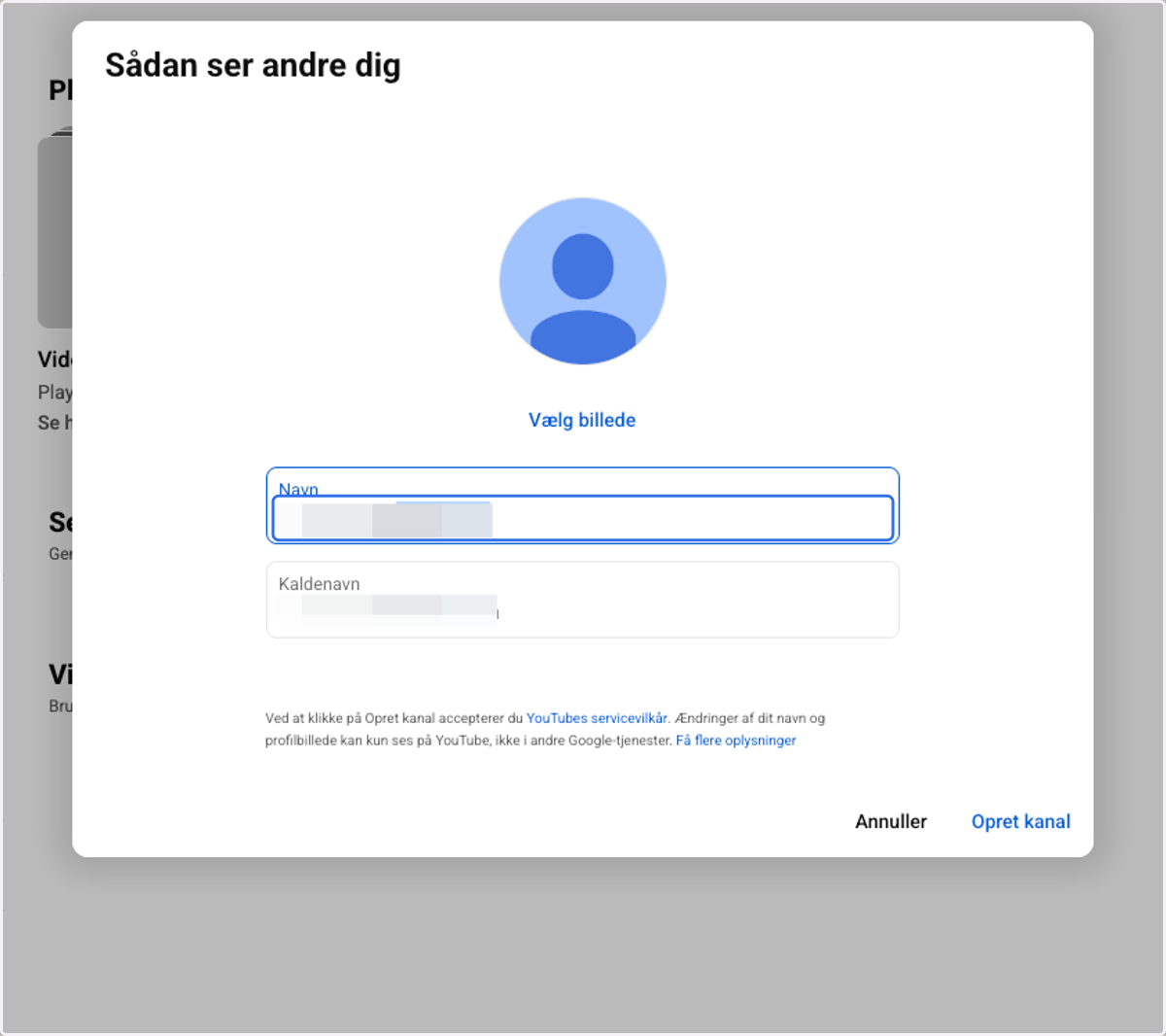
3. A. Click on Name / Navn
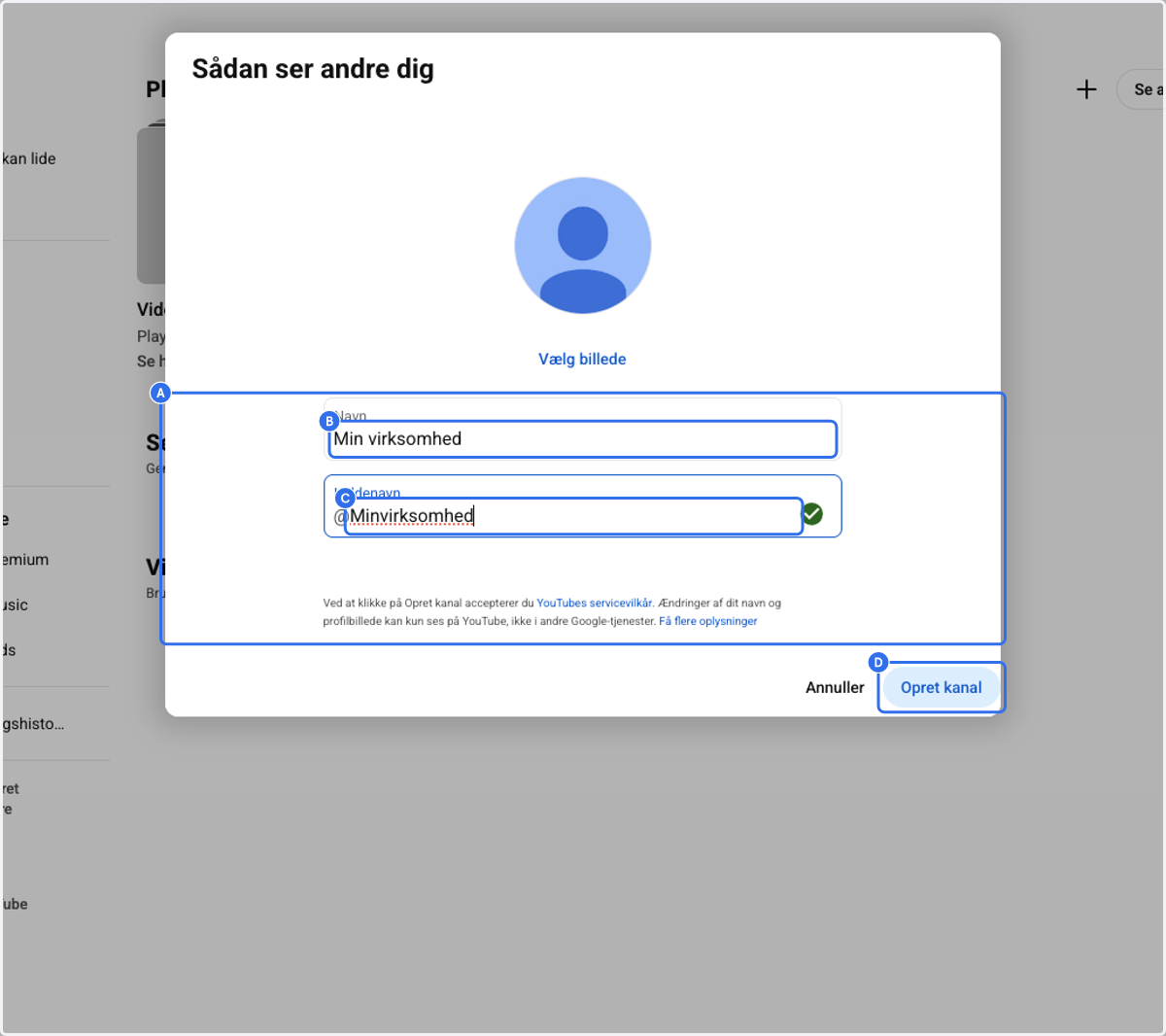
3. B. Type in the name of your business - This field will determine the name of the YouTube channel
3. C. Click on Nickname / Kaldenavn - Choose whatever makes sense for you
3. D. Click on Create Channel / Opret kanal