Corporation Tax Balance to CA Franchise Tax Board (3586)
Ca
1. Look at your Tax Return Letter and Find your 3586 Voucher in your Tax Return
Your tax return letter (Page 2 of your tax return) will tell you all the balances you owe. Your tax return will have your voucher which will have instructions to mail a check. Please continue the instructions if you choose to pay online.
(Please be aware that a voucher MAY NOT be provided if Shelby has directed you to make the payment directly, or if this was already accounted for during the tax planning process)
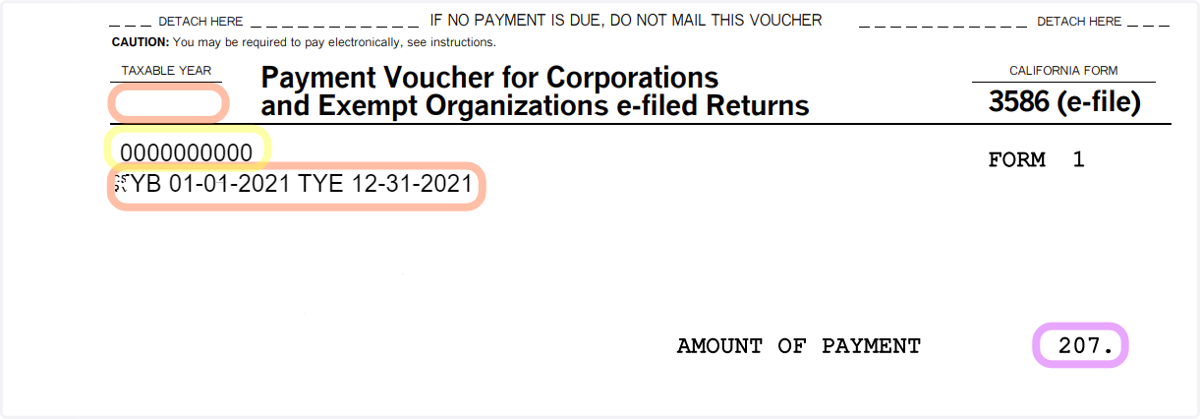
How to Read the Voucher:
Entity ID is Highlighted in Yellow
"TYB 1-01-2021 TYE 12-31-2021" Represents Tax Year Beginning to Tax Year Ending in Orange
Payment Amount is in Pink
2. Go to Pay by Bank Account (Web Pay)
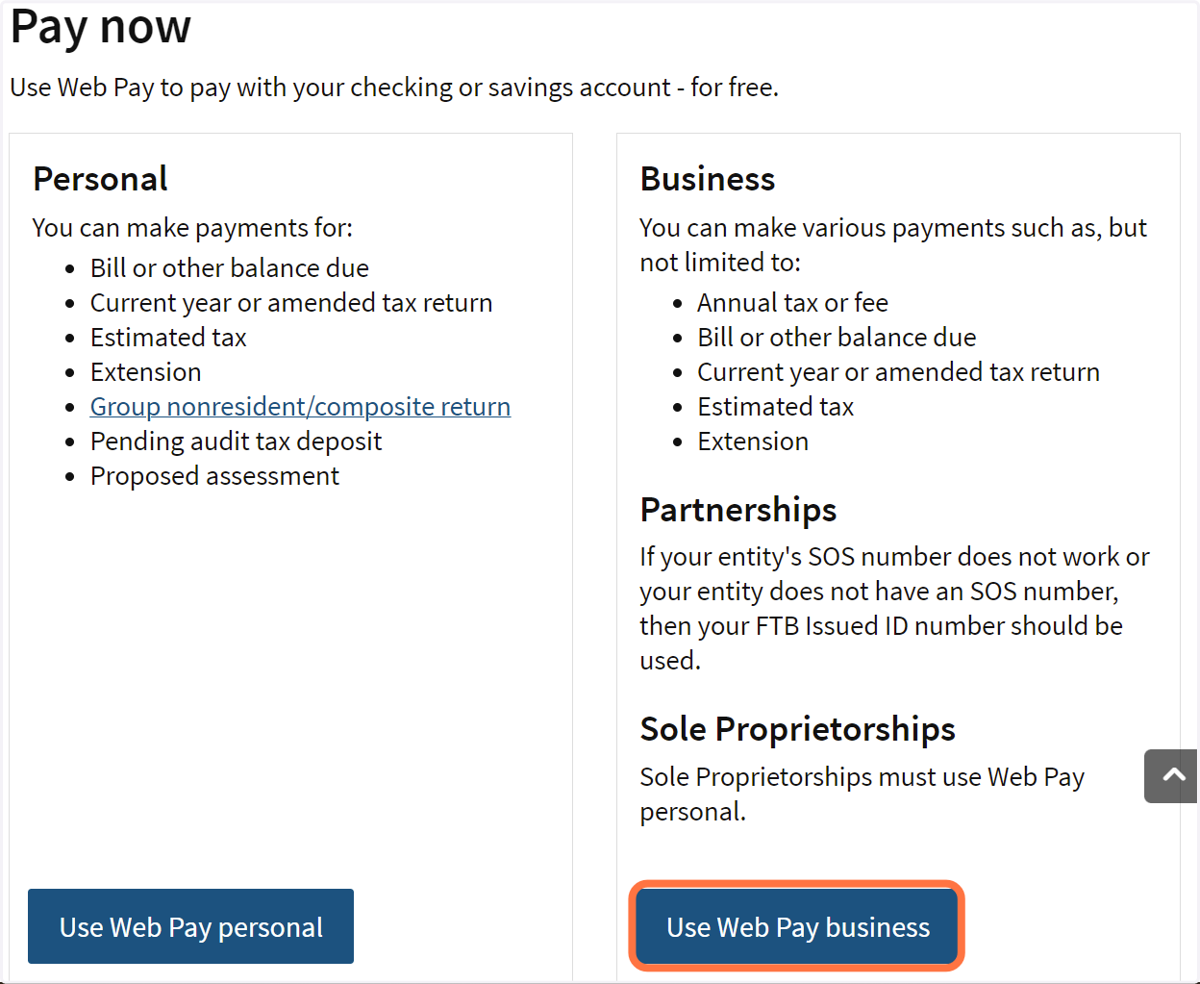
3. Click on Business
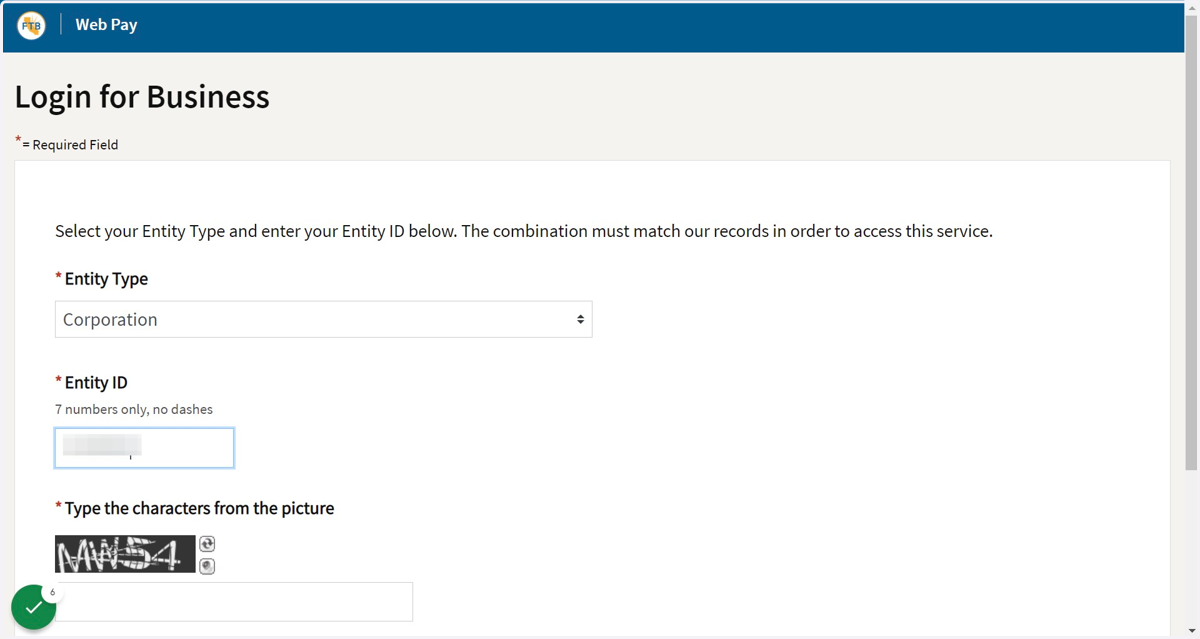
4. Choose Corporation/LLC/Partnership, Enter Entity ID Number, and Characters
Enter the following information:
Entity Type - Corporation
Entity ID - See Step 1
Characters from picture
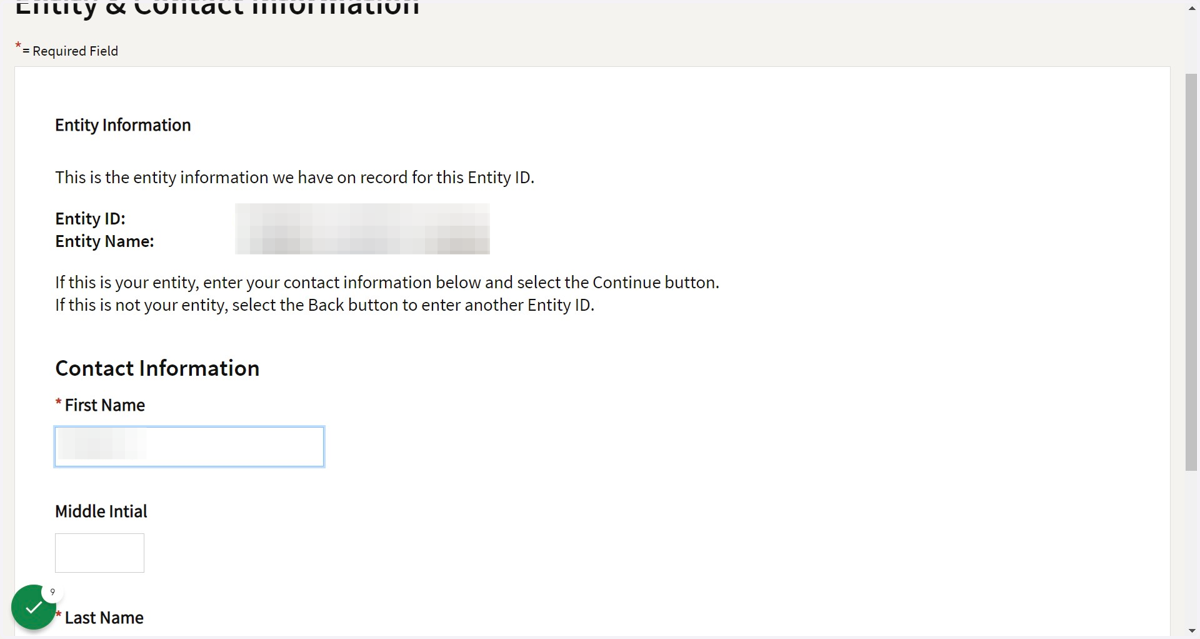
5. Enter Name
Entity ID and Name will be shown at top. Ensure it is your business name
Enter the following information:
First Name
Last Name
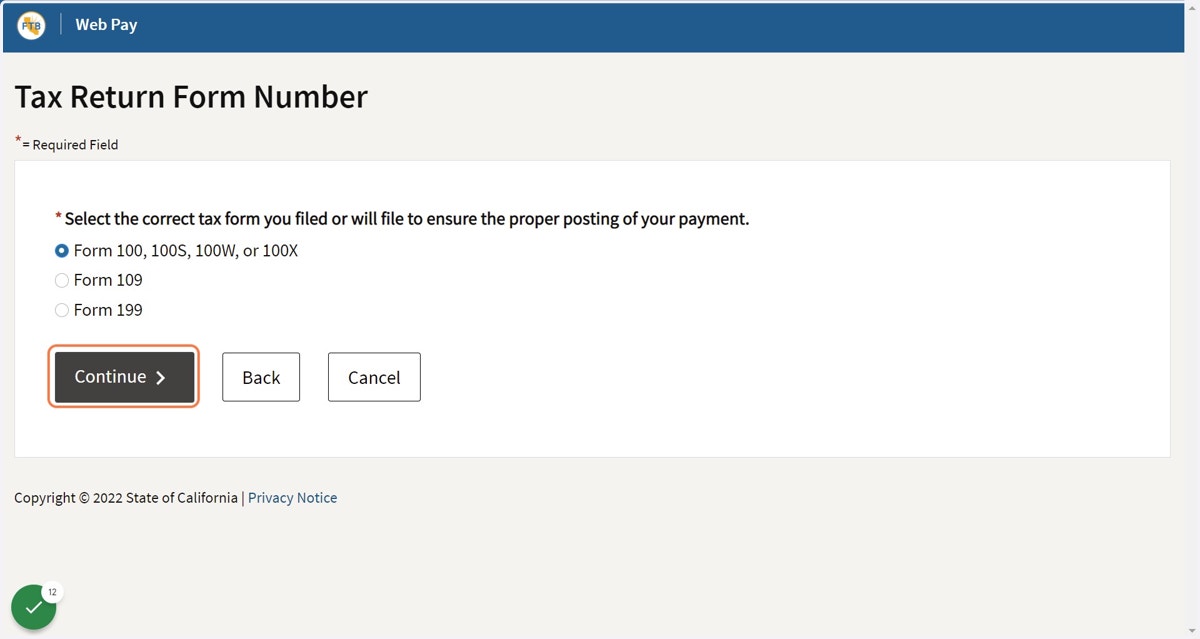
6. Choose "Form 100, 100S, 100W. or 100X"
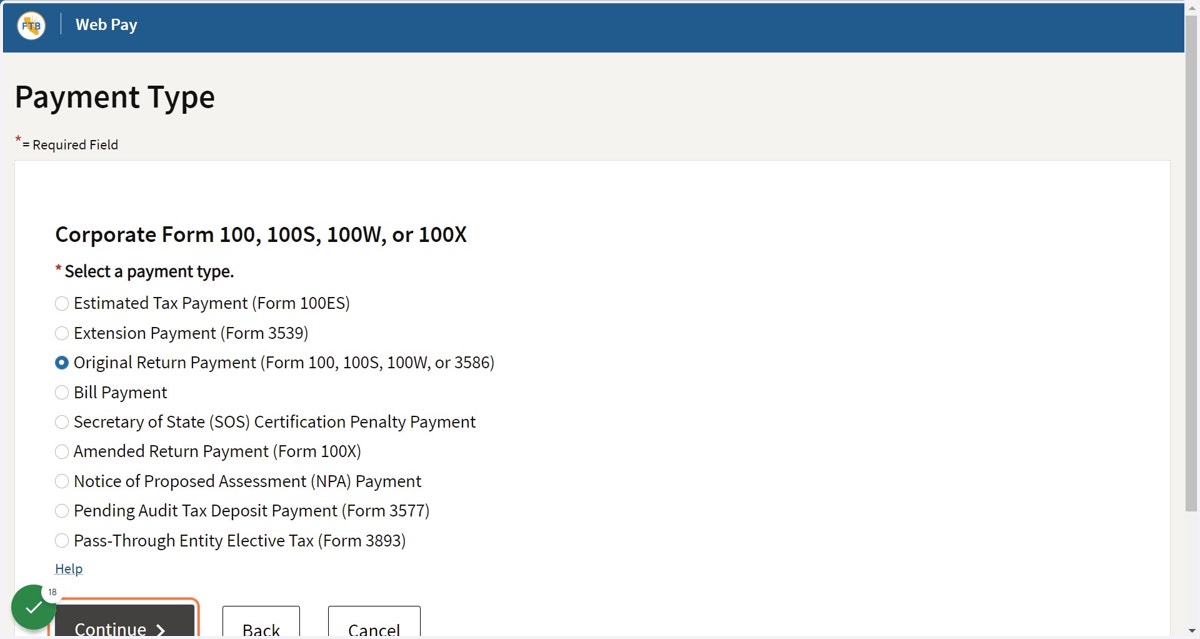
7. Choose "Original Return Payment"
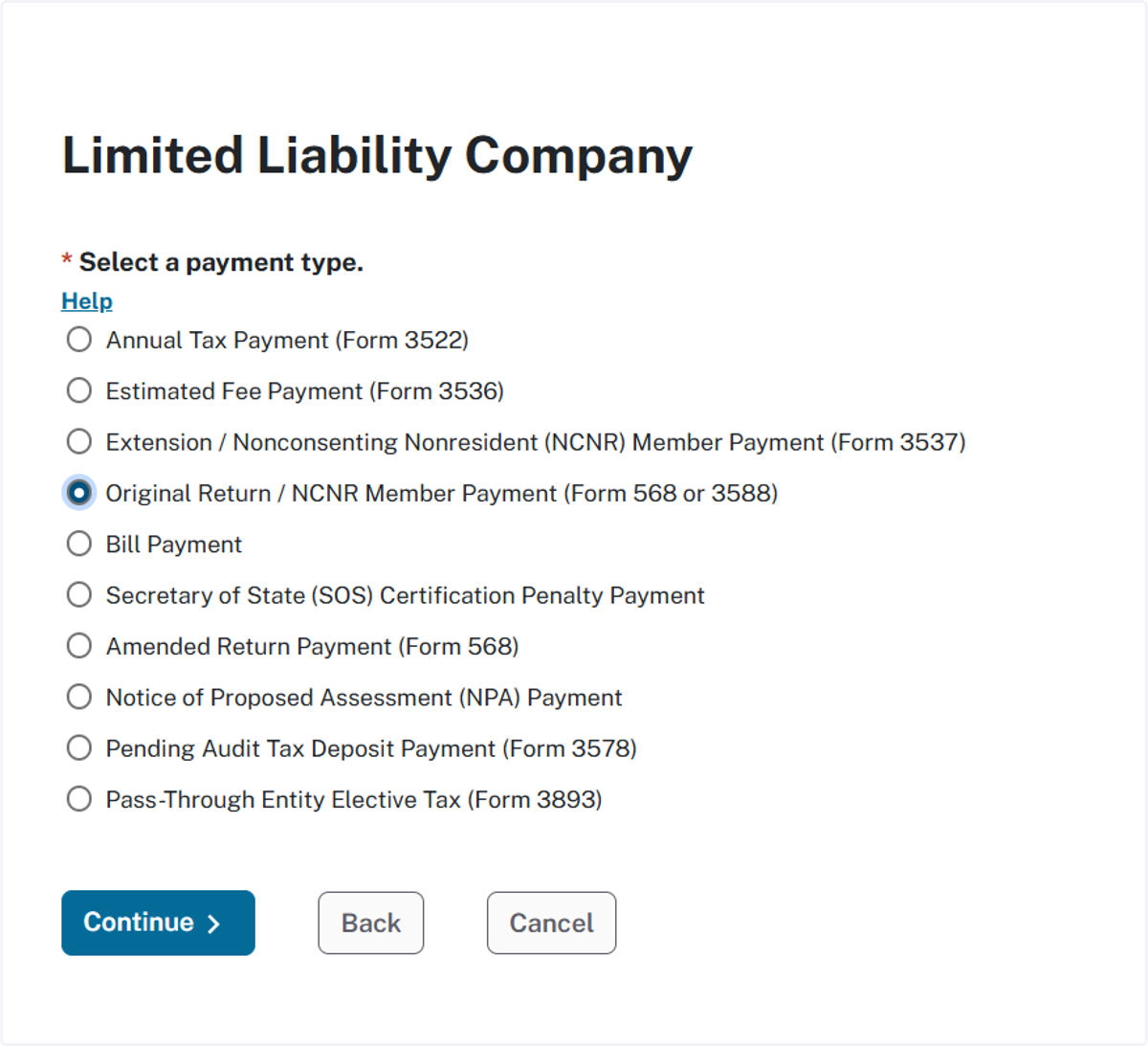
8. If your entity is an LLC
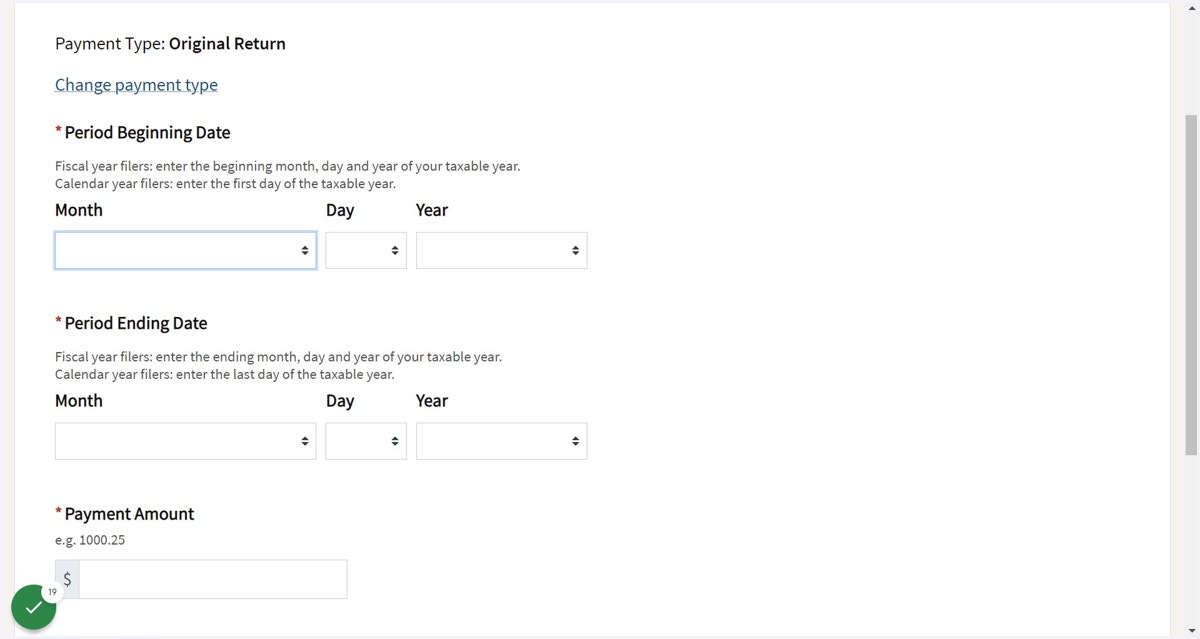
9. Enter Period Beginning and Ending Date
Enter the following information:
Period Beginning Date
Period Ending Date
Payment Amount
Payment Date (Today's Date)
*Refer back to your 100-ES voucher for Period Beginning Date, Period Ending Date, and Payment Amount.
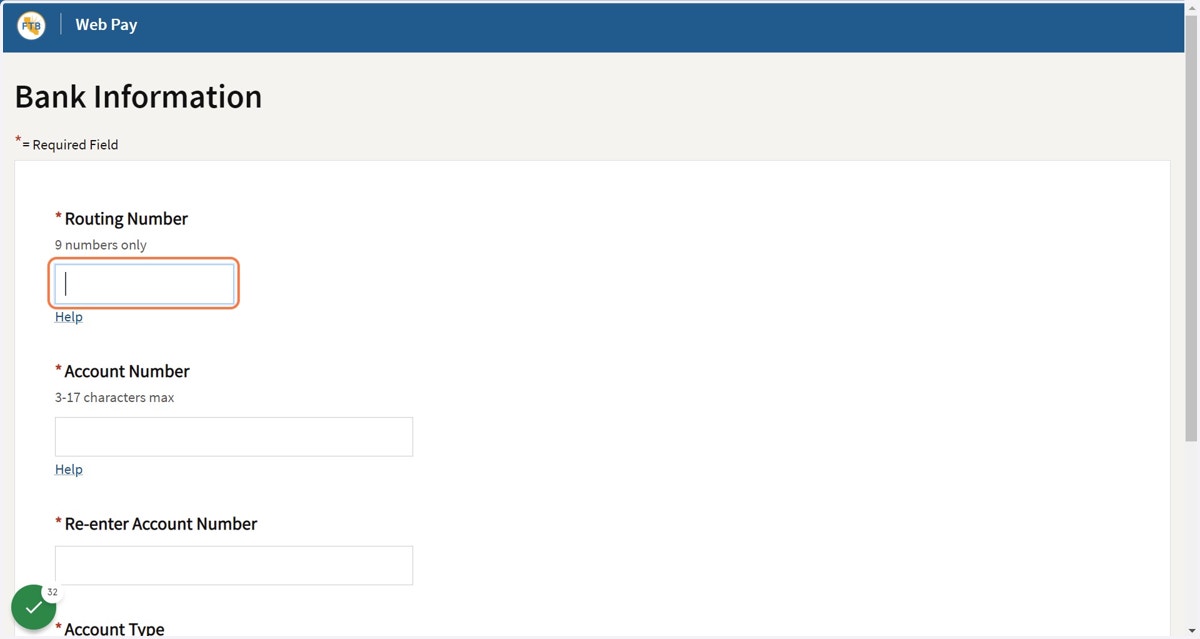
10. Enter Bank Information
Enter the following information:
Routing Number
Account Number
Re-enter Account Number
Account Type - Checking or Savings
11. Check Email for Email Confirmation from CA Franchise Tax Board
If you still have questions email info@linkacpa.com or call at 818-691-0060.