Claim and Activate Clinic on Injectablesbooking.nl
This tutorial was created using screenshots taken with Google Translate. Our Dutch and German websites were translated this way to give you a clear idea in English. As a result, some images may differ from the original. However, the steps remain the same.
Injectablesbooking.nl - Compare all clinics!
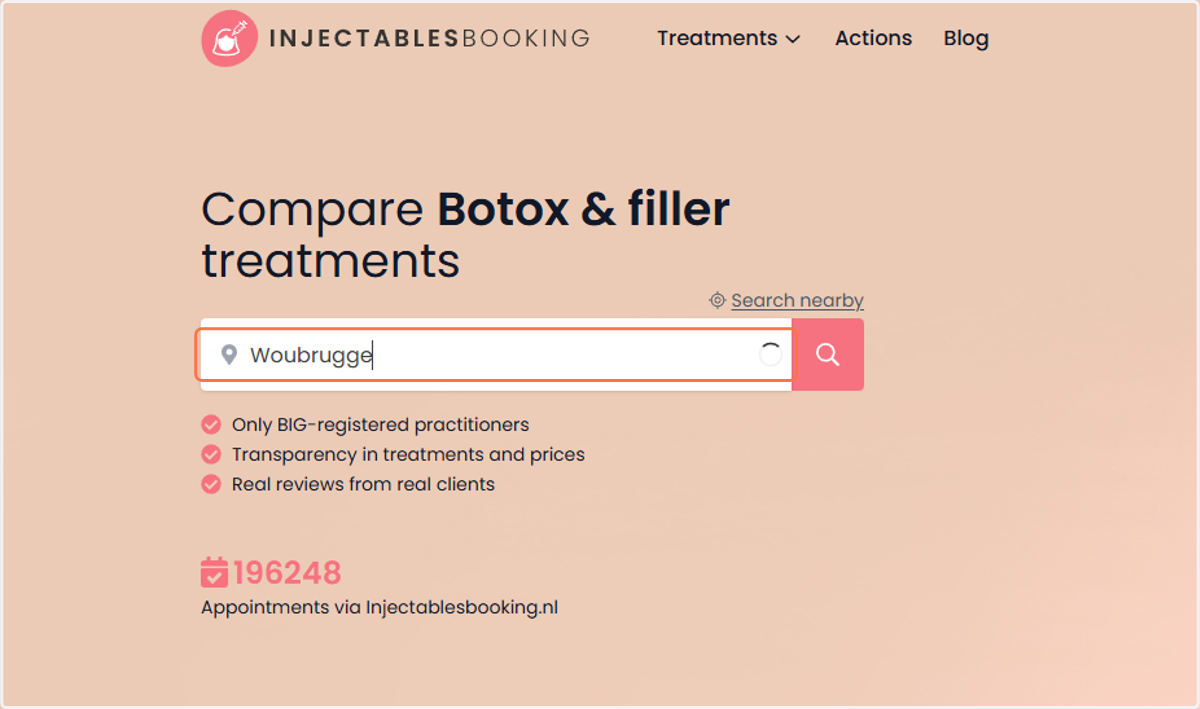
1. Go to injectablesbooking.nl, injectablesbooking.co.uk, injectablesbooking.ae, or injectablesbooking.de to claim and activate clinic Begin op injectablesbooking.nl, injectablesbooking.co.uk, injectablesbooking.ae of injectablesbooking.de om jouw kliniek te claimen en activeren.
Enter the clinic's address or location in the search bar.
Typ het adres of de locatie van de kliniek in de zoekbalk.
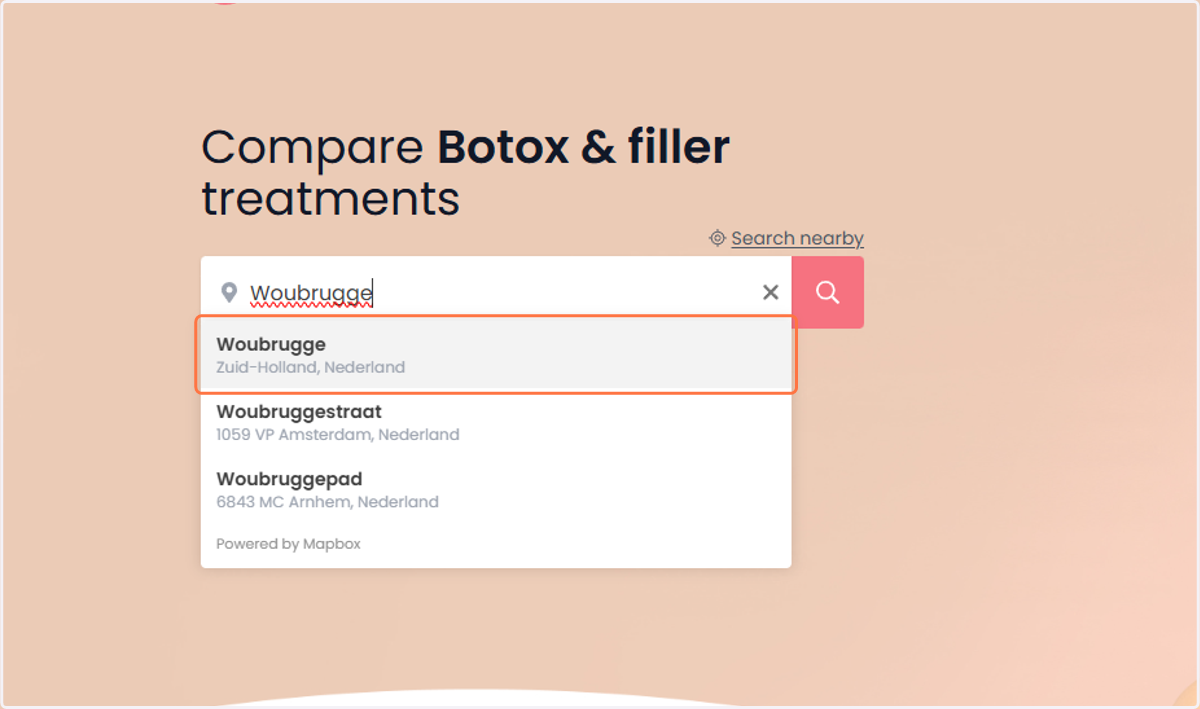
2. The location you entered will appear below. De locatie die je hebt ingevoerd, verschijnt hieronder.
Select it by clicking on it.
Selecteer het door erop te klikken.
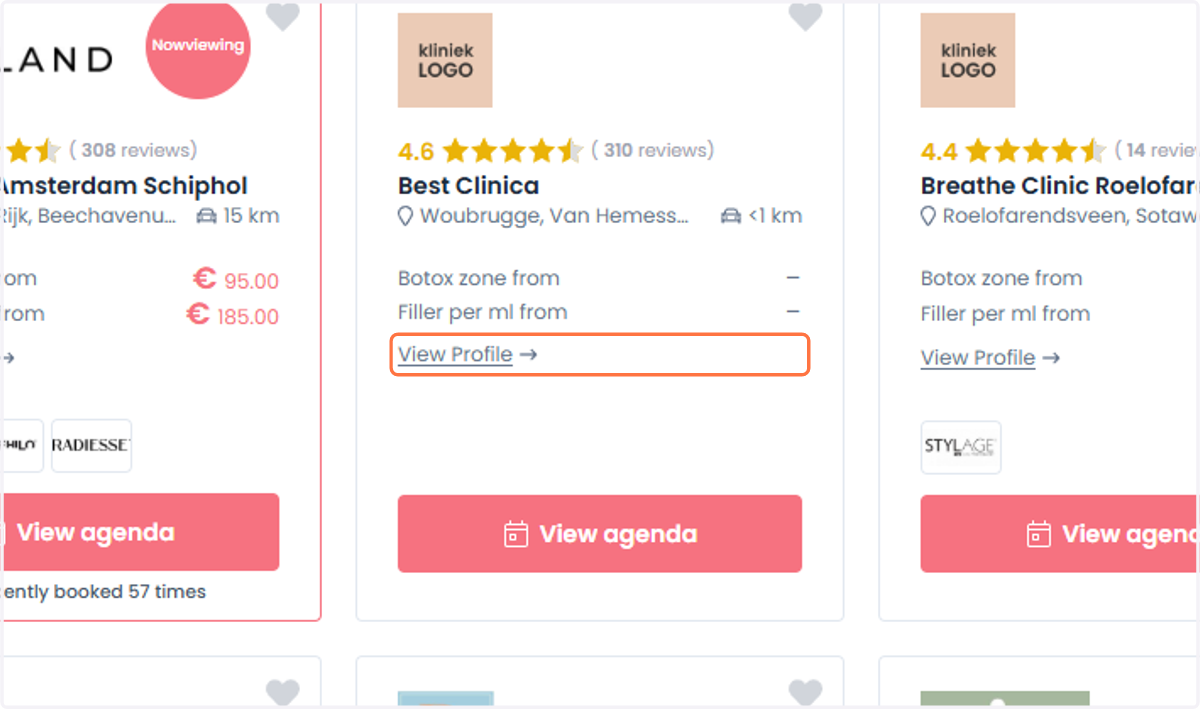
3. Click on ‘View Profile’. Klik op 'Profiel bekijken'.
Once you have found the clinic in the list below, click on ‘View Profile’.
Zodra je de kliniek in de lijst hieronder hebt gevonden, klik je op ‘Profiel bekijken’.
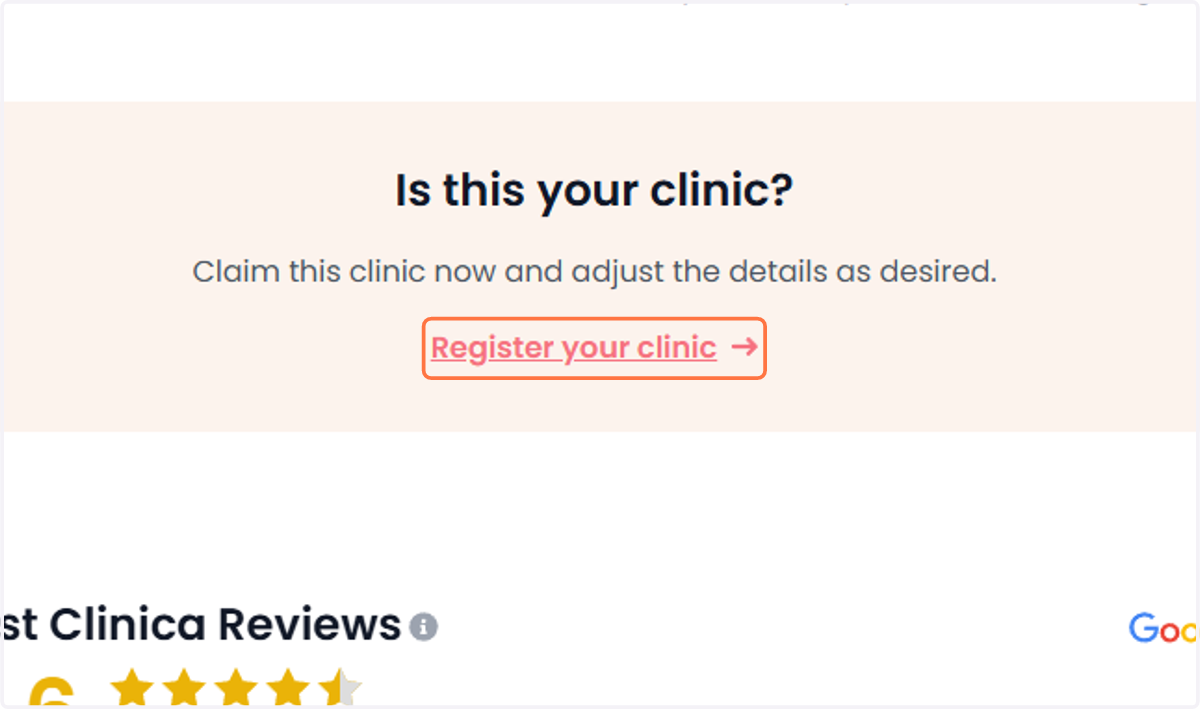
4. Click on ‘Register your clinic’. Klik op 'Registreer je kliniek'.
Click on ‘Register your clinic’ to claim the clinic and update the details if needed.
Klik op 'Registreer je kliniek' om de kliniek te claimen en de gegevens aan te passen indien nodig.
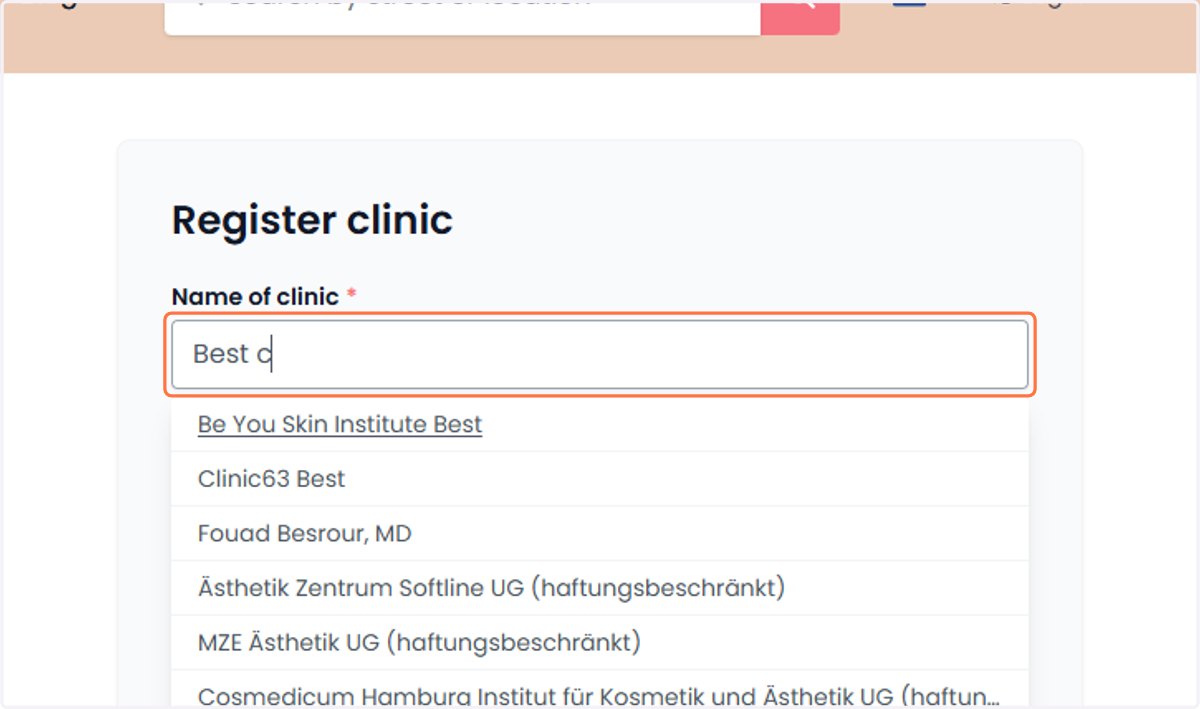
5. To register the clinic on the website Om de kliniek op de website te registreren
Enter the name of the clinic.
Voer de naam van de kliniek in.
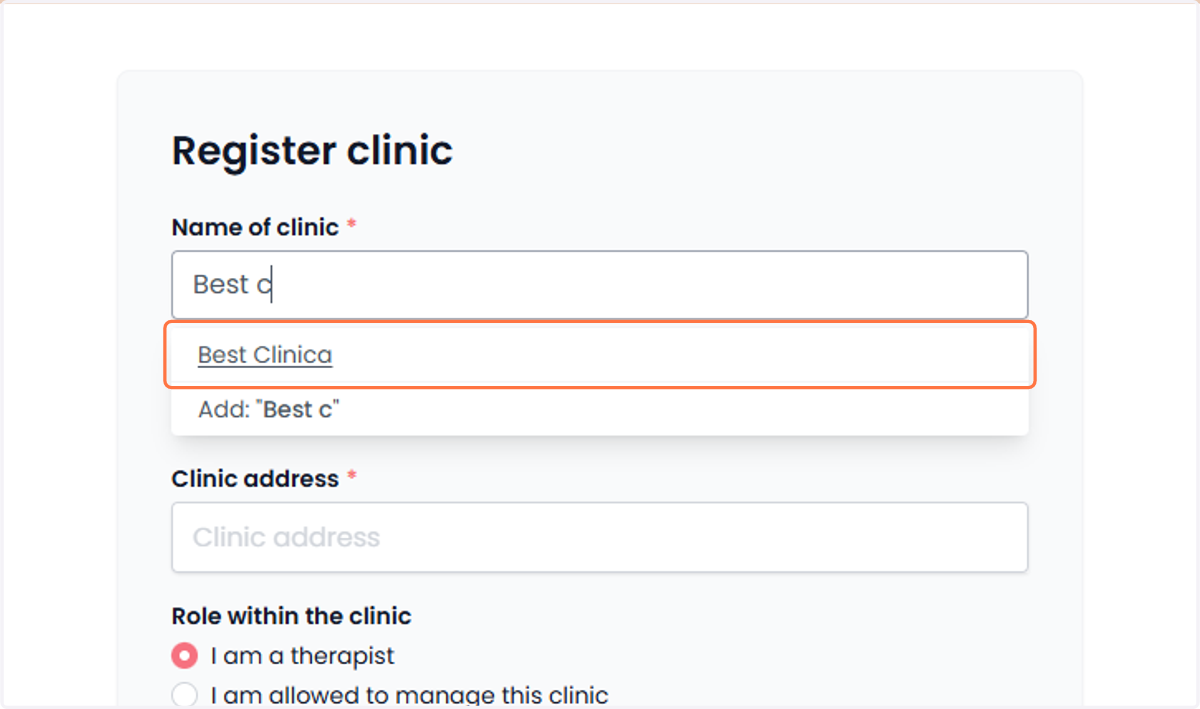
6. The entered clinic will be displayed below. De ingevoerde kliniek wordt hieronder weergegeven.
Click on the clinic name you entered.
Klik op de klinieknaam die je hebt opgegeven.
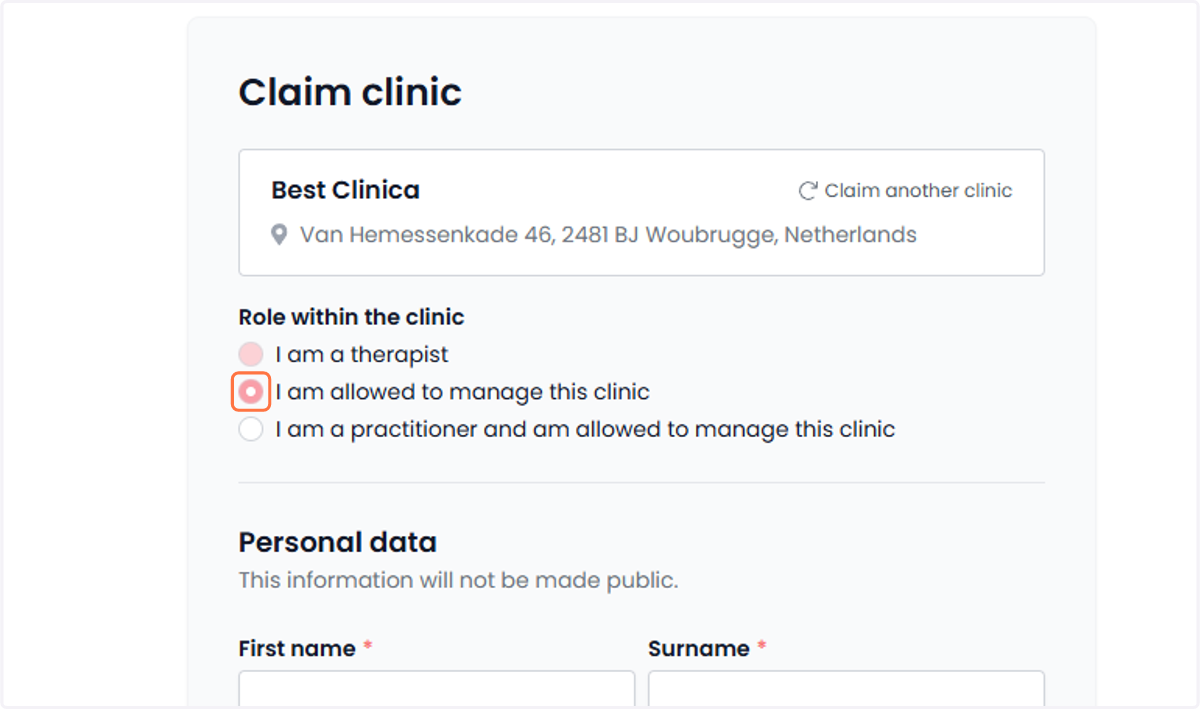
7. Enter your personal details in the fields below. Vul je persoonlijke gegevens in de onderstaande velden in.
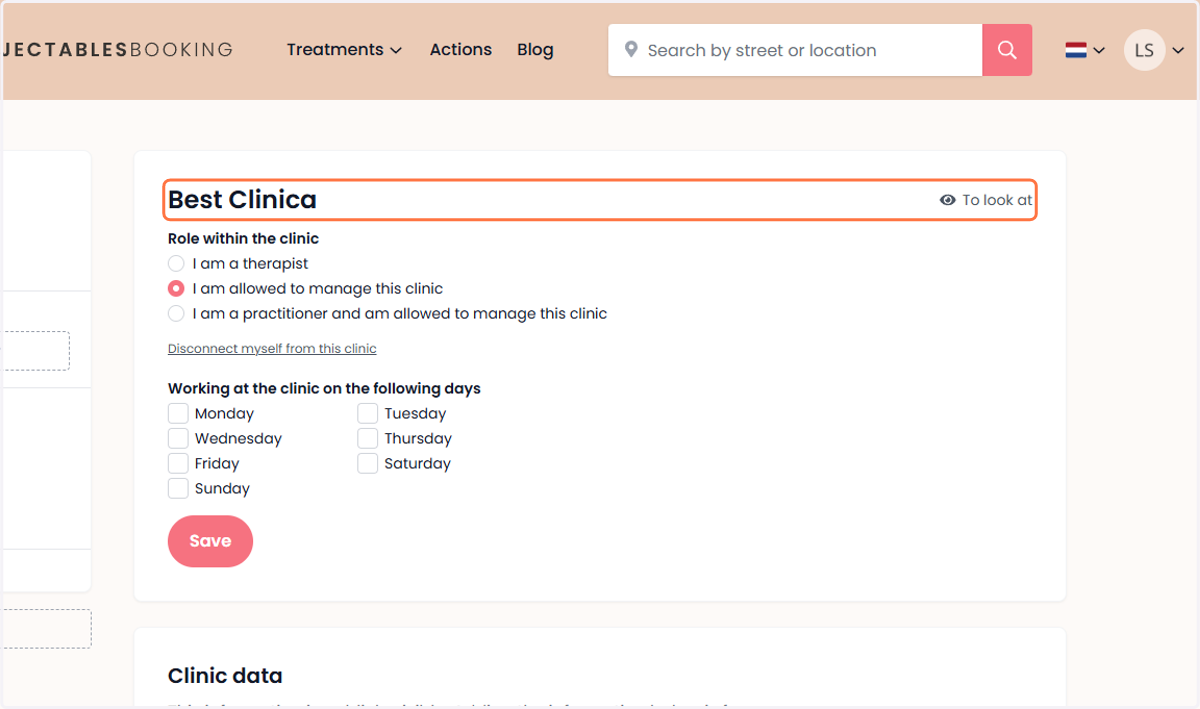
Under ‘Role within the clinic,’ choose the option that best describes your position.
Kies bij 'Rol binnen de kliniek' de optie die het beste jouw functie omschrijft.
8. Fill in your personal details in the fields below. Vul je persoonlijke gegevens in de velden hieronder in.
Enter your first name.
Vul je voornaam in.
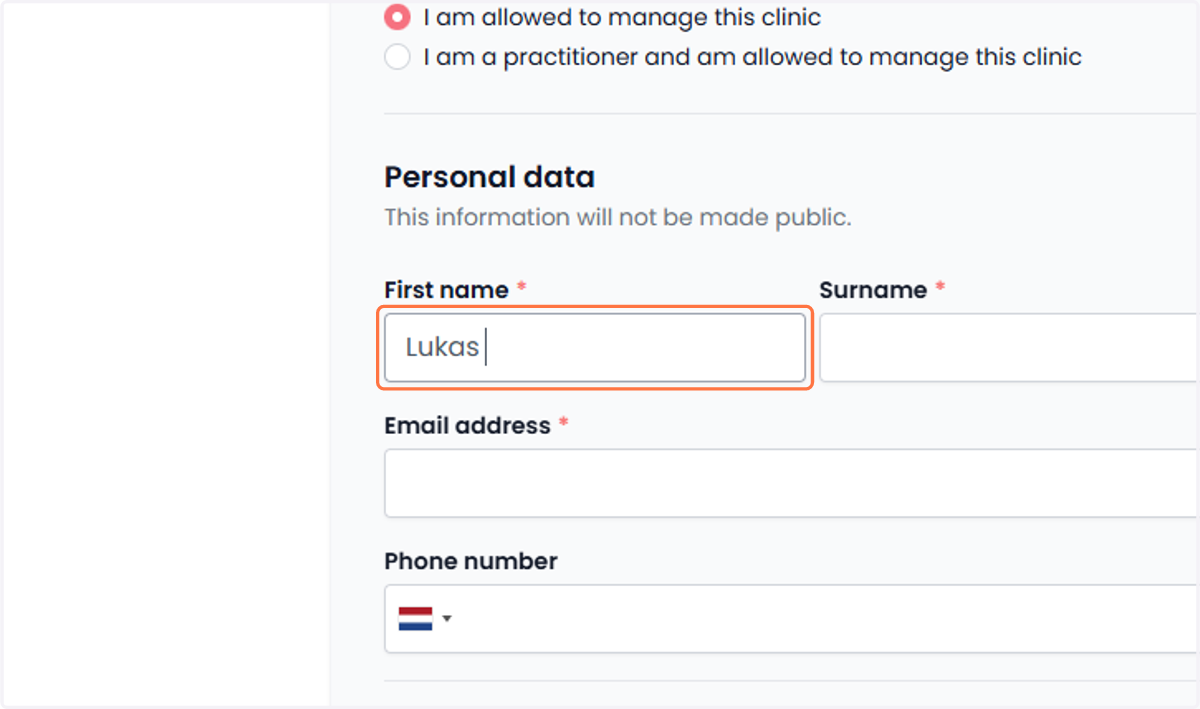
9. Enter your personal details in the fields below. Vul je persoonlijke gegevens in de velden hieronder in.
Enter your last name.
Vul je achternaam in.
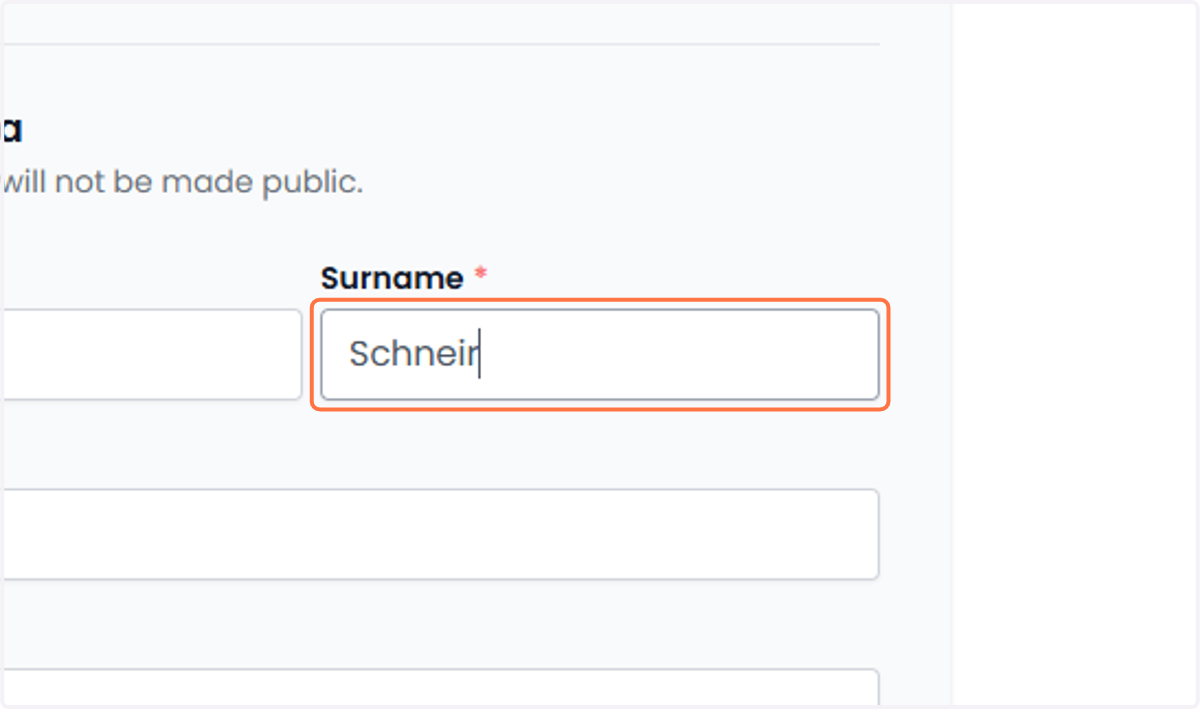
10. Enter your personal details in the fields below. Vul je persoonlijke gegevens in de velden hieronder in.
Enter your email address.
Vul je e-mailadres in.
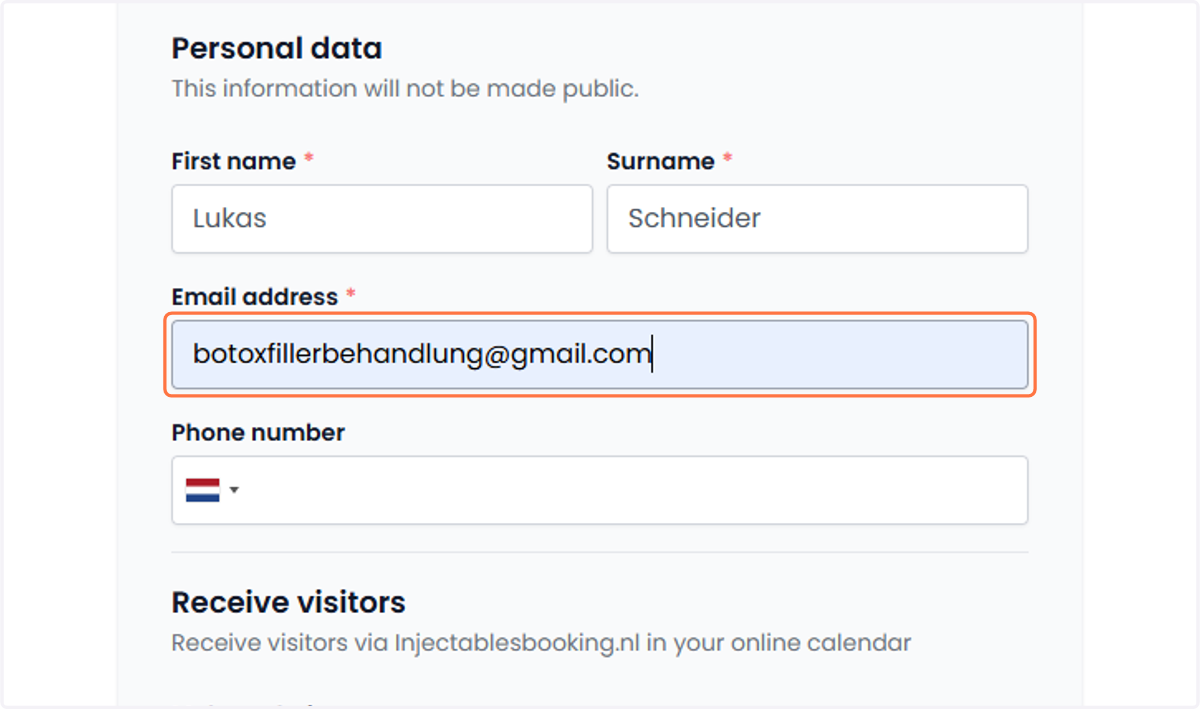
11. Fill in your personal details in the fields below. Vul je persoonlijke gegevens in de onderstaande velden in.
Enter your phone number.
Vul je telefoonnummer in.
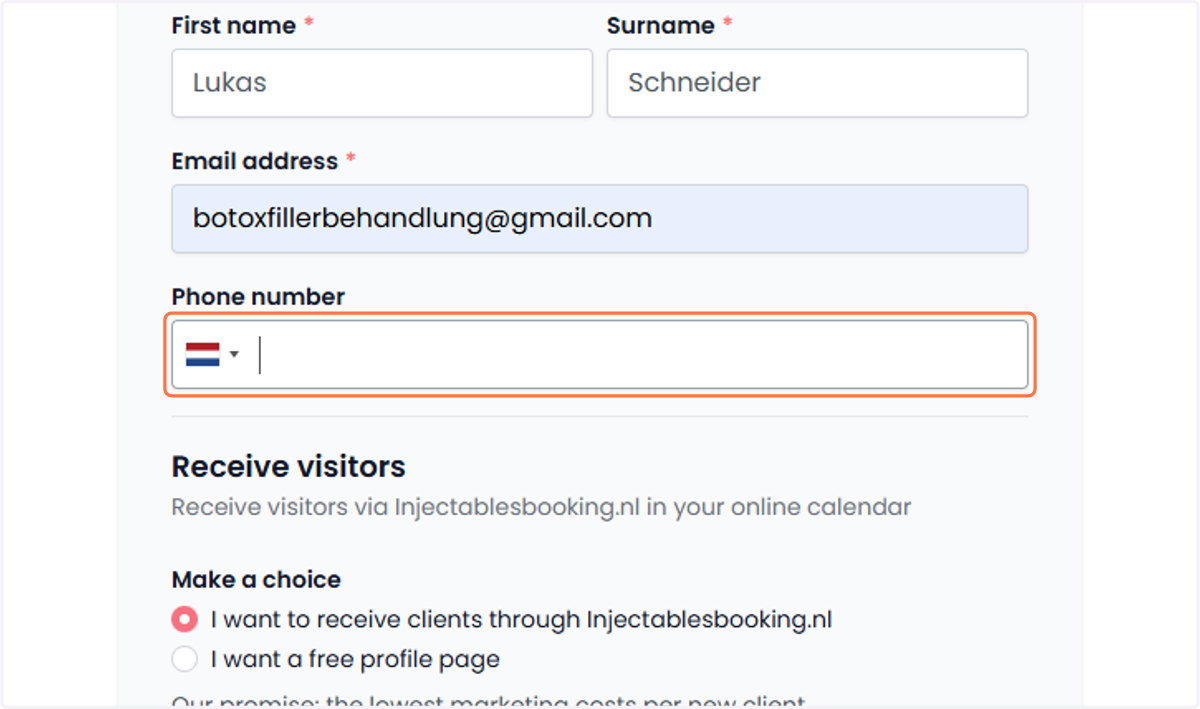
12. Under ‘Receive visitors,’ select the option that best matches your preference. Kies bij 'Ontvang bezoekers' de optie die het beste bij jouw voorkeur past.
With the option: "I want to receive clients via Injectablesbooking"
This system works similarly to Google Ads, where you set a CPC (cost per click) and a monthly budget. We will never exceed this monthly budget.
Met de keuze: "Ik wil klanten ontvangen via injectablesbooking"
Dit systeem werkt net als Google Ads, waarbij je een CPC (kosten per klik) en een maandbudget instelt. We zullen dit maandbudget nooit overschrijden.
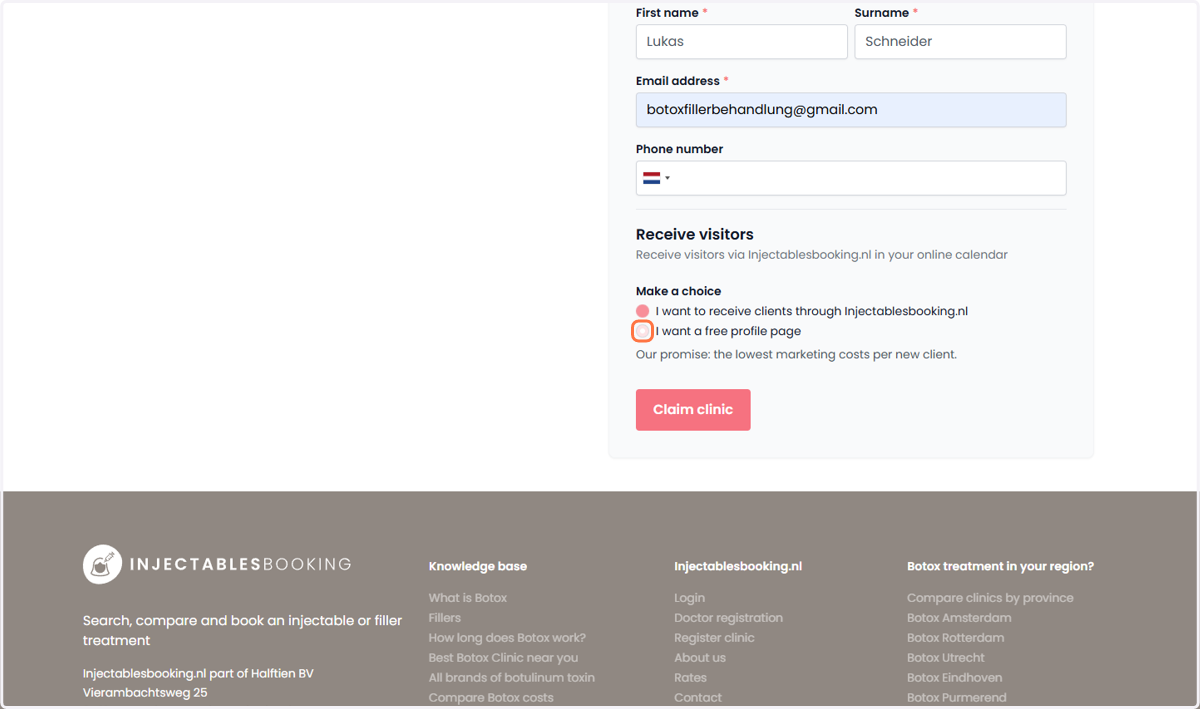
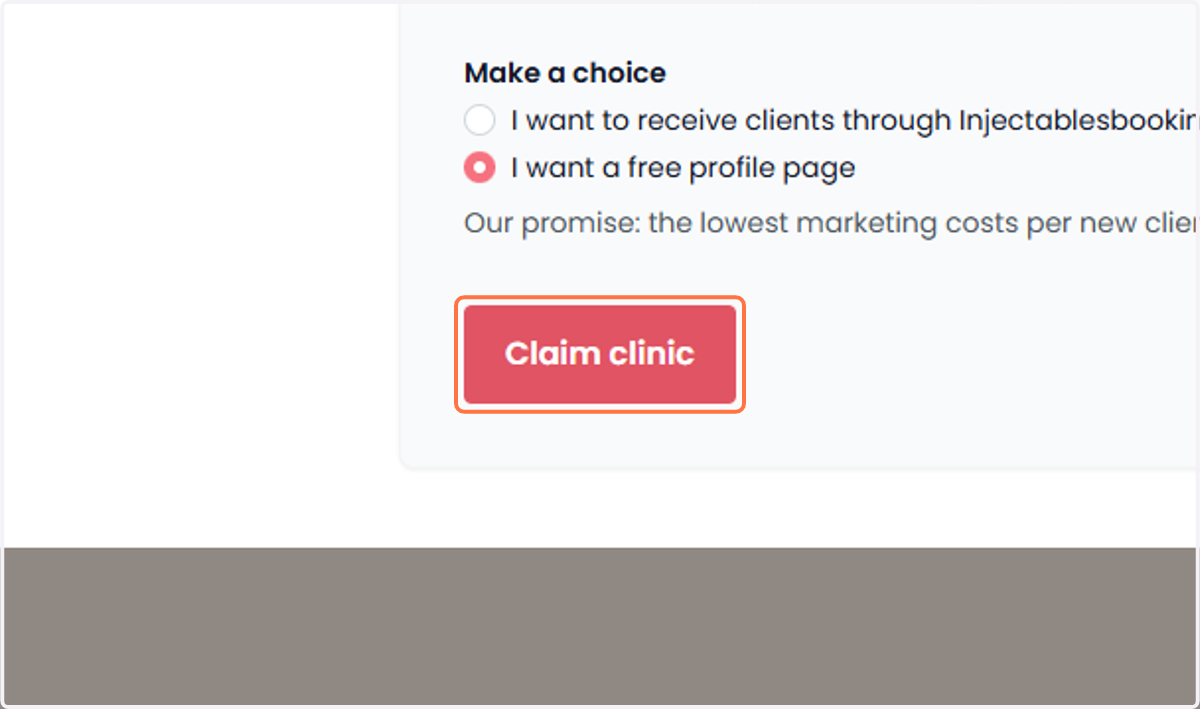
13. Under ‘Receive visitors,’ select the option that best suits your preference. Kies bij 'Ontvang bezoekers' de optie die het beste bij jouw voorkeur past.
After selecting a preference, click on "Claim Clinic".
Nadat je een voorkeur hebt gekozen, klik je op "Claim kliniek".
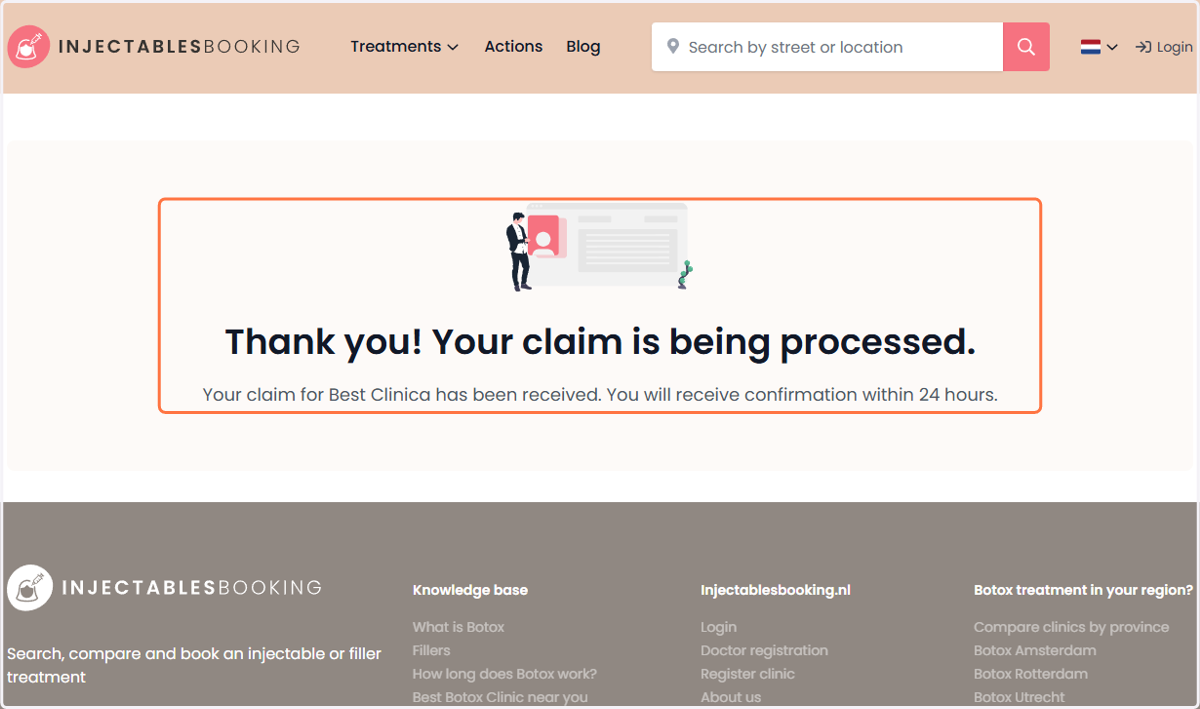
14. Once the clinic has been claimed, proceed to the next step. Zodra de kliniek is geclaimd, ga je door naar de volgende stap.
We need to approve your clinic before you can proceed. Please check your email within 24 hours.
We moeten je kliniek eerst goedkeuren voordat je verder kunt. Controleer daarom binnen 24 uur je e-mail.
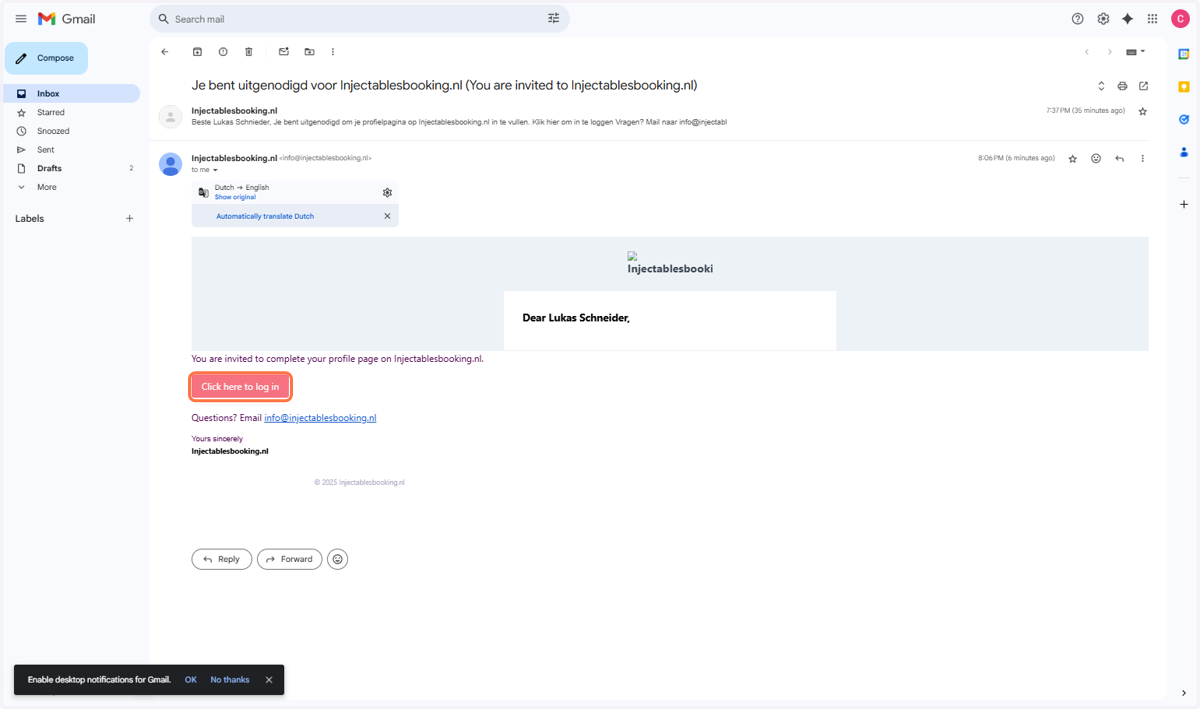
15. Log in to your account by clicking on ‘Click here to log in’. Log in op je account door te klikken op 'Klik hier om in te loggen'.
Simply click on "Click here to log in" in the email from your provider.
Klik gewoon op "Klik hier om in te loggen" in de e-mail van je provider.
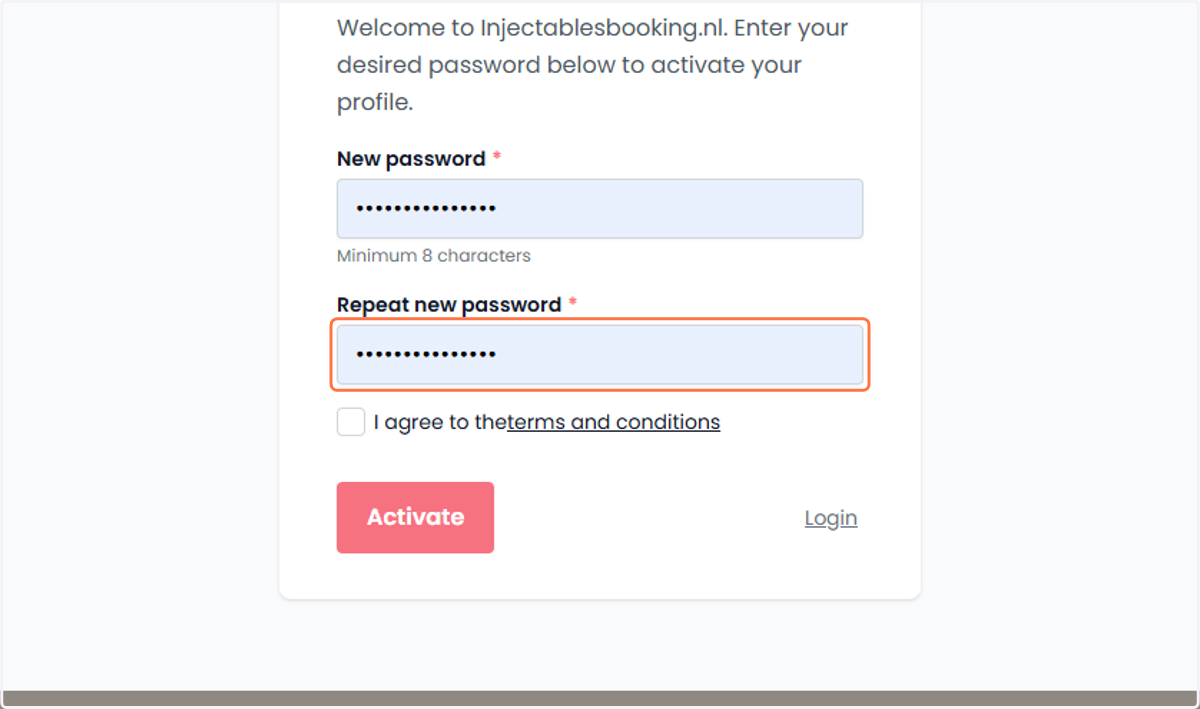
16. Create a password. Maak een wachtwoord aan.
Enter your password and confirm it by typing it again.
Voer je wachtwoord in en bevestig het door het nogmaals te typen.
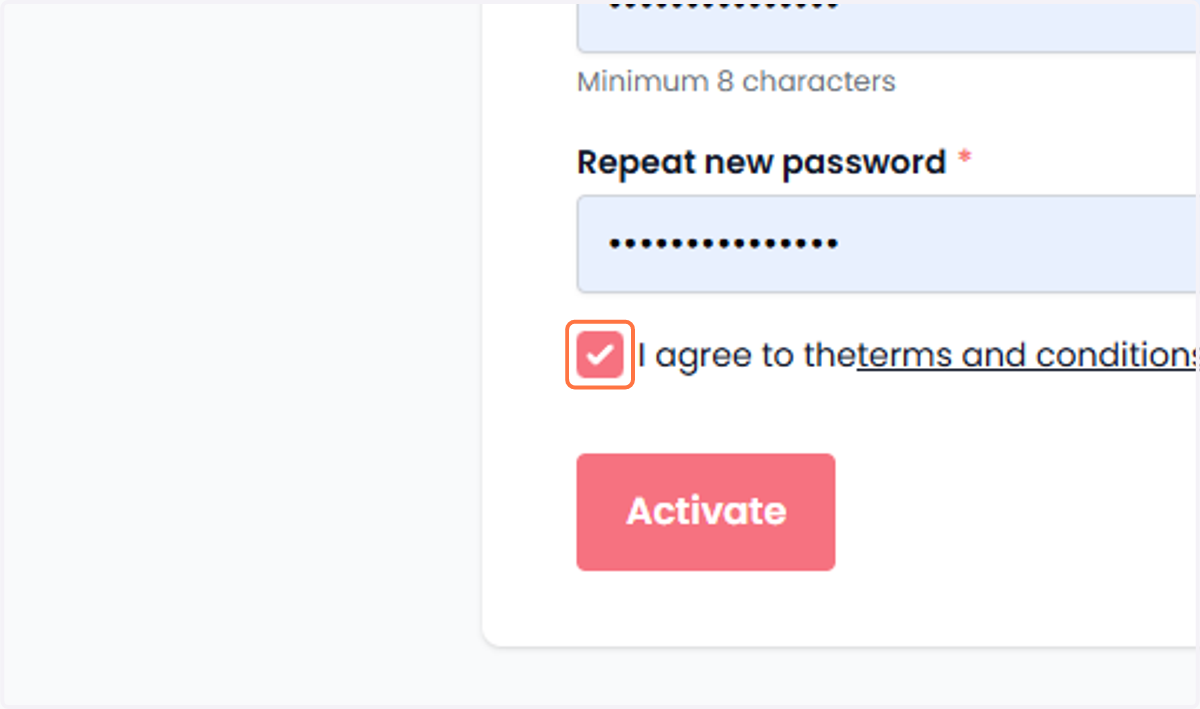
17. Read the terms and conditions and agree to them. Lees de algemene voorwaarden en ga ermee akkoord.
Read the terms and conditions and agree to them by checking the box.
Lees de algemene voorwaarden en ga ermee akkoord door het vakje aan te vinken.
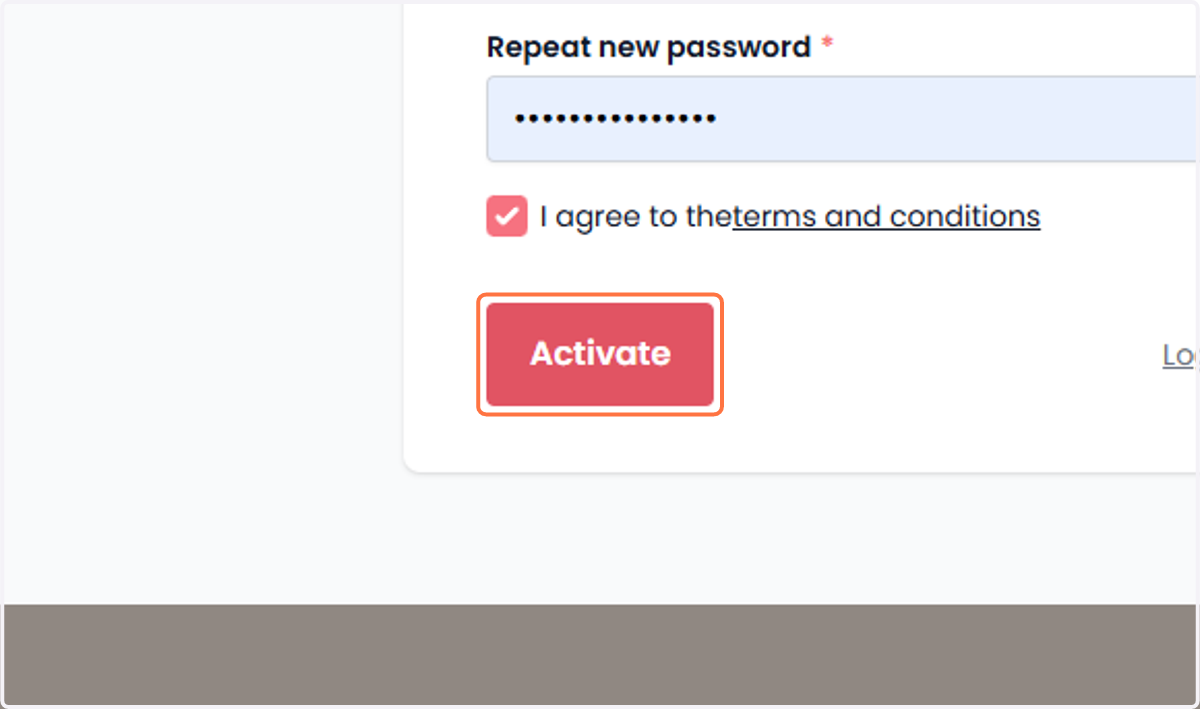
18. Finally, once all the steps are completed Tot slot, zodra alle stappen zijn voltooid
Complete the process by clicking the ‘Activate’ button.
Rond het proces af door op de knop 'Activeren' te klikken.
19. Management Settings Beheerinstellingen
You are now in the management screen of Injectablesbooking. Here, you can enter a wide range of information. Click here to learn what you can fill in and why it’s a good idea to do so.
Je bent nu in het beheerscherm van Injectablesbooking. Hier kun je veel informatie invoeren. Click here to learn Wat je kunt invullen en waarom het een goed idee is om dit te doen.