Checking who is Global Admin in Partner Center
In this guide we will know if you have Global Admin permissions or how to find out who in your organisation has those User <God> Rights 😄
Microsoft
1. Go to partner.microsoft.com
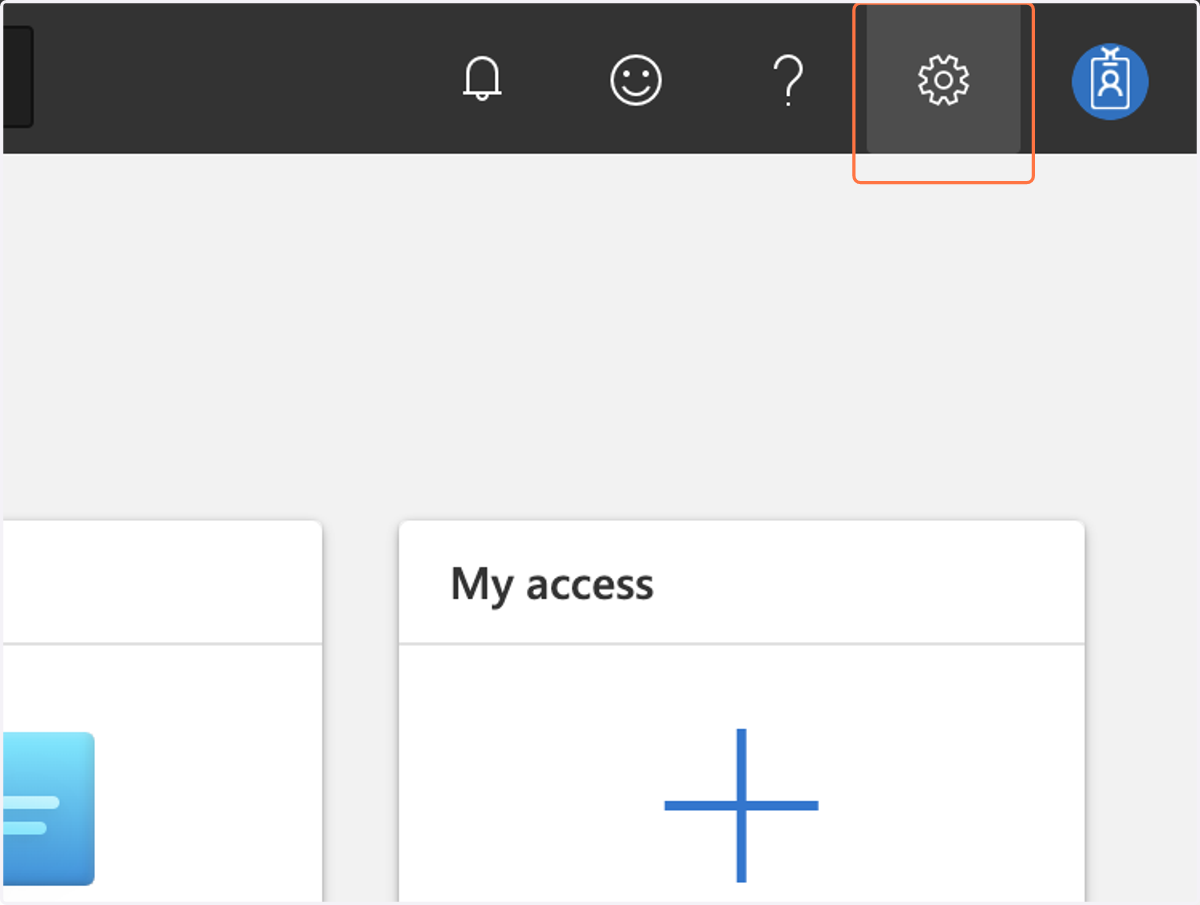
2. Click on Settings
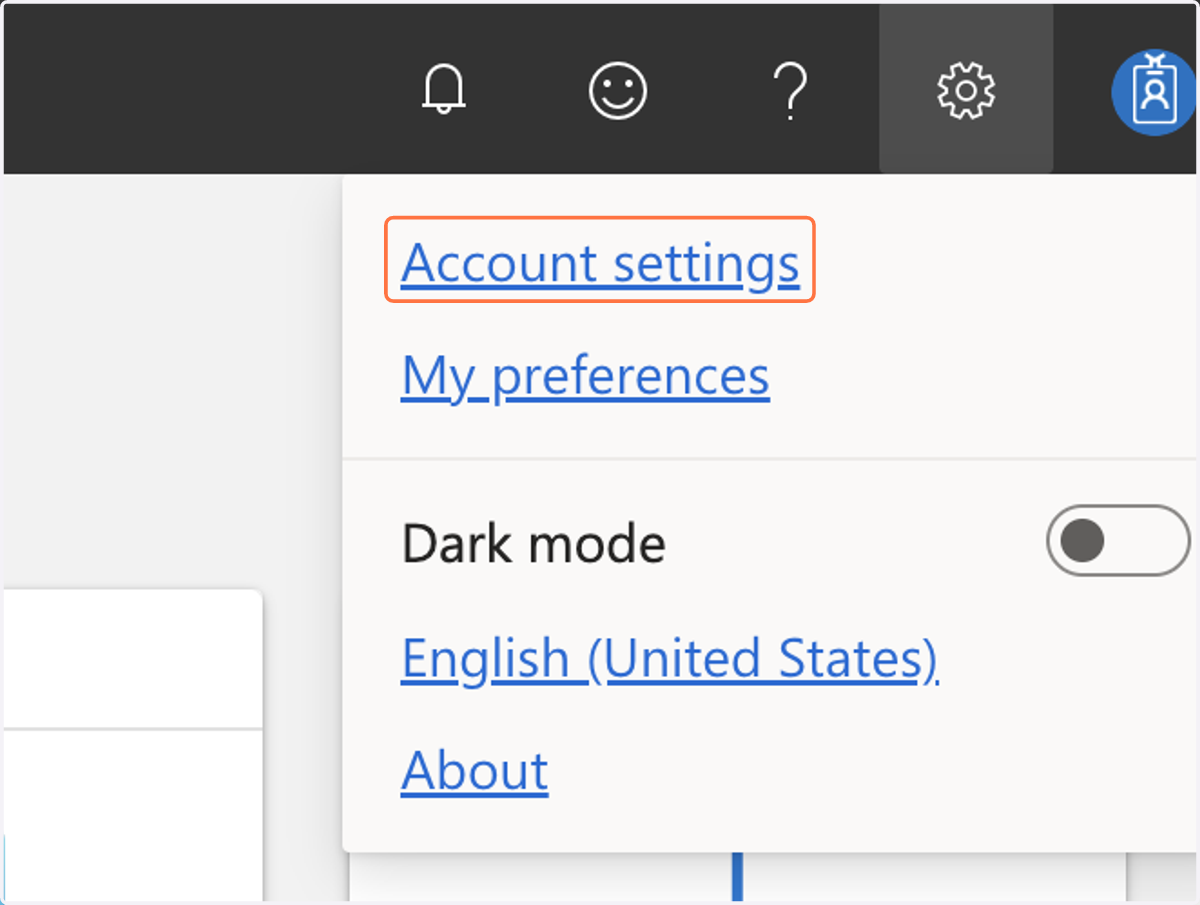
3. Click on Account settings
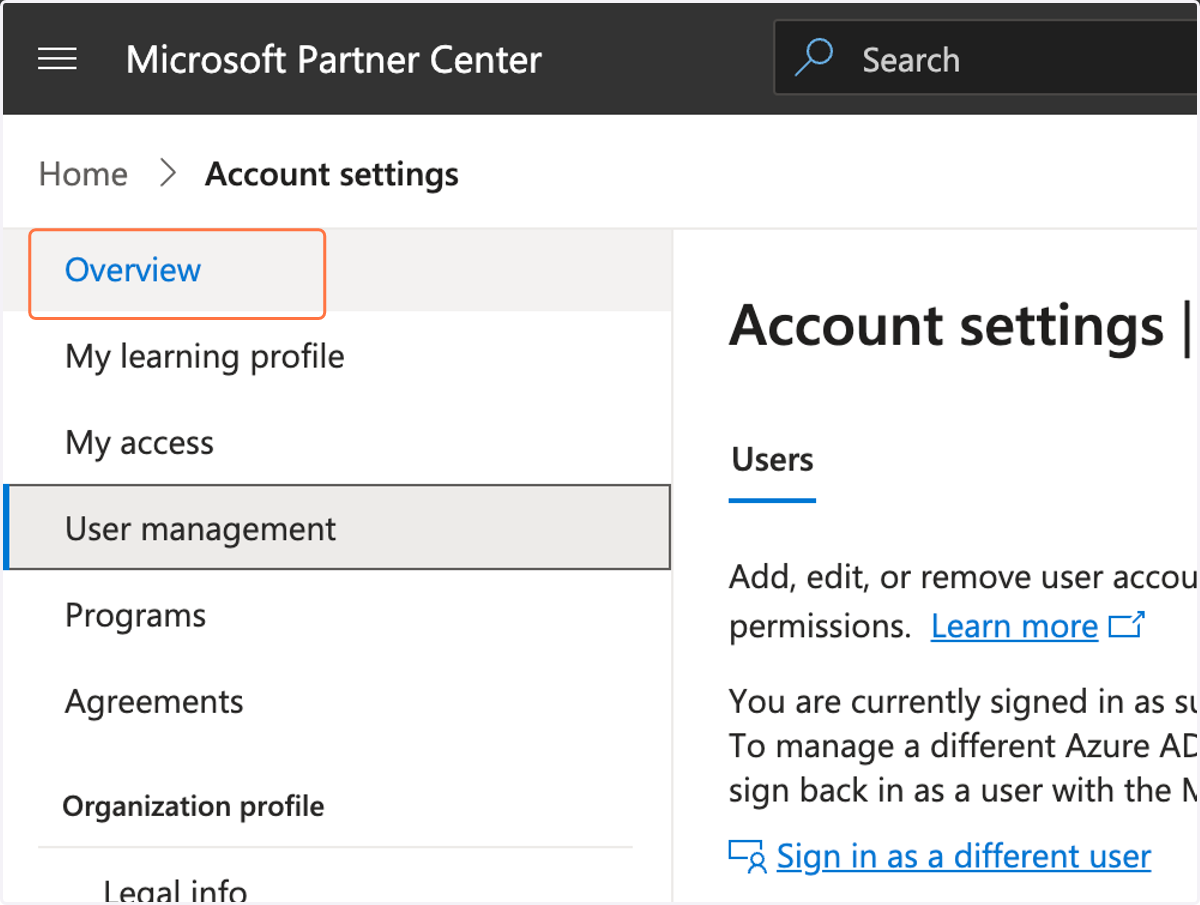
4. Make sure you are in "Overview"
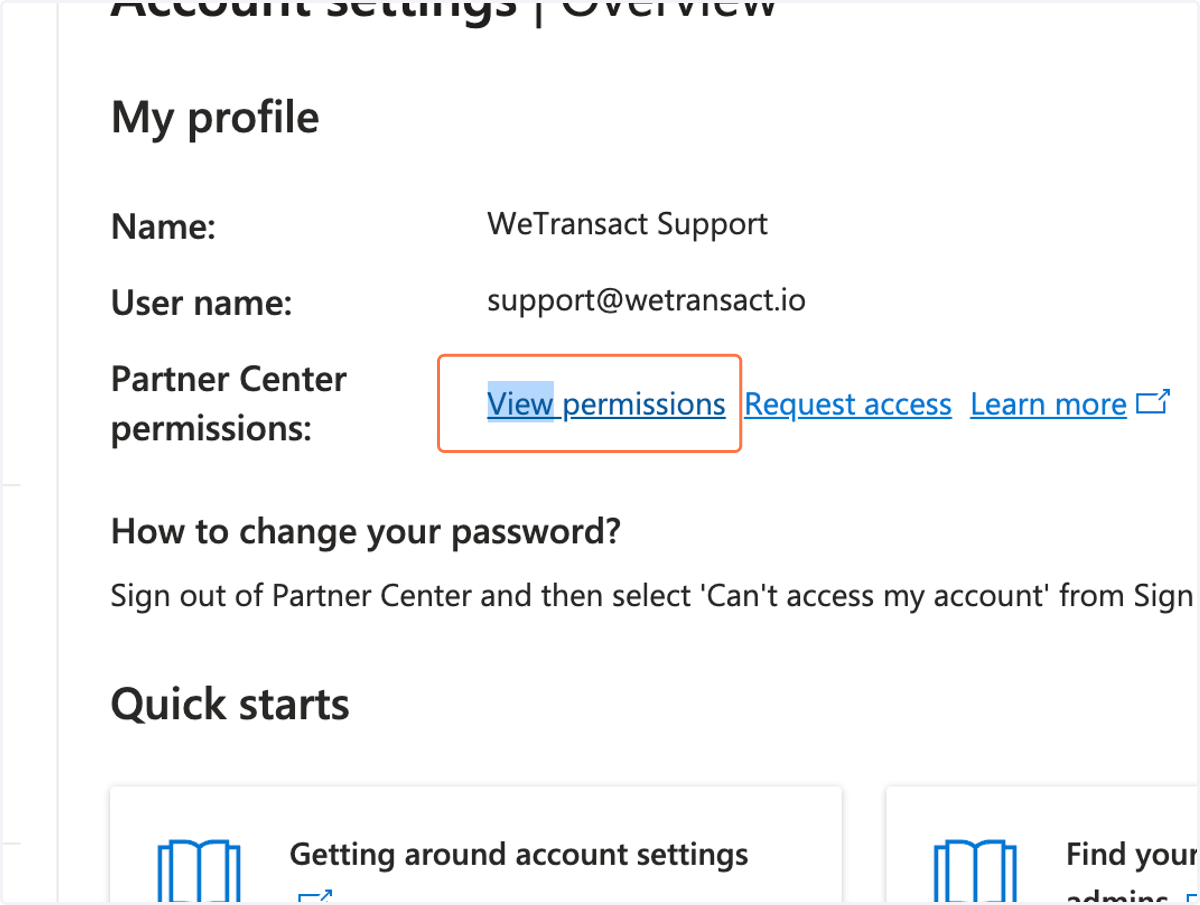
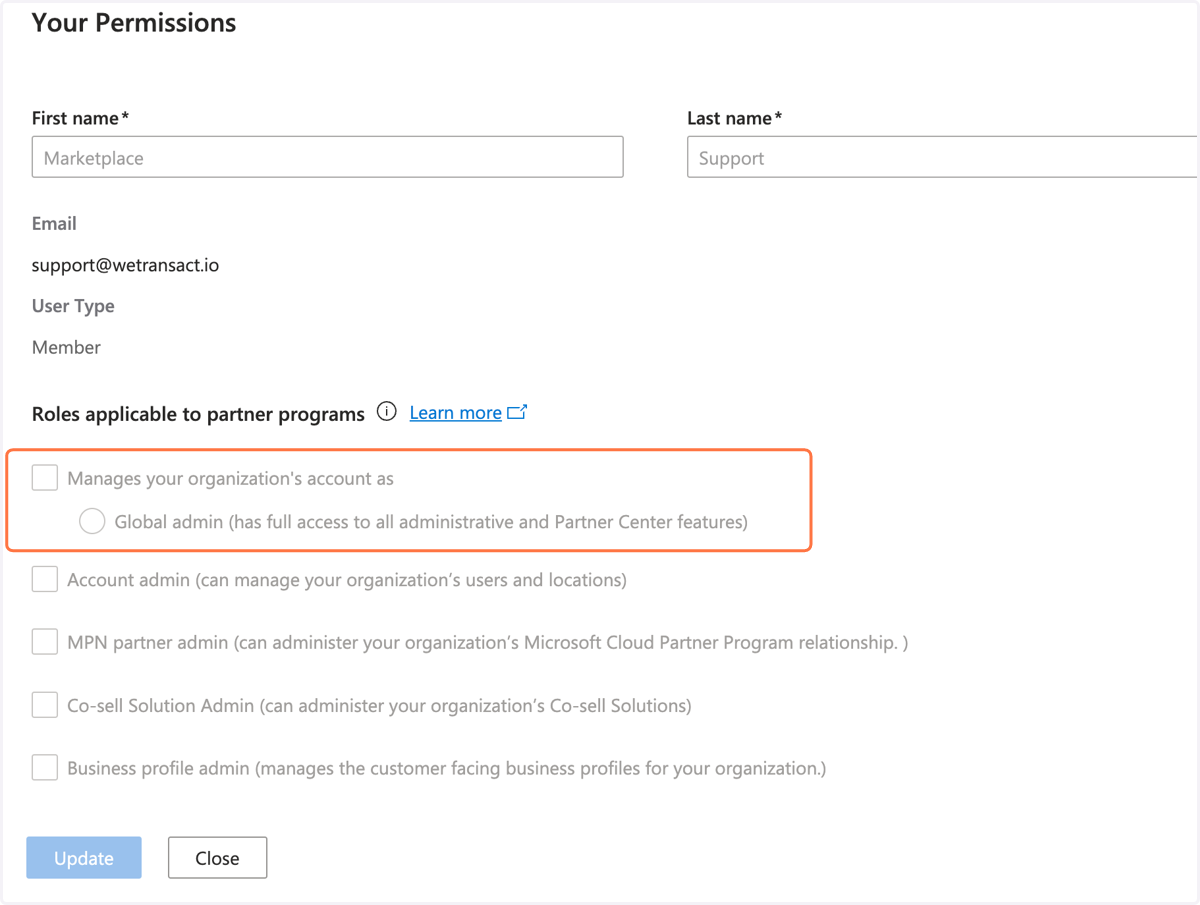
5. Click on View Permissions
6. Validate you are or aren't Global Admin
If you are not the Global Admin follow the next step where we show you how to find out who is Global Admin.
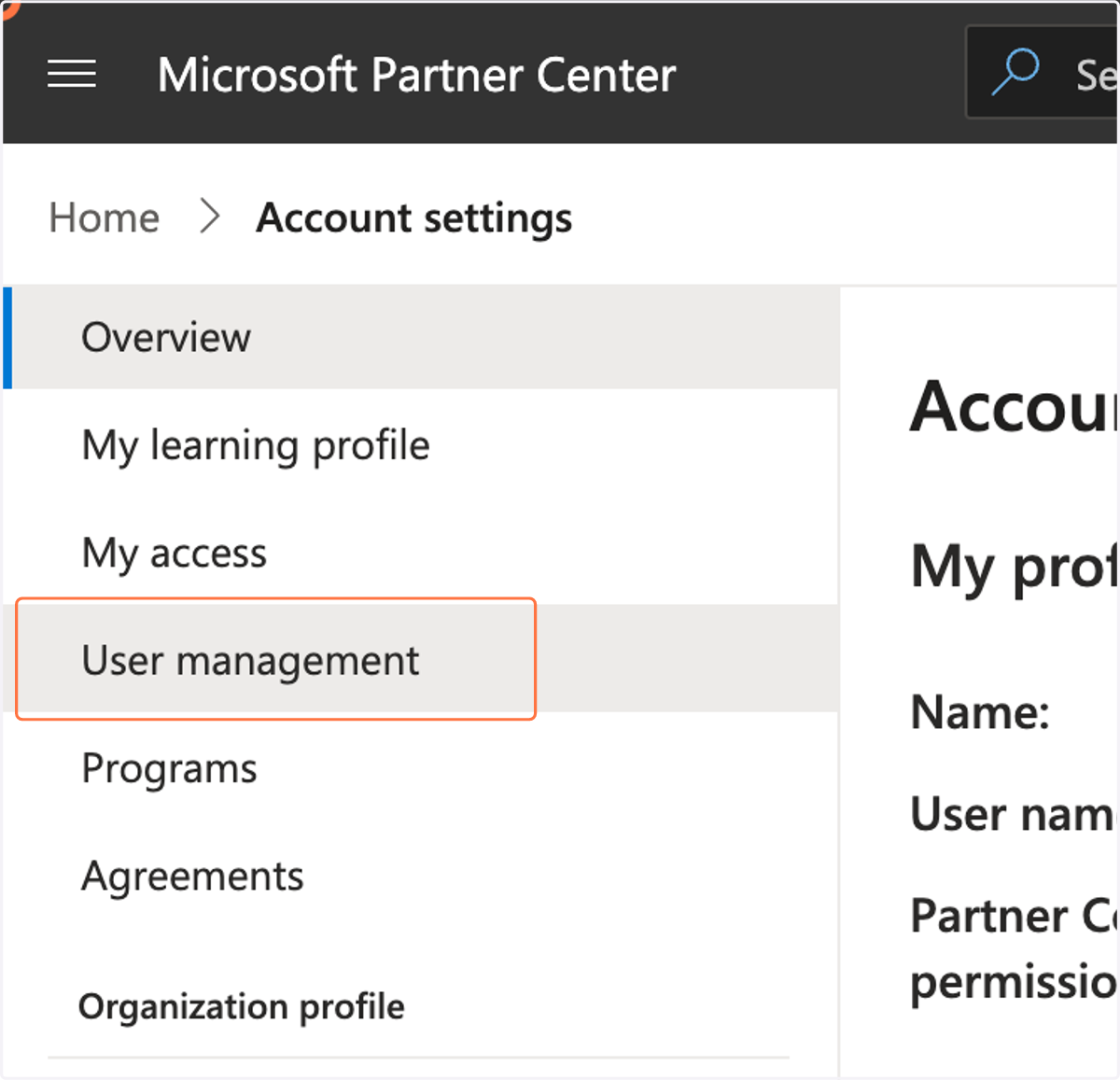
7. Click on "User Management"
8. Find who is the Global Admin in "Name and Roles"
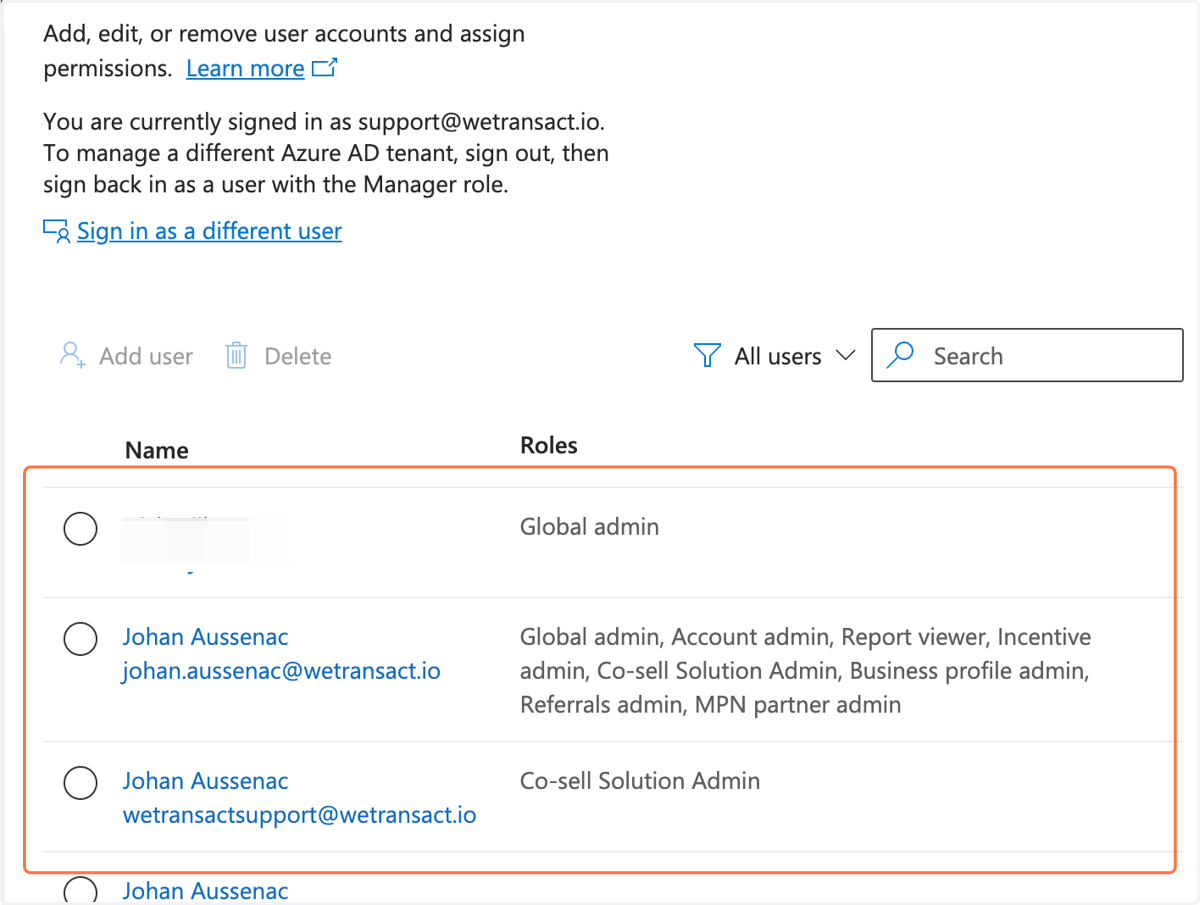
9. Now you know who is the Global Admin.
You can now request to the Global Admin in your organisation to make you Global Admin or request to this person to action in what's being asked.