Checking Facebook Community Standards Violations and Page Status
From time to time, you may receive suspicious emails claiming that your Facebook page is at risk of being shut down due to a Community Standards violation or other issue. These are often scams designed to trick you into clicking harmful links or providing login details.
To give you peace of mind and help you avoid falling for these types of messages, Facebook provides a way to manually check the health and status of your business page directly from your account.
This guide will walk you through the steps to check for any account restrictions, Community Standards violations, or other page-related issues—so you can be confident that everything is in good standing.
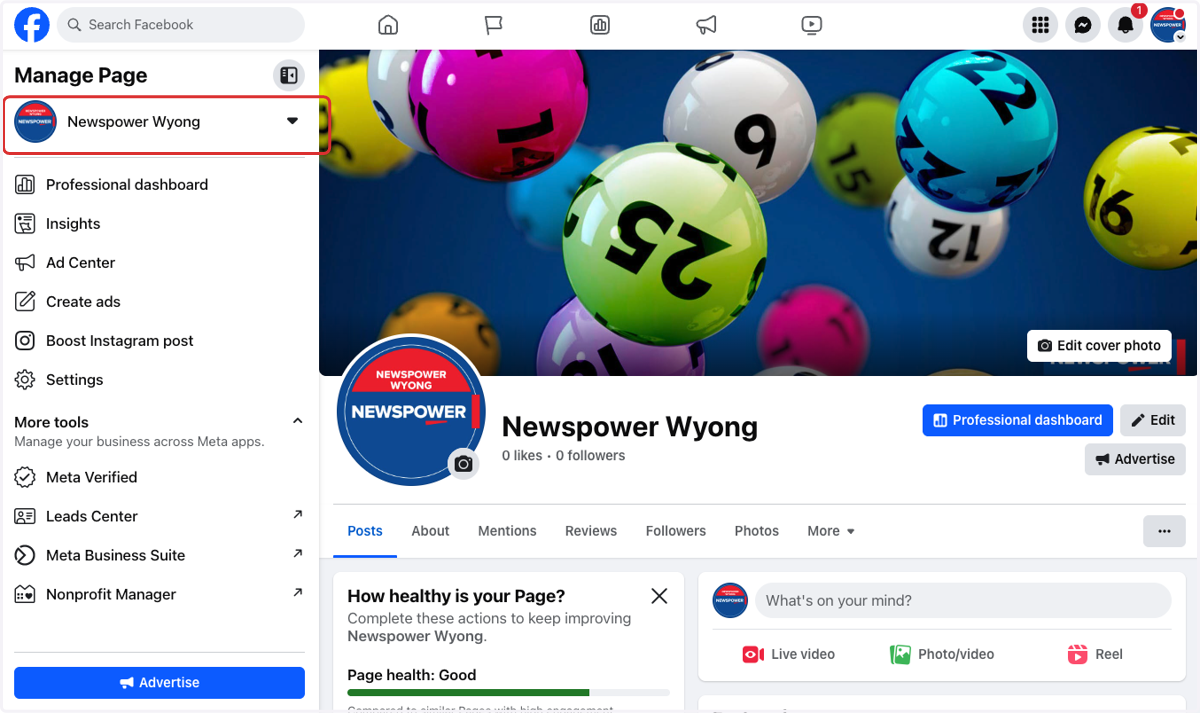
1. Navigate to your business Facebook page
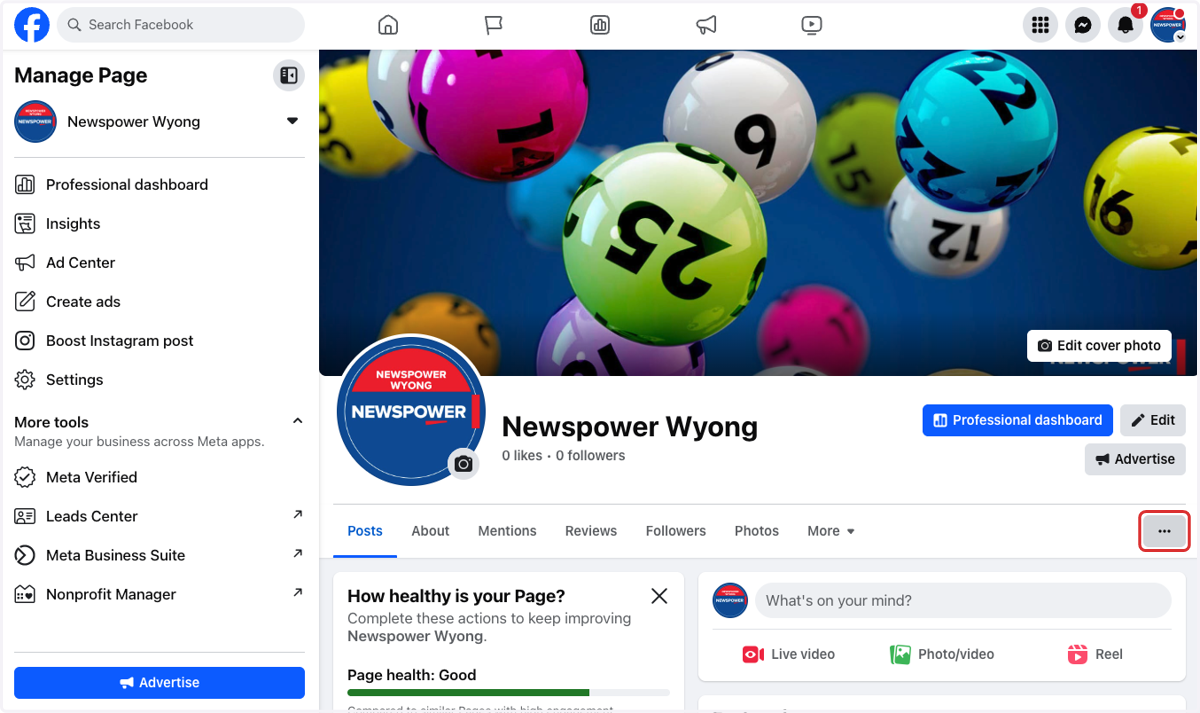
2. Click on 3 dots to see more options
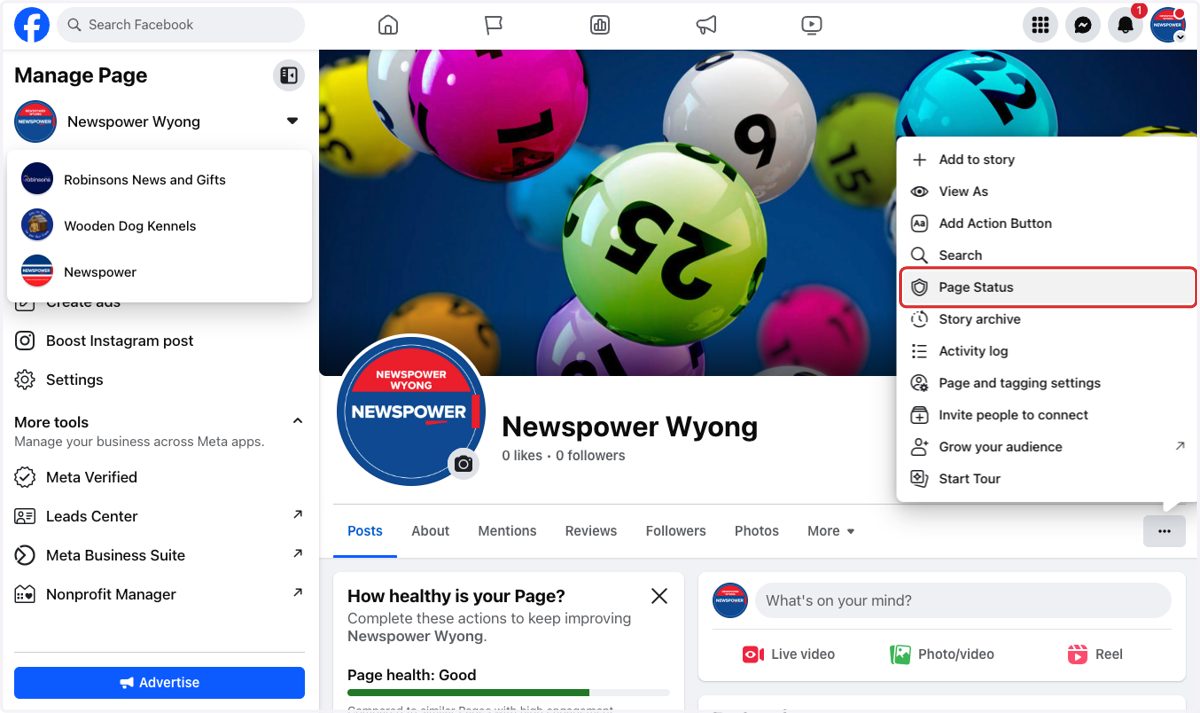
3. Click on Page Status
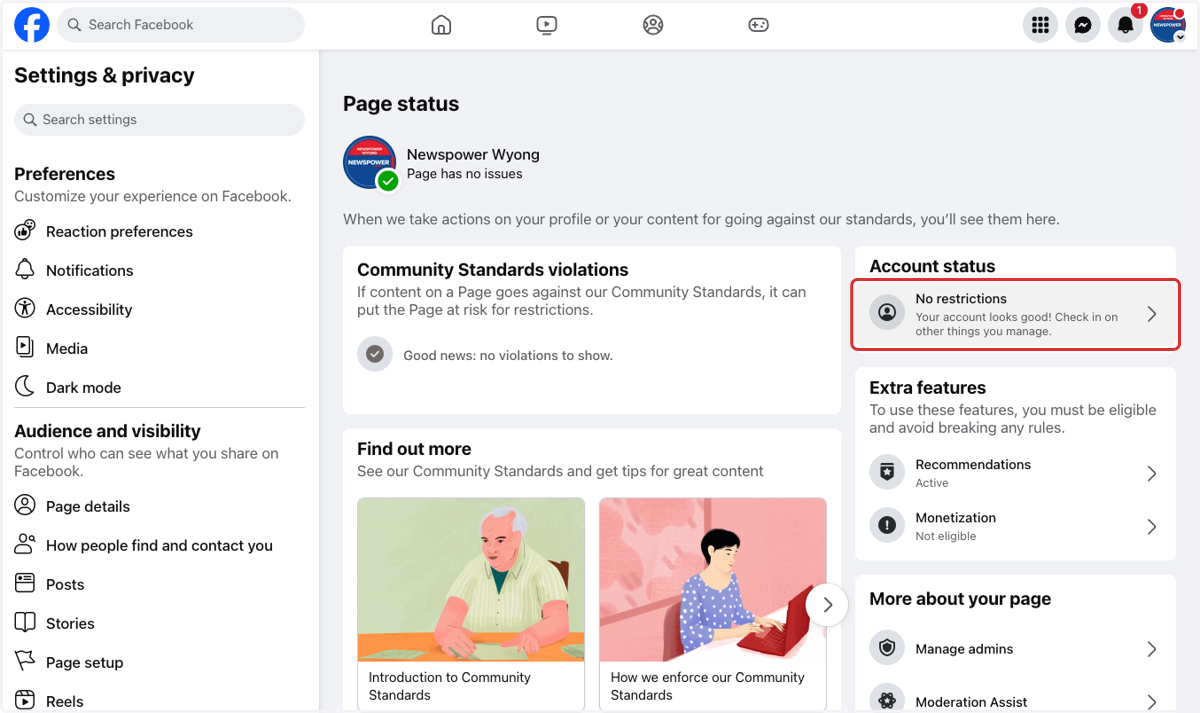
4. Here you can see the overall status of the page
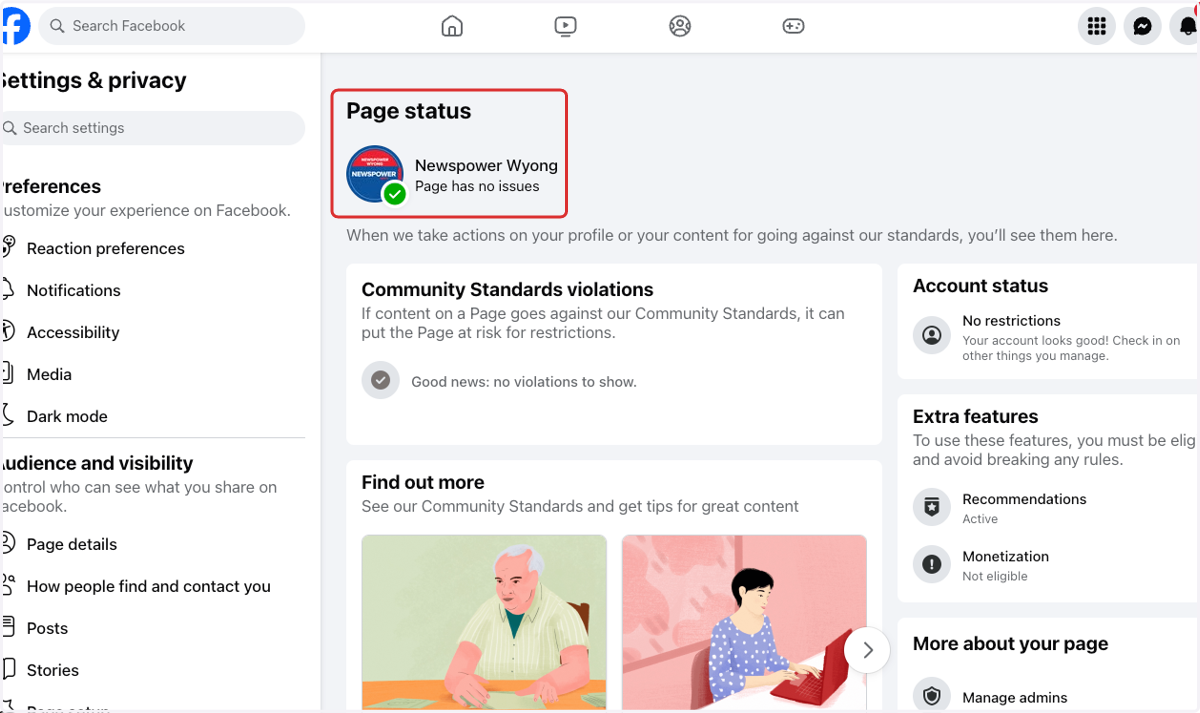
5. Here you can see if there are any community standards violations
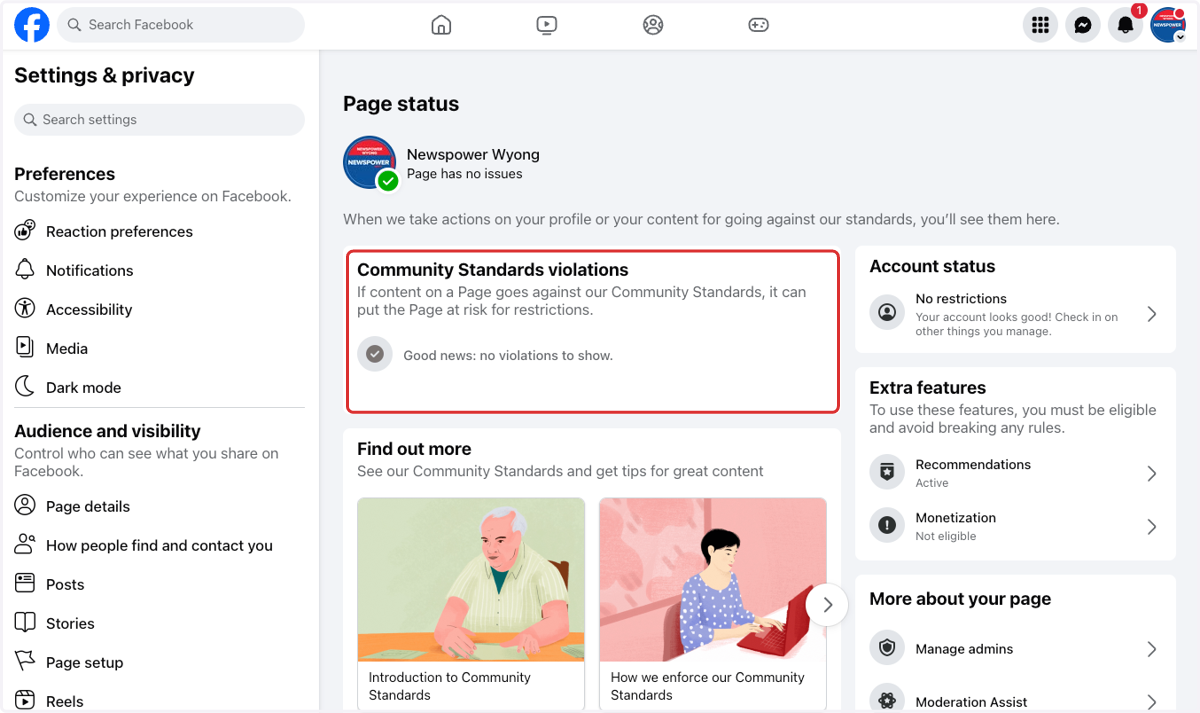
6. Here you can see if there are any restrictions on your account