Change User Role in Master Course
Classlist - Sandbox Patti
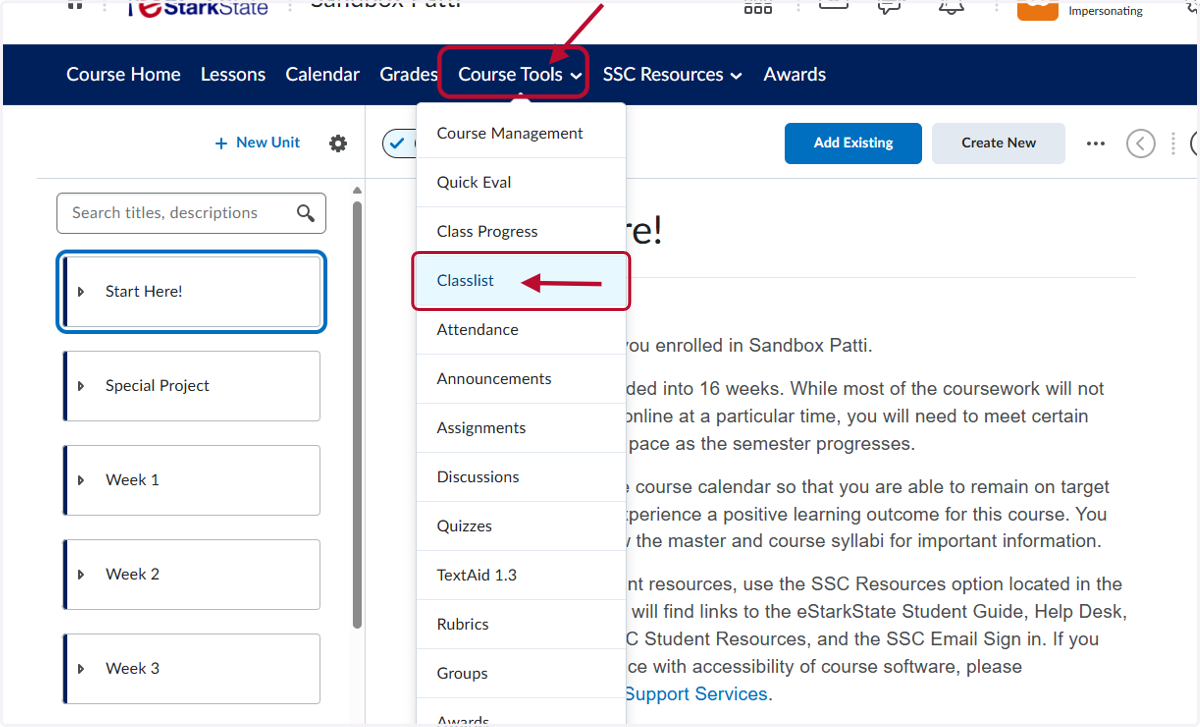
1. Click on Course Tools and then Classlist
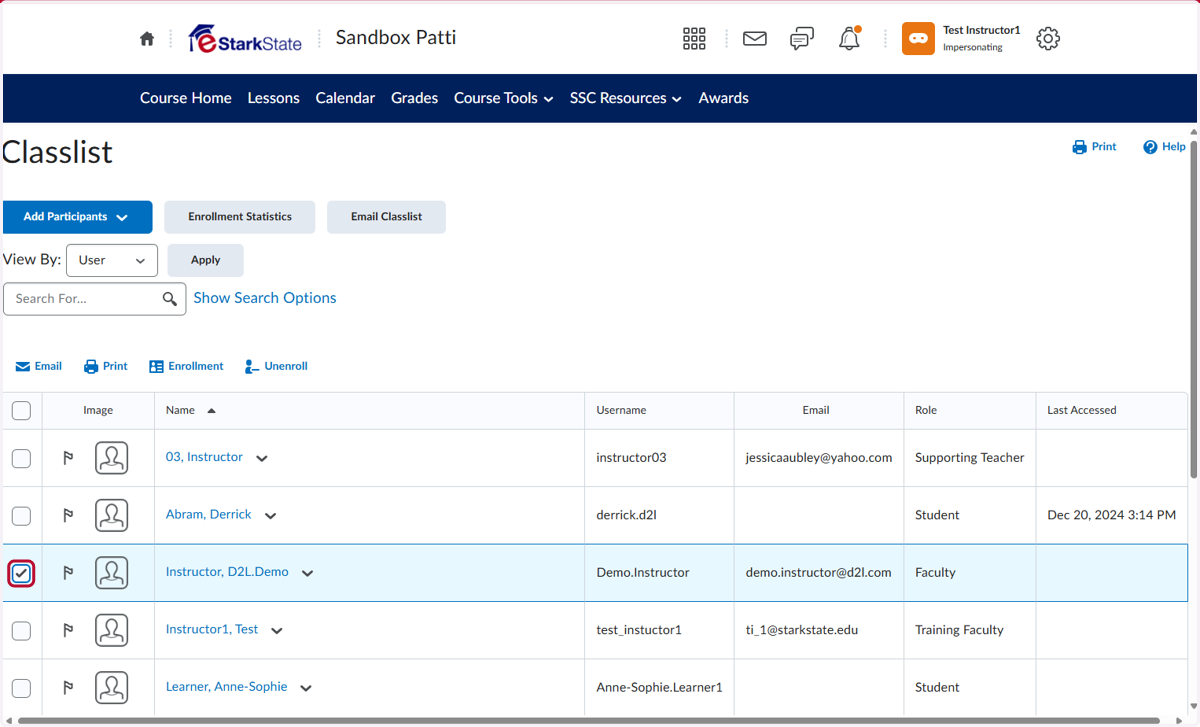
2. Select the person you want to change their role. In this example, we will change the role from Faculty to Master Course Member. NOTE: Master Course members do not have any editing rights in a master course, but they can copy the course to their semester course.
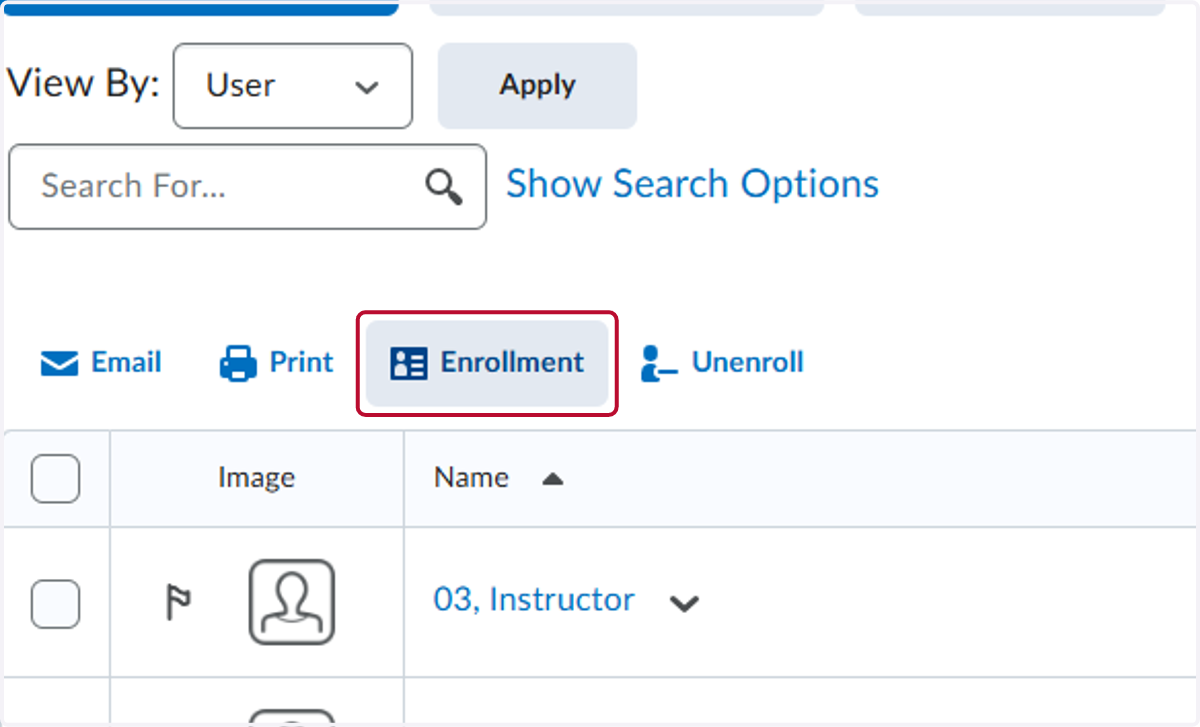
3. Click on Enrollment
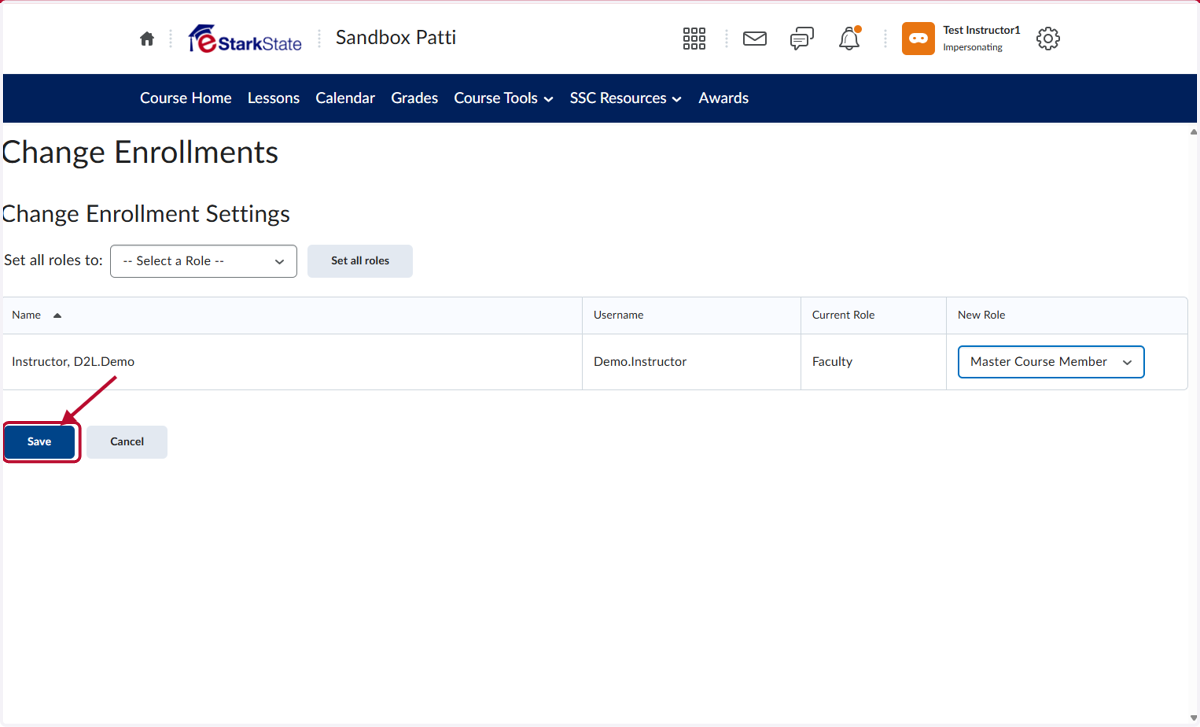
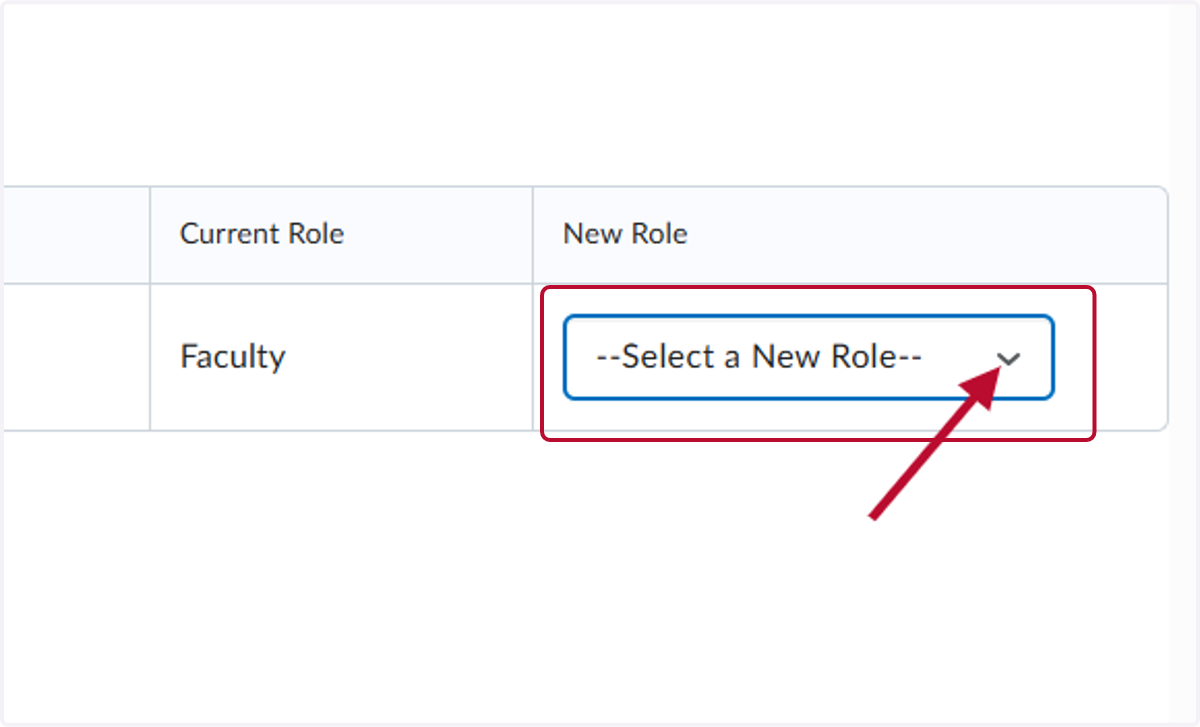
4. Click the Select a New Role to open the drop down menu
5. Select Master Course Member
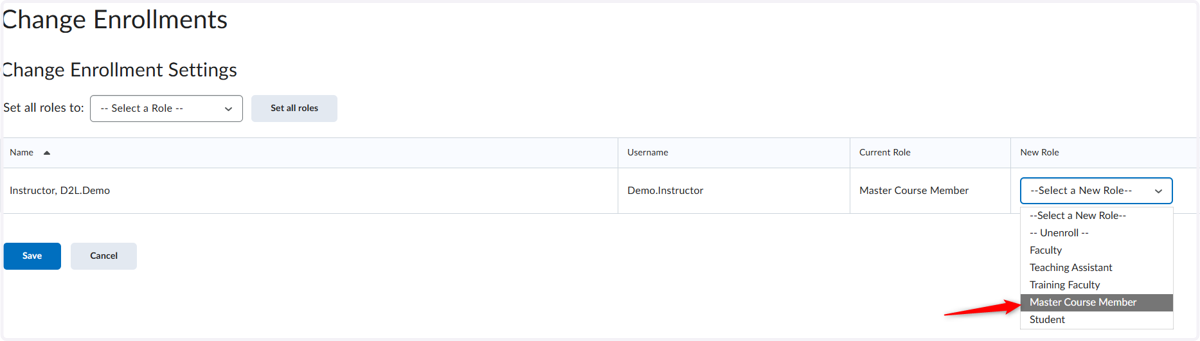
6. Click on Save