Bulk Edit/Assign Ticket Owner in HS

HubSpot

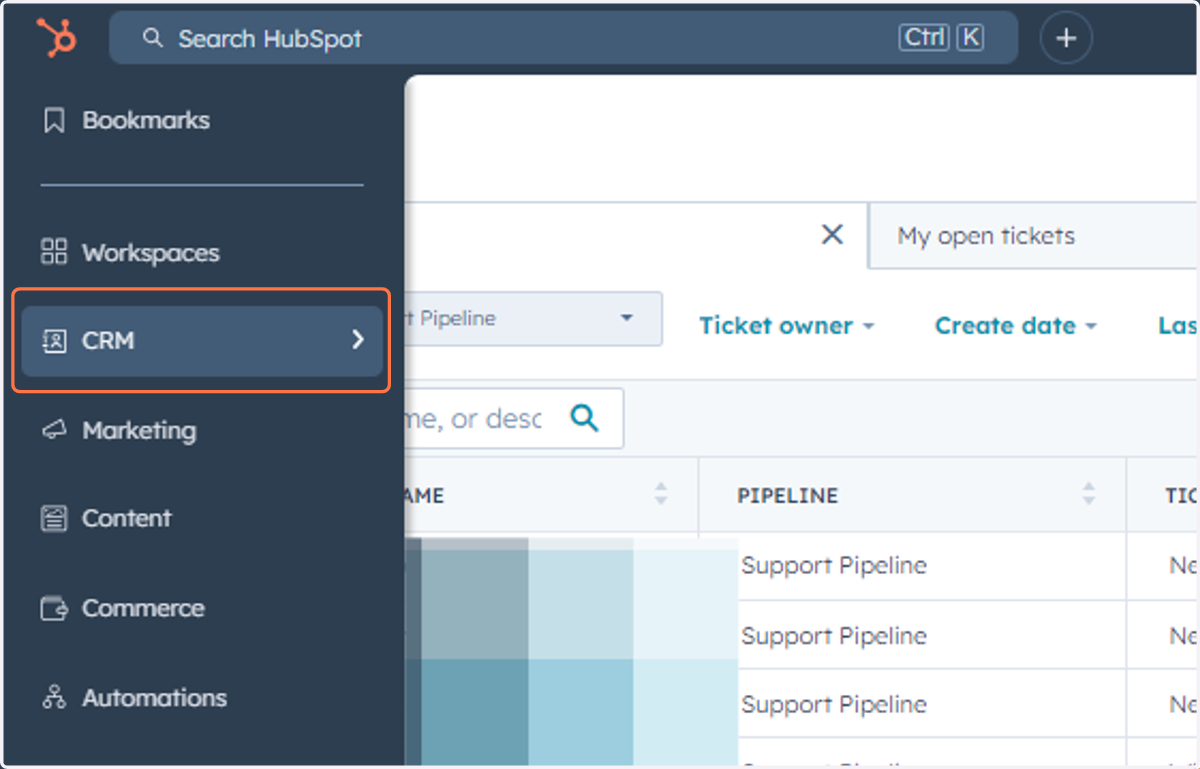
  1. 1. Click on CRM

    Click on CRM
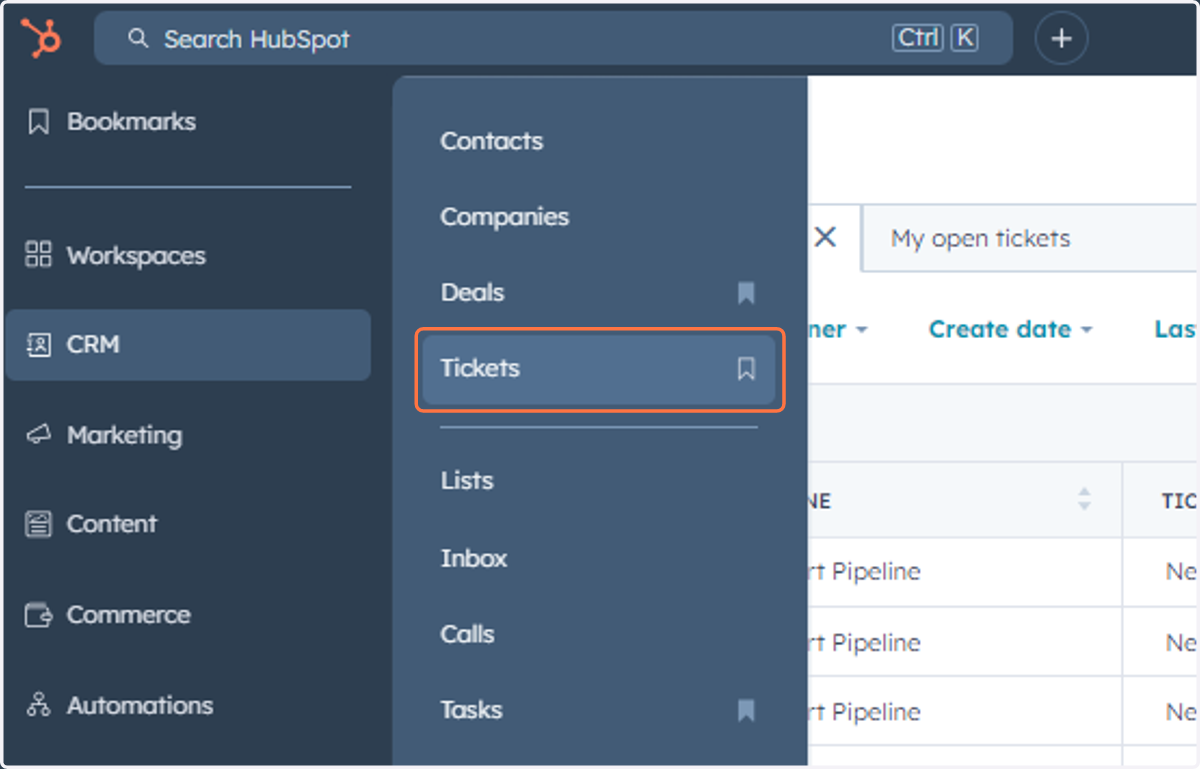
  2. 2. Click on Tickets

    Click on Tickets
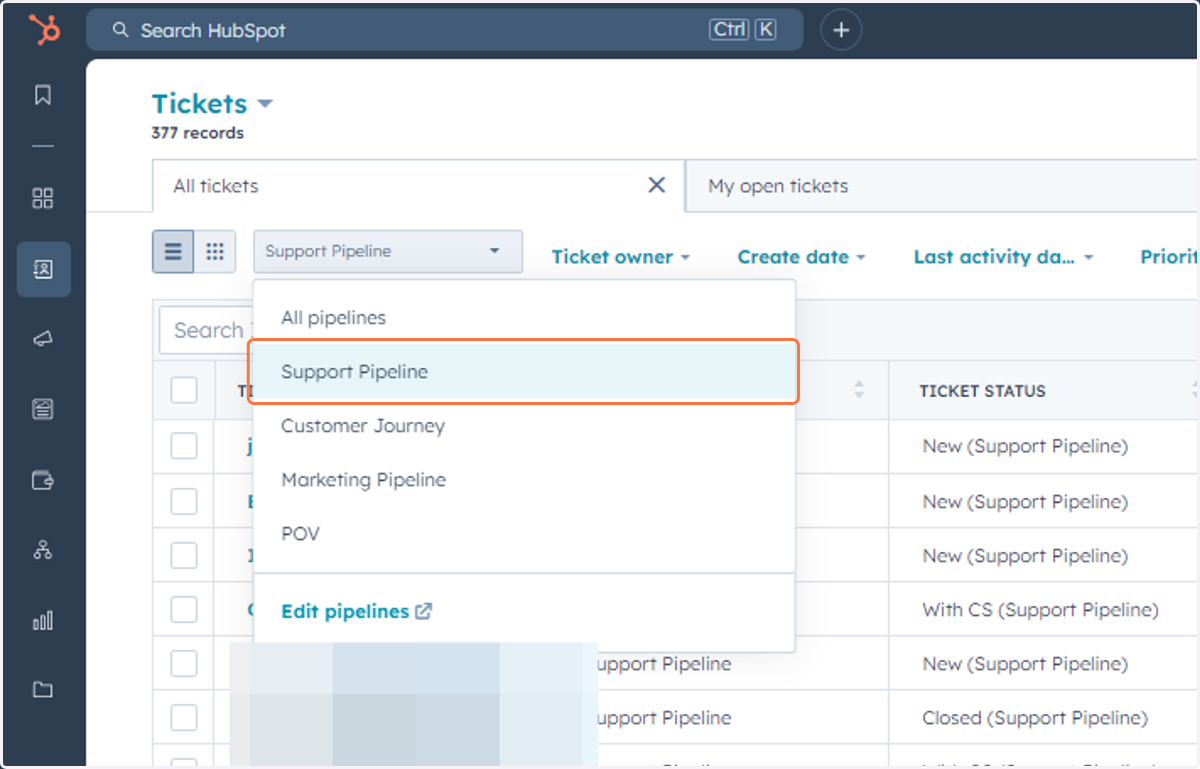
  3. 3. Click on Support Pipeline

    Click on Support Pipeline
  4. 4. To filter tickets by owner, click on Ticket owner
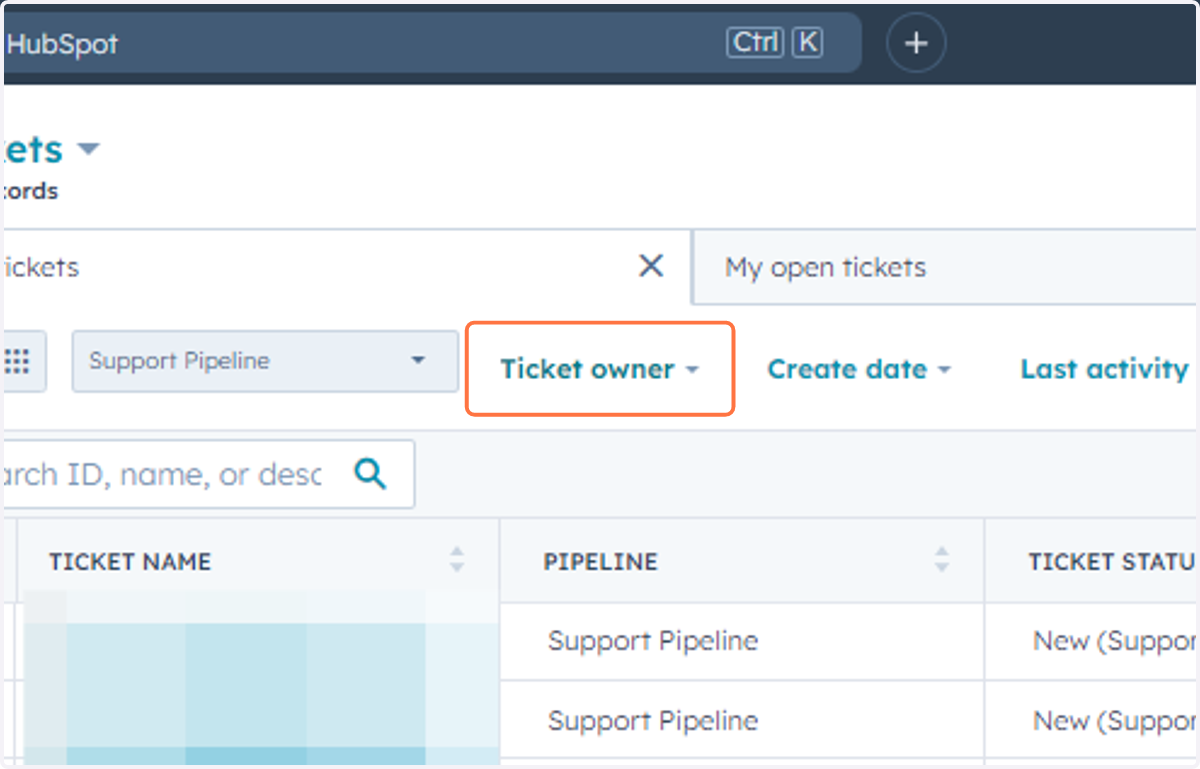
    To filter tickets by owner, click on Ticket owner
  5. 5. Check Select the tickets you want to update
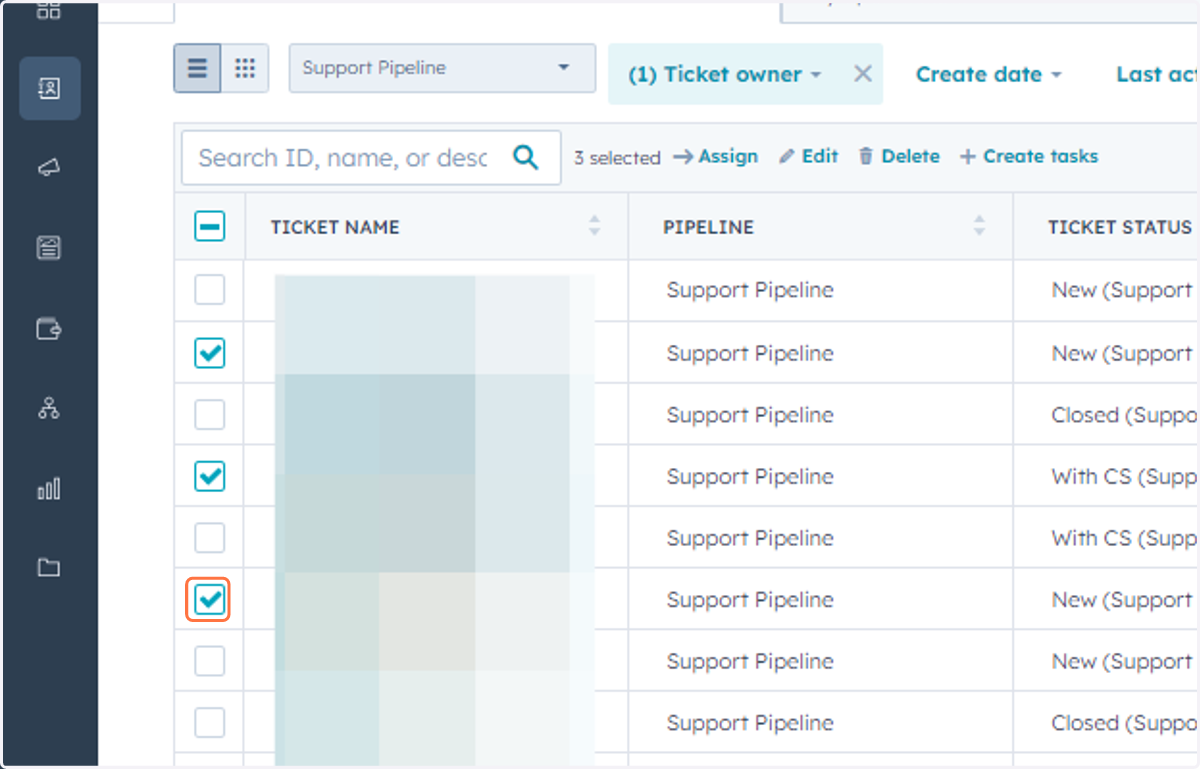
    Check Select the tickets you want to update
  6. 6. To assign tickets to a new owner, click on Assign
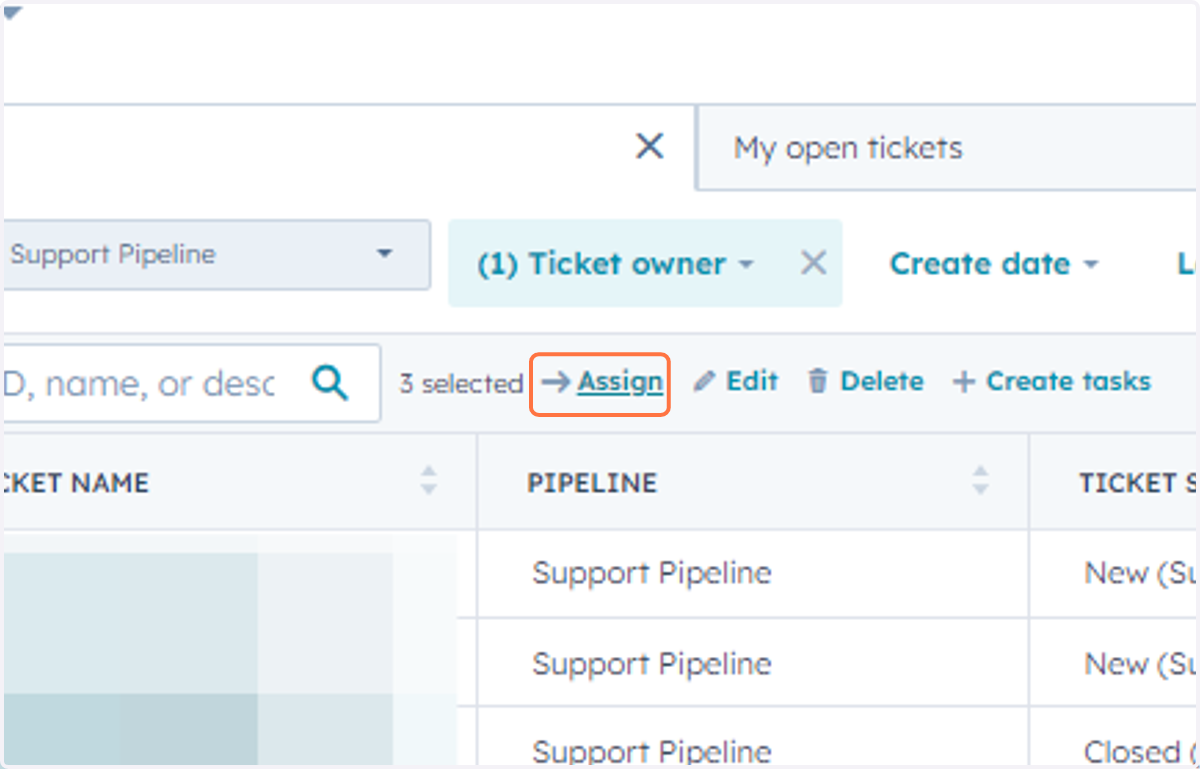
    To assign tickets to a new owner, click on Assign
  7. 7. Click on the dropdown or search for a user to reassign
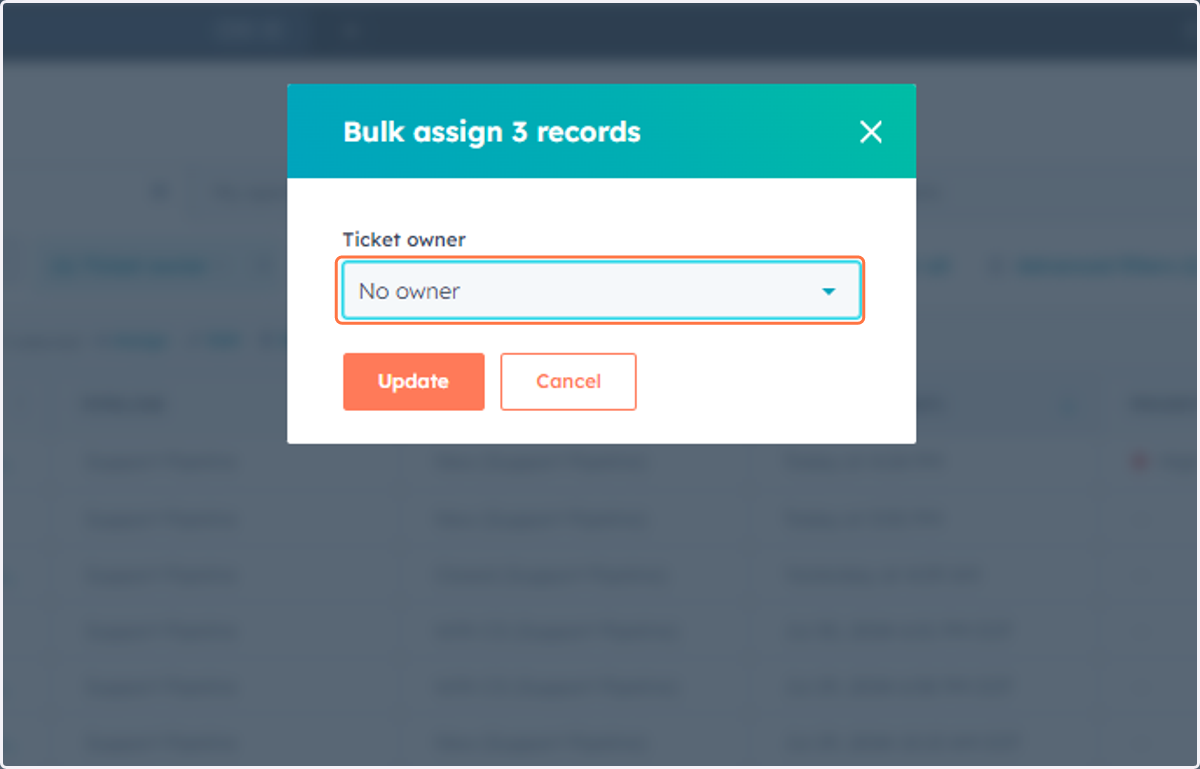
    Click on the dropdown or search for a user to reassign
  8. 8. After you select the Owner click update
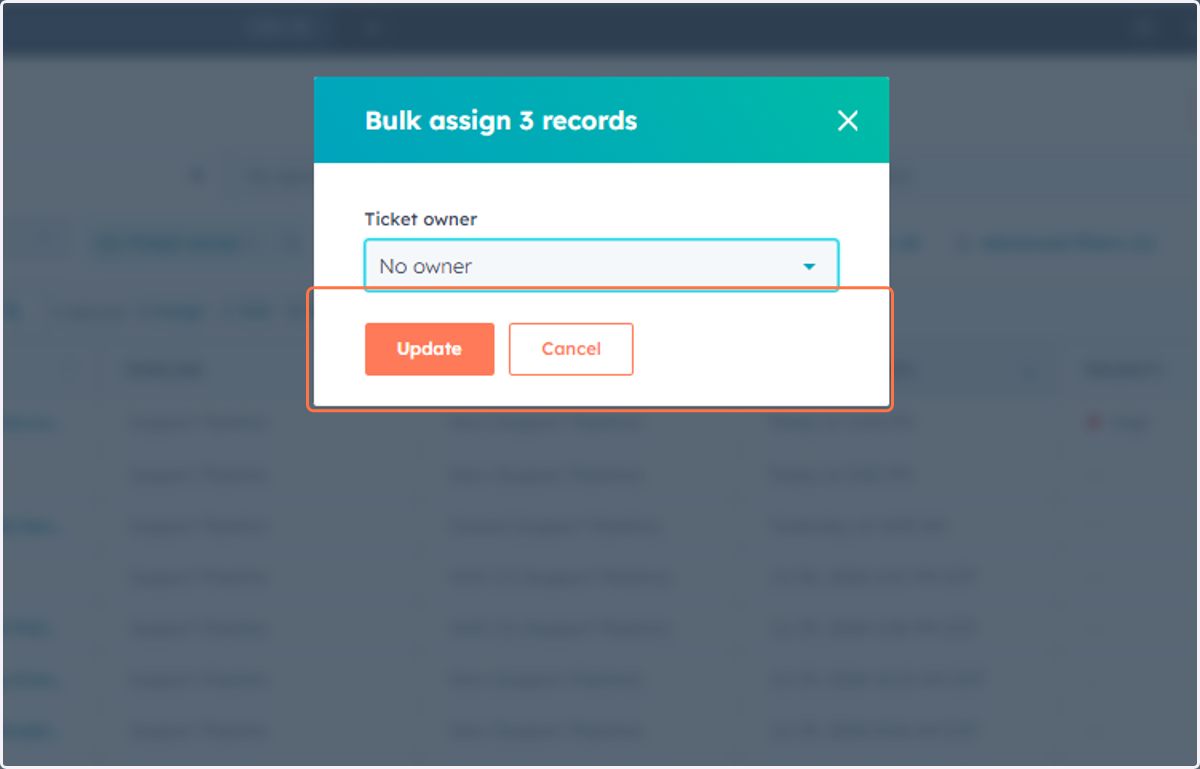
    After you select the Owner click update
  9. 9. You can also use the edit function. After you've selected your tickets, click on Edit
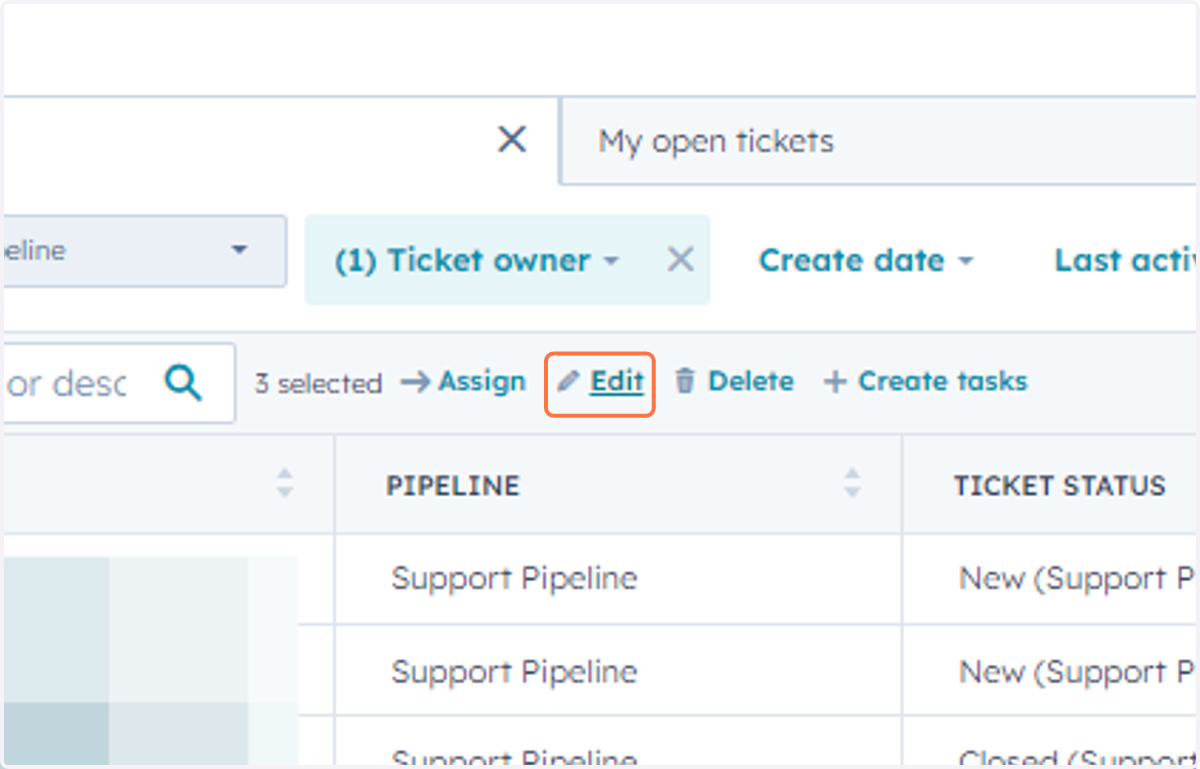
    You can also use the edit function. After you've selected your tickets, click on Edit
  10. 10. Click on Select a property to edit
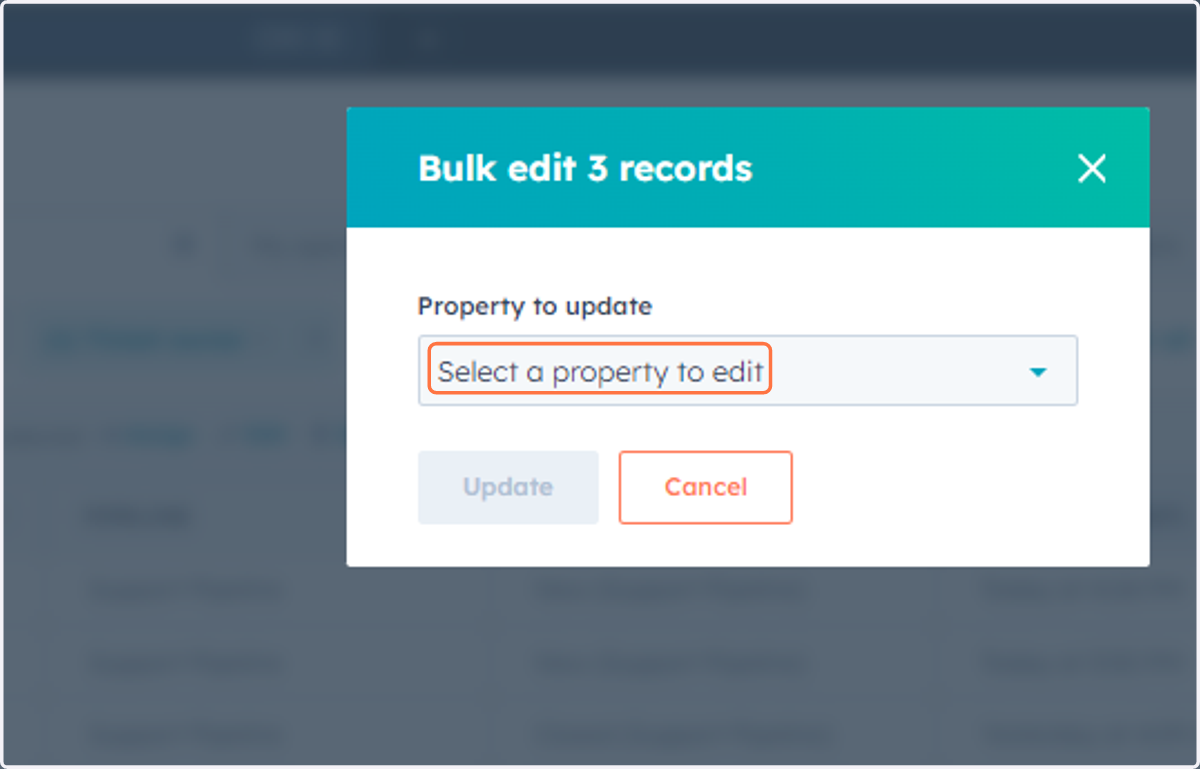
    Click on Select a property to edit
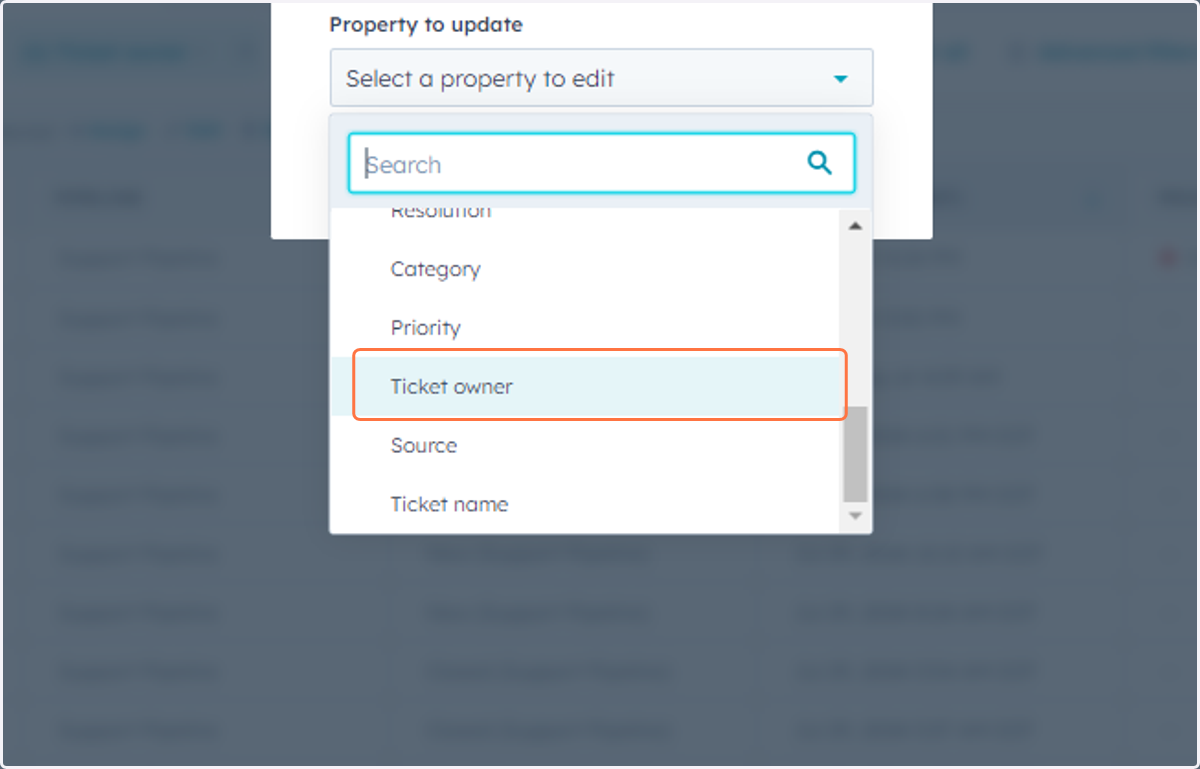
  11. 11. Click on Ticket owner

    Click on Ticket owner
  12. 12. Click on the dropdown or search for a user to reassign
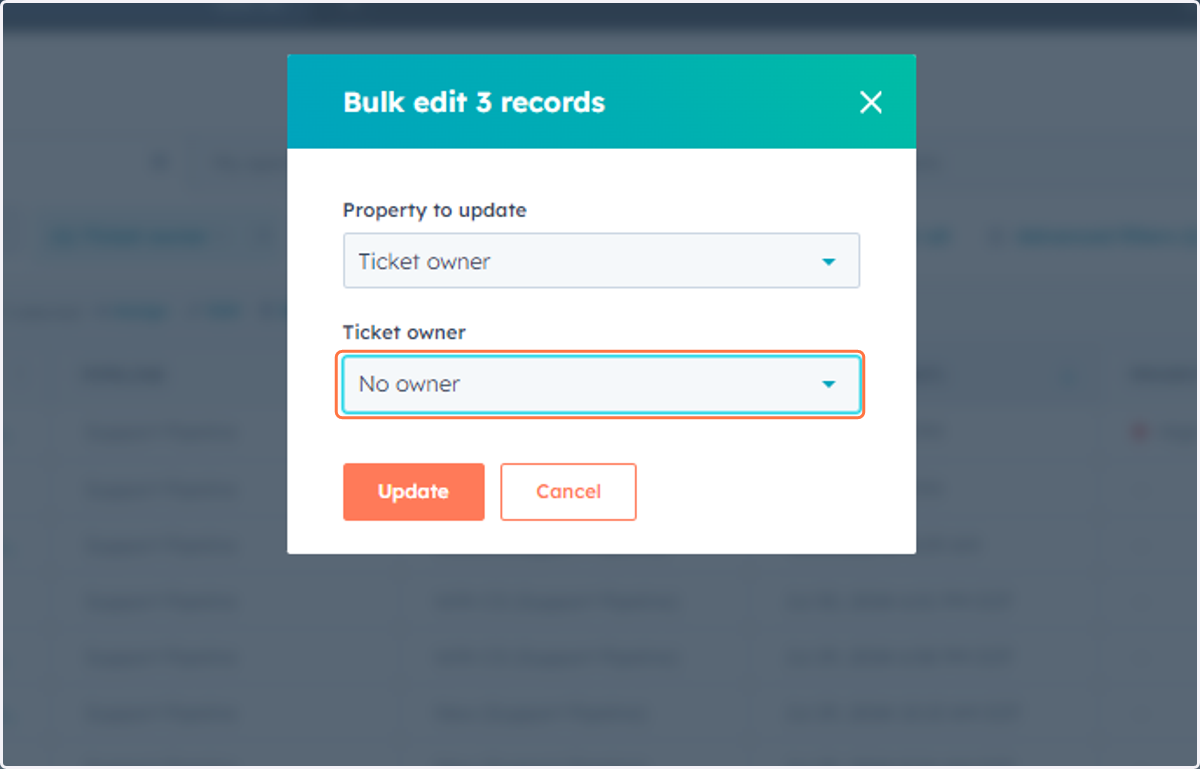
    Click on the dropdown or search for a user to reassign
  13. 13. After you select the Owner click update
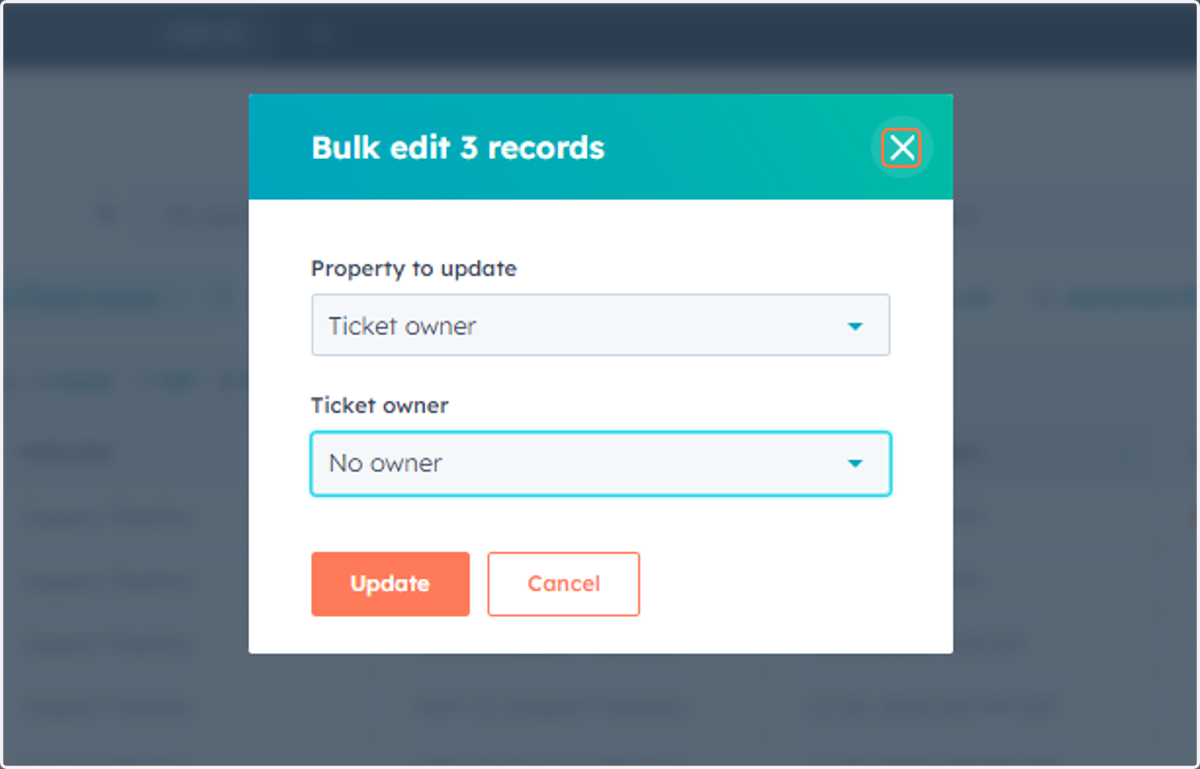
    After you select the Owner click update