Assigning Weights to Each Category
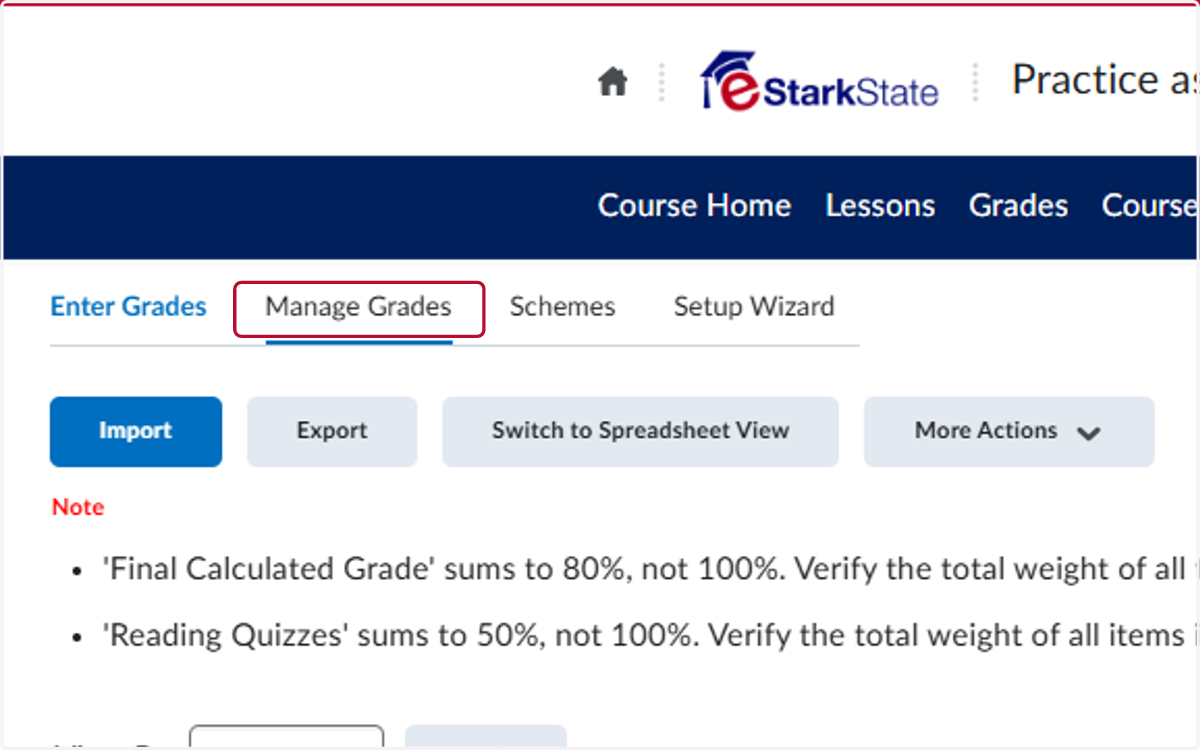
1. Click on Manage Grades
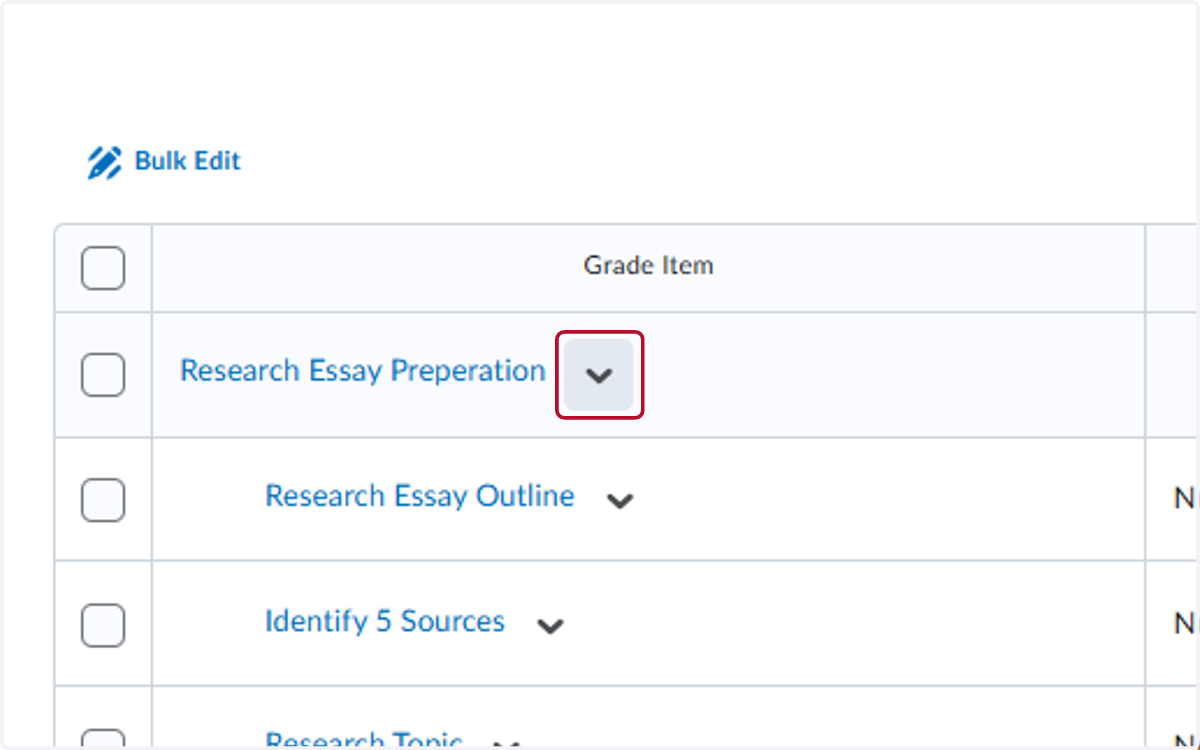
2. Click on the V by a category
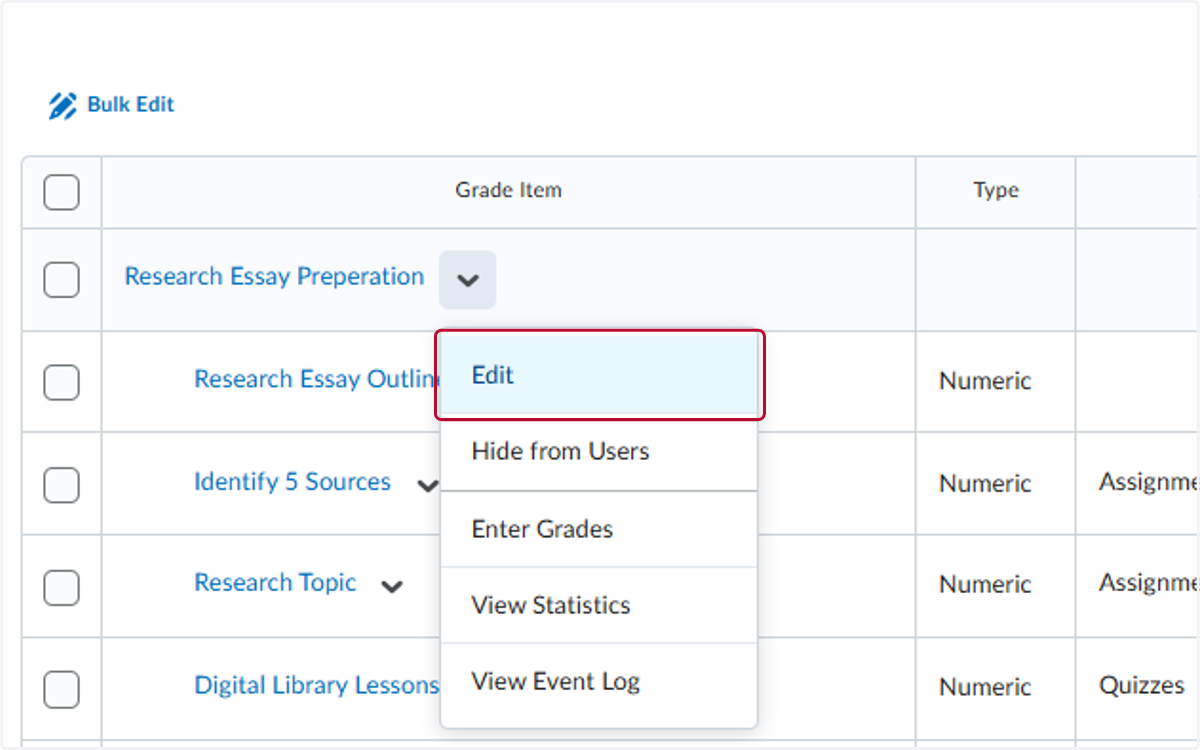
3. Click on Edit
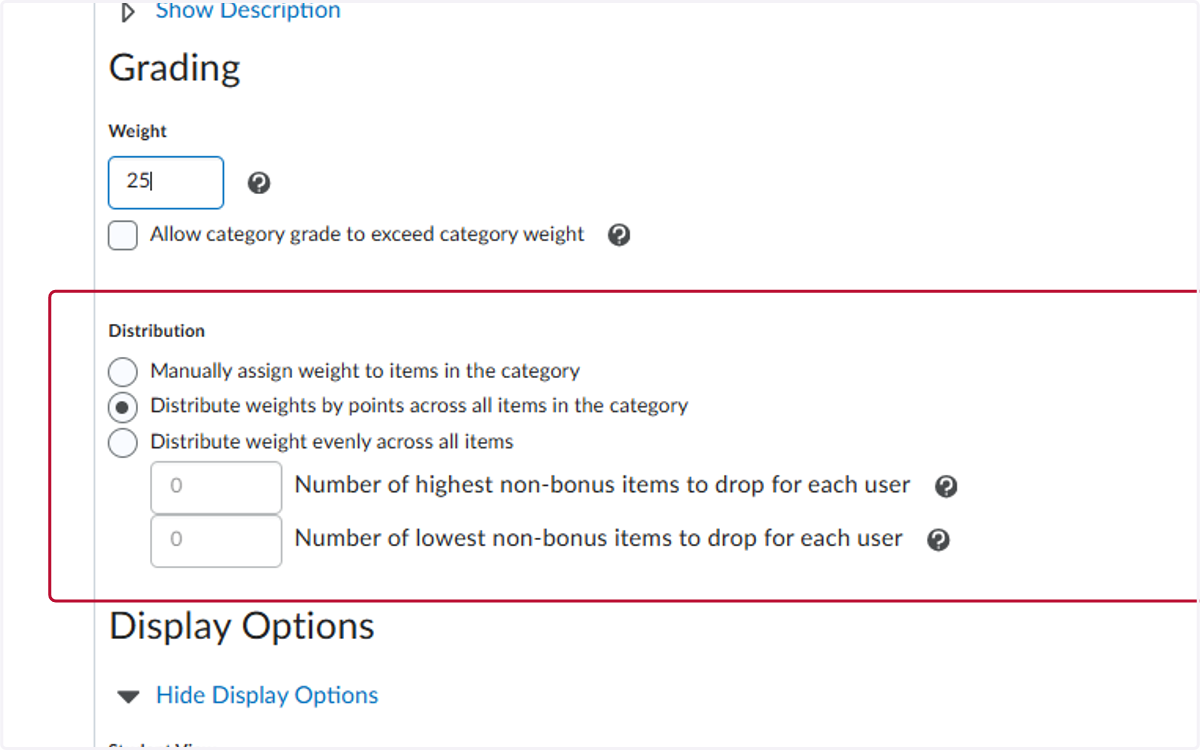
4. Change the Weight to the % the catagory is worth
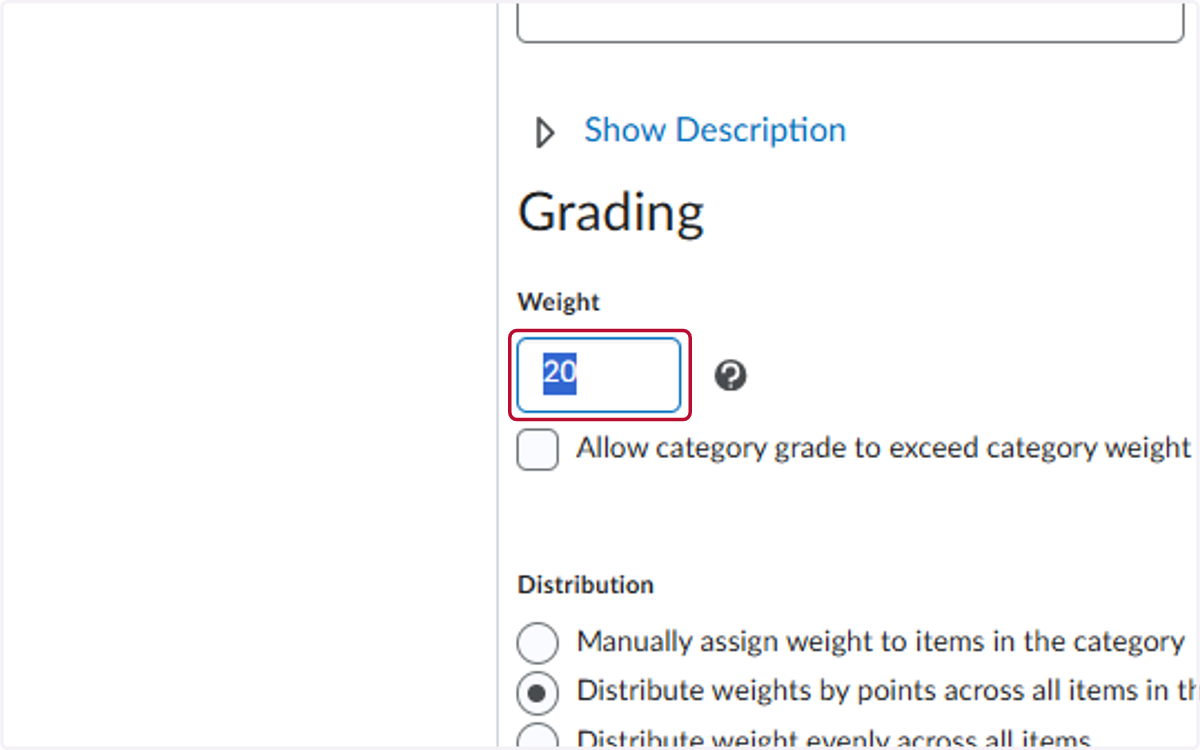
5. Select the Distribution for the points
Recommendations:
If all items in the category are the same points value use - Distribute evenlyIf items have different points value use - Distribute by points across all times
6. Repeat Steps 2-5 for all categories