App Download + Account Claim Tutorial
First Step: Download the App
1. Click here to download the Android Version of the App

2. Click here to download the iOS Version of the App

Step 2: Register and Activate Account
3. Step 1: Open the App
Find the newly downloaded app on your phone and click on it to open ita
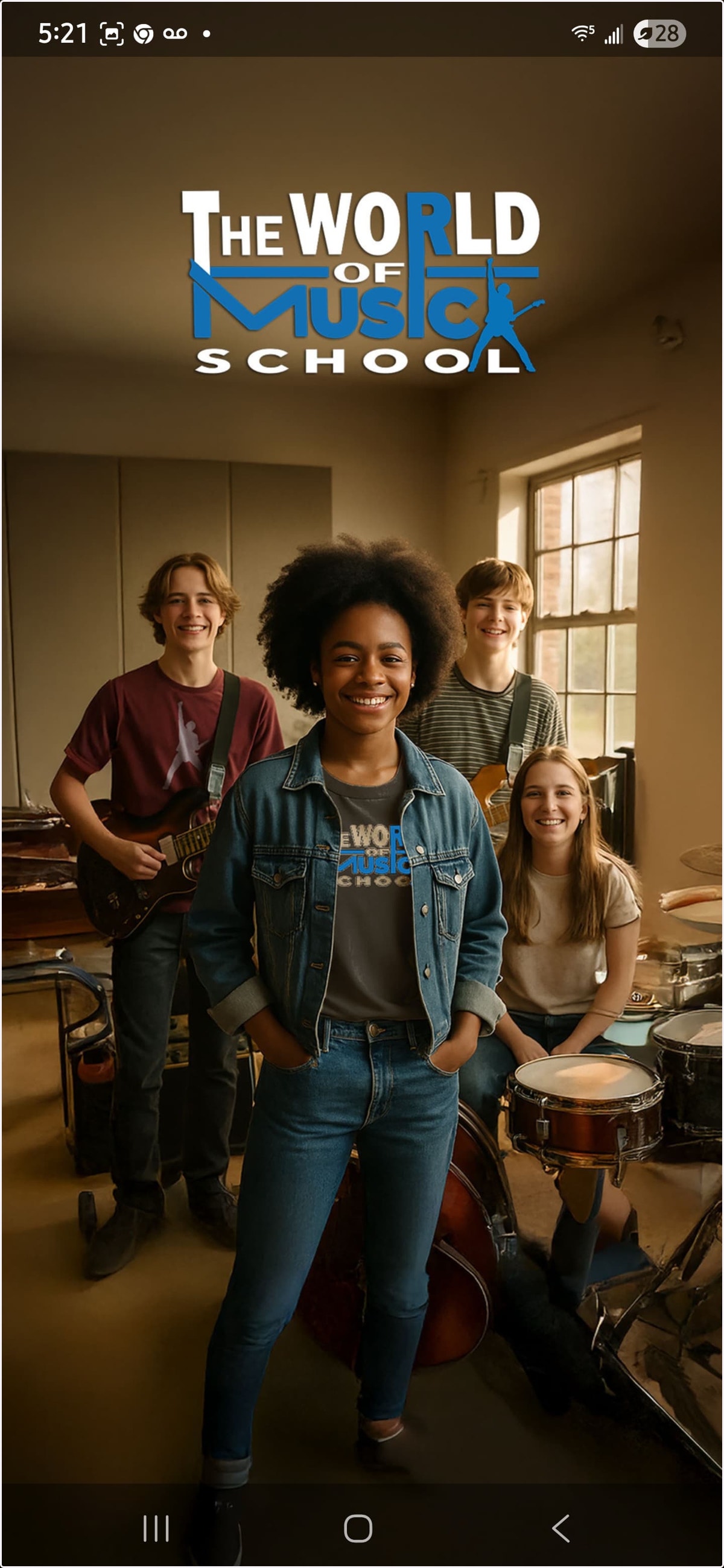
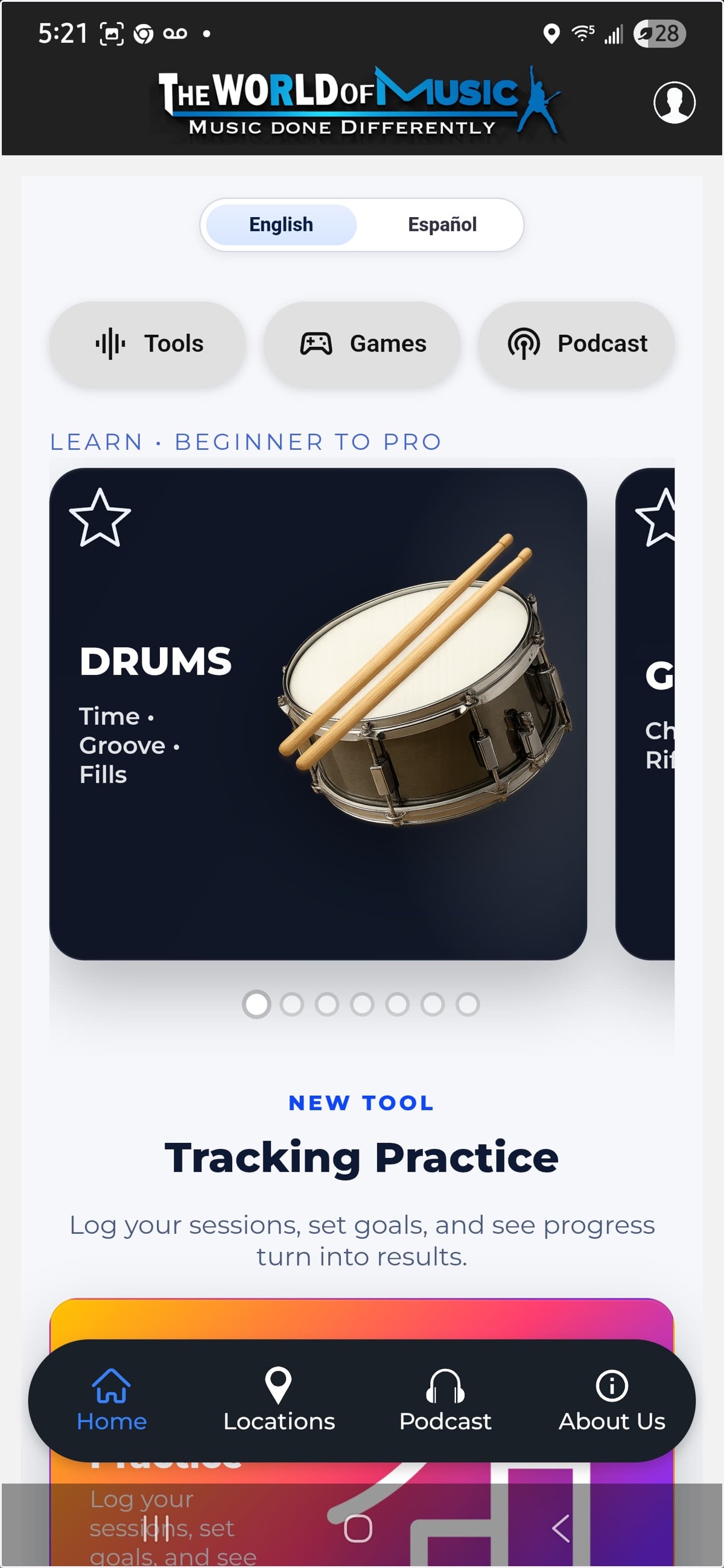
4. Step 2: Once on the dashboard, click on the profile Icon on the top right
Here is where we will create our account and login
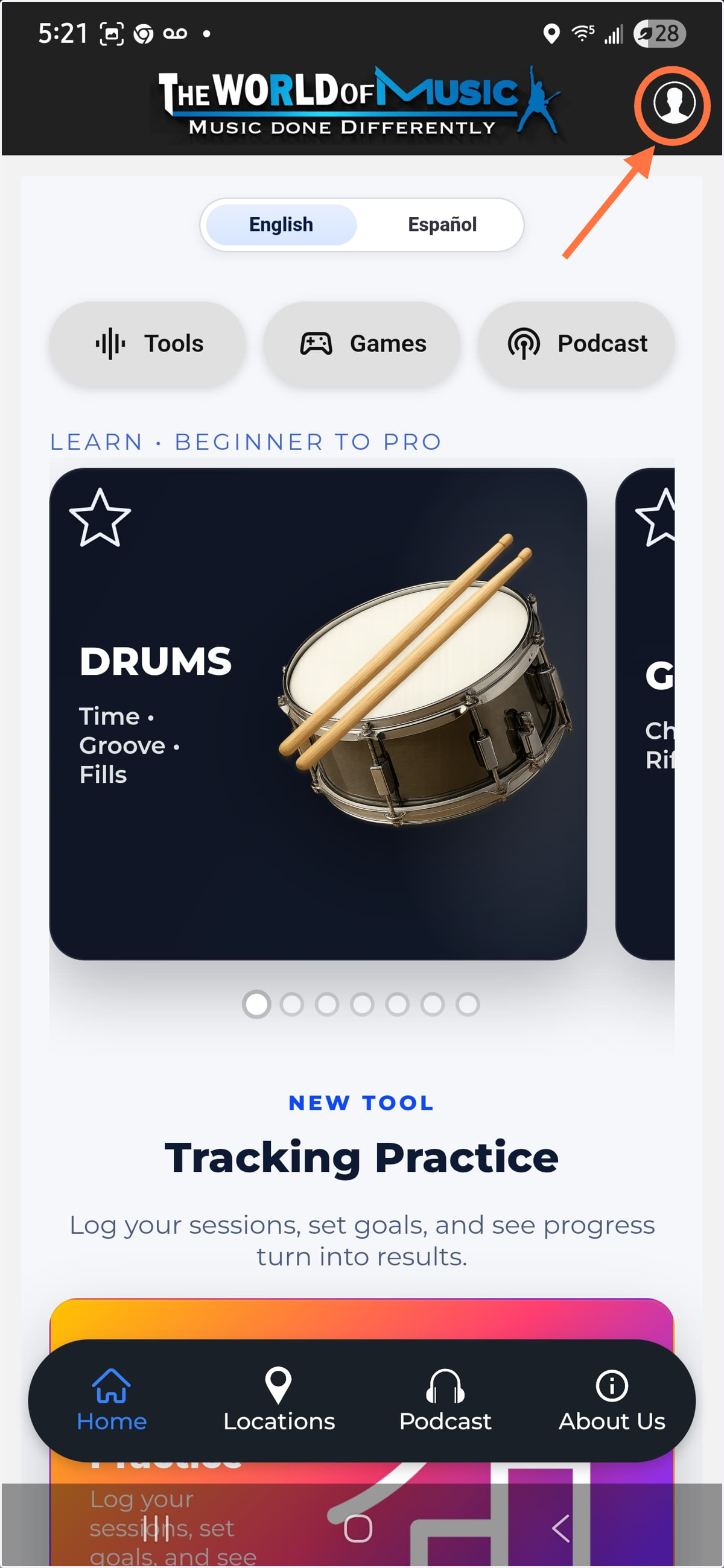
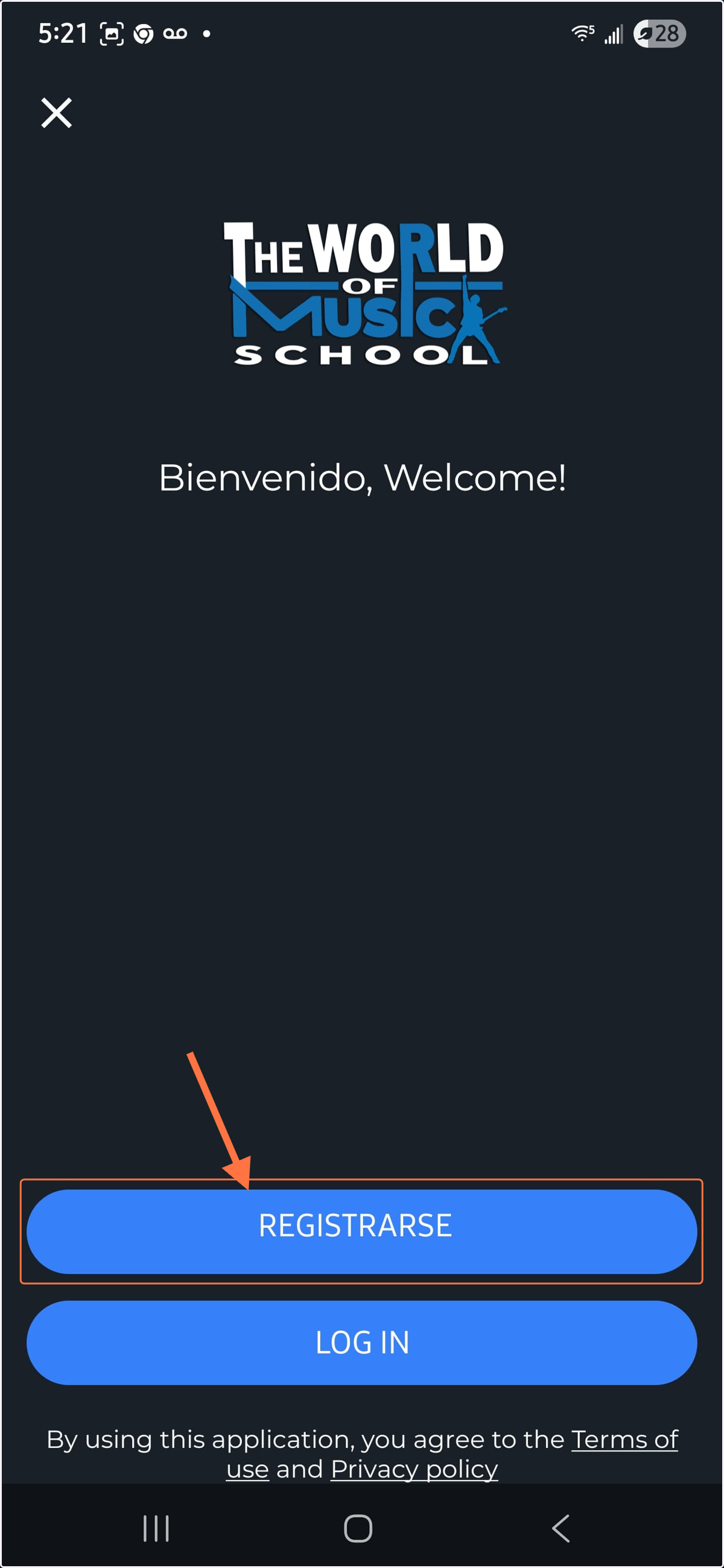
5. Click on "Log In"
6. Select the option "Registrarse"
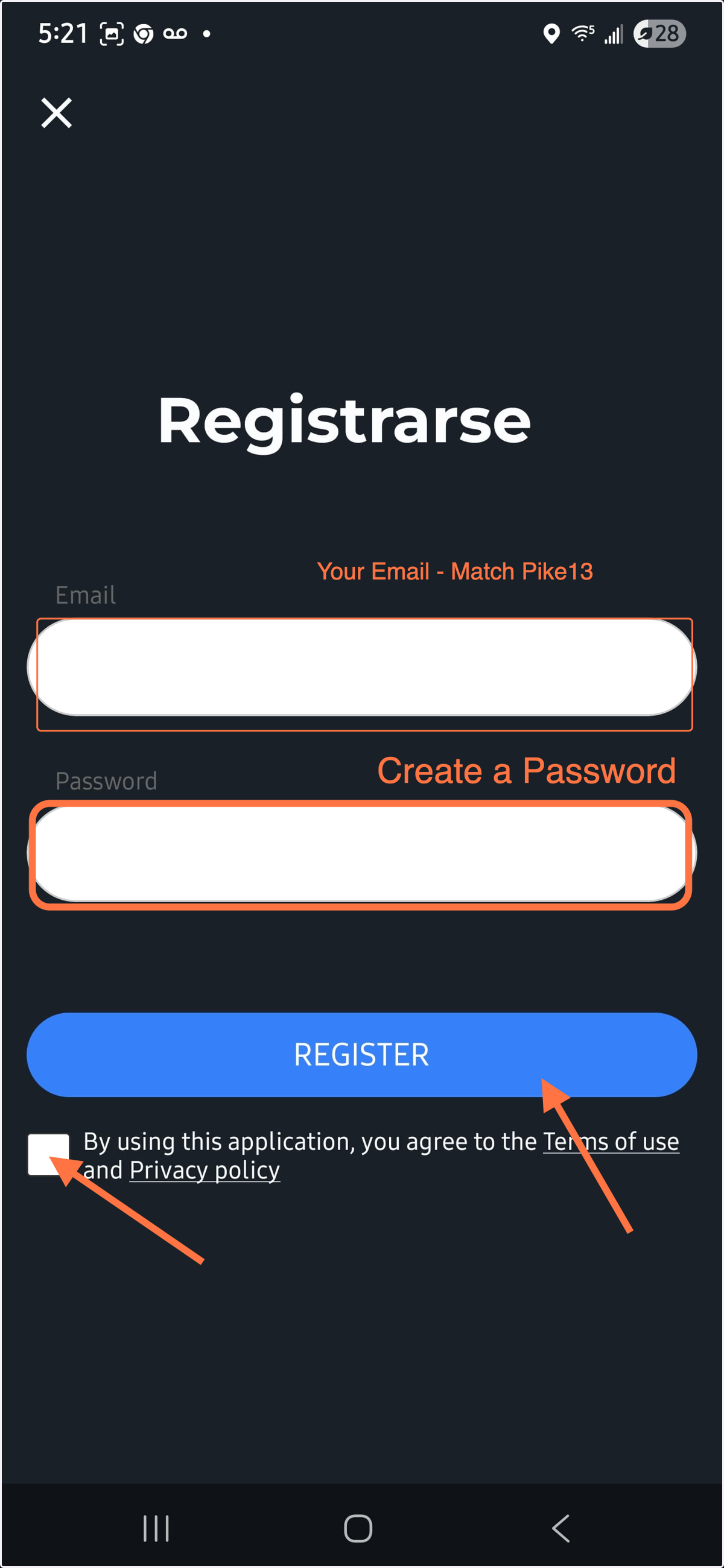
7. Input your Email and Password to Register Your Account
IMPORTANT: Make sure your e-mail address matches the e-mail address you have on file with Pike13
8. Step 3: Once you Register Your Account, you will gain full access to the app within 24 hours.
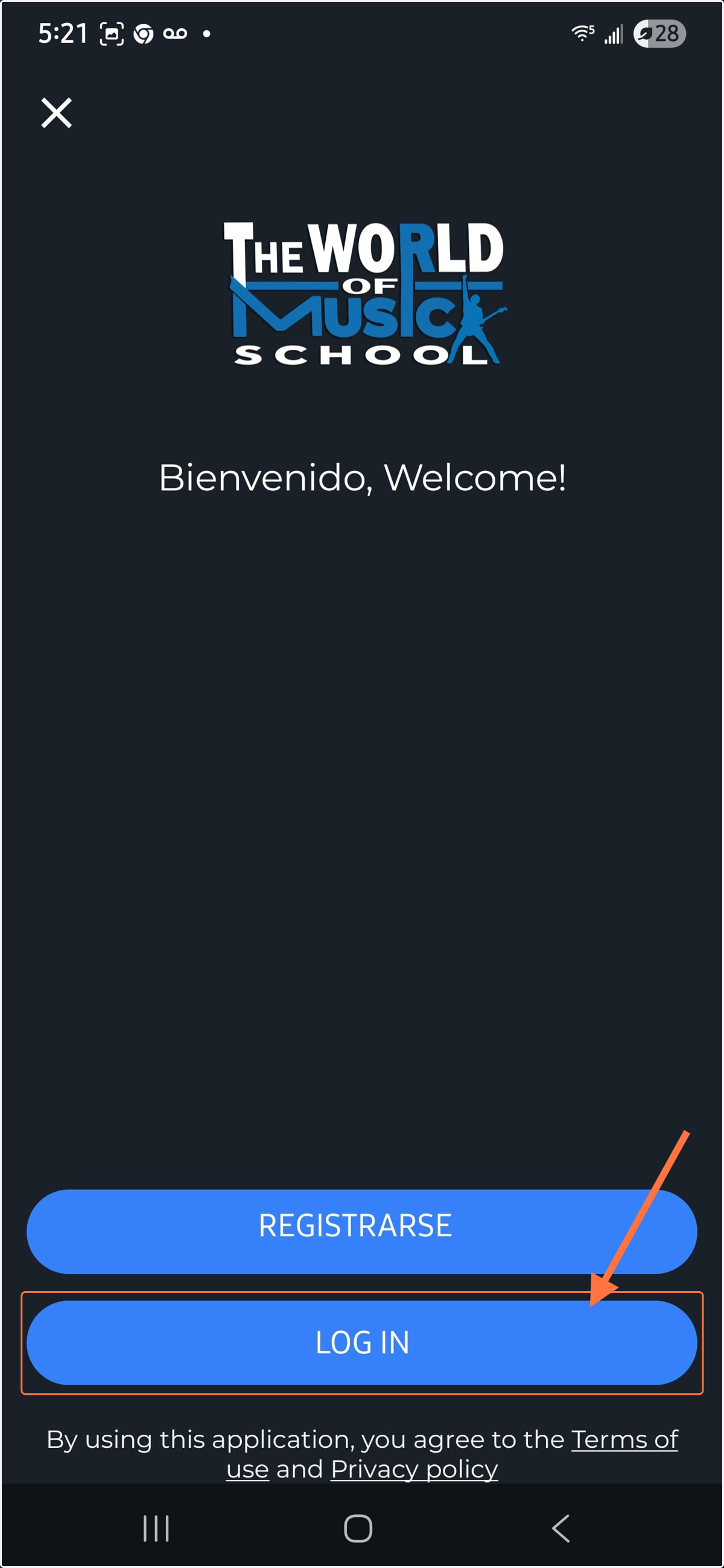
9. Step 4: Go back to the profile Icon, select in Log In, and then on this screen, click on Log In this time
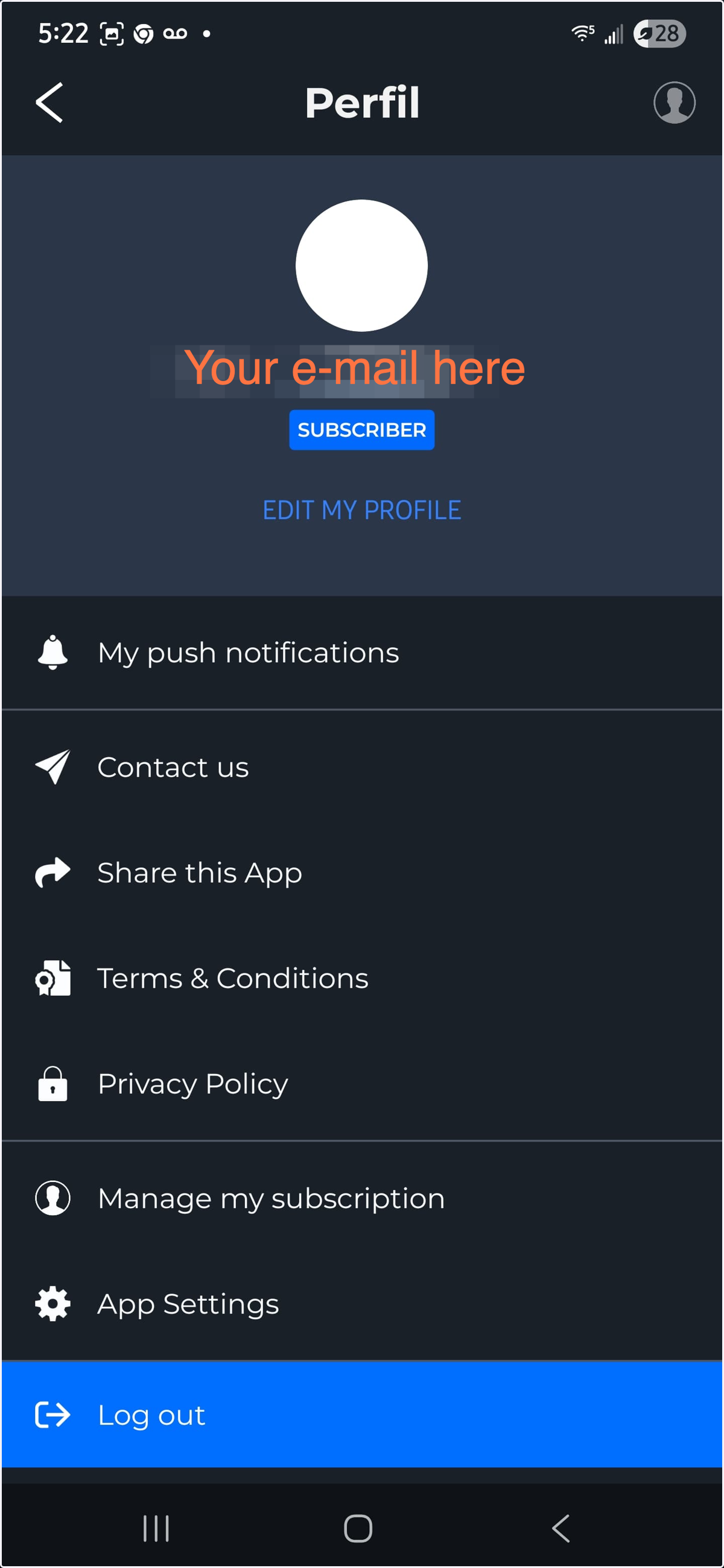
10. Once Logged in, you should see your e-mail here, you can edit your profile to add your name and details if you like or if not, you can simply just go back to the main dashboard.
11. Back on Main Dashboard, now with activated account, you should have access to all videos, mini-lessons, resources, and more.
Step 3: Access Pike13 Parents' Portal
Once you have access to your app, and you are familiar with it, you can use our resources to access your Pike13 Parents' Profile by following these steps.
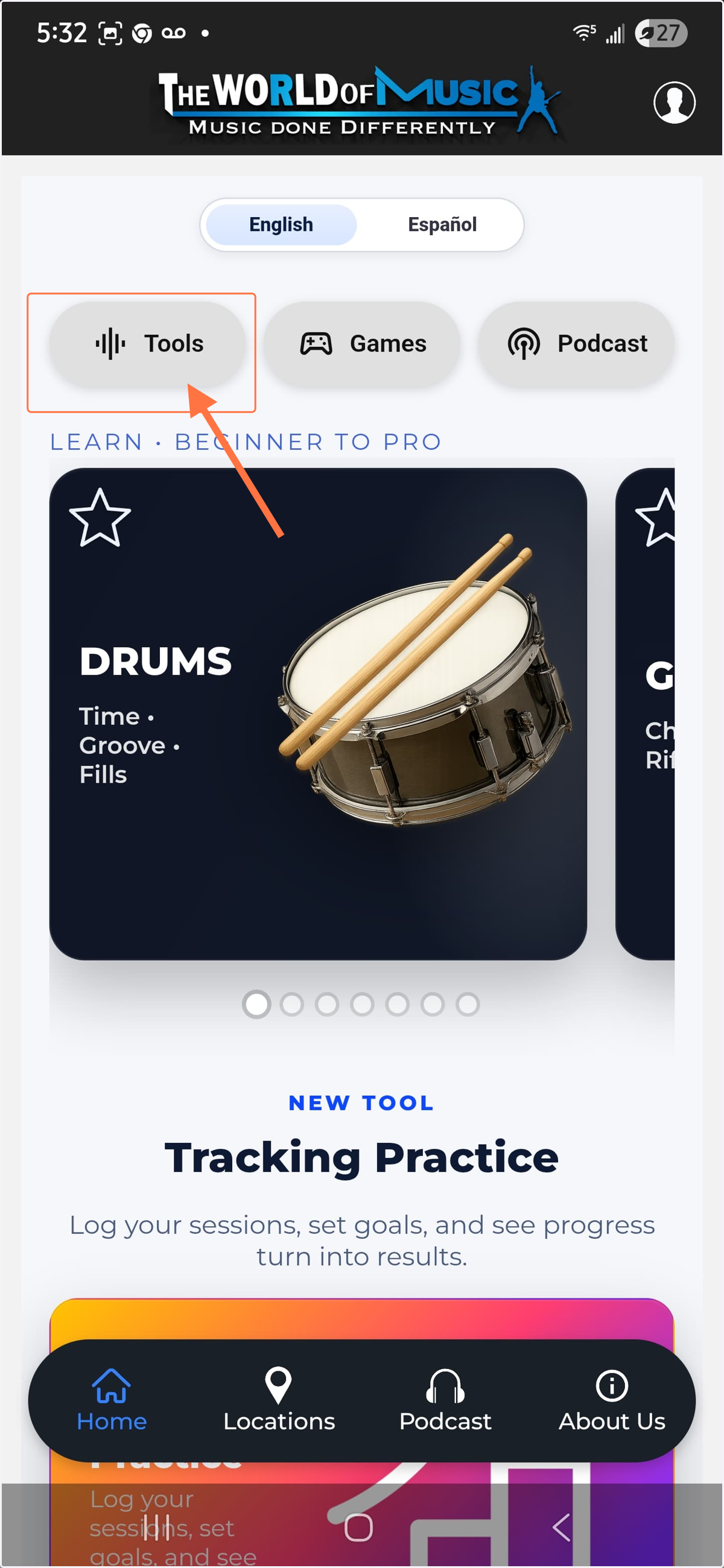
12. Step 1: Click on Tools
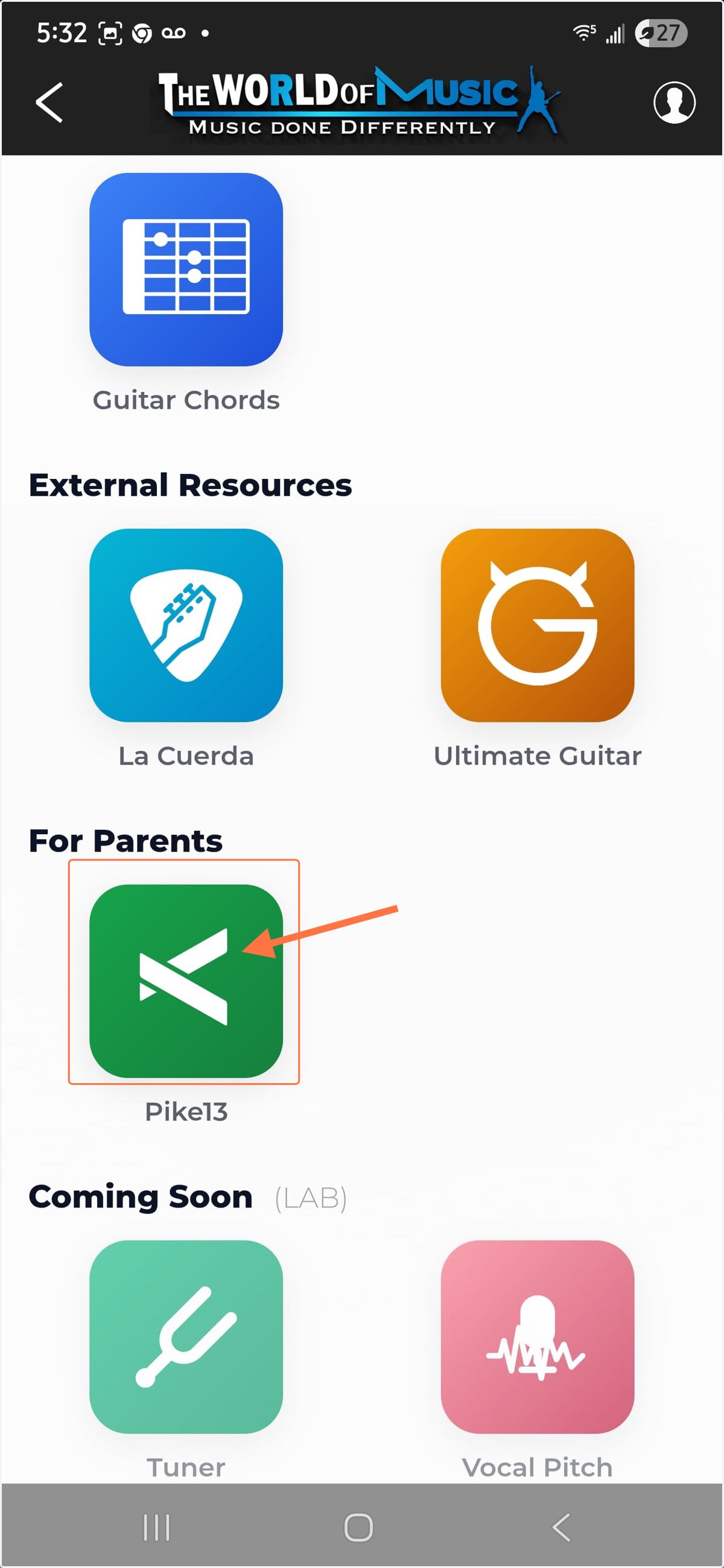
13. Step 2: Click on Pike13
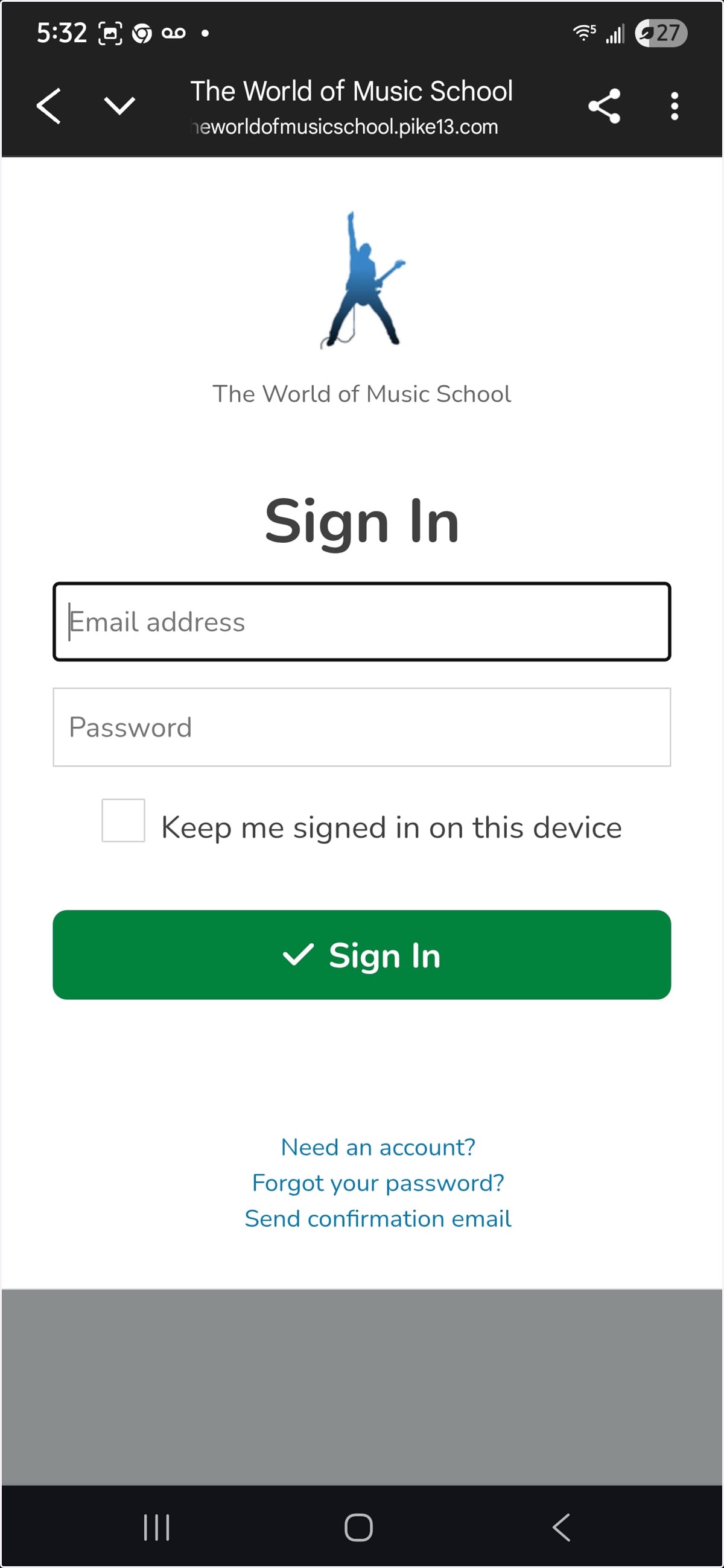
14. Step 3: Sign in to your Pike13 Profile
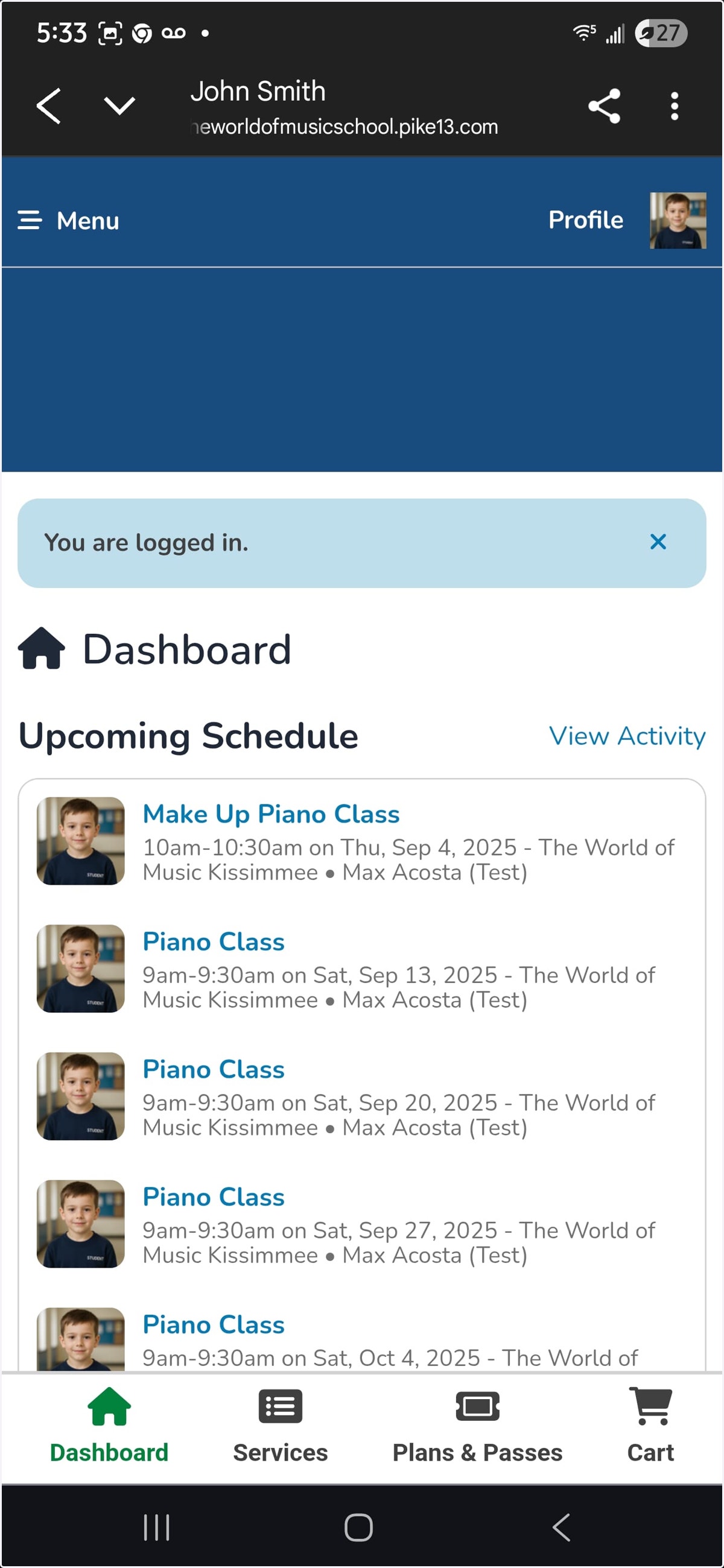
15. Once inside your Dashboard, you will see the Upcoming Schedule and other useful info here. Scroll down to explore.
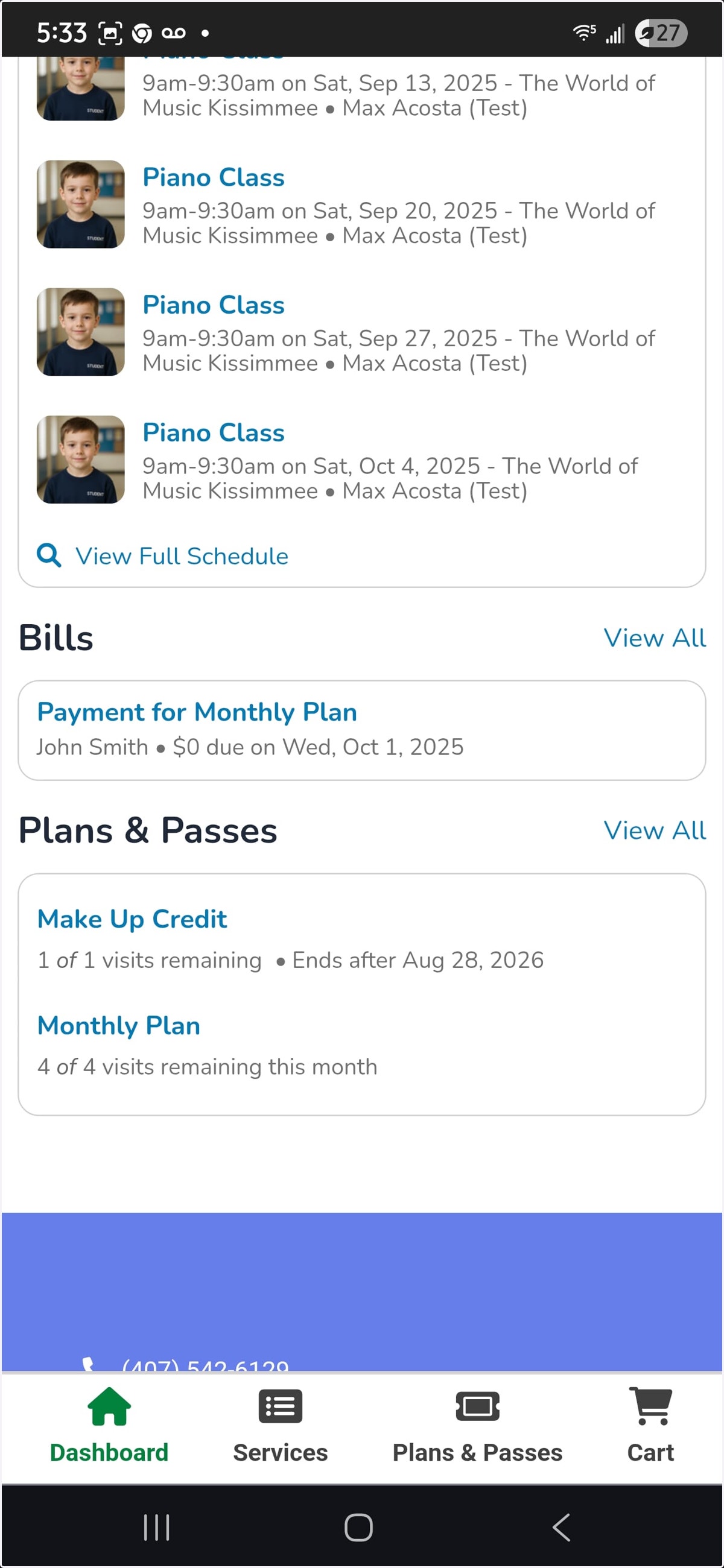
16. When you scroll down, you can see bills, plans, etc.
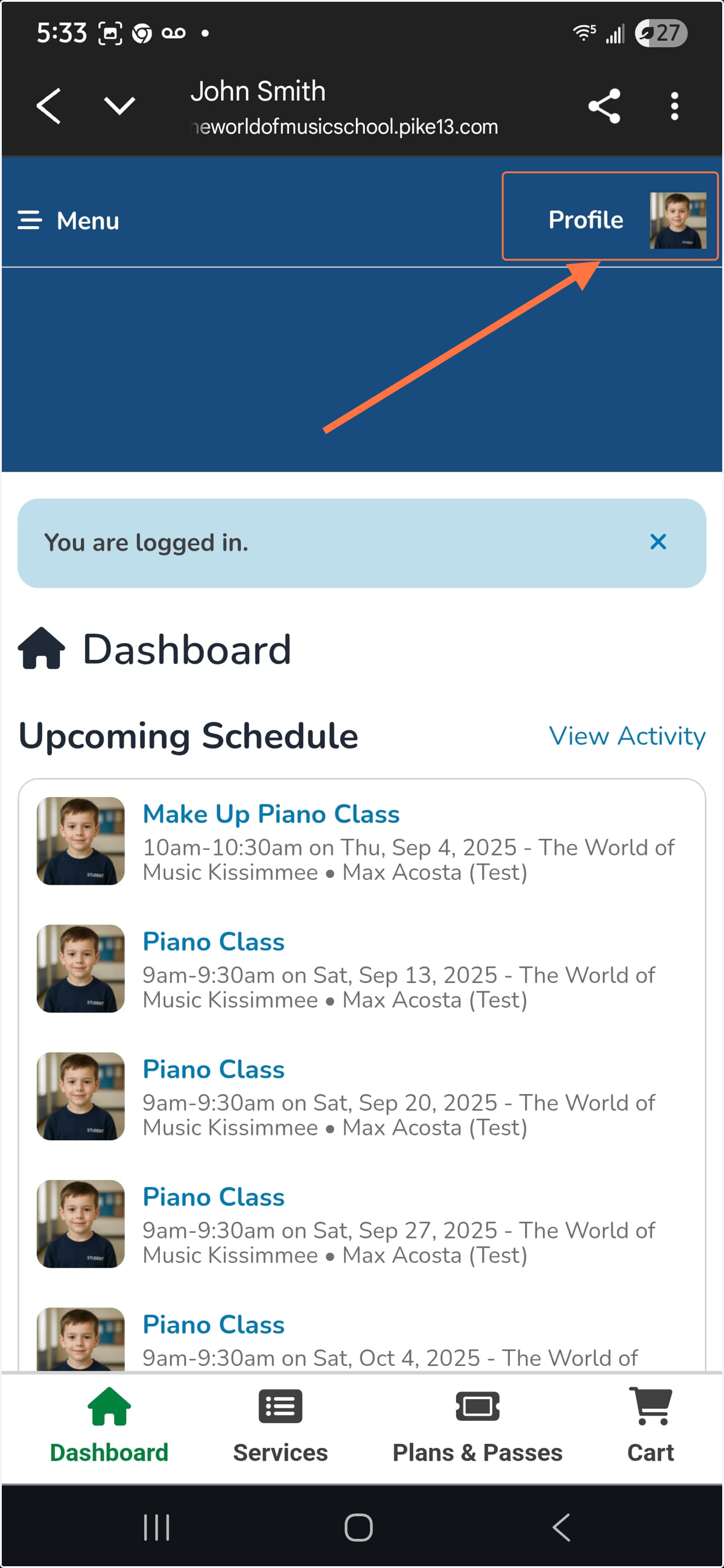
17. To access your bills, notes, and more, go to the top of dashboard and click on the student's profile image on the right hand side
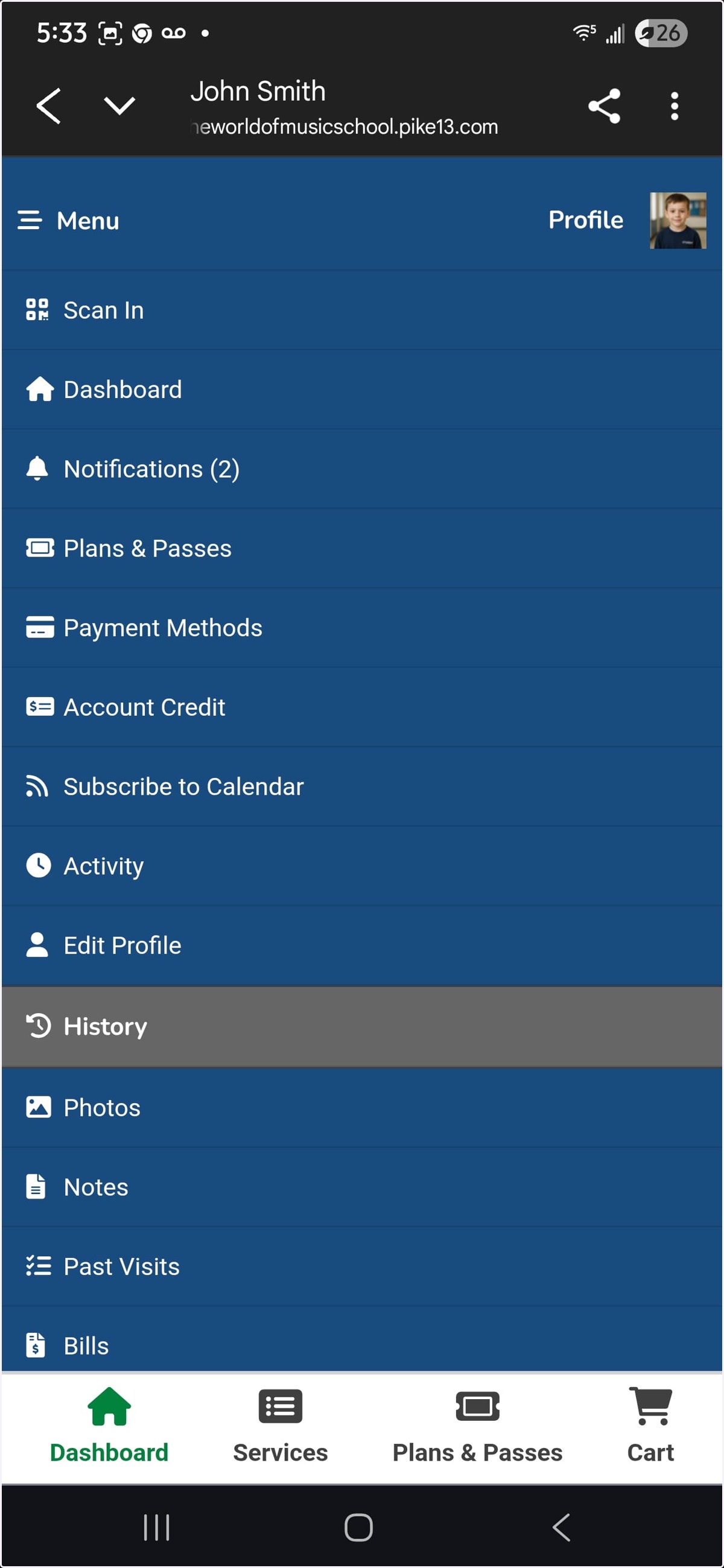
18. In here you can update credit card, check past bills, past visits, notes from teacher, and much more.
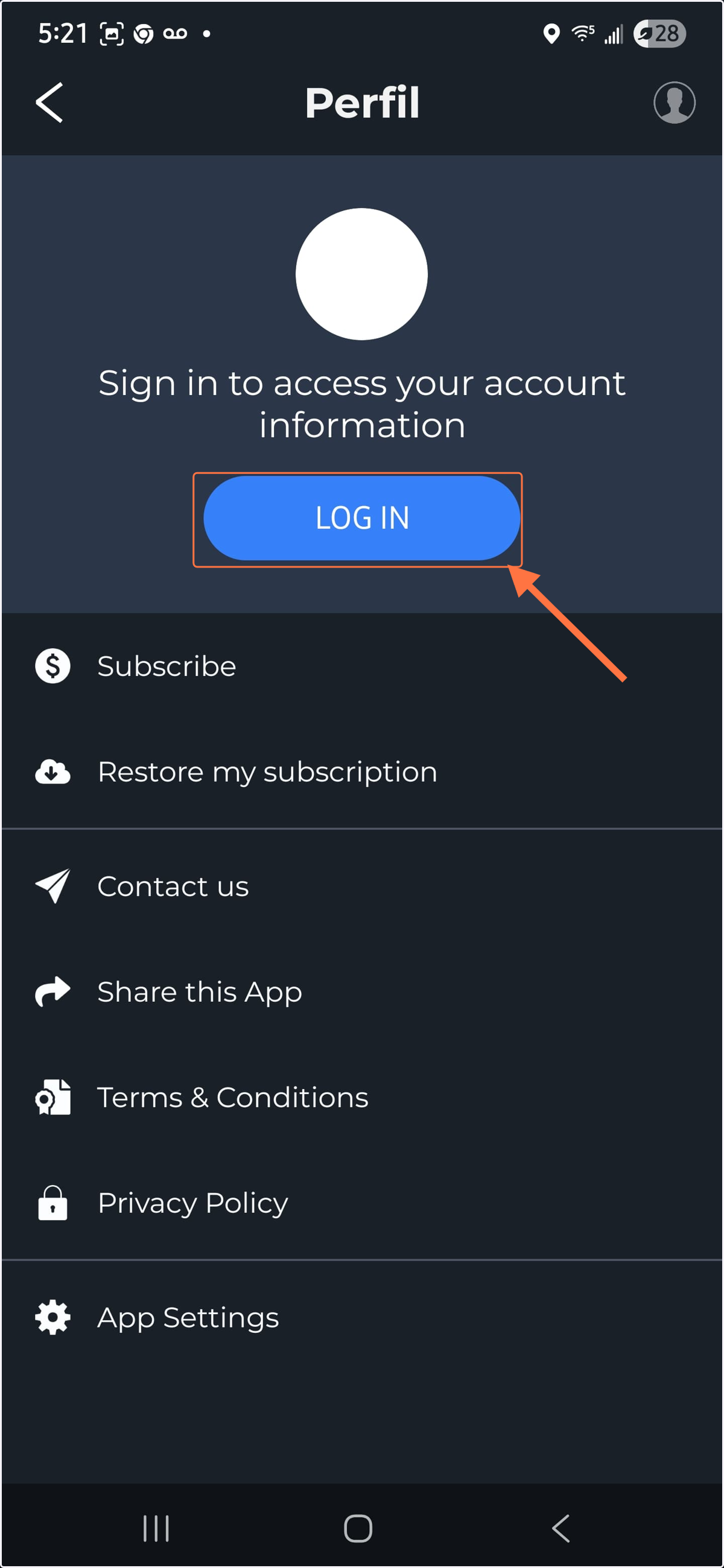
19. Back on the dashboard, if you click on the left menu, you will see more options and cool things!

20. You will find a section to schedule your make up lesson, our locations, meet our staff, and our latest up to date full comprehensive school policies. As well as a link to our main website.