Adding learners to an existing schedule

  1. 1. Locate the existing exam schedule and click on the schedule to expand the schedule details
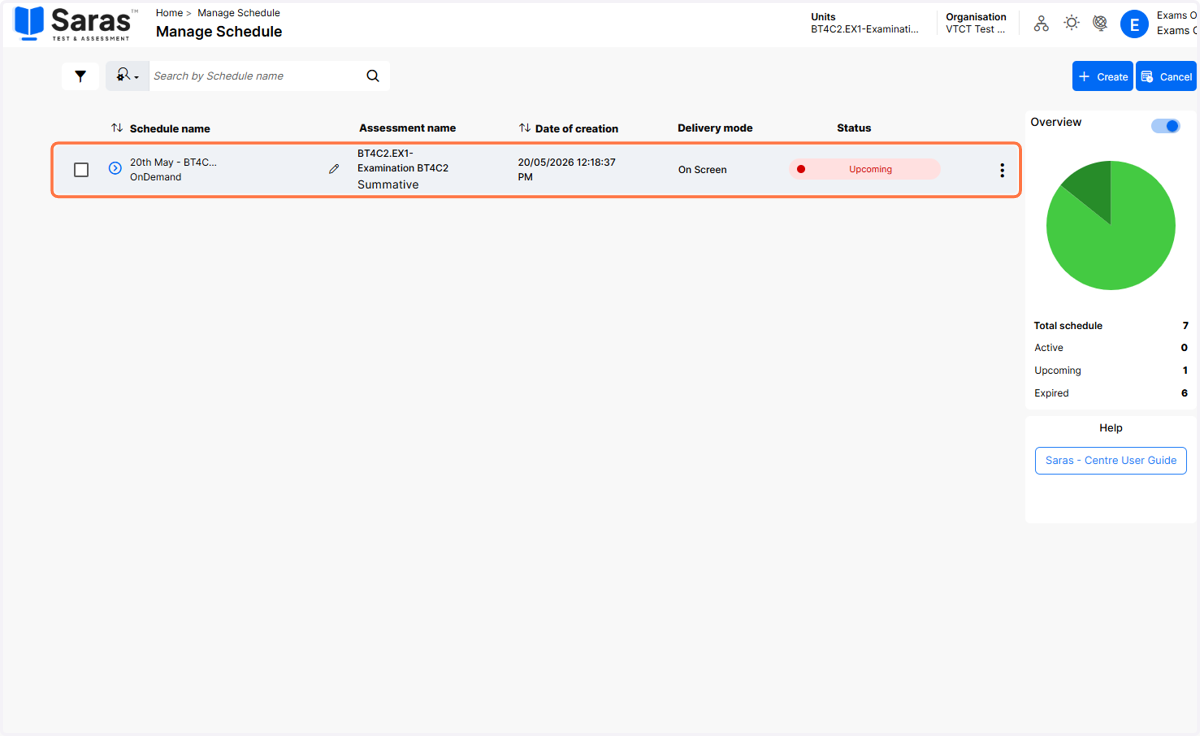
    Locate the existing exam schedule and click on the schedule to expand the schedule details
  2. 2. Click on the three dots to view the batch level actions menu
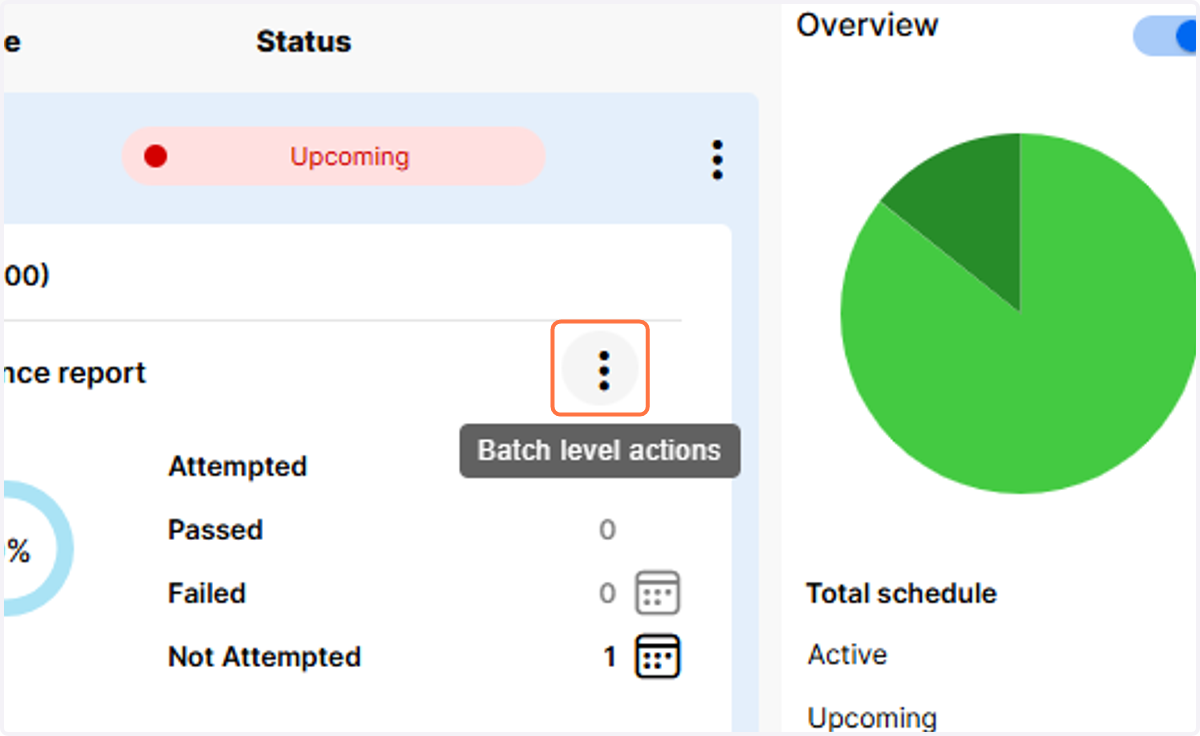
    Click on the three dots to view the batch level actions menu
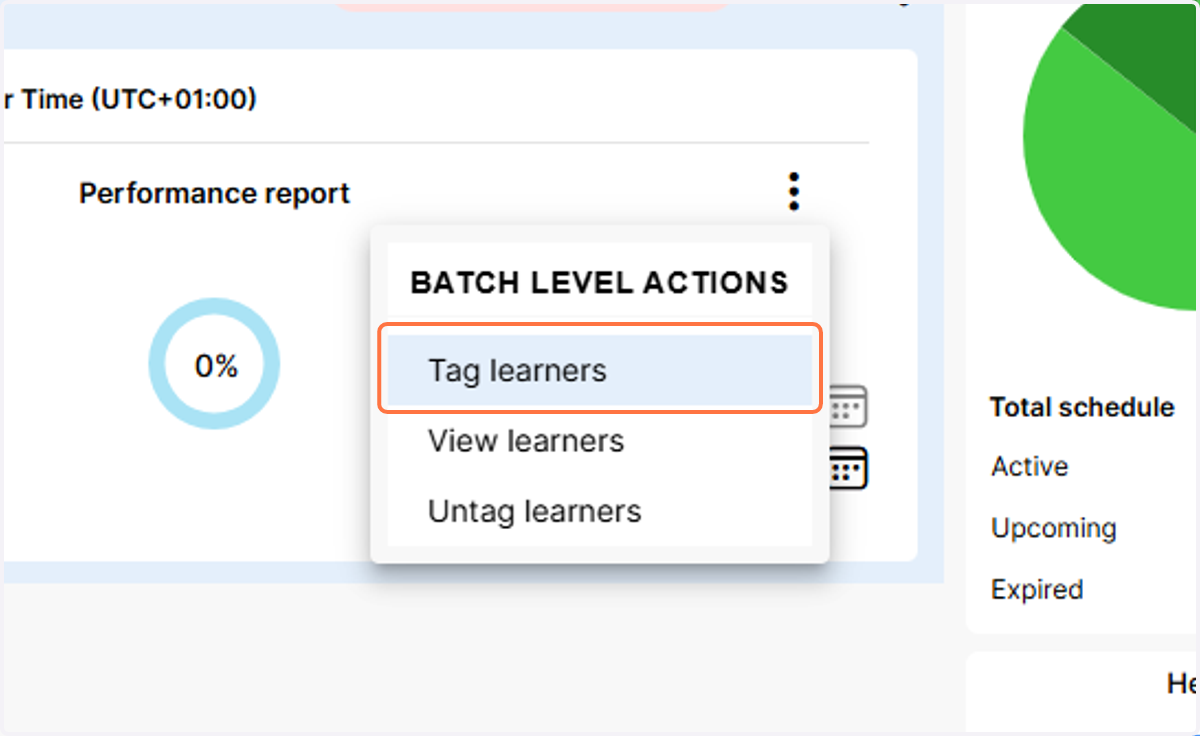
  3. 3. Click on Tag learners

    Click on Tag learners
  4. 4. Select the learners you wish to add to the schedule
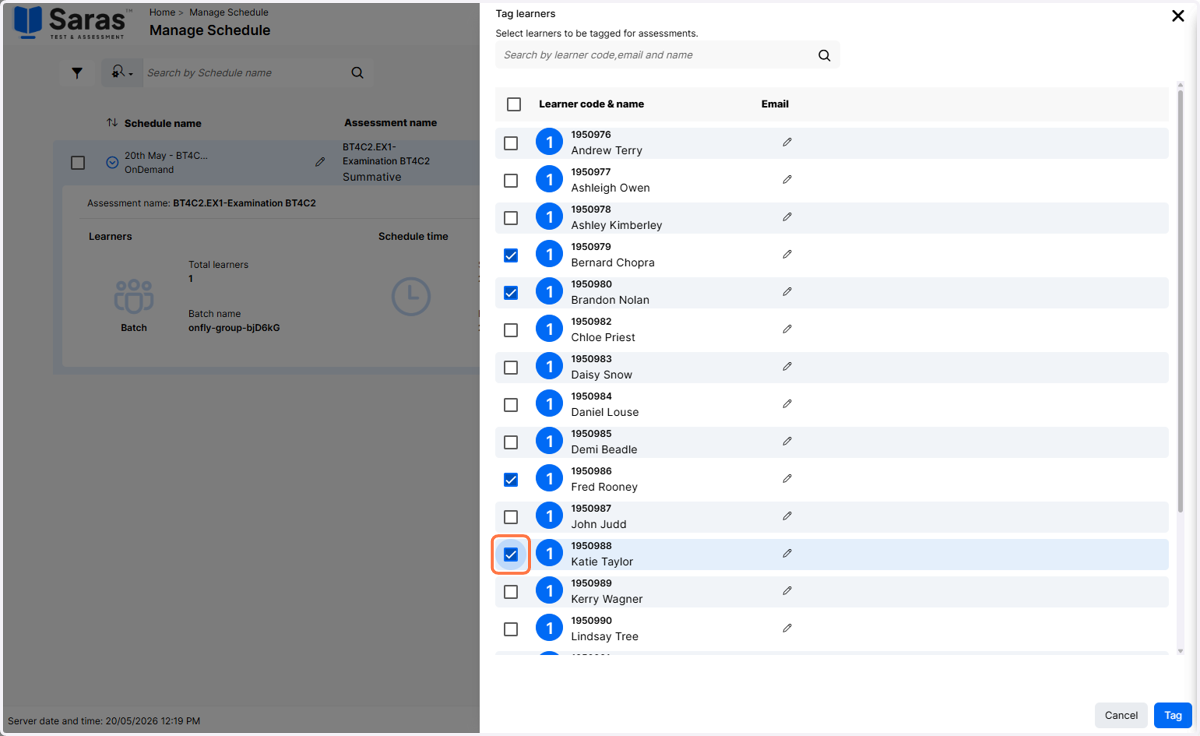
    Select the learners you wish to add to the schedule
  5. 5. Click on Tag to add the learners to the schedule
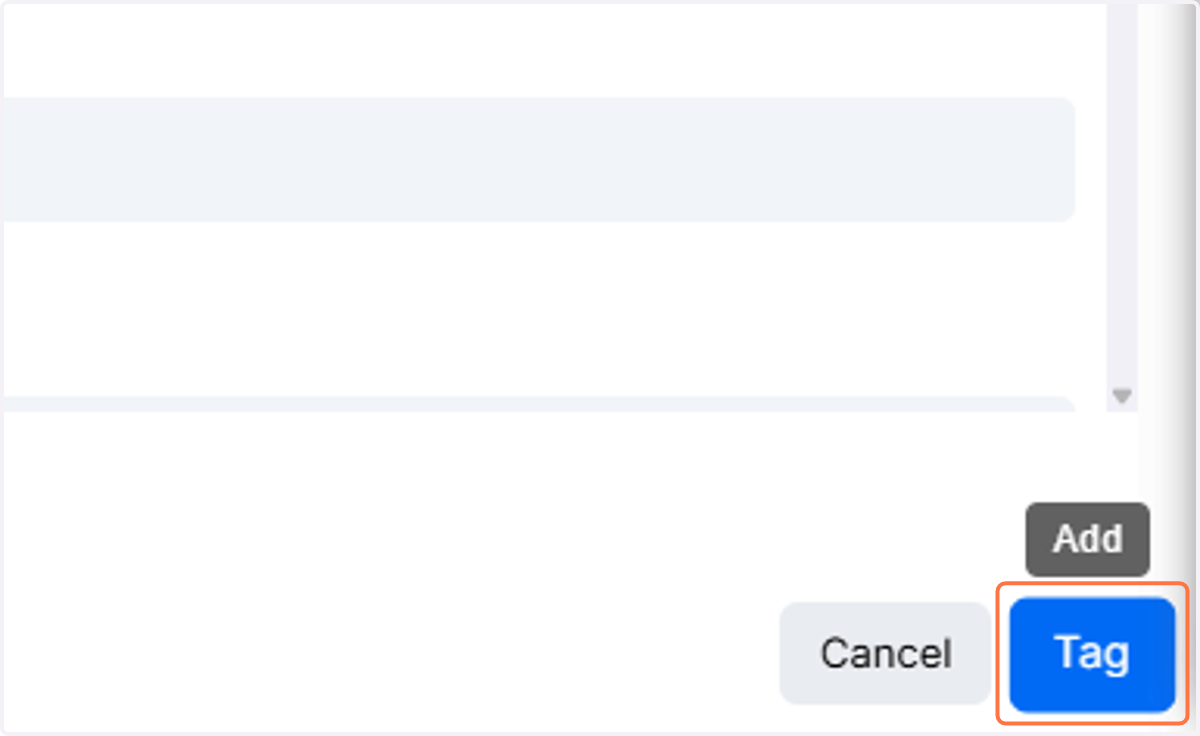
    Click on Tag to add the learners to the schedule
  6. 6. The learners will now be added to the schedule
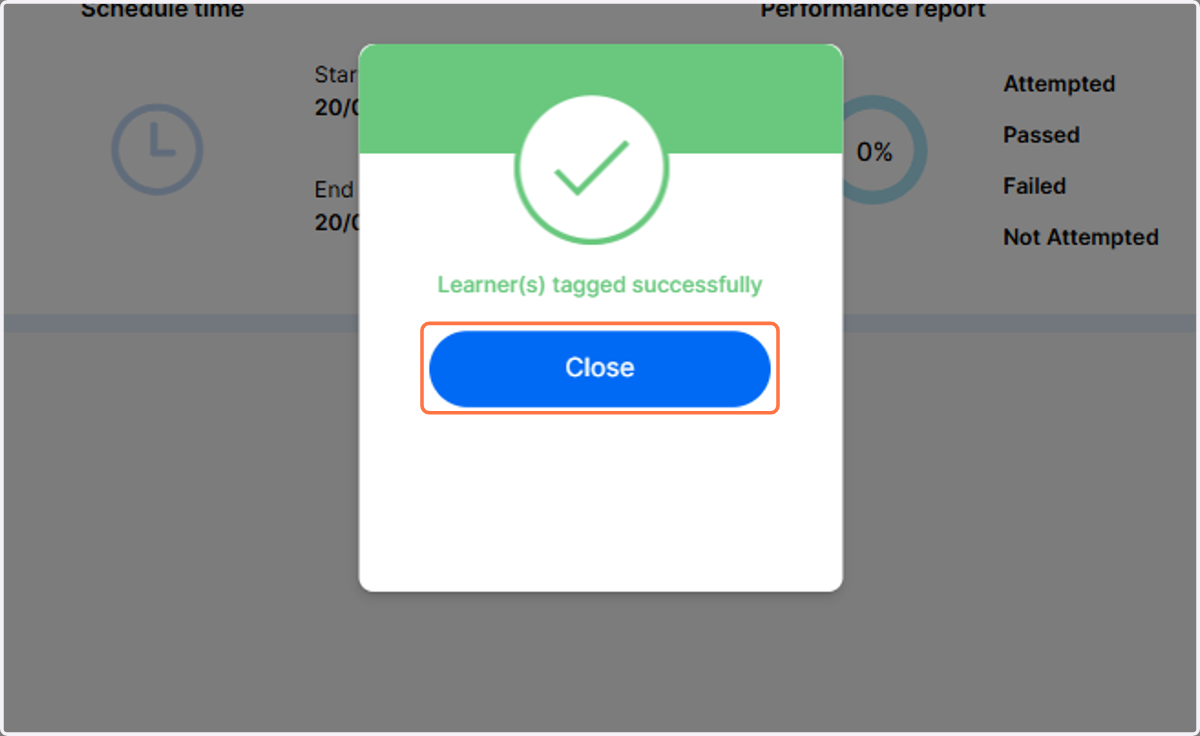
    The learners will now be added to the schedule
  7. 7. To verify the learners have been added to the schedule, click on the three dots to view the batch level actions menu
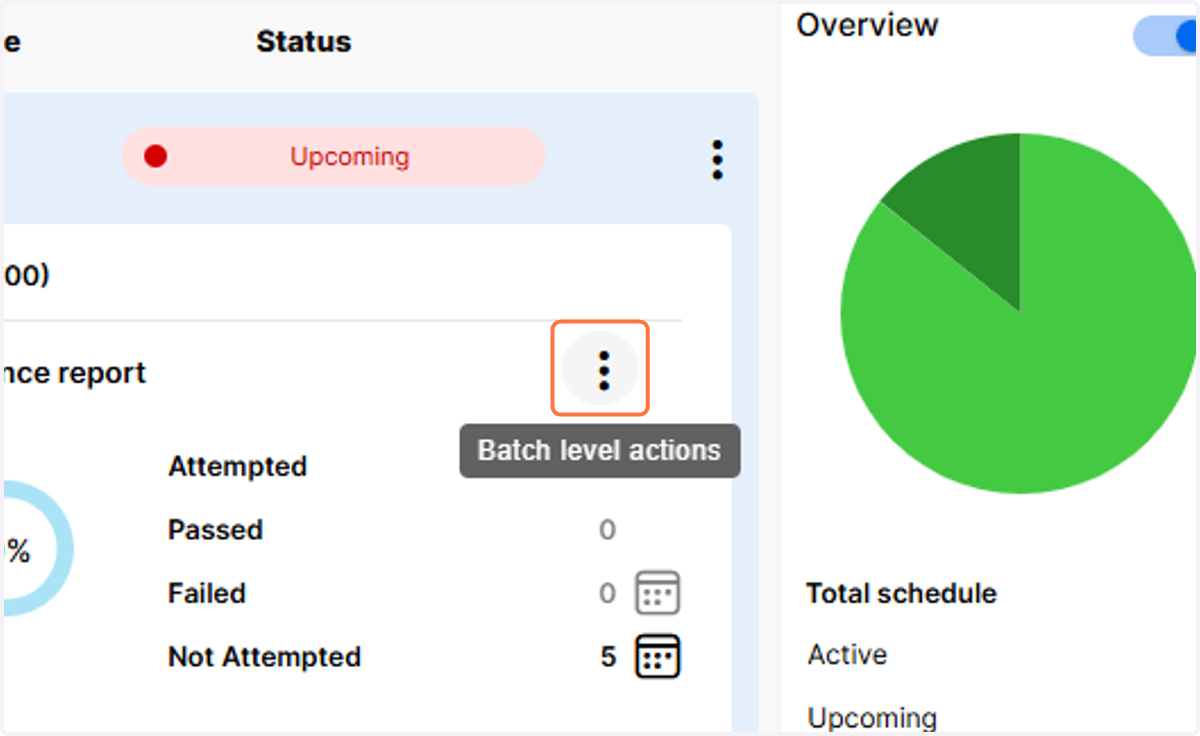
    To verify the learners have been added to the schedule, click on the three dots to view the batch level actions menu
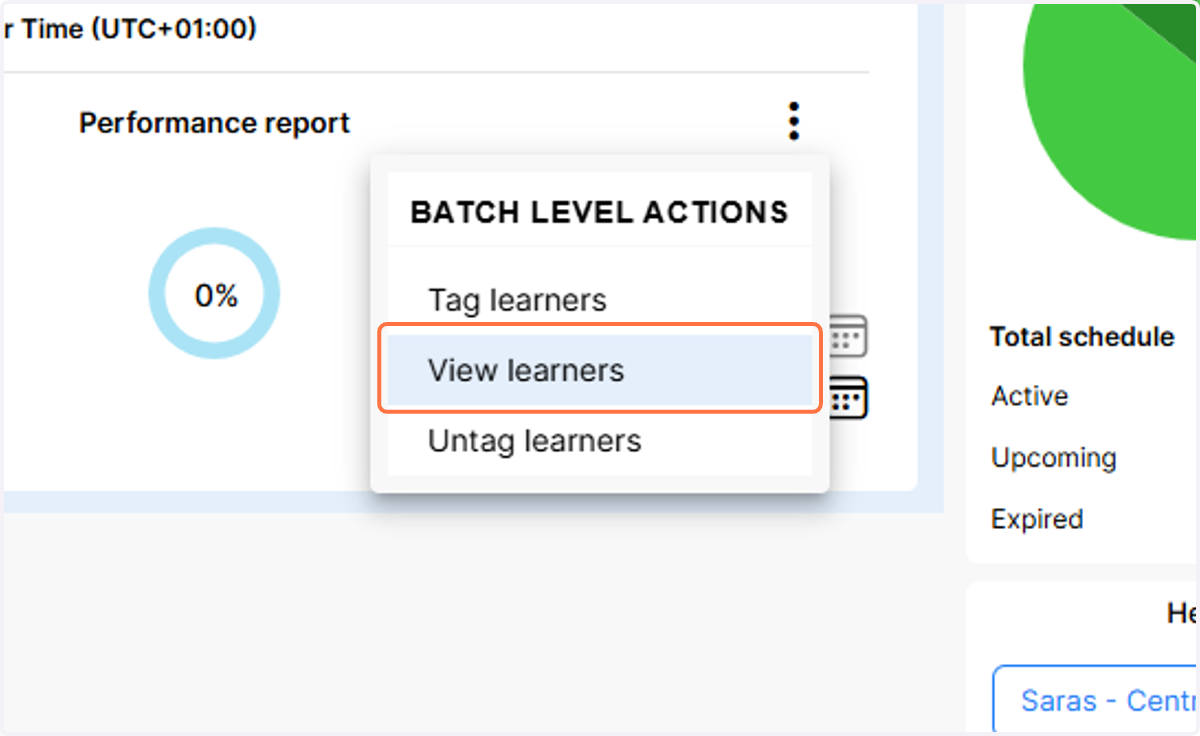
  8. 8. Click on View learners

    Click on View learners
  9. 9. You will now see the additional learners are included in the exam schedule
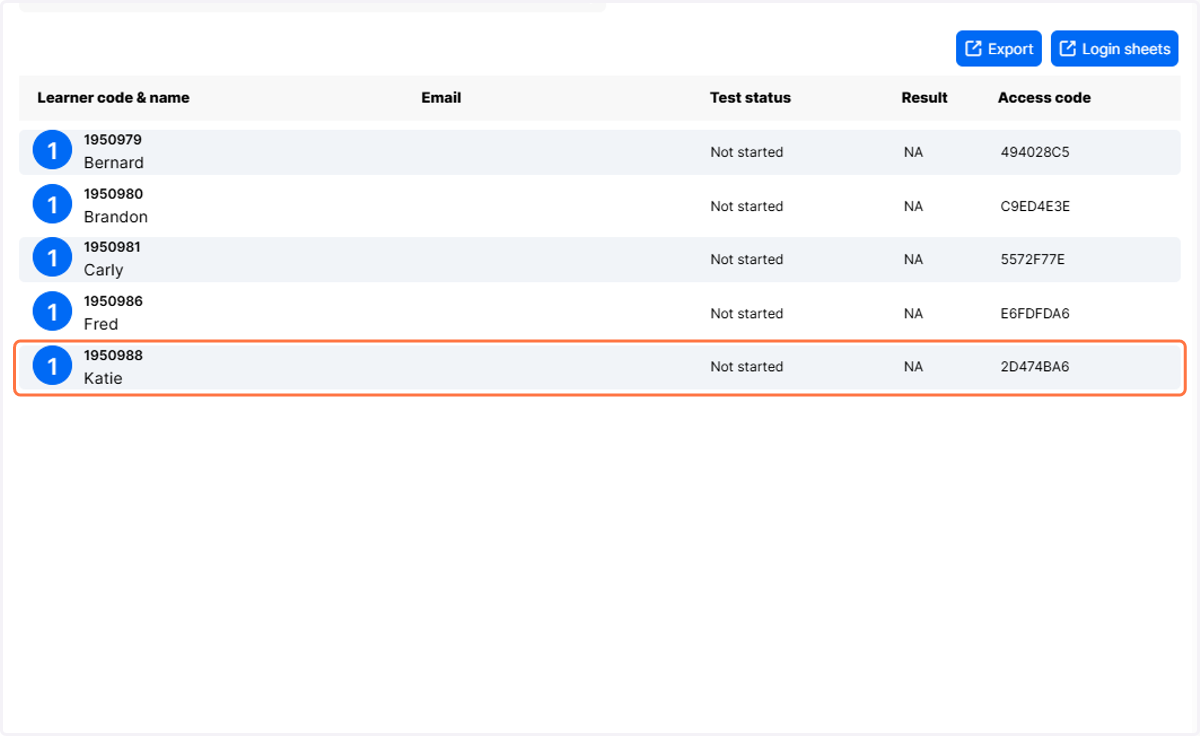
    You will now see the additional learners are included in the exam schedule