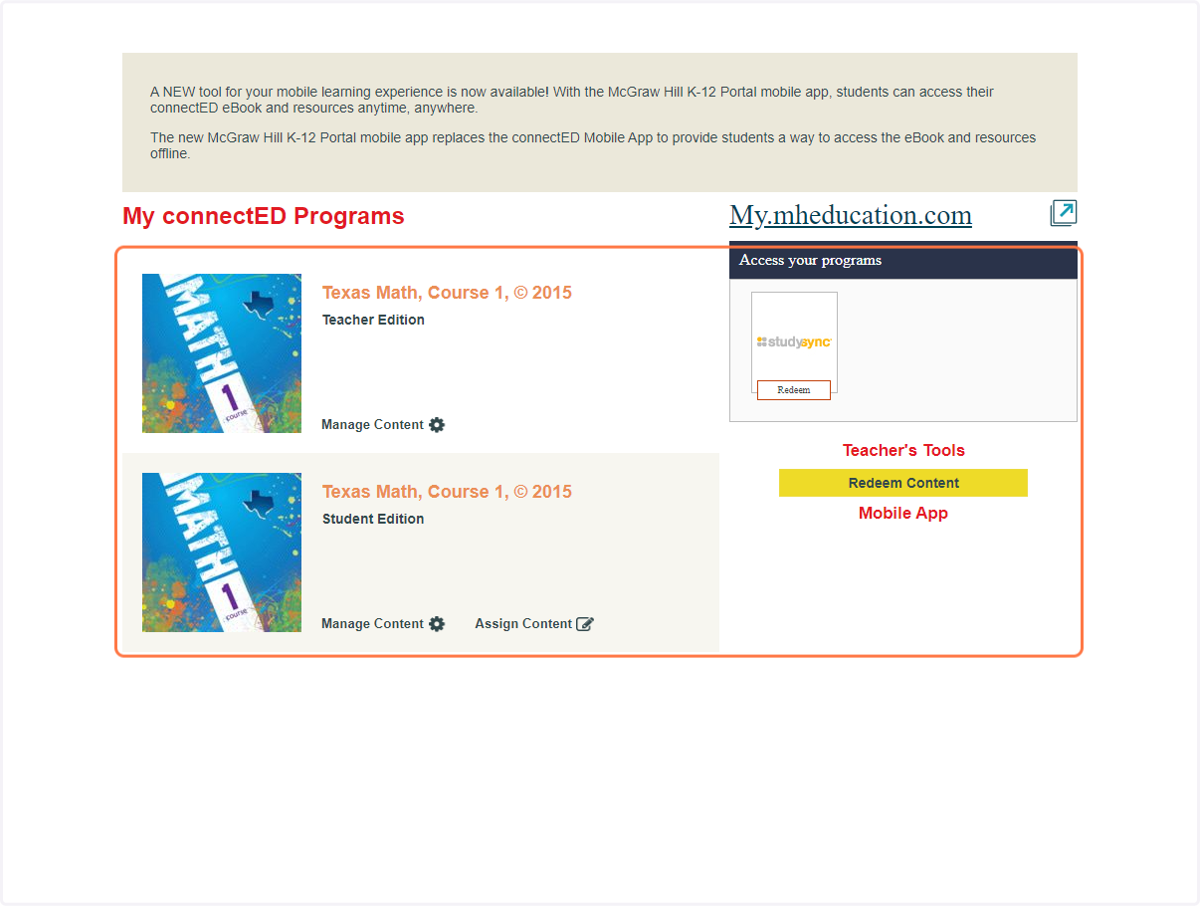
Adding TE Content in McGraw Hill
Mcgraw-hill
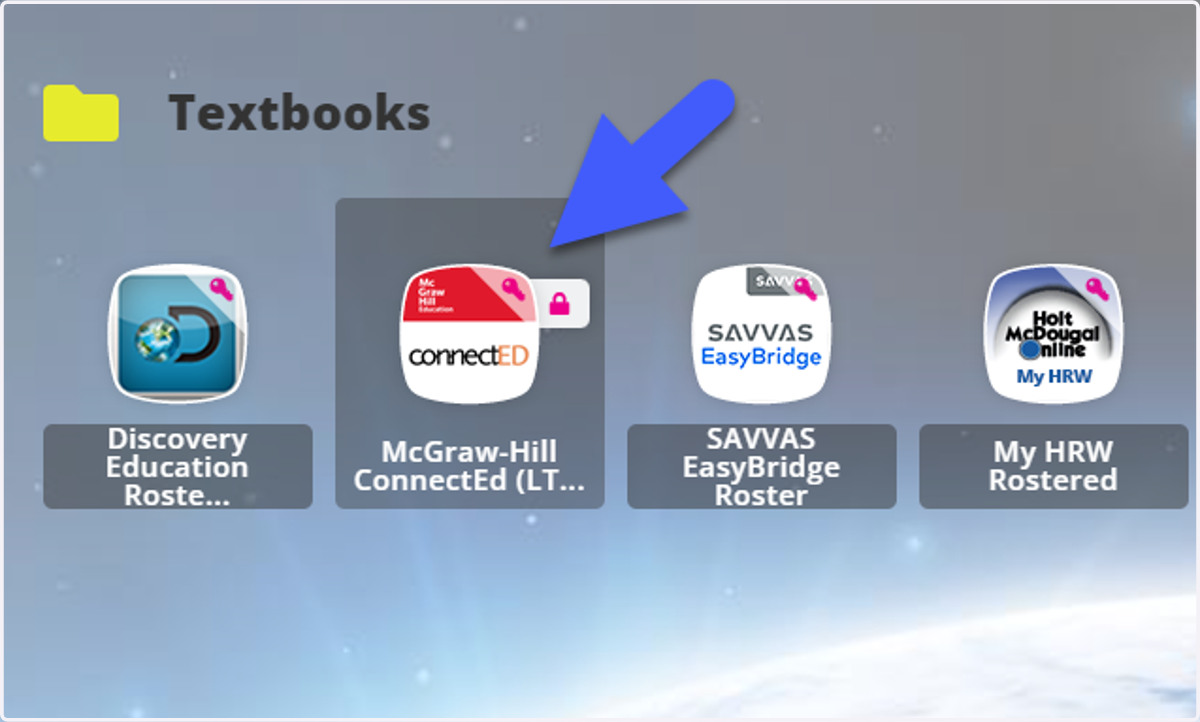
1. Access ConnectED from ClassLink
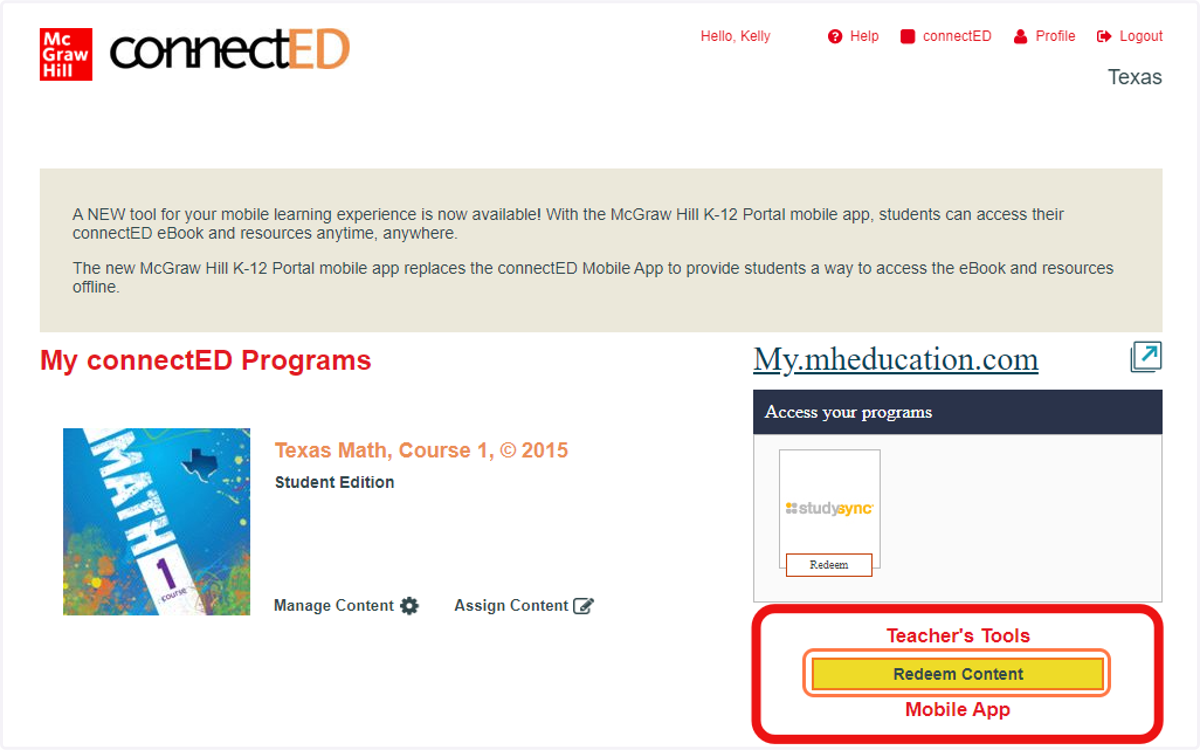
2. Click on Redeem Content
3. Choose HURST-EULESS-BEDFORD ISD - Staff Account from Select Account dropdown
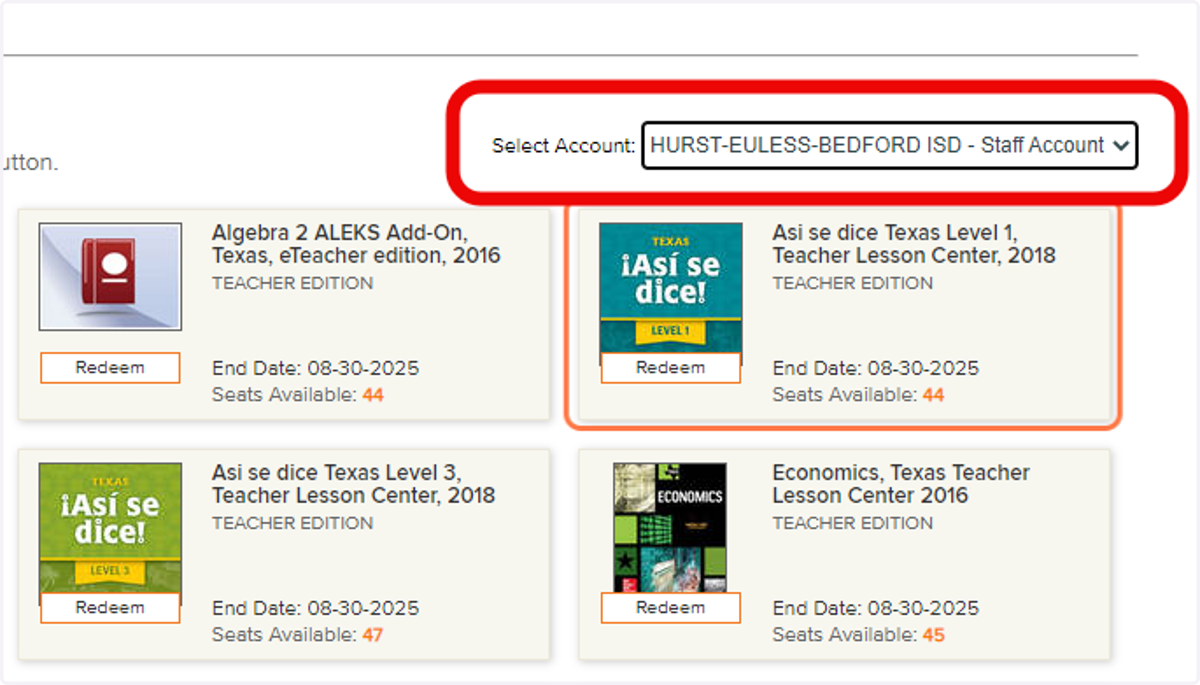
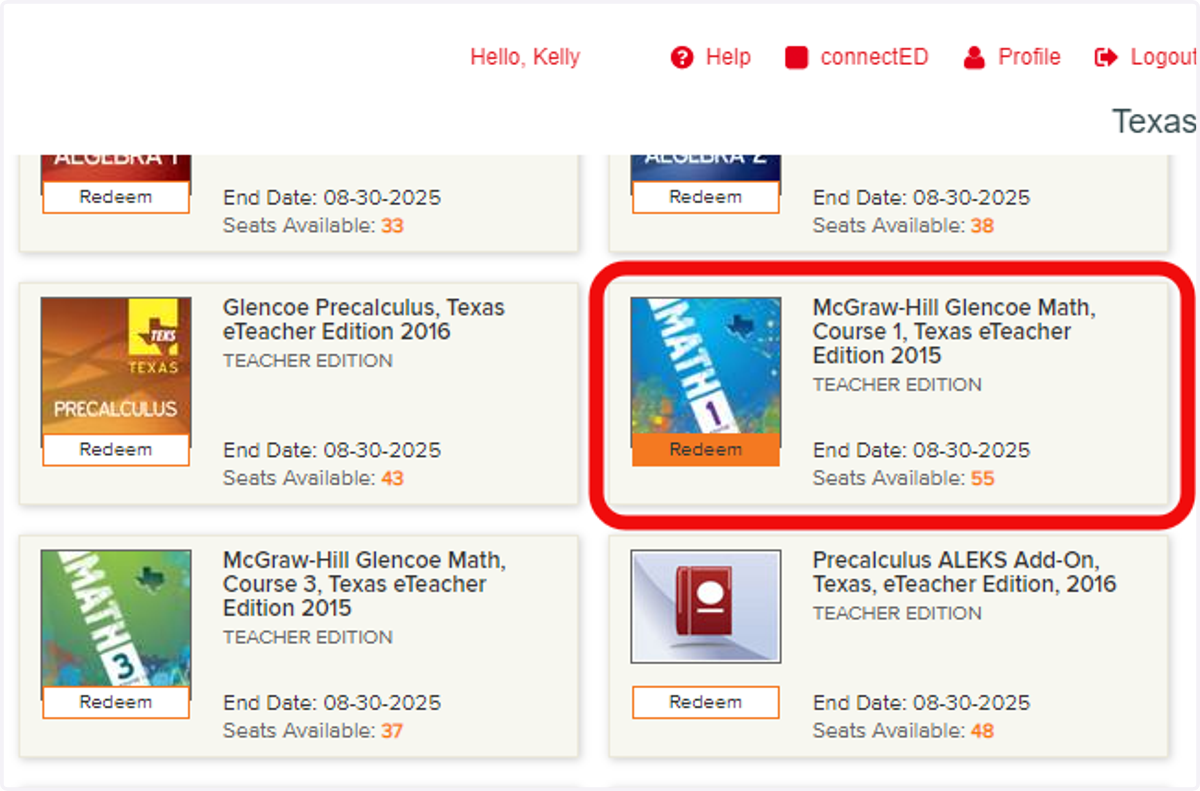
4. Find the desired resource and choose the Redeem button
For this example, we chose the Math 1 course TE
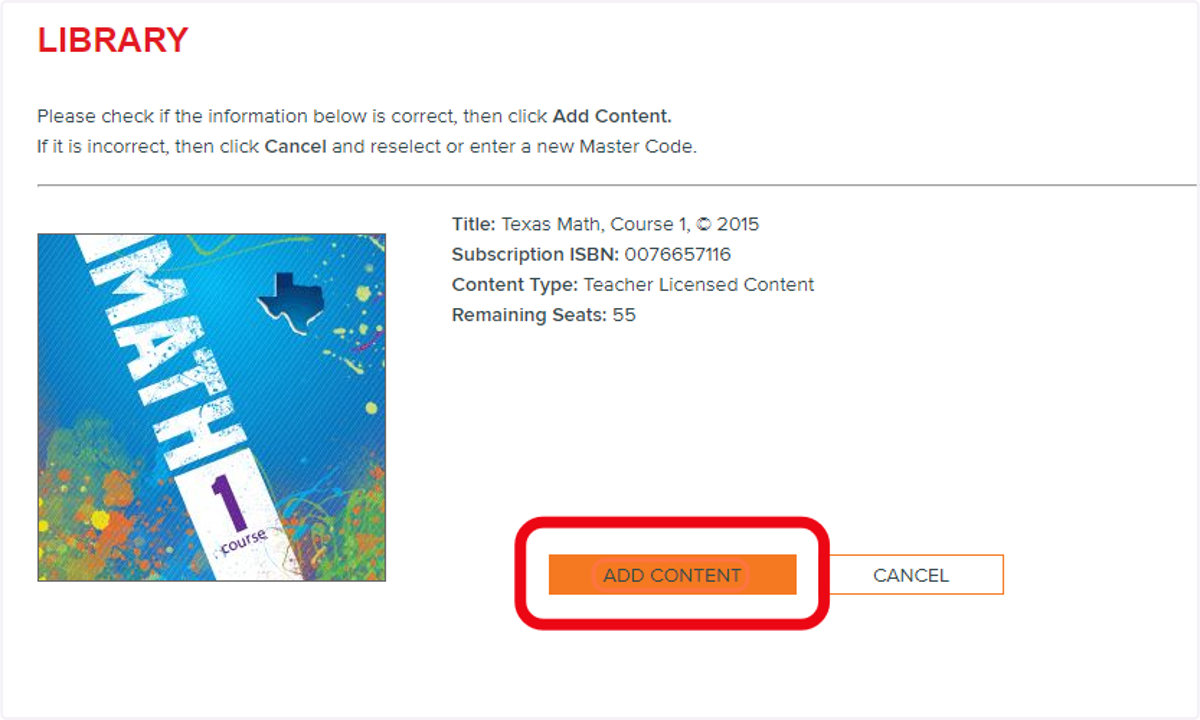
5. Click on ADD CONTENT for the resource
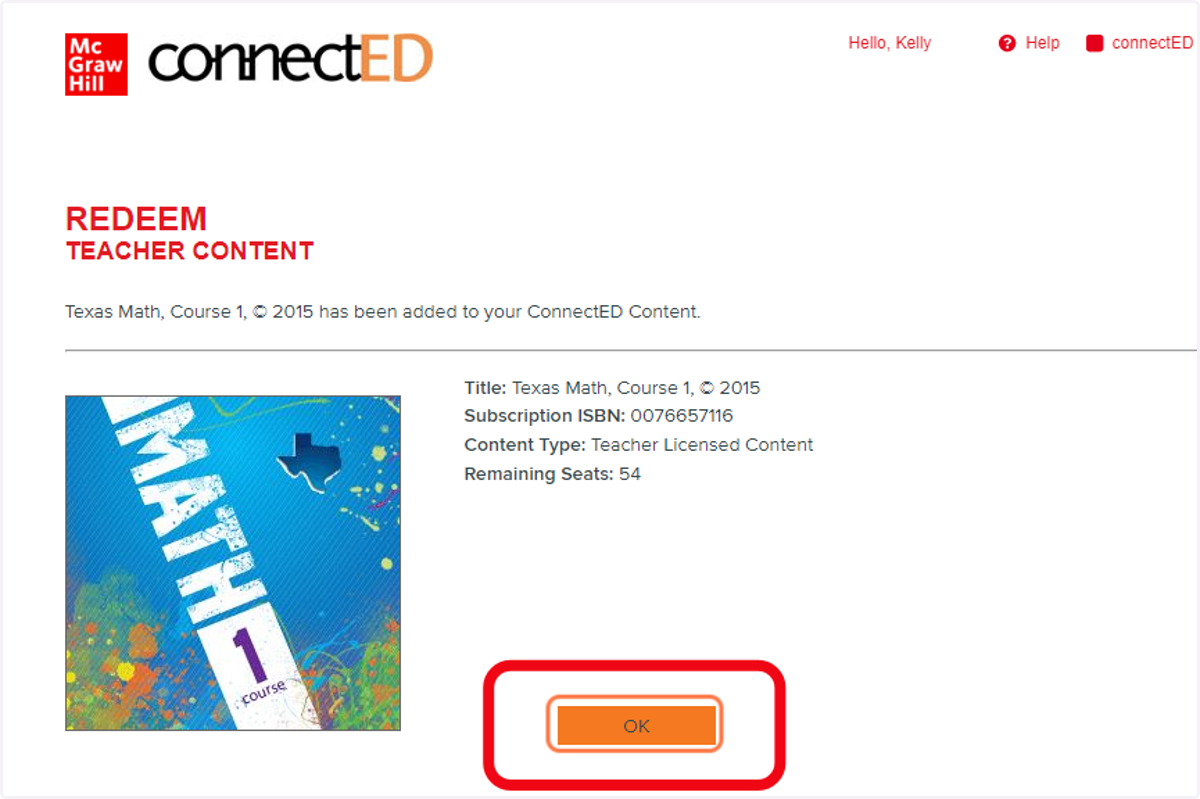
6. Click on OK to complete the action
7. Return to the My connectED Programs page and verify the addition of resource