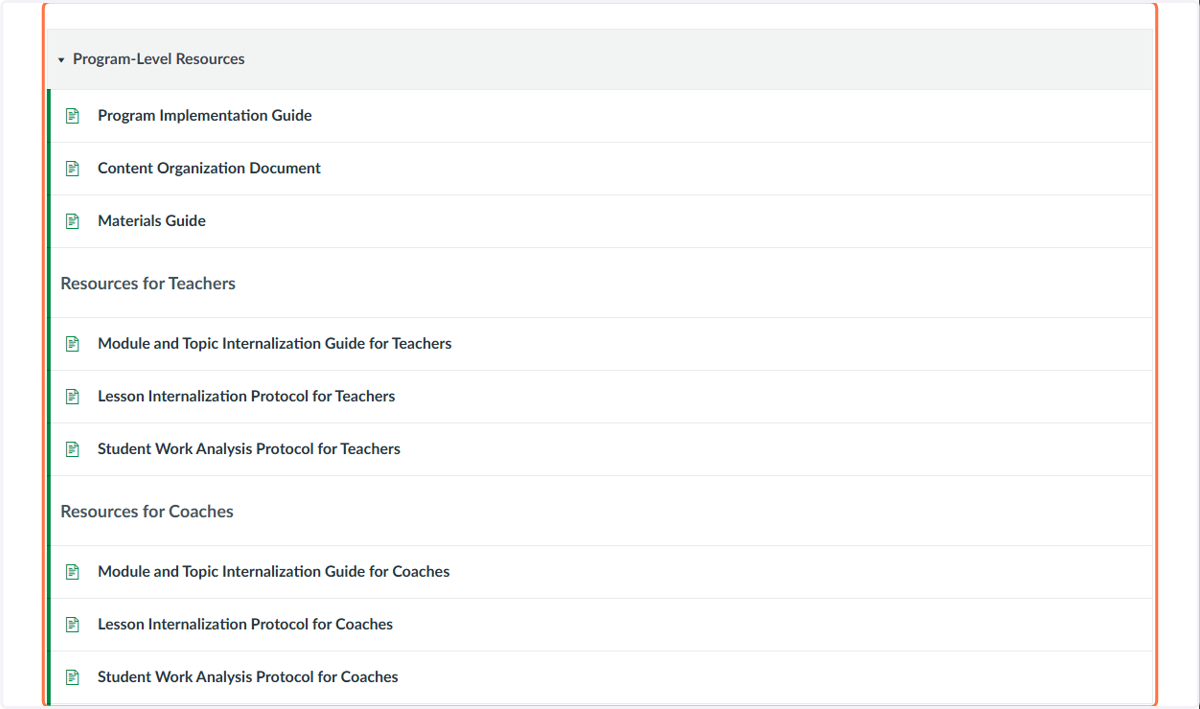
Access and Download Bluebonnet Learning Secondary Instructional Materials
Bluebonnet Learning Portal
Visit the portal at bluebonnet.tea.texas.gov
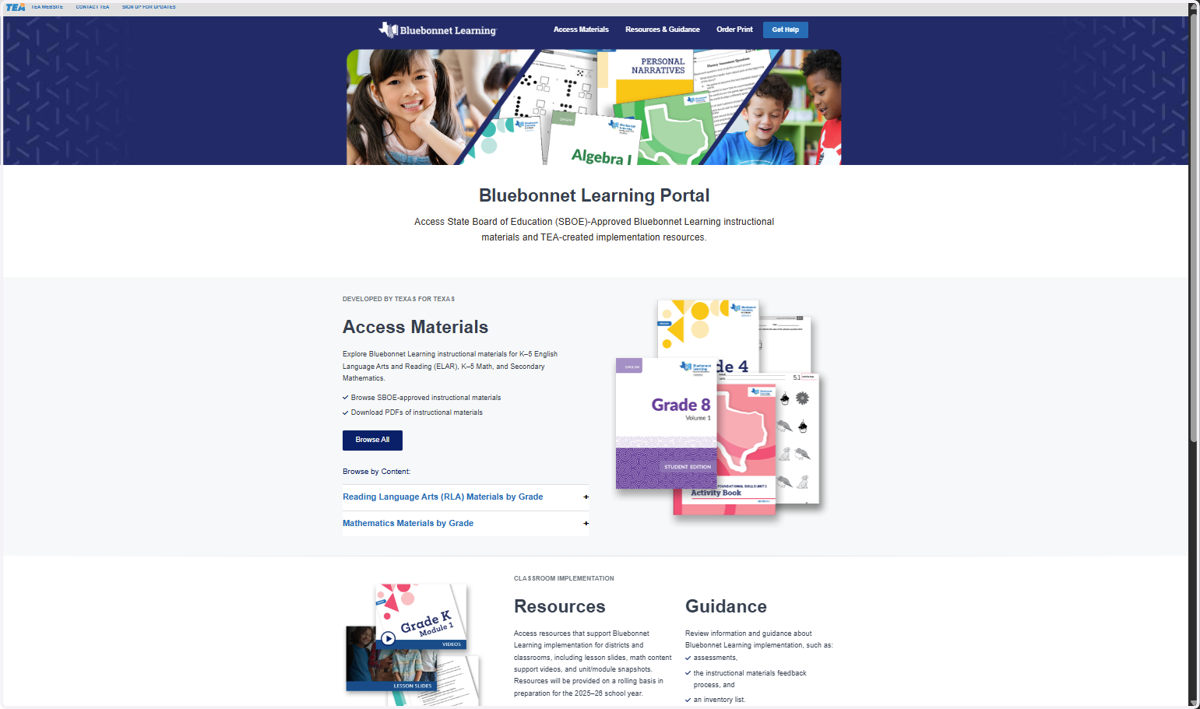
1. Bluebonnet Learning Portal
This is the home page for the Bluebonnet Learning Portal. Here is where you can find all of the available resources. In these instructions, we will specifically focus on accessing the digital version of the instructional materials.
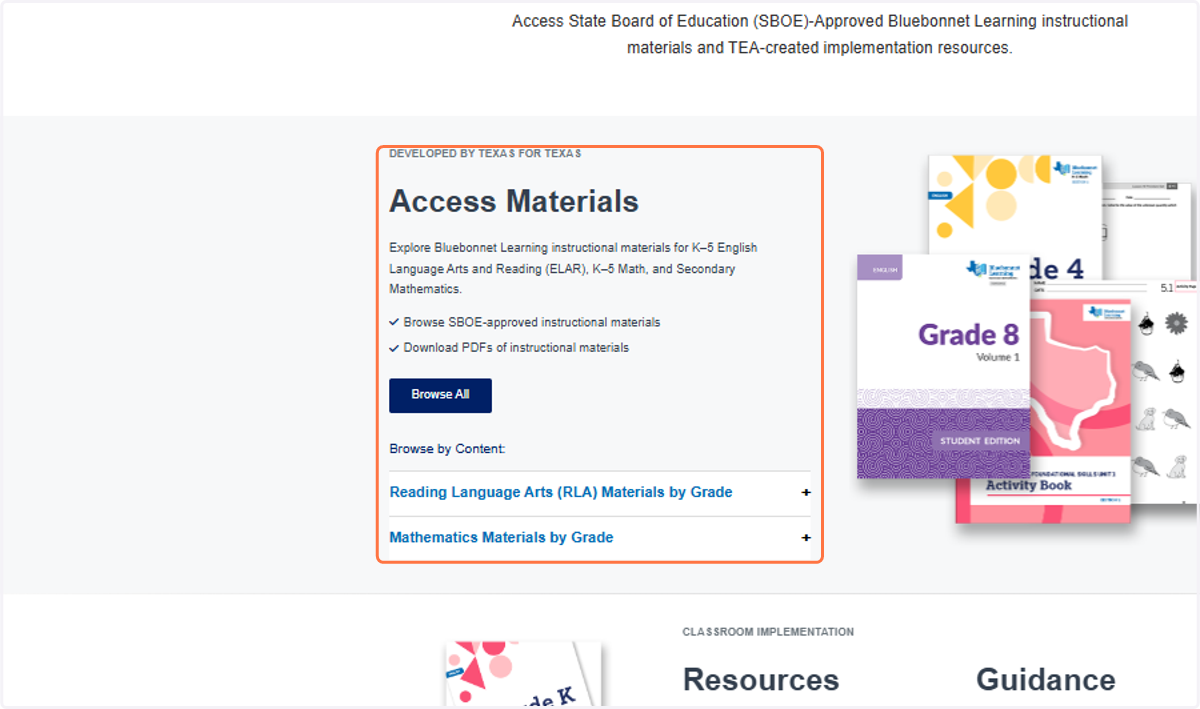
2. Access Materials
Scroll until you see the section titled, "Access Materials." In this section you have several options. You can browse all of the Bluebonnet Learning Materials or browse by content.
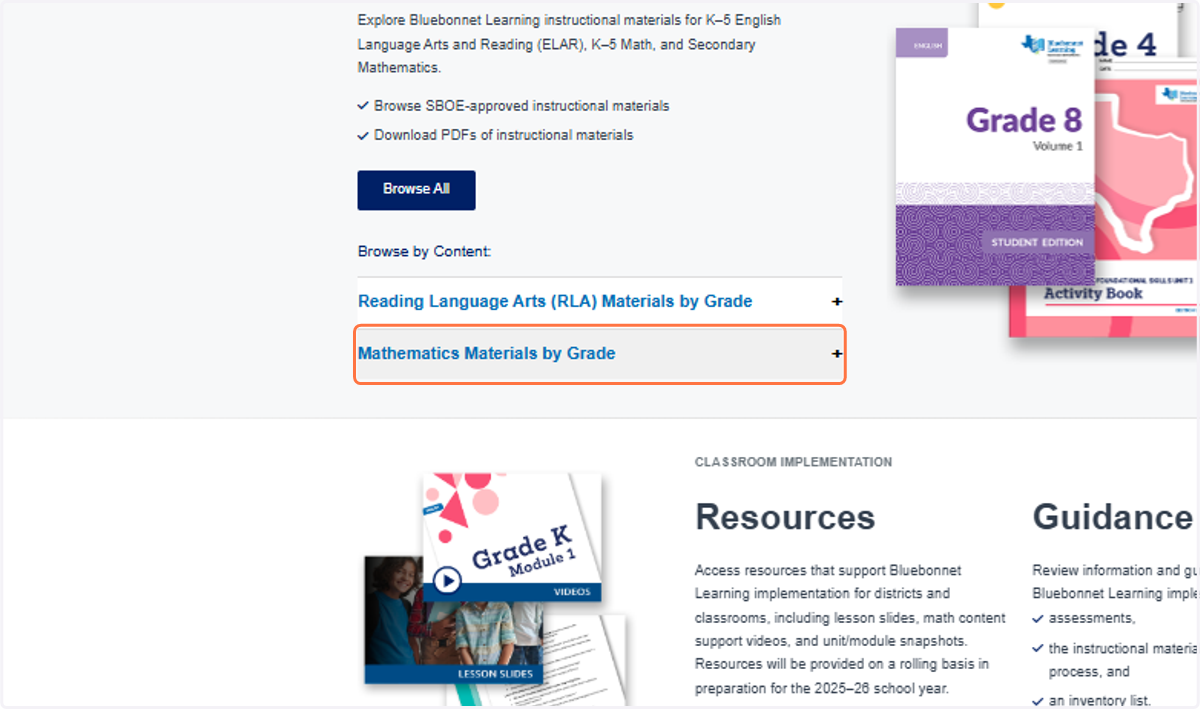
3. Mathematics Materials by Grade
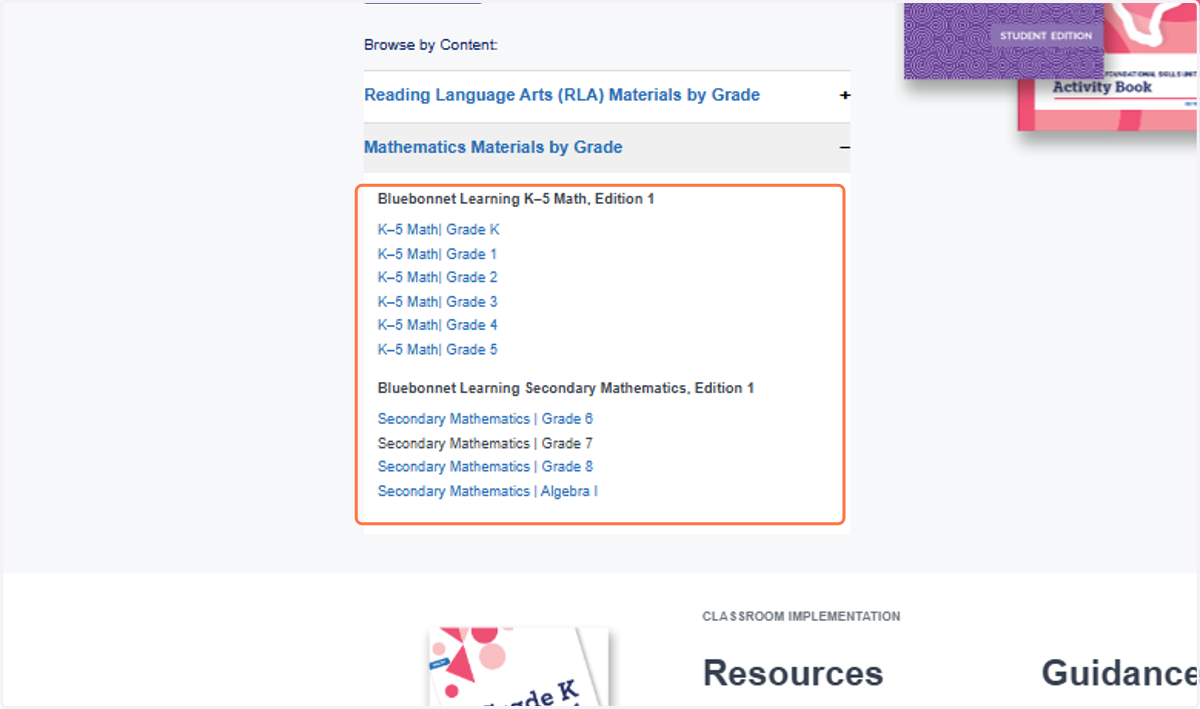
For this example, we will be viewing mathematics materials only. Click on "Mathematics Materials by Grade."
4. Grade Level Options
A drop down menu with reveal all of the available grade levels.
5. Select Grade Level
Select the grade level that you are wanting to view. For this example, we will be viewing Secondary Mathematics | Grade 7
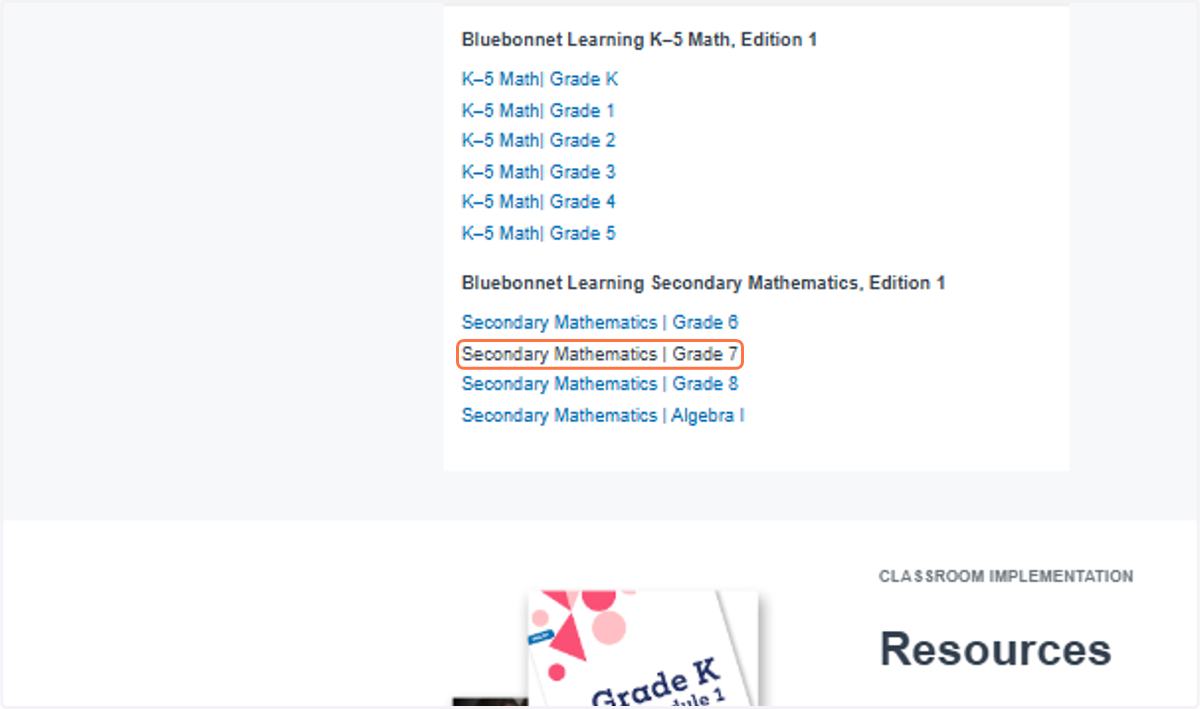
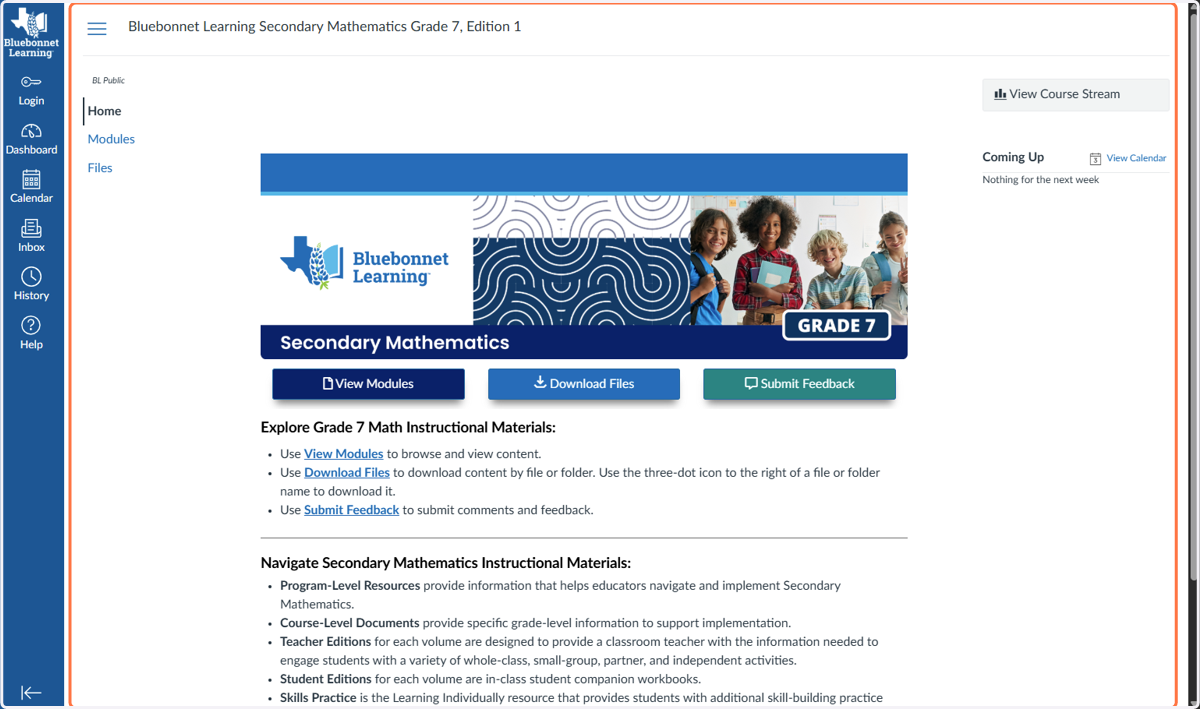
You will be navigated to a different website called Canvas.
6. Bluebonnet Learning Canvas Page
On this webpage is where you will have access to all of the Bluebonnet Learning digital PDFs for the grade level you selected.
7. Accessing Digital PDFs
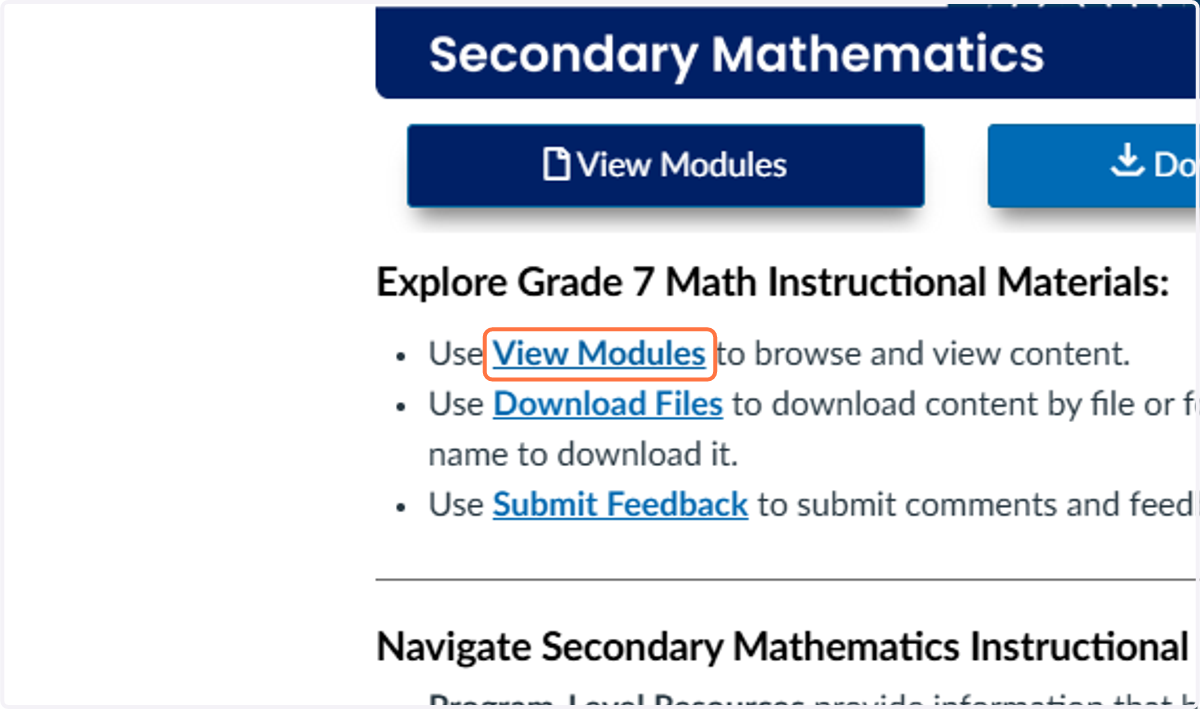
Click on "View Modules" to browse and view content.
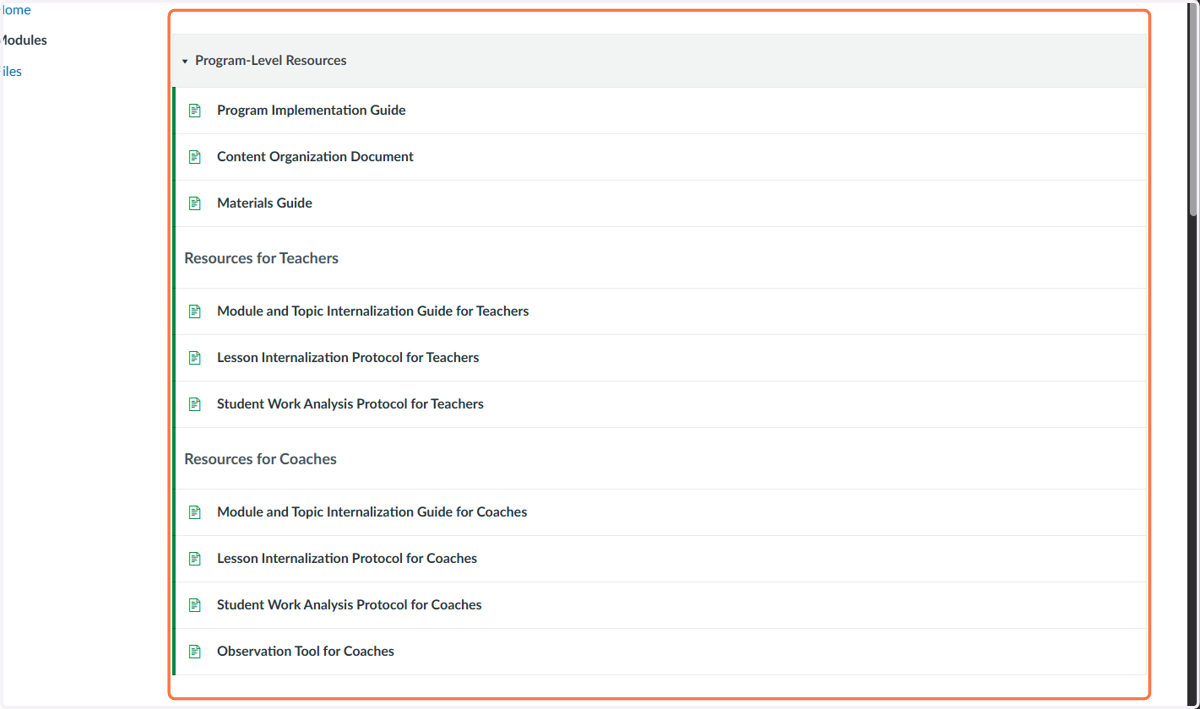
8. Program-Level Resources
In the first section titled, "Program-Level Resources" is where you will find K-5 Program PDFs.
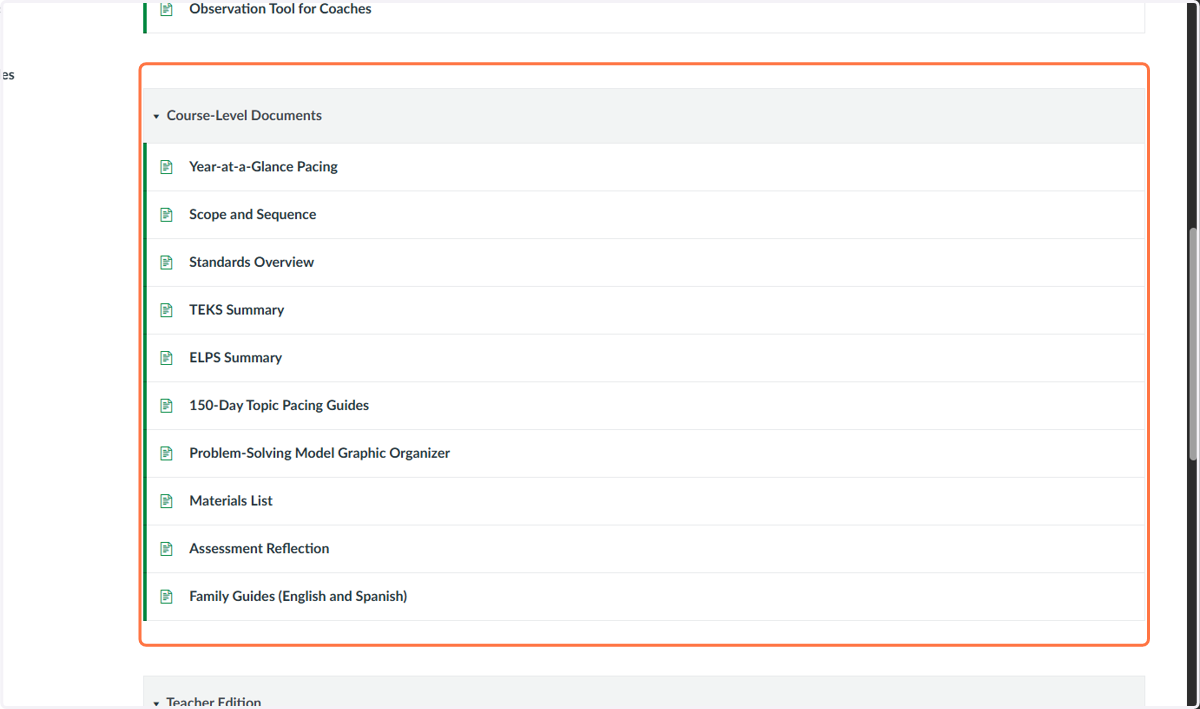
9. Course-Level Resources
In the second section titled "Course-Level Resources" is where you will find specific grade level resources.
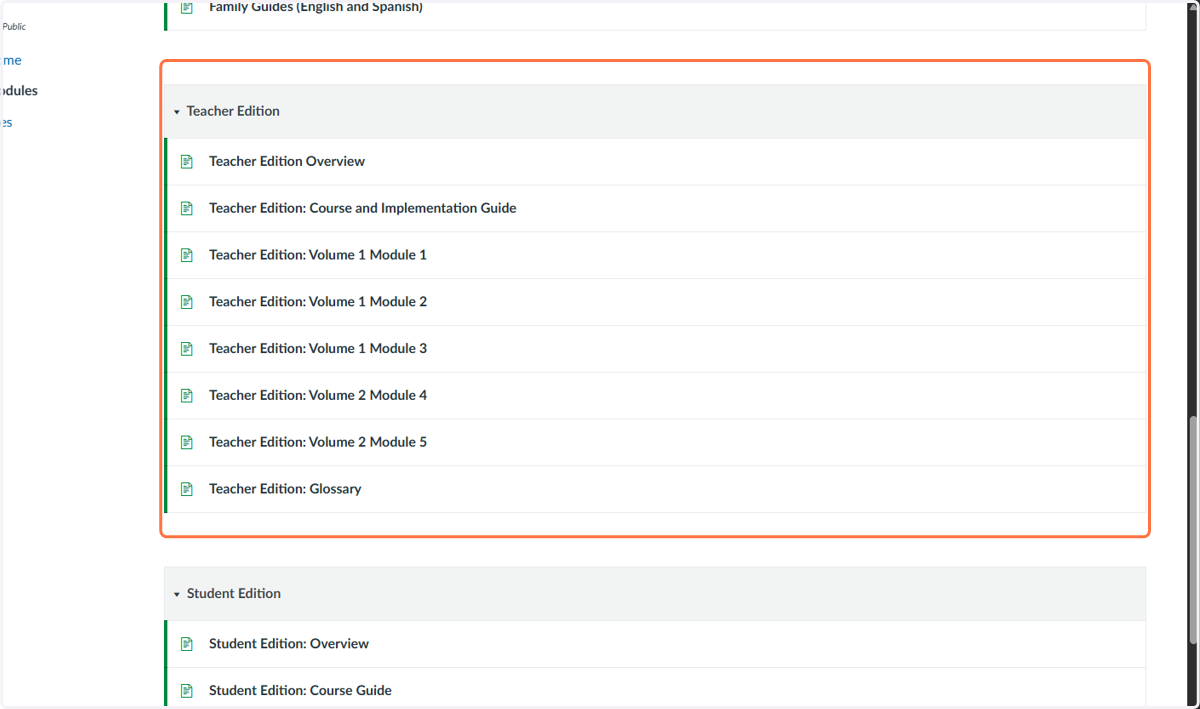
10. Teacher Resources
In the third section titled "Teacher Edition" is where you will find all of the teacher editions for the specified grade level.
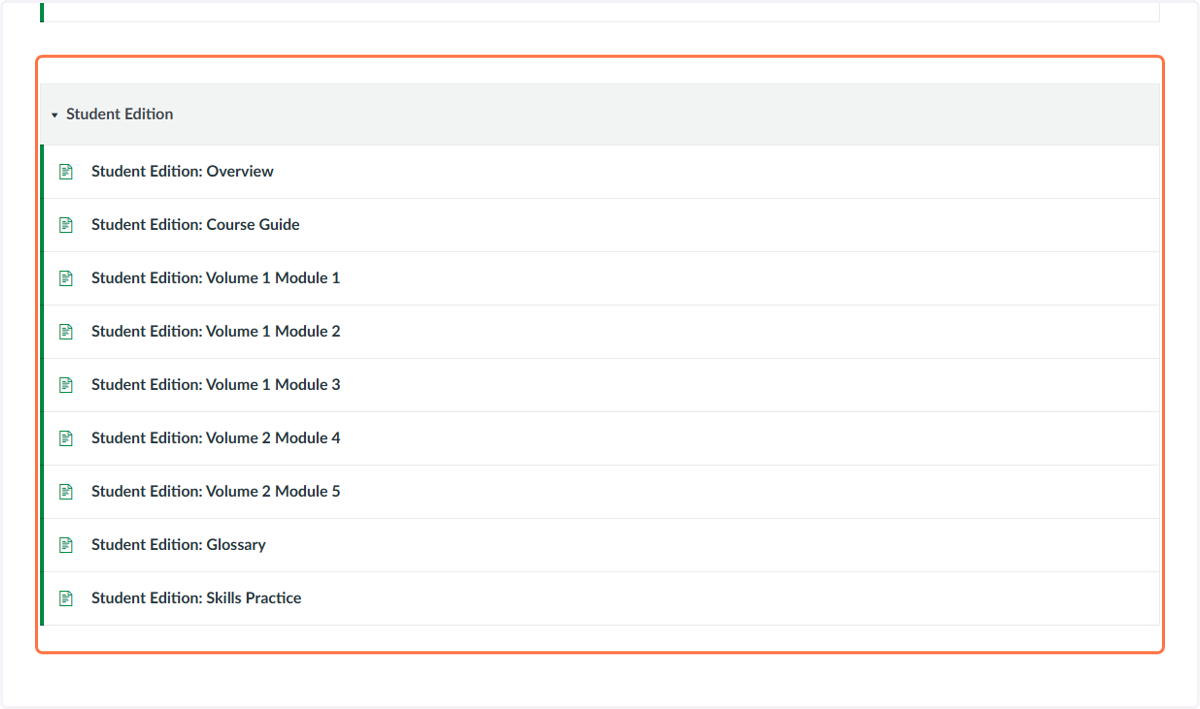
11. Student Resources
In the third section titled "Student Edition" is where you will find all of the student editions for the specified grade level.
12. Explore Materials
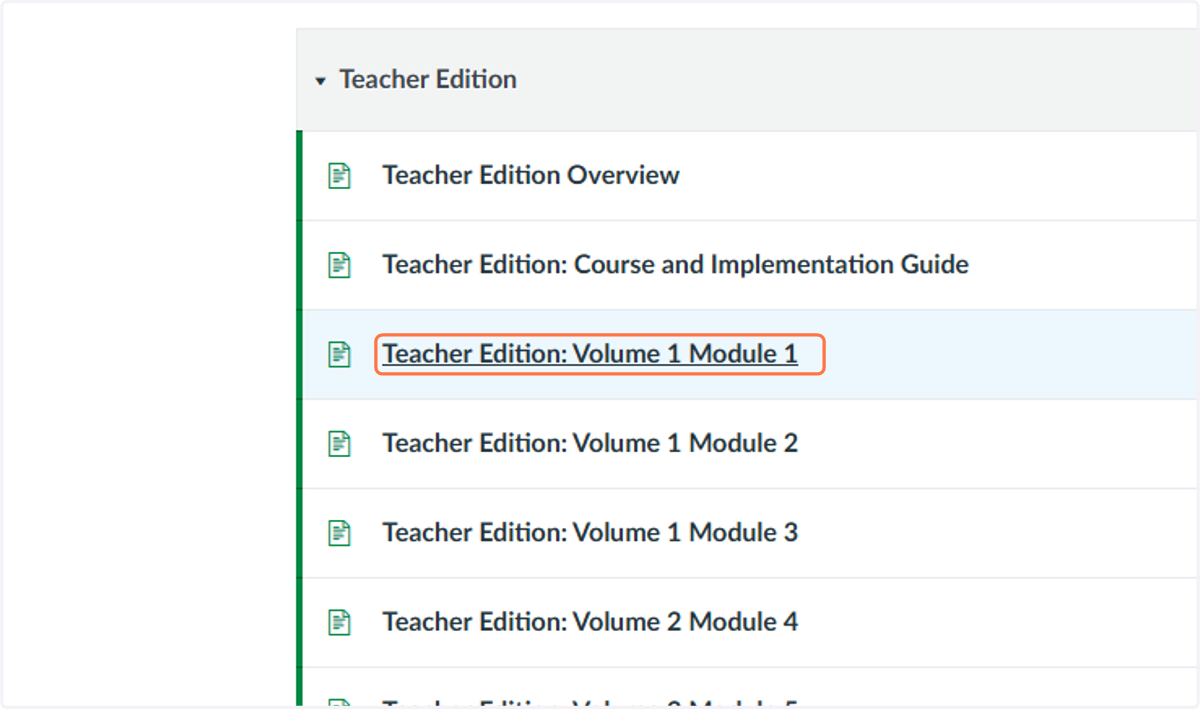
You can access each digital copy by clicking on the file you would like to view. For this example we will explore the Teacher Edition: Volume 1 Module 1.
13. Viewing Digital File
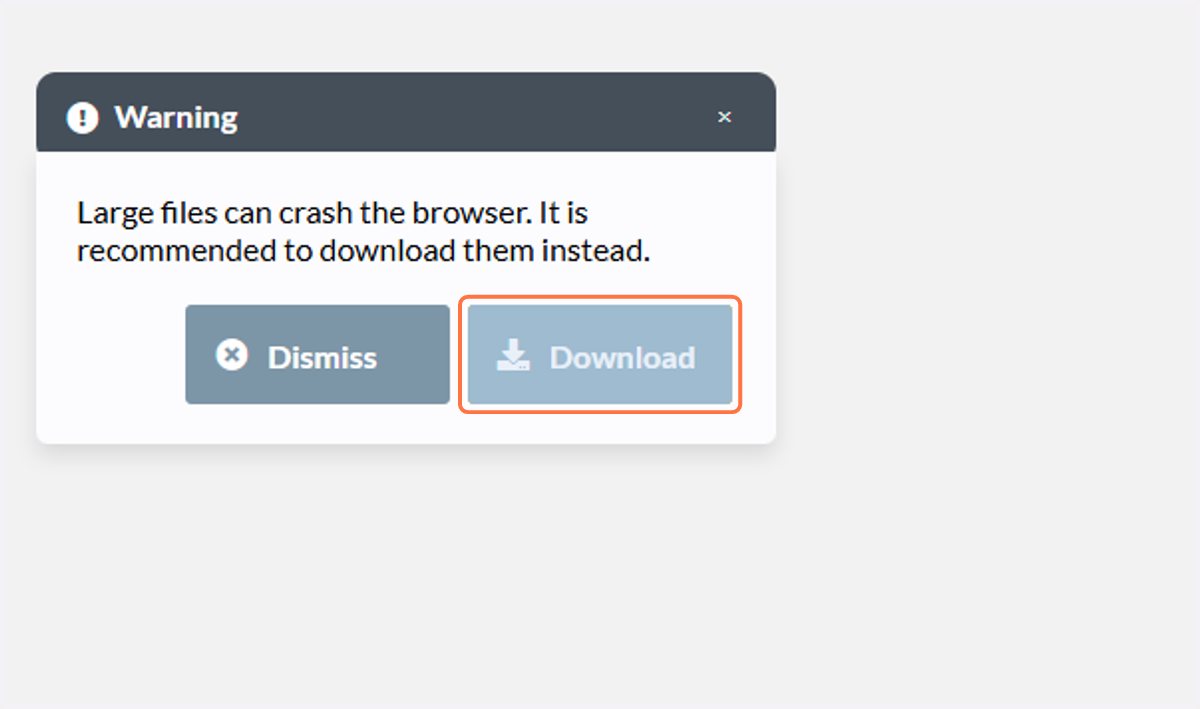
Several of these files are too large to intially view in the window. If you click download the file will then be available to view.
14. Download File to your Device
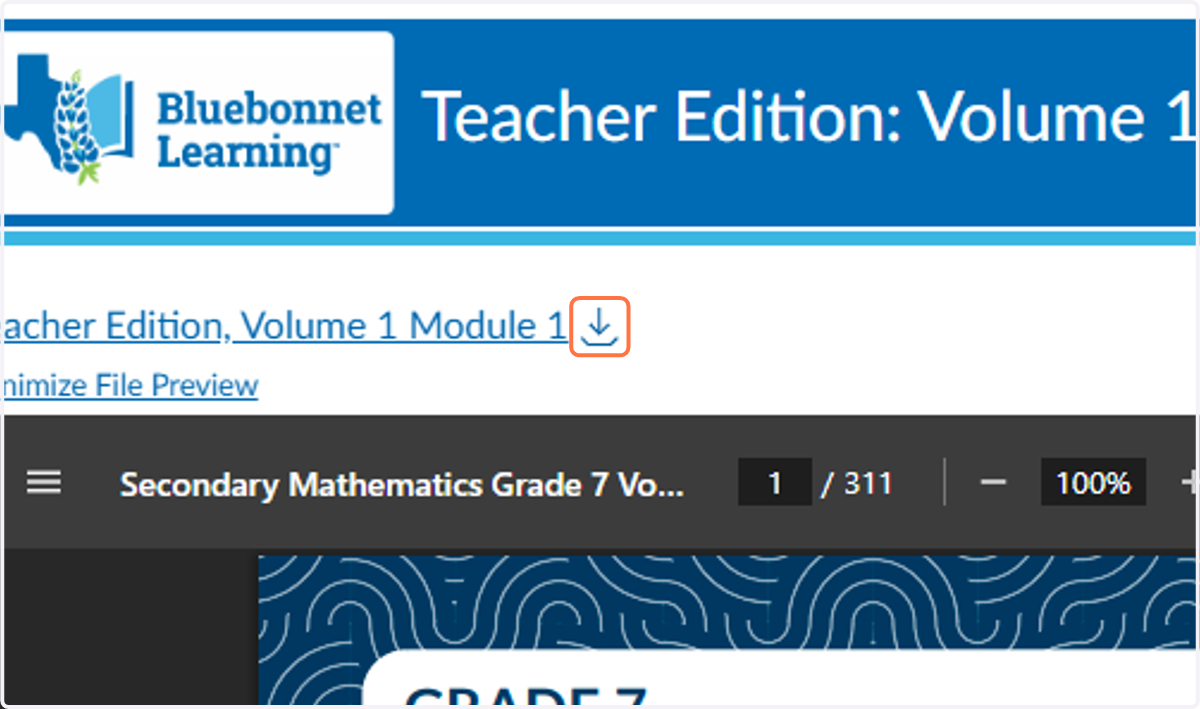
If you would rather download the file, you can click on the downward arrow above the viewing window. Continue with the steps you normally take when you download files to your device.
15. View a different file
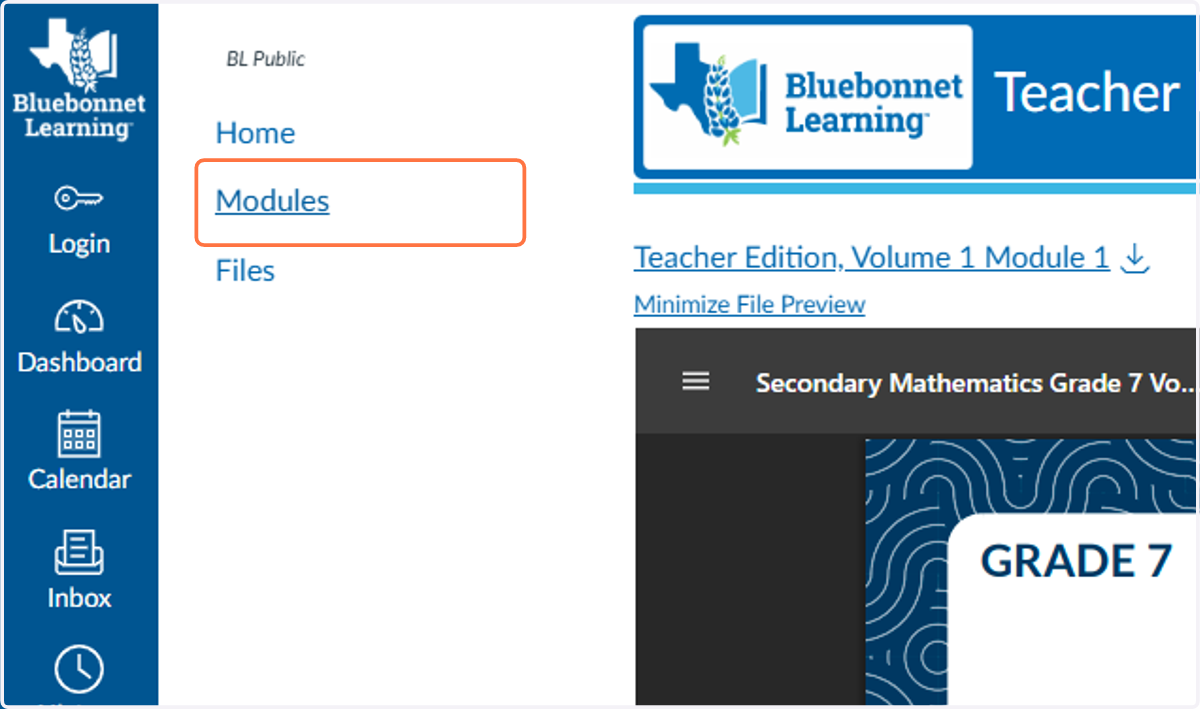
To view a different file, you can select "Modules" in the left toolbar. This will bring you back to the previous page.
16. Continue Browsing
Continue browsing and selecting the files you would like to view or download.