Add a Manager to your Google Business Profile
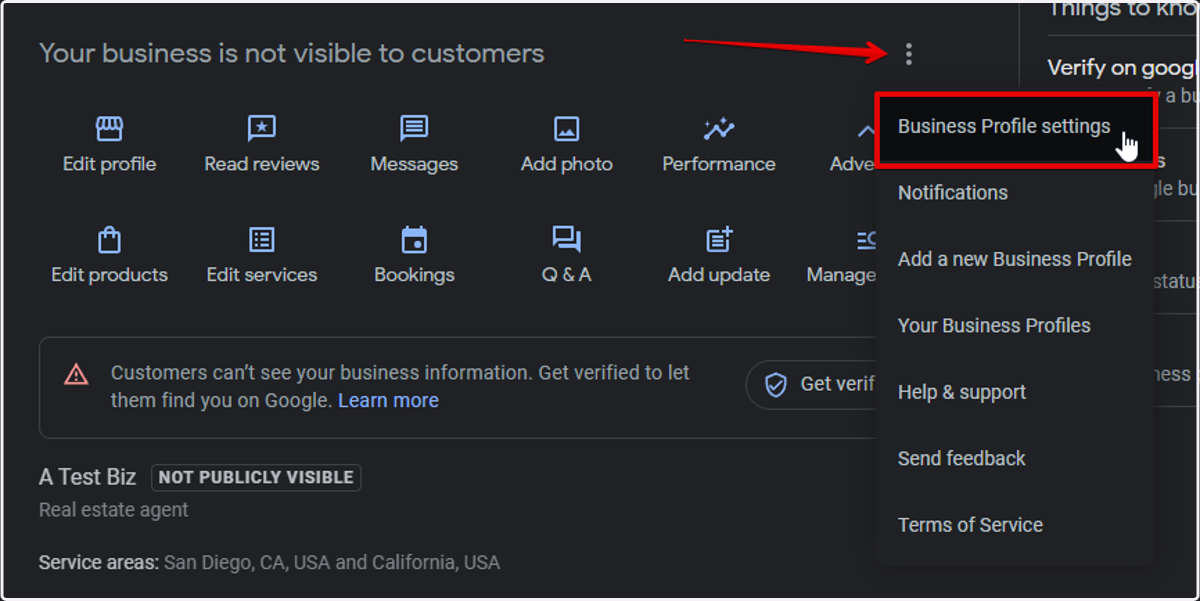
1. From your Business Profile click Menu > Business Profile settings
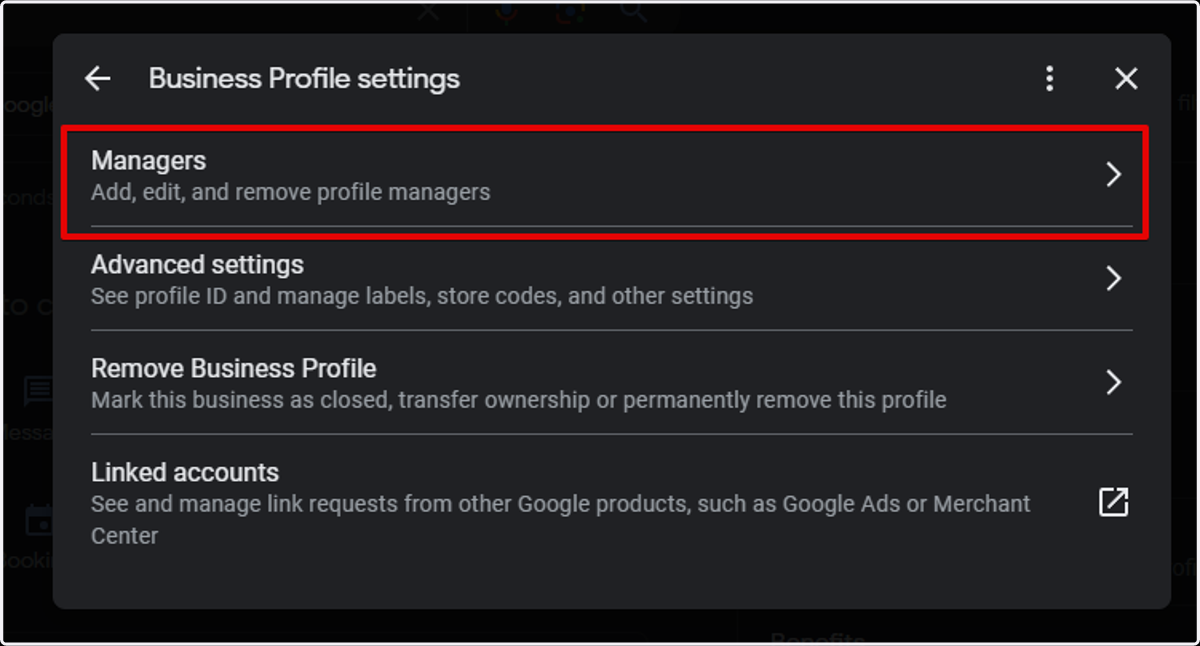
2. Click Managers
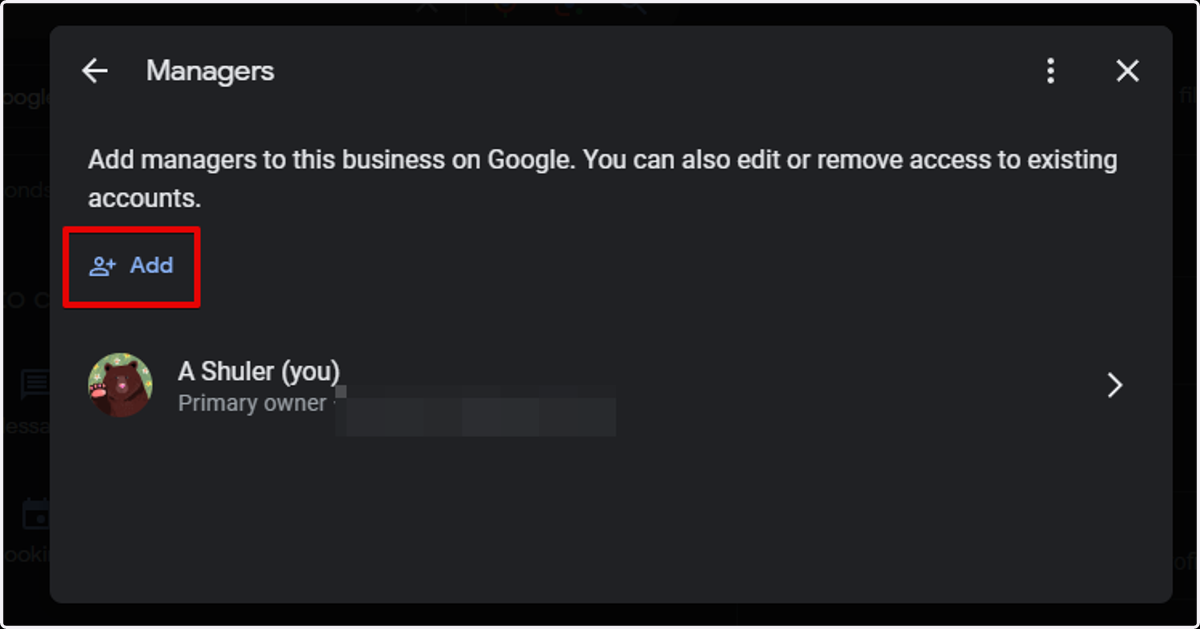
3. At the top left, click Add.
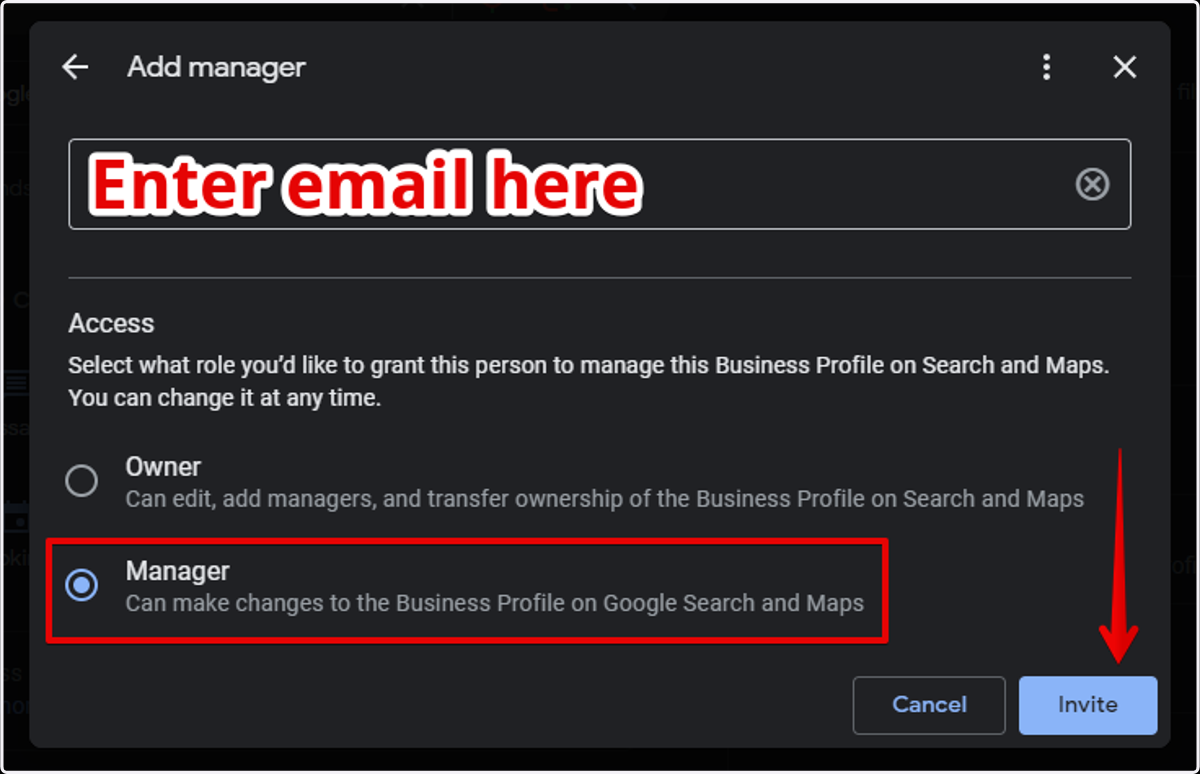
4. Enter the email address of the person you are inviting.
Select Manager for the access option and click Invite.
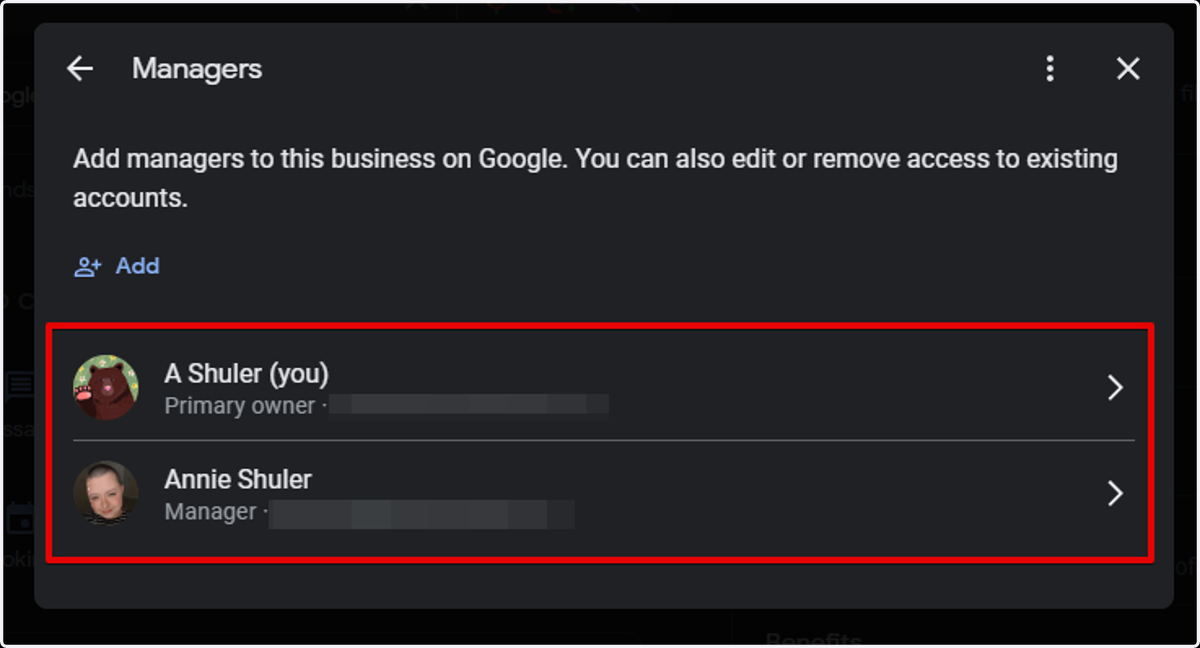
5. Once the invite is accepted you will their profile under the Managers tab.
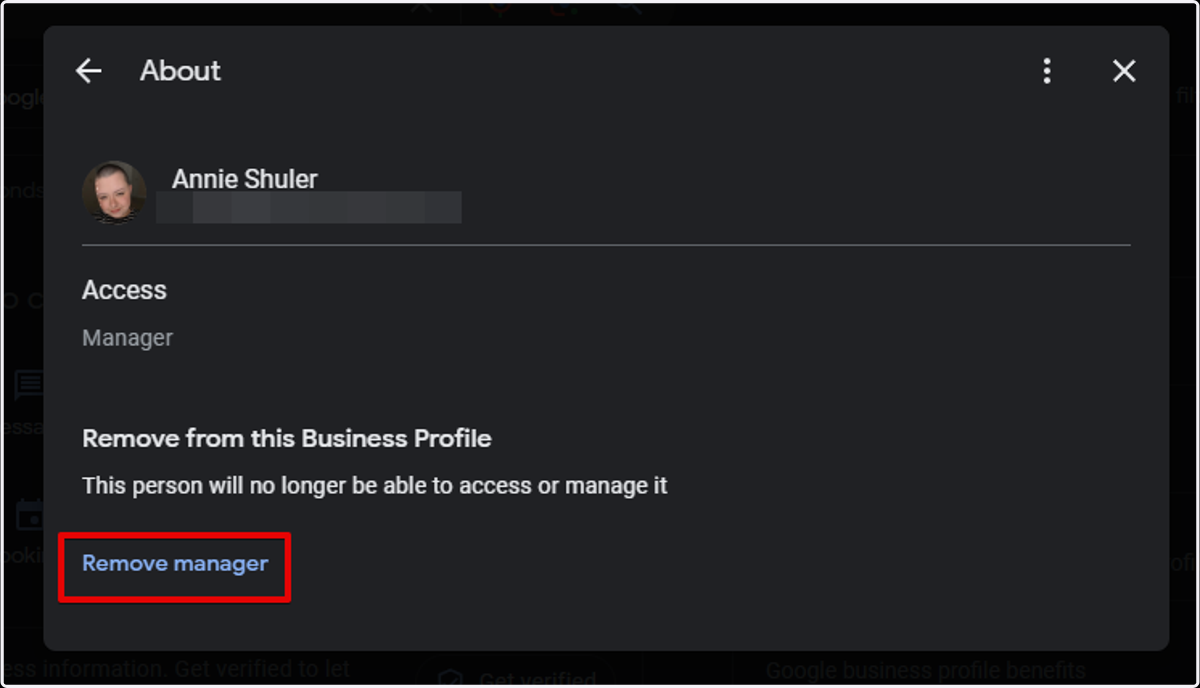
Removing a Manager from Google Profile
6. To remove a manager, simply follow steps 1-3 above.
Click on the account you would like to remove and then "Remove Manager"