9.4 ItsMiner Load Control By Smart Plug
ItsMiner——Mining Monitoring Platform
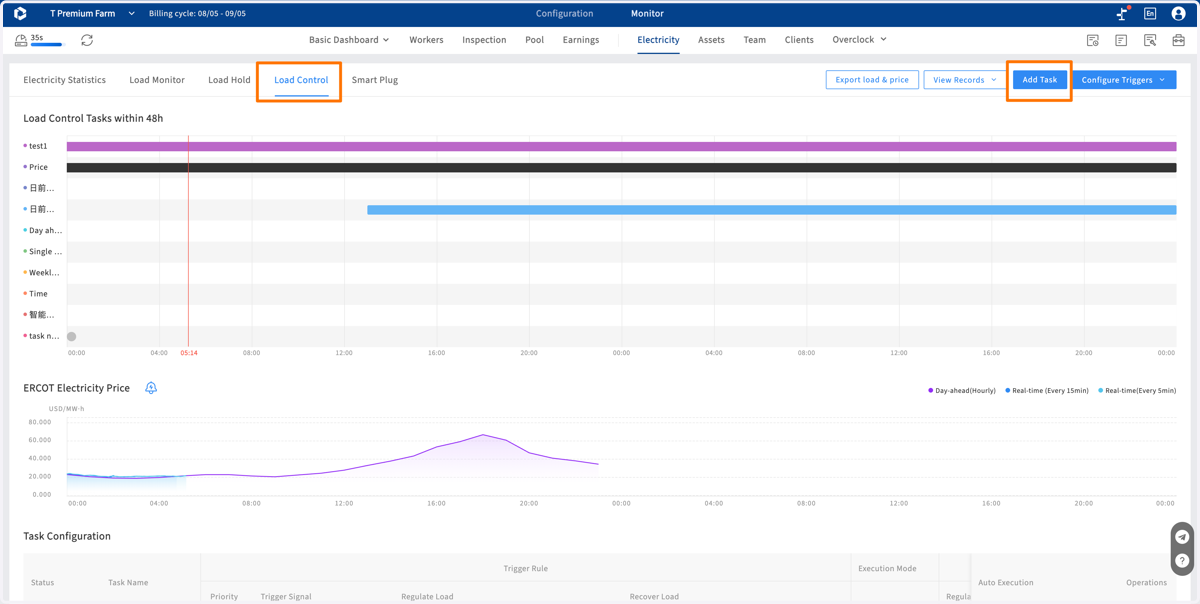
1. Click to add task in the load control module
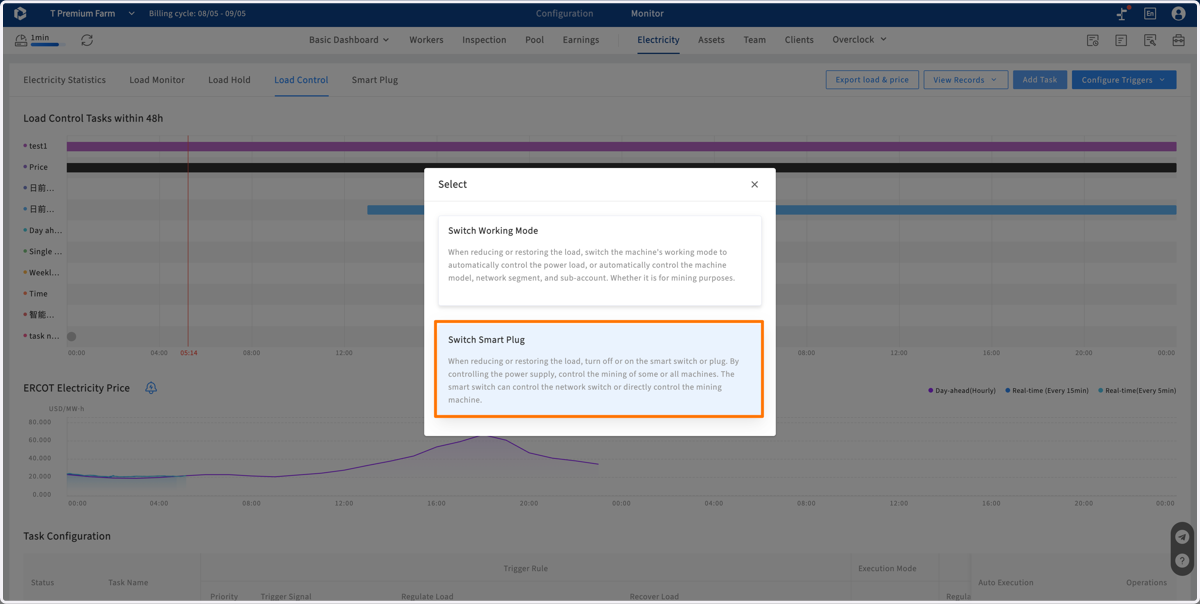
2. Select switch smart plug
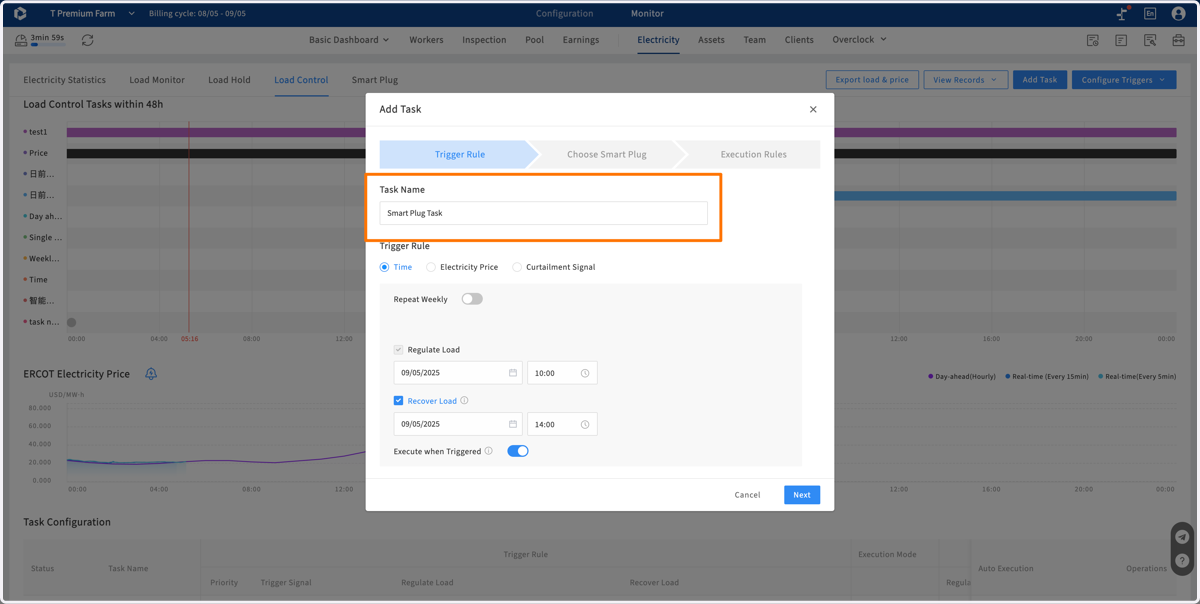
3. Type the task name, and improve trigger rules
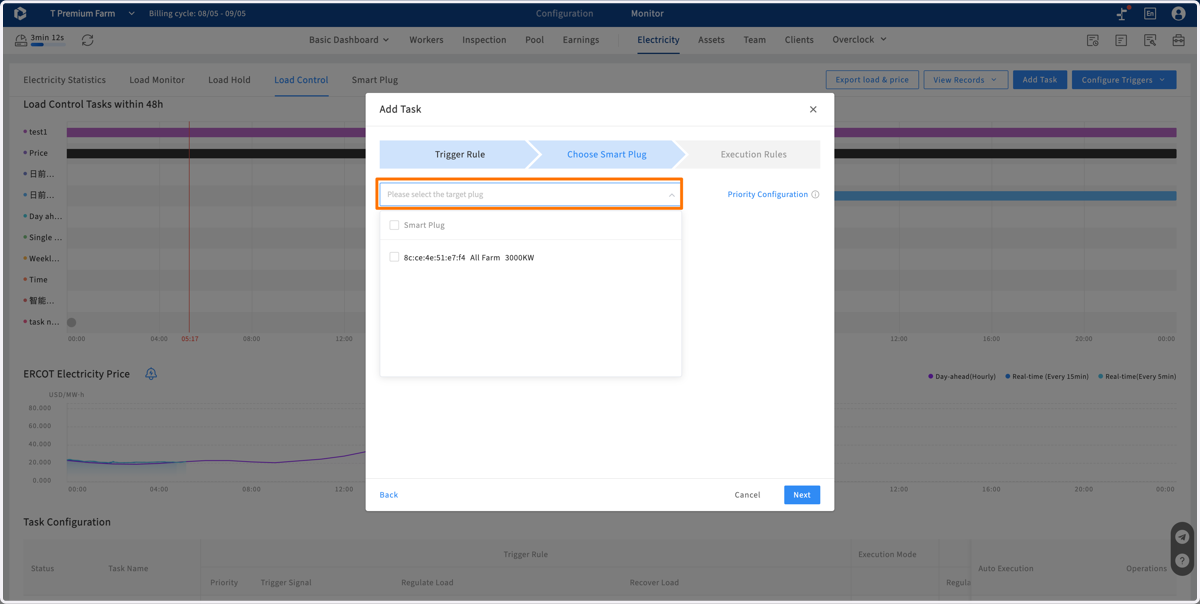
4. Select the target smart plug and click on Next to continue to configure execution rules.
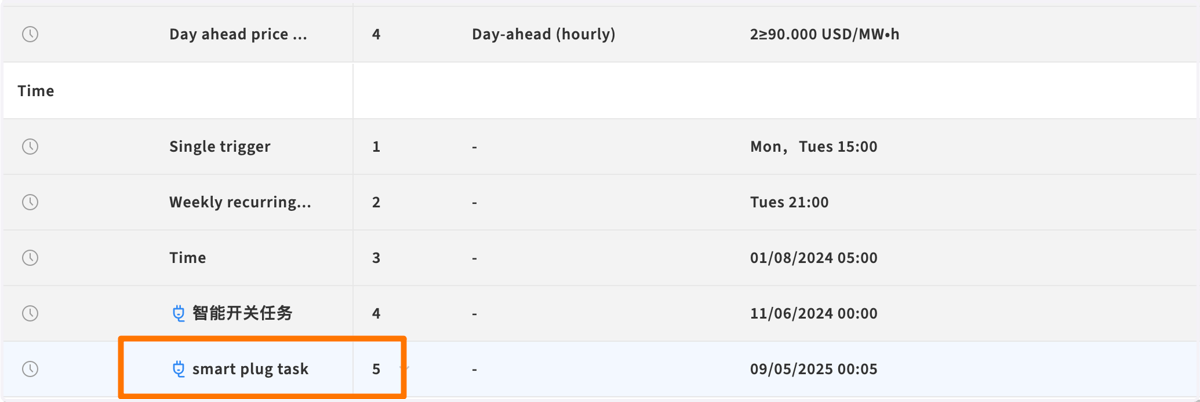
5. After successful addition, you can view this task in the list