How to Access Your Panorama Course Report
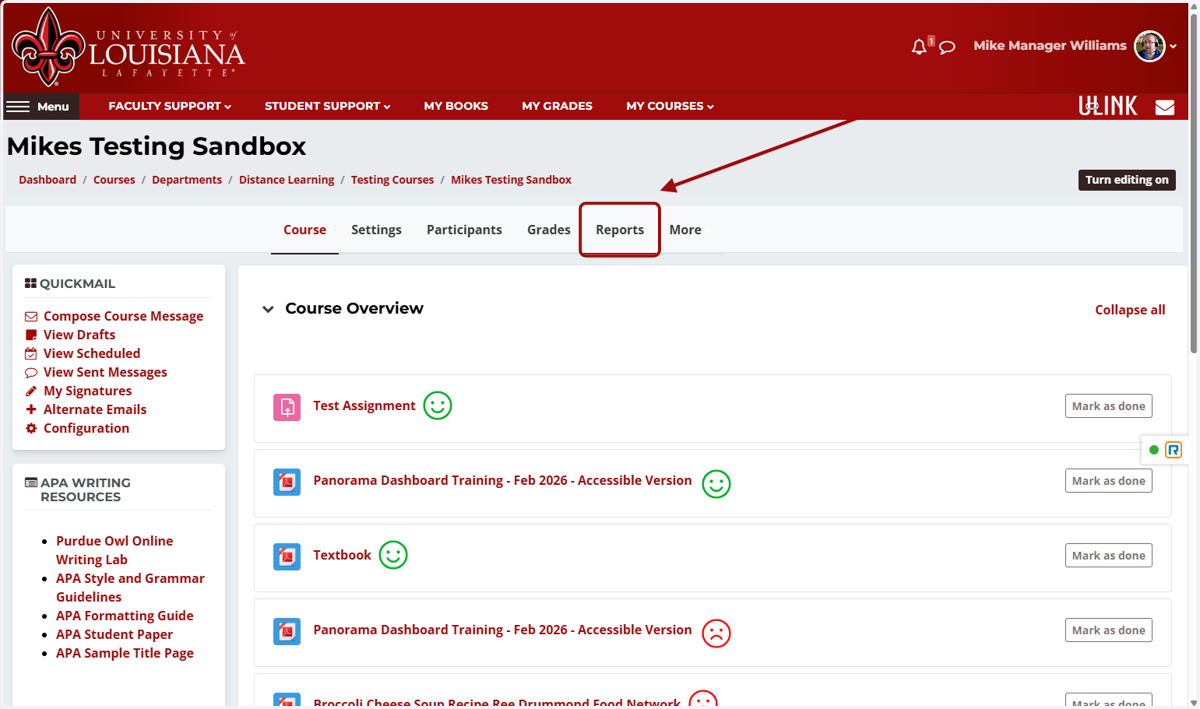
1. In your Moodle course, click on Reports
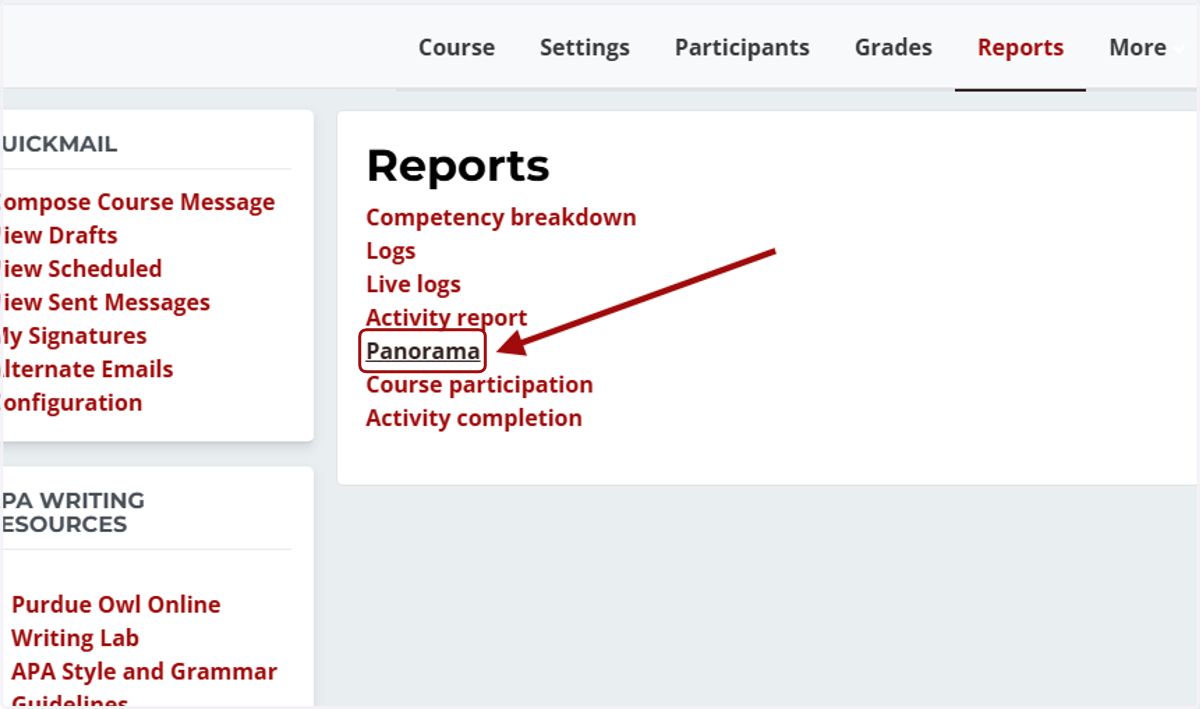
2. Click on Panorama
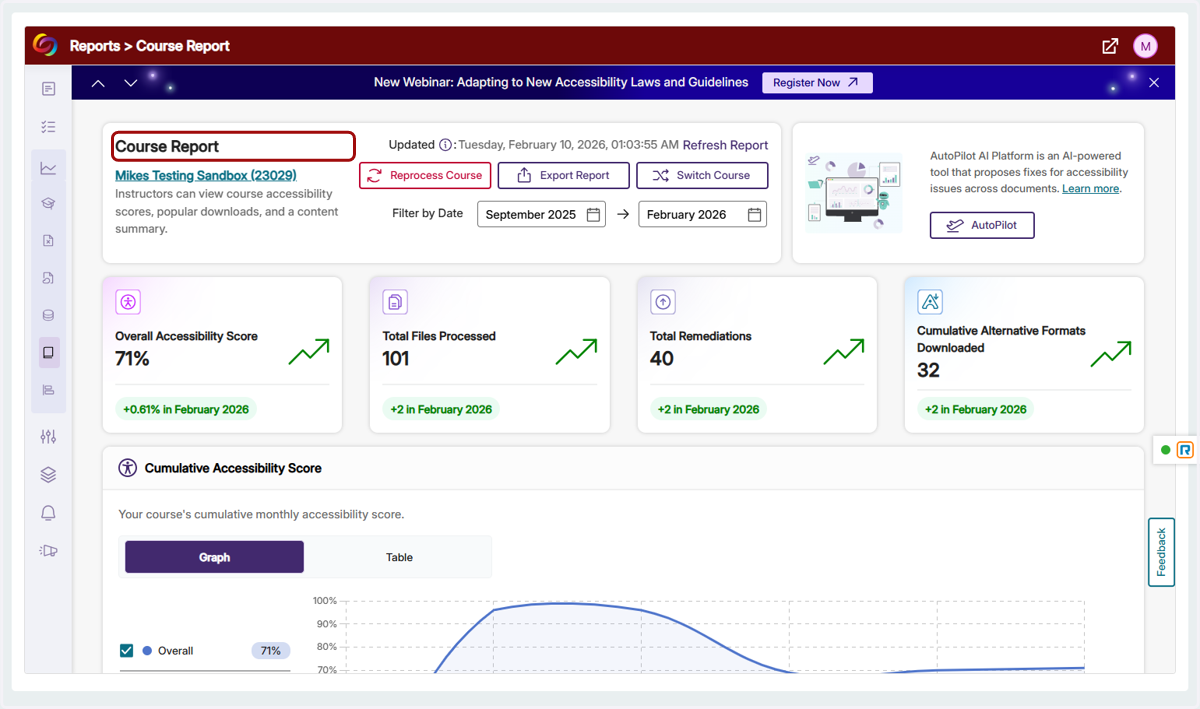
3. The Course Report screen show summary information about the accessibility of your Moodle course as a whole.
4. Found at the bottom of the Course Report, the Files and Issues section allows you to view all of the files and issues flagged by Panorama in your entire Moodle course.
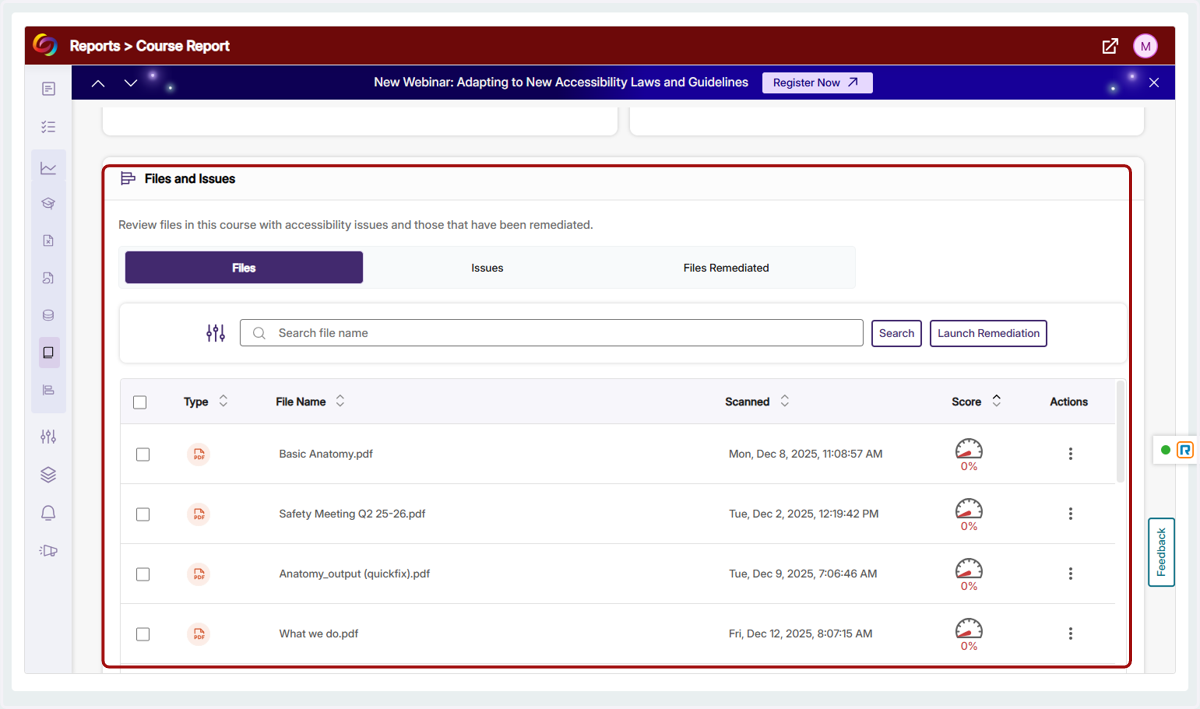
5. The Alternative Formats Menu for a file can be accessed on this screen by clicking the score indicator.
