How to Listen, Whisper, Barge
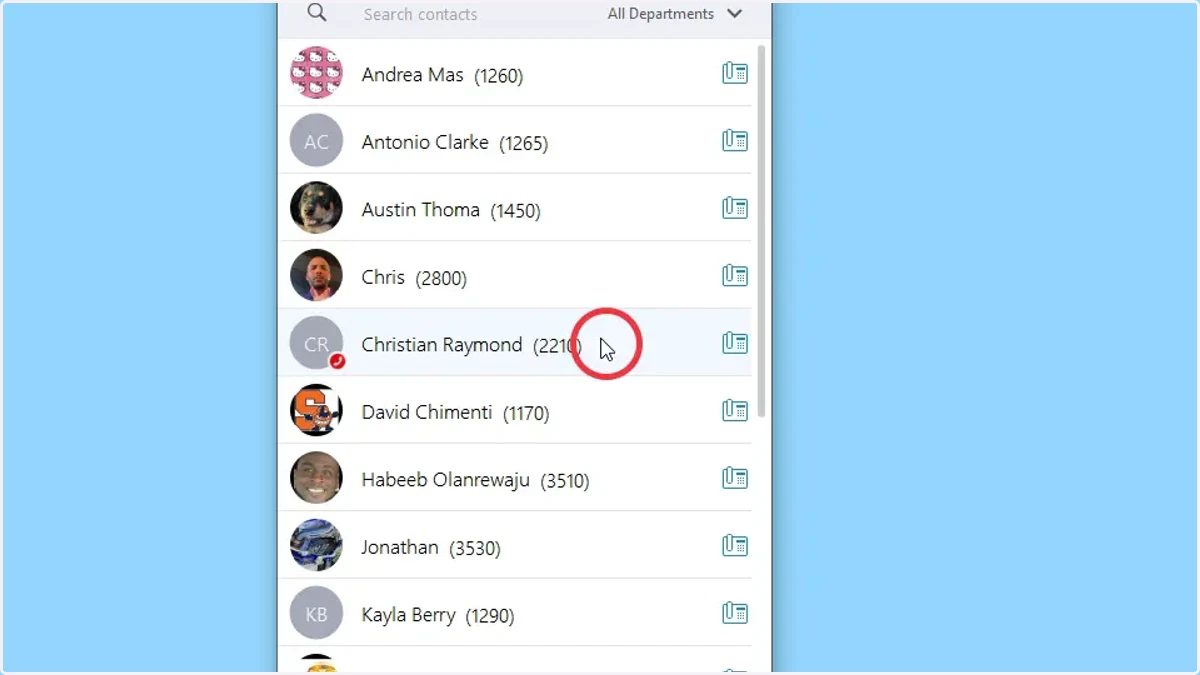
1. Right-click on the employee that you would like to observe.
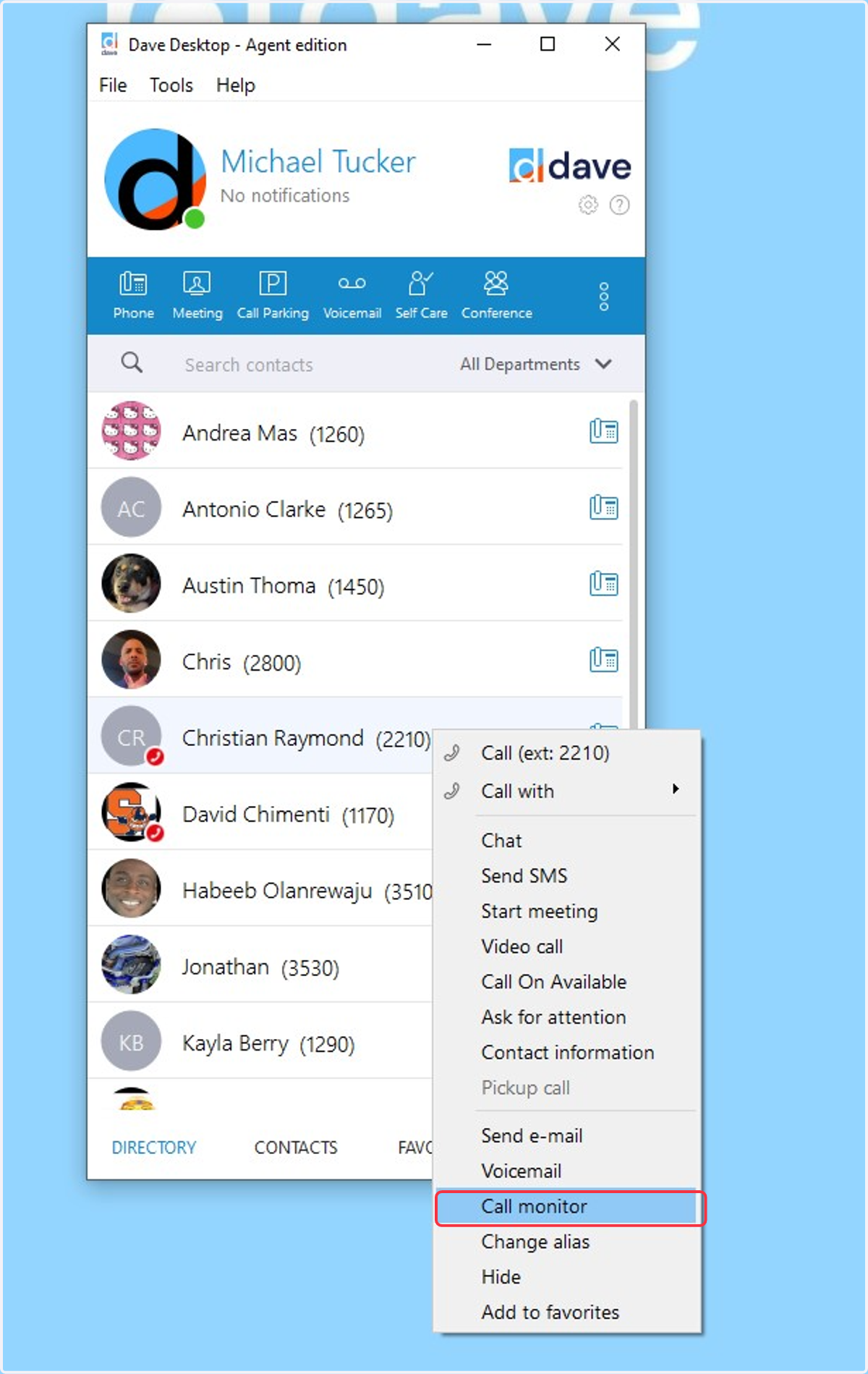
2. Select Call Monitor
By default, you are in Listening mode
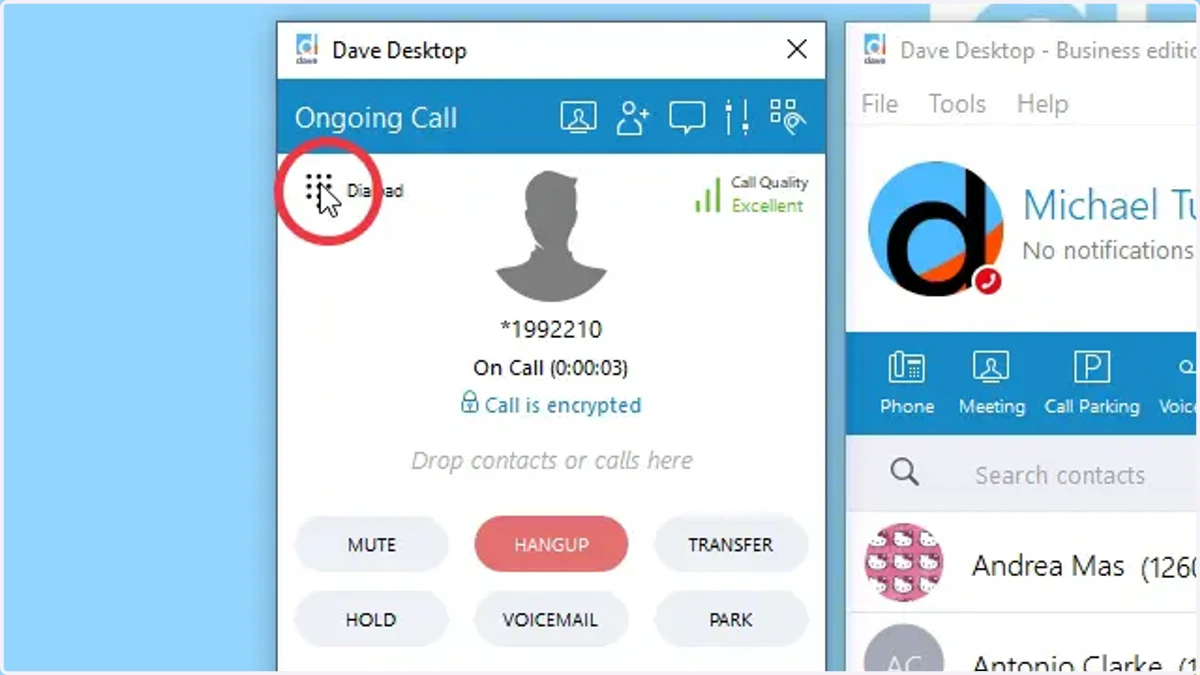
3. Select Dial pad
Selecting dial pad will allow you to use Whisper & Barge
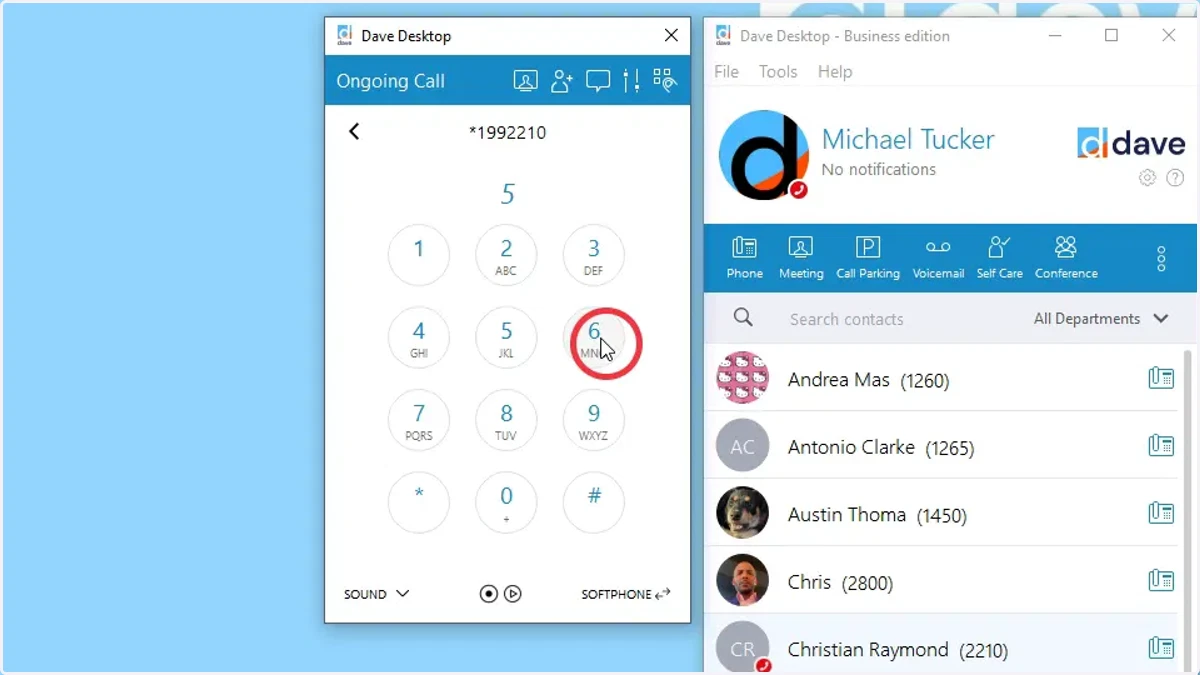
4. Select 5 to Whisper
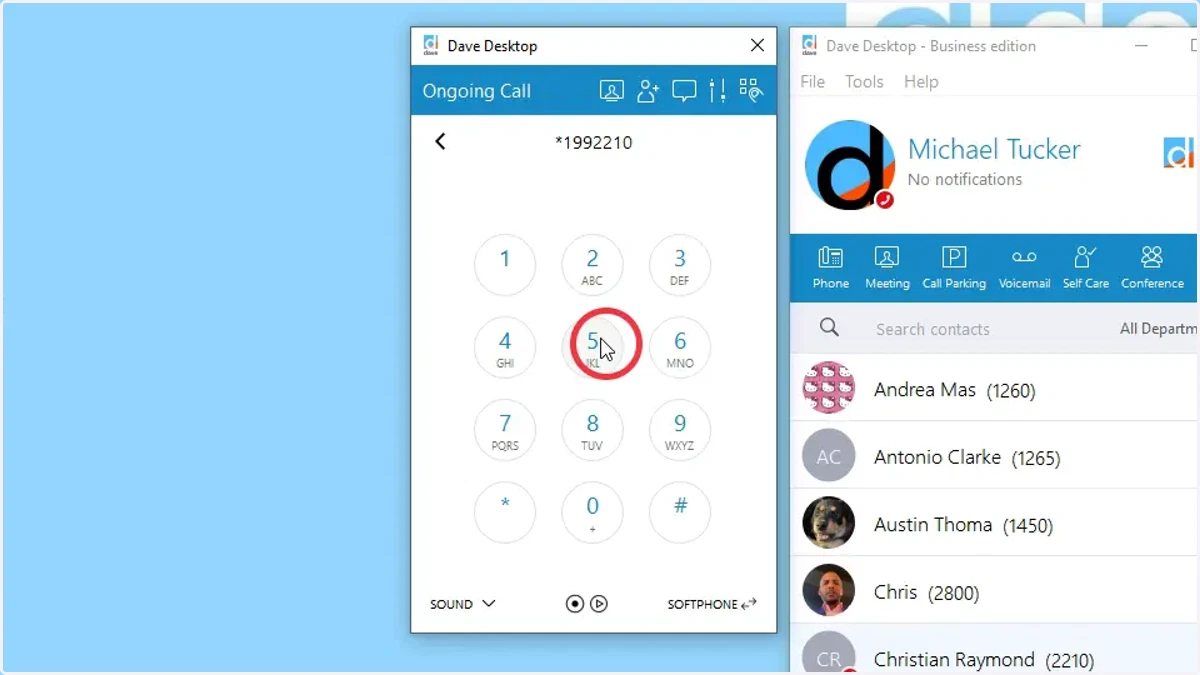
5. Select 6 to Barge
At any point you would like to switch the mode, you can select the corresponding number
4 - Listen
5 - Whisper
6 - Barge