How to use Regular Expression to create custom Secure Blur redactions
Tango
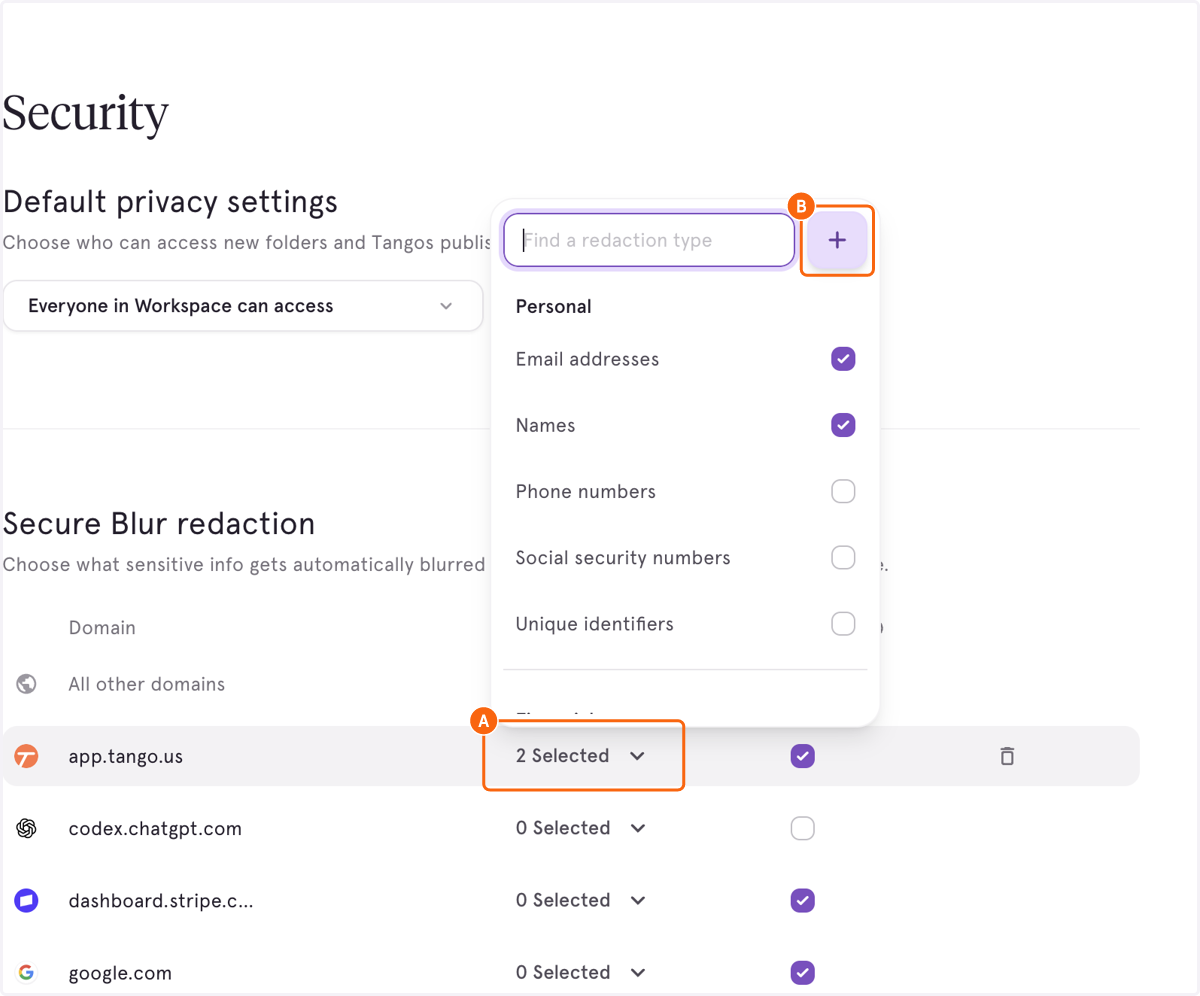
1. A. Click on Secure Blur selection dropdown
1. B. Click on the "+" Icon to add custom redactions
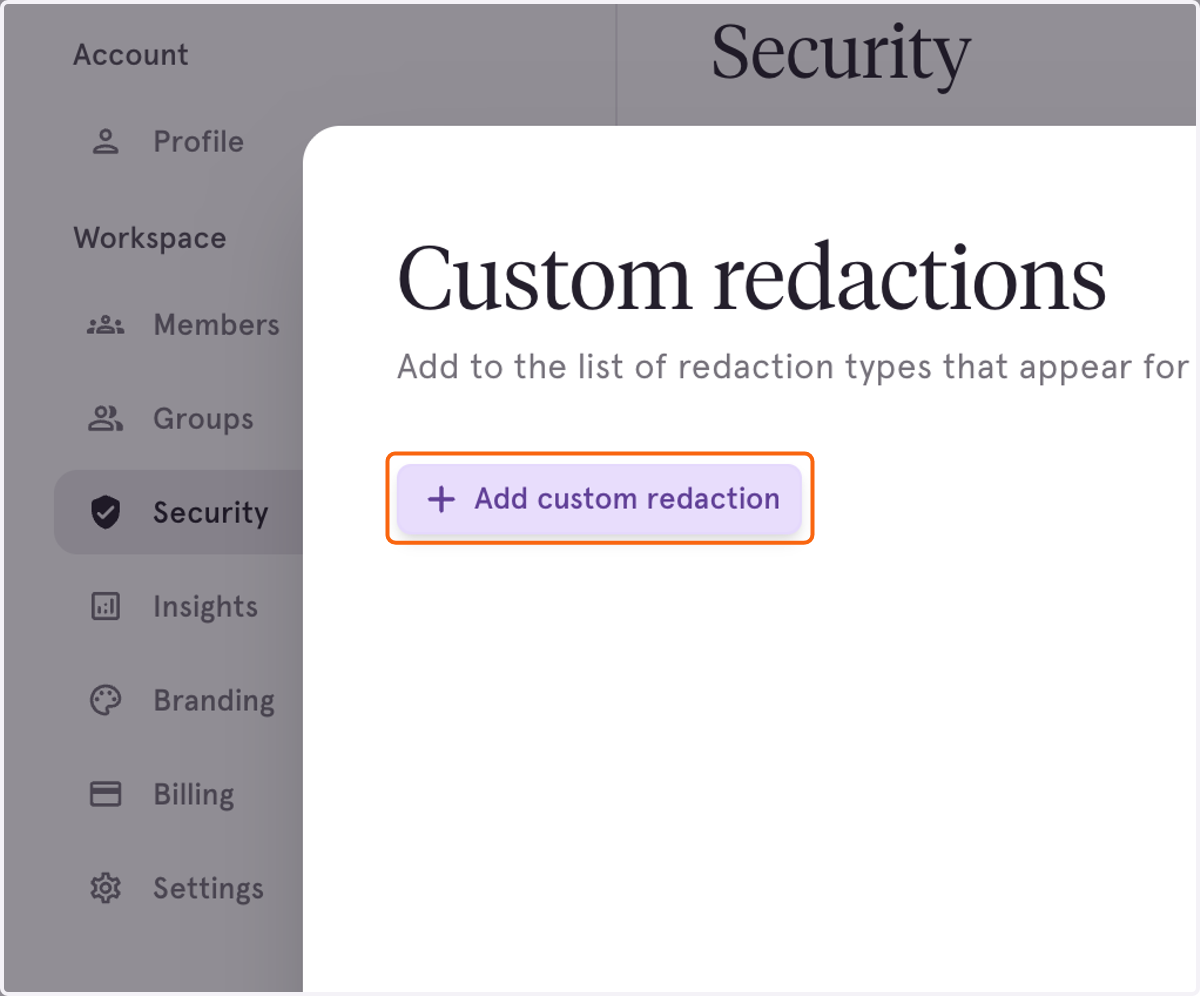
2. Click on Add custom redaction to create a new redaction
3. A. Type the name of the redaction in the "Redaction Name" field
3. B. Add the Matching text into input
Our Custom Redactions supports Regular Expression as well, which means you can use it to blur specific combinations of numbers or letters.
In this screen shot, you'll see regular expression to blur an 9 digits in a row or 9 digits formatted like ###-###-###.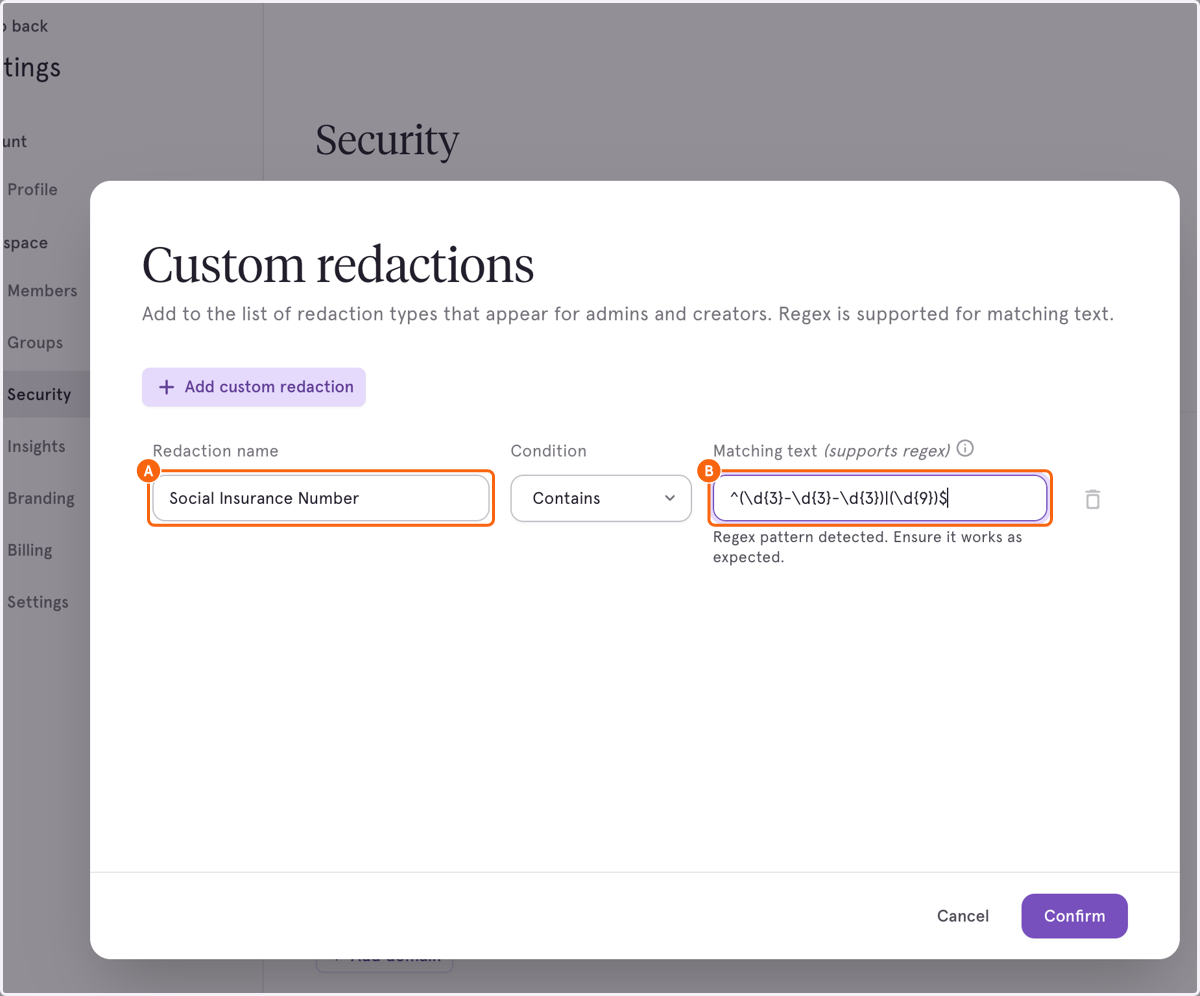
4. Click on Confirm to save this Custom Redaction