How to create a new contacts view in Hubspot

Hubspot

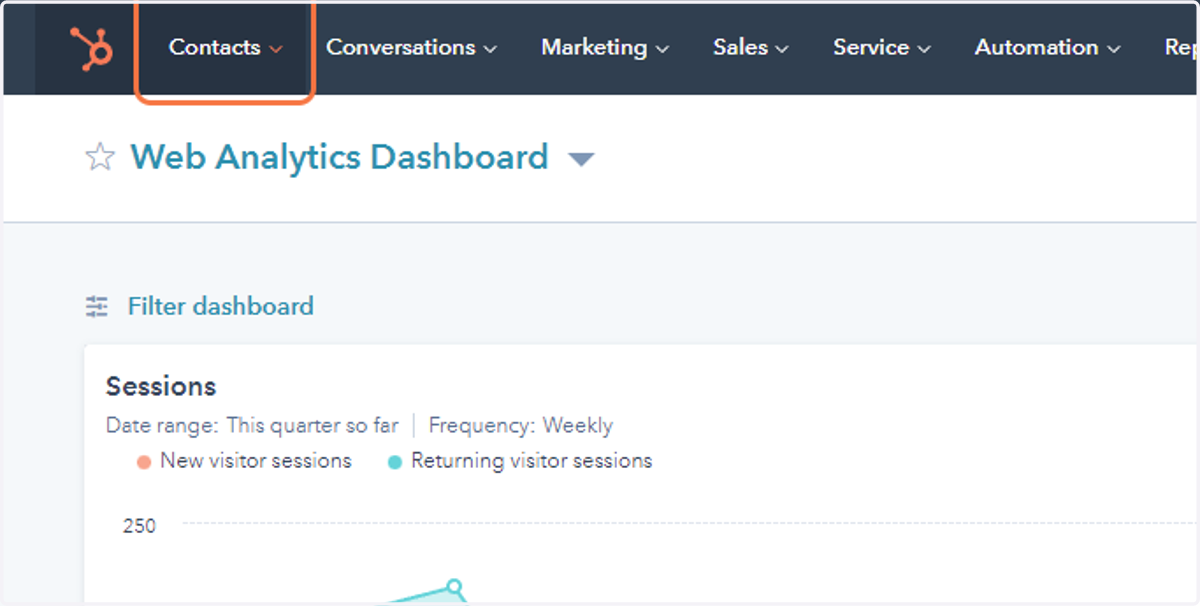
  1. 1. Click on Contacts

    Click on Contacts
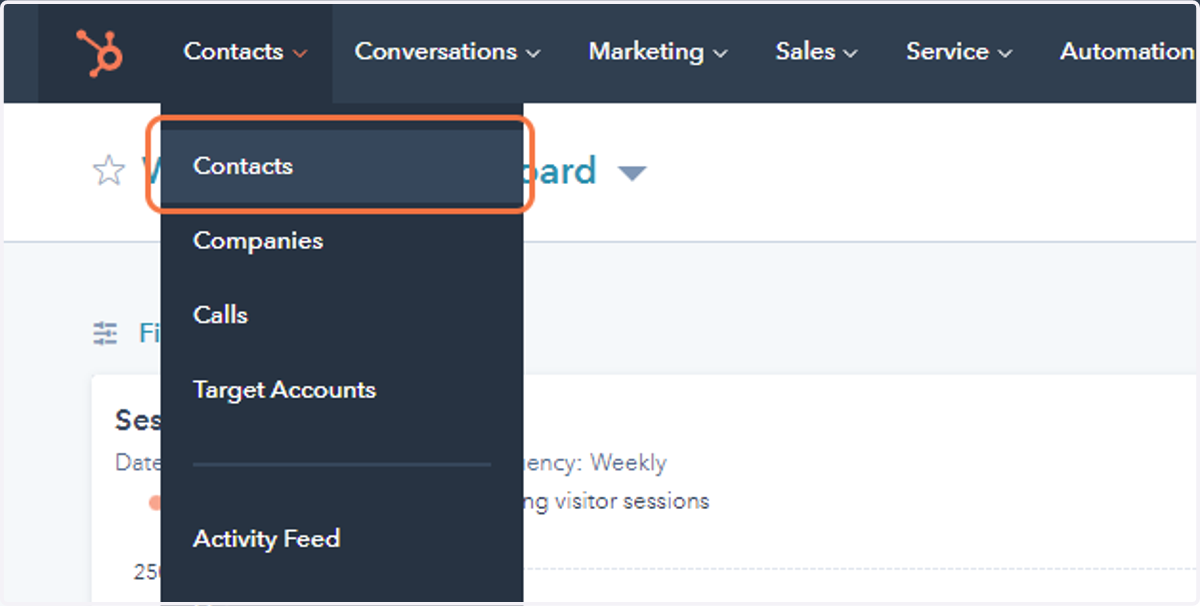
  2. 2. Click on Contacts

    Click on Contacts
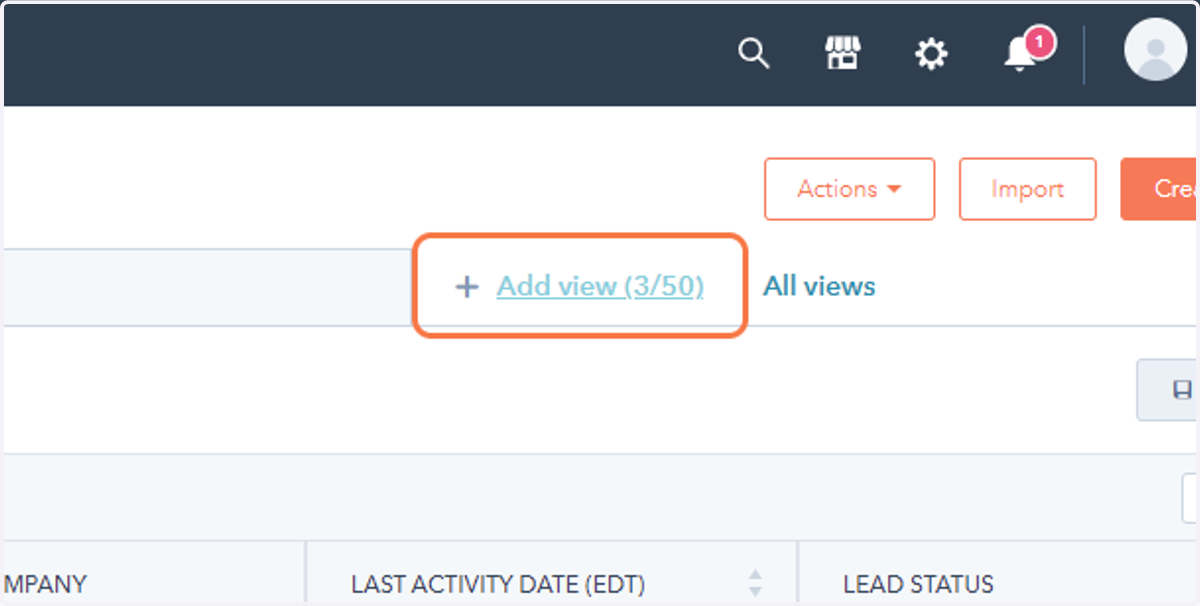
  3. 3. Click on Add view (3/50)

    Click on Add view (3/50)
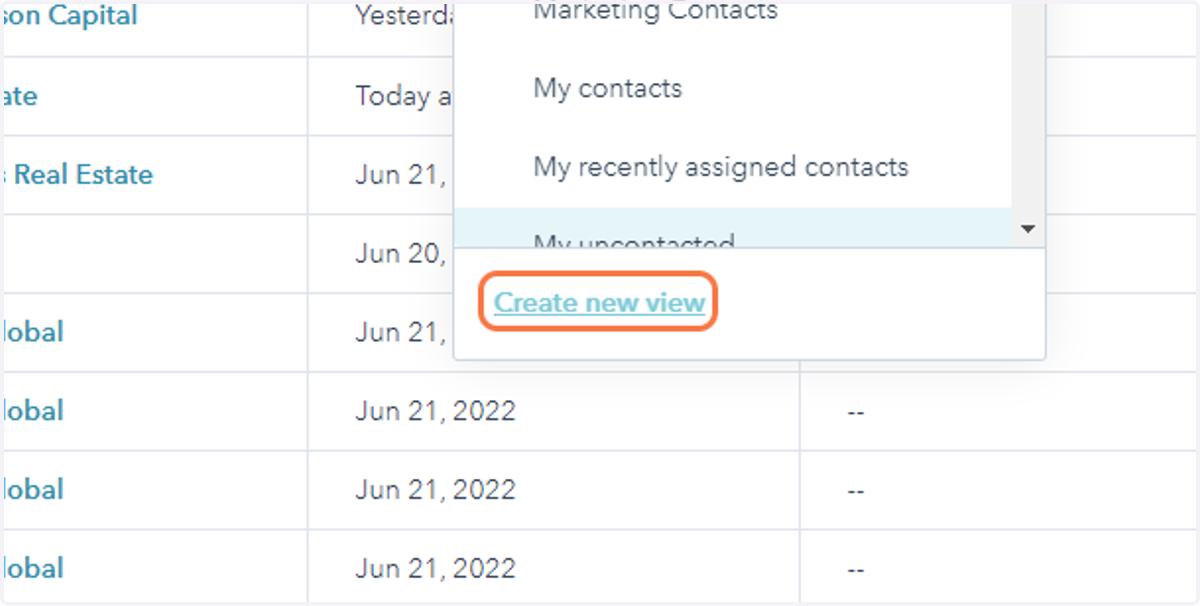
  4. 4. Click on Create New View

    Click on Create New View
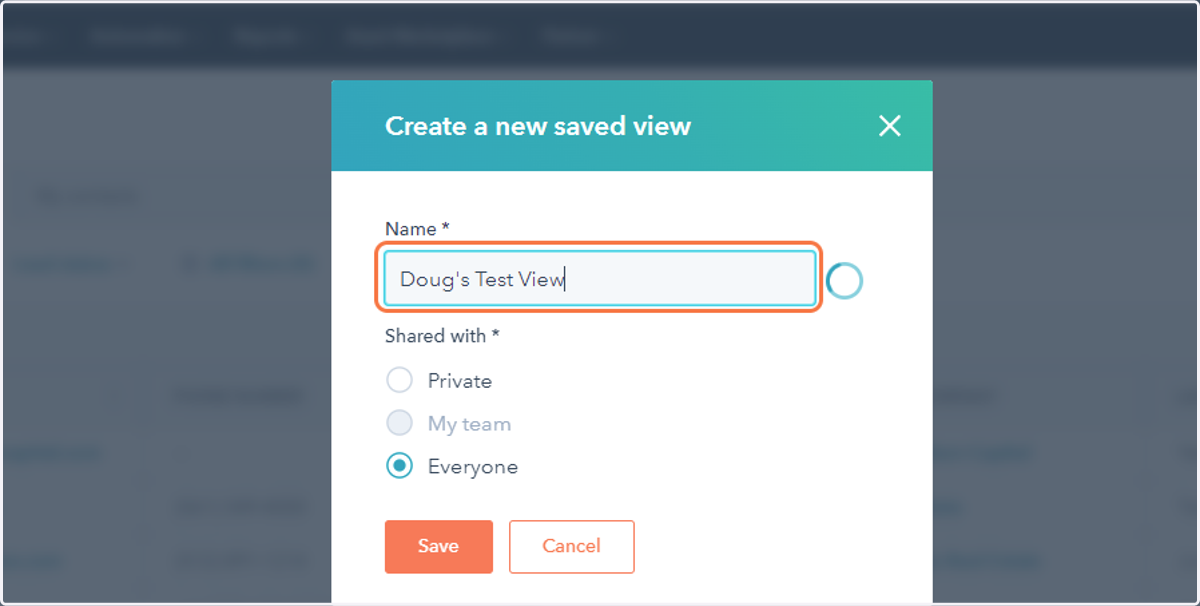
  5. 5. Type the name of your view

    Type the name of your view
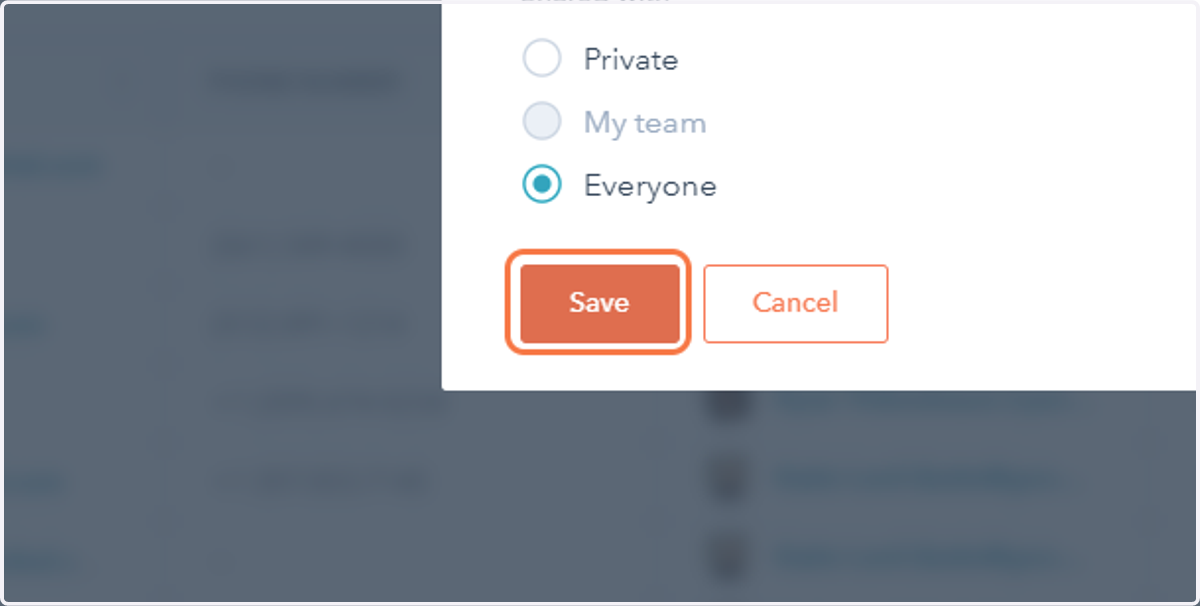
  6. 6. Click save

    Click save
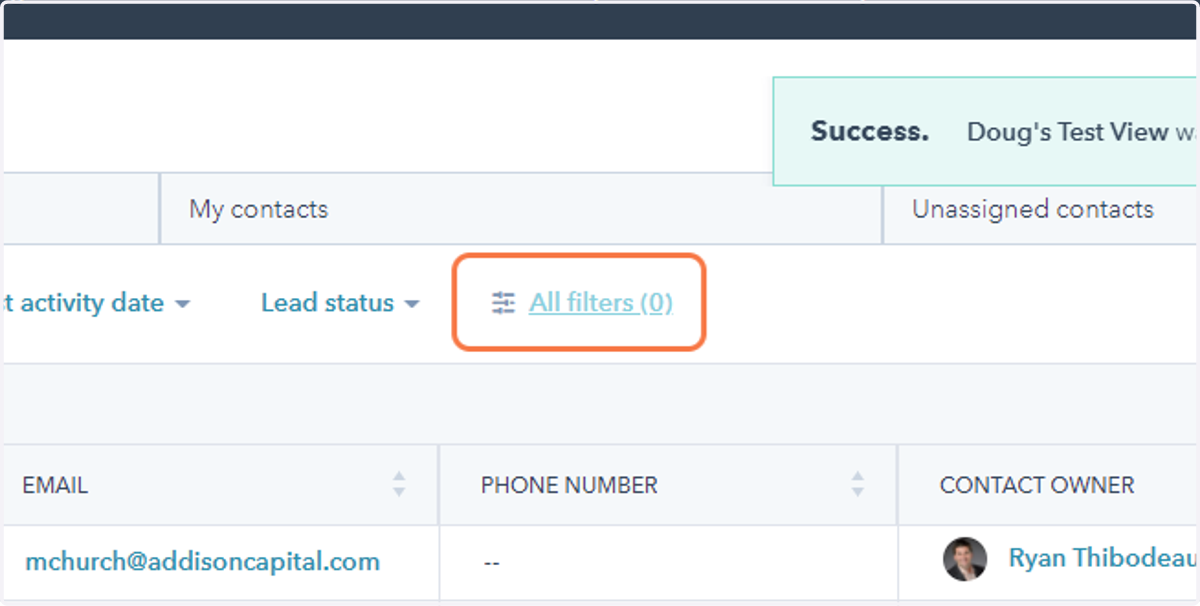
  7. 7. Click on filters

    Click on filters
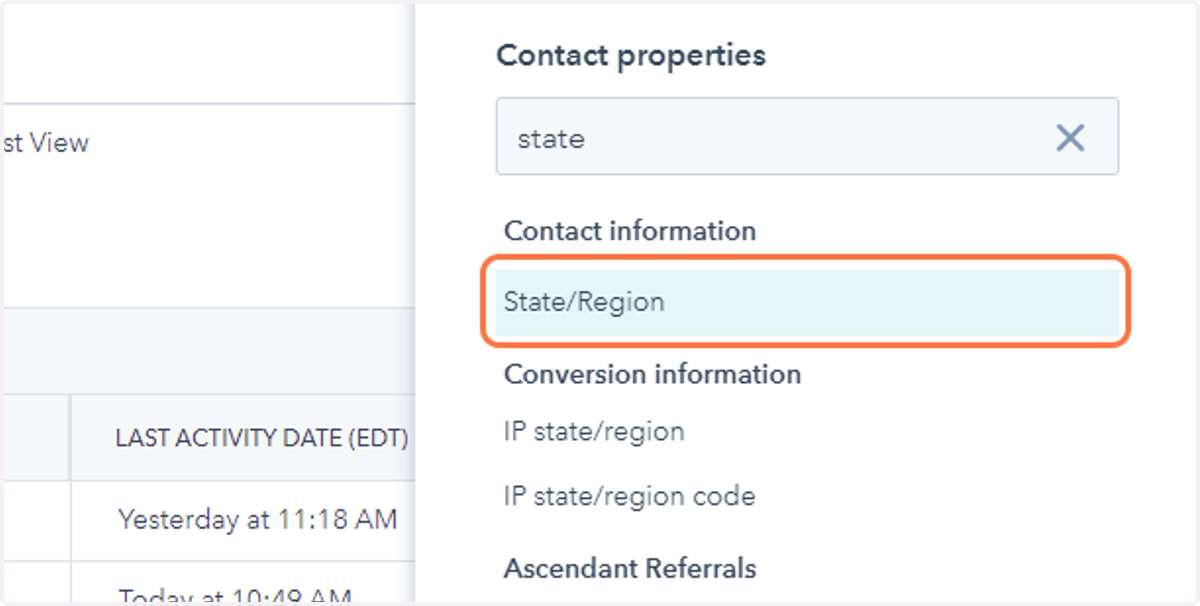
  8. 8. Search for the filter you want to add
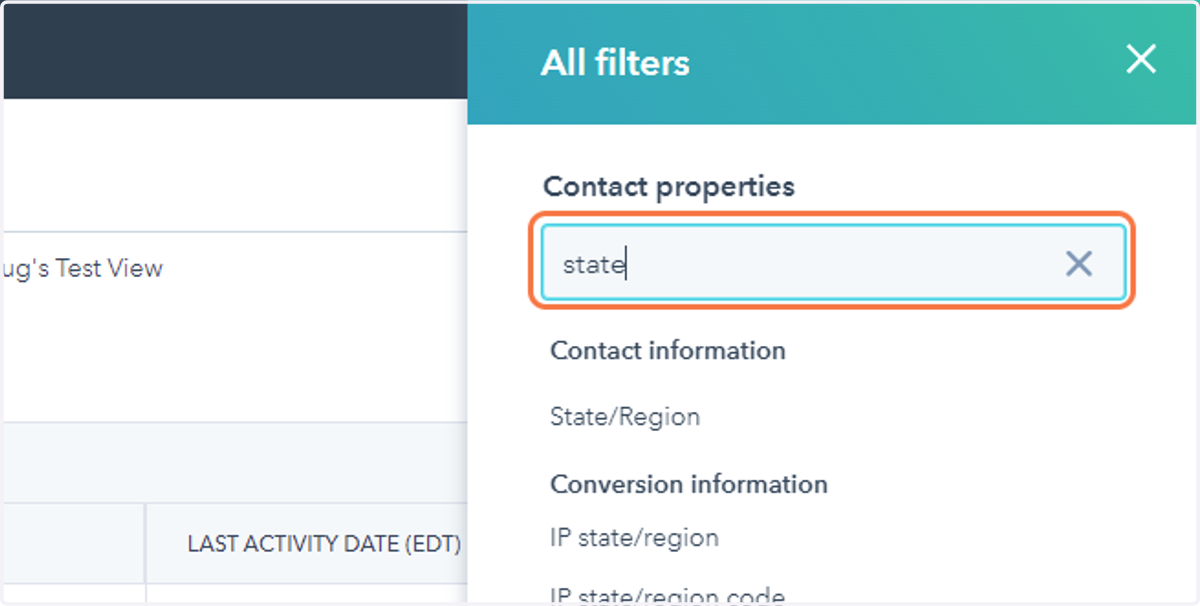
    Search for the filter you want to add
  9. 9. Click on that filter

    Click on that filter
  10. 10. Click on add values or set the parameters for that filter
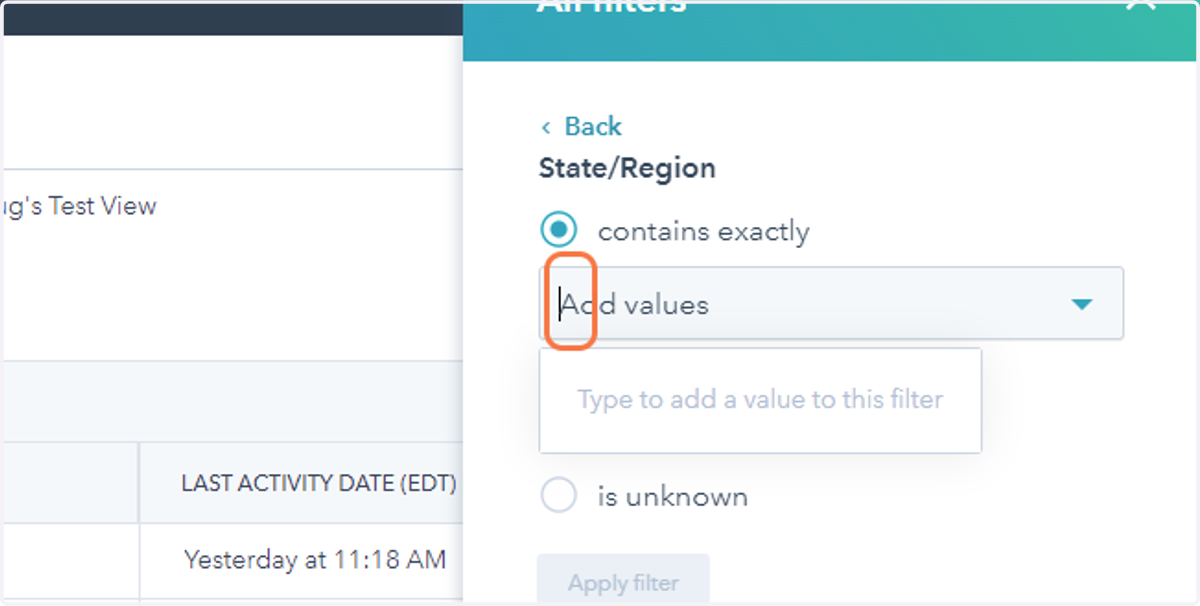
    Click on add values or set the parameters for that filter
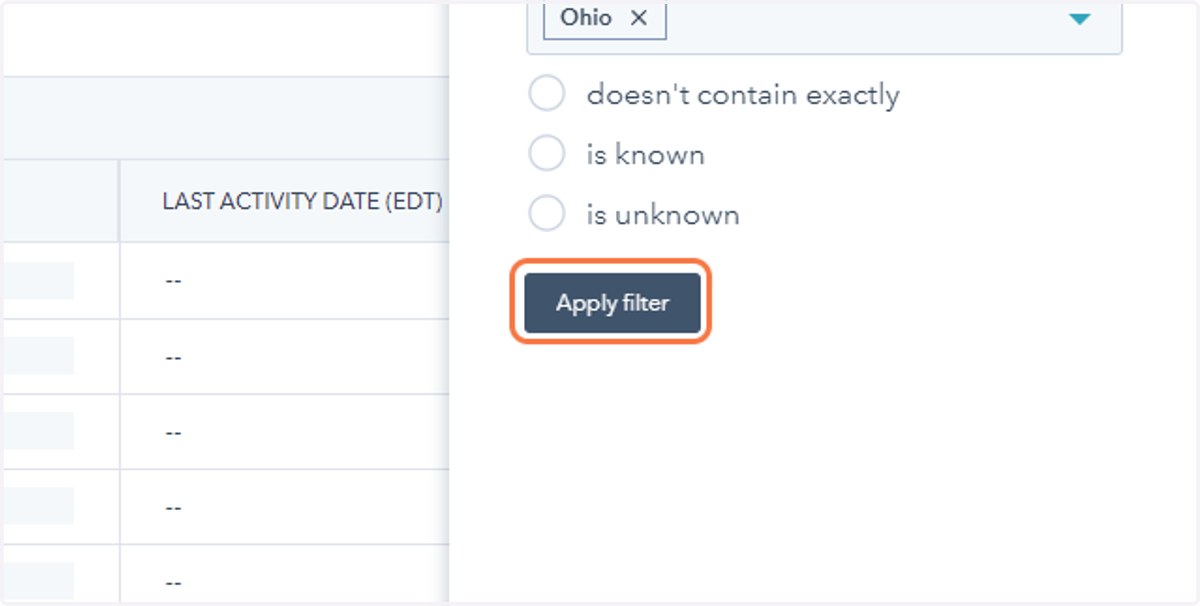
  11. 11. Click on Apply filter

    Click on Apply filter
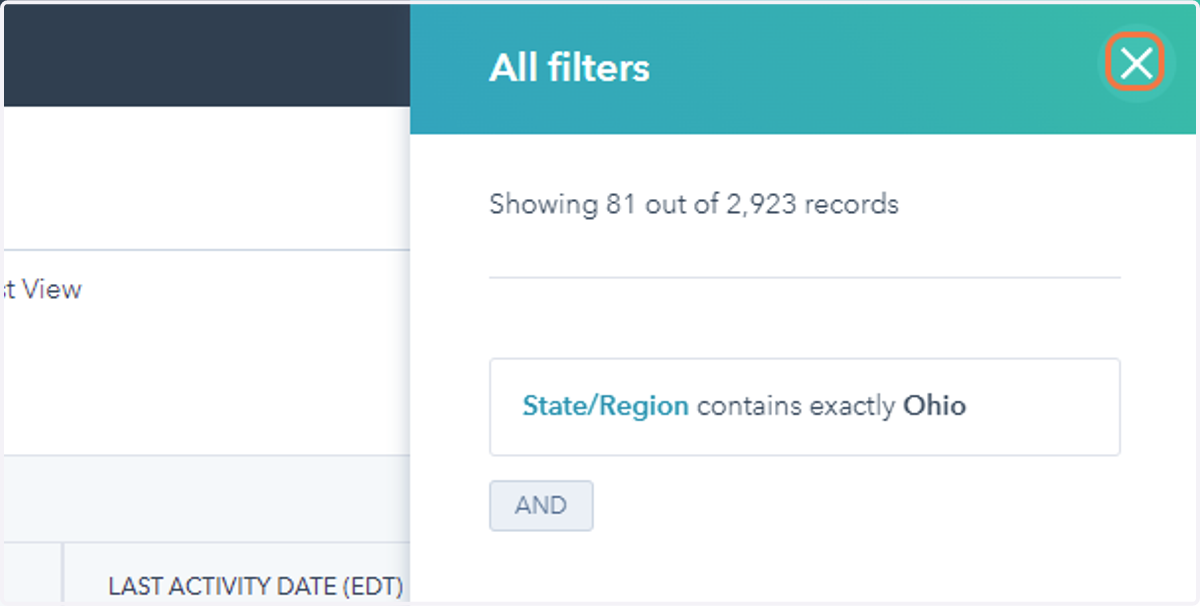
  12. 12. Click on Close

    Click on Close
  13. 13. If you make further edits to your columns or your view, click save view
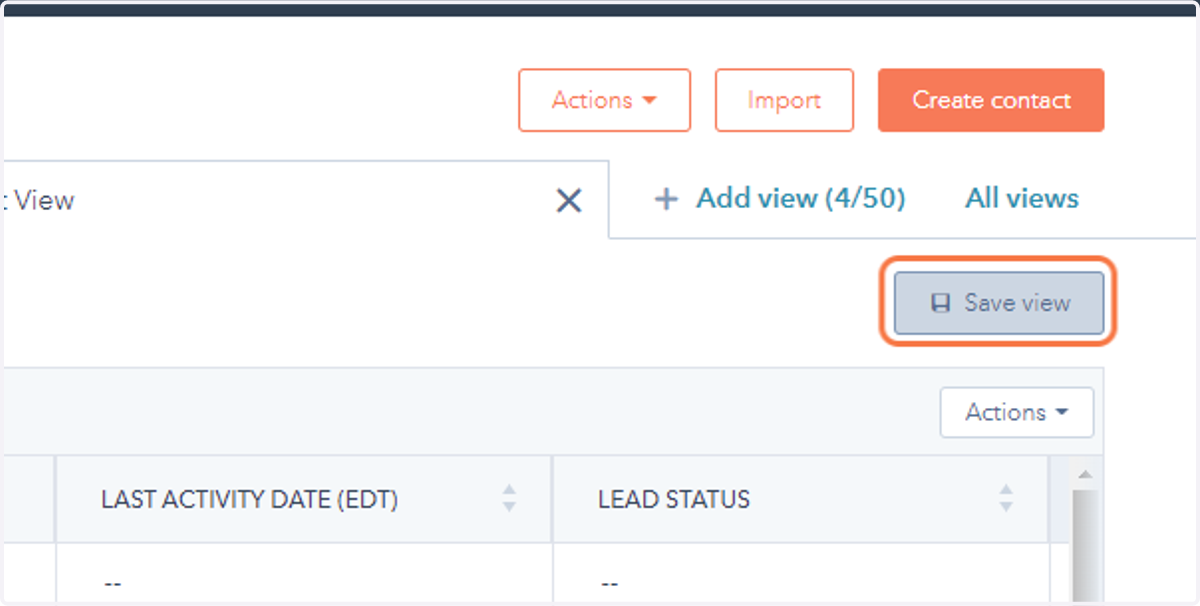
    If you make further edits to your columns or your view, click save view
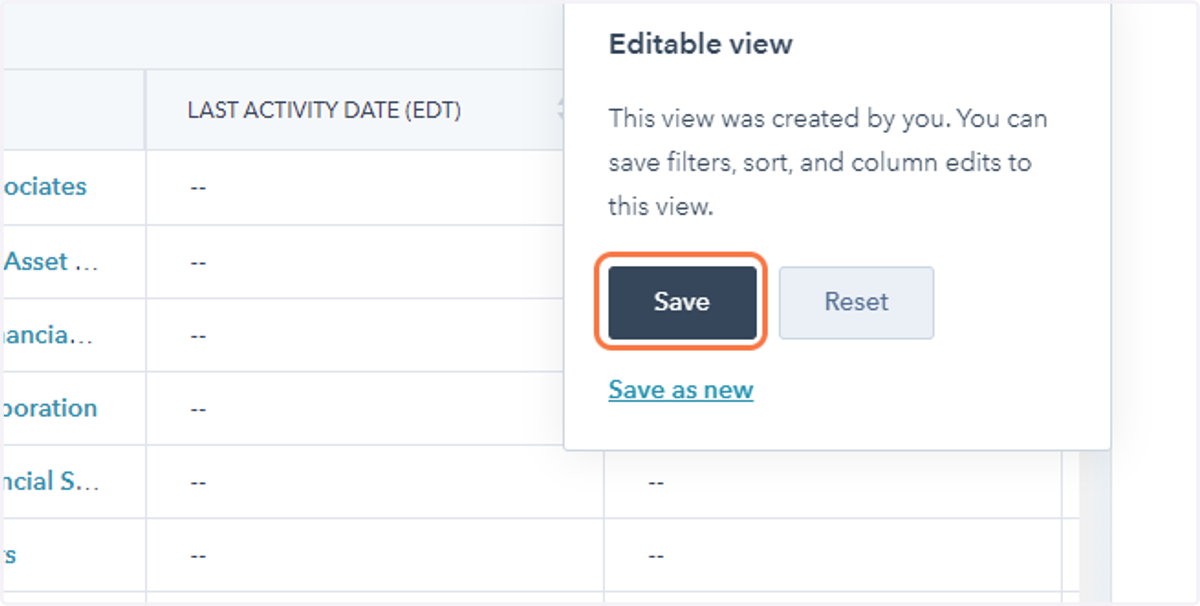
  14. 14. Click on Save

    Click on Save