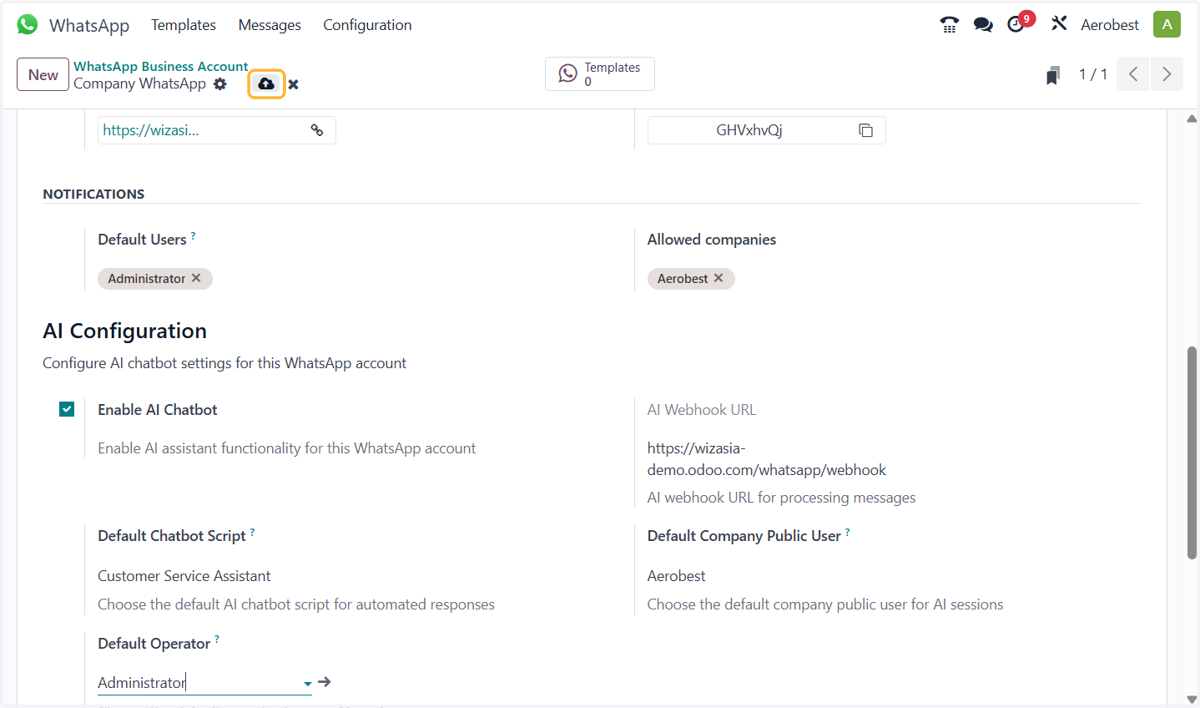
5. Turn your agent on for WhatsApp
Odoo
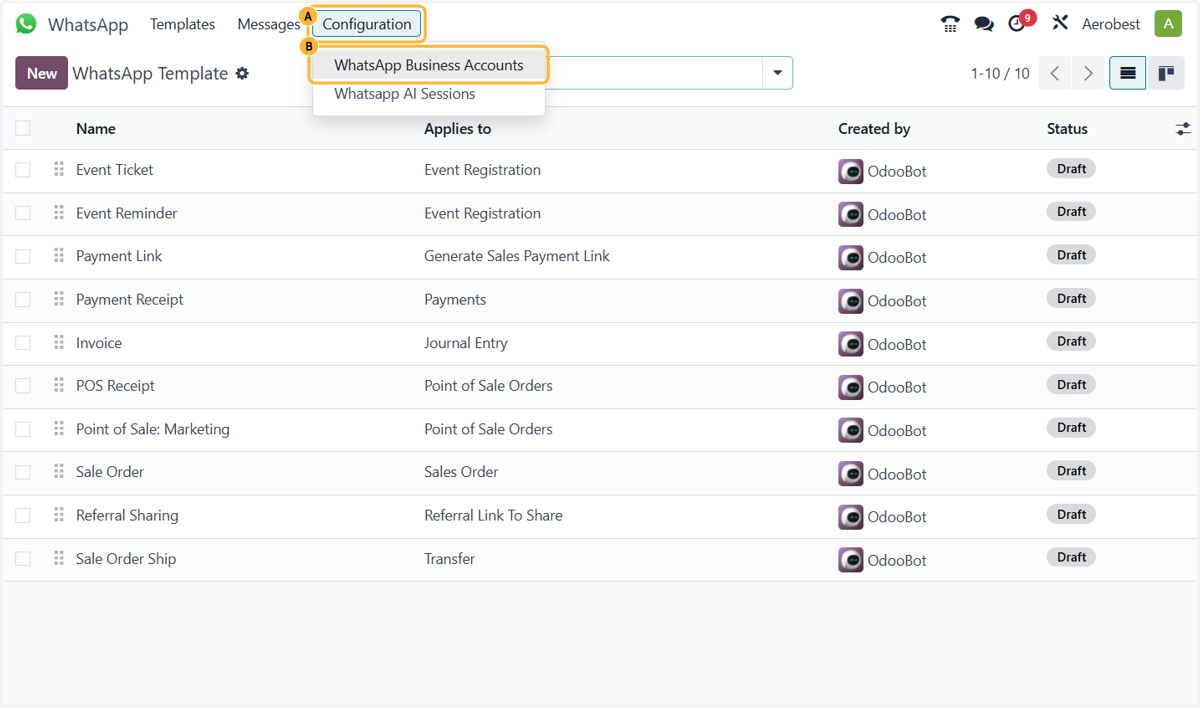
1. A. In WhatsApp, open Configuration…
1. B. …and click WhatsApp Business Accounts.
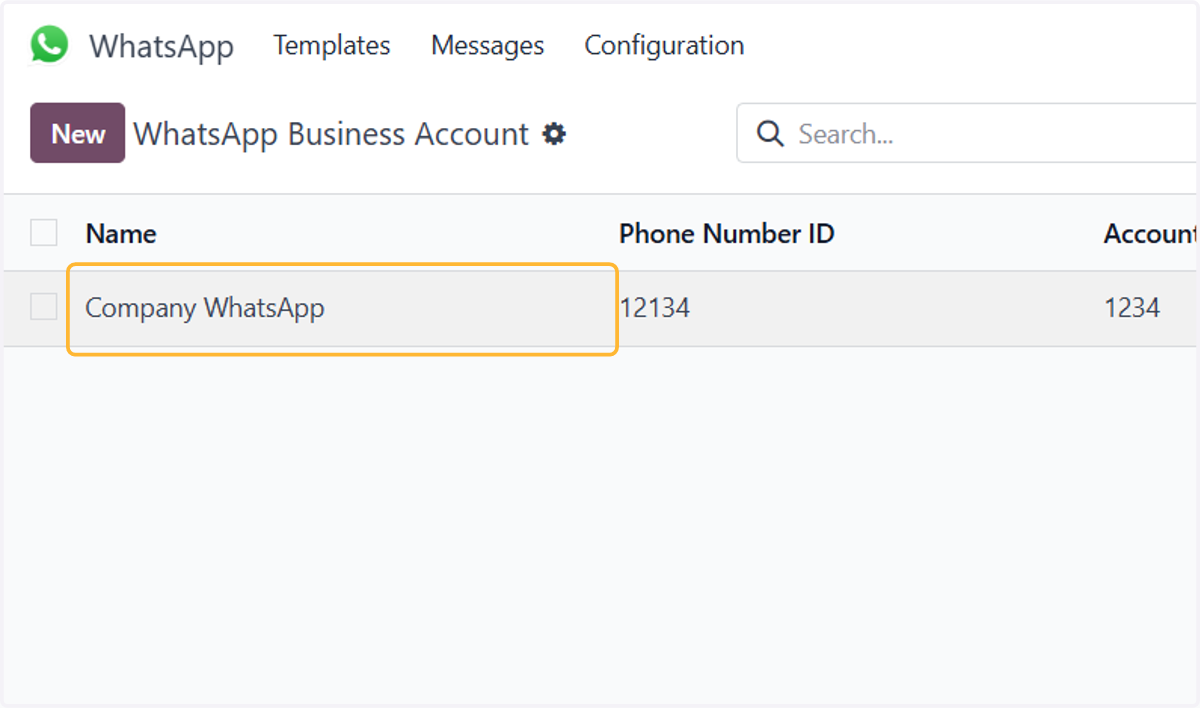
2. Open your WhatsApp Business Account.
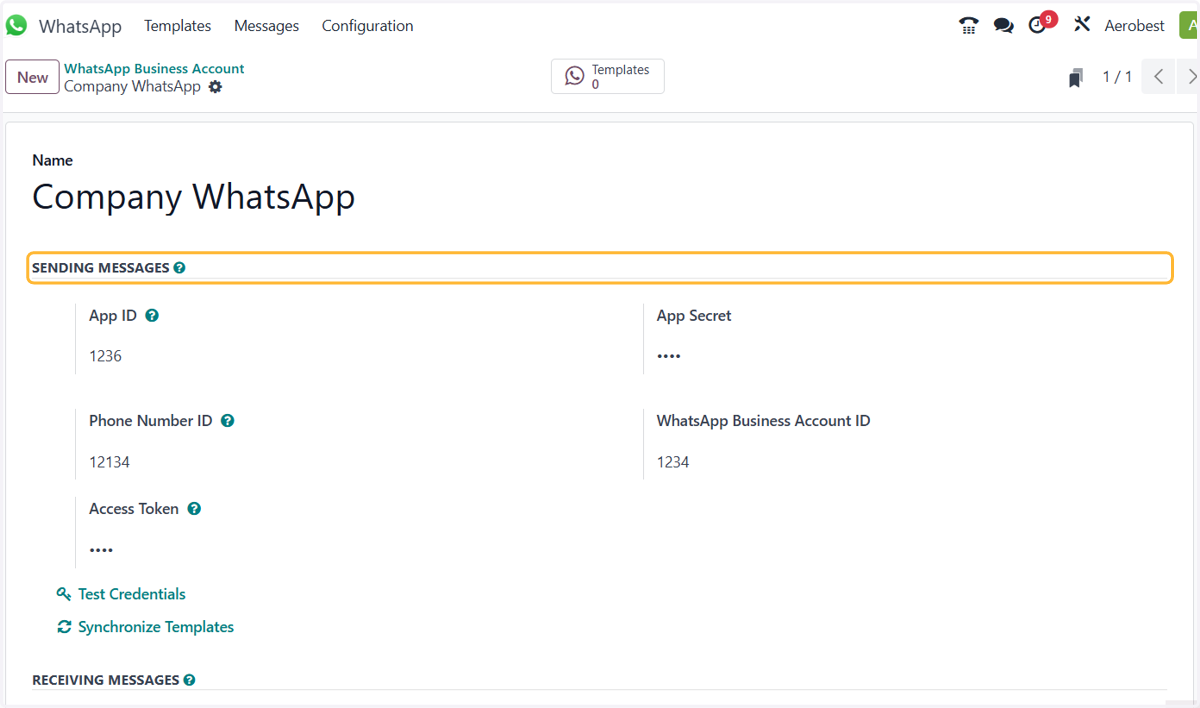
3. The App ID, App Secret, Phone Number ID, WhatsApp Business Account ID and Access Token come from your Meta app. Fill them in first if this account is new.
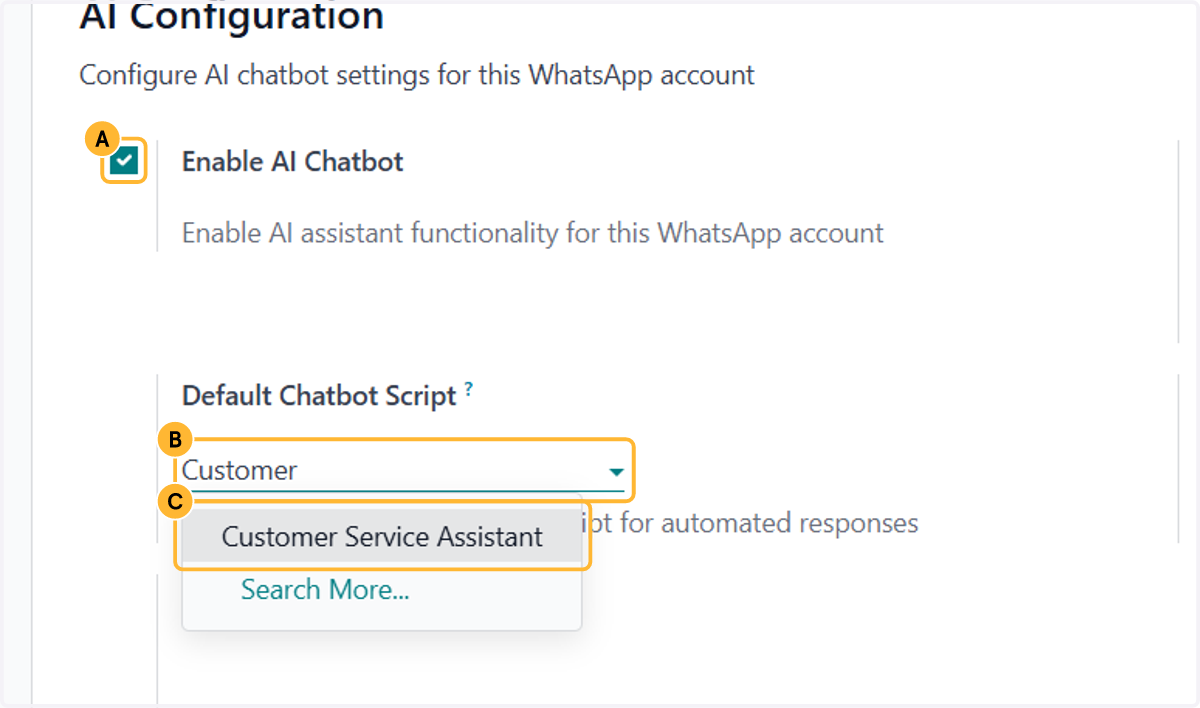
4. A. Scroll down to AI Configuration and tick Enable AI Chatbot.
4. B. Under Default Chatbot Script, start typing your agent’s name…
4. C. …and pick the agent that answers incoming WhatsApp messages.
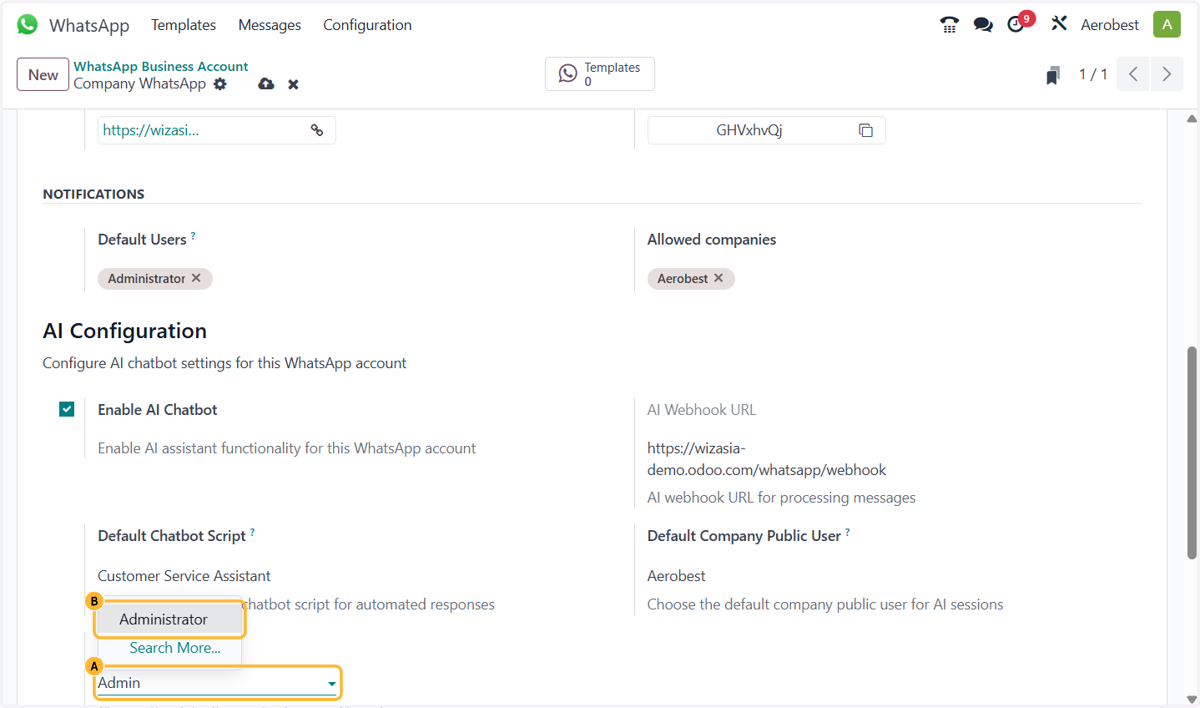
5. A. Under Default Operator, start typing a name…
5. B. …and pick the person who takes over when the agent hands a conversation on.
6. Save. Once your WhatsApp Business account is connected, your agent answers new messages to this number.