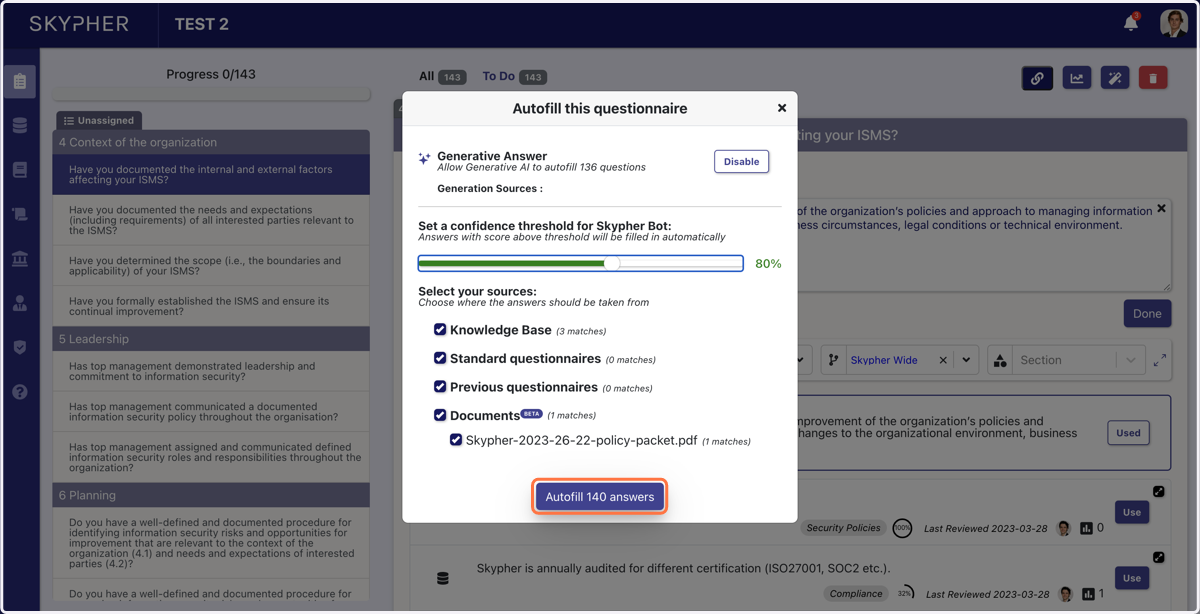
Uploading an online questionnaire
You can upload a questionnaire from an online platform and answer the questions in 2 ways
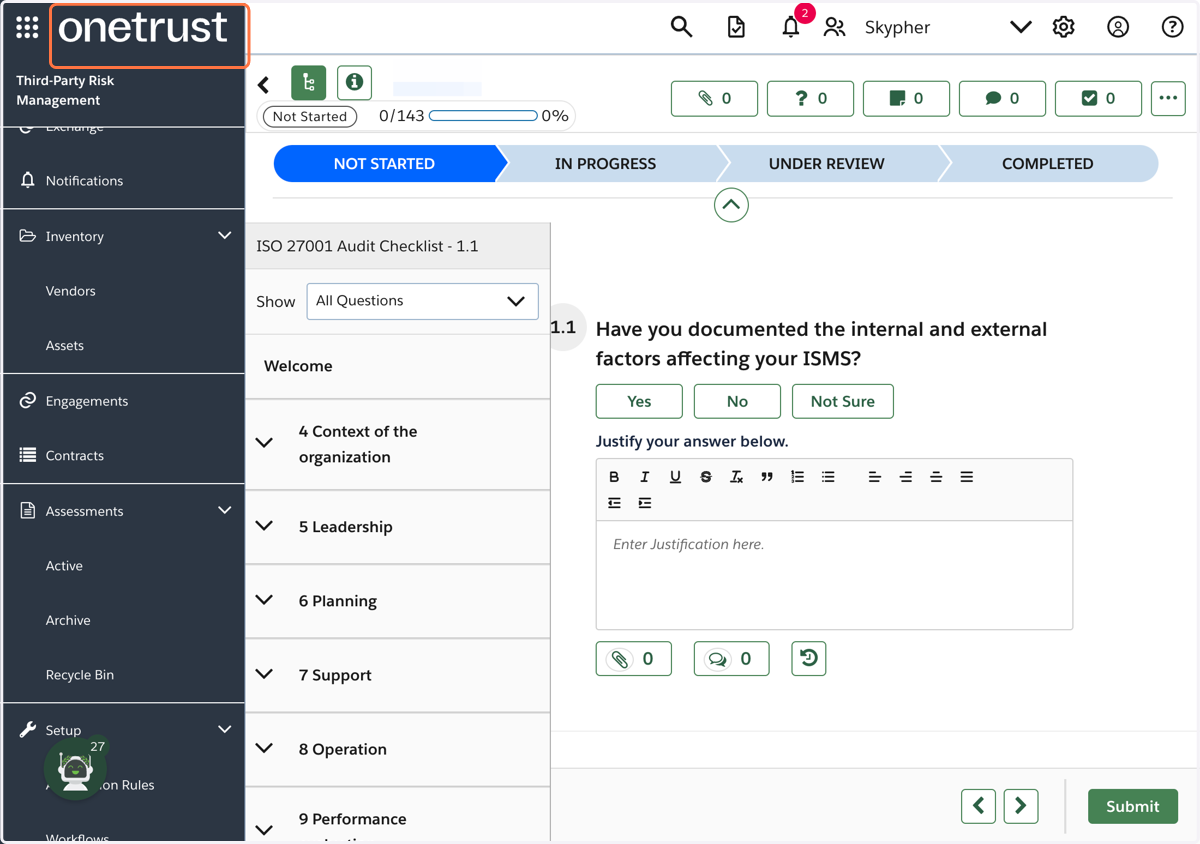
1. For this example, we will be using the platform OneTrust
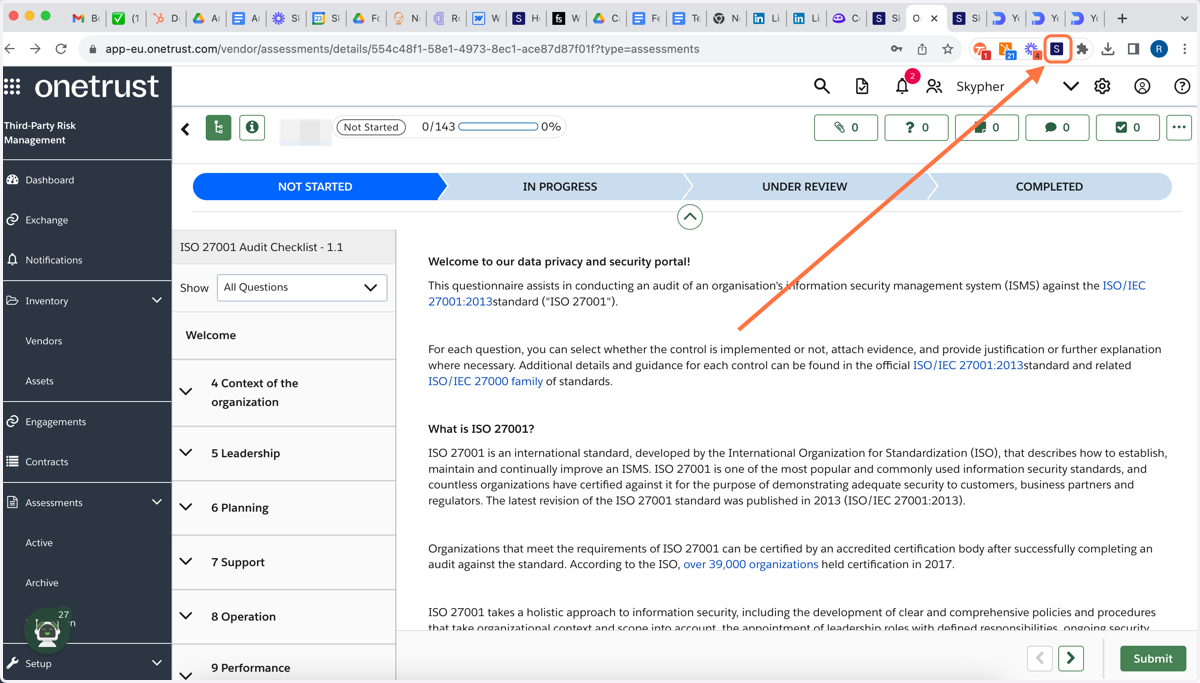
2. First of all, click on the Skypher extension
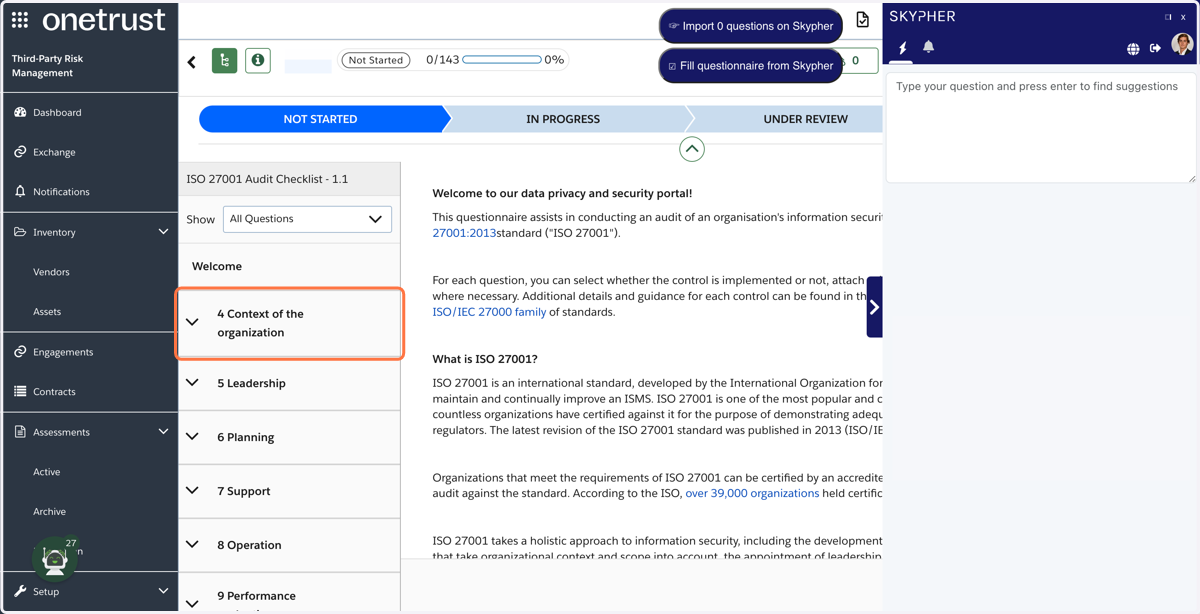
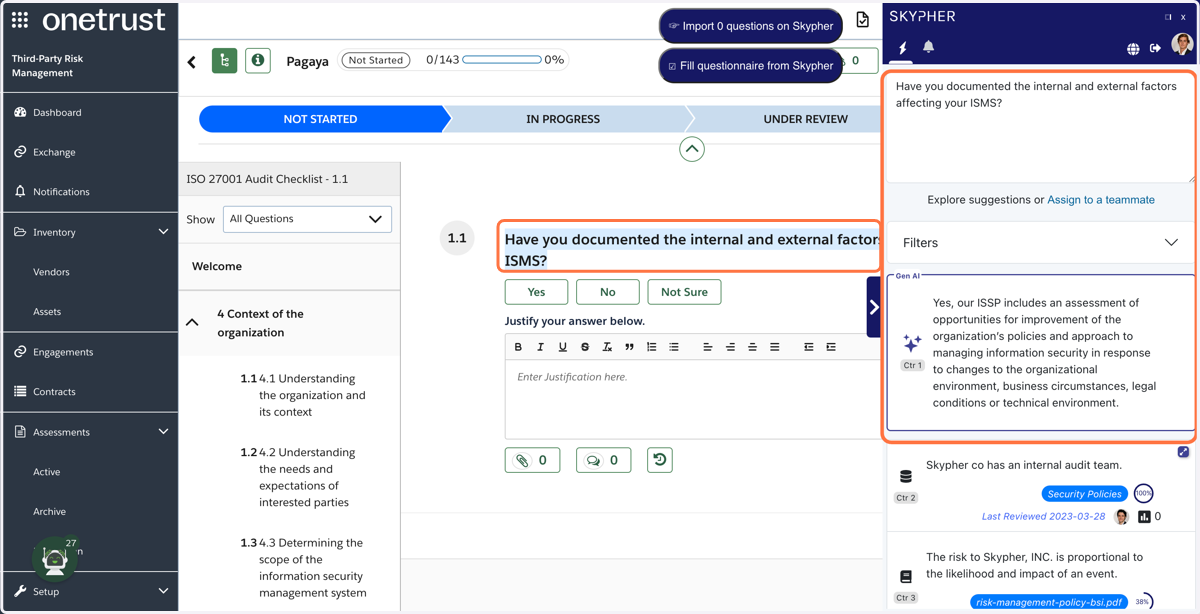
3. The Skypher tab will appear on the right
4. The first method you can use to quickly answer an online question is to simply drag along the highlighted text and an answer will appear
You can then copy paste the answer. This is useful when recieving only a few questions, for example by mail.
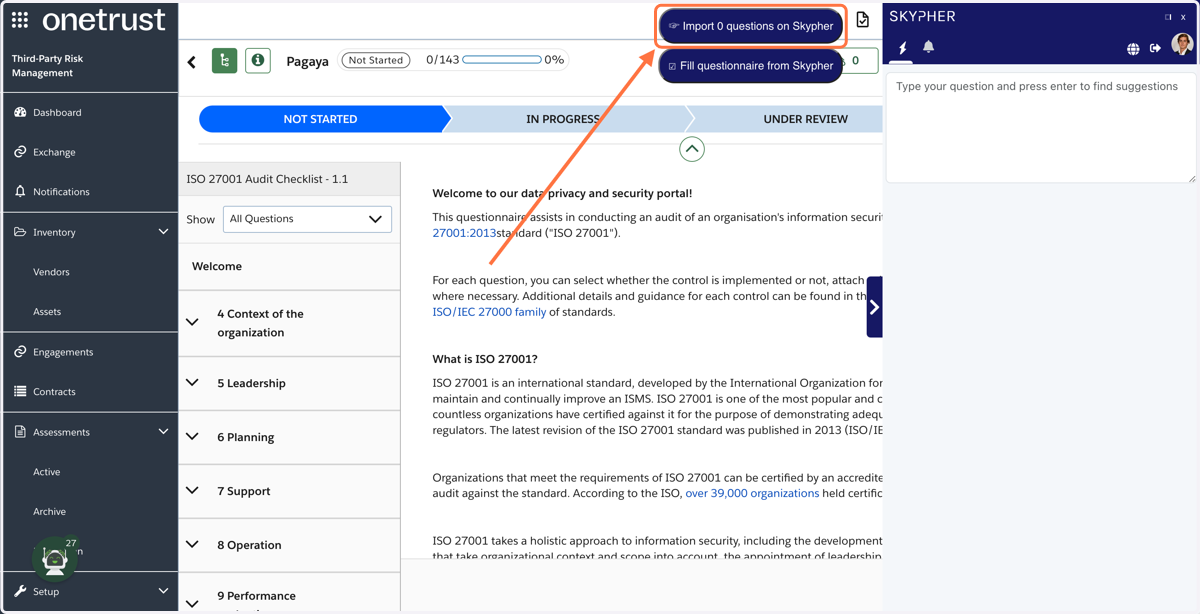
5. For an entire questionnaire, click on Import 0 Questions
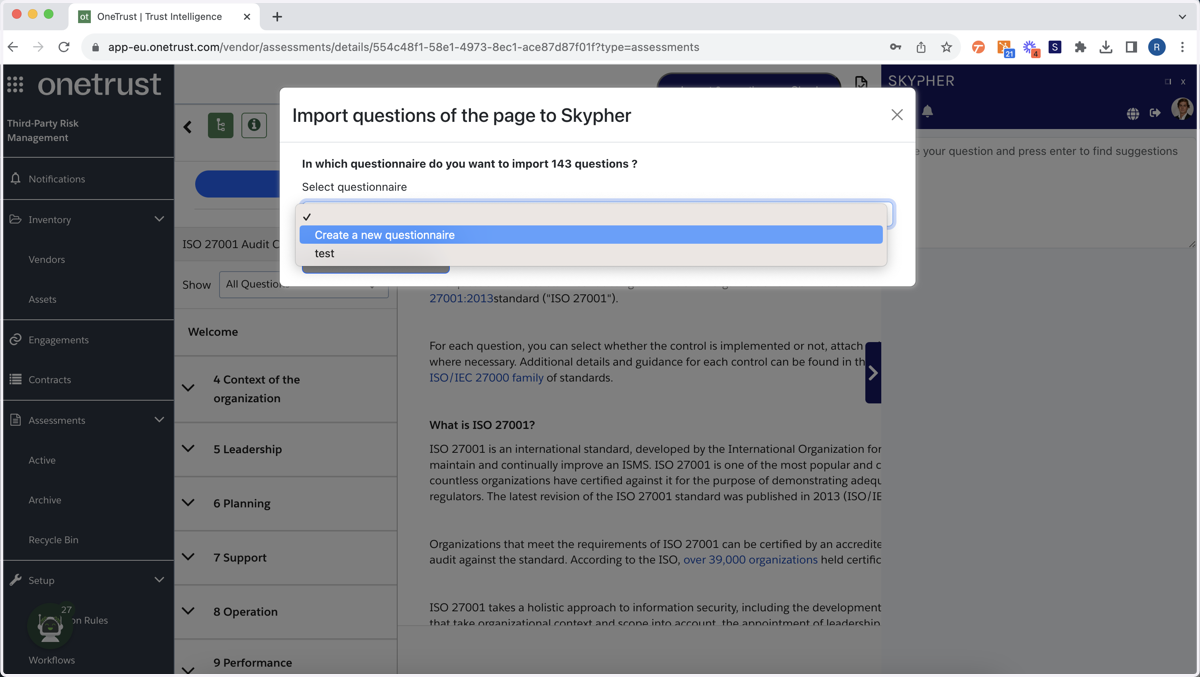
6. You will be asked to create a new questionnaire.
7. Choose the confidence level for the Skypher Bot
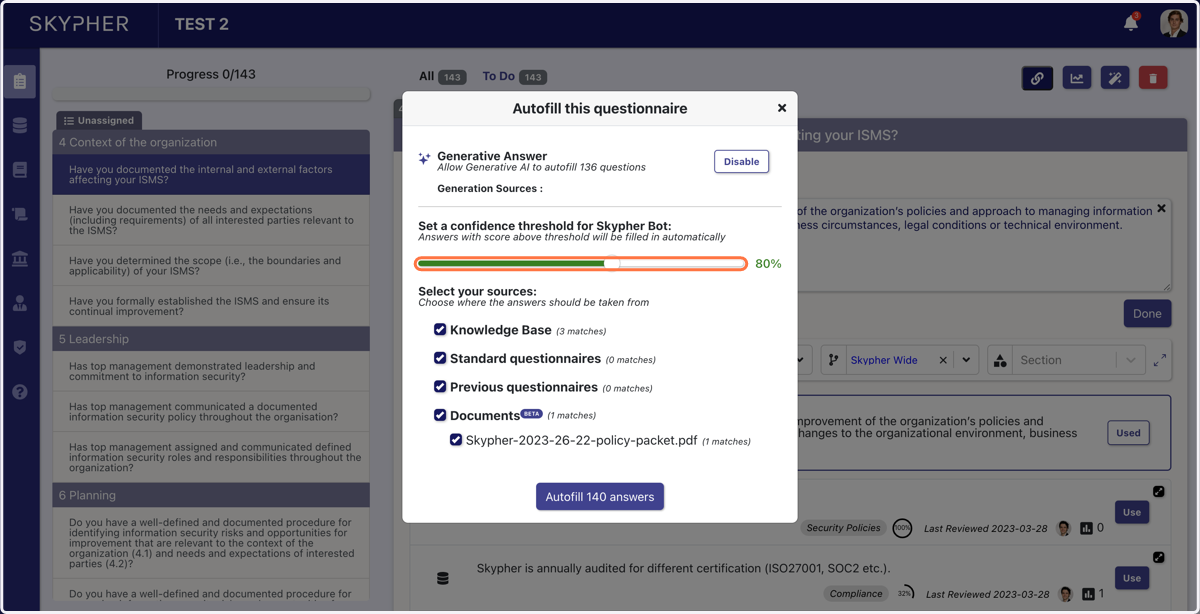
8. Choose the sources that will be used to answer your questions
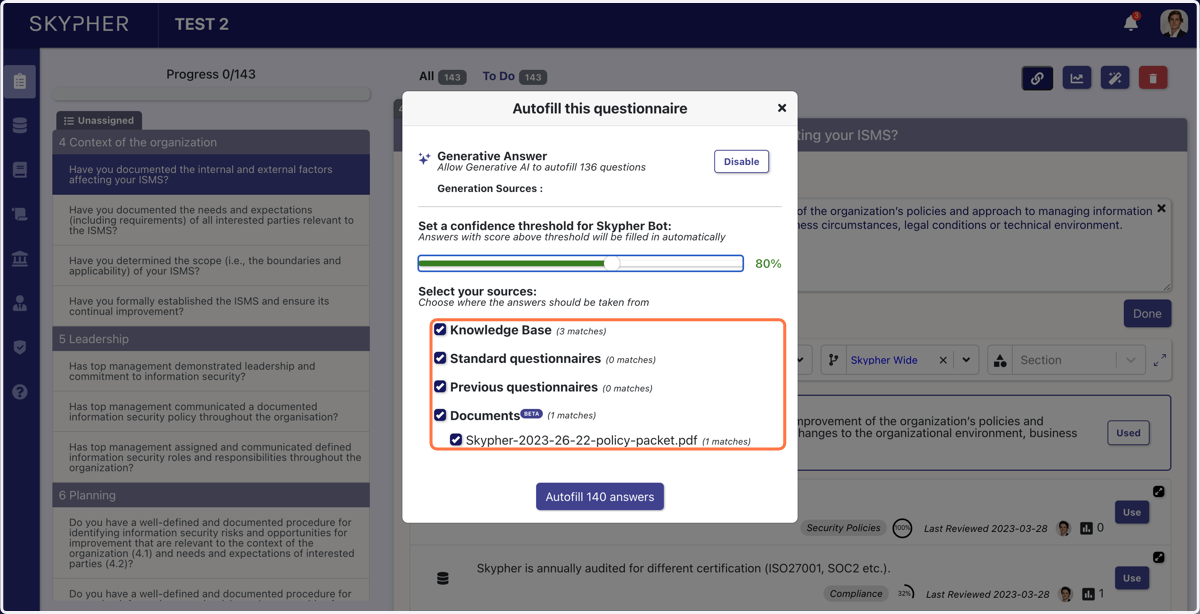
9. Finally, click on autofill