Creating a Static List in "My Contacts"
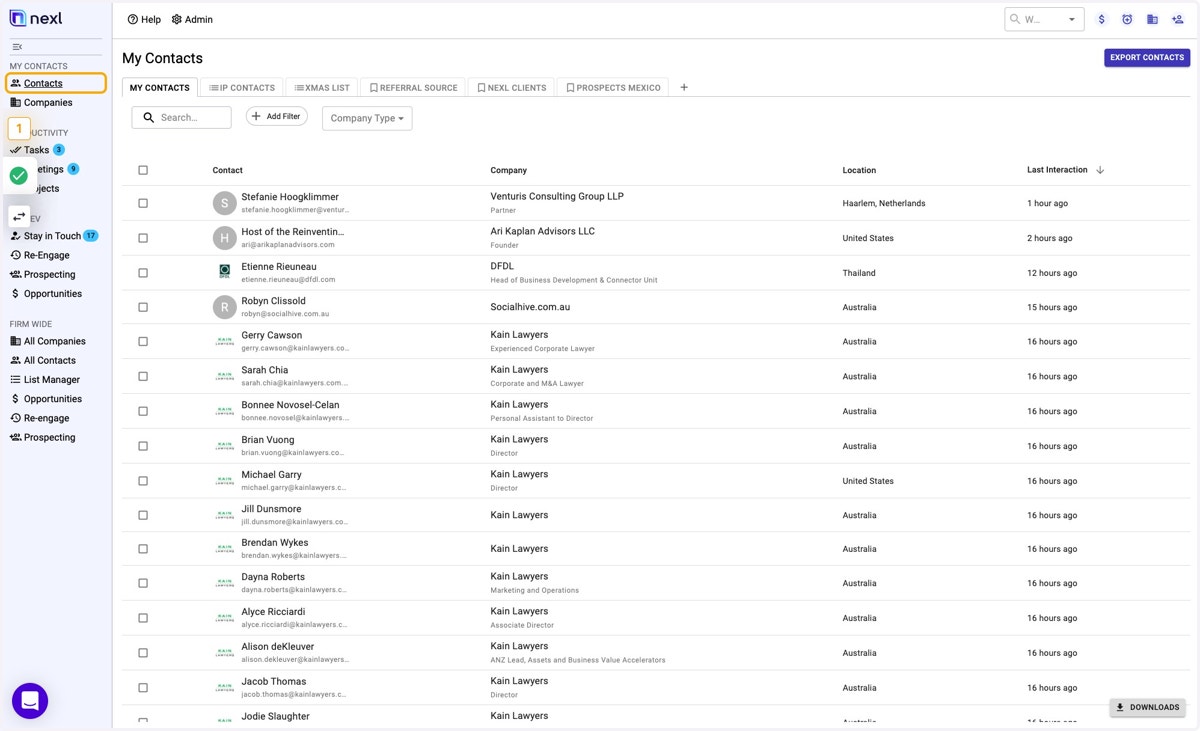
Nexl-360-latest

  1. 1. Go to Nexl (open https://360.nexl.io/ in your browser)

    Go to Nexl (open https://360.nexl.io/ in your browser)
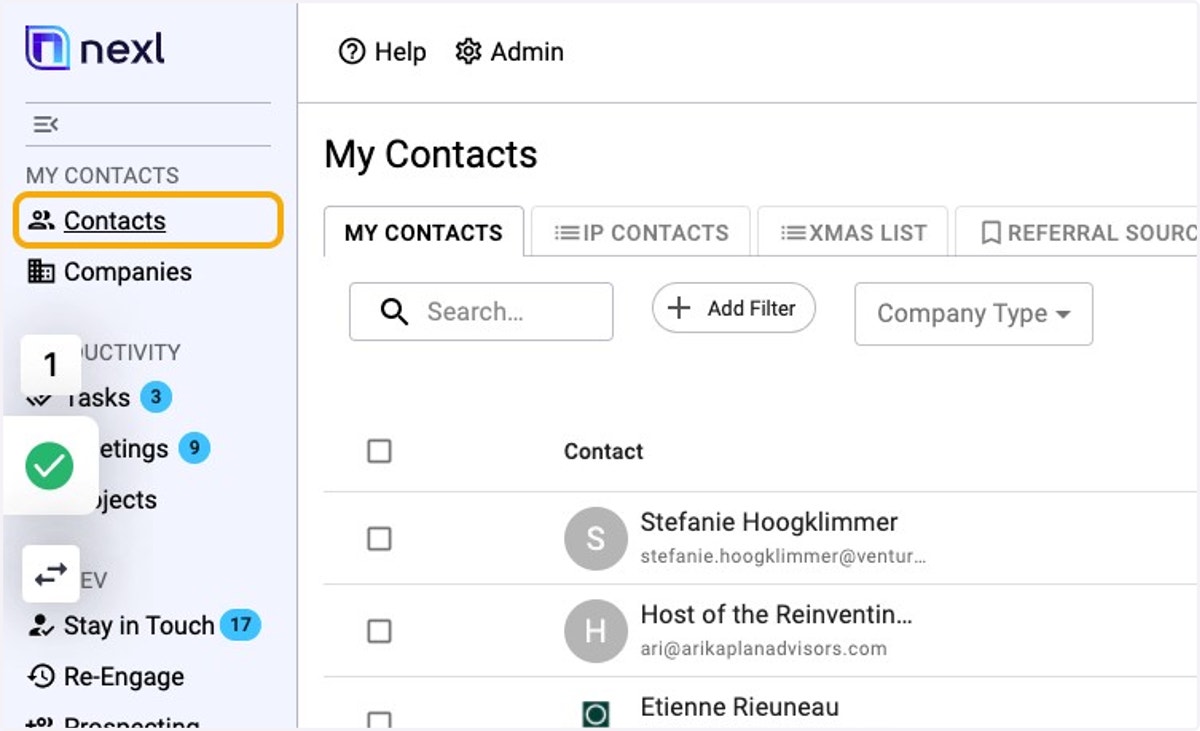
  2. 2. Go to your Contacts

    Go to your Contacts
  3. 3. Click onthe "+" symbol to create a new List
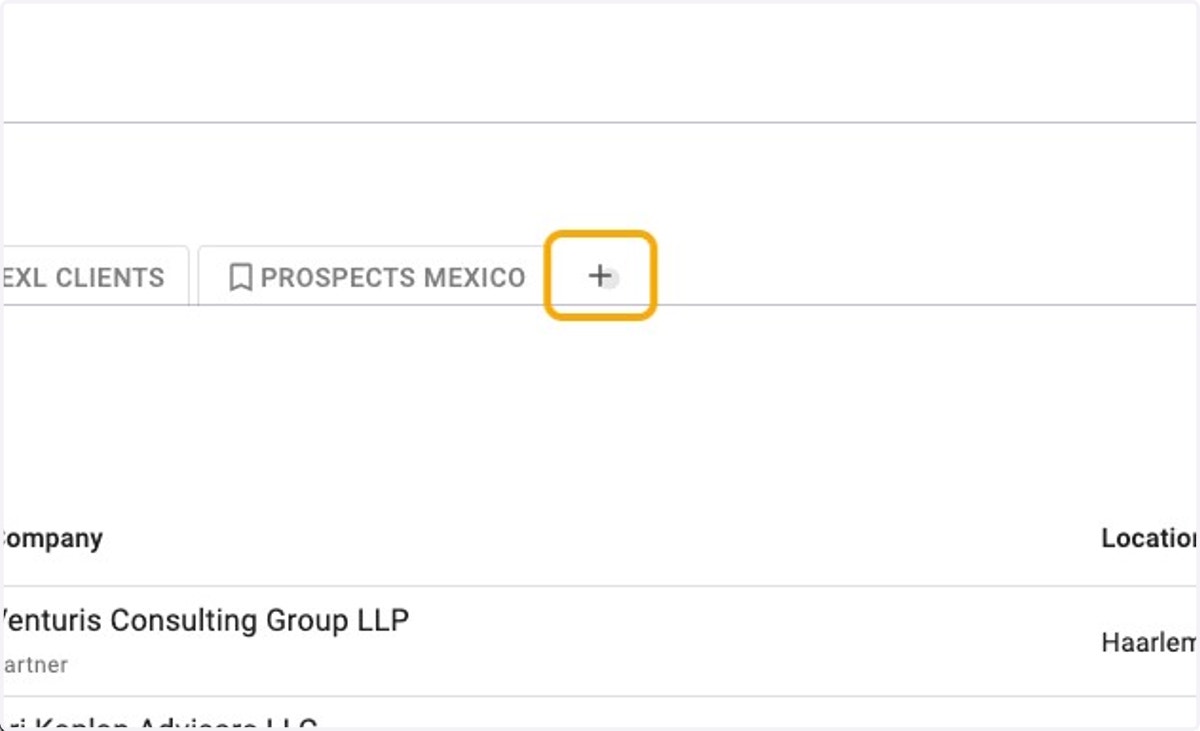
    Click onthe "+" symbol to create a new List
  4. 4. Select "New List" to create an empty list
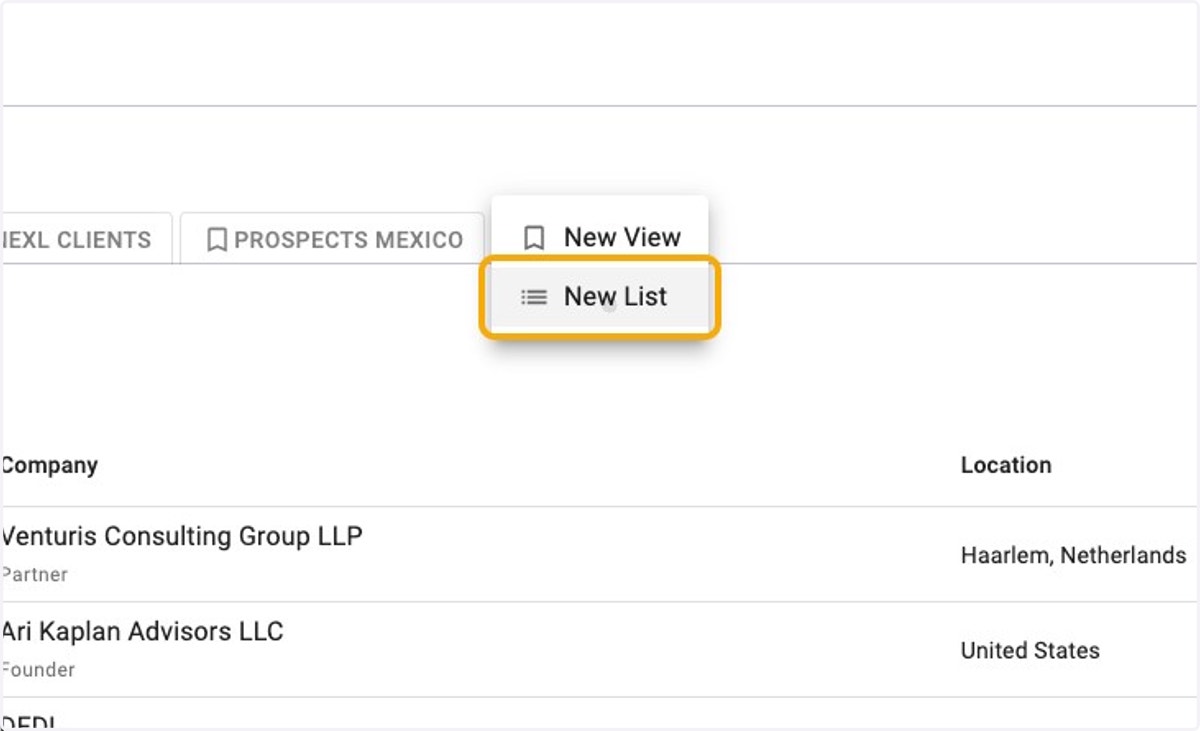
    Select "New List" to create an empty list
  5. 5. Give your New List a Name (e.g., "Tax Client Newsletter")
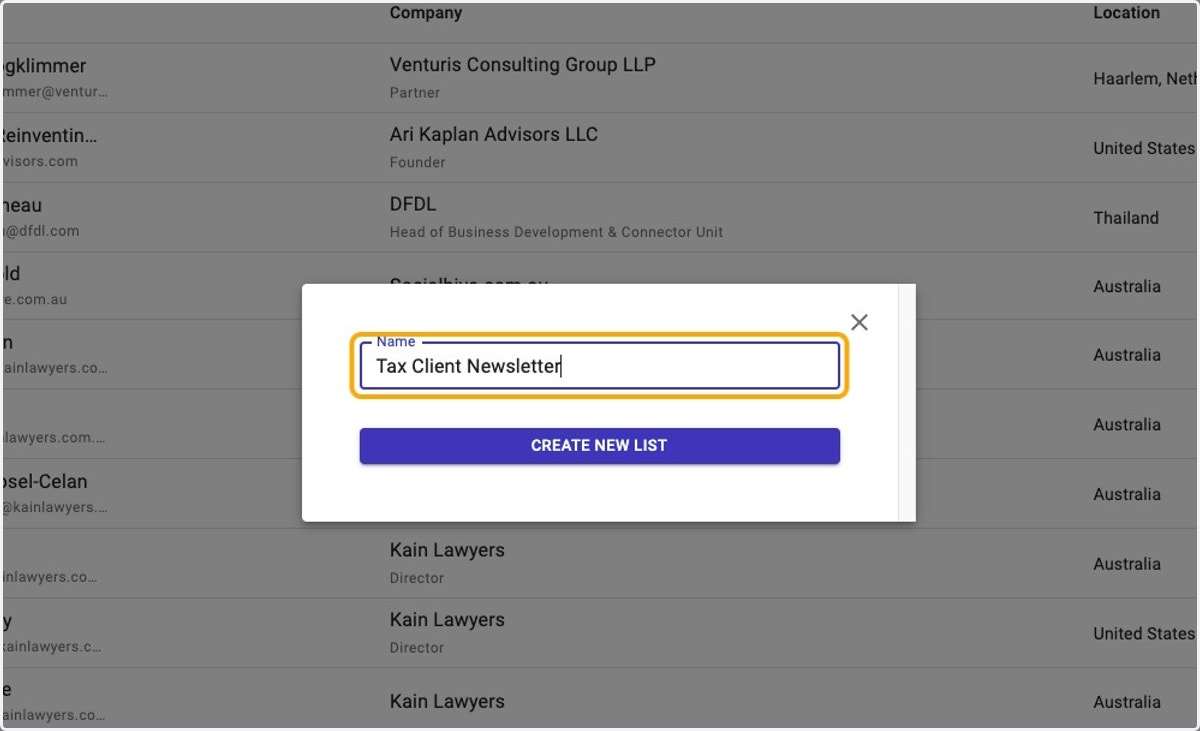
    Give your New List a Name (e.g., "Tax Client Newsletter")
  6. 6. Confirm by clicking on the "CREATE NEW LIST" button
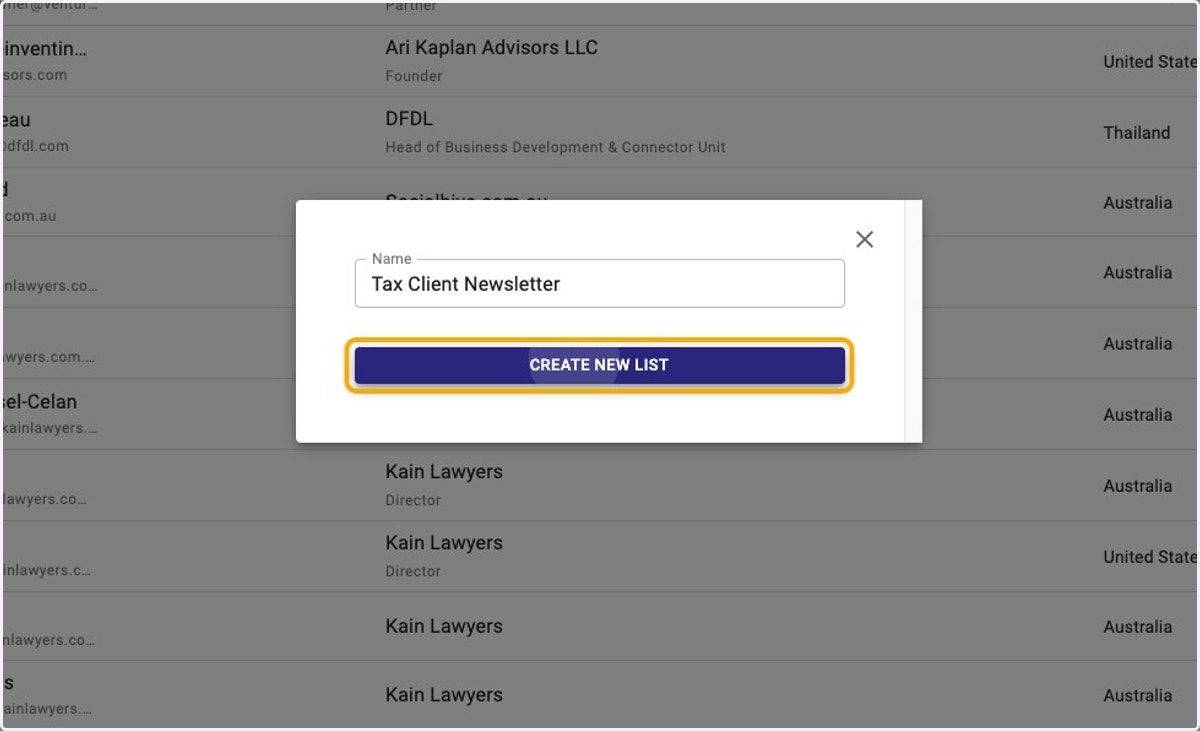
    Confirm by clicking on the "CREATE NEW LIST" button
  7. 7. Now your New LIst has been created, you can start adding Contacts.
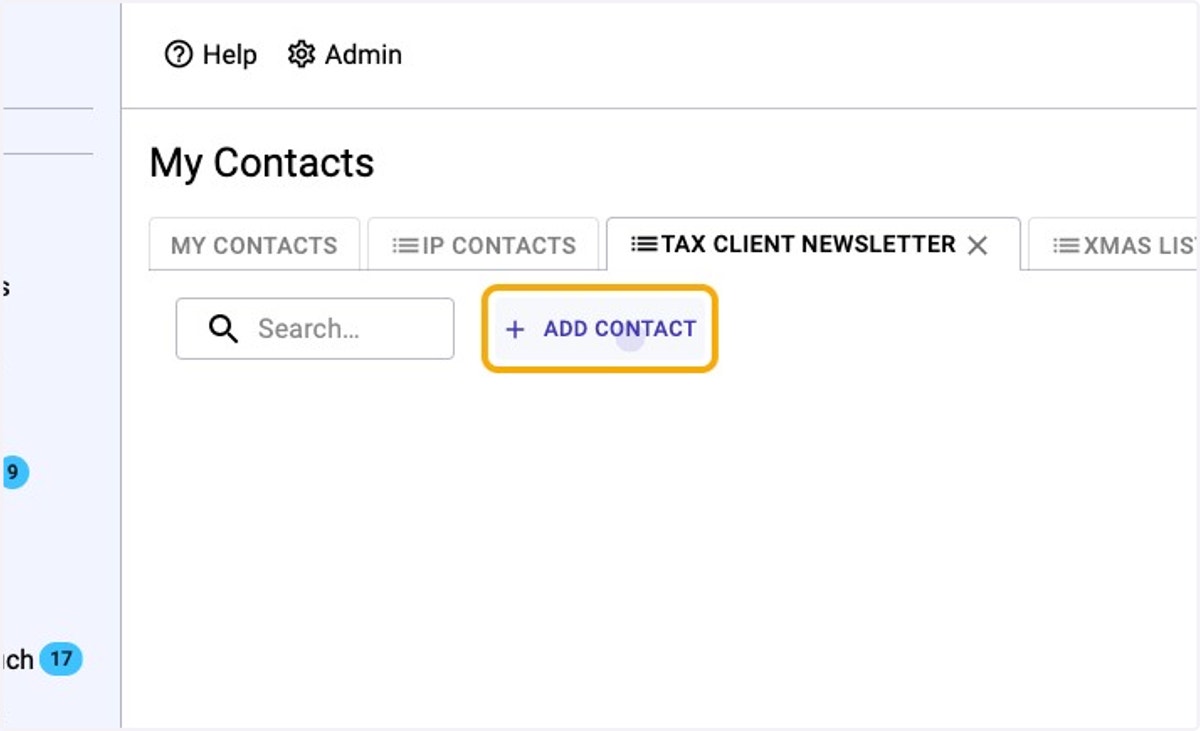
    Now your New LIst has been created, you can start adding Contacts.
  8. 8. Search for the Contacts you wish to add to the list.
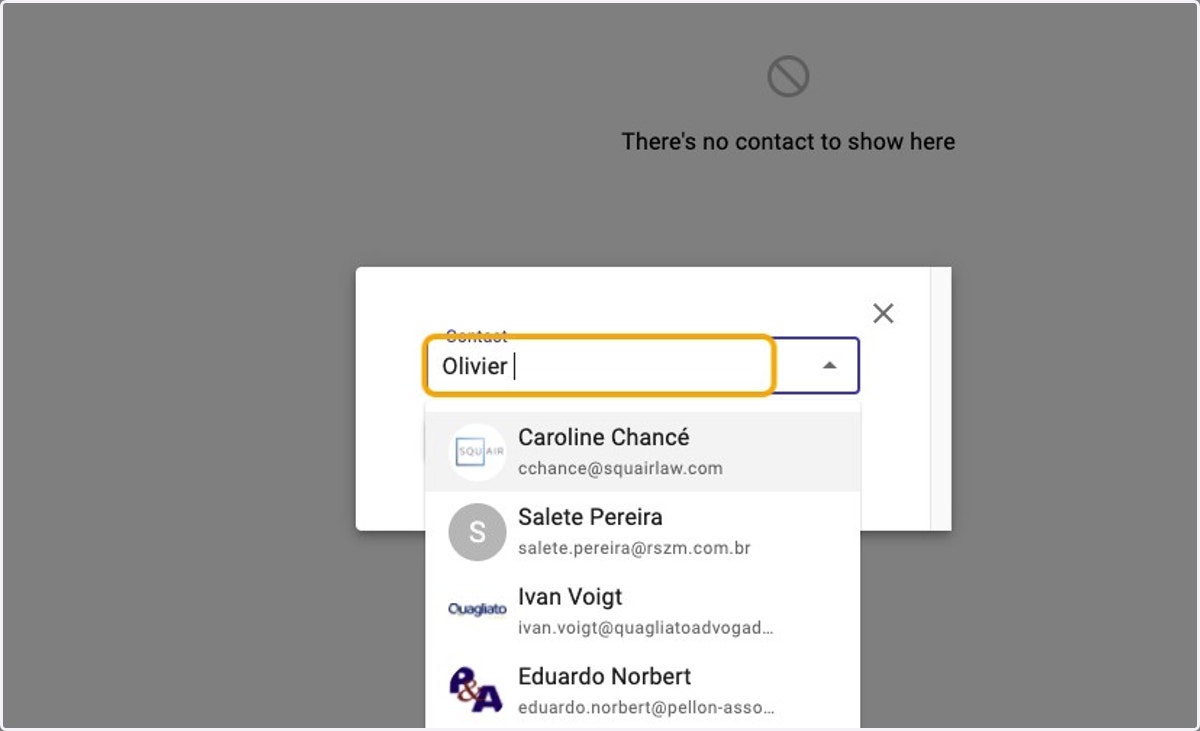
    Search for the Contacts you wish to add to the list.
  9. 9. Select the person you want to add by clicking on the name.
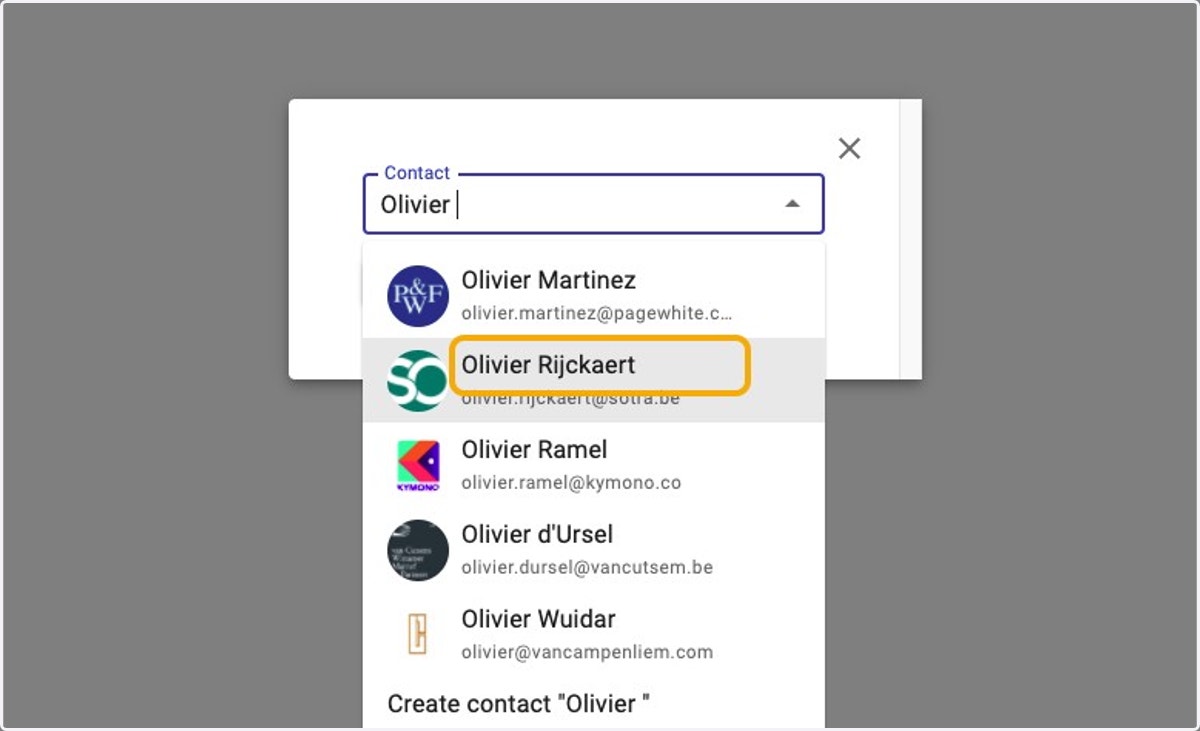
    Select the person you want to add by clicking on the name.
  10. 10. Confirm by clicking the "ADD CONTACT TO THIS LIST" button
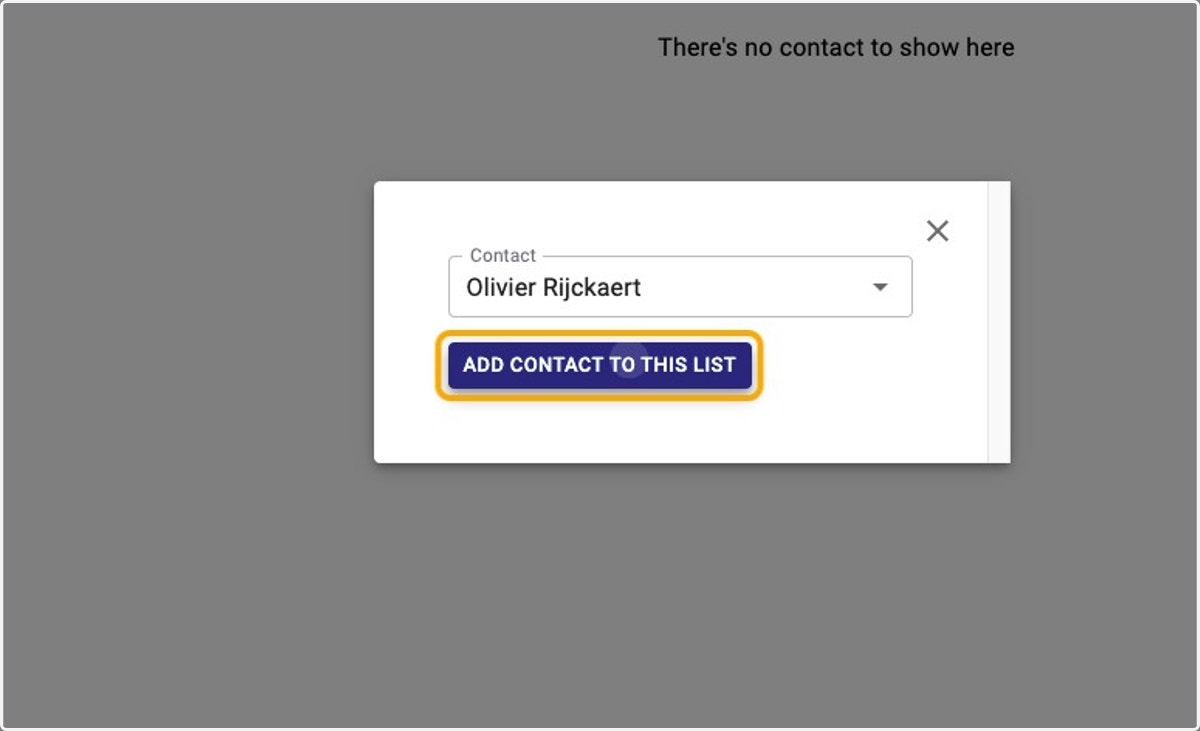
    Confirm by clicking the "ADD CONTACT TO THIS LIST" button
  11. 11. You New List will now appear as a separate Tab next to My Contacts whenever you use Nexl
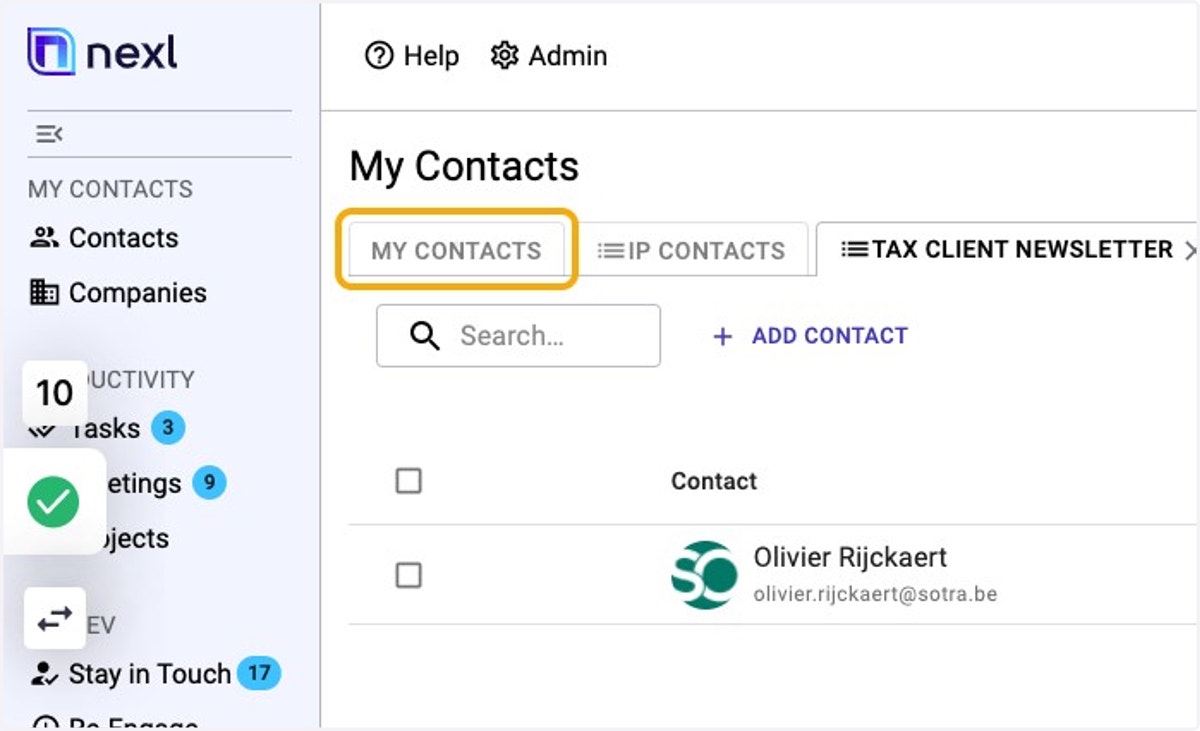
    You New List will now appear as a separate Tab next to My Contacts whenever you use Nexl
  12. 12. To see you list of contacts on your New List, just click on the Tab.
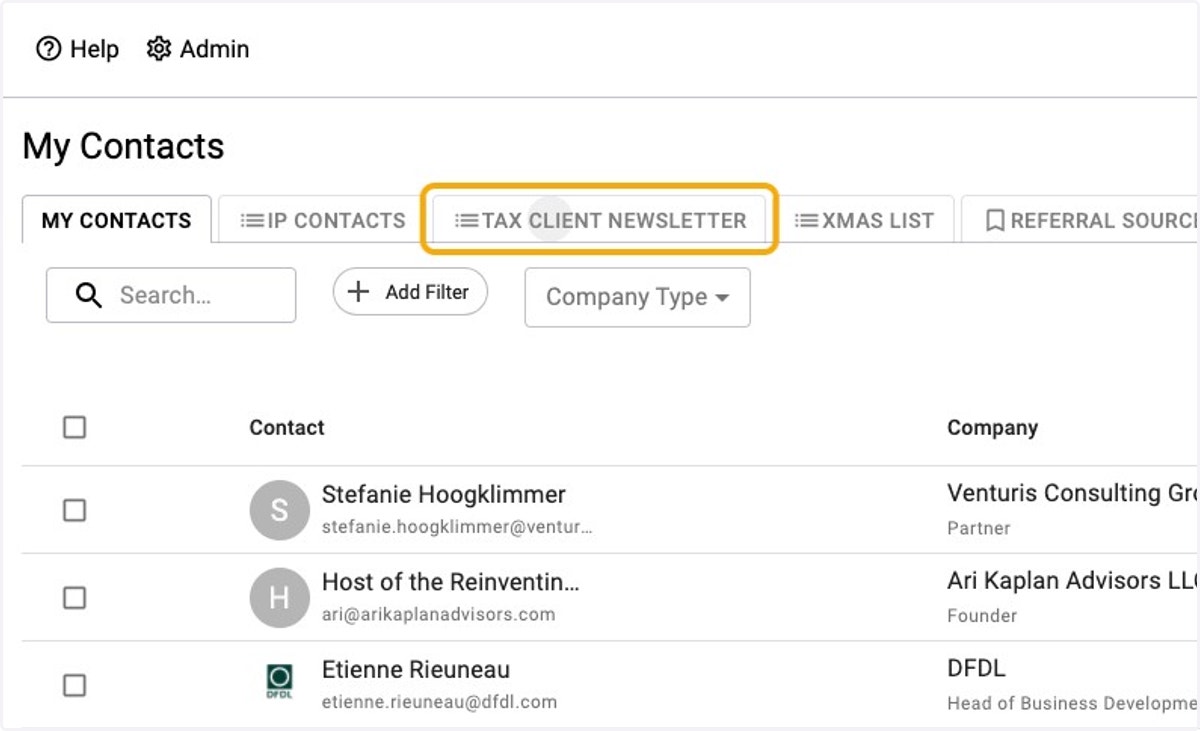
    To see you list of contacts on your New List, just click on the Tab.