Invent | Renaming frames in Invent
In some scenarios within Invent, particularly when setting up variable logic, you will need to identify which frame on your artwork is being used.
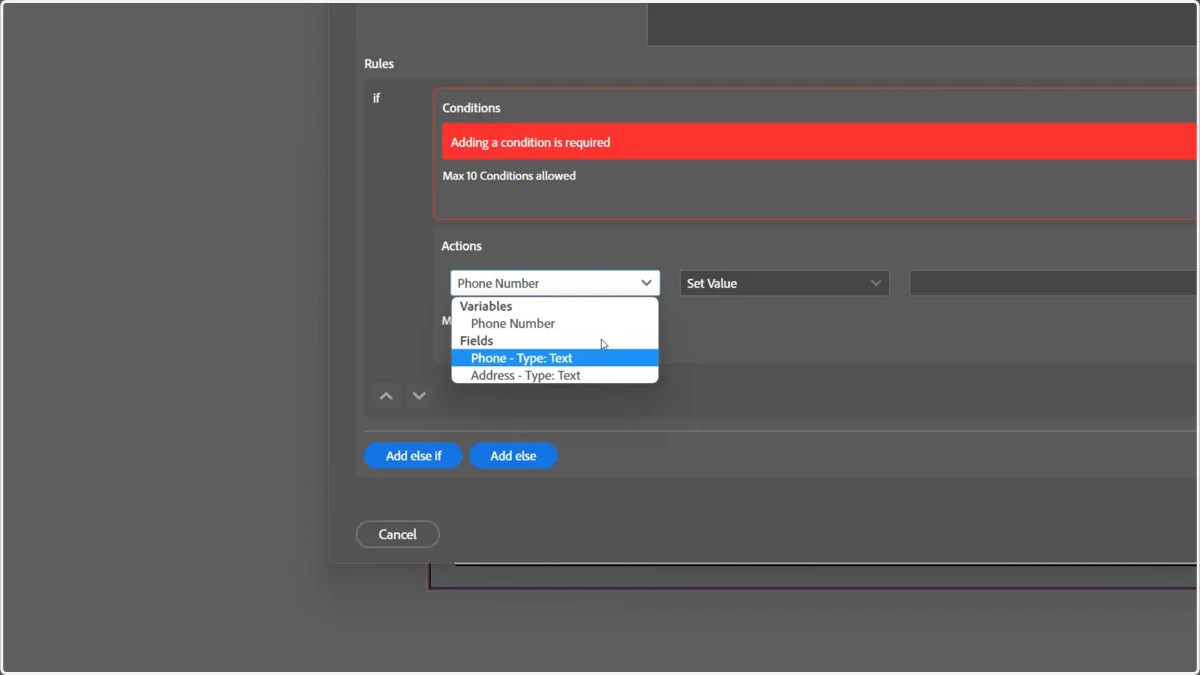
The default naming convention is a numerical ID number and does not make it easy to establish a connection between ID and the frame it represents.
We can rename the frame within InDesign, which is then also picked up by Invent.
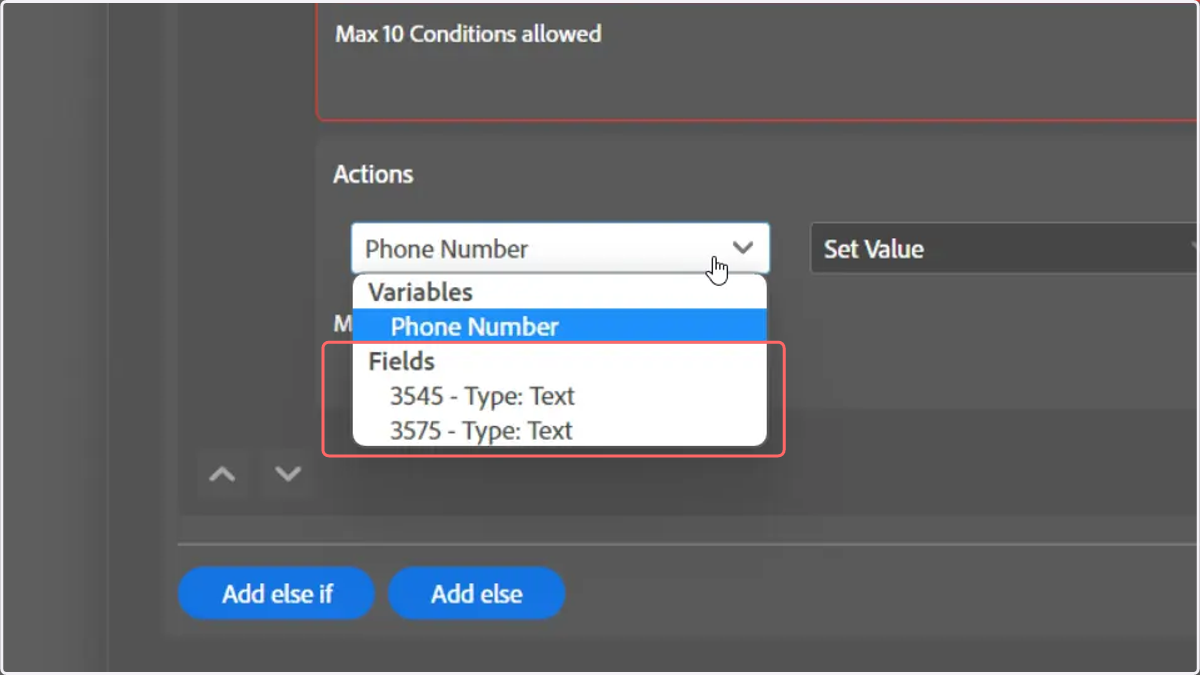
1. When creating variable logic, you may notice the Fields section is populated with unhelpful IDs of your dynamic frames
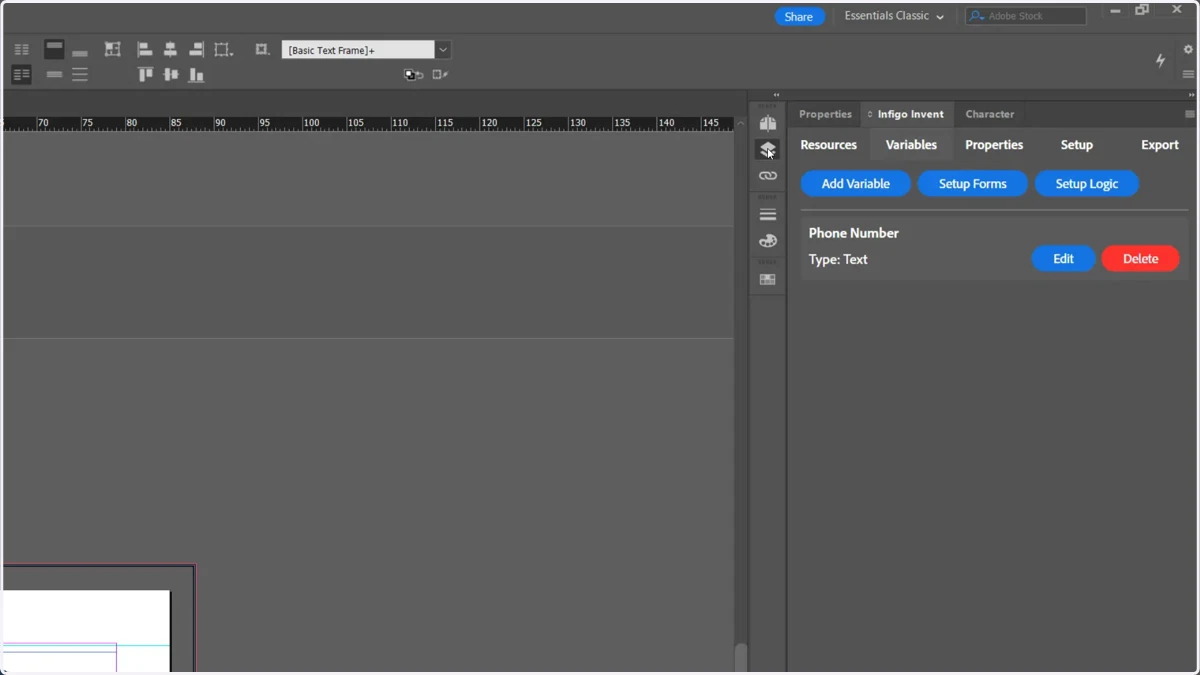
2. Navigate to the Layers tab
If you cannot see this, it can be activated from the Window menu within InDesign.
3. Click the dropdown to show available frames
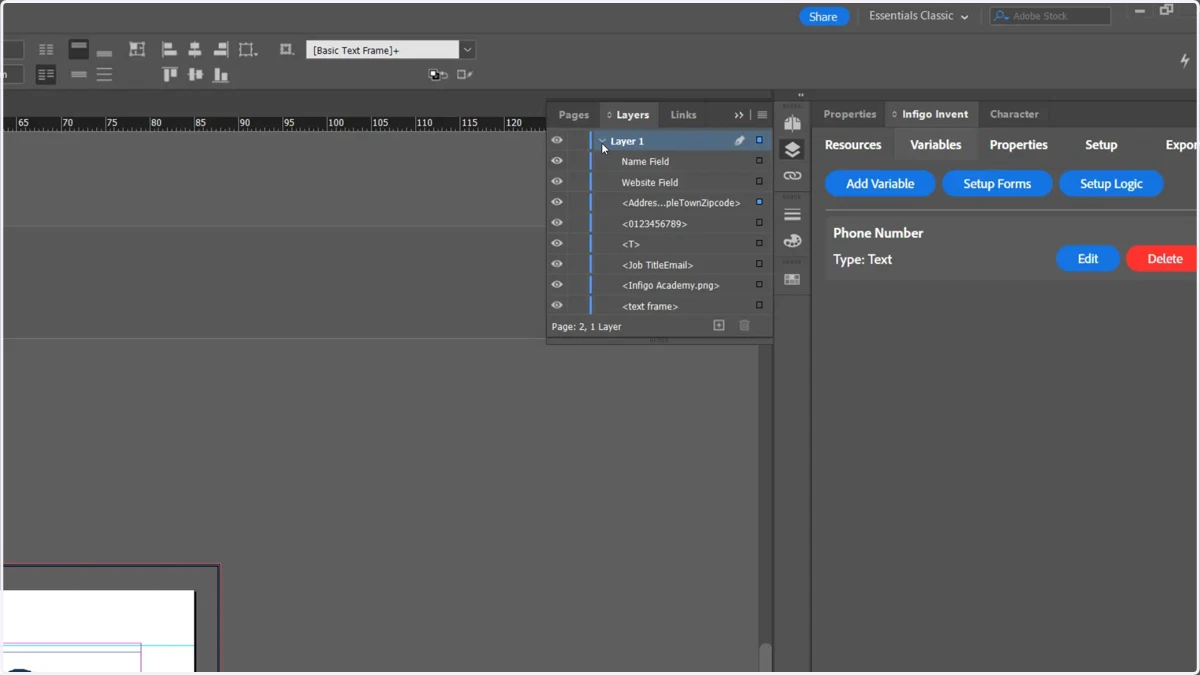
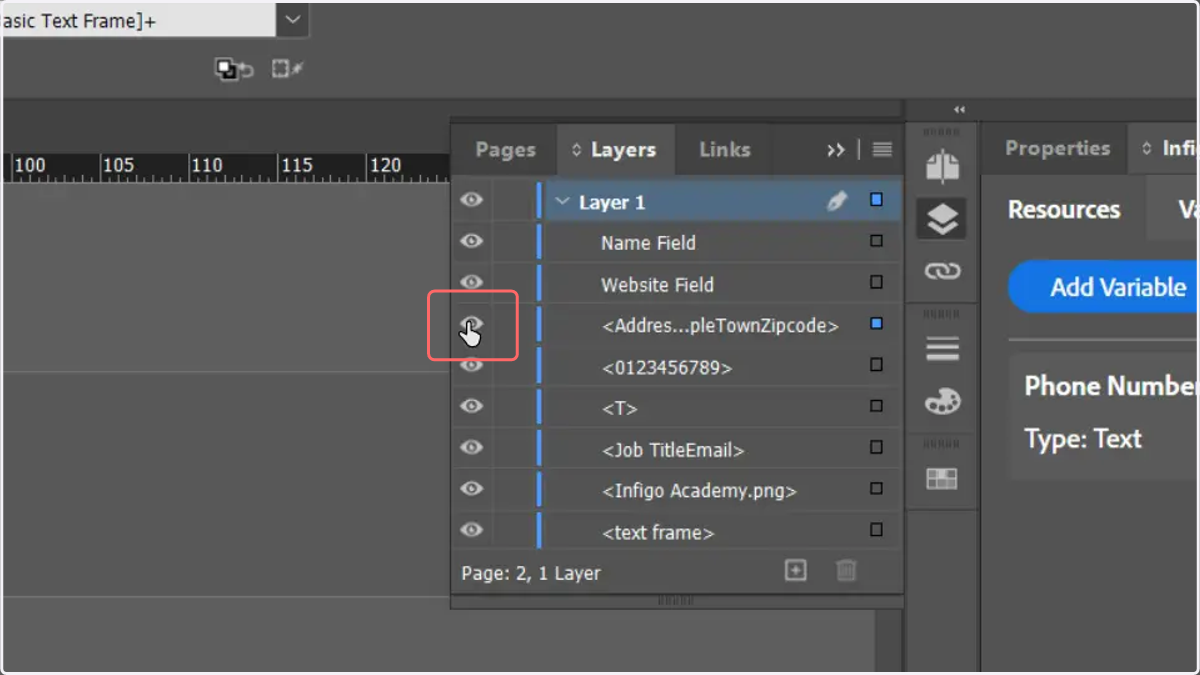
4. Identify the frame to rename
Click the eye icon to show and hide the frame on the canvas. This will allow you to identify which entry relates to your required frame.
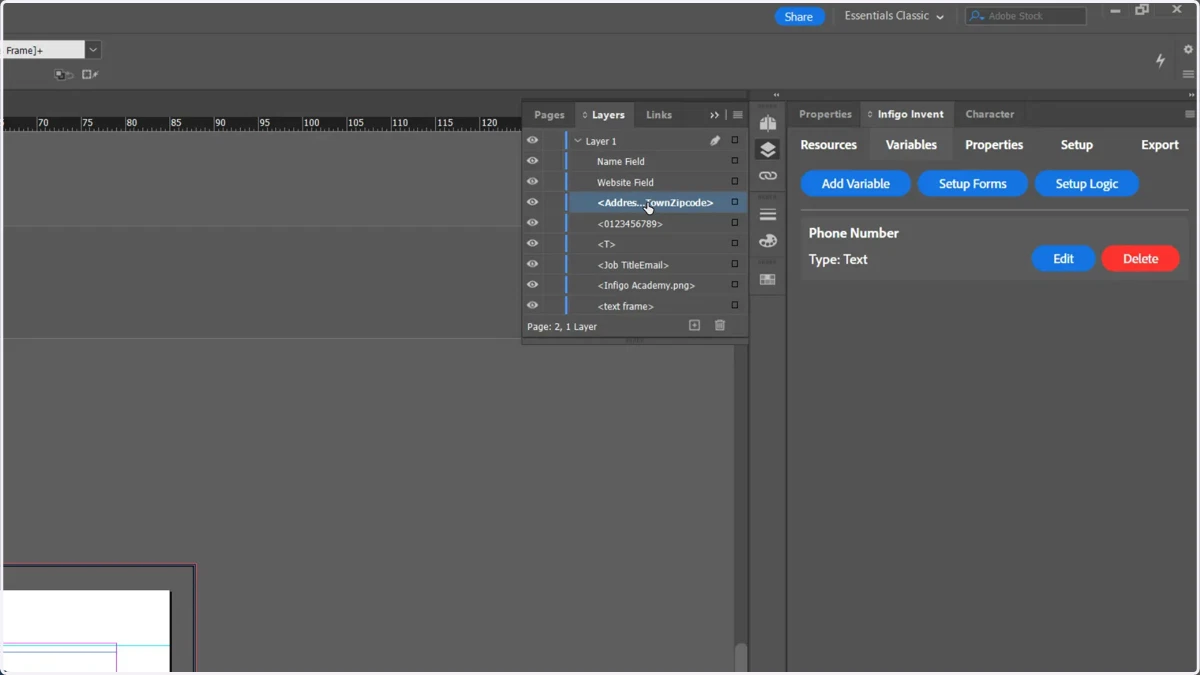
5. Perform a slow double click on the frame name to edit it
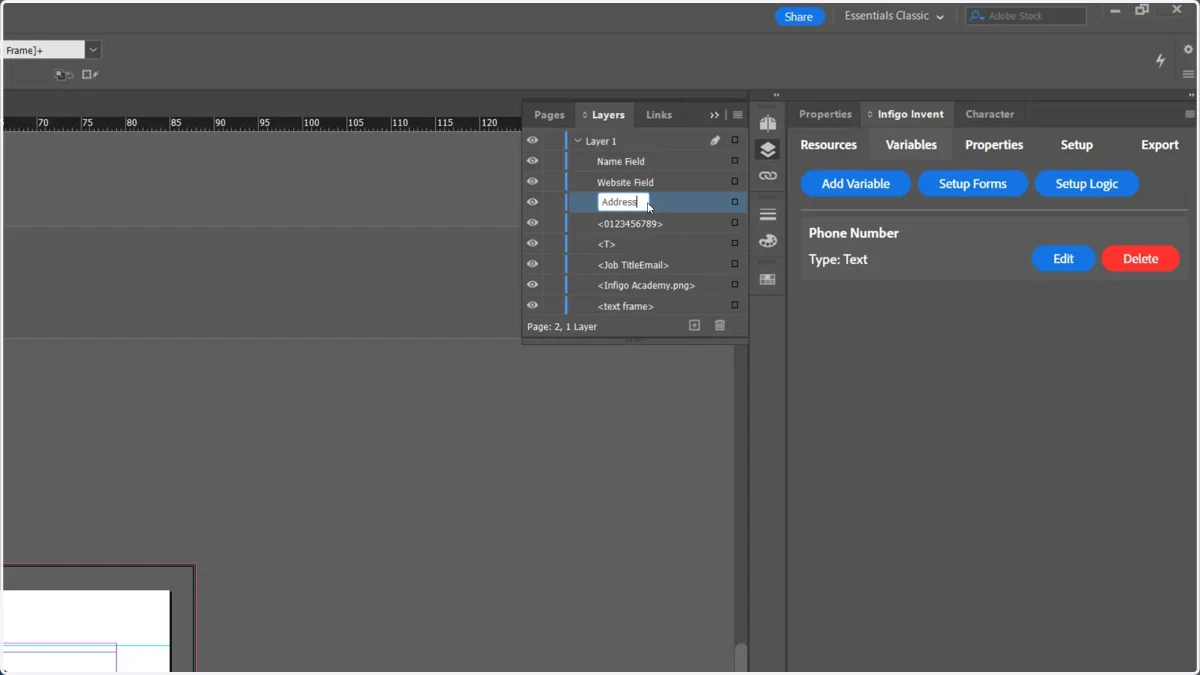
6. Enter a new name and hit Return
7. Return to the variable logic screen to see the fields have now been renamed