3. Chat with your agent in Discuss
Odoo
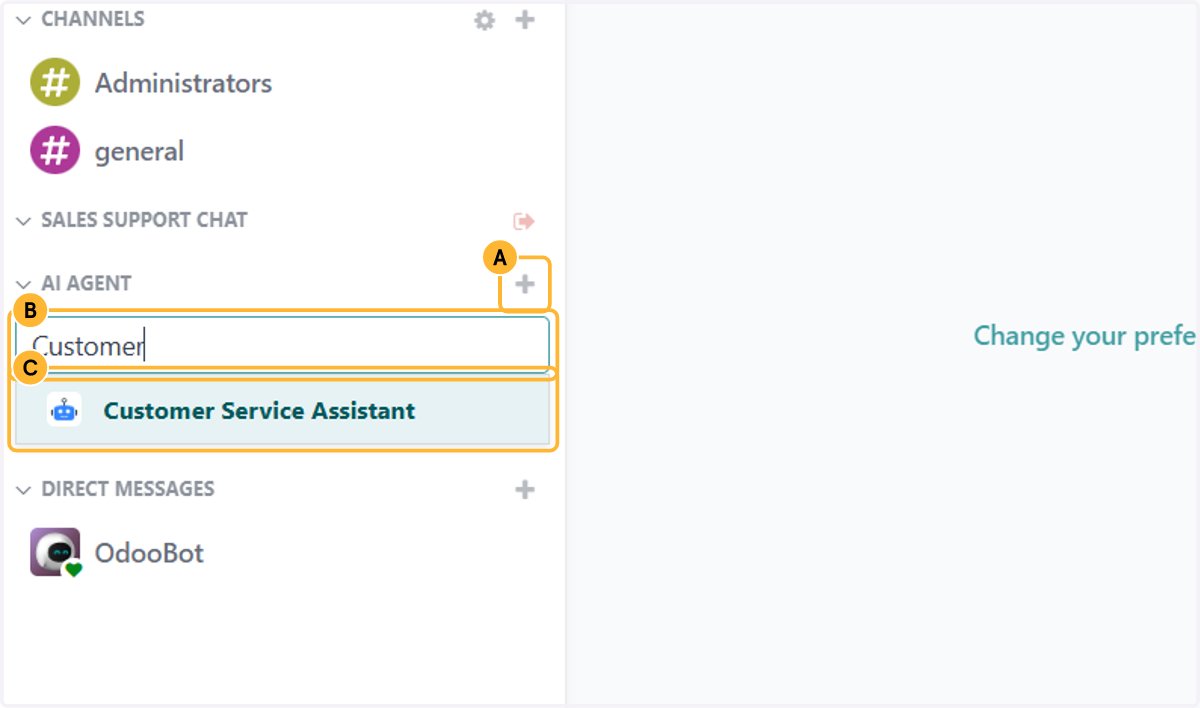
1. A. From the home screen, open Discuss. In the sidebar, click + next to AI Agent.
1. B. Start typing the agent's name.
1. C. Pick the agent you want to talk to.
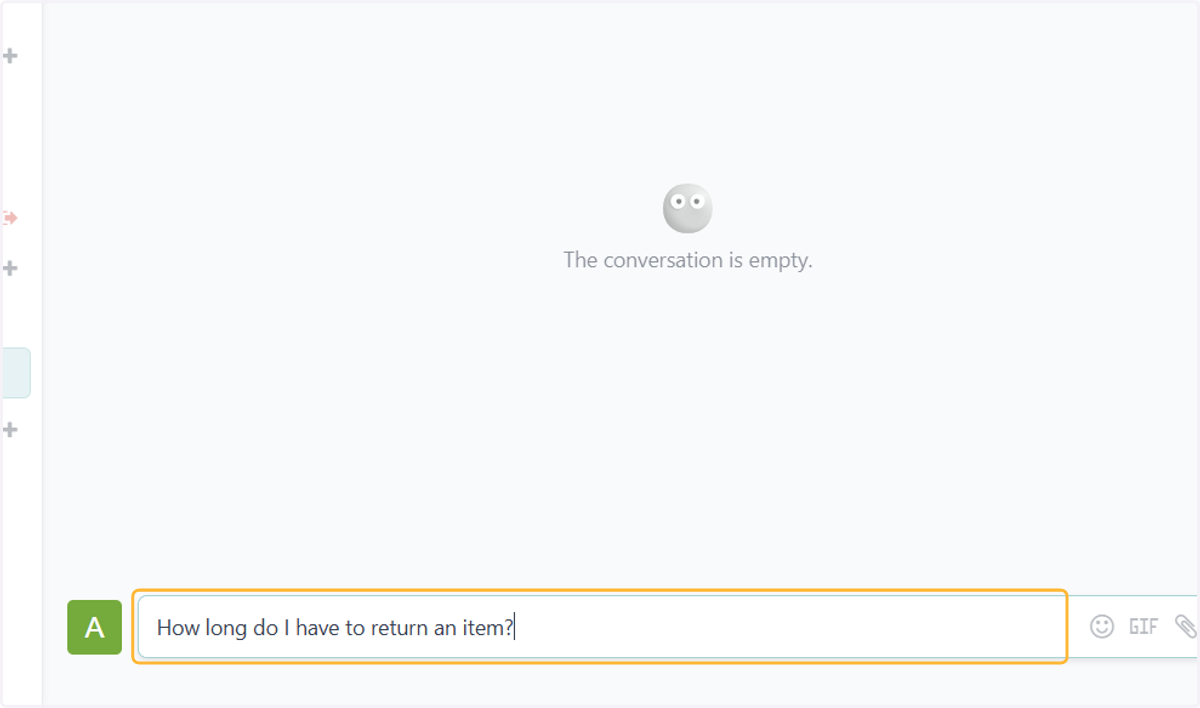
2. Type a question and press Enter.
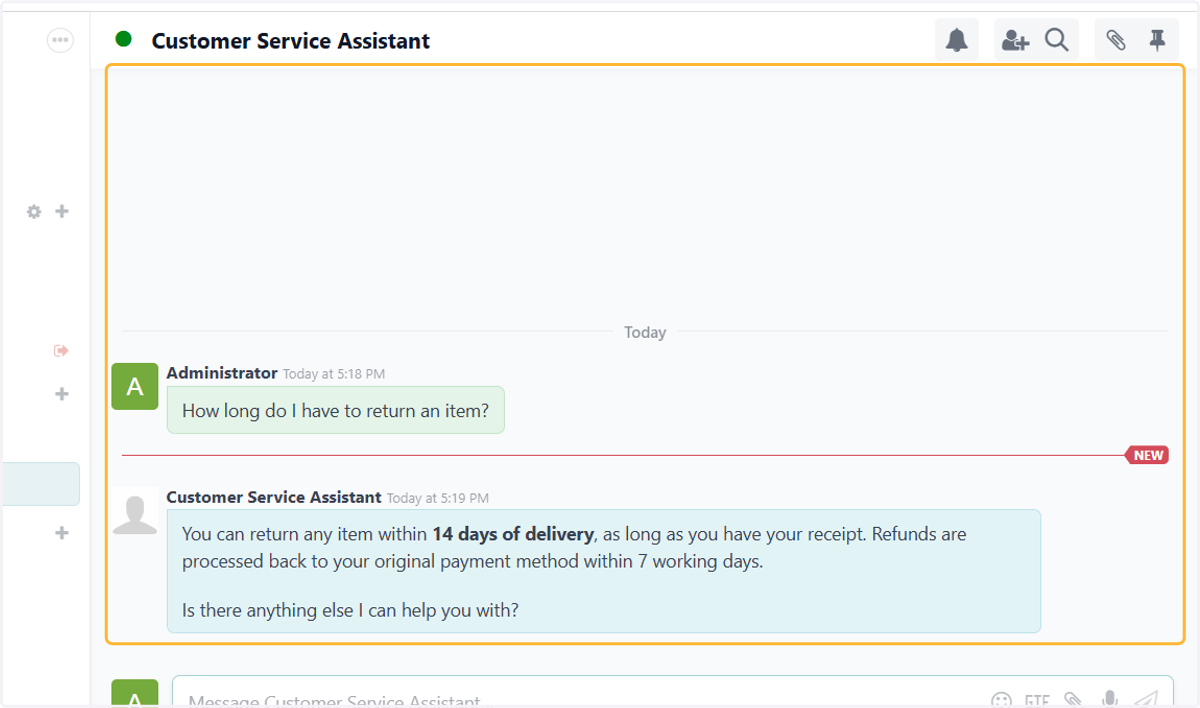
3. The agent answers from its instructions and documents. This is the quickest way to check it before you turn it on for customers.