2027 Navigating the Graduation Ceremony at Lehman College
An Email will be sent from Student.Affairs@lehman.cuny.edu: Action Required: Lehman College Graduation: Confirm Attendance, Claim your Guest Tickets
An email will be sent from Student.Affairs@lehman.com which will provide you with the Tassel login link. You will have to enter your CUNY Account credentials before accessing the Tassel RSVP page.
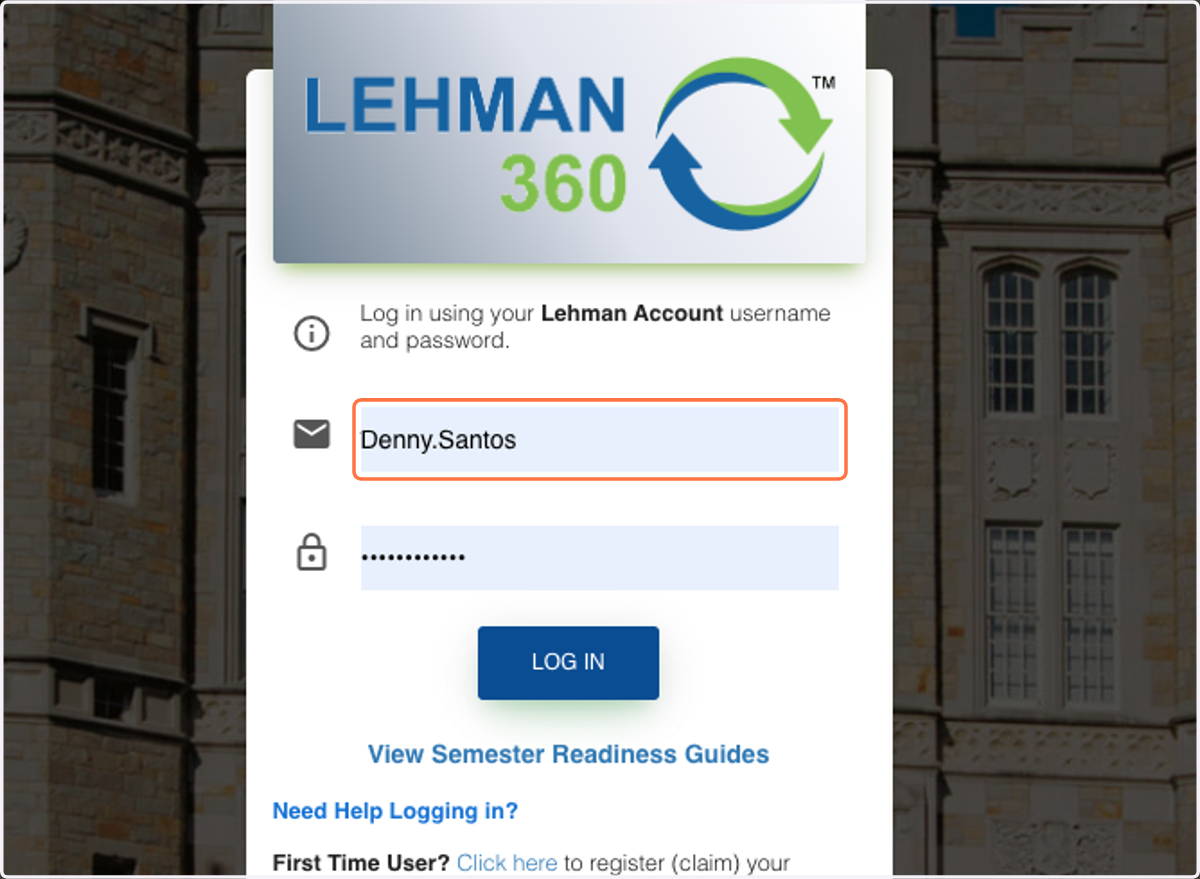
1. Type Username to login
Tassel Site
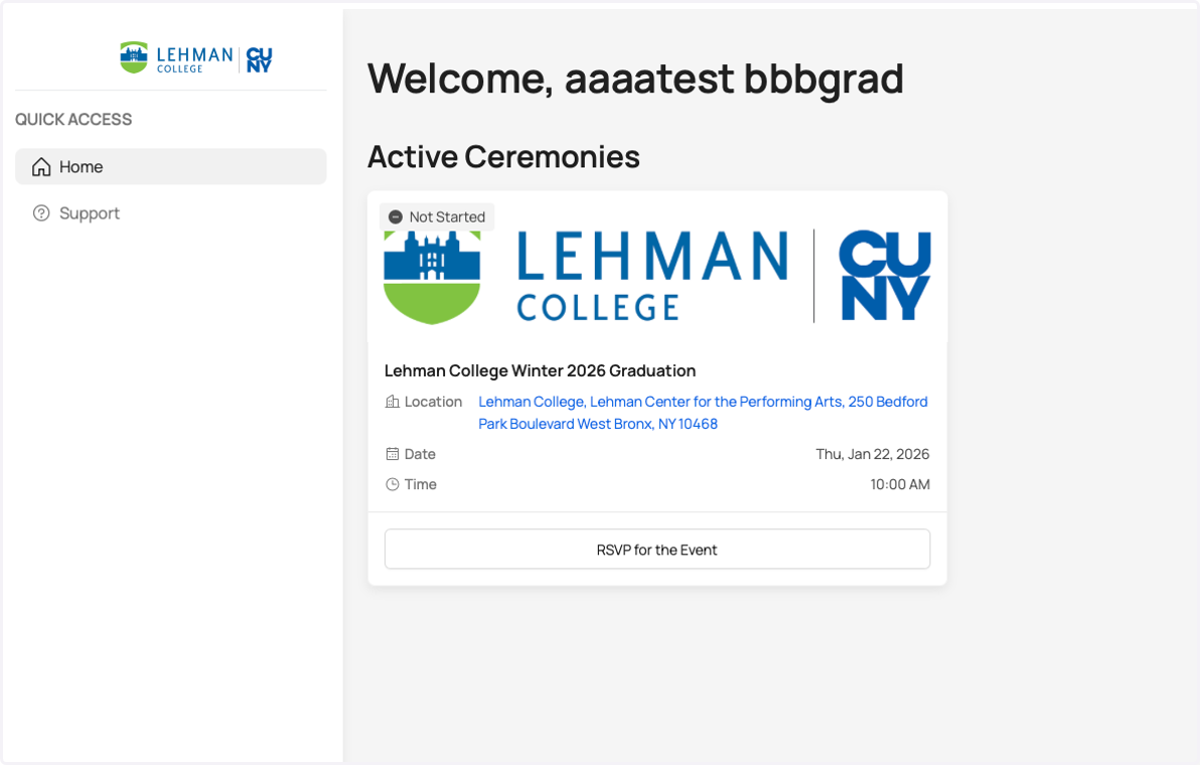
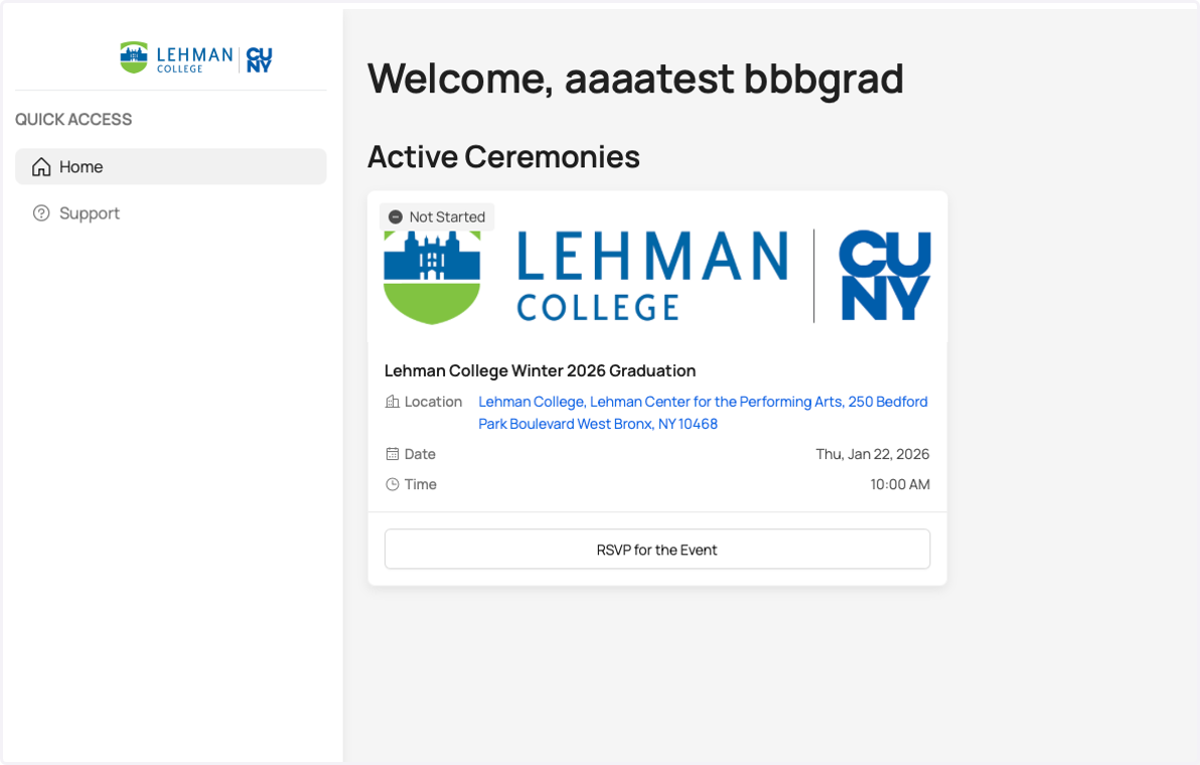
2. You will Navigate to the Tassel RSVP Site
This is the Tassel site, you will click on the button "RSVP and Claim your Guest Tickets". You will be returning back to this page several times before the ceremony, we will advise you to bookmark and save this page so you are able to return at any time.
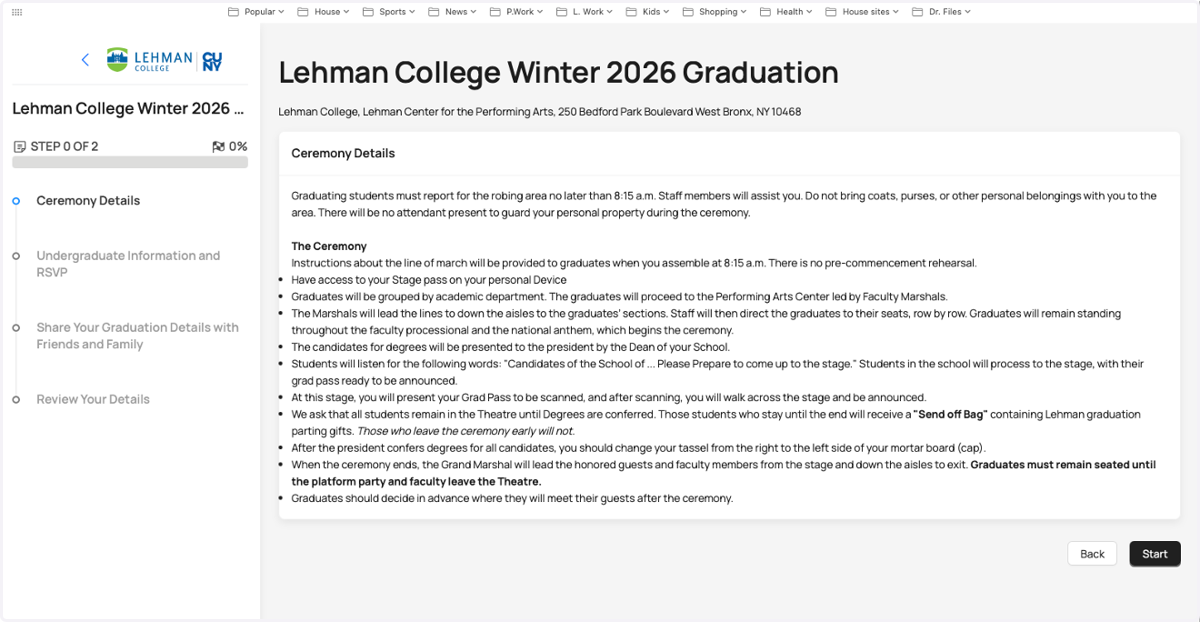
3. Commencement Registration Page
You will Navigate to the Commencement Registration page, here you will find ceremony information specific to the graduate.
Confirm, ProNouce
Is the next section of the Tassel website you will confirm your attendance, and confirm name pronunciation
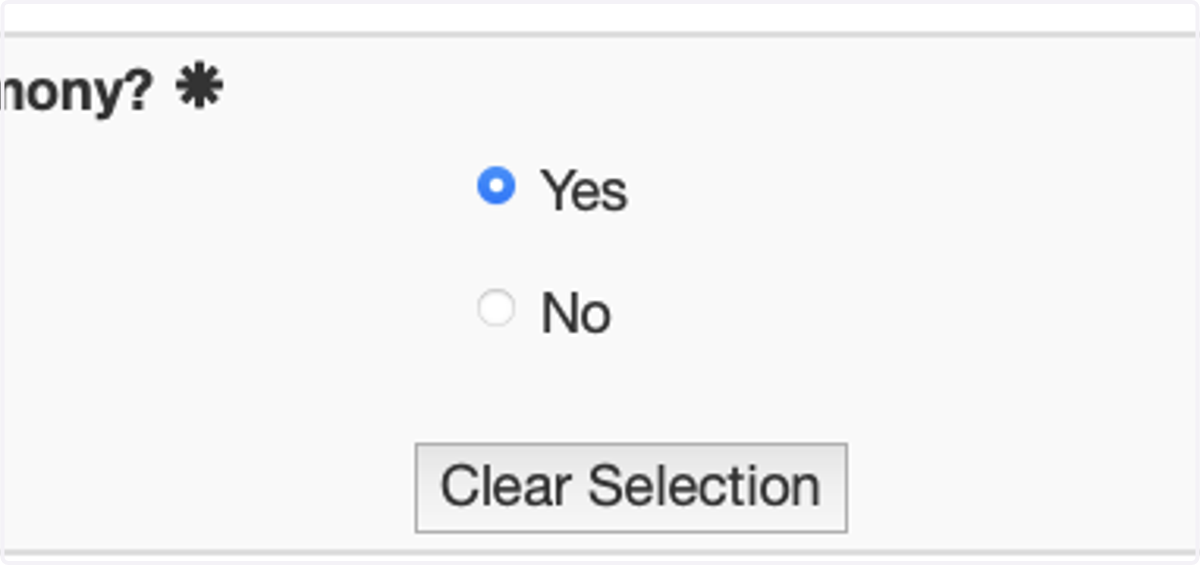
4. Confirm your Attendance to the Lehman Commencement

5. Select Yes
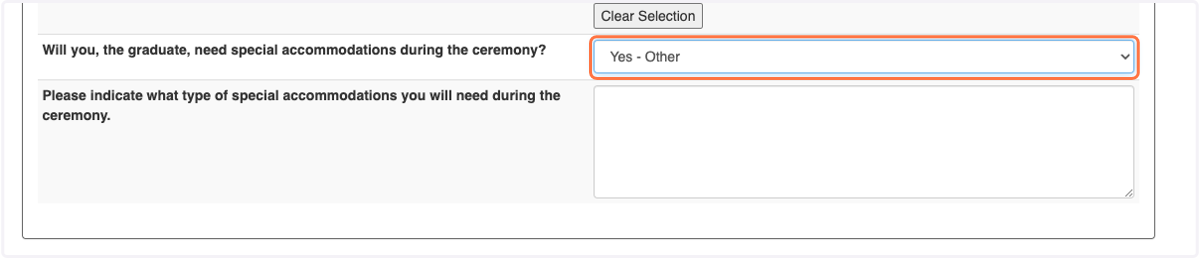
6. Select Yes - Special Accommodations question
If you confirm that you will attend, a special accommodations question will appear if a special accommodation is needed. Please select one from the drop-down menu. This information will be provided to our student disability services office. If you do not need accommodation, select NO and move onto the next section.
7. Official Name/Preferred Name
The name on file will be presented to the student with also a Preferred name option. If the name on files and your preferred name are the same, no need to enter additional information in the textbox. If you prefer another name, please enter it here. The entered name will be used in the ceremony. All entered, names will be reviewed by staff to ensure appropriate edits.
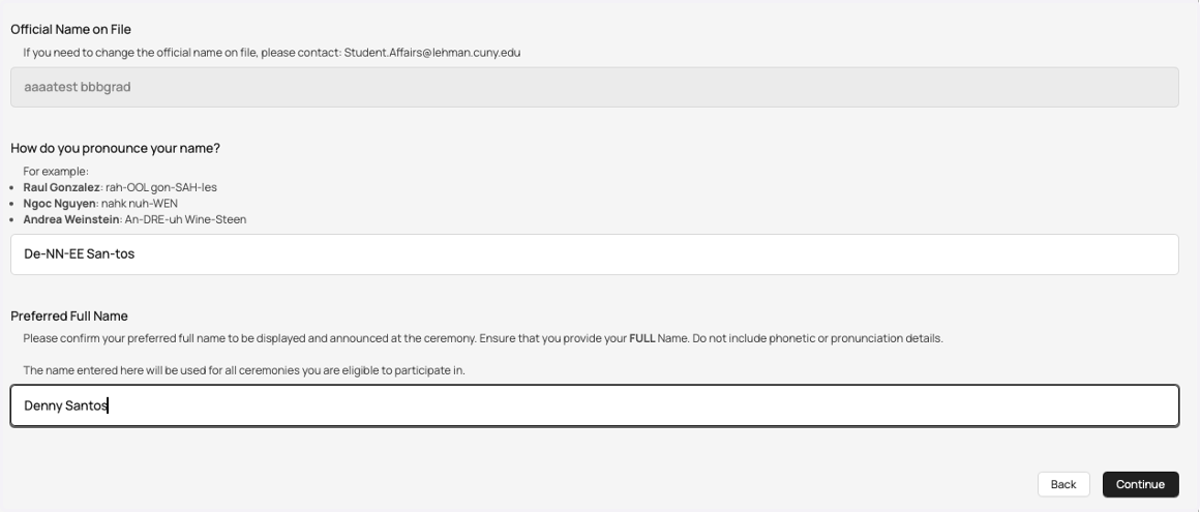
AI-Generated Name Pronunciation
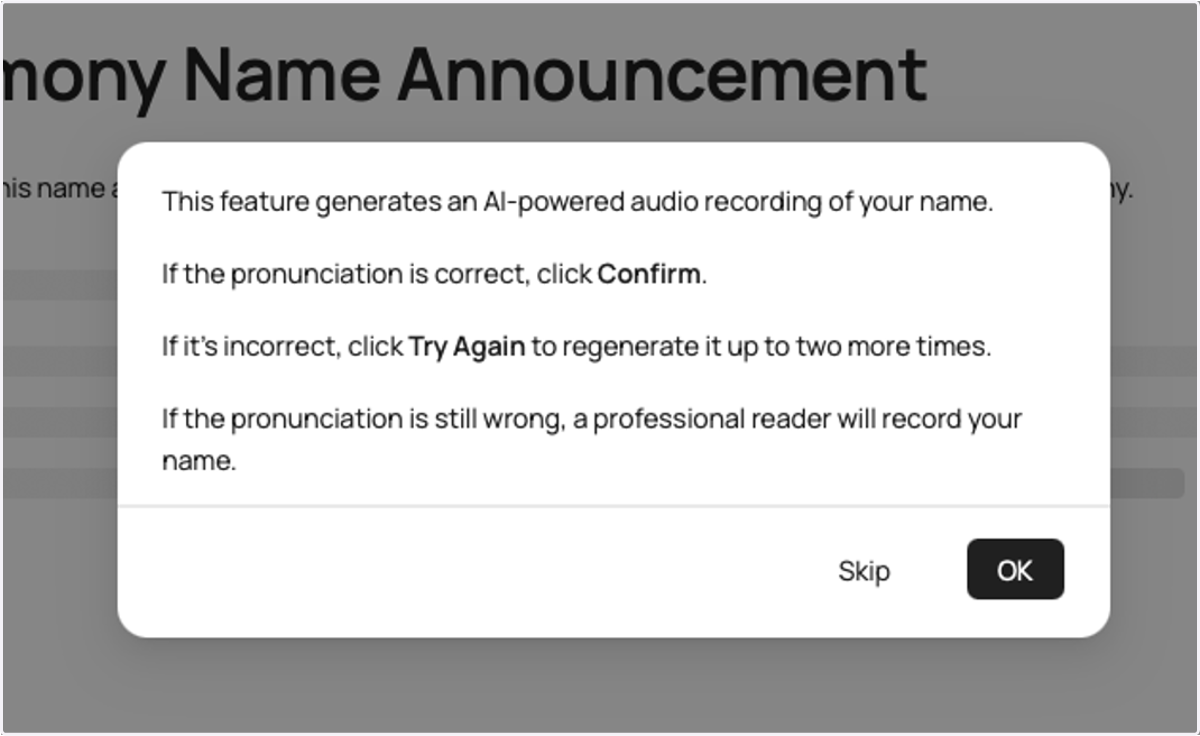
Graduates will see an announcement, noting that they will be using a feature that generates an AI powered audio recording of the name. The students will be able to listen to the audio recording and have the option to accept it or re-record the audio so that a live person can record their name for the ceremony.
8. AI-powered audio recording
The student must ensure that they read the announcement and hit OK before moving forward
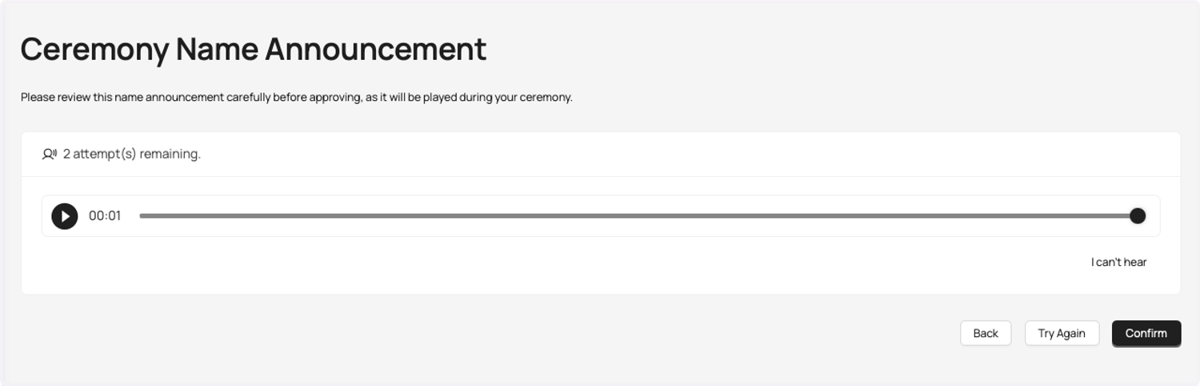
9. Record Your Name
Tassel will generate an AI recording of your name, which the student will be able to listen to once generated. Once played, the student can either accept the name or hit reject. If they hit reject, a second version of the name will be played for the students to review. There's also one more opportunity to accept the name if, after three incorrect name generations, the student will be able to then record themselves saying the name.
10. Will ask you to specify
The system will ask you to specify which portion of your name was generated incorrectly. If one portion of your name was generated correctly, just click on that one portion. If both portions were set incorrectly, click on both portions of your name. You will then be asked to record the portion of your name that was said incorrectly
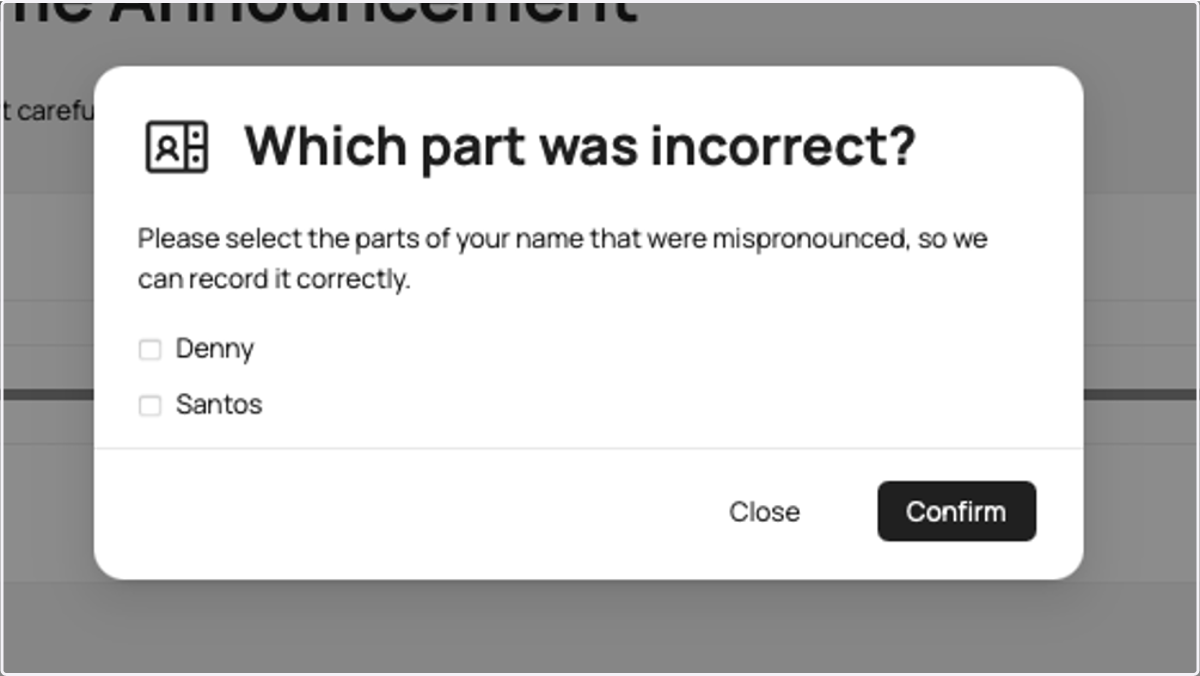
11. Optional: Record button example...
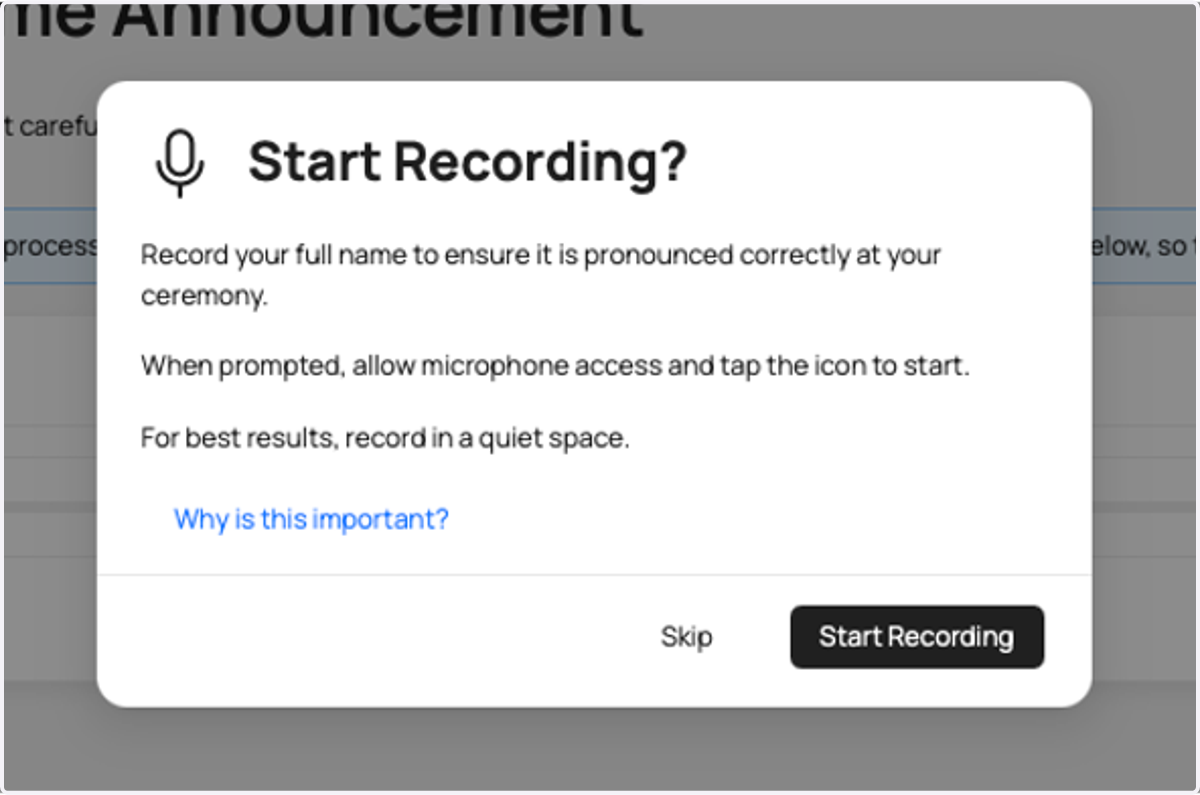
12. Optional: Record Audio example...
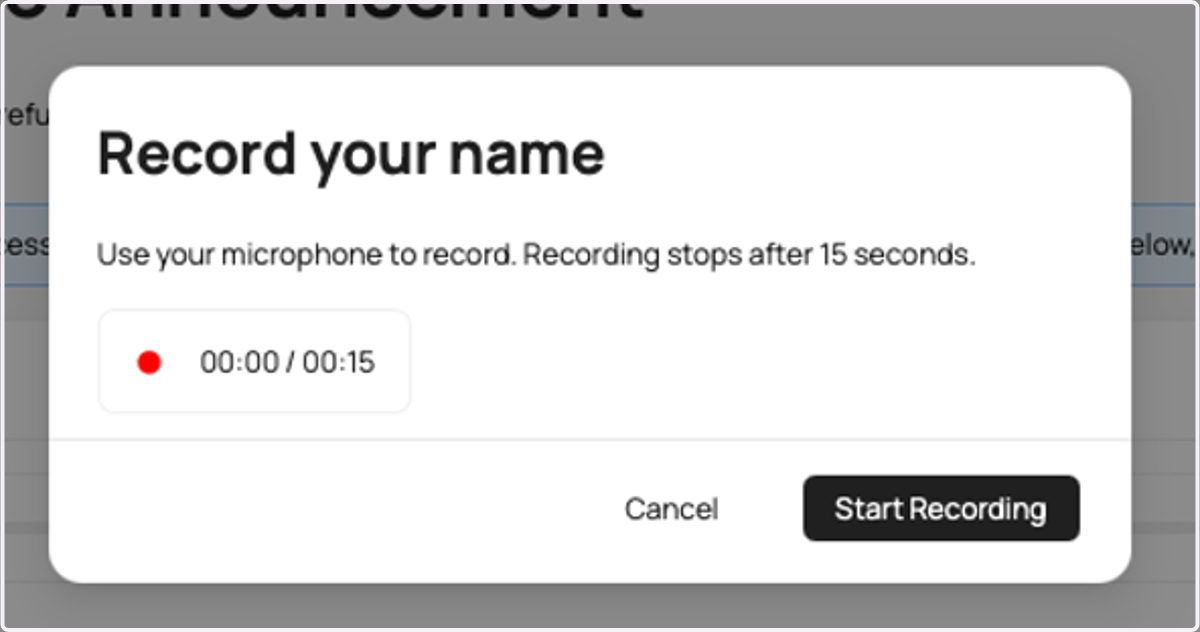
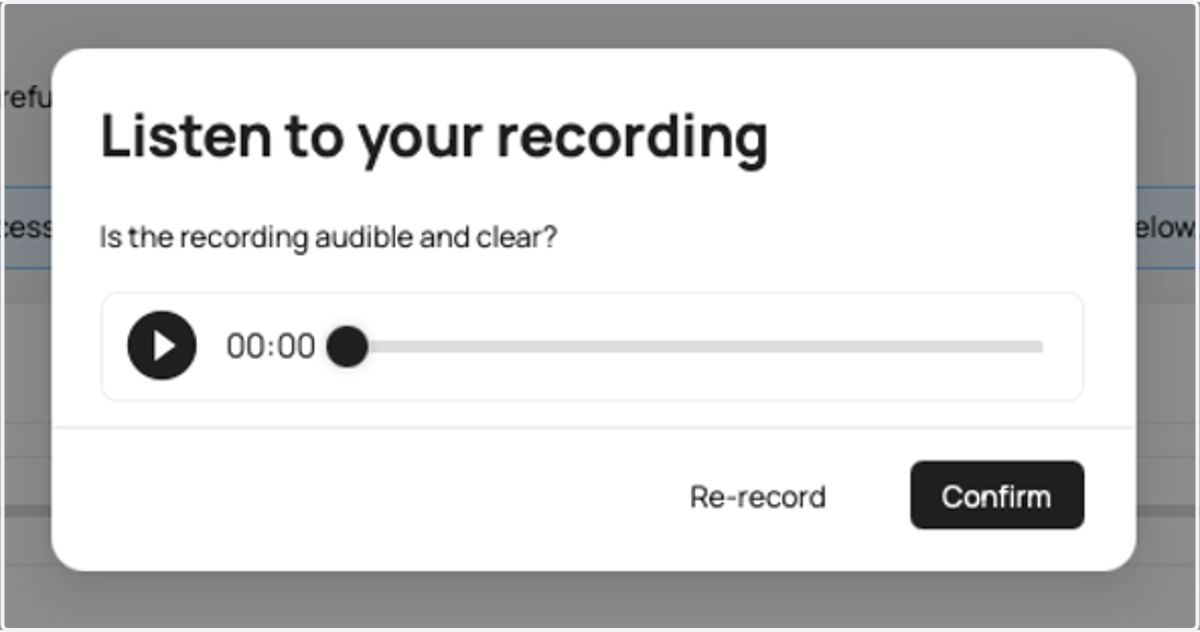
13. Playback recording
You can play back your recording to ensure accracy
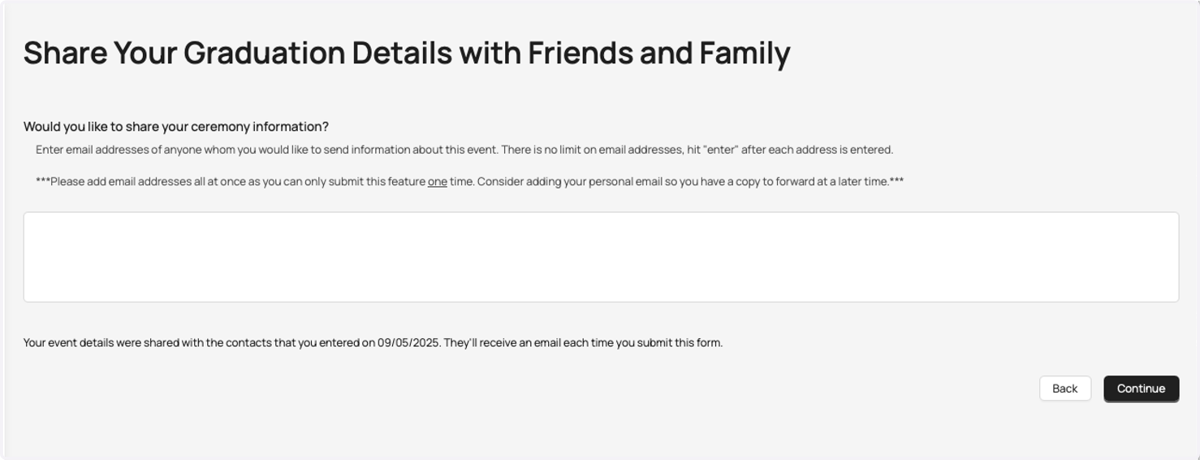
14. Share Event Information
You'll be able to share graduation ceremony information with selected family or friends: You can place email addresses in this section, separated by commas, to send to friends and family.
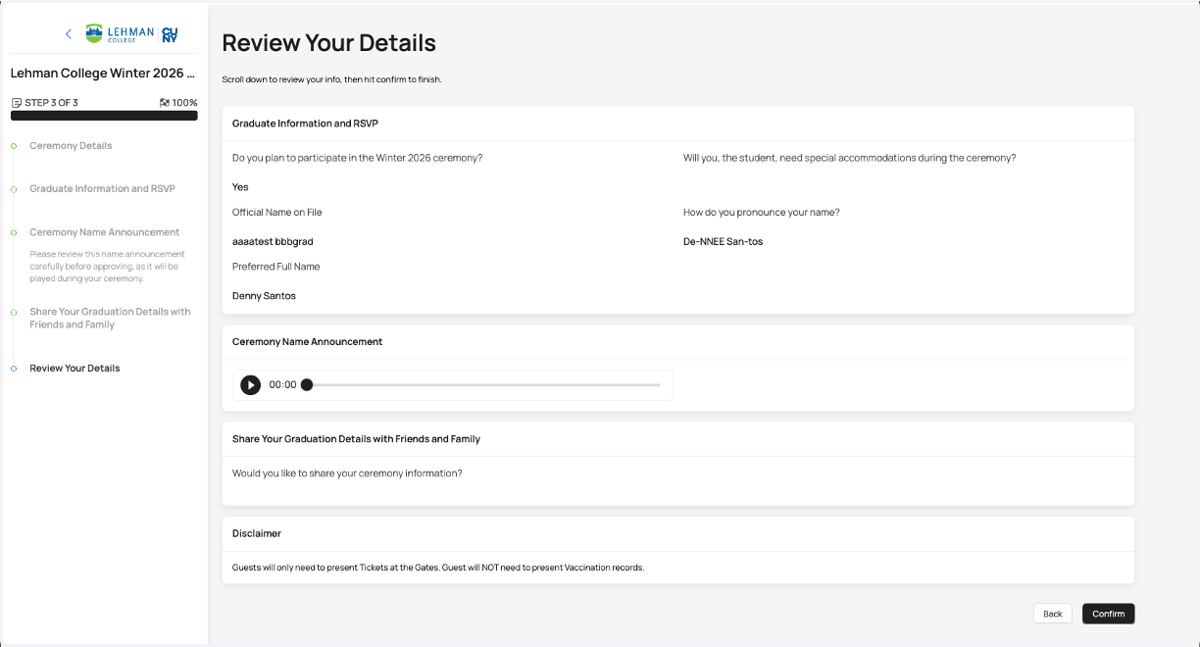
15. Review Your Details
Before submitting your details, there will be a full summary page that will be shown to you so you can review the details of the answers provided in the previous pages. If you are satisfied with all the details in this summary page, please hit the confirm button on the bottom right of the page.
16. Hit Submit on the form
Once you confirm, you will see this page, which indicates that you have submitted the form. You will also receive an email to your inbox with a full summary of the answers provided in this form.

Claim Guest tickets
All Guest tickets will be available to Students at the Lehman College Performance Arts Center Ticket office
17. Claim Guest tickets
All students who RSVP for graduation ON-TIME will be guaranteed 3 guest tickets inside the Lehman PAC. Must bring your ID to pick up tickets. Seats will be assigned within the theatre. No general admission tickets
Tickets will be available for pick up at the Lehman Performing Arts Center box office starting on December 1 for all students to pick them up on behalf of their guest.
Late Students will be granted 3 tickets in the Overflow room, Lovinger Theatre. The event will be simulcast in Lovinger Theatre. Overflow tickets will be distributed electronically through the Tassel System.

18. Navigate to the Tassel Site
You will be returning to this page several times before the ceremony, so we advise you to bookmark and save this page so you are able to return at any time.
19. End Result
Completing all the steps well, allow the system to create a set of "lower thirds" that will not only announce your name to the ceremony audience but also develop a banner that will show your Name, the Department you are graduating from, your Degree, and the School to the audience.