Add a Default Ship From and Pick Up Address
This default address is used when generating shipping labels and for carrier pickups.
Pack & Kin
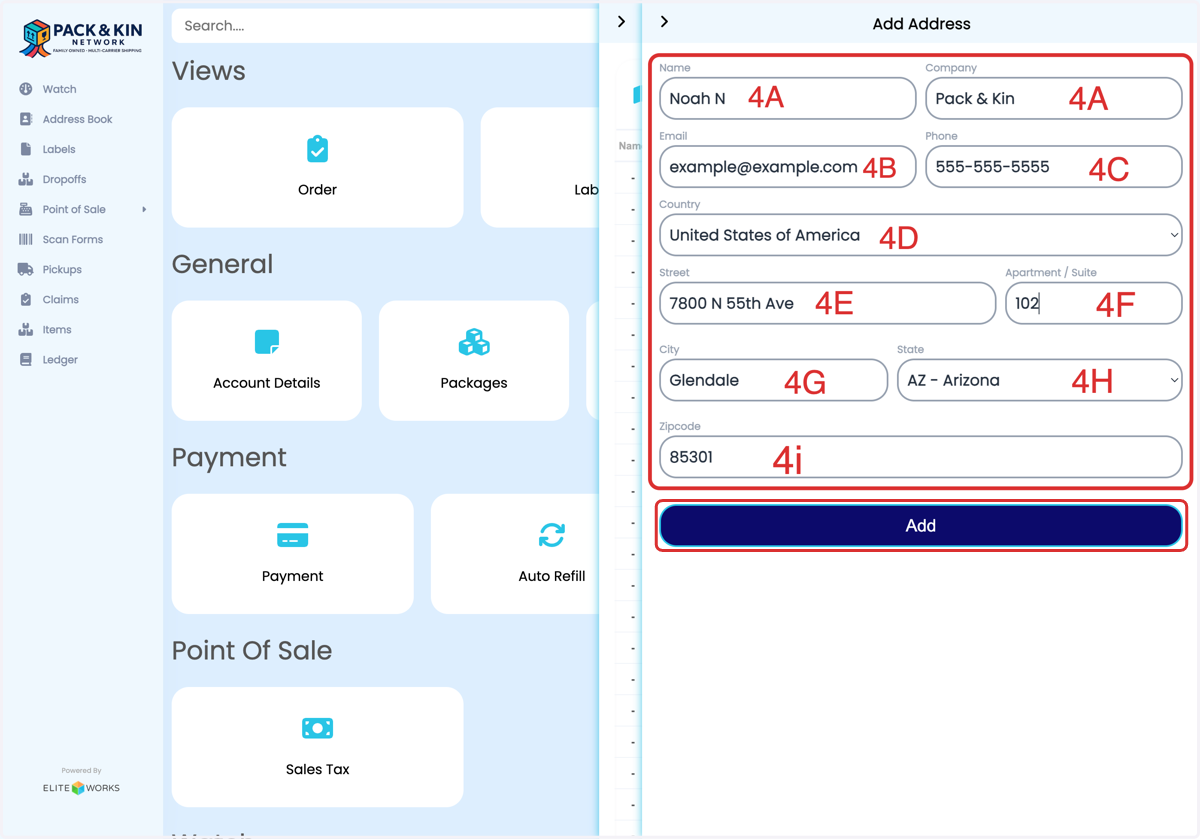
1. Select the Settings icon in the top right corner of the display.
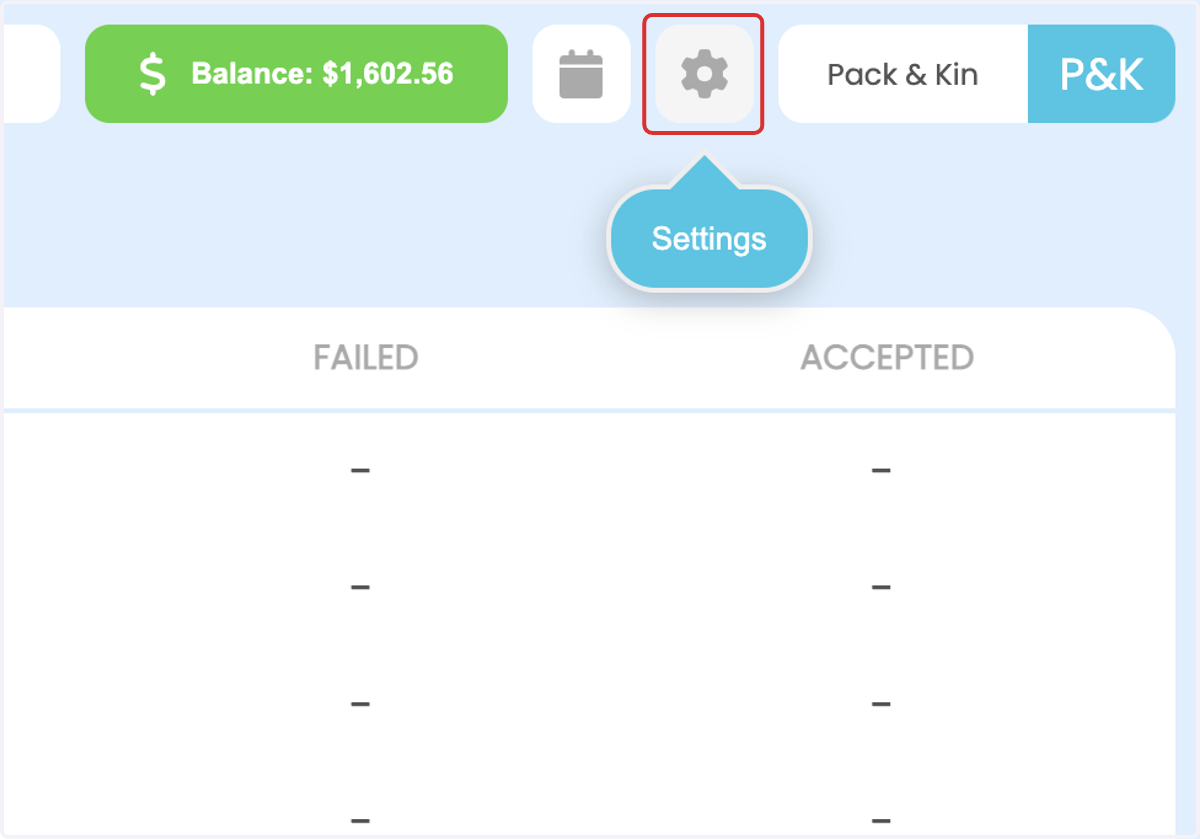
2. On the window that appears, select the Ship From Addresses button.
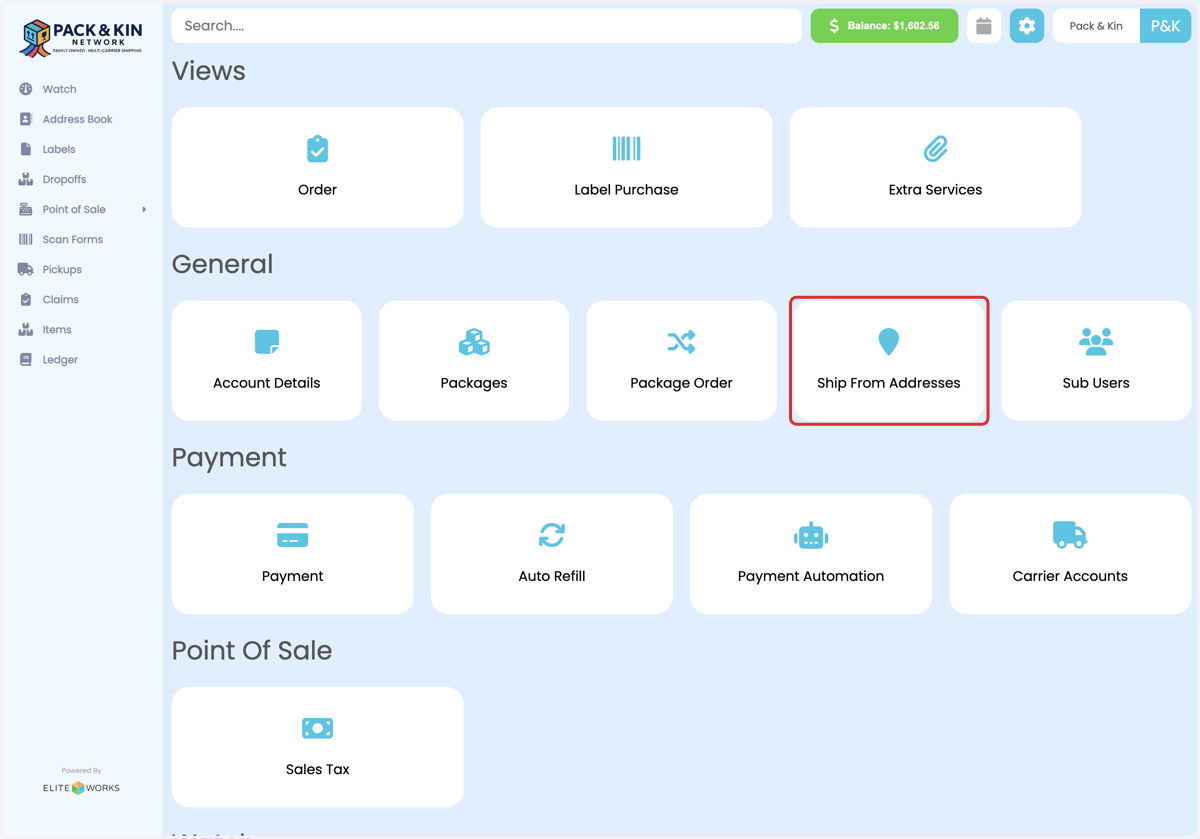
3. Select the Plus button on the window that displays on the right side of the screen.
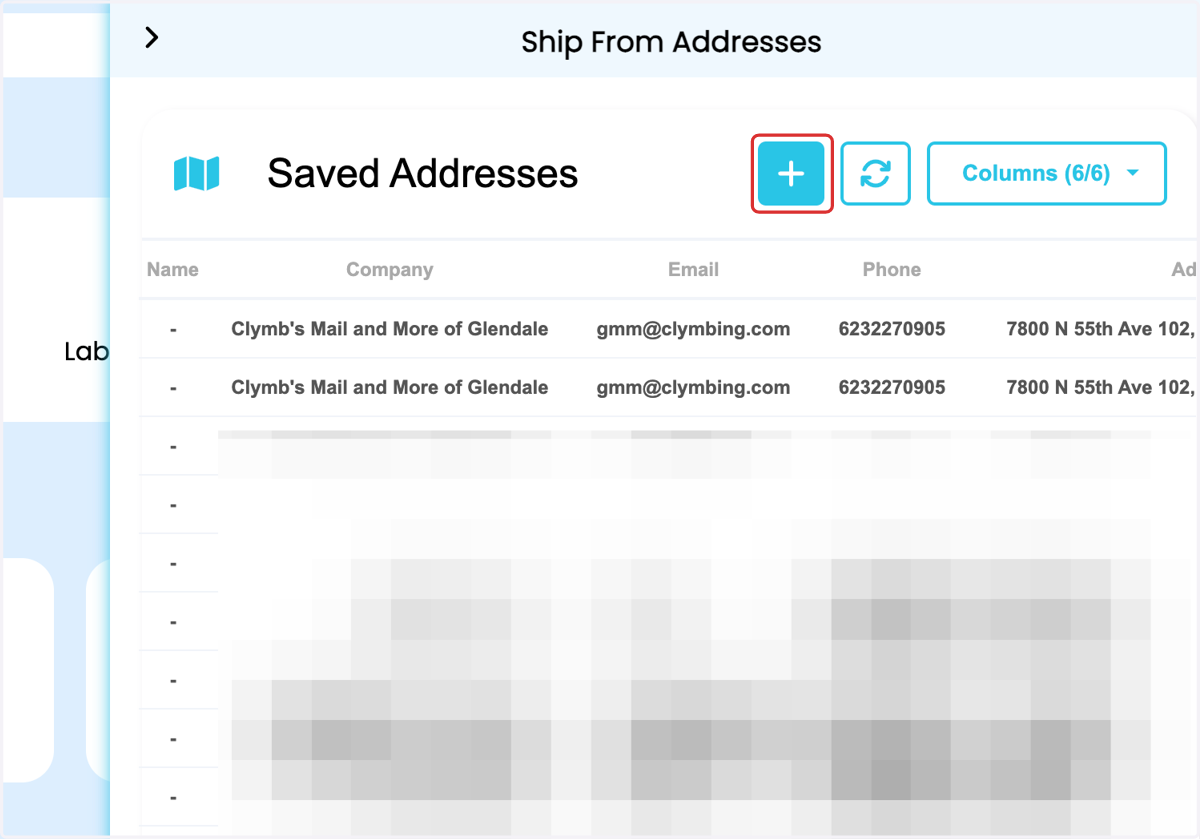
4. Fill out the following fields on the address form for the Sender of the shipment, then select Add
A. Sender First & Last Name or Company*
B. Email
C. Phone Number**
D. Country (defaults to USA)
E. Street*
F. Suite Number (if the address is an apartment or business suite)
G. City*
H. State*
I. Zip Code
*Required for domestic shipments
**Required for international shipments