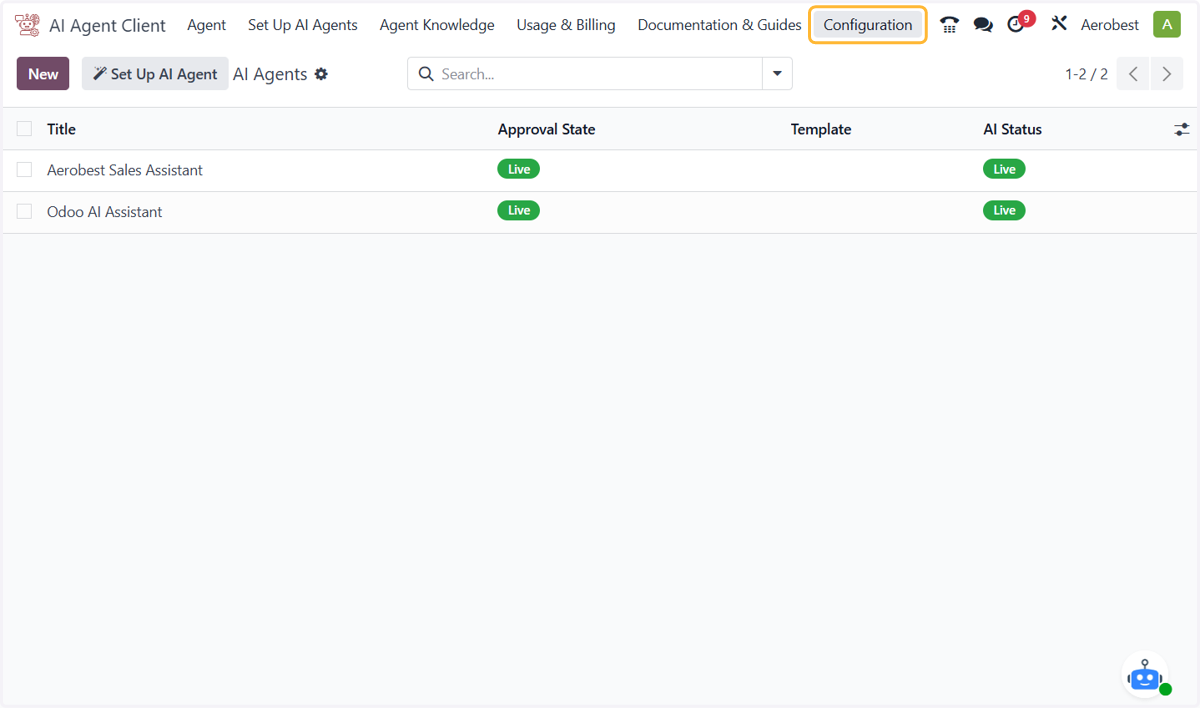
1. Connect to Wiz Asia and give a user access
Odoo
1. Open Configuration, then Connection and Registration Status.
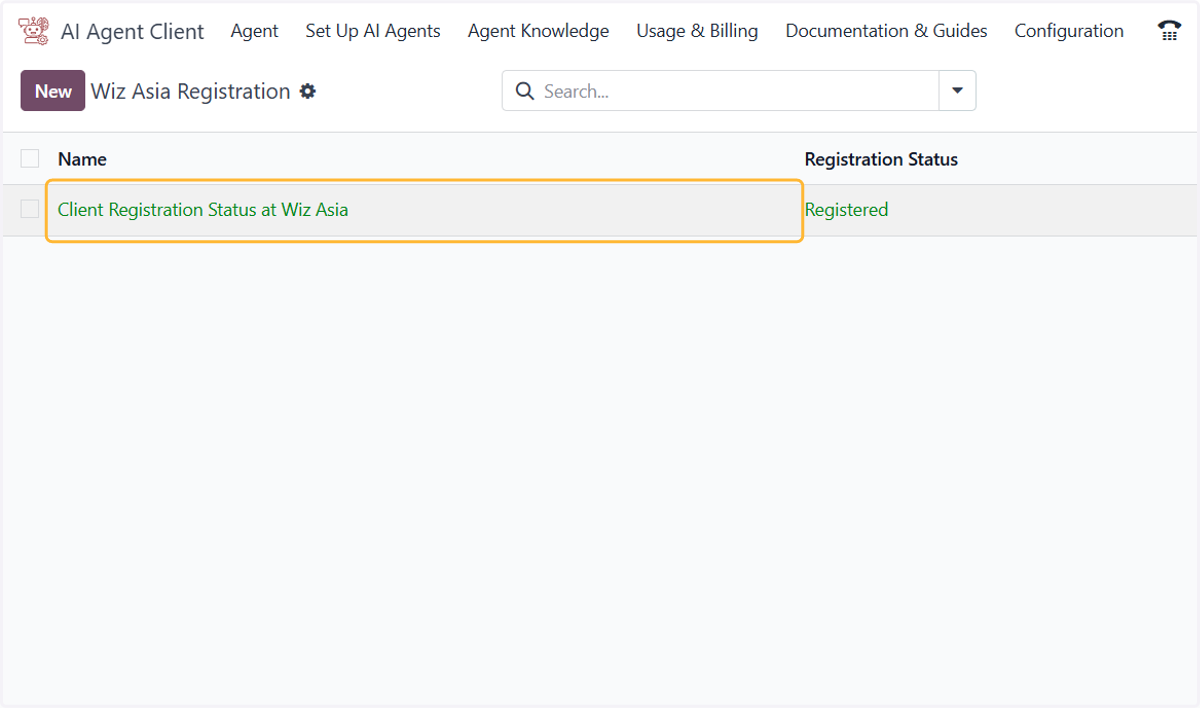
2. Open Client Registration Status at Wiz Asia. Your database connects to Wiz Asia automatically when the module is installed. Registered means it is ready to use.
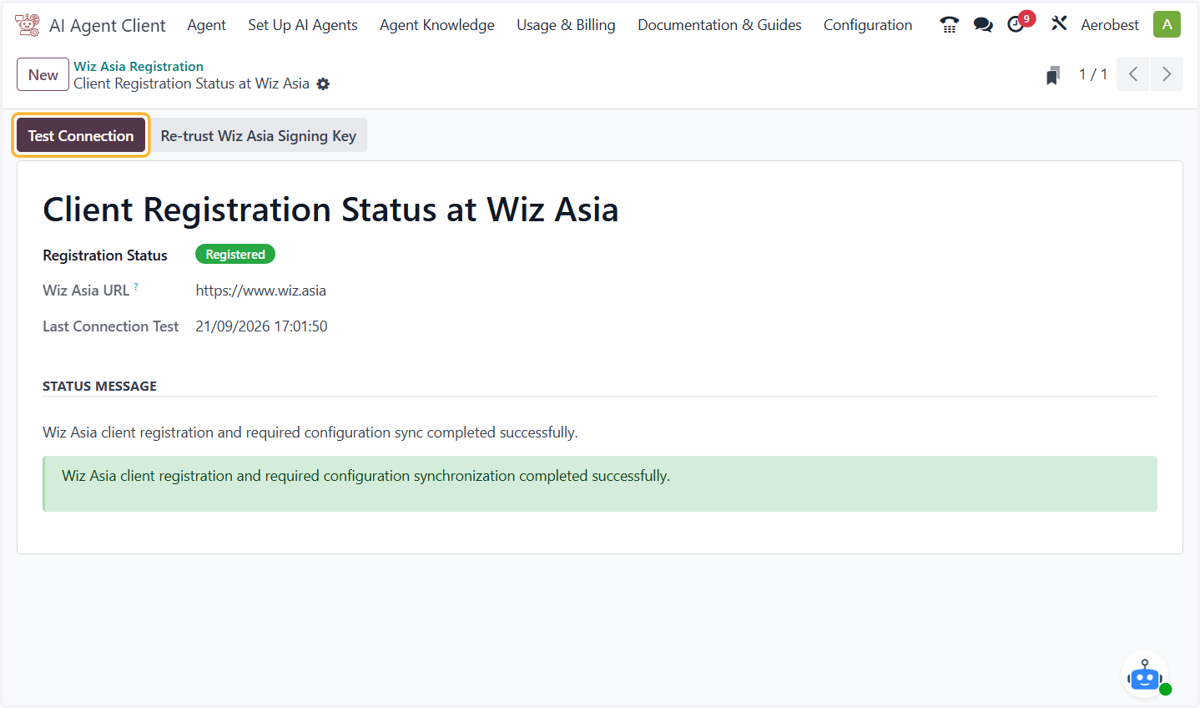
3. Click Test Connection to check the link to Wiz Asia at any time.
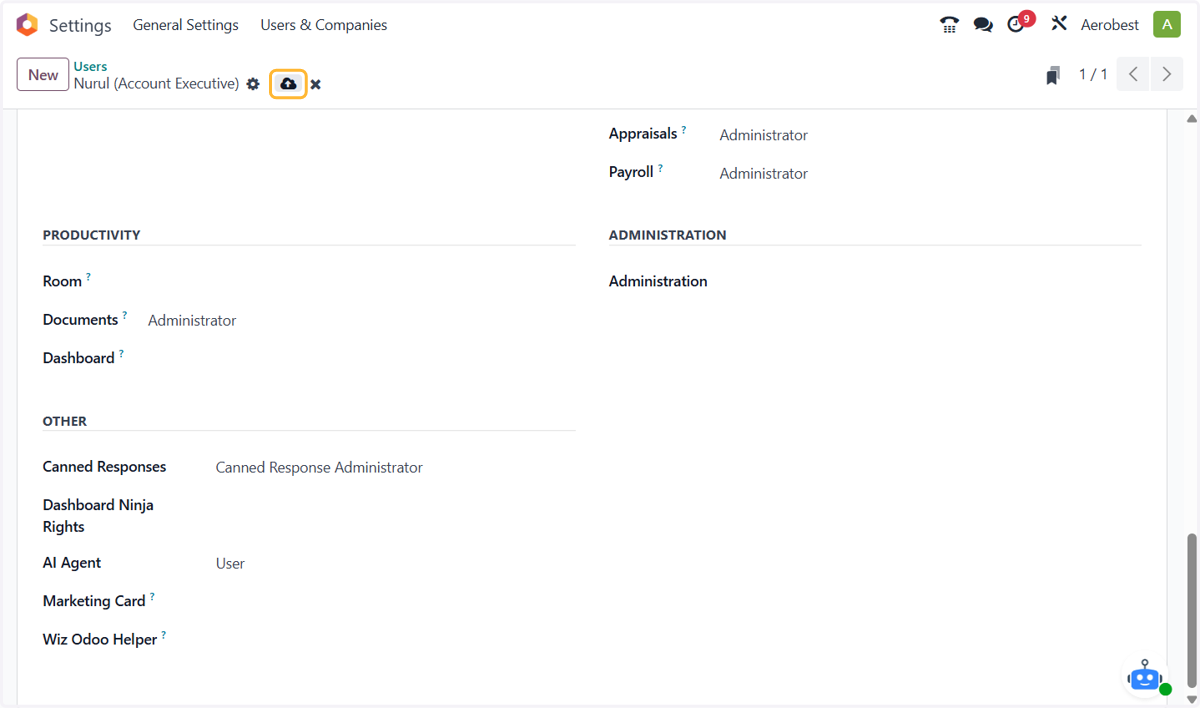
Provide User with Access
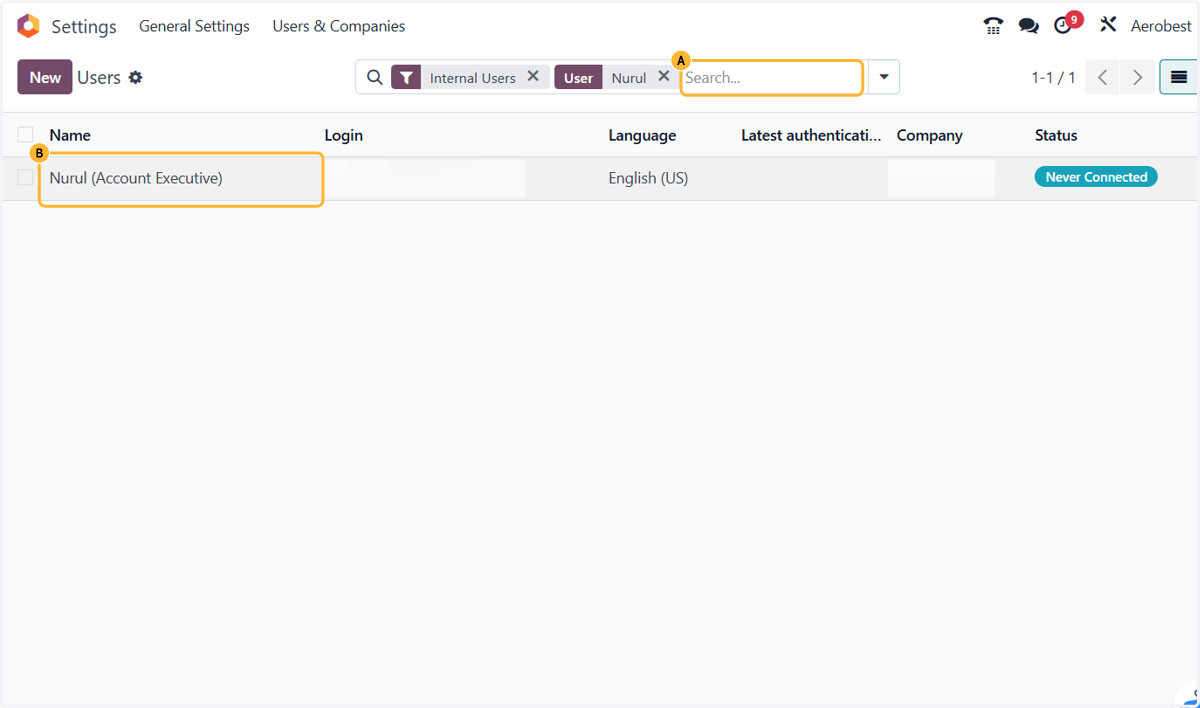
4. A. In Settings, click Manage Users and search for the user.
4. B. Open the user you want to give access to.
5. On the Access Rights tab, under AI Agent, choose User so this person can chat with your agents, or Administrator so they can also create and set up agents. Then click the save icon. The user now sees the AI Agent section in Discuss.