08_Using BLAST to identify your sample
A BLAST (Basic Local Alignment Search Tool) is used to compare DNA sequences. Now that you have your DNA barcode sequence files you can use a BLAST against a database of known sequences to identify the invertebrate that you sampled at the start of the project.
DNA barcode is the name given to the DNA sequence of a gene found in the mitochondrial DNA of all animals. The mitochondrial cytochrome oxidase subunit 1 gene is used as the DNA barcode. It is a useful tool for identifying organisms as the gene sequence is constant within a species, but varies between species.
Find the National Centre for Biological Information (NCBI) website with free software for DNA sequence comparison
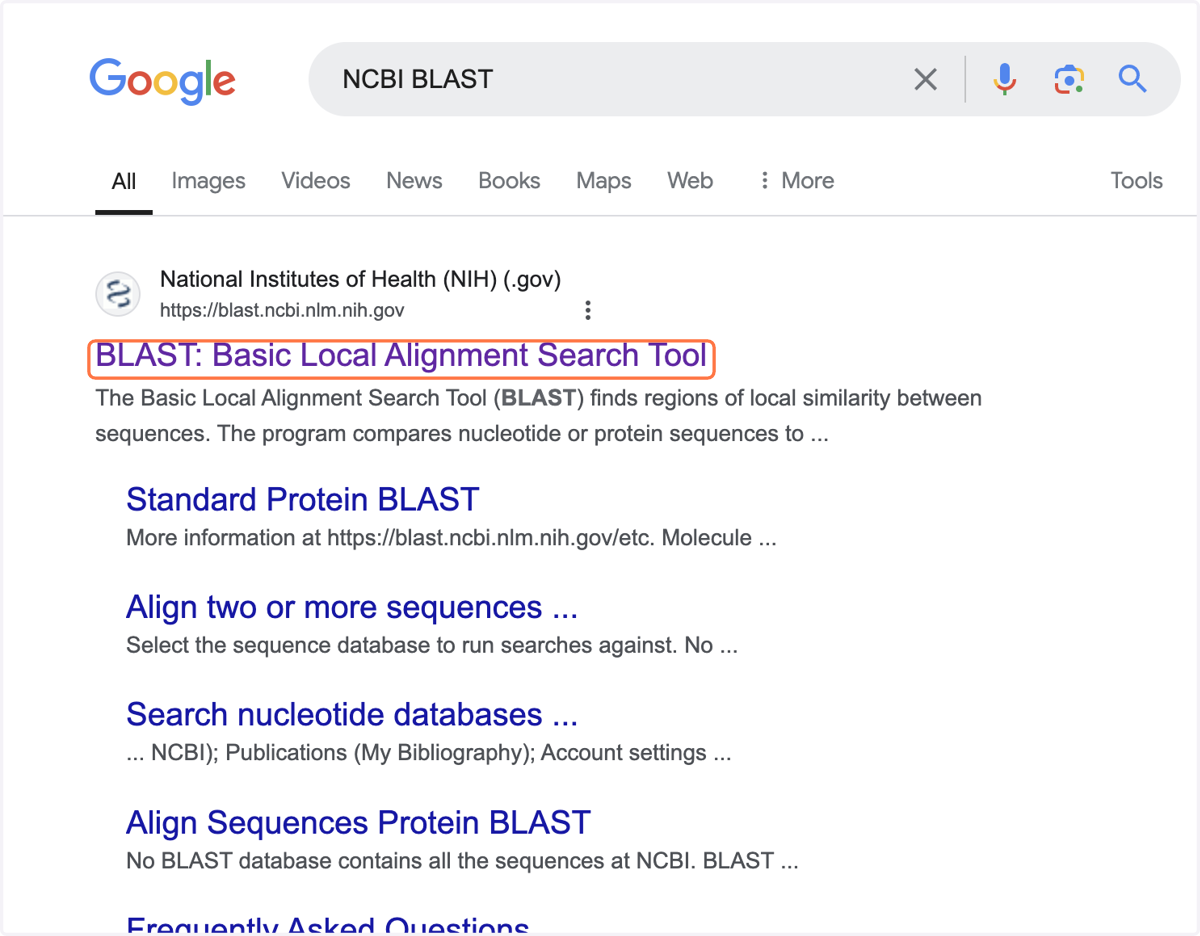
1. Type NCBI BLAST into an internet search engine.
2. Click on the link for BLAST: Basic Local Alignment Search Tool.
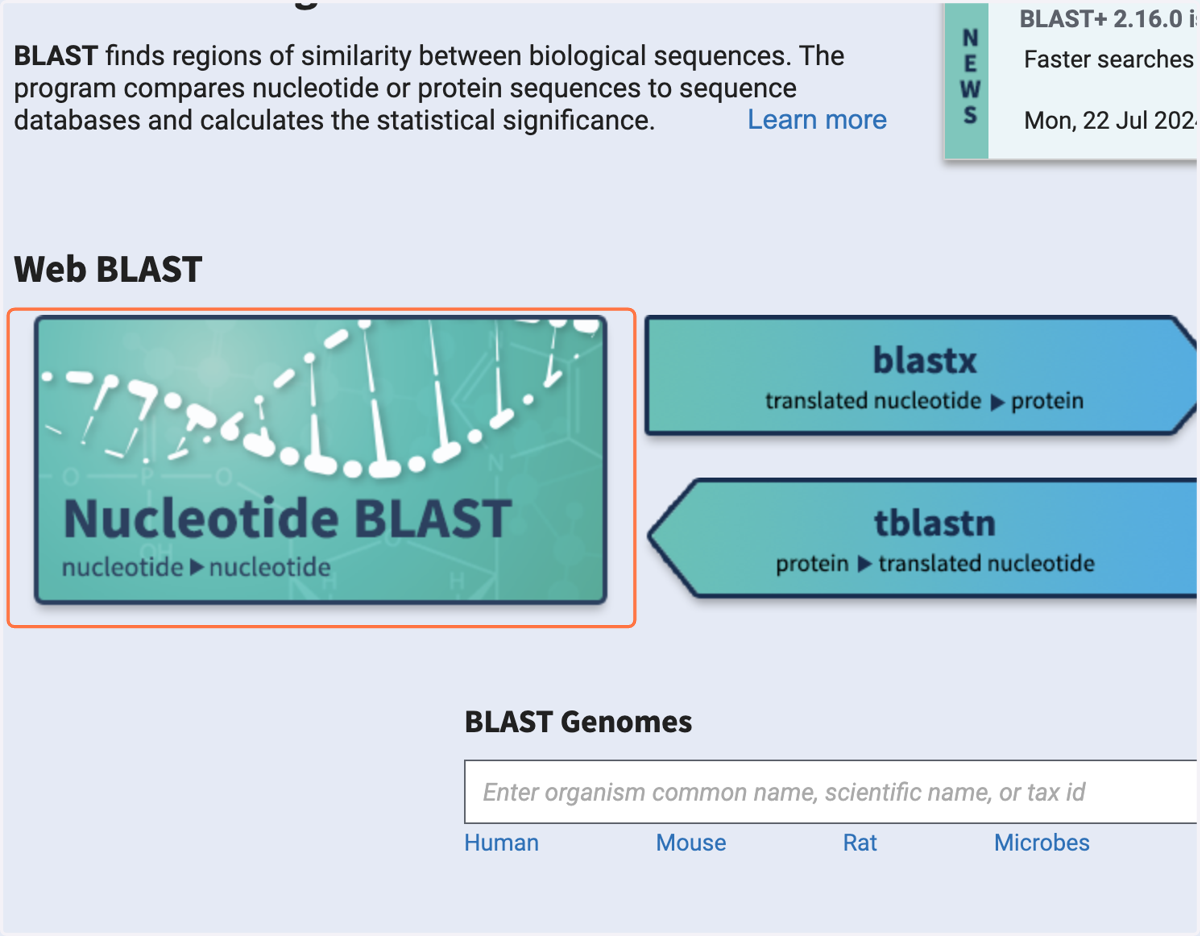
3. Select Nucleotide BLAST.
This should take you onto the blastn tab.
Match the DNA barcode sequence from your sampled invertebrate against a database of DNA sequences, to find which organism the DNA barcode came from
4. On the blastn tab, in the white box in the 'Enter Query Sequence' section, copy and paste the >, name and sequence for your DNA barcode.
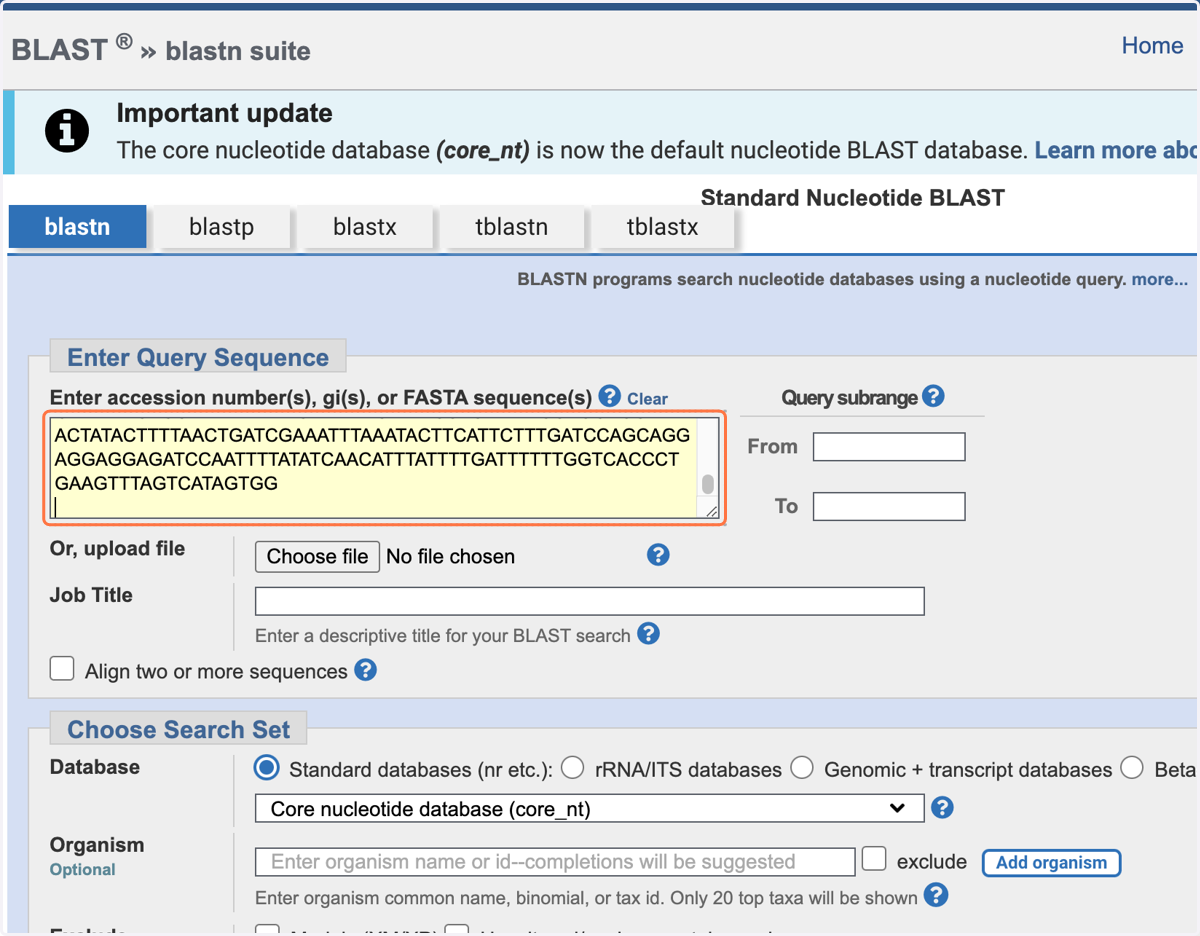
5. Use the accurate portion of the sequence file returned after DNA sequencing, saved in a new text file, in FASTA format.
6. In the 'Choose Search Set' section, the 'Standard databases (nr etc.)' should be checked.
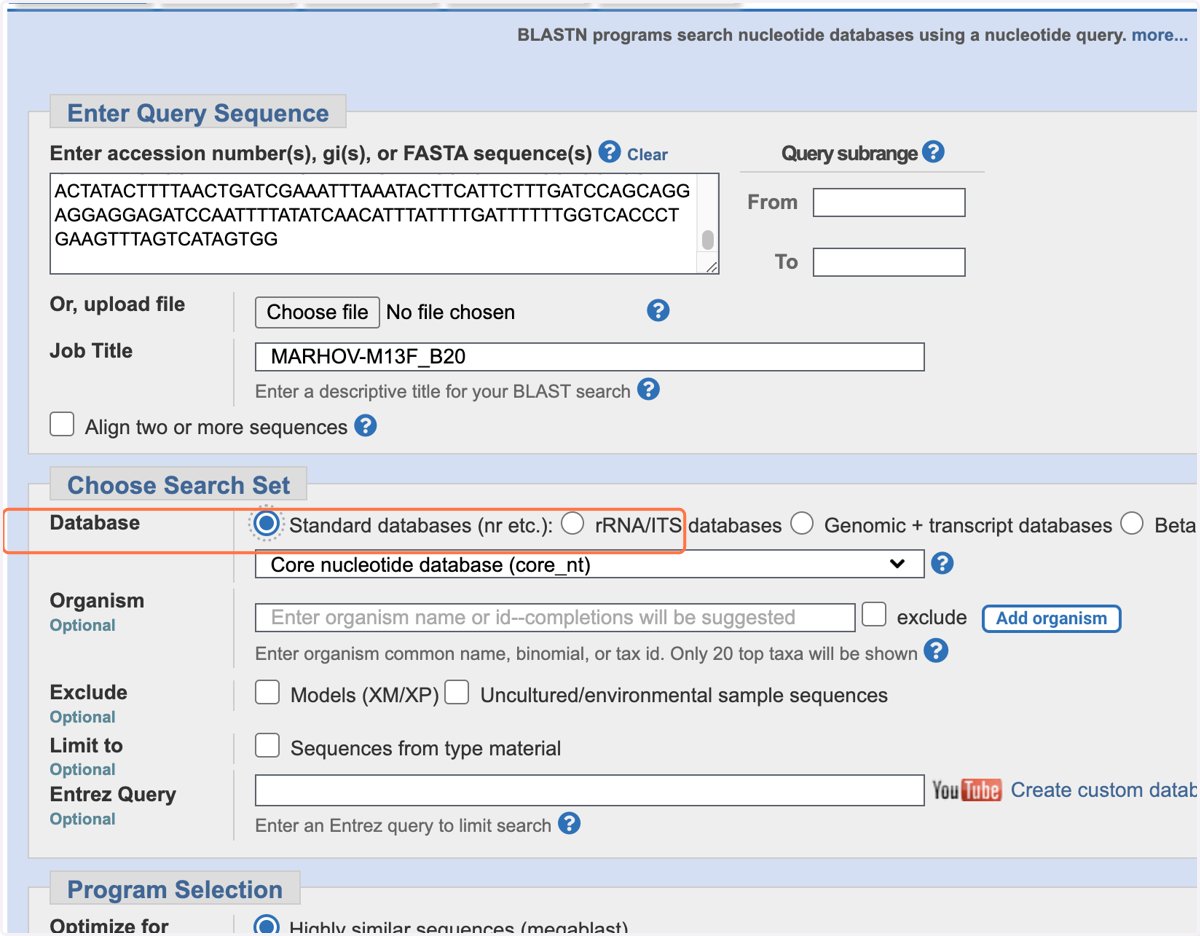
7. Select 'Nucleotide collection (nr/nt)' from the drop down menu.
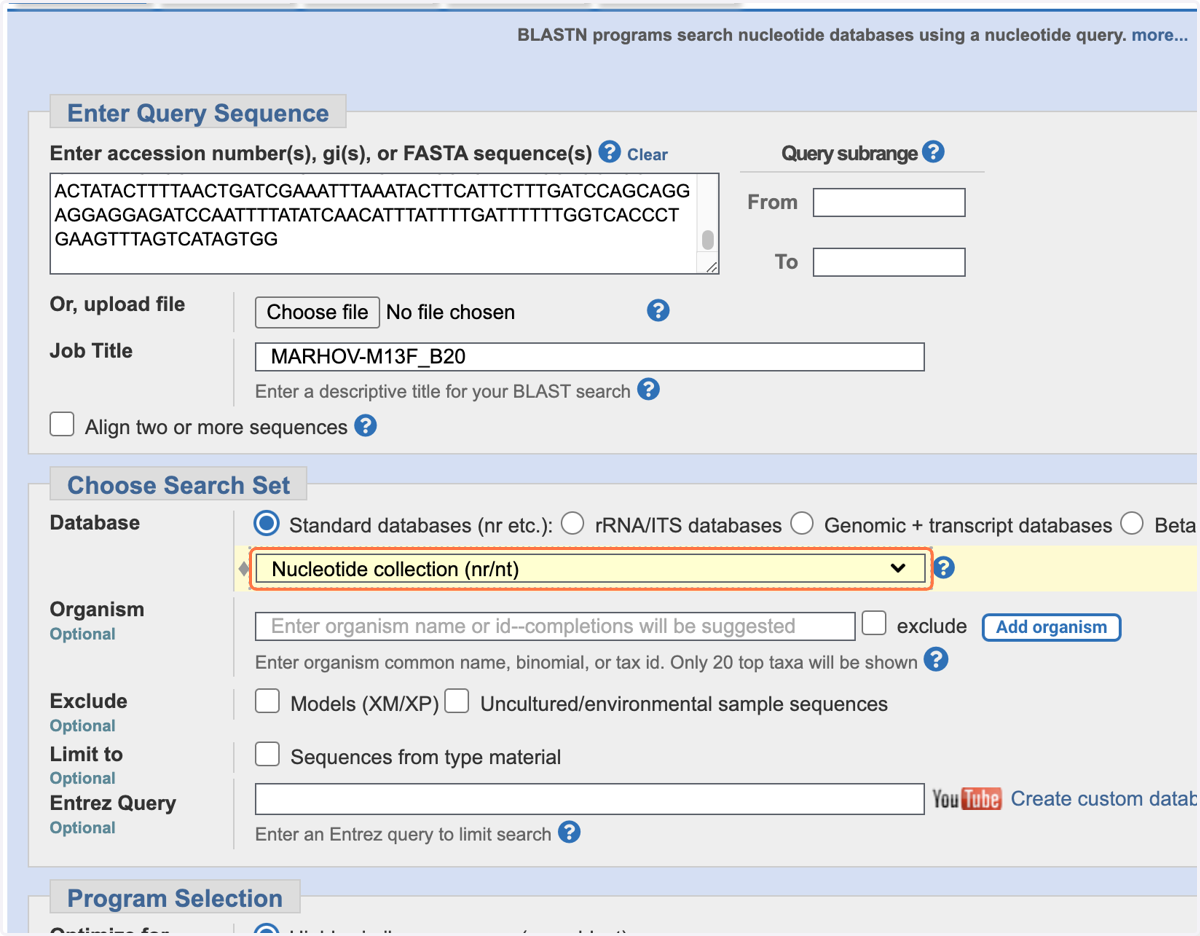
8. Copy the >, name and sequence for your DNA barcode.
9. In the 'Program Selection' section, optimise for 'Highly similar sequences (megablast)'.
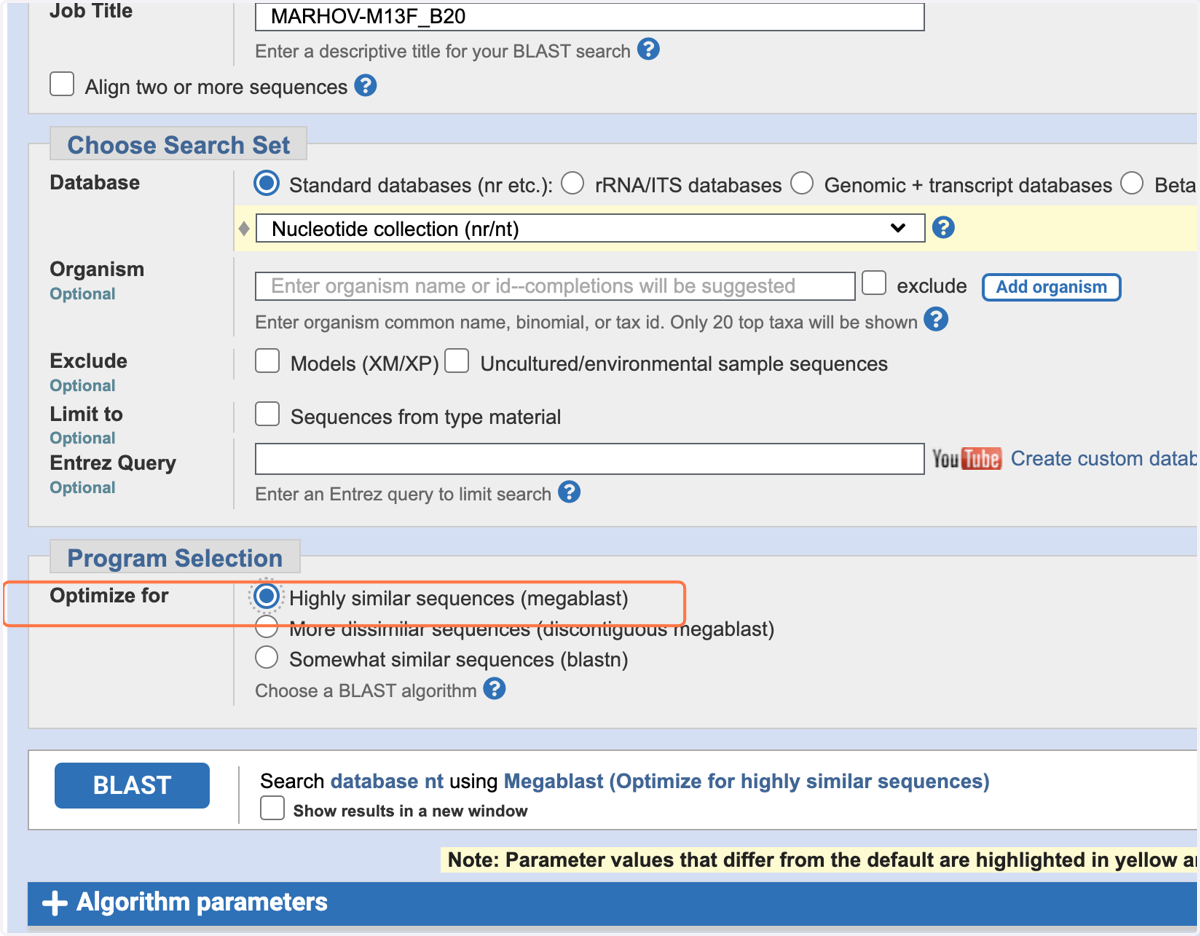
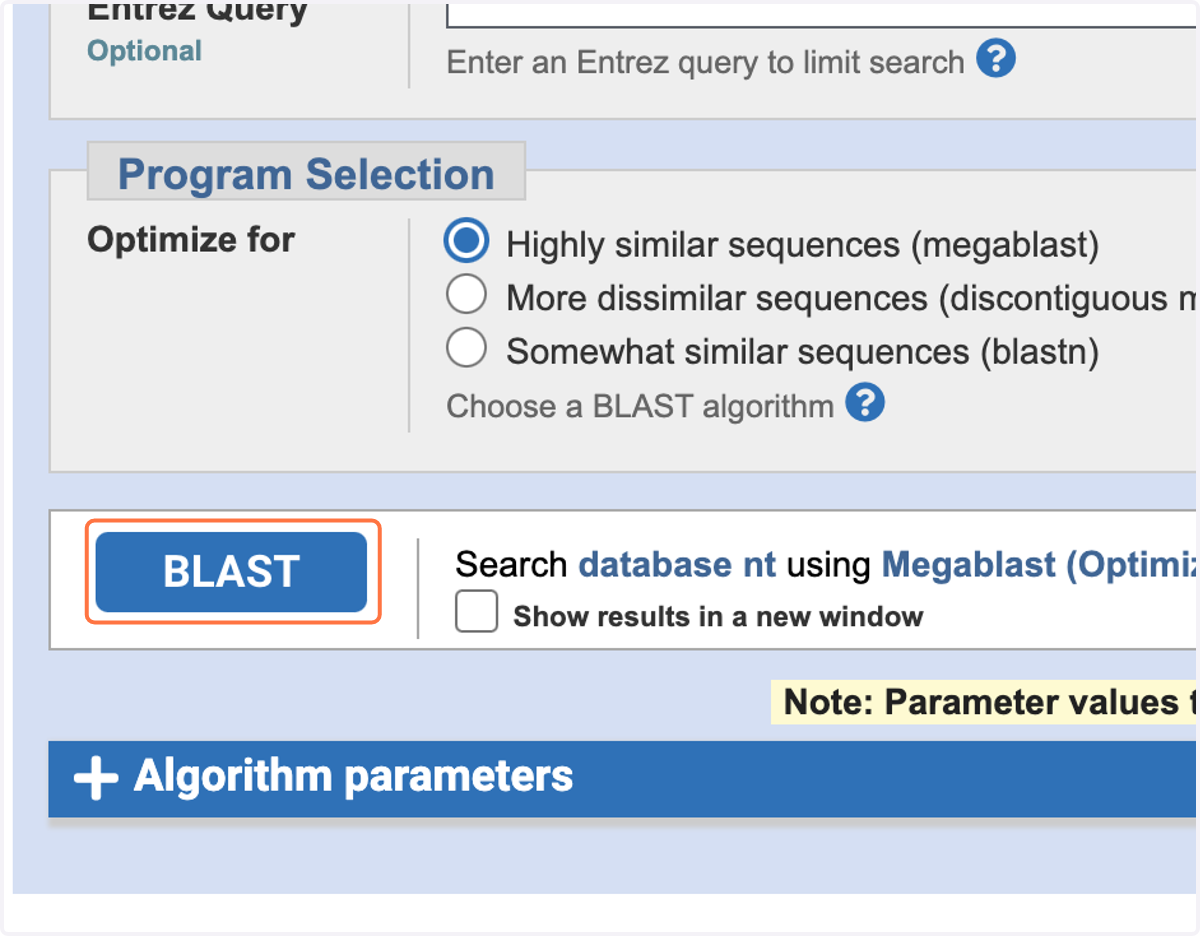
10. Click the blue 'BLAST' button.
Algorithms will try to find the best match for your DNA barcode by comparing it to all of the DNA sequences stored in its database. Depending on how many searches are submitted at the same time as yours this may take a few minutes.
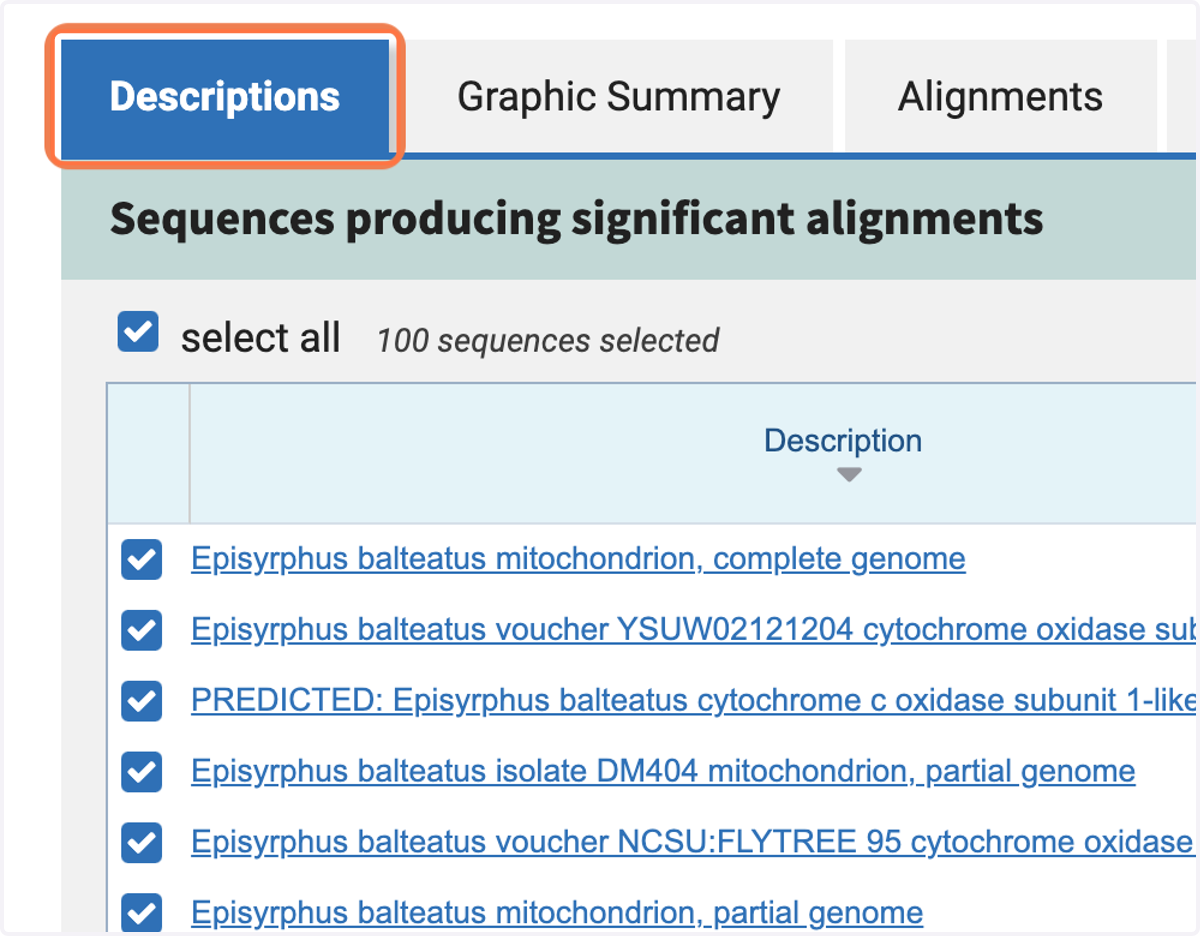
11. On the 'Descriptions tab', you can see the scientific name (binomial classification) of the organism and the name of the DNA sequence that matches your query.
Understanding the results
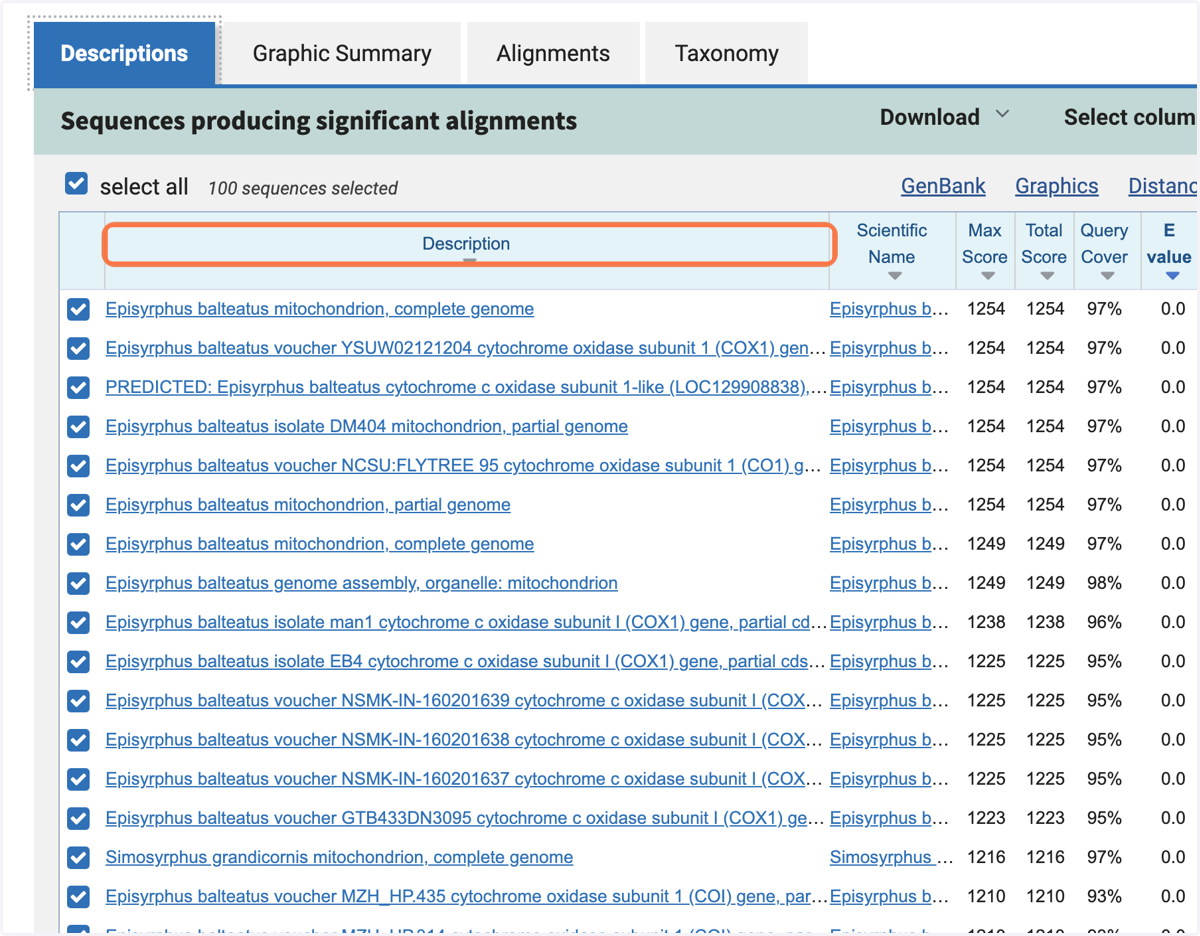
12. In the 'Description' column, each line shows the species name, a sample reference made up of numbers and letters, then what the DNA sequence is.
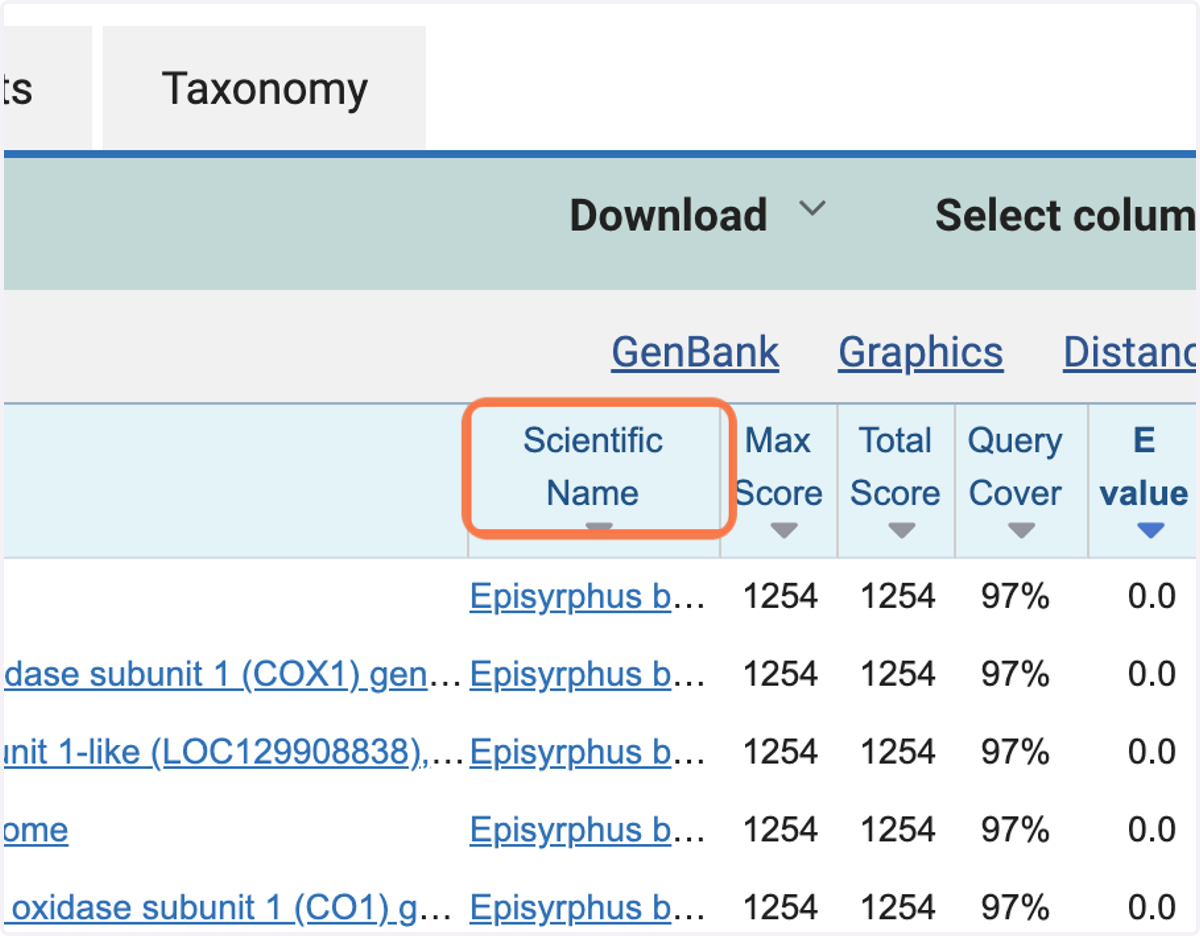
13. In the 'Scientific name' column it gives the binomial classification of the organism.
14. Scroll down until you see 4 tabs.
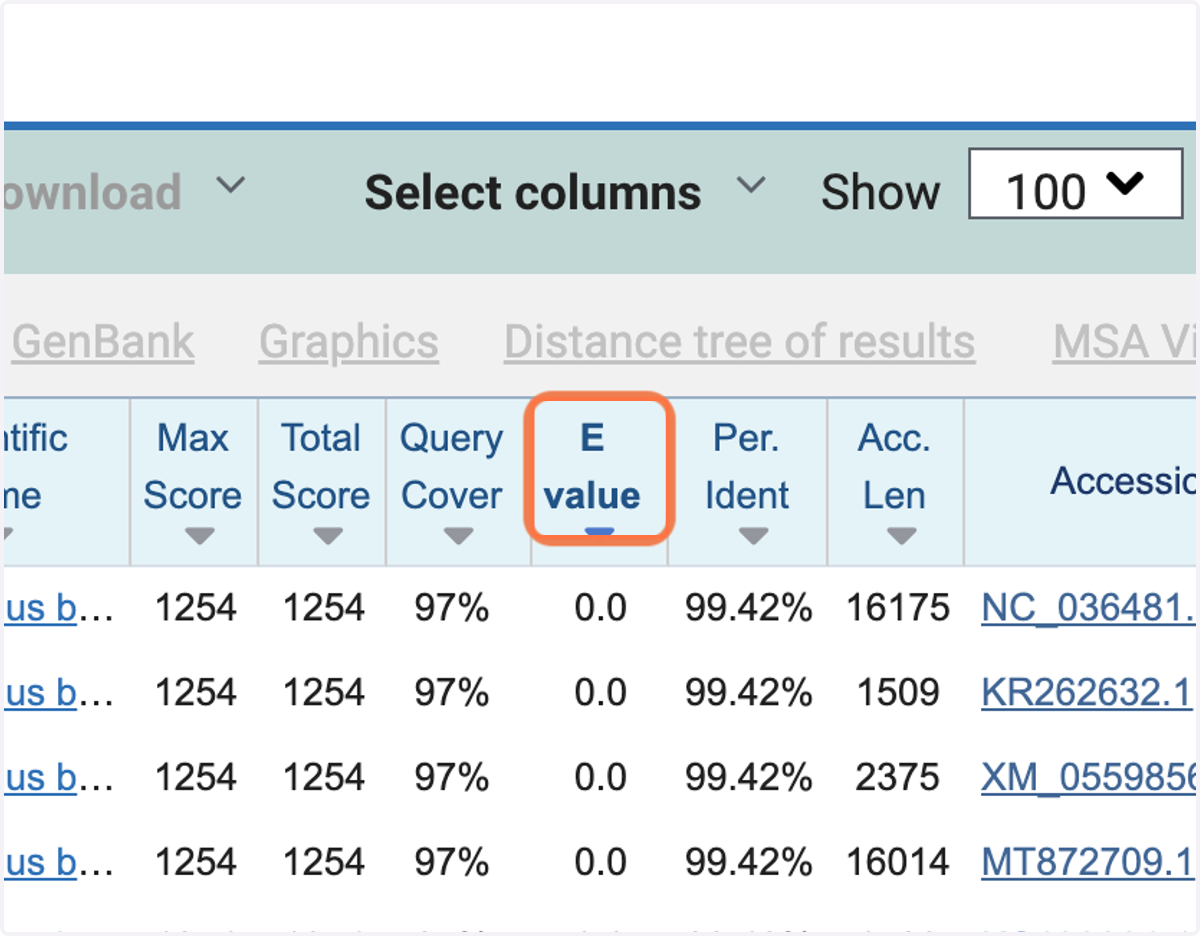
15. In a column to the right, the 'E value' or Expectation value, is the number of alignments with the query sequence that would be expected to occur by chance in the database.
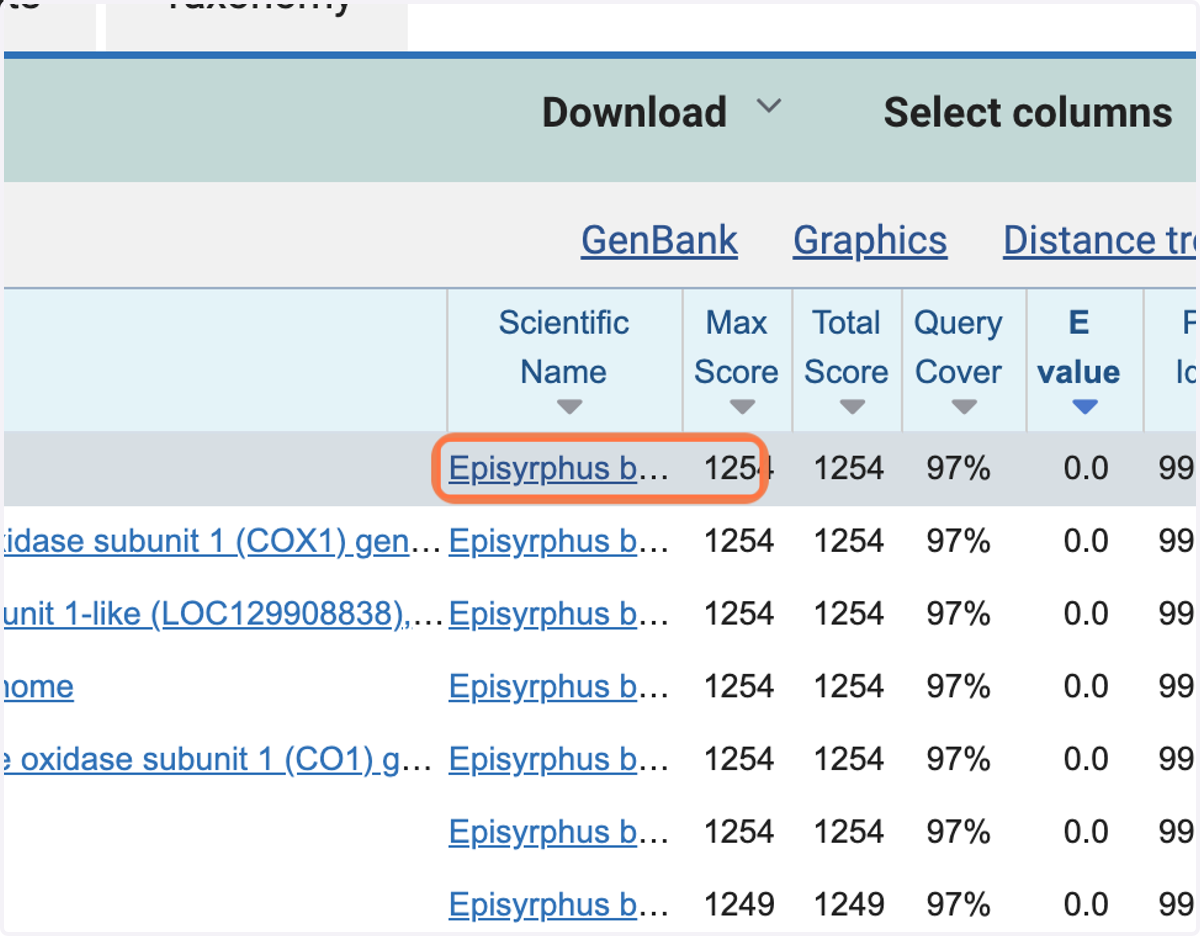
16. Click on this to see more information on classification and the common name, or type the bionomical classification into an internet search engine to find out what the common name for the invertebrate is.
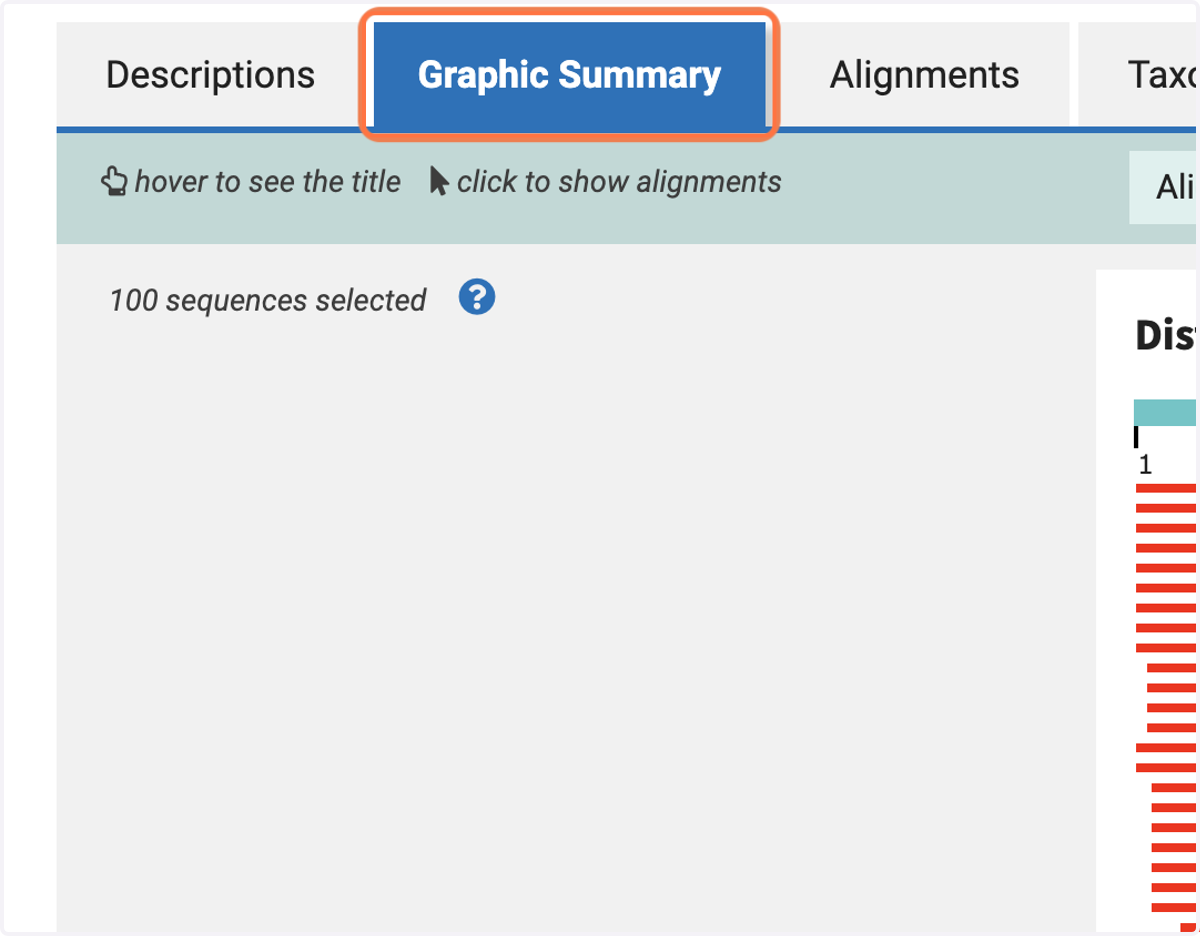
17. On the 'Graphic Summary' tab, you can see whether the sequence alignments are for the whole of the query sequence or just part of it.
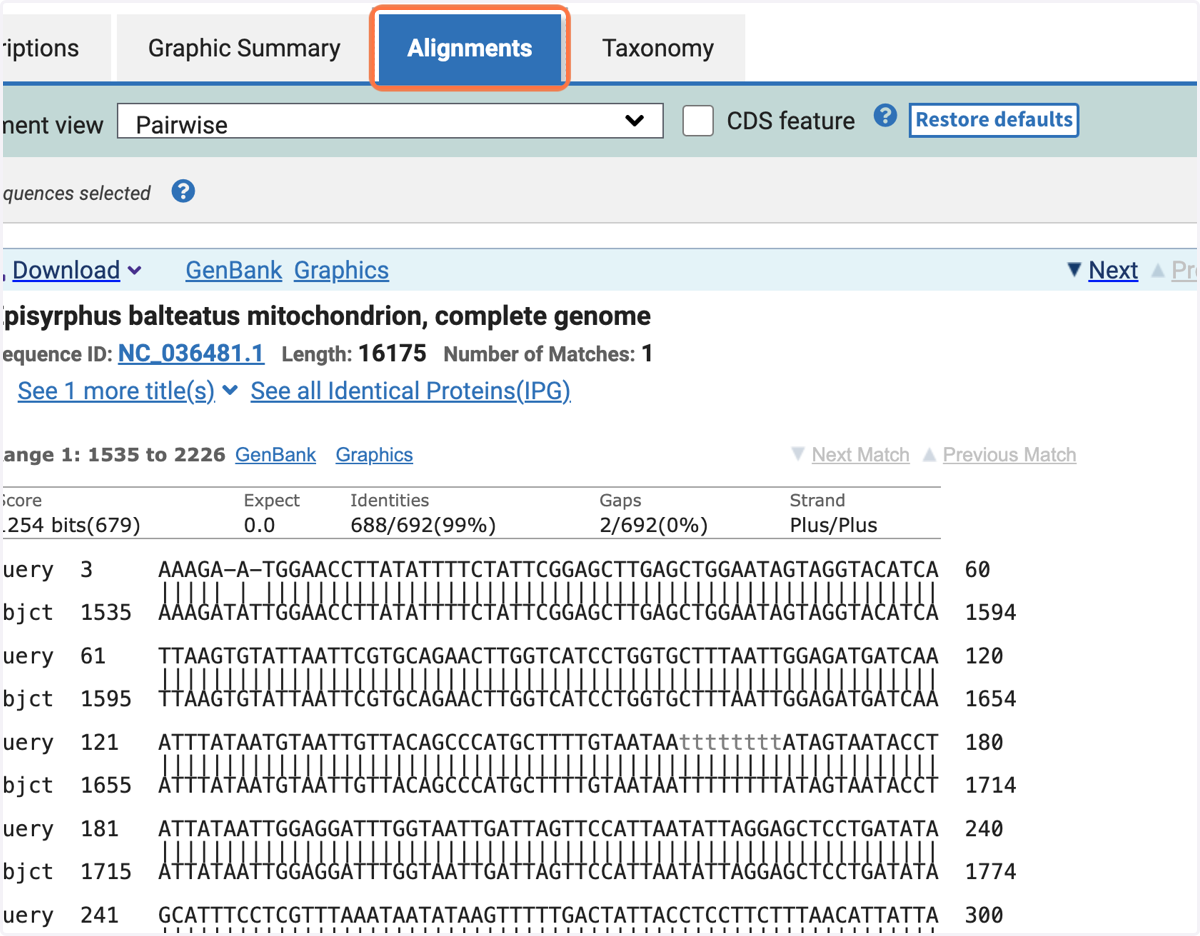
18. On the 'Alignments' tab there is a detailed view of each sequence from the database aligned to the query sequence.
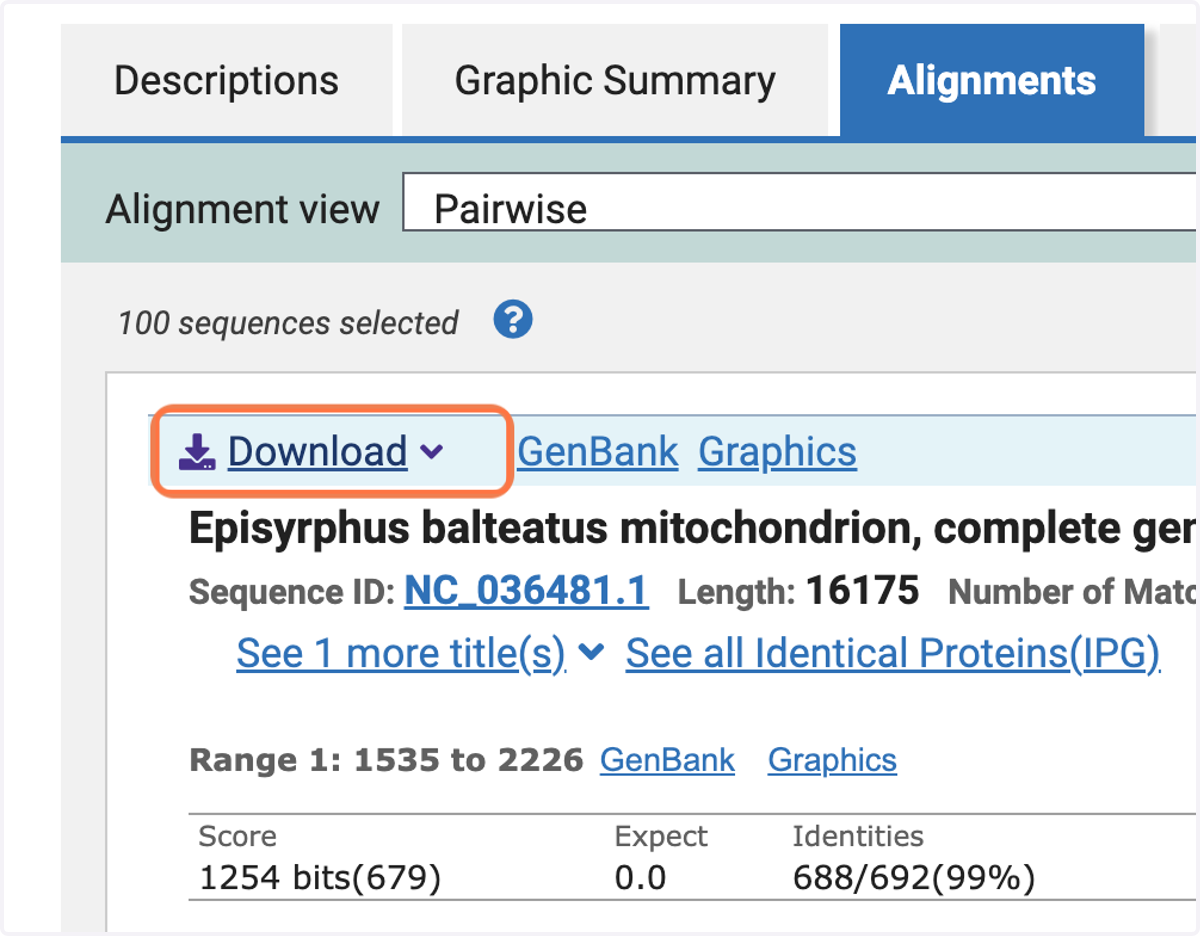
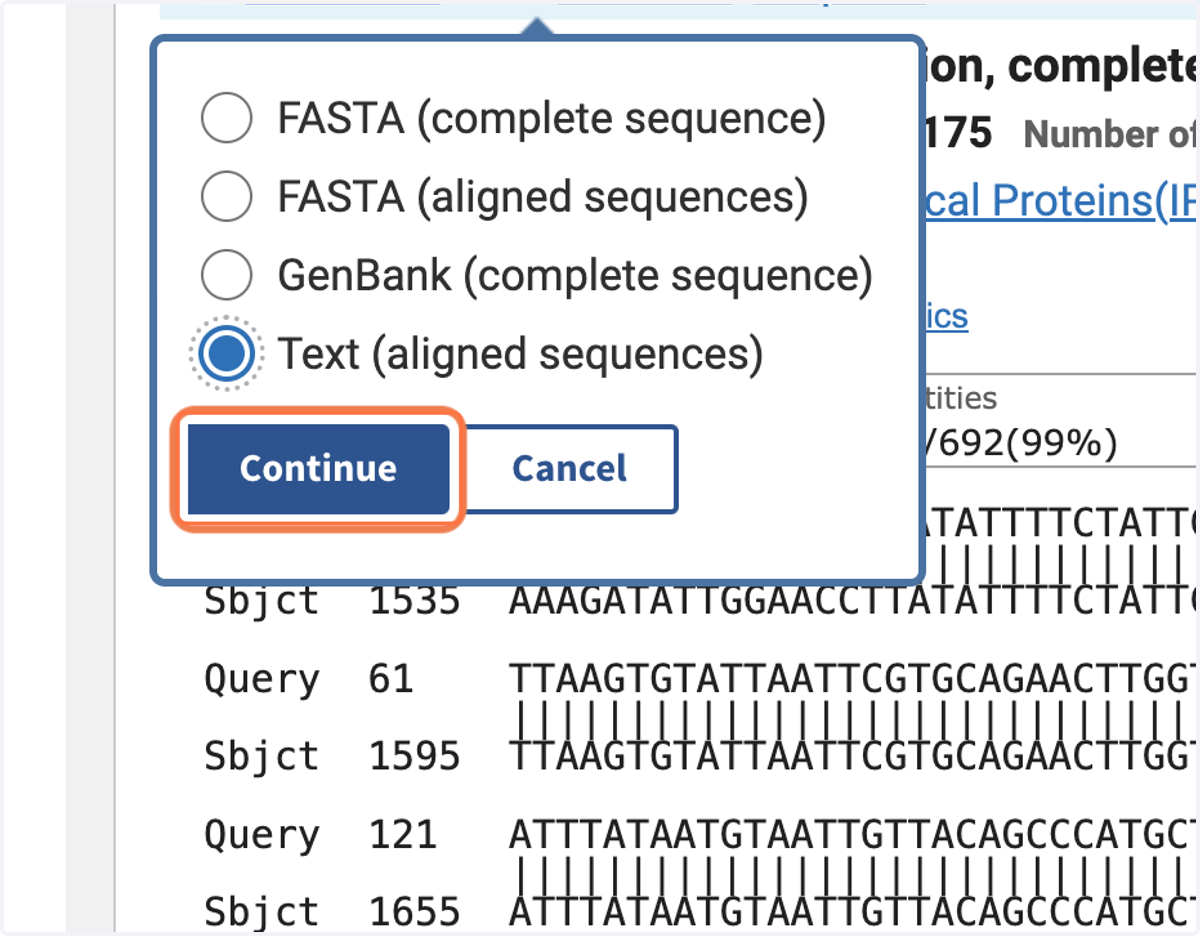
19. To present the results of your scientific identification of your invertebrate using a DNA barcode, you should include this alignment. Click the 'Download' button in the top left hand corner.
20. Select 'Text (aligned sequences)'.
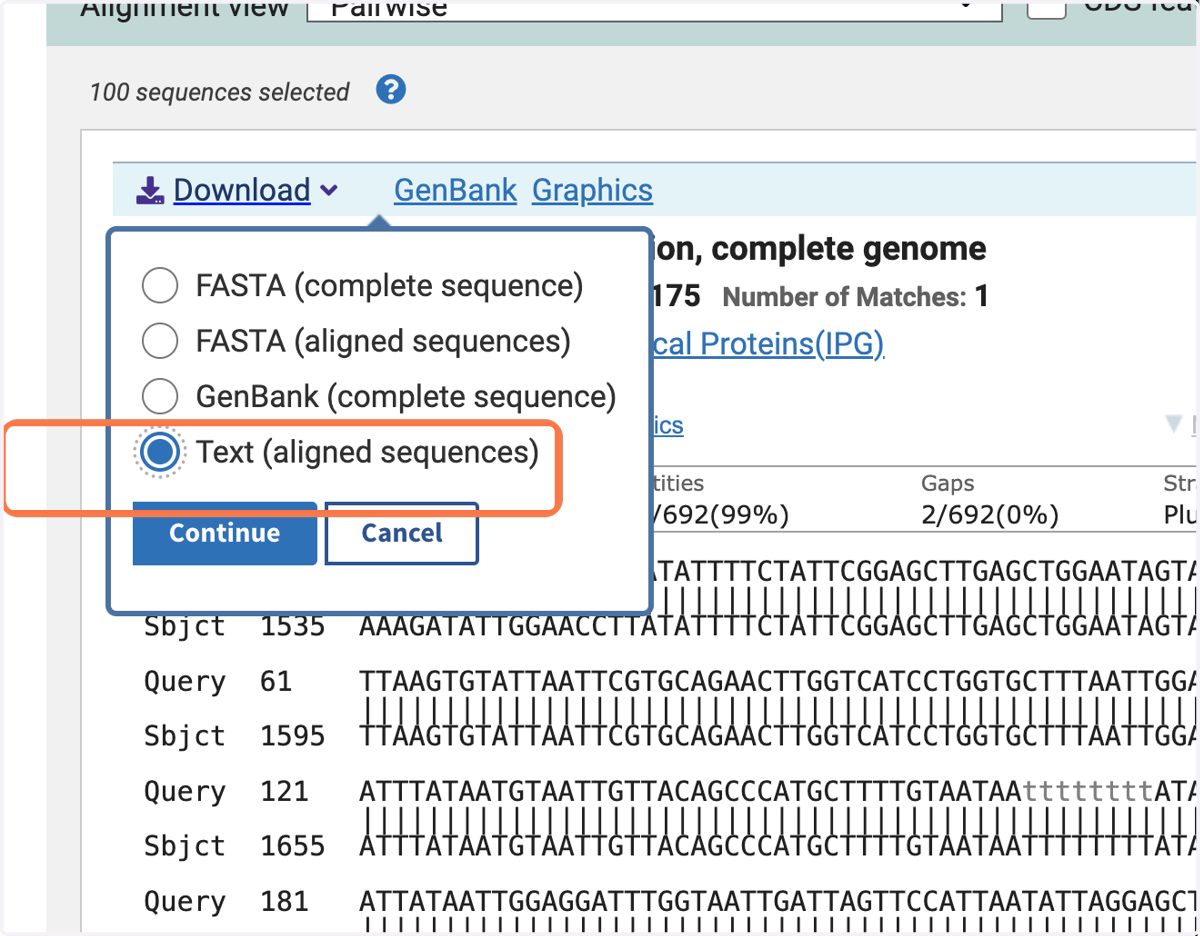
21. Then press 'Continue'.
22. Save the alignment in a location you can find again, and with a name that you will remember.