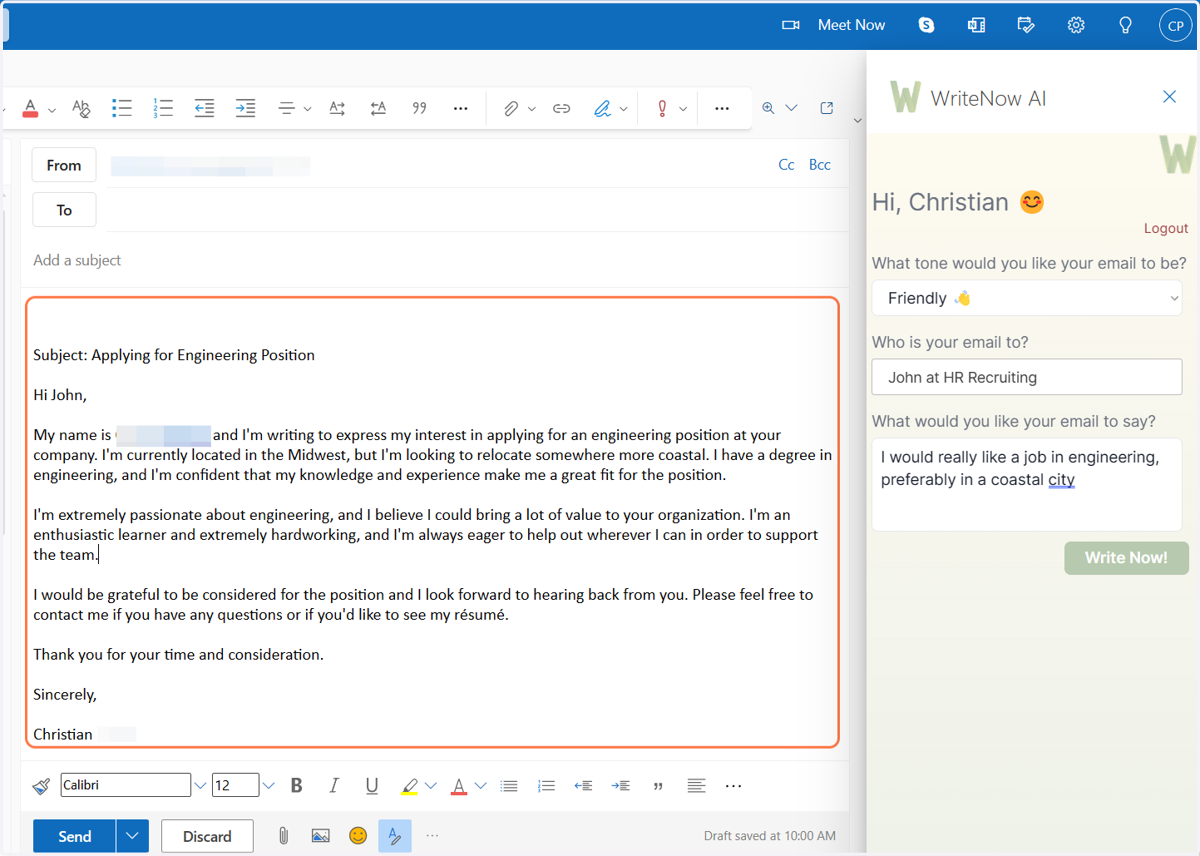
Write a new email in Microsoft Outlook with WriteNow AI for Outlook
This instruction set will outline the steps to write a new email using WriteNow AI using the WriteNow AI for Microsoft Outlook Add-in
Live
1. Open up your mailbox
WriteNow AI for Microsoft Outlooks is supported in the following versions of Outlook:
Outlook 2013 or later on Windows
Outlook 2016 or later on Windows
Outlook 2019 or later on Windows
Outlook 2013 or later on Mac
Outlook 2016 or later on Mac
Outlook 2019 or later on Mac
Outlook on the web (excluding Safari)
Outlook on Windows (Microsoft 365)
Outlook on Mac (Microsoft 365)
Ensure you have the latest version of Microsoft Edge installed on your computer if you are running Windows.
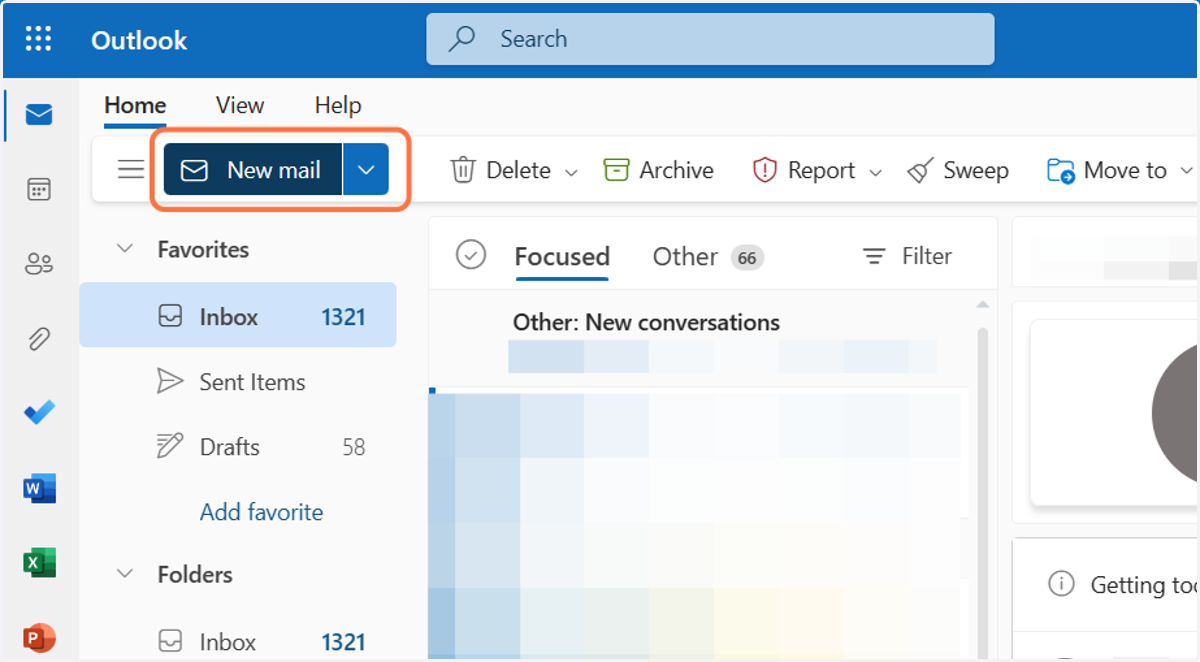
2. Click on New mail
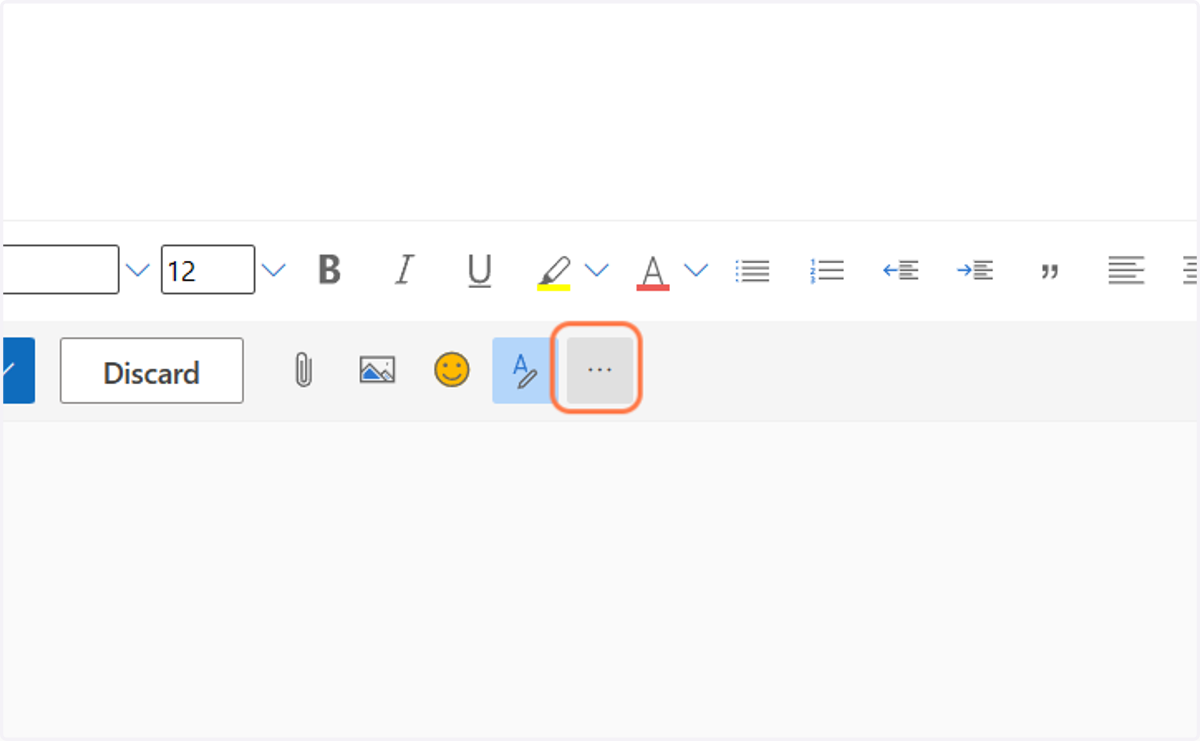
3. In the new window that appears, click on the three icons on the bar at the bottom
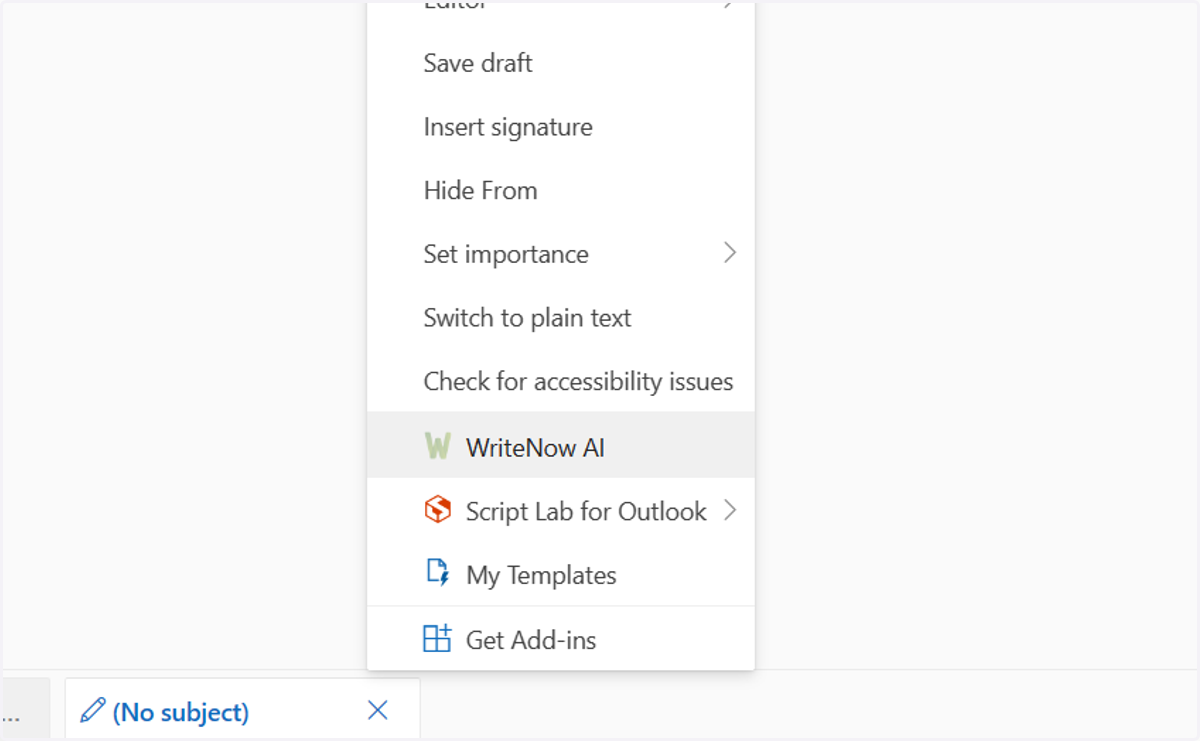
4. Click on WriteNow AI
Writenowai
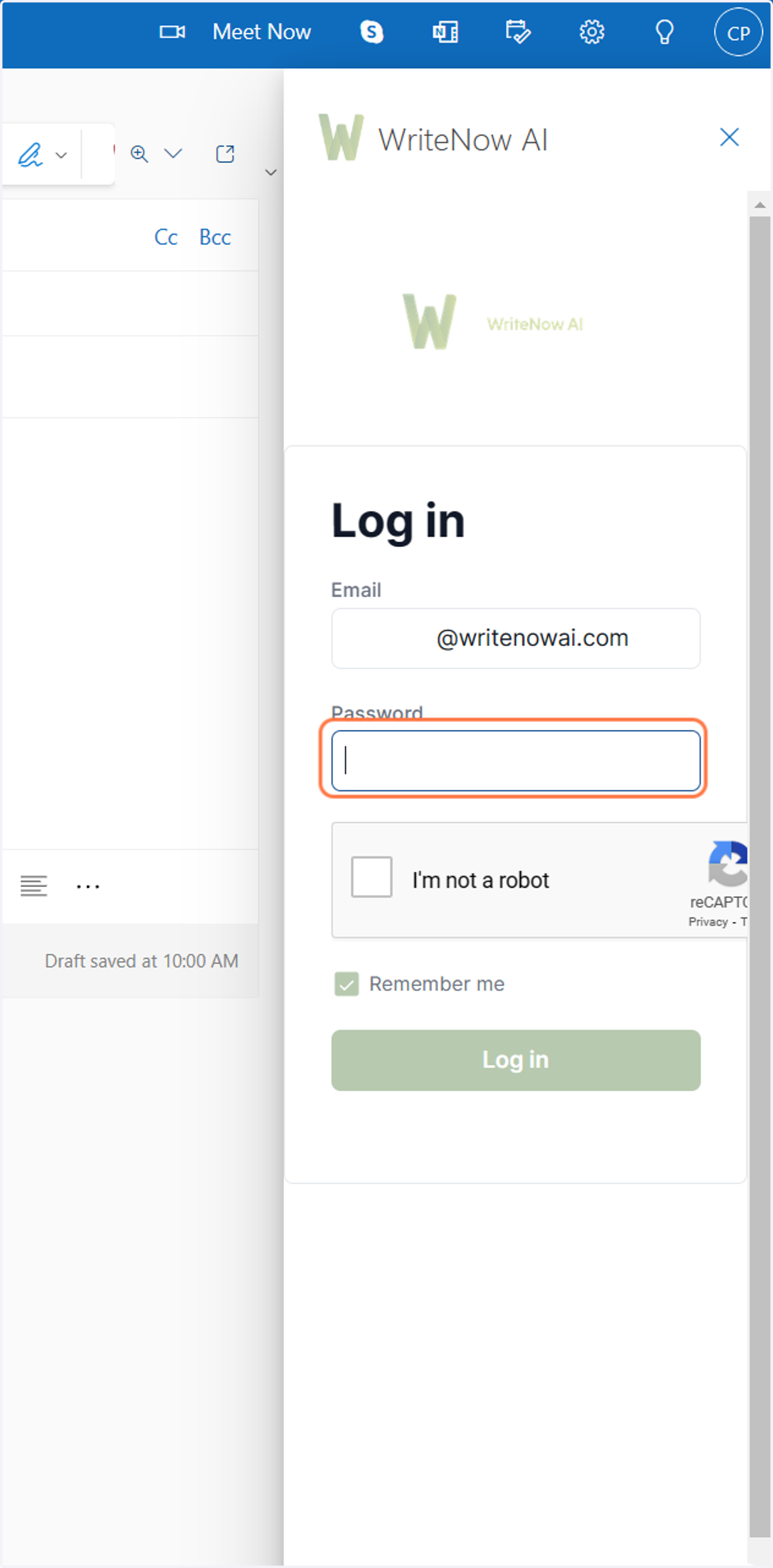
5. The WriteNow AI sidebar will appear, enter your email and password to login
Live
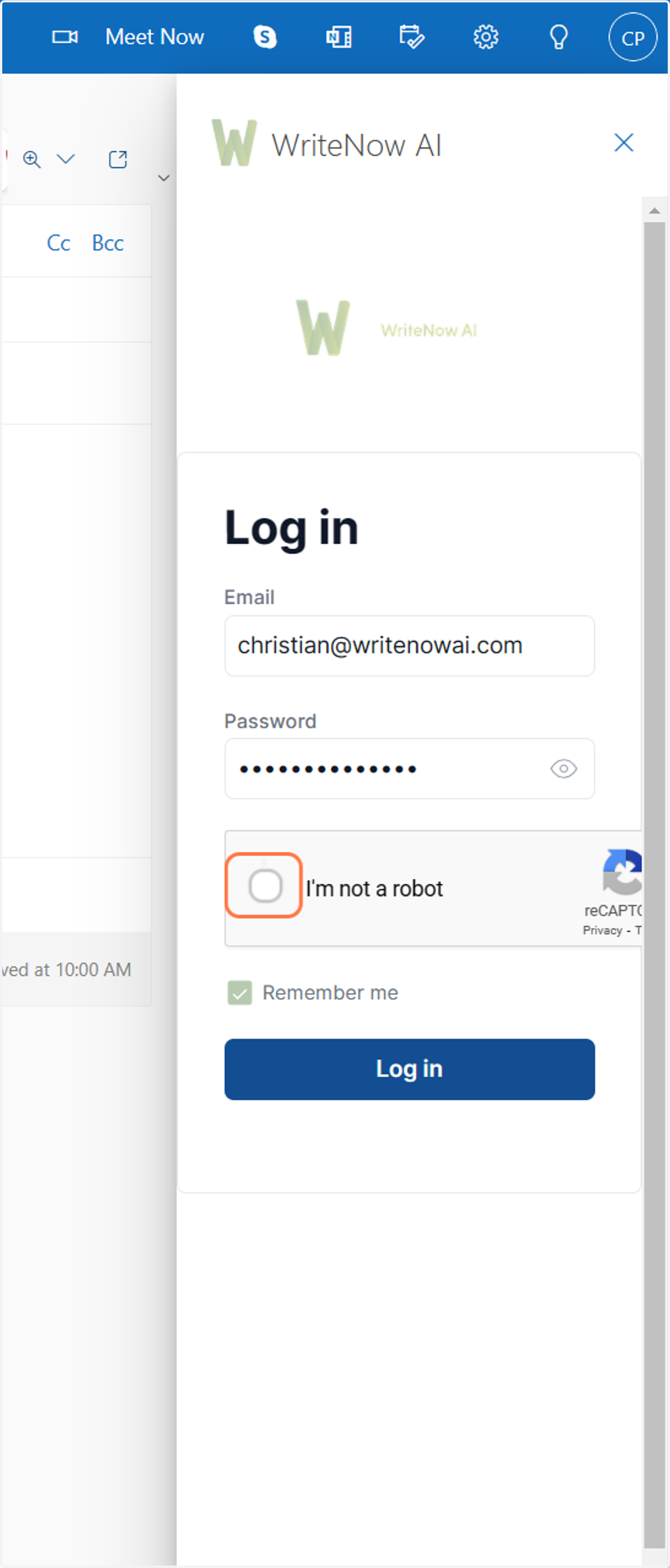
6. Complete the reCAPTCHA by clicking 'I'm not a robot'
Writenowai
7. Start writing your email!
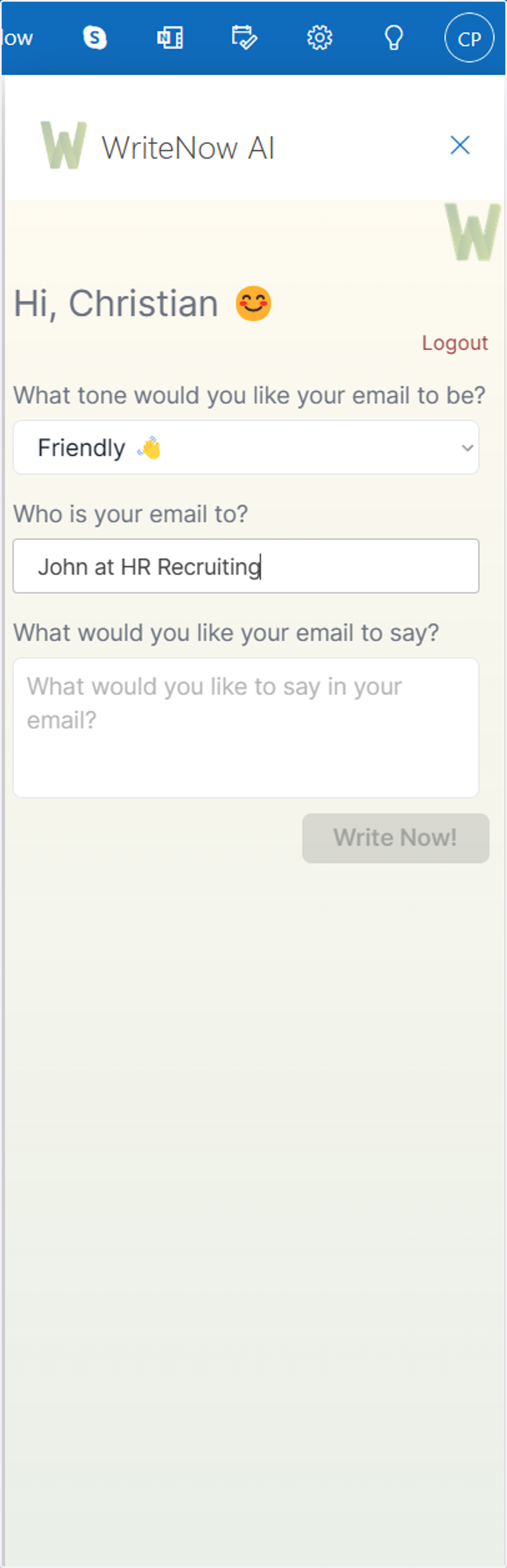
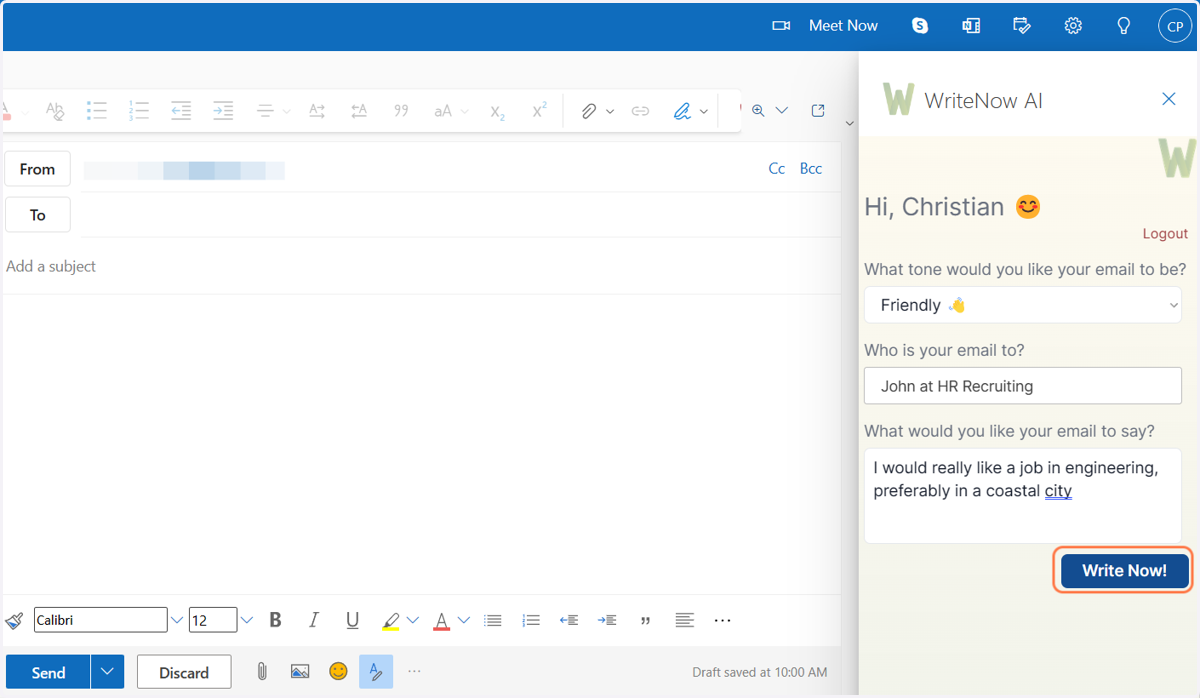
Enter the tone of how you would like your email to be written as well as who you would like your email to be written to
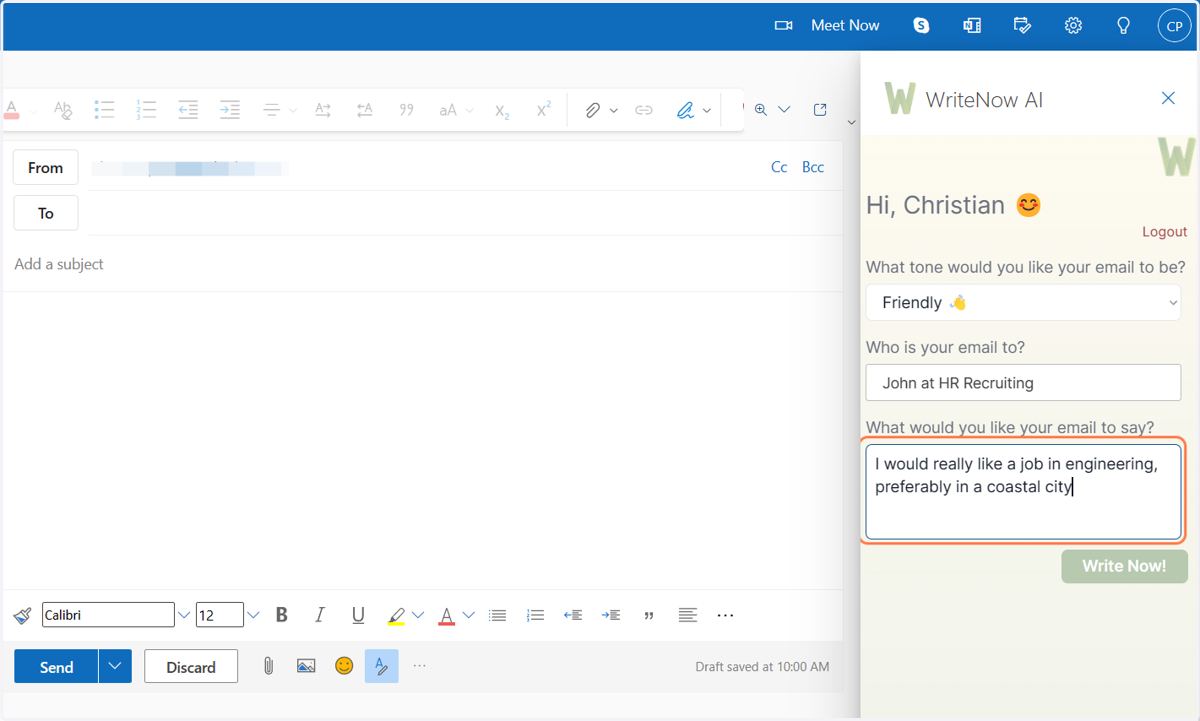
8. Enter what you want your email to say
Provide some dot points of what it is you would like to say - don't worry too much about how it sounds WriteNow AI will take care of the rest of it!
9. Click on Write Now!
10. Your email is written!
Make changes to your email as you like, enter an email address to send it to, and when ready hit 'Send'!